* The Sony WF-CN700N comes with a 5mm driver. * These earbuds have noise cancellation support and an IPX4 rating for splash resistance. * The Sony WF-CN700N offers a 15 hours battery life. * The Sony WF-CN700N earbuds will be available for purchase in India starting from July 15 . * Sony WF-CN700N will be available at Sony retail stores, major electronics stores, shopatsc portal, and other e-commerce websites
Sony India has introduced its latest WF-C700N truly wireless earbuds, offering a range of features for a seamless listening experience.
The earbuds allow you to cancel out background noise with noise cancelling or use Ambient Sound Mode to stay connected to your surroundings.
The built-in feedforward mics capture ambient sound, providing a natural listening experience.
Personalize the settings through the Sony | Headphones Connect app or use the Focus on Voice feature to chat without removing the earbuds. The WF-C700N also features Adaptive Sound Control, adjusting ambient sound settings based on your location and activities.
The earbuds are designed for comfort and stability, with a shape that matches the human ear and an ergonomic design.
The cylindrical charging case is compact and portable.
Sony WF-C700N Noise Cancelling TWS earbuds
The earbuds offer reliable call quality, wind noise reduction, and a long-lasting battery life of up to 15 hours.
The Multipoint connection allows pairing with two Bluetooth devices simultaneously, and the IPX4 water resistance ensures durability against splashes and sweat.
Sony has officially launched a new truly wireless noise cancelling earbuds, the Sony WF-C700N in India today.
Prior to the official launch, the company had teased the arrival of these earbuds for the Indian market a few days back.
Speaking about the specifications, the newly launched Sony WF-C700N comes equipped with 5mm drivers which produces powerful bass and stunningly clear vocals despite their small size.
These new earbuds also have an IPX4 rating for splash resistance, noise cancellation support, and up to 15 hours of battery life.
Sony WF-CN700N Price In India, Availability & Colours
Sony WF-CN700N Price In India
The Sony WF-CN700N is priced at Rs 8,990. These new earbuds come in Black, White, Lavender and Sage Green colour options.
The Sony WF-CN700N earbuds will be available for purchase in India starting from July 15 via Sony retail stores, major electronics stores, shopatsc portal, and other e-commerce websites.
Sony WF-CN700N Specifications, Features
Sony WF-CN700N Specifications
The new Sony WF-CN700N earbuds ships with 5mm drivers. Users can also use the EQ settings through the Sony headphones app.
These earbuds have noise-cancellation technology support, which can cancel out the background noise.
Users also can switch to ambient noise mode with the help of a button.
These new earbuds have been designed with comfort and stability in mind, and they come in a cylindrical case.
The case is small in size, and you can easily carry it in a pocket or bag.
These earbuds also provide reliable call quality because of the wind noise reduction structurewhich delivers your voice clearly, even on a windy day.
The Sony WF-CN700N also has a multipoint connection feature, which means that the earbuds can be paired with two Bluetooth devices at the same time. As mentioned above, these earbuds also have an IPX4 rating for splash resistance.
Sony WF-CN700N
Sony claims that these new earbuds can last for up to 15 hours. With quick charging of up to 10 minutes, you can expect a 1-hour playback. Additionally, you can expect 20 hours of additional battery life with the charging case.
With noise cancellation turned on, the earbuds offer a 7.5 hours battery life, while when it is turned off, users can expect a battery life of up to 10 hours.
Last but not least, these earbuds also have Fast Pair support, Bluetooth v5.2, and Google Assistant and Siri support.
Quick specifications: Sony WF-C700N Wireless Earbuds
* Driver Unit: 5mm, Closed type * Supports Volume control, DSEE (Digital Sound Enhancement Engine) * Battery life: Music – 7.5hrs with Noise cancellation ON | Call – 5hrs with Noise cancellation ON * Up to 15 hours of battery life; Fast charging for 10 mins gives 1 hour of playback * Charging: USB-C; 1.5hr to full charge (buds); 3hrs for Case * Multipoint connection support * Bluetooth: v5.2, SBC, AAC codec support, * Noise Cancelling and Ambient Sound modes * IPX4 Splash-proof and Sweat-proof * Sony | Headphones Connect app * Weight: 4.6g (each earbuds); Case: 31g
Faqs
1) What are Sony WF-CN700N Specifications?
Ans) * 5mm drivers.
* Noise cancellation support, Ambient Sound mode.
* IPX4 rating, Bluetooth v5.2 support.
* Google Assistant, Siri support, Multipoint connection, Fast Pair support.
* 15 hours battery life, 20 hours additional battery life with case, USB Type-C port
2) What is the Pricing and availability of Sony WF-C700N ?
Ans) Starting from July 15, 2023, you can purchase the Sony WF-C700N wireless earbuds in India for a price of Rs. 8,990. They come in black, white, lavender, and sage green colors.
These earbuds will be available at Sony retail stores such as Sony Center and Sony Exclusive, ShopatSC portal, major electronic stores, as well as various e-commerce websites.
Oppo Reno 10 Pro+ is a flagship smartphone from Oppo, featuring a powerful Snapdragon 8+ Gen 1 Mobile Platform for seamless performance.
It boasts a stunning display with a size of 6.74 inches, a high screen ratio of 93.9%, and a pixel density of 450PPI for immersive visuals.
The camera setup includes a versatile triple camera system on the rear (50MP main + 64MP telephoto + 8MP ultra-wide-angle) and a high-resolution 32MP front camera for exceptional photography.
The device offers a substantial 4560mAh battery capacity (4700mAh typical) and supports SUPERVOOC 100W fast charging, ensuring efficient power management and quick recharge times.
The Oppo Reno 10 5G series, which includes the Oppo Reno 10, Reno 10 Pro, and Reno 10 Pro+, have been officially launched today.
Let’s take a close look at their specs, features and pricing. In this blog, we will also reveal our Reno 10 Pro+ first impression, the top variant of the series.
Successors to the Reno 9 series, the highly anticipated Reno 10 series have arrived in Indiawith slightly modified specifications compared to the models launched earlier this year in China.
While Oppo Reno 10 Pro series price in India starts at Rs 39,999, the price of Oppo Reno 10 will be revealed later directly on 20th July 2023.
Ahead of the official launch in India, several leaks and tips were already floating in the tech news segment disclosing certain specifications of the high-end Oppo Reno 10 Pro+.
Now that phones have been unveiled officially, we know what upgrades and improvements the Chinese manufacturer has introduced. So, without further ado, here’s our Oppo Reno 10 Pro+ first impression.
Oppo Reno 10 Pro+
Oppo Reno 10 Pro+
Oppo Reno 10 Pro+ features a 6.74 inches OLED display with 1220 x 2712 pixels resolution and 440 PPI screen density. The display is protected by Corning Gorilla Glass.
The smartphone comes with a rear triple-camera set-up with a 50 MP (wide) + 64 MP (periscope telephoto) + 8 MP (ultrawide). On the front, there is a single camera of 32 MP (wide) for your selfies.
OPPO Reno 10 Pro Plus is fueled by a Li-Po 4700 mAh battery + 100W wired, PD, QC3 + Reverse wired.
It runs on the Android 13 + ColorOS 13.1 operating system and supports Dual SIM. The sensors include an optical under-display fingerprint, proximity, accelerometer, gyro, proximity, compass, and colour spectrum.
Oppo Reno 10 Pro+ – Key Features
Oppo Reno 10 Pro+ Key Features
7.4-inch 3D AMOLED (flexible) display supporting a high 120Hz refresh rate
Rear cameras – 50MP primary camera with OIS + 64MP periscope lens with OIS + 8MP wide-angle lens
Selfie camera – 32MP on the front
Chipset – Qualcomm Snapdragon 8+ Gen 1 SoC
Storage – 12GB + 256GB
OS – Android 13, ColorOS 13.1
Battery – 4,700mAh battery with 100W SUPERVOOC Flash Charge technology
Connectivity – Wi-Fi 6, 5G bands, Bluetooth 5.3, USB Type-C port, etc
Oppo Reno 10 Pro+ – Pros & Cons
Pros
Cons
● 6.74-inch 3D AMOLED (flexible) display
● Great Rear camera setup with 64MP telephoto lens with OIS
● Good battery with 100W fast charging
● Stylish design
● 5G enabled
● Outdated USB Type C 2.0 charging port
● No Micro SD Card
● Expensive
Oppo Reno 10 Pro+ – Display
Oppo Reno 10 Pro+ – Display
The Oppo Reno 10 Pro+ boasts a stunning display that delivers an immersive visual experience. With a 6.74-inch 3D AMOLED (flexible) display, the screen provides ample space for content consumption, gaming, and multimedia enjoyment.
The screen ratio of 93.9% ensures minimal bezels, allowing for an expansive viewing area and an edge-to-edge display.
Featuring an FHD+ resolution of 2772×1240 pixels, the Reno 10 Pro+ guarantees sharp and detailed visuals. Whether you’re browsing the web, watching videos, or viewing photos, the display brings out the finest details with clarity.
One standout feature of the Reno 10 Pro+is its impressive refresh rate. With a maximum refresh rate of 120Hz, the display delivers smooth and fluid motion, enhancing the overall user experience.
Combined with a maximum touch sampling rate of 240Hz, interactions with the screen feel incredibly responsive, making gaming and navigating through apps a delight.
The colour depth of 1.07 billion hues, achieved through a 10-bit colour panel, ensures vibrant and lifelike colour reproduction.
Whether you’re viewing photos, watching videos, or playing games, the display accurately showcases a wide range of colours, making every visual element pop with brilliance.
With a pixel density of 450PPI, the Reno 10 Pro+ offers exceptional sharpness and clarity. Texts, icons, and images appear crisp and well-defined, immersing you in a world of visual richness.
The brightness capabilities of the Reno 10 Pro+ are equally impressive. With a standard maximum brightness of 500 nits (Typical), the screen remains visible and legible even in bright environments.
For enhanced visibility under direct sunlight, the display can reach a maximum brightness of 1100 nits.
Furthermore, when it comes to displaying HDR photos and HDR10+ content, the brightness can go up to 1400 nits, ensuring vivid and dynamic visuals with a wide dynamic range.
Oppo Reno 10 Pro+ – Hardware, Software and Performance
Oppo Reno 10 Pro+ – Hardware, Software and Performance
The Reno 10 Pro+ is equipped with theSnapdragon 8+ Gen 1 Mobile Platform, a high-performance chipset that ensures swift and efficient operation.
This cutting-edge processor delivers excellent processing power, enabling smooth multitasking, lag-free app launches, and seamless navigation through the user interface.
With a substantial 12GB of RAM, the device can handle intensive tasks and demanding applications with ease.
Whether you’re running multiple apps simultaneously or engaging in resource-heavy gaming, the ample RAMcapacity ensures a lag-free and responsive experience.
The LPDDR5 RAM type, operating at 3200MHz with a 4x16bit configuration, further enhances the device’s overall speed and efficiency.
In terms of storage, the Reno 10 Pro+ offers a generous 256GB of internal storage. This ample space allows you to store a vast library of apps, photos, videos, and other multimedia content without worrying about running out of storage.
Oppo Reno 10 Pro+ Performance
The device utilizes UFS3.1 technology with 2 lanes HS-Gear4, ensuring fast read and write speeds for quick access to your files and apps.
Thanks to its powerful hardware configuration and optimized software, the Oppo Reno 10 Pro+ delivers seamless performance across various tasks.
Whether you’re playing graphics-intensive games, editing multimedia content, or multitasking between numerous apps, the device handles everything with remarkable speed and efficiency.
The combination of the Snapdragon 8+ Gen 1 Mobile Platform, RAM capacity, and high-speed storage ensures smooth performance, quick app launches, and swift responsiveness.
The Oppo Reno 10 Pro+ runs on ColorOS 13.1, providing a user-friendly and intuitive interface. ColorOSis known for its polished design, smooth animations, and a wide range of customization options.
The software offers a clean and organized layout, making it easy to navigate through menus, access settings, and interact with various features.
Additionally, ColorOS 13.1 introduces several optimizations and enhancements, further improving system stability, app performance, and overall user experience.
Oppo Reno 10 Pro+ – Camera
Oppo Reno 10 Pro+ – Camera
The Reno 10 Pro+ features a triple camera setup on the rear, designed to cater to a variety of photography needs. The main camera boasts an impressive 50MP resolution, utilizing a 6P lens configuration.
This high-resolution sensor, combined with advanced autofocus (AF)capabilities and a closed-loop focus motor, ensures sharp and detailed images with accurate focusing.
The inclusion of optical image stabilization (OIS)further enhances image stabilization, reducing the impact of camera shake and resulting in clearer shots, especially in low-light conditions.
The telephoto lens offers a substantial 64MP resolution, delivering exceptional zoom capabilities while maintaining image quality.
With autofocus and OIS support, it allows for clear and focused shots even when zoomed in, capturing distant subjects with remarkable detail.
Telephoto Portrait Camera
The ultra-wide-angle lens provides an 8MP resolution, offering a broader perspective for capturing expansive landscapes, group photos, or architectural shots.
While it lacks autofocus capabilities, the 5P lens configuration ensures decent image quality and a wide field of view.
The Oppo Reno 10 Pro+ is equipped with a 32MP front camera that delivers impressive selfies and video calls.
With a 5P lens configuration and autofocus support, it captures sharp and detailed self-portraits, ensuring you look your best in every shot. The open-loop focus motor enhances focusing accuracy and speed, resulting in clear and well-defined selfies.
The camera performance of the Reno 10 Pro+ is truly noteworthy. The combination of high-resolution sensors, advanced autofocus technology, and OIS ensures sharpness, clarity, and accurate focusing in both rear and front camera setups.
The device excels in various photography scenarios, from capturing intricate details with the main camera to zooming in on distant subjects with the telephoto lens.
The ultra-wide-angle lensoffers a wider perspective, while the front camera delivers impressive selfies with excellent focus and detail.
Oppo Reno 10 Pro+ – Battery Life and Connectivity
Oppo Reno 10 Pro+ – Battery Life and Connectivity
The Reno 10 Pro+ is equipped with a sizable battery, featuring a rated capacity of 4560mAh and a typical capacity of 4700mAh.
This generous battery capacity ensures prolonged usage and allows you to stay connected and engaged with your device throughout the day without frequent recharging.
One standout feature of the Reno 10 Pro+ is its SUPERVOOC 100W fast charging technology. This remarkable charging capability allows you to quickly replenish the battery and minimize downtime.
With the included charger, you can experience rapid charging speeds, ensuring that you spend less time connected to a power source and more time using your device.
The Reno 10 Pro+ is optimized for battery efficiency, ensuring that power consumption is managed effectively to maximize battery life.
With intelligent power management and optimizations in both hardware and software, the device strives to provide an optimal balance between performance and battery usage, allowing you to make the most out of your device without worrying about running out of battery quickly.
The battery performance of the Oppo Reno 10 Pro+ is impressive, offering a large battery capacity that keeps you connected throughout the day.
The SUPERVOOC 100W fast chargingfeature allows for quick charging when needed, minimizing downtime and ensuring you can get back to using your device swiftly. The device’s battery efficiency measures help in prolonging battery life and ensuring a satisfactory user experience.
Oppo Reno 10 Pro+ – Price and Availability
Oppo Reno 10 Pro+ – Price and Availability
OPPO Reno10 Pro Plus price in India starts at Rs. 54,999. The sale will start on 13th July 2023. This is the 16 GB RAM / 256 GB internal storage base variant of OPPO Reno10 Pro Plus.
The device will be available in Silvery Grey and Glossy Purple colour variants.
Apart from Oppo Reno 10 Pro+, the series also include Reno 10 and Reno 10 Pro. Here’s a quick first look at both.
Oppo Reno 10 5G
Oppo Reno 10 series smartphones sport 6.74-inch full-HD+ AMOLED displays with a 120Hz refresh rate. They could pack a 32-megapixel selfie camera.
The vanilla model is said to be powered by a MediaTek Dimensity 7050 SoC under the hood. In contrast, the Oppo Reno 10 Pro is said to run on Snapdragon 778G SoC, whereas the Oppo Reno 10 Pro+ is tipped to feature a Snapdragon 8+ Gen 1 SoC.
The Oppo Reno 10 is tipped to pack a 5,000mAh battery with 67W charging support. The Oppo Reno 10 Pro and Oppo Reno 10 Pro+ are said to carry a 4,600mAh battery with 80W charging support and a 4,700mAh battery with 100W charging support, respectively.
The triple rear camera setup of Oppo Reno 10 Pro is teased to include a 50-megapixelSony IMX890 sensor with OIS, a 32-megapixel telephoto sensor and an 8-megapixel ultra wide-angle camera.
The Oppo Reno 10 Pro+, being the most premium option in the lineup, is confirmed to pack a 64-megapixel sensor, a 50-megapixel Sony IMX890 sensor with OIS and an 8-megapixel ultra wide-angle shooter.
Oppo Reno 10 5G – Key Features
Oppo Reno 10 5G Key features
74-inch FHD+ OLED display supporting a high 120Hz refresh rate
Rear cameras – 64MP primary Omnivision OV64B sensor + an 8MP IMX355 ultra-wide camera + a 32MP IMX709 2X telephoto camera
Selfie camera – 32MP on the front
Chipset – MediaTek Dimensity 7050
Storage – 8GB+128GB and 8GB+256GB
OS – Android 13, ColorOS 13.1
Battery – 5,000mAh with 67W SUPERVOOC fast charging technology
Connectivity – Wi-Fi 6, 5G bands, Bluetooth 5.3, USB Type-C port, etc
Oppo Reno 10 5G – Price and Availability
Oppo Reno 10 5G – Price and Availability
OPPO Reno 10 price in India is expected to start at Rs 35,999 (as per rumours). The brand will officially reveal the price on 20th July 2023 directly on Flipkart.com. This will be the 8 GB RAM / 256 GB internal storage base variant of OPPO Reno10.
The phone will be available in Silvery Grey and Ice Blue colour variants.
Oppo Reno 10 Pro
Oppo Reno 10 Pro
Oppo Reno 10 Pro comes with a 6.74-inch FHD+ touchscreen display offering a resolution of 1240×2772 pixels at a pixel density of 450 pixels per inch (ppi) and a 120 Hz refresh rate.
Oppo Reno 10 Pro is powered by an octa-core MediaTek Dimensity 8200 processor. It comes with 16GB of RAM. The Oppo Reno 10 Pro runs Android 13 and is powered by a 4600mAh battery. The Oppo Reno 10 Pro supports Super VOOC fast charging.
As far as the cameras are concerned, the Oppo Reno 10 Pro on the rear packs a dual camera setup featuring a 50-megapixel primary camera; a 32-megapixel camera, and an 8-megapixel camera. It has a single front camera setup for selfies, featuring a 32-megapixel sensor.
The Oppo Reno 10 Pro runs ColorOS 13.1is based on Android 13 and packs 256GB of inbuilt storage. The Oppo Reno 10 Pro is a dual-SIM mobile that accepts Nano-SIM and Nano-SIM cards.
Connectivity options on the Oppo Reno 10 Pro include Wi-Fi 802.11 a/b/g/n/ac/ax, Bluetooth v5.30, NFC, Infrared, USB OTG, USB Type-C, 4G (with support for Band 40 used by some LTE networks in India), and 5G with active 4G on both SIM cards.
Sensors on the phone include an accelerometer, ambient light sensor, compass/ magnetometer, gyroscope, proximity sensor, and in-display fingerprint sensor.
Oppo Reno 10 Pro – Key Features
Oppo Reno 10 Pro – Key Features
6.74-inch FHD+ OLED display supporting a high 120Hz refresh rate
Rear cameras – 50MP primary camera with OIS + 32MP telephoto lens with OIS + 8MP wide-angle lens
Selfie camera – 32MP on the front
Chipset – Qualcomm Snapdragon 778G
Storage – 12GB + 256GB
OS – Android 13, ColorOS 13.1
Battery – 4,600mAh with 100W SUPERVOOC Flash Charge technology
Connectivity – Wi-Fi 6, 5G bands, Bluetooth 5.3, USB Type-C port, etc
Oppo Reno 10 Pro – Price and Availability
Oppo Reno 10 Pro – Price and Availability
OPPO Reno 10 Pro price in India starts at Rs. 39,999. The sale will start on 13th July 2023. This is the 16 GB RAM / 256 GB internal storage base variant of OPPO Reno10 Pro.
The phone will be available in Silvery Grey and Glossy Purple colour variants.
OPPO Reno 10 series price in India, sale details
MODEL
RAM AND STORAGE
PRICE
OPPO Reno 10
TBA on July 20th
OPPO Reno 10 Pro
12GB + 256GB
Rs 39,999
OPPO Reno 10 Pro+
12GB + 256GB
Rs 54,999
OPPO Reno10 Quick Specifications
OPPO Reno10 Quick Specifications
6.7-inch FHD+ (2412 × 1080 pixels) FHD+ AMOLED HDR10+ display with 120Hz refresh rate, 240Hz touch sampling rate, up to 950 nits peak brightness, AGC DT-Star2 glass protection.
Octa Core (2 x 2.6GHz Cortex-A78 + 6 x 2GHz Cortex-A55 CPUs) MediaTek Dimensity 7050 6nm processor with Mali-G68 MC4 GPU.
8GB LPDDR4x RAM with 128GB / 256GB UFS 2.2 storage.
Android 13 with ColorOS 13.1.
64MP rear camera with Omnivision OV64B sensor, ƒ/1.7 aperture, 8MP IMX355 ultra-wide camera, ƒ/2.2 aperture, 32MP IMX709 2X telephoto camera, ƒ/2.2 aperture, LED flash 32MP RGBW front camera with IMX709 sensor, ƒ/2.4 aperture.
Dimensions:162.4×74.19×7.99mm; Weight:185g.
In-display fingerprint sensor, infrared sensor.
5G SA/NSA, Wi-Fi 802.11 ac (2.4GHz + 5GHz), Bluetooth 5.3, USB Type-C, NFC. 4600mAh battery with 67W SuperVOOC fast charging.
OPPO Reno10 Pro Quick Specifications
OPPO Reno10 Pro Quick Specifications
6.7-inch FHD+ (2412 × 1080 pixels) FHD+ AMOLED HDR10+ display with 120Hz refresh rate, 240Hz touch sampling rate, up to 950 nits peak brightness, AGC DT-Star2 glass protection.
Octa Core (4 x 2.4GHz + 4 x 1.8GHz Kryo 670 CPUs) Snapdragon 778G 6nm Mobile Platform with Adreno 642L GPU, 12GB LPDDR4x RAM with 256GB UFS2.2 storage.
Android 13 with ColorOS 13.1
50MP rear camera with IMX890 sensor, ƒ/1.8 aperture, OIS, 8MP IMX355 ultra-wide camera with ƒ/2.2 aperture, 32MP IMX709 2X telephoto camera with ƒ/2.0 aperture, LED flash, MariSilicon X NPU 32MP RGBW front camera with IMX709 sensor, ƒ/2.4 aperture
Dimensions:162.3×74.2×7.89mm; Weight:185g
In-display fingerprint sensor, infrared sensor
5G SA/NSA, Wi-Fi 802.11 ac (2.4GHz + 5GHz), Bluetooth 5.2, USB Type-C, NFC 4600mAh battery with 80W SuperVOOC fast charging
OPPO Reno10 Pro+ Quick Specifications
OPPO Reno10 Pro+ Quick Specifications
6.7-inch FHD+ (2772 × 1240 pixels) 1.5K curved OLED HDR10+ display with 120Hz refresh rate, 240Hz touch sampling rate, up to 1400 nits peak brightness, AGC DT-Star2 glass protection
Up to 3GHz Octa Core Snapdragon 8 Gen 1+ 4nm Mobile Platform with Adreno 730 GPU, 12GB LPDDR5 RAM with 256GB UFS 3.1 storage
Android 13 with ColorOS 13.1
50MP main camera with 1/1.56″ Sony IMX890 sensor, ƒ/1.8 aperture, OIS, 8MP ultra-wide camera with ƒ/2.2 aperture, 64MP periscope telephoto camera with Omnivision OV64B sensor, ƒ/2.5 aperture, 3x optical zoom and up to 120x digital zoom, LED flash, MariSilicon X NPU 32MP RGBW front camera with IMX709 sensor, ƒ/2.4 aperture
Dimensions:162.9x74x8.28mm; Weight:194g
In-display fingerprint sensor, infrared sensor
5G SA/NSA, Wi-Fi 802.11 ac (2.4GHz + 5GHz), Bluetooth 5.3, USB Type-C, NFC 4700mAh battery with 100W SuperVOOC fast charging
Q1. What is the display size and resolution of the Oppo Reno 10 Pro+?
Answer. The Oppo Reno 10 Pro+ features a 6.74-inch display with FHD+ resolution (2772×1240 pixels), offering a sharp and detailed viewing experience.
Q2. How much RAM and storage capacity does the Oppo Reno 10 Pro+ offer?
Answer. The Reno 10 Pro+ comes with 12GB of RAM and a generous 256GB of internal storage, providing ample space for your apps, files, and multimedia content.
Q3. What is the battery capacity of the Oppo Reno 10 Pro+?
Answer. The Reno 10 Pro+ is equipped with a 4560mAh battery (rated capacity) or 4700mAh (typical capacity), ensuring extended usage time on a single charge.
Q4. What is the fast charging technology used in the Reno 10 Pro+?
Answer. The Oppo Reno 10 Pro+ supports SUPERVOOC 100W fast charging, allowing for rapid charging speeds and minimizing downtime.
Q5. Which software version does the Oppo Reno 10 Pro+ run on?
Answer. The Reno 10 Pro+ runs on ColorOS 13.1, providing a user-friendly interface with various optimizations and enhancements for a smooth and enjoyable user experience.
Q6. What are the standout features of the Oppo Reno 10 Pro+?
Answer. The Oppo Reno 10 Pro+ offers standout features such as its powerful Snapdragon 8+ Gen 1 Mobile Platform, a high-resolution display, a versatile camera setup, generous RAM and storage capacities, SUPERVOOC 100W fast charging, and an intuitive user interface with ColorOS 13.1.
Q7. Can you provide information about the camera setup of the Reno 10 Pro+?
Answer. Certainly! The Reno 10 Pro+ boasts a triple camera setup on the rear: a 50MP main camera with OIS, a 64MP telephoto lens with OIS, and an 8MP ultra-wide-angle lens. It also has a 32MP front camera for impressive selfies.
* Apple iPhone 15 Pro Max will reportedly be more expensive than ever before. * Jeff Pu of Haitong International Tech Research has revealed several details about the upcoming Apple iPhone flagship. * The iPhone 15 Pro Max pricing is expected to be steeper because of exclusive features. * The iPhone 15 Pro Max is said to get exclusive features. * The Max model is also said to get a higher price tag. * Apple will likely launch the iPhone 15 series in early September this year.
The Apple iPhone 15 Pro Maxwill be pricier than ever according to a new report. The report comes via Apple Insider citing one of the top Apple analysts – Jeff Pu of Haitong International Tech Research.
Pu has revealed several details including the manufacturing volume, price hike, and more in his latest prediction.
Reportedly, not only is Apple hiking the price of the iPhone 15 Pro Max but is also increasing the manufacturing volume for the same.
Apple’s highly anticipated iPhone 15 Pro Max is expected to come with a higher price tag compared to its predecessor, the iPhone 14 Pro Max.
According to tech analyst Jeff Pu from Haitong International Securities, the larger of the two upcoming Pro models will likely see a price increase beyond the current starting price of $1,099 for the iPhone 14 Pro Max.
The iPhone 15 Pro Max is again in the news for coming with a higher price tag. Well, the leaks have been suggesting that the ultra-premium flagship phone from Apple will be super expensive this time around, and the same has also been reiterated by Jeff Pu, an analyst from Haitong International Tech Research.
A lot of other details regarding the production of the iPhone 15 series and features have also been leaked online ahead of the upcoming Apple event.
Here is all we know.
Read ahead to know all details of the latest iPhone 15 Pro Max leak.
iPhone 15 Pro Max Expected to be Priciest iPhone in the History
iPhone in the History
According to the report, Pu has claimed that Apple is increasing the manufacturing volume of the iPhone 15 series. If the report is to be believed, The Cupertino-based tech giant is on schedule to manufacture a whopping 84 million units of the iPhone 15 by the end of 2023.
Apparently, this is 12% more volume compared to the iPhone 14 series volume manufactured during the same period in 2022.
According to the analyst, the iPhone 15 Pro Max will be significantly more expensive than the current flagship – iPhone 14 Pro Max.
The current flagship is priced at Rs 1,39,900 for the base variant in India.
While the report suggests that the upcoming flagship will be more expensive, it doesn’t reveal the pricing details.
iPhone Details
A past leak has revealed that the average price of an iPhone 15 series device would be $925, which is $100 more than the current average price. If these reports are indeed true, iPhone will get a price hike for the first time since iPhone X.
The latest report suggests that the price hike could be due to features exclusive to iPhone 15 Pro Max.
According to the report, one such feature is the presence of the periscope-style telephoto lens with an extended optical zoom on the 15 Pro Max model.
Additionally, the rumours also suggest that the iPhone 15 series devices will also come with a bigger battery.
Another rumour suggests that the iPhone 15 series will come with an advanced ultrawideband (UWB) chip for Apple Vision Pro integration in iPhones.
We should know more about the iPhone 15, iPhone 15 Plus, iPhone 15 Pro, iPhone 15 Pro Max, and iPhone 15 Ultra (rumoured) in the coming days as Apple is set to launch them in September.
Understanding the Potential Factors Behind the Price Increase
Potential Factors Behind the Price Increase
While the exact reasons for the price increase are not specified, industry insiders speculate that the iPhone 15 Pro Max’s enhanced features may be contributing factors.
Notably, the device is rumored to boast a periscope lens, a significant improvement over the 3x zoom capability found in the iPhone 14 Pro Max.
This periscope lens would enable users to enjoy 5x to 6x optical zoom, allowing for more versatile and high-quality photography.
A periscope lens system typically involves a primary lens capturing the image, and then an angled mirror or prism reflecting the light 90 degrees towards a secondary lens that directs it to the image sensor.
This arrangement requires additional space inside the smartphone due to the sideways positioning of the image sensor and secondary lens, which could contribute to the higher cost.
iphone 15 series
According to Pu, the iPhone 15 series is expected to commence mass production in August, aligning with Apple’s typical release schedule. This suggests that the iPhone 15 lineup may be officially announced in September.
Pu further predicts that Apple will manufacture approximately 84 million units of the iPhone 15 series in the second half of 2023, with the Pro models anticipated to be the most sought-after devices in the initial months following their launch.
Rumors surrounding the iPhone 15 series suggest that all four models, including the Pro Max variant, will feature a USB-C port, the Dynamic Island, and a slightly more curved frame.
Additionally, the Pro models are expected to offer 12 additional features and improvements.
Faqs
1) What are iPhone 15 Pro Max tipped to get exclusive features and other upgrades?
Ans) The analyst says that the forthcoming iPhone 15 Pro Max will boast exclusive features that will not be found in the 15 Pro variant.
It is speculated that Apple plans to incorporate a periscope lens into the Max model’s telephoto camera, enabling an extended optical zoom capability.
The details about the rest of the exclusive features are currently unknown, but we should hear more as we are nearing the next big Apple launch event.
In addition to this, there have been rumors indicating that Apple will enhance the battery capacities across its entire lineup, although this may result in slightly thicker devices.
The iPhone 15 is said to feature a 3,877mAh battery, surpassing the 3,279mAh unit found in the iPhone 14.
Similarly, the iPhone 15 Plus is rumored to sport a larger 4,912mAh battery, a significant improvement from the 4,325mAh capacity of the iPhone 14 Plus.
As for the iPhone 14 Pro model, it is being said that the iPhone 15 Pro will house a 3,650mAh battery, marking an upgrade from the 3,200mAh battery of the iPhone 14 Pro.
Additionally, the iPhone 15 Pro Max is anticipated to utilize a 4,852mAh battery, surpassing the 4,323mAh variant seen in the iPhone 14 Pro Max.
The Pro models are heavily rumoured to come with thinner bezels, which will give more screen space to users.
All the models in the iPhone 15 series are tipped to come with a punch-hole display design. This is something that we have been seeing on Android phones for the past few years.
iPhone 15 Pro and iPhone 15 Pro Max models are expected to feature the company’s latest Bionic A17 processor.
If leaks are to be believed, it is being said that the iPhone 15 Pro models will be made available with up to 1TB storage option.
A report from ITHome claims that the next-generation iPhone Pro versions will be on sale with 256GB, 512GB, and 1TB variants.
2) iPhone 15 Pro and iPhone 15 Pro Max: Leaked prices before Apple launch event.Details?
Ans) A reliable Wall Street analyst Dan Ives recently claimed that the iPhone 14 Pro models will see a big price hike of around $200 (roughly Rs 16,490).
To recall, the iPhone 14 Pro was announced for Rs 1,29,900 in India and $999 (approximately Rs 82,380) in the US. So, if the company actually increases the price by $200, then the price would be $1,199 in the US.
This is roughly Rs 98,850 in India when converted, but don’t expect Apple to launch the iPhone 15 Pro at the same price in India because there are GST, custom, and other charges that the company applies.
The India price of the iPhone 14 Pro model was almost Rs 47,500 higher than the US market. Hence, the iPhone 15 Pro models will likely be pretty expensive.
Similarly, the iPhone 14 Pro Max was launched for $1,099, which is around Rs 90,626. So, with up to $200 hike, the price of the iPhone 15 Pro Max could be $1,299 (roughly Rs 1,07,090).
But, again the same won’t be the price in India. Last year, the iPhone 14 Pro Max was made available in India for Rs 1,39,900, which means that there was a price gap of Rs 32,800 between this market and US.
3) iPhone 15 series: Production starts in August, expected launch timeline.Details?
Ans) While an official launch date has yet to be announced by Apple, we expect it to host the event in early September. Apple is said to commence mass production in August. As per analysts’ predictions, the company is poised to manufacture a staggering 84 million units by the close of 2023.
This figure represents a notable 12% increase compared to the number of iPhone 14 devices produced during the same period in the previous year.
* Fire-Boltt has launched Fire-Boltt Destiny smartwatch in India. * The company has priced the smartwatch under Rs 2,000. * The watch is equipped with a HD+ display and nine-day battery life. * Fire-Boltt Destiny comes with an in-built mic and speaker * It features 123 sports modes * Fire-Boltt Destiny supports smart notifications.
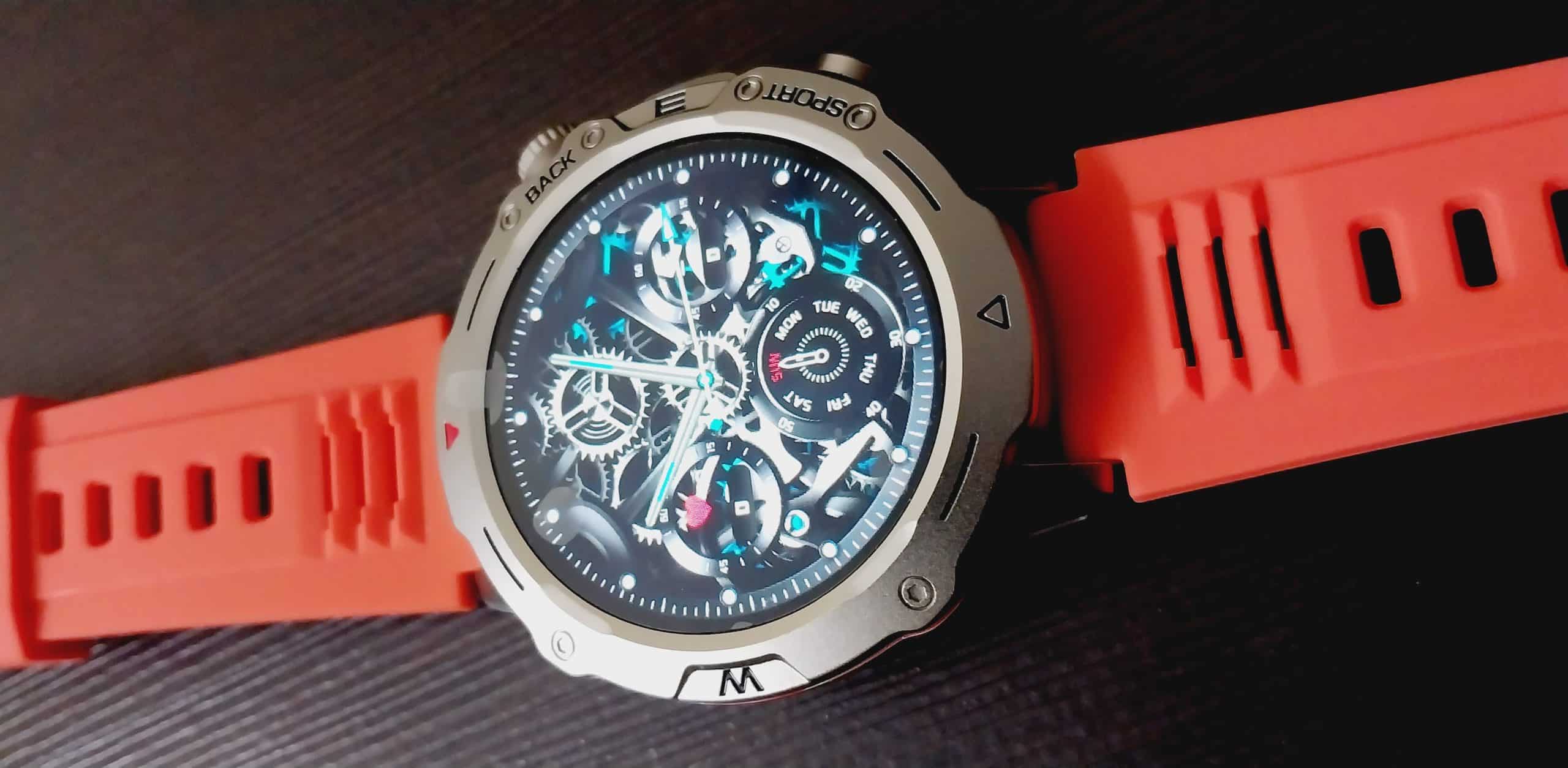
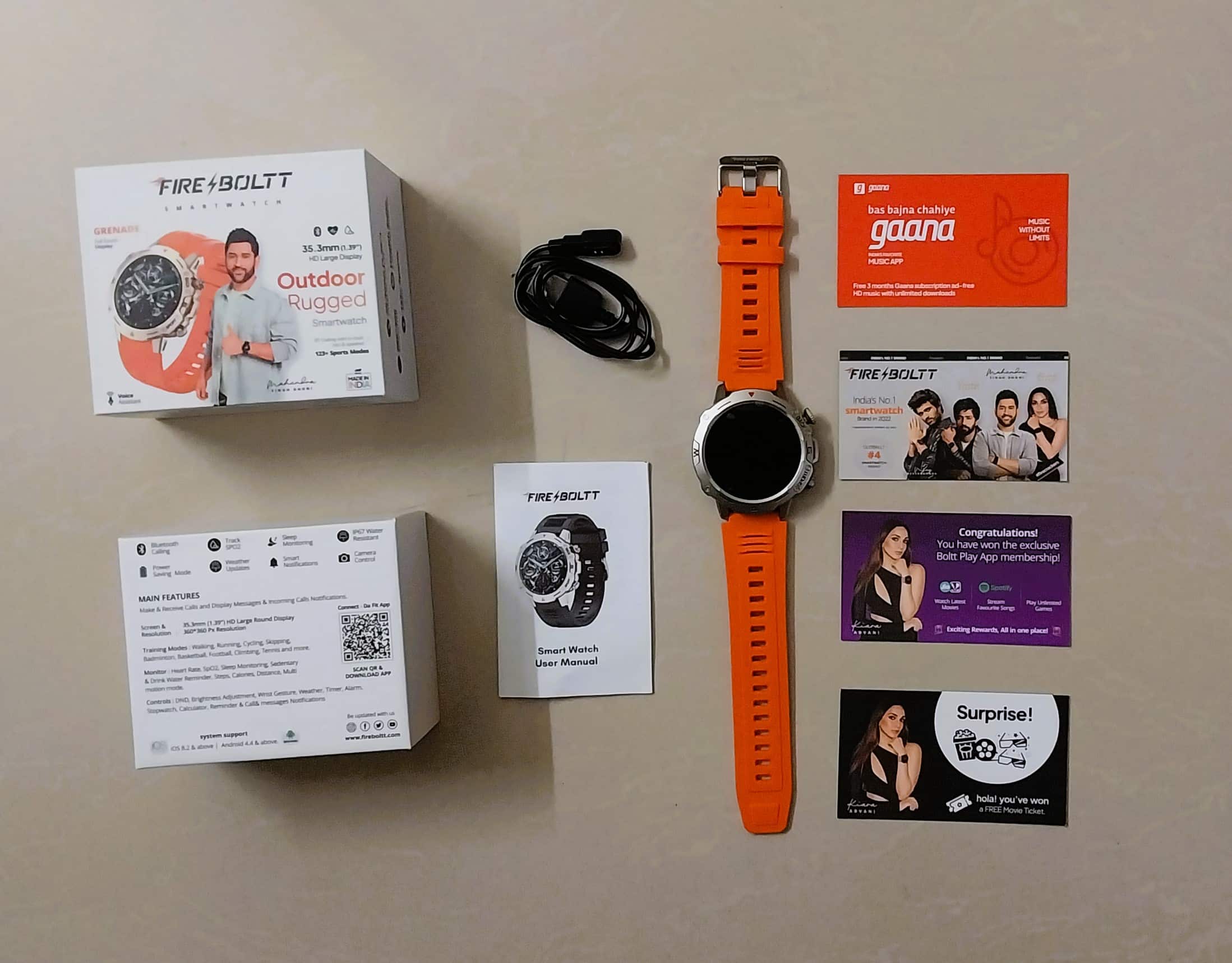
Fire-Boltt recently brought two rugged smartwatchesto the Indian market called the Fire-Boltt Combat and the Fire-Boltt Grenade. Now, the brand has debuted a sleek, premium-looking smartwatch called the Fire-Boltt Destiny.
Fire-Boltt has launched many smartwatches recently in India, targeting consumers in all segments.
Fire-Boltt is a home-grown brand that has a diverse range of smartphone accessories. The home-grown brand has launched Fire-Boltt Destiny smartwatch.
The company recently announced Fire-Boltt Combat smartwatch targeting consumers under Rs 2,000 segment.
Fire-Boltt Destiny Smartwatch
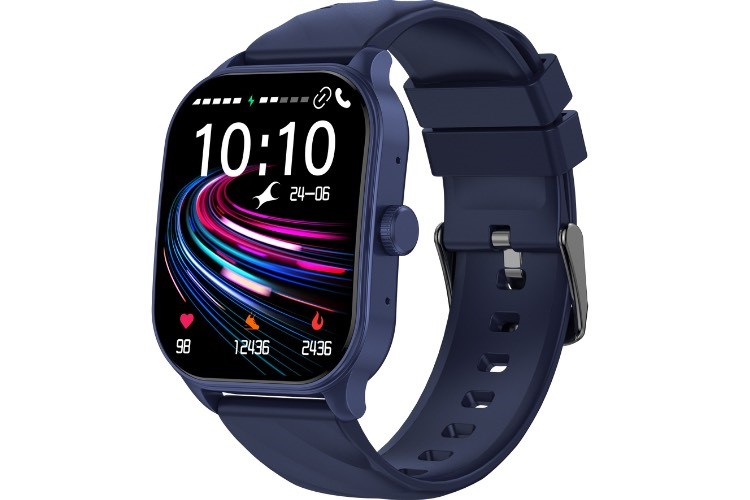
Fire-Boltt equips the watch with a 1.95-inch HD+ display, Bluetooth calling, eight-day battery life, and more.
The company has recently unveiled Fire-Boltt Ultimate, Fire-Boltt Artillery, Fire-Boltt Grenade, and Fire-Boltt Dagger Luxe Smartwatches in India. The Artillery smartwatch is equipped with a rugged design.
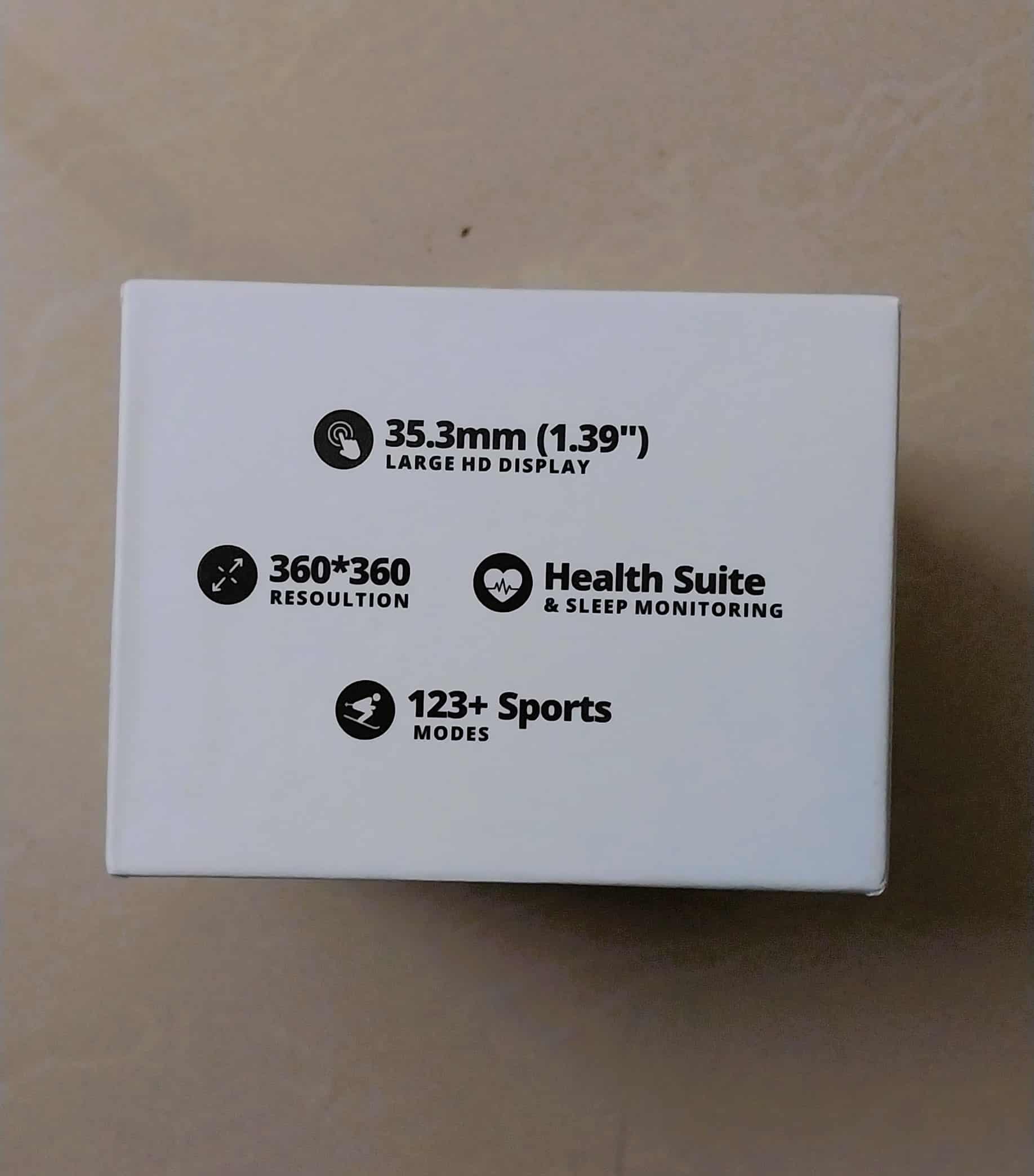
This smartwatch comes with a high-definition 1.39-inch display, providing a crystal-clear visual experience with a resolution of 360 x 360 pixels. Crafted with a zinc alloy frame and aluminum alloy button, the watch is durable and stylish.
Equipped with an in-built microphone and speaker, the smartwatch supports Bluetooth calling, allowing users to effortlessly make and receive calls. It also offers seamless integration with voice assistants,enabling convenient voice commands and assistance.
The Fire-Boltt Health Suite offers various wellness features including precise heart rate monitoring, SpO2 tracking for blood oxygen levels, sleep monitoring for comprehensive sleep analysis, and specialized Women’s health tracking.
With an extensive collection of 123 sports modes, the smartwatchcaters to various fitness enthusiasts by accurately tracking their activities. Whether it’s running, cycling, swimming, or engaging in other sports, the smartwatch helps users monitor their performance.
In addition to its health and fitness features, the smartwatch offers a range of practical functionalities. Users can customize their watch face from a selection of options and choose from ten different menu styles.
The watch also supports smart notifications, providing timely updates from applications.
It allows users to conveniently control music playback, manage the camera, and stay informed about weather conditions. Moreover, the watch includes essential tools such as a timer, alarm, and stopwatch.
The smartwatch is designed to withstand water exposure up to IP67 standards, ensuring protection against water splashes and short immersion.
Fire-Boltt Destiny: Pricing, Availablity
Fire-Boltt Destiny Smartwatch Price
Fire-Boltt had launched the Fire-Boltt Destiny smartwatch in Pink, Beige, Black, and Silver colour options.
The company has kept the introductory pricing of the smartwatch at Rs 1,999. The product will be available on Flipkart and Fire-Boltt’s eStore.
The company has announced that the device will be available from 12 PM, July 11. Fire-Boltt has not announced the regular pricing or the validity of introductory pricing.
Fire-Boltt Destiny: Features, Specifications
Fire-Boltt Destiny Smartwatch Specifications
The design of the watch is designed with primarily targeted towards women. Fire-Boltt Destiny is equipped with a 1.39-inch display with an HD+ resolution. The company claims that the display has a pixel of 360 x 360.
Fire-Boltt uses a zinc alloy material for the frame. The company has used an aluminium alloy material for the button.
Fire-Boltt has equipped the smartwatch with a circular dial with a stainless steel design and features a metallic strap. The watch also gets support for Bluetooth calling, similar to other Fire-Boltt smartwatches.
Fire-Boltt equips the smartwatch with an in-built microphone and speaker. The watch also gets support for voice assistantsand more.
Destiny Smartwatch
The Fire-Boltt Destiny also supports a dedicated dial pad and syncing call history and contacts. The watch features support for multiple watch faces, including ten different menu styles.
Fire-Boltt equips the watch with Fire-Boltt Health Suite, similar to Noise Health Suite. The watch gets support for tracking sleep, SpO2 and heart rate tracking, and female health.
Fire-Boltt Destiny smartwatch gets an IP67 ratingto protect from dust and resistance. Fire-Boltt claims that the watch can track over 123 sports modes.
The watch also supports smart notifications, weather, camera and music control, timer, alarm, and stopwatch. The watch supports a One Tap connection which will ease the connection process.
The brand has yet to reveal the battery details of the Fire-Boltt Destiny smartwatch. The company claims that the watch can last up to nine days.
Fire-Boltt adds that the watch can be charged from 0 to 100 in two hours. The company provides a warranty of one year for manufacturing defects.
Fire-Boltt Destiny Smartwatch in Black
Faqs
1) What is Price & availability of Fire -Boltt Destiny Smartwatch?
Ans) The Fire-Boltt Destiny smartwatch comes in Pink, Beige, Black, and Silver colors. It will be available on the company’s website and Flipkart at an introductory price of Rs. 1,999 starting July 11th, 12 P.M.
2) What are Fire-Boltt Destiny Specifications?
Ans) * 1.39″ HD Display, 360 x 360 pixels
* Zinc Alloy Frame and Aluminum Alloy button
* Multiple watch faces, 10 menu styles
* Bluetooth Calling, Call history, Quick dial pad, Sync contacts
* Inbuilt Mic and Speaker
* 123 Sports modes
* Voice Assistant support
* Health monitoring: Sleep, SpO2 and Heart rate tracking, Women’s health
* IP67 Water-Resistant
* Other Features: Smart Notifications, Weather, Camera and Music control, Timer, Alarm, Stopwatch
Infinix has announced that it will be launching the Infinix W1 QLED TV series and the Infinix Hot 30 5G smartphone in India next week. The TVs will be powered by webOS developed by LG and will be available in two screen sizes.
Infinix, a leading technology company specializing in innovative consumer electronics, is thrilled to announce the upcoming launch of two groundbreaking products: the Infinix W1 QLED TV Series and the Infinix HOT 30 5G smartphone.
These highly anticipated devices are set to redefine entertainment and connectivity, delivering exceptional performance and cutting-edge features to enhance the digital lifestyles of our users.
The Infinix W1 QLED TV Series, set to launch on July 11th, promises an immersive viewing experience like no other. Powered by webOs, the most advanced and intuitive TV operating system, the W1 QLED TV series offers a seamless and intuitive user interface.
With vibrant colors and exceptional picture quality, the QLED technology delivers an extraordinary visual feast for the eyes. Bringing premium entertainment experience at an unbeatable price, the W1 QLED TV will be priced under INR 12,000.
\The W1 QLED TV Series will be available in two variants: the 32″ HD QLED and the 43″ UHD QLED. In addition, both variants support Apple services and AirPlay features, allowing users to effortlessly stream content from their Apple devices.
The 43-inch variant also comes with the Magic Remote, enabling convenient navigation and control over your entertainment experience. Moreover, the Infinix W1 QLED TV Series is compatible with the ThinQ Al mobile app, providing seamless integration with your smartphone for enhanced control and customization options.
On July 14th, Infinix will unveil the HOT 30 5G smartphone, revolutionizing the way consumers experience mobile connectivity. At a price point of under INR 13,000, the HOT 30 5G boasts of 14 5G bands, ensuring lightning-fast internet speeds and allowing users to enjoy a truly immersive online experience.
The device’s 6.78-inch FHD+ Display with a 120Hz refresh rate and peak brightness of 580nits guarantees stunning visuals, providing a smooth and vibrant viewing experience.
The HOT 30 5G also offers the biggest memory in its segment, with up to 16GB* RAM and 128GB ROM, enabling users to store their favorite content without compromise.
Designed with elegance and durability in mind, the HOT 30 5G features a premium design with an IP53 splash proof rating, safeguarding against accidental spills and splashes.
With its 6000mAh big battery and 18W Type-C fast charge support, the HOT 30 5G ensures extended usage and quick charging capabilities, keeping users connected throughout the day. For enhanced security and convenience, the Infinix HOT 30 5G features a side-mounted fingerprint sensor and Face Unlock technology, providing multiple options for effortless device access.
NFC support allows users to conveniently make payments via wallets and connect their devices seamlessly.
The Infinix W1 QLED TV Series and the HOT 30 5G smartphone are set to make their mark in the market, offering unparalleled features and performances to elevate entertainment and connectivity to new heights.
Infinix is set to build upon the incredible success of its renowned Hot seriesby introducing Hot 30 5G.
To be priced between 10-15K, Infinix Hot 30 5G is expected to boast premium
design feel with its vibrant colour variants such as Aurora Blue and Knight Black.
Users can also anticipate the inclusion of a 6000 mAh battery in the device, 580 NITS brightness and splash proof IP53 rating for a better productivity and smooth experience. These features will definitely make it a #breakthroughboring device of the year.
Infinix W1 QLED TV series, Hot 30 5G price, launch date
The Infinix W1 QLED TV series will be launched on July 11 and will be priced under Rs 12,000. The Hot 30 5G smartphone will debut on July 14 starting under Rs 13,000.
Infinix W1 QLED TV series features
The Infinix W1 QLED TV Series will be powered by webOS and will come with a Magic Remote. It will be available in two models: a 32-inch HD QLED and a 43-inch UHD QLED.
Both models will support Apple services and AirPlay features, allowing users to stream content from their Apple devices. The Infinix W1 QLED TV Seriesis compatible with the ThinQ Al mobile app.
Infinix Hot 30 5G features
Infinix Hot 30 5G will sport a 6.78-inch FHD+ display with a 120Hz refresh rate and peak brightness of 580nits. The company said that the smartphonewill offer the biggest memory in its segment with up to 16GB RAM and 128GB storage.
Furthermore, it will be powered by a 6,000mAh battery and 18W Type-C fast charge support. The smartphone gets an IP53 dust and water-resistant rating and will sport a side-mounted fingerprint sensor as well as Face Unlock feature.
Other connectivity options include NFC support to make payments via wallets, and the smartphone will come with 14 5G bands.
Infinix Zerobook 13
Infinix also announced that it is also bringing Infinix Zerobook 13 with up to 13th Gen Core i9 processor paired with up to 32GB LPDDR5X RAM and up to 1TB PCIe 4.0 storage.
Stay tuned for further updates and mark your calendars for the official launch dates.
Faqs
1) Infinix Hot 30 5G Design, Specifications Officially Confirmed; Could Launch on July 14.Details?
Ans) Infinix is all set to unveil the Infinix Hot 30 5G smartphone in India soon. The company has revealed the expected launch date along with a few key specifications and price range for the upcoming smartphone.
The phone is expected to launch next week. The company has also confirmed the colour options for the upcoming Infinix Hot 30 5G. The handset will be available in Aurora Blue and Knight Black colour options. Recently, the phone’s camera specifications were also leaked. Infinix Hot 30 5G is tipped to feature a 50-megapixel primary camera sensor.
Infinix has revealed the look and the expected launch date, along with some key specifications and price bracket, for the upcoming Infinix Hot 30 5G. The phone will be unveiled on July 14.
Launching in Aurora Blue and Knight Black colour options, the phone will sport a rectangular camera island housing two camera sensors alongside an LED flash. On the front, it will feature a centrally positioned hole-punch display housing the selfie camera.
Additionally, the phone is confirmed to be equipped with a 6,000mAh battery, and is IP53-rated for splash resistance. The charging capability of the phone is yet to be revealed. The Infinix Hot 30 will feature a display with 580 nits brightness.
Furthermore, the phone is teased to be priced between Rs. 10,000 and Rs. 15,000. Apart from these, the company is yet to reveal the display specifications and other key details for the handset.
Meanwhile, the phone’s design and a few other details have already leaked online, suggesting the phone will sport a 50-megapixel primary camera sensor, a USB-C port, a 3.5mm headphone jack, a microphone, and speaker grilles. The leaked image also suggests that the smartphone will ship with a SIM card slot on the left edge and volume and power buttons on the right edge. The phone is tipped to feature a side-mounted fingerprint scanner.
Earlier this year, Infinix launched the Infinix Hot 30 4G in Thailand. The phone packs a 5,000mAh battery with support for 33W fast charging. It is powered by the MediaTek Helio G88 SoC and sports a hole-punch display housing a selfie camera.
2) What is Infinix Hot 30 5G India launch date, expected price, and colors?
Ans) The Infinix Hot 30 5G is said to launch on July 14 in India. It is worth noting that this isn’t the official launch date and the brand is yet to confirm the same.
We expect the smartphone to be priced under Rs 15,000. The device may arrive in more than a single variant. It is said to launch in Miami Orange, Aurora Blue, and Knight Black color options.
3) What are Infinix Hot 30 5G specifications and features?
Ans) The Infinix Hot 30 5G will borrow some design elements from the recently launched Infinix Note 30 5G. The Miami Orange color of the phone will be similar to its Sunset Orange. It appears that Infinix is recycling the vegan leather Orange finish since it was also seen on the Infinix Zero 5G 2023.
The Hot 30 5G is expected to feature a large display with a 120Hz refresh rate and Full-HD+ resolution. Considering its price range, it will likely be an IPS LCD panel. The screen will be a flat punch-hole panel with thin bezels.
It may feature a dual camera system on the back with a 50MP main lens. The LED flash will be vertically placed next to the camera sensors. There will be a single camera on the front for selfies placed in the punch hole.
There’s no information on the chipset inside the phone. We expect the phone to come with up to 8GB of RAM and 128GB of internal storage. The device will pack a bigger battery compared to its predecessor. It is said to come with a massive 6,000mAh battery and may get 18W or faster 33W charging support.
The phone is tipped to come with 14 5G bands, Wi-Fi, and Bluetooth for connectivity. It may also have a side-mounted fingerprint scanner similar to its predecessor. The device will likely boot on the latest Android 13 OS out of the box with XOS 13 on top.
In other news about Infinix, the company launched the Infinix Note 30 5G recently with JBL-tuned speakers and Dimensity 6080 chipset. It also has a 108MP triple camera system on the back. The device boots on XOS 13 based on Android 13 OS.
* The Realme GT Neo 6 and the GT Neo 6 Pro are expected to be launched in China soon. * The company is also tipped to be working on a flagship Realme GT smartphone. * The rumoured flagship smartphone is expected to be launched in the coming months.
As per reports, Realme is preparing for the launch of the Realme GT Neo 6 series in China. It may possibly launch in August of this year. A new leak courtesy of reliable leaker Digital Chat Station reveals that the company is also working on a flagship phone powered by the forthcoming Snapdragon 8 Gen 3 chipset.
According to the tipster, the upcoming Realme flagshipwill boast the Snapdragon 8 Gen 3 chip and pack impressive specifications. He added that the smartphone will be equipped with a periscope zoom camera.
It is highly likely that this Realme flagship will belong to the GT seriesand may be unveiled a few months after the Realme GT Neo 6 series. Qualcomm is expected to officially announce the Snapdragon 8 Gen 3 chip in October of this year.
Brands like Xiaomi, Vivo, OnePlus, and iQOO are expected to launch Snapdragon 8 Gen 3-powered flagship phones in November and December of this year.
Rumors suggest that the Realme GT Neo 6, which is expected to launch in August, will feature the Snapdragon 8 Gen 2 chipset.
Hence, it is likely that the brand may launch its Snapdragon 8 Gen 3 phone at least six months after the Realme GT Neo 6. Hence, there is a possibility that it may debut at some point in the first quarter of 2023.
In related news, the Realme GT Neo 6 is expected to arrive with a 6.74-inch OLED 144Hz display that offers a 1.5K resolution, a 16-megapixel front-facing camera, and an OIS-enabled Sony IMX890 50-megapixel triple camera unit on the back.
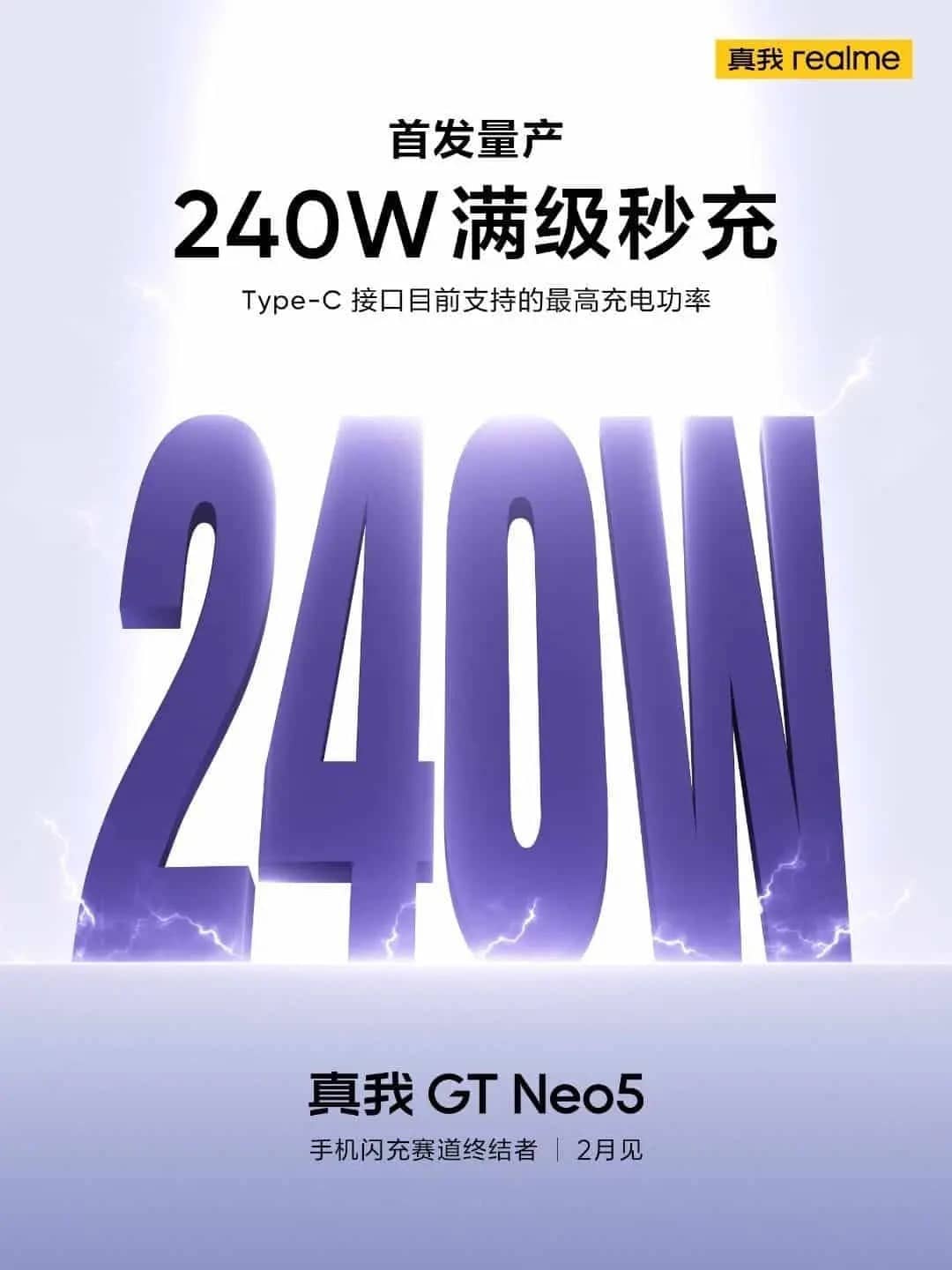
The Snapdragon Gen 2-powered phone may come with up to 16 GB of LPDDR5x RAM and up to 1 TB of UFS 4.0 storage. There is a possibility that the device may support 240W fast charging, like the Realme GT Neo 5.
The upcoming Realme GT Neo 6 and the GT Neo 6 Pro are expected to be launched soon. However, another flagship smartphone from the series is said to be in the works. And tipster Digital Chat Station has revealed some information about the smartphone. Here are the details that we know so far.
Rumoured Realme GT Flagship key details
* The tipster did not reveal many details about the camera department, but he tipped that the upcoming flagship smartphone will feature a periscope zoom camera.
* On the microblogging site Weibo, the tipster also said that the expected GT flagship smartphone will be powered by the Qualcomm Snapdragon 8 Gen 3 chipset.
* The company has not yet revealed any details about the upcoming flagship smartphone. However, reports say that the phone might be launched in the coming months.
The Qualcomm Snapdragon 8 Gen 3 is a much-awaited chipset, and it is anticipated that the company will make an official announcement regarding the chipset in October of this year.
Meanwhile, a recent report mentioned that the upcoming OnePlus 12, Xiaomi 14 series, iQOO 12 series, and Vivo X100 are expected to feature the Qualcomm Snapdragon 8 Gen 3 chipset.
On the other hand, the Realme GT Neo 6 and the GT Neo 6 Pro will soon be unveiled in China. And as per a recent report, here are some expected specifications of the upcoming phones.
* The Realme GT Neo 6 Pro is expected to be equipped with the Qualcomm Snapdragon 8 Gen 2 chipset, while the standard model is rumoured to feature the MediaTek Dimensity 9200+ chipset.
* The Realme GT Neo 6 Pro is expected to feature a 4,600mAh battery equipped with 240W fast charging technology. Additionally, it is possible that there may be a 150W charging option available.
* The vanilla model will likely be equipped with a 5,000mAh battery and will support a charging speed of 100W.
Faqs
1) What are Realme GT Flagship: Expected Specs?
Ans) * The Realme GT Neo 6 Pro is anticipated to come with the Qualcomm Snapdragon 8 Gen 2 chipset. Whereas the standard variant is rumoured to feature the MediaTek Dimensity 9200+ chipset.
* In terms of battery capacity, the GT Neo 6 Pro is expected to house a 4,600mAh battery. Which is the support for 240W fast charging technology.
* There are also speculations of a potential 150W charging option. On the other hand, the vanilla model is likely to equip with a 5,000mAh battery and support charging speeds of up to 100W.
2) Realme GT Flagship Smartphone Is Rumoured To Feature A Periscope Camera.Details?
Ans) According to reliable tipster Digital Chat Station, Realme is actively developing another flagship smartphone within the GT series. The tipster has shared some intriguing details about this upcoming device. Here’s what we know so far.
*
* Although the tipster didn’t disclose extensive information regarding the camera specifications. It is just hinted that the forthcoming flagship smartphone will incorporate a periscope zoom camera.
* Additionally, on Weibo, the tipster mentioned that the anticipated GT flagship smartphone will be equipped with the Qualcomm Snapdragon 8 Gen 3 chipset.
* As of now, Realme has not officially shared any specifics about this upcoming flagship device. However, reports indicate that the phone could potentially be unveiled within the next few months.
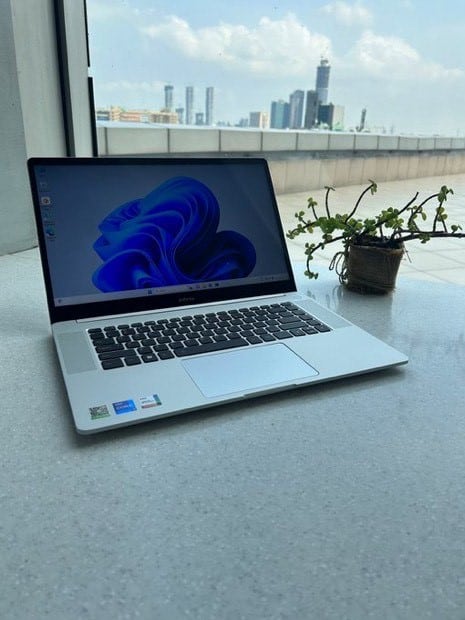
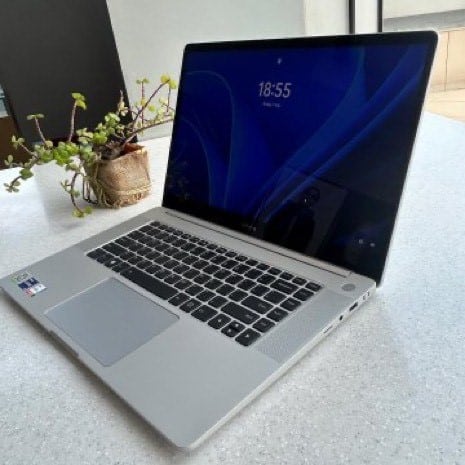
Infinixannounced the launch of its premium ZERO BOOK 13 series of professional notebooks in India.
These are the company’s first premium notebooks in the market as it had previously limited itself to entry-level models.
The ZERO BOOK 13 seriesis an updated version of the company’s ZERO BOOK line available in other markets but with Intel’s 13th Gen Core processors.
That’s the 13 in the name, which confusingly does not actually refer to the size of the notebook.
To help India’s professionals get PRO in their fields, Infinix is here to raise eyebrows with its flagship ZEROBOOK 13 series packed with innovative and first-in-segment features.
This premium laptop hosts features like uber-fast processing speed, face tracking, long battery life and much more.
The series is equipped with latest 13th Gen H series processors and 96EU Iris ® Xe Graphics integrated graphics card which is capable of accommodating heavy data processing, programming, video editing, image design and other demanding work scenarios.
The laptops will be available on Flipkart with introductory launch pricing starting 51,990 for i5, and 64,999 & 69,990 for i7(16GB & 32GB RAM Variant), 81,990 for i9 (1TB).
The ZERO BOOK 13features a 15.6-inch, 1920×1080 resolution 60Hz IPS LCD display with 400 nits peak brightness. You get a choice of Core i5-13500H, Core i7-13700H, and Core i9-13900H processors.
You get 16GB LPDDR5X on the i5, 16GB or 32GB on the i7 and 32GB on the i9. You also get a choice of 512GB and 1TB PCIe 4.0 NVMe SSD storage.
Other features include an aluminum chassis with 16.9mm thickness, a 70Wh battery with 100W charger, 2×2 Wi-Fi 6E R2, Bluetooth 5.2, 2x USB-C ports, 2x USB-A 3.0 ports, HDMI 1.4, and microSD card slot.
A physical switch on the side lets you switch between eco, balanced, and performance profiles.
A fingerprint sensor is provided on the power button for Windows Hellosupport.
The ZERO BOOK 13 is priced at INR 51,990 for the i5 model with 16GB/512GB, i7 model with 16GB/512GB for INR 64,999 and 32GB/1TB for INR 69,990 and i9 model with 32GB/1TB for INR 81,990.
It will be available from Flipkart starting July 11.
Fast and smooth performance: Equipped with the latest 13th Generation intel core processors, the ZERO BOOK comes in three processor variants (i9, i7 and i5) and offers leading edge-performance hybrid architecture.
The laptops are integrated with a powerful 96EU Iris® Xe Graphics card and are also backed by PCIe 4.0 SSD, promising users with higher input/output operations per second (IOPS) and potentially lower power consumption.
The laptops come with a category first Unique Over Boost Switch which turns the device in three different modes: Eco mode (to maximise battery life), Balance mode (to maintain stability between the over boost and eco mode) and Over boost mode (to deliver higher performance at 54W output power while using heavy software).
The red rear light on the hinge of the device ensures that the over boost mode is active.
The ZEROBOOK 13 series makes no compromises on the connectivity.
It features all the connectivity ports to accommodate the users’ needs, including one SD slot, one 3.5 mm earphone slot and one USB 3.0 slot.
It also comes with the latest Wi-Fi protocol with 6GHz support and offers up to 9.6 Gbit/s throughput with Bluetooth 5.2.
This means even if there are too many competing signals for your laptop to get through, there will be enough room for up to seven maximum-capacity Wi-Fi streams to all be broadcast simultaneously and not interfere with each other.
The series also includes a Dual-mic Array with AI Noise Cancellation that not only captures the user’s voice clearly, but also blocks out unwanted background noise.
Thin and aesthetically pleasing design with superior viewing experience: The all-new Infinix ZERO BOOK 13 laptop series oozes interstellar aesthetics with its Meteoric phase design and light metal body with 16.9mm thickness, perfect for the new age-creators. It also comes with rear hinge light with an over boost switch.
The laptops sport a vivid colour-rich 15.6-inch display with ultra-clear full HD resolution of 1920*1080 and 100% sRGB colour reproduction, which is the highest in this segment.
This makes the device perfect for designers and YouTubers who are creative and imaginative.
The new ZEROBOOK 13 series makes learning from home for students and online meetings for freelancers (like copy editors, writers) extra productive with an AI Beauty cam enhancement feature that can track the face and blur the background even while users are not in a static position.
The viewing is further enhanced by a Quad array balanced audio feature that ensures crisp high tones and heavy bass with 2x High frequency 2 Watt speakers in the bottom and 2x low frequency 1 Watt speakers in the front.
For easy and quick unlocking, there is a fingerprint sensor on the power key button of the laptops.
Long-lasting Battery backup: Bid adieu to the stress of frequently charging your laptop in the middle of focused tasks.
The new ZERO Book series is backed by a high-capacity 70Wh battery. It is supported by a segment-first Hyper 100 Watt multi-utility Type C charger along with a DC charger point that can charge the laptops in close to 2 hours.
So, while binge watching your favourite content on the laptop, a full HD video playing session can last up to 10 hours. This ensures a perfect balance of power and portability.
Considering the customer-centric approach, Infinix has developed a robust network with 1250+ service centres across 1000 towns in India, allowing users to access a responsive after-sales experience.
Infinix devices come pre-installed with the Carlcare App that empowers users to locate their nearest service centre and indicates to them the availability of parts at the service centres.
Today, the brand has more than 10 million happy consumers in the country.
Faqs
1) What is the Price and availability of various models of Infinix Zero 13 Series ?
Ans) The company has launched four models under the Infinix Zero Book 13 series.
* Zero Book 13 with Core i5 (16GB+512GB) – Rs 51,990
* Zero Book 13 with Core i7 (16GB+512GB) – Rs 64,999
* Zero Book 13 with Core i7 (32GB+1TB) – Rs 69,990
* Zero Book 13 with Core i9 (32GB+1TB) – Rs 81,990
The Infinix Zero Book series laptops will be available online on Flipkart starting July 11.
2) What are Infinix Zero Book series features?
Ans) Infinix Zero Book 13 comes with a 15.6-inch full HD display with 1920×1080 pixel resolution.
The display offers up to 400 nits of peak brightness. The laptop series is powered by 13th Generation Intel Core-H-series processors.
The company has launched three models in the series powered by i9, i7 and i5.
The Zero Book 13 series packs 96EU Iris Xe Graphics card and offers two storage options 32GB and 1TB.
The laptops come with a unique OverBoost Switch which turns the device in three different modes: Eco mode (to maximise battery life), Balance mode (to maintain stability between the over boost and eco mode) and Over boost mode (to deliver higher performance at 54W output power while using heavy software).
The red rear light on the hinge of the device ensures that the over boost mode is active.
The device comes equipped with a fingerprint sensor and its beauty AI cam can track the face and blur the background during motion.
The Infinix Zero Book 13 series come with 70Wh battery and support a Hyper 100 Watt Type C charger.
The company claims that the laptop takes approximately two hours to charge completely.
3) Infinix ZERO BOOK 13 launches with Raptor Lake silicon, USB type-C ports and LPDDR5X RAM.Details?
Ans) Infinix’ latest additions to its ZERO BOOK series of laptops takes its name from the fact that it upgrades to 13th-gen Intel processors.
It also ships with up to 32GB of RAM, PCIe Gen 4 NVMe SSDs and a 100% sRGB display.
The ZERO BOOK 13 is currently being previewed ahead of its release to the Indian market via Flipkart.
Infinix might be best known for its often affordable and/or compelling smartphone technology; however, the brand has gone all out to underpin the fact that it also makes laptops with the ZERO BOOK 13.
The PC strives for flagship status with updated CPUs, although potential compromises have been made along the way.
This latest ZERO BOOK comes from a series marked with a lid design most like that of the Zenbook series, but with less artful skewing. It is in fact a 15.6-inch display laptop, attributing its new 13 suffix to its Raptor Lake nature instead – something made even more confusing as its immediate Alder Lake predecessor is called the Ultra.
Regardless, the 13 lives up to its name with a choice of either Core i5-13500H, i7-13700H or i9-13900H platforms. Those potentially high-end options notwithstanding, not one of those SKUs boast Thunderbolt 4. The HDMI port is also 1.4 – although Wi-Fi speeds are 6E, at least.
Infinix fans currently located in India and who are unperturbed by that omission can order a ZERO BOOK 13 on Flipkart from July 11, 2023, priced from INR 51,990 to 81,990 (~US$628-992, whereas other Raptor Lake-H-based PCs easily crack the ~US$1,200 mark on Amazon.in) with the online retail giant.
4) How is Storage, Memory, and Battery of Zero Book 13 Series?
Ans) The ZERO BOOK 13 series offers two storage options: 512GB and 1TB PCIe 4.0 NVMe SSD.
This provides ample space for storing files, documents, multimedia content, and more.
When it comes to memory, the i5 model comes with 16GB of LPDDR5X RAM. The i7 model offers a choice between 16GB or 32GB, while the top-tier i9 model provides 32GB of RAM.
Powering the ZERO BOOK 13 is a robust 70Wh battery that comes with a 100W charger that quickly recharges the notebook.
5) How is Connectivity and Port Options of Zero Book 13?
Ans) The ZERO BOOK 13 is equipped with 2×2 Wi-Fi 6E R2, offering high-speed and stable wireless connections. Additionally, it supports Bluetooth 5.2, allowing users to connect their favorite peripherals wirelessly.
The notebook features a versatile array of ports, including 2x USB-C ports, 2x USB-A 3.0 ports, HDMI 1.4, and a microSD card slot.
6) How is the Audio Experience of Zero Book 13?
Ans) The ZERO BOOK 13 incorporates two 2-watt speakers at the bottom and two 1-watt speakers at the front.
7) How is the Smart Switch and Fingerprint Sensor of Zero Book 13?
Ans) One standout feature of the ZERO BOOK 13 series is the physical switch located on the side of the notebook. This switch enables users to toggle between eco, balanced, and performance modes effortlessly. It allows users to optimize the notebook’s power usage based on their needs, balancing performance and battery life.
To enhance security and convenience, Infinix has integrated a fingerprint sensor into the power button. This enables users to quickly and securely unlock their notebook using Windows Hello authentication.
* Samsung is launching the Snapdragon 888-powered Galaxy S21 FE in India soon. * It hasn’t announced the launch date yet but the phone has started selling in offline stores. * The Galaxy S21 FE is expected to officially debut tomorrow.
If you are not in the know, Samsungis re-launching the 2022 Galaxy S21 FE for India by swapping the original Exynos 2100 chipset for a Snapdragon 888.
Pretty much every detail about the new device has already leaked and last we heard the handset might be officially unveiled on July 10.
As of writing this article, Samsung’s official India website still has the S21 FE 2023 as “coming soon”. Meanwhile, however, it turns out that the phone can already be purchased in brick-and-mortar stores.
Earlier this week, Samsung announced it will bring the Snapdragon 888-powered Galaxy S21 FE in India soon. Samsung has already launched this variant globally but in India, it released the Exynos model.
Now it is bringing the Snapdragon 888 model too, and this one offers faster performance. Samsung is yet to announce the launch date but the phone has reportedly started selling in offline stores.
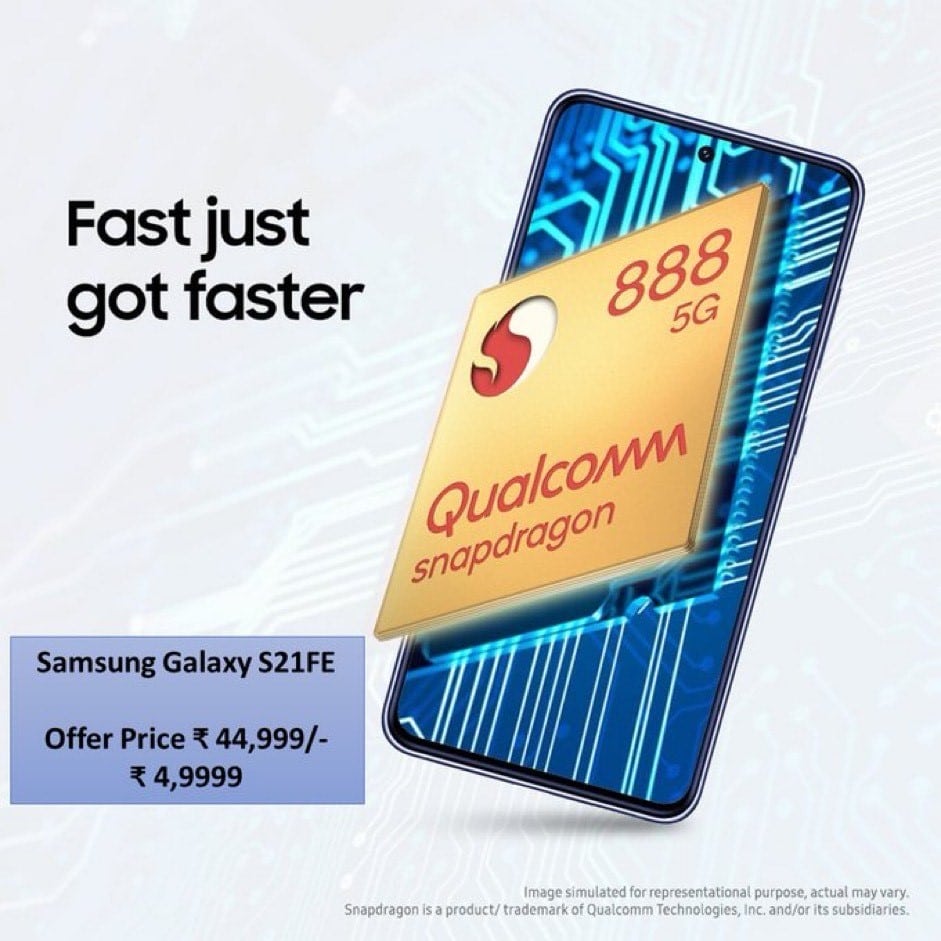
The price is the same as before ₹50,000, but this time around, the base variant comes with 256 GB of storage instead of 128 GB. That means that technically the S23 FE 2023 offers a sort of discount over the original model.
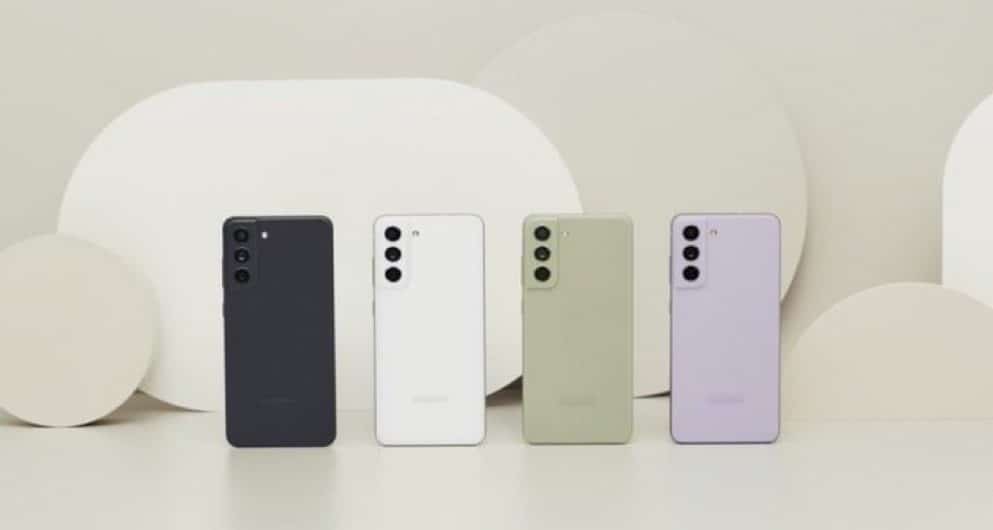
The color selection is the only other difference between the original model and the S21 FE 2023. The new device comes in Olive, Graphite and Lavender, just like before. There is a new Navy Blue color now, replacing the White option.
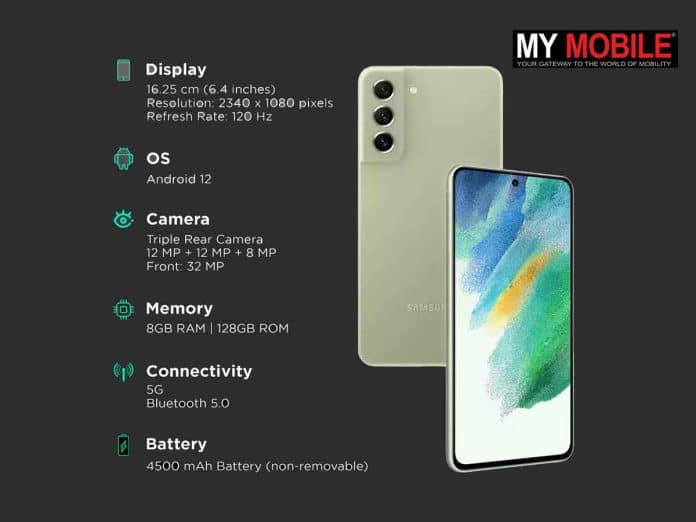
Other than that, nothing else has changed about the device’s hardware other than the chipset. This means a 6.4″ 120Hz display, an FHD+ AMOLED panel, a 12MP main, 12MP ultra-wide and 8MP tele camera (3x), plus a 32MP selfie camera. The battery has a 4,500mAh capacity and supports 25W wired and 15W wireless charging.
Samsung Galaxy S21 FE Price in India, Offers
Samsung Galaxy S21 FE with the Snapdragon 888 chipset is now available in retail stores, according to a report by The Tech Outlook. The smartphone is also said to officially launch tomorrow but Samsung is yet to confirm the same.
The report adds that the Galaxy S21 FE Snapdragon model is priced at Rs 49,999, and it comes in four colour options of Olive, Graphite, Lavender, and Navy Blue.
This is in accordance with the published on the Snapdragon-powered Galaxy S21 FE a few days ago.
The Galaxy S21 FE will also be available with offers in offline stores, according to our sources. These offers include Rs 5,000 cashback on HDFC credit card, and EMI transactions, and bank EMIs up to nine months.
You can also get no cost EMI up to 15 months through Samsung Finance+. There are upgrade options available as well worth Rs 5,000.
In comparison, the Samsung Galaxy S21 FE Exynos variant, which launched back in 2021, starts at Rs 37,999 in India.
Samsung Galaxy S21 FE Snapdragon 888 specifications
* Display: The Galaxy S21 FE will feature a 6.4-inch FHD+ AMOLED display with a 120Hz refresh rate. * RAM and storage: The smartphone will pack 8GB of RAM and 256GB of onboard storage. * Cameras: It will house a triple camera setup with a 12MP primary camera, a 12MP ultra-wide angle lens, and an 8MP telephoto lens. For selfies, it will feature a 32MP front camera. * Battery, fast charging: The Galaxy S21 FE will pack a 4,500mAh battery with support for 25W wired fast charging, and 15W wireless charging. * Software: On the software front, the Galaxy S21 FE will run on Android 13-based OneUI 5.1 out-of-the-box.
One question remains, though: whether the S21 FE 2023 will launch with Android 12 or Android 13and, consequently, whether it will get an extra OS updateover the original S21 FE.
1) Samsung Galaxy S21 FE with Snapdragon 888 launched for Rs 49,999 in India.Details?
Ans) The South Korean tech giant’s Galaxy S21 FE model was officially teased with the Snapdragon 888 chipset. Now, it appears that the device has been silently released in the country, with sales already kicking off in offline stores. Furthermore, the Galaxy S21 FE has gone on sale in the region for a 49,999 INR price tag. Although, it is also being offered for an introductory price tag of 44,999 INR.
Apart from the inclusion of the Qualcomm chip, which replaces the Exynos processor, the other specifications are basically identical. The S21 FE still sports a 6.4 inch AMOLED display that has a Full HD+ resolution, 120Hz refresh rate, Gorilla Glass Victus protection, and more. Under the hood, a 4,500mAh battery pack powers the device, which supports 25W fast charging. It measures just 7.9mm in thickness and weighs 1777 grams.
On the rear, it features a 12 megapixel primary sensor that is paired with a 12 megapixel ultra wide angle lens and an 8 megapixel telephoto camera. Meanwhile, the front houses a 32 megapixel selfie camera. Other notable features include, Bluetooth 5.0, NFC, IP68 water and dust resistance, wireless and reverse charging support, and more.
2) What are Samsung Galaxy S21 FE Specifications?
Ans) Display: 6.4″ FHD+ Dynamic AMOLED 2X Display with 120Hz Refresh Rate * Camera: 12MP main+ 12MP ultra-wide+8MP Telephoto, 32MP camera at the front * RAM: 8GB LPDDR5 RAM * Battery: 4,500mAh battery with 25W wired and 15 wireless charging, reverse wireless charging available too * Dual recording, portrait mode, night mode, space zoom, single take camera features * Wireless DeX and NFC, IP68 rating, in-display fingerprint sensor.
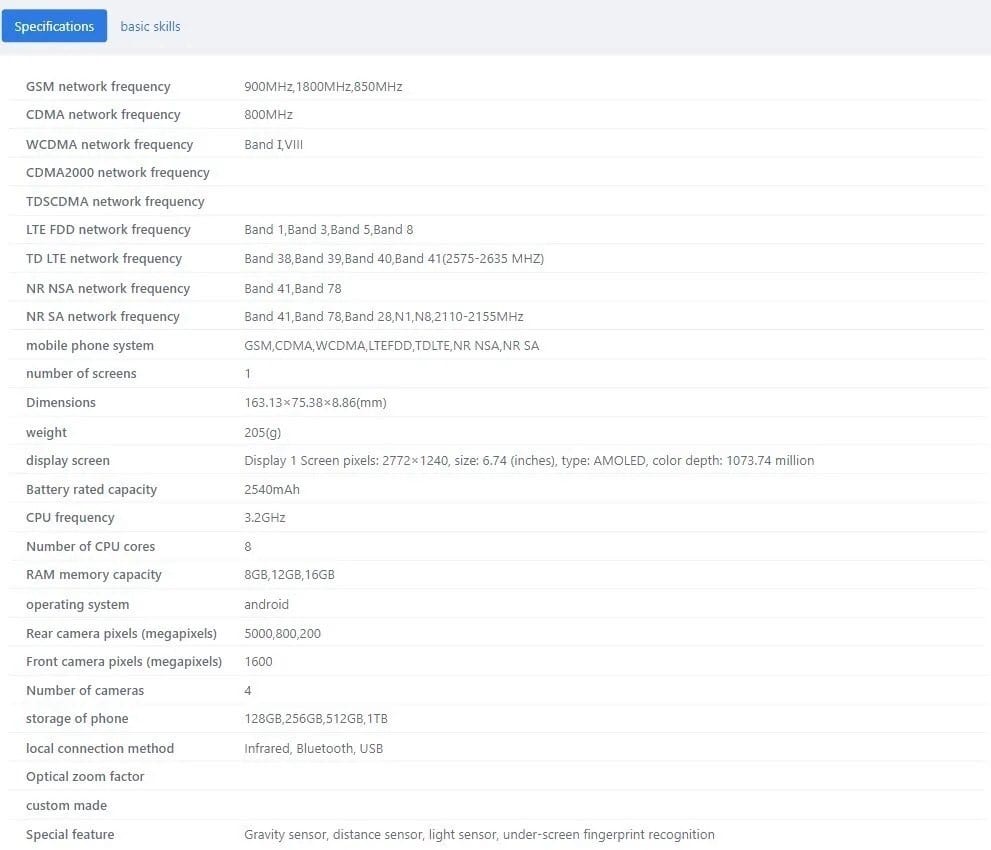
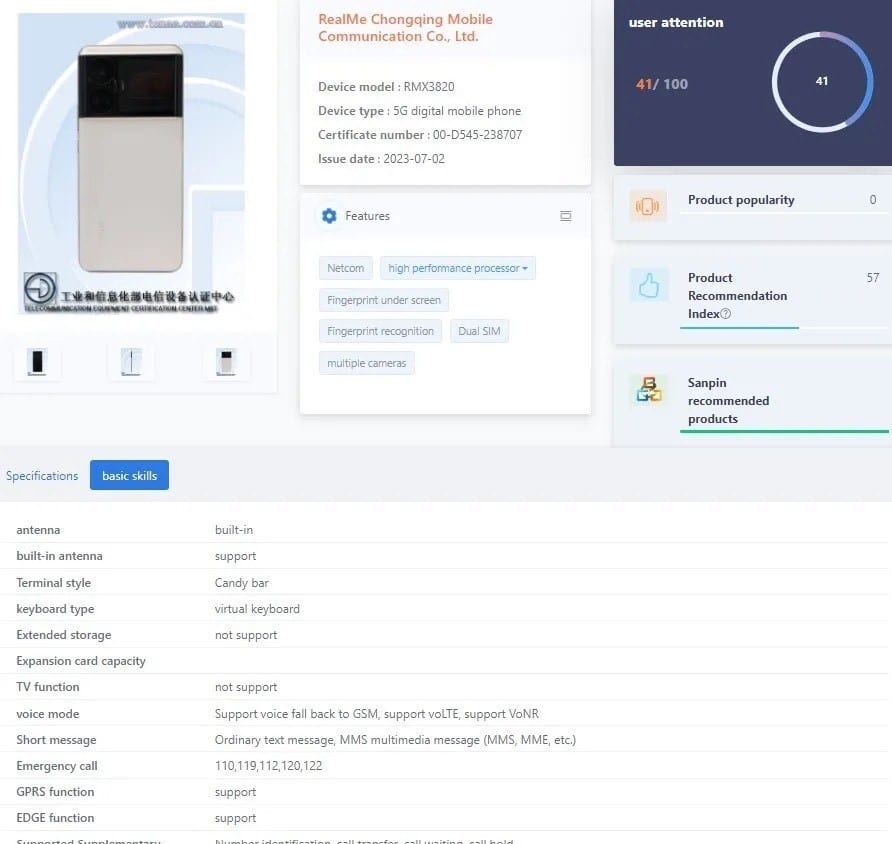
* Realme GT Neo 6 is reportedly listed with model number RMX3823 * Realme GT Neo 6 Pro carries the model number RMX3820 *The TENAA listing also reveals the design renders of the phones * The Realme GT Neo 6 series will feature a 6.74-inch AMOLED display. * The smartphones will pack up to 16GB of RAM and 1TB of internal storage. * The Realme RMX3820 and the RMX3823 will support up to 150W and 240W fast charging respectively. * The company would launch the smartphones with up to 24GB RAM. * The smartphones have been listed in TENAA. * The Realme GT Neo 6 will feature a triple-camera setup accompanied by a LED flash. * The smartphone will have SUPERVOOC fast charging and NFC support. * The device is expected to feature an OLED display with a 144Hz refresh rate and 1.5K resolution.
Realme is prepping up for the launch of the Realme GT Neo 6 smartphone. A couple of days back the key details of the device was revealed by a tipster on Weibo.
Additionally, the renders of the handset was disclosed which confirmed details such as triple-camera setup, Snapdragon 8 Gen 2 SoC, NFC, and SUPERVOOC charging support.
The images of the Realme GT Neo 6 series smartphones were also revealed yesterday through TENAA certification.
Now, the TENAA certification listing is updated with detailed specifications. Additionally, the GT Neo 6 lineup has received the 3C certification.
Realme is reportedly planning to launch the Realme GT Neo 6 series of flagship phones later this month or August of this year.
Recent reports have revealed that the Realme phones with RMX3820 and RMX3820 are the two variants of the Realme GT Neo 6.
The RMX3820 could be called the Realme GT Neo 6 240W or the Realme GT Neo 6 Pro, whereas the RMX3823 could be the standard version with the Realme GT Neo 6 name.
The two variants have now appeared on TENAA with all the important specifications.
Realme GT Neo 6 and Realme GT Neo 6 Pro smartphones will reportedly debut in China soon.
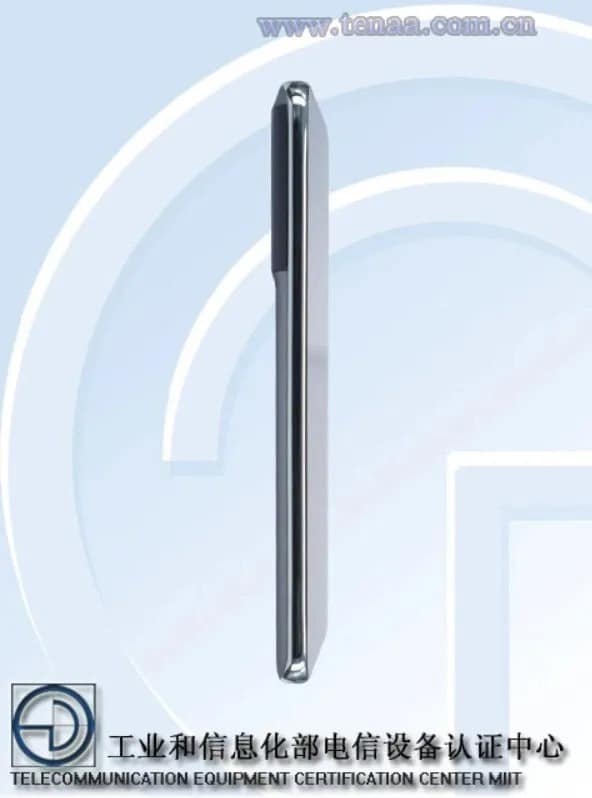
Ahead of their debut, the smartphones recently visited the TENAA listing, revealing the purported design and look.
The latest appearance suggests that the smartphones could be launched soon.
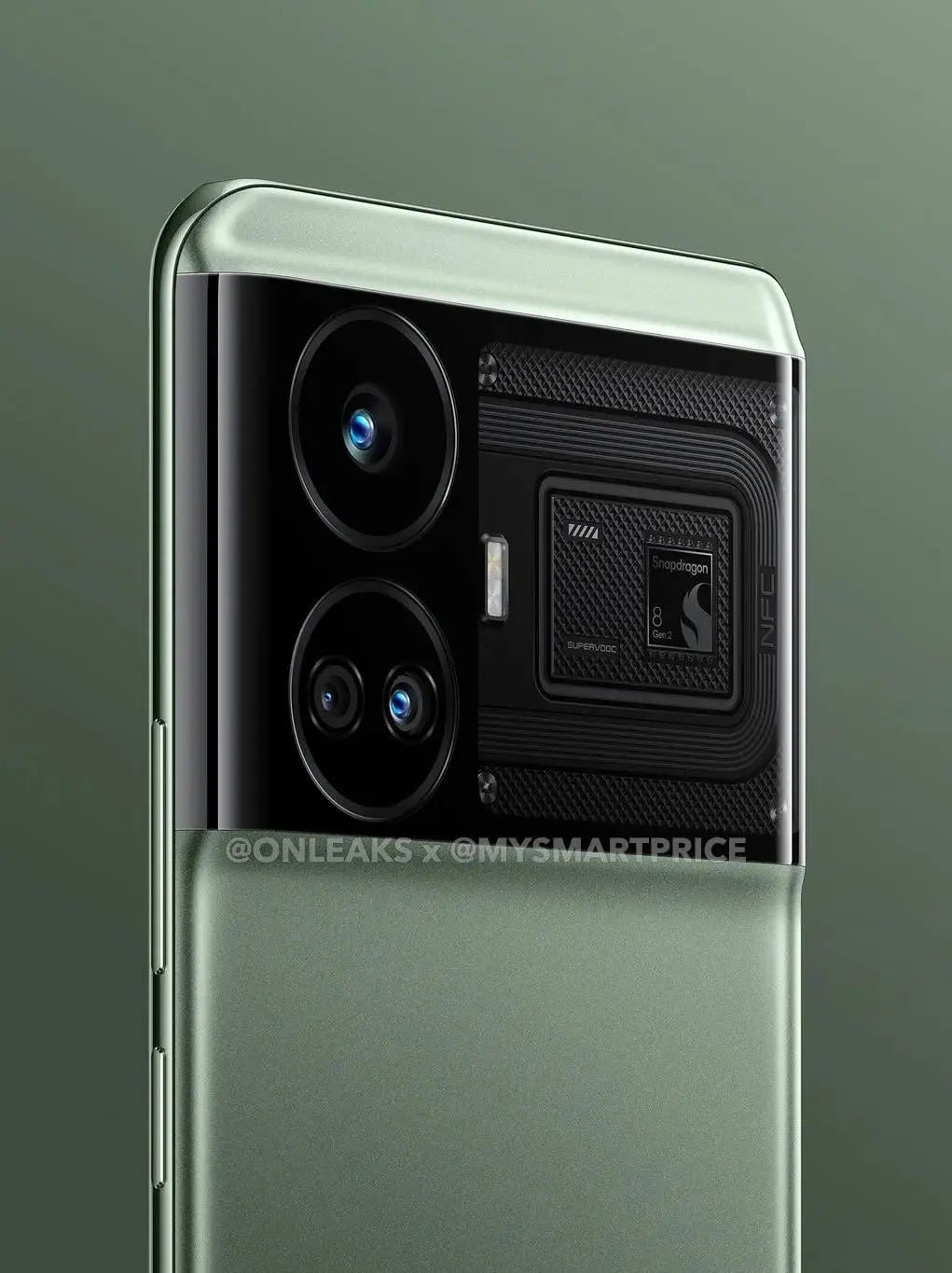
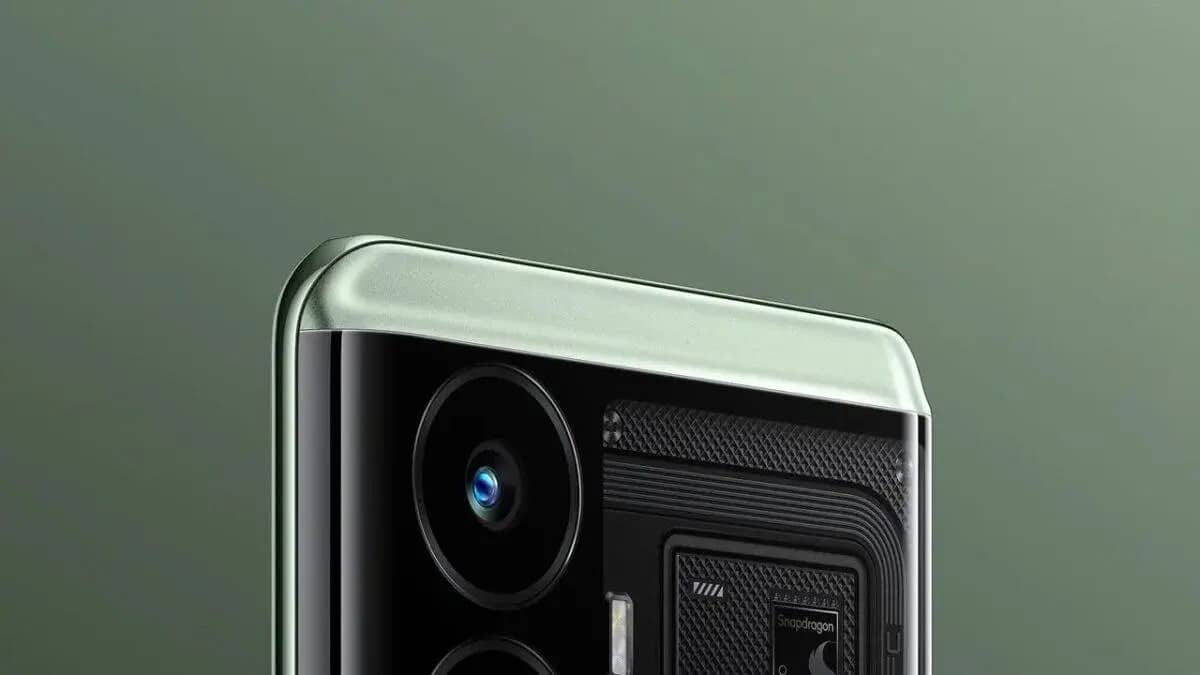
The phones are also tipped to feature a massive rectangular camera layout on the back, housing a triple rear camera setup and an LED flash.
Realme GT Neo 6 series will succeed the Realme GT Neo 5, which was launched earlier this year.
According to a report by Playfuldroid, the Realme GT Neo 6 And Realme GT Neo 6 Pro have recently visited China’s TENAA website with the model number RMX3823 and RMX3820, respectively.
The listing also reveals the purported design of the smartphones and they appear similar to the previously leaked renders.
The smartphones are tipped to come with a large rectangular camera module housing a triple rear camera setup.
Besides, there will also be an LED flash.
While realme has yet to officially unveil the realme GT Neo 6 series, the lineup is likely to be released in the near future.
This is because the series was spotted getting TEENA certification in China, which also revealed the devices’ specs and renders.
As reports suggest TEENA listings show that the GT Neo 6 series comprises two models, one with the model number RMX3820 and the other RMX3823.
It is believed that one is the vanilla model while the other is the Pro variant.
The report also reveals a few more details about the Realme GT Neo 6 And Realme GT Neo 6 Pro.
The standard Realme GT Neo 6 may be powered by a Dimensity 9200+ SoC paired with 16 GB of RAM, and 1TB of storage.
The phone is tipped to pack a 5,000mAh battery along with 100W charging support.
On the other hand, the Pro model could come with a Snapdragon 8 Gen 2 SoCcoupled with 24GB of RAM and 1TB of storage.
There could be a 4,600mAh battery backing the device with 240W fast charging support.
Other than these, both smartphones are likely to carry similar specifications including a 6.74-inch OLED display with a 1.5K resolution and a 144Hz refresh rate, Android 13-based Realme UI 4.0, and a 50-megapixel primary sensor.
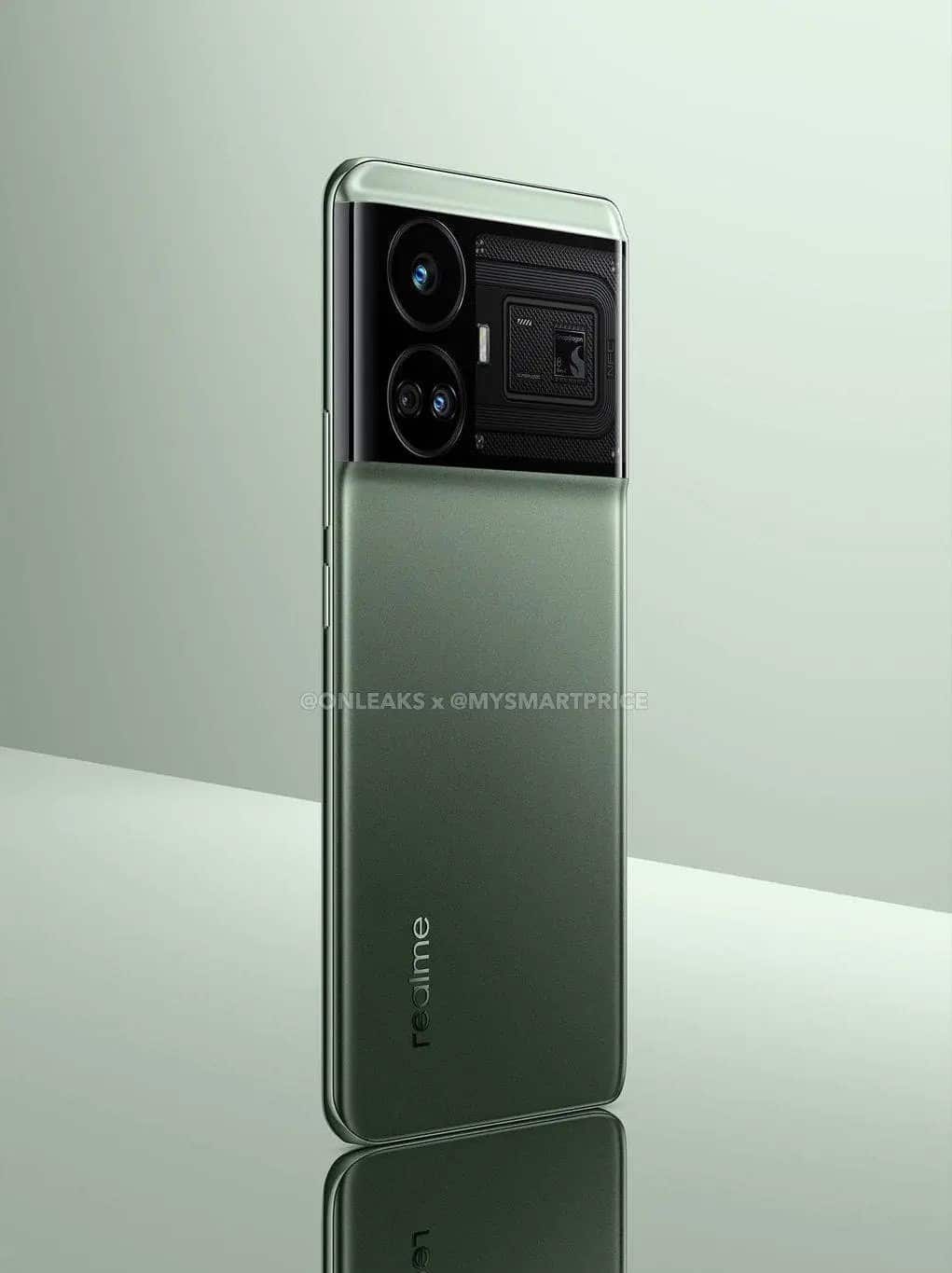
Earlier too, the Realme GT Neo 6 design renders were leaked suggesting a dual-toned back panel in a green shade.
The smartphone was said to sport a massive rectangular camera island housing 3 camera sensors and an LED flash module on the back.
Besides, a Snapdragon logowas also seen on the rear panel, hinting at a Snapdragon 8 Gen 2 SoC under the hood. However, it contradicts the details from the latest leak regarding the chipset.
The GT Neo 6 Pro will be powered by the Qualcomm Snapdragon 8 Gen 2 SoC, while the vanilla configuration by the MediaTek Dimensity 9200 processor.
Both would feature the same 6.74-inch 144Hz AMOLED panel with a resolution of 2772 x 1240 pixels.
As for cameras, the GT Neo 6 Pro will sport a 50MP main + 8MP ultra-wide + 2MP depth triple-camera setup, with no details available for the vanilla variant.
Other notable specs that both variants share are an in-screen fingerprint sensor, IR blaster and Android 13 OS via realme UI 4.0.
Where the two would further differ is in the battery department, as the vanilla variant packs a 5200mAh cell, while the Pro has a 4600mAh one. Despite the smaller size, the Pro variant is touted to feature a whopping 240W fast charging.
Back in February of this year, Realme launched the GT Neo 5, which came with a whopping 240W fast charging.
And now, the brand is getting ready to debut the Realme GT Neo 6.
To be precise, two distinct versions will be available. At least, that’s what the TEENA certifications suggest.
TEENA is basically a Chinese regulatory authority.
In most cases, the certifications must be passed weeks, if not months, before release. And these certifications are available to the public, giving away some key specs and real images of the device before launch, which is the case for the GT Neo 6.
REALME GT NEO 6 IMAGES CLOSELY
According to the listings that appeared on TEENA, there are two different versions of the Realme GT Neo 6.
They are RMX3820 and RMX3823. Similar to previous releases, both a vanilla device and a Pro model will be offered.
While the TEENA images of both versions have surfaced, we have only obtained the press renders of the Pro model.
As you see in the renders below, the Realme GT Neo 6 Pro will feature a Snapdragon 8 Gen 2. This SoC will make the Pro model on par with the other flagship devices.
The SoC of the base model is yet to be confirmed.
However, as the TEENA certification shows, it is likely the Dimensity 9200 chipset, which is a flagship chipset from MediaTek.
Since the base model lacks the Snapdragon 8 Gen 2, it is expected to launch at an upper-mid-range price point. And the Pro model could have a similar price tag as the Realme GT Neo 5 Pro.
OTHER SPECS OF THE DEVICES
The GT Neo 6 models will feature a 6.74-inch AMOLED screen. And the screen of both devices boasts 2772×1240 pixels.
That translates to 1.5K resolution, which confirms that the displays will be able to output crisp images and visuals.
When it comes to the refresh rate, the displays of the Realme GT Neo 6 will sport 144Hz refresh rate support.
Thanks to that, all the motions on the screen will seem lifelike.
However, unlike other premium flagships, the chances of us seeing adaptive refresh rate support are low.
Besides, the GT Neo 6 devices are expected to come with Android 13 with Realme UI 4.0. And if you are wondering, Realme UI is a reasonably good Android skin offering many customization options.
But what about the cameras? As per the TEENA listing, the Realme GT Neo 6 Pro will come with a 50MP primary sensor with 8MP wide and 2MP depth cameras.
Even though there’s no official confirmation about the sensor model, previous reports have suggested that it will be Sony IMX890. It has support for OIS, letting you capture steady and still images.
The devices will also pack additional features, such as an in-screen fingerprint sensorand an IR blaster.
BATTERY SPECIFICATIONS OF REALME GT NEO 6
According to the TEENA listing, the RMX3820 edition packs a 5200mAH cell, while the other has a 4600mAH battery.
There’s no obvious information about the charging speed. But as the 4600mAh has the same battery configuration as the Realme GT Neo 5, the Pro model will likely feature 240W fast charging.
On the other hand, the standard model is expected to feature 100W or 150W fast charging. Note that these charging rates are analyzed from the details provided by the TEENA listing, and they are not official yet.
But as TEENA certifications are already here, Realme will soon make detailed announcements regarding GT Neo 6 models.
Realme GT Neo 6 Lineup Will Feature 6.74-inch AMOLED Display, 50MP Triple- Camera Setup
The upcoming Realme GT Neo 6 series devices carry numbers RMX3820 and RMX3823 respectively at the 3C and TENAA certifications.
We can expect the Realme RMX3820 to debut as vanilla Realme GT Neo 6, whereas the RMX3823 could launch as Realme GT Neo 6 Pro.
The 3C certification listing reveals that the RMX3820 will offer 150W fast charging support, whereas the RMX3823 model will support 240W fast charging.
Furthermore, the specifications revealed by the TENAA listing disclose that the RMX3820 model will feature a 6.74-inch AMOLED display with a 2772 × 1240 pixel resolution.
The smartphone will debut in 8GB/12GB/16GB RAM configuration along with 128GB/256GB/512GB and 1TB storage.
Powering the device under the hood there will be an octa-core 3.2GHz processor, which could be Snapdragon 8 Gen 2 SoC.
As for the optics purpose, the Realme RMX3820 will flaunt a triple-camera setup. The camera module will include a 50MP, primary camera, a secondary 8MP lens, and a 2MP sensor.
For selfies and video-calling purpose, the handset will rely on a 16MP camera. Dimensions-wise, the device will measure 163.1×75.38×8.86mm and weigh around 205 grams. Last but not least, the smartphone will pack a dual-cell 2,540mAh battery, and the handset will support 5G connectivity.
Moving onto the specifications of the Realme RMX3823, the handset will also sport a 6.74-inch AMOLED display. The device will be powered by 3.2GHz SoC.
Similar to RMX3820, the RMX3823 will also come in 8GB/12GB/16GB RAM configuration along with 128GB/256GB/512GB and 1TB storage.
Furthermore, the smartphone will pack a dual-cell 2225mAh battery. The smartphone will feature a 50MP primary camera, an 8MP sensor, and a 2MP lens. The front of the handset will include a 16MP selfie camera.
Currently, the launch date of the Realme GT Neo 6 series is not revealed. However, a previous leak suggests that the GT Neo 6lineup will debut in Q3 2023.
So, stay tuned as we will offer more coverage as details land.
Photo, beauty, filter, AI scene recognition, street photography, portrait, night scene, 50M, professional, panorama, super text, AI ID photo, microscope, tilt shift, skin quality detection
Video Recording
4K @ 30 fps UHD, 1080p @ 30 fps FHD
Flash
Yes, Dual LED
Front Camera
Punch Hole 32 MP f/2.5 (Wide Angle) with Screen Flash
1) What are the details of Realme GT Neo 6 and GT Neo 6 Pro design revealed via TENAA?
Ans) * According to the TENAA listing, the Realme Neo GT 6 and GT Neo 6 Pro have the model numbers RMX3823 and RMX3820, respectively.
* The TENAA listing has images of the phones, which show a familiar design as the leaked renders.
* The Realme phones will be equipped with triple cameras in a large camera layout on the back and might have an RGB light.
* The power button and volume rocker are on the right.
* The phones could also have a centre-positioned punch-hole cutout for the selfie shooter and probably slim bezels.
2) What are Realme GT Neo 6 series specifications (expected)?
Ans) * Display: The Realme GT Neo 6 is tipped to sport a 6.74-inch 1.5K AMOLED display with a punch-hole cutout and up to 144Hz, similar to the previous GT Neo 5 smartphone.
* Processor: The Realme GT Neo 6 Pro will be powered by the Qualcomm Snapdragon 8 Gen 2 SoC, while the vanilla model might come with the MediaTek Dimensity 9200+ SoC.
* Battery: The Realme GT Neo 6 Pro is expected to pack a 4,600mAh battery with 240W fast charging tech. There could be a 150W charging variant as well. The vanilla model will get a 5,000mAh battery and 100W charging speed.
* RAM and Storage: The phones will pack up to 24GB of LPDDR5 RAM and 1TB UFS 4.0 of storage.
* Cameras: The Realme GT Neo 6 phones will feature a 50MP Sony IMX890 primary rear camera with Optical Image Stabilisation (OIS) support. Details regarding the other sensors are unknown at the moment.
The Fire-Boltt Grenade Smartwatch features a 1.39-inch HD display, Bluetooth calling, voice assistant, and health-tracking capabilities.
Additionally, it provides a comprehensive Health Suite, which includes heart rate monitoring, BP monitoring, stress monitoring, sleep analysis and more.
It offers over 123 sports modes for fitness enthusiasts and over 100 cloud-based watchfaces.
In this blog, we are sharing our Fire-Boltt Grenade hands-on review deeply analysing its features and overall performance.
The Fire-Boltt Grenade Smartwatchis a powerful and versatile wearable that combines style, functionality, and cutting-edge technology. With its impressive features and rugged design, the Fire-Boltt Grenade Smartwatch is a must-have accessory for those seeking a smart and connected lifestyle.
Fire-Boltt Grenade price in India is Rs ₹1,899 and in this blog, we are sharing a hands-on review of the smartwatch.
Featuring a large 1.39-inch HD display with a resolution of 360×360 pixels, this smartwatch display is vibrant and crystal-clear. Whether you’re checking notifications, reading messages, or navigating through menus, every detail comes to life on the high-definition screen.
Fire-Boltt Grenade Smartwatch Box View
The Fire-Boltt Grenade Smartwatch also has Bluetooth callingcapability. By connecting your smartphoneto the watch via Bluetooth, you can make and receive calls directly from your wrist, offeringconvenience and hands-free communication on the go. The in-built microphone and speaker ensure clear and crisp audio quality.
Equipped with a voice assistant, this smartwatch provides a truly intuitive and effortless user experience.
By simply using your voice, you can access a wide range of functions and features, such as setting reminders, checking the weather, or even controlling compatible smart home devices.
The smartwatch further comes with a comprehensive health suite and sleep monitoring feature, allowing you to track your daily activities, monitor your heart rate, and gain insights into your sleep patterns.
Fire-Boltt Grenade Smartwatch
With this data at your fingertips, you can make informed decisions about your well-being and take steps towards a healthier lifestyle.
Active individuals will especially appreciate the 123+ sports modes. Whether you’re a runner, cyclist, swimmer, or engaged in various other sports and activities, this smartwatch has you covered.
It measures key metrics like distance, calories burned, and heart rate, and provides real-time feedback to help you achieve your fitness goals.
This smartwatch provides call and message notifications to keep you connected and informed. You can easily view incoming calls, read messages, and stay connected without having to always reach for your phone
Fire-Boltt Grenade Smartwatch – Key Features
Fire-Boltt Grenade Smartwatch Features
39-inch large HD Display with 360×360 resolution
Bluetooth Calling
In-built Mic & Speaker
Voice Assistant
Health Suite & Sleep Monitoring
123+ Sports Mode
In-built games
Make & Receive Calls
Call & Message Notifications
Fire-Boltt Grenade Smartwatch – Pros & Cons
Fire-Boltt Grenade Smartwatch Pros & Cons
Pros
Cons
● Sturdy rugged design
● Complete Health Suite with Sleep Monitoring and Menstrual cycle tracker
● Bluetooth calling with In-built Mic and Speakers
● Voice assistant
● Affordable
● Does not guarantee complete protection
● Speaker could have been better
Fire-Boltt Grenade Smartwatch – Unboxing
Fire-Boltt Grenade Smartwatch – Unboxing
Fire-Boltt Grenade Smartwatch comes in standard Fire-Boltt packaging. The retail box features Mahendra Singh Dhoni’s image along with his signature on the top of the box. The retail box of Fire-boltt always displays almost all the key features of the smartwatch on the top of the box.
As you open the box, you find the Grenade Smartwatch placed in a frame right at the top. The rugged design immediately catches your attention. However, more on design in the next section.
Furthermore, the retail package also contains the following –
Smartwatch
Charging Cable
User Manual
Warranty Registration Card
Free Vouchers from Bookmyshow and Gaana
Free Exclusive Boltt Play App Membership Card
Now, let’s move on to the design and display.
Fire-Boltt Grenade Smartwatch – Design
Fire-Boltt Grenade Smartwatch – Design
Orange-Gold Variant – Rugged style, steel dial with two push buttons
Soft Silicon Strap, a working crown
Shock Proof and IP67 Splash Resistance
The Fire-Boltt Grenade Smartwatch boasts a distinctive and stylish design that seamlessly blends ruggedness with sophistication.
We had the Orange-Gold variant for this review, which combines eye-catching orange colour silicon straps with the soft gold dial, creating a striking and bold aesthetic. This unique colour combination sets it apart from other smartwatches on the market.
Apart from this, the smartwatch is available in many other straps and dials combinations, each holding a unique style statement.
The steel dial of the Fire-Boltt Grenade Smartwatchadds a touch of durability and elegance to the overall design. The slim red rim encircling the dial towards the outside not only enhances its visual appeal but also adds a subtle pop of colour, further accentuating the watch’s rugged style.
Grenade Smartwatch – Design
Located on the right side of the watch are two push buttons, including a rotating crown. These buttons offer convenient and intuitive control over the smartwatch’s functions, allowing users to navigate through menus and interact with the device effortlessly.
The soft silicon strap of the Fire-Boltt Grenade Smartwatch not only adds comfort during extended wear but also complements the rugged design theme.
The back of the dial, however, is made of plastic. It houses the heart rate sensor, the splitter sensor in the centre, and the charging terminals can be found at the bottom. If you look closely at the back of the dial, you can also spot the speaker, which is going to assist you during phone calls.
It offers a secure fit on the wrist and has an adjustable strap that will fit any wrist size. The straps are removable too, so you can actually change them with third-party bands.
Its shockproof construction adds durability and resilience, making it capable of withstanding accidental impacts and drops.
Furthermore, the IP67 splash resistance feature adds an extra layer of protection to the smartwatch. It allows the device to withstand exposure to water splashes, sweat, and other forms of moisture, making it suitable for everyday use and various outdoor activities.
Fire-Boltt Grenade Smartwatch – Display
Fire-Boltt Grenade Smartwatch – Display
39-inch HD Display with 360×360 resolution
The display of the Fire-Boltt Grenade Smartwatch offers really enhances the overall user experience. With its 1.39-inch HD display and a resolution of 360×360 pixels, this smartwatch delivers sharp and vibrant visuals, ensuring that every detail comes to life on the screen.
The first thing you notice about the display is its bezel-less design. The display design maximizes the screen real estate and provides an immersive viewing experience.
With no bezels to interrupt the display, users can enjoy an expansive and unobstructed view, allowing them to fully engage with the content on the screen.
The colour reproduction of the display is vibrant and crisp. The high resolution allows you to read even the smallest text on the display very clearly.
Fire-Boltt Grenade Smartwatch serves as a convenient and intuitive navigation tool.
The working crown of the Fire-Boltt Grenade Smartwatch serves as a convenient and intuitive navigation tool. Users can interact with the display by rotating the crown, enabling seamless scrolling and browsing through menus, apps, and notifications.
This feature adds a level of precision and control, enhancing the user interface and making navigation effortless.
In addition, the display of the Fire-Boltt Grenade Smartwatch offers sufficient brightness to ensure optimal visibility, even in outdoor environments.
Whether you’re out for a jog or simply enjoying a sunny day, the screen remains clear and legible, minimizing any visibility issues caused by bright sunlight.
Fire-Boltt Grenade Smartwatch – Features
Fire-Boltt Grenade Smartwatch – Features
Bluetooth Calling (Make & Receive Calls), Quick dial, Call record
Call & Message Notifications
Multi-dimensional fitness experience with 123 Sports Mode, 100 Cloud-Based Watchfaces
Complete Health Suite – Heart Rate, Blood Pressure, SpO2, Stress, Sleep Monitoring, and Menstrual Cycle monitoring
Grenade comes with Bluetooth calling featuresfor users to make and receive calls directly from their wrist. It enables hands-free communication and ensures that you never miss an important call while on the go.
Additionally, you also get a quick dial feature to further simplify the calling process Then, we have the call record feature to keep a log of your call history for reference and convenience.
For fitness enthusiasts, this smartwatch offers a multi-dimensional fitness experience with its 123 sports modes. Whether you’re into running, cycling, swimming, or other activities, the watch tracks your workouts, measures key metrics, and provides real-time feedback to help you achieve your fitness goals.
multi-dimensional fitness experience
Additionally, with 100 cloud-based watch faces, you can personalize your smartwatch’s appearance to match your style and mood.
The Fire-Boltt Grenade Smartwatch also features a complete health suite, including heart rate monitoring, blood pressure tracking, SpO2 measurement, stress monitoring, sleep tracking, and menstrual cycle monitoring.
This comprehensive suite enables you to gain valuable insights into your health and well-being, empowering you to make informed decisions about your lifestyle and overall wellness.
Moreover, keeps you connected and informed with its call and message notifications. And with the built-in voice assistant, you can conveniently control various functions and access information using just your voice.
One thing we have to appreciate is that the Grenade Smartwatch goes beyond fitness and communication by offering additional features such as in-built games for entertainment, music tuning for a personalized audio experience, find my phone feature to locate your misplaced phone, sedentary reminders to encourage regular movement, drink water reminders to stay hydrated, and weather updates to keep you informed about the conditions outside.
In summary, the Fire-Boltt Grenade Smartwatch impresses with its array of features that cater to various needs and enhance the overall user experience.
Fire-Boltt Grenade Smartwatch – Interface and App Connectivity
Fire-Boltt Grenade Smartwatch – Interface and App Connectivity
A simple, well-organized and structured menu system
Benefits from the presence of a voice assistant and working crown
Let’s talk about the interface. It is easily one of the simplest interfaces you can come across. You can simply swipe right to access the activity, then another swipe right to have your sleep tracking data, heart rate blood pressure, SpO2, Stress tracking, Weather and more.
Then, you can add some more favourites such as phone calls, your camera shutter, calculator. Basically, there is so much that you can add directly according to your preference.
The Fire-Boltt Grenade Smartwatch offers a well-organized and structured menu system, making it easy to find and access various featuresand settings. The menu layout is intuitive and straightforward.
You can quickly locate and launch the desired apps, functions, or settings. Swipe from up to access the quick toggles, your phone calling which you can activate or deactivate. Then, we have many menu styles that you can change.
Navigating through the interface is made simple and convenient with the help of the working crown, which allows for easy scrolling and selection.
hands-free interaction
This rotating crown serves as a smooth and responsive input method, enhancing the overall navigation experienceand providing precise control over the interface.
The watch interface also benefits from the presence of a voice assistant. With the voice assistant, users can interact with the smartwatch using their voice, issuing commands, and receiving spoken responses.
This hands-free interaction adds convenience and allows for a more natural and effortless user experience.
Moreover, the FB Active App is what you need to download and install on your smartphone for reliable connectivity and synchronization.
Whether it’s receiving notifications, syncing health data, or managing calls, the Smartwatch maintains a stable connection, ensuring you stay connected and informed throughout the day
Fire-Boltt Grenade Smartwatch – Battery Life
Fire-Boltt Grenade Smartwatch – Battery Life
350mAh battery capacity
Up to 7 days of battery
Up to 2 days battery with Bluetooth calling
The Fire-Boltt Grenade Smartwatch is equipped with a 350mAh battery, offering a commendable battery lifethat caters to the needs of most users.
Under normal usage conditions, the smartwatch can provide a battery life of up to 7 days. This extended battery duration ensures that you can rely on your smartwatch throughout the week without frequently needing to recharge it.
Whether you’re using it for fitness tracking, receiving notifications, or accessing various features, the long-lasting battery keeps the watch powered for an extended period.
When utilizing the Bluetooth calling feature extensively, the battery life is slightly reduced. However, even with frequent use of Bluetooth calling, the Fire-Boltt Grenade Smartwatch still offers up to 2 days of battery life.
This includes several hours of continuous calling and ensures that you can comfortably make and receive calls without worrying about the battery draining quickly.
With its reliable battery life of up to 7 days under normal usage and up to 2 days with Bluetooth calling, the Fire-Boltt Grenade Smartwatch offers a sufficient battery performance to keep up with your daily activitiesand demands.
Verdict
123 sports modes
Overall, the Fire-Boltt Grenade Smartwatch is an impressive wearable that combines style, functionality, and cutting-edge technology. With its rugged design, vibrant display, and intuitive interface, this smartwatch offers a seamless and enjoyable user experience.
The Bluetooth calling feature, along with call and message notifications, keeps you connected while on the go. The comprehensive health suite, including heart rate monitoring and sleep tracking, helps you take charge of your well-being.
With over 123 sports modes, fitness enthusiasts can track and improve their workouts. The voice assistant, camera controls, and in-built games add convenience and entertainment.
So, if you want a super solid and rugged smartwatch under Rs 2000, the Fire-Boltt Grenade is definitely the right product for you.
The Grenade Smartwatch, priced at Rs 1,899 is a versatile smartwatch that offers premium functionality, entertainment, and personalization in one robust package.
Fire-Boltt Grenade Smartwatch – My Mobiles Rating
My Mobile ratings
Design – 4/5
Display – 4/5
Features – 3.5/5
Battery Life – 3.5/5
Performance – 3.5/5
Overall – 3.5/5
Buy Fire-Boltt Grenade Smartwatch for
Buy Fire-Boltt Grenade Smartwatch for
Rugged design with working crown
Complete Health Suite with Sleep Monitoring and Menstrual cycle tracker
Q1. Can I make calls directly from the Fire-Boltt Grenade Smartwatch?
Answer. Yes, the Fire-Boltt Grenade Smartwatch supports Bluetooth calling, allowing you to make and receive calls directly from your wrist.
Q2. Can I track my fitness activities with this smartwatch?
Answer. Absolutely! The Fire-Boltt Grenade Smartwatch offers over 123 sports modes, allowing you to track and monitor various fitness activities such as running, cycling, swimming, and more.
Q3. Does the Fire-Boltt Grenade Smartwatch have a heart rate monitor?
Answer. Yes, this smartwatch features a comprehensive health suite, which includes a heart rate monitor. It enables you to keep track of your heart rate and monitor your fitness levels during workouts and throughout the day.
Q4. Is the Fire-Boltt Grenade Smartwatch compatible with a voice assistant?
Answer. Yes, this smartwatch comes with a built-in voice assistant, allowing you to control various functions and access information using your voice commands.
Q5. How long does the battery of the Fire-Boltt Grenade Smartwatch last?
Answer. The Fire-Boltt Grenade Smartwatch offers a strong battery life of up to 7 days under normal usage conditions. However, with frequent use of the Bluetooth calling feature, the battery life may last up to 2 days.



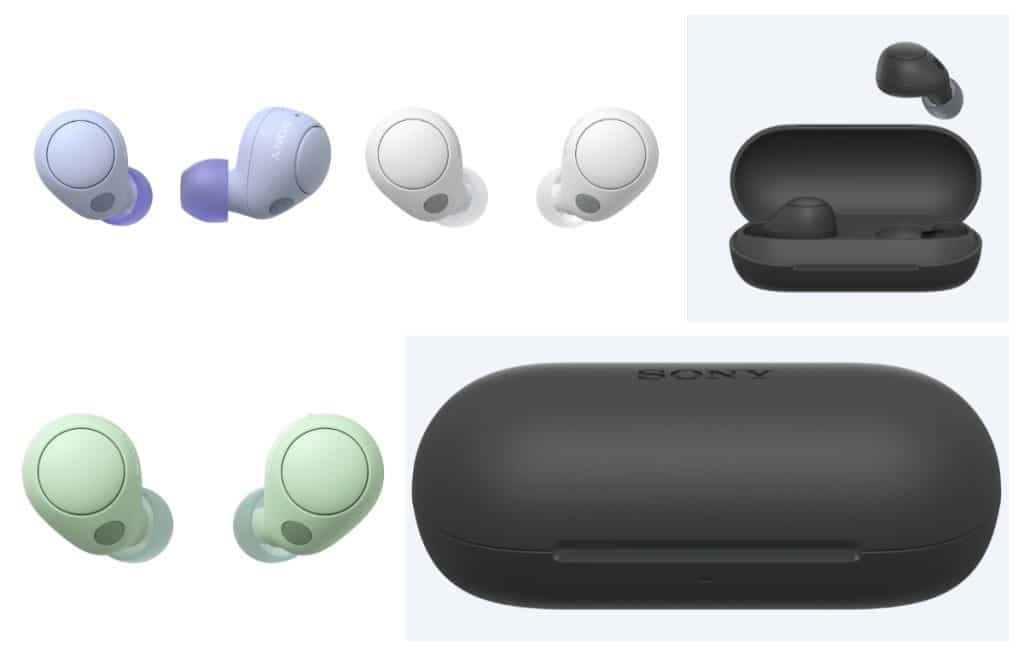






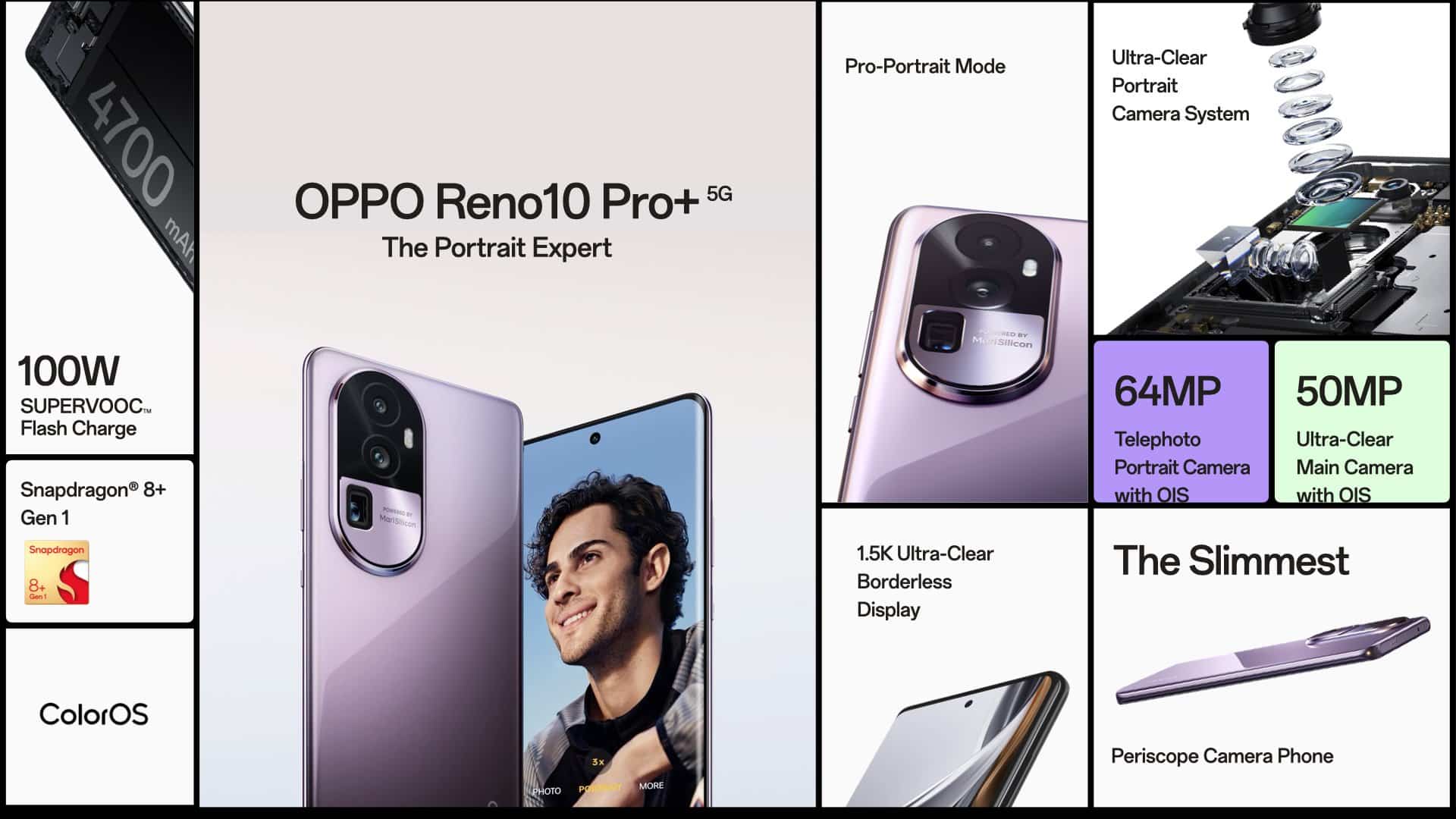
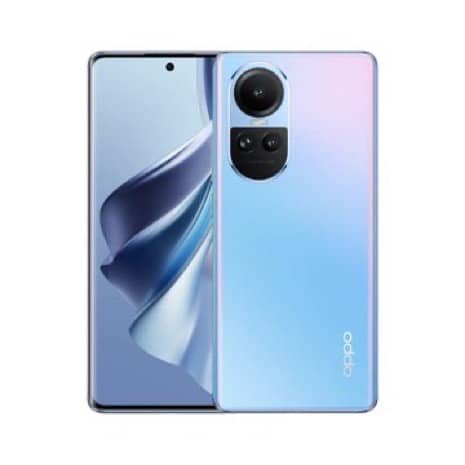
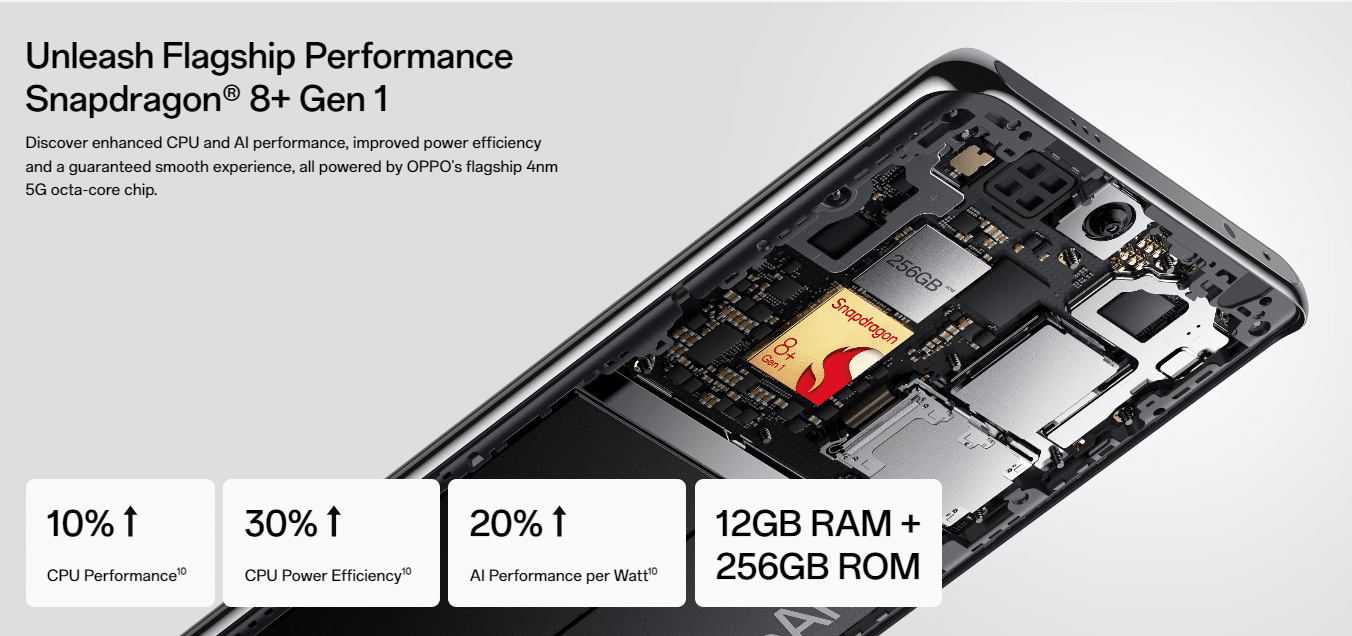
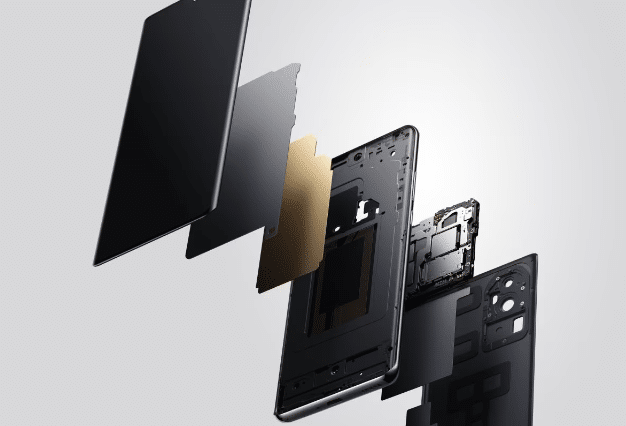
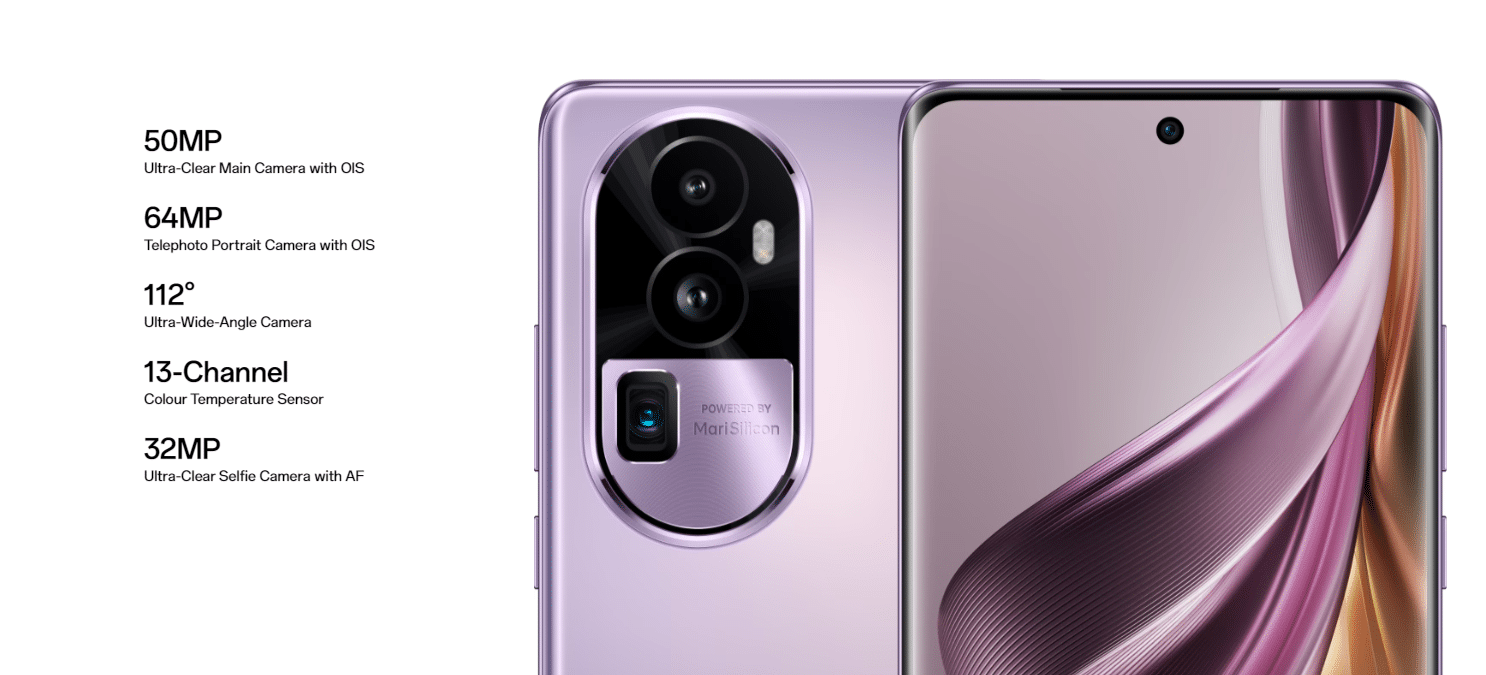

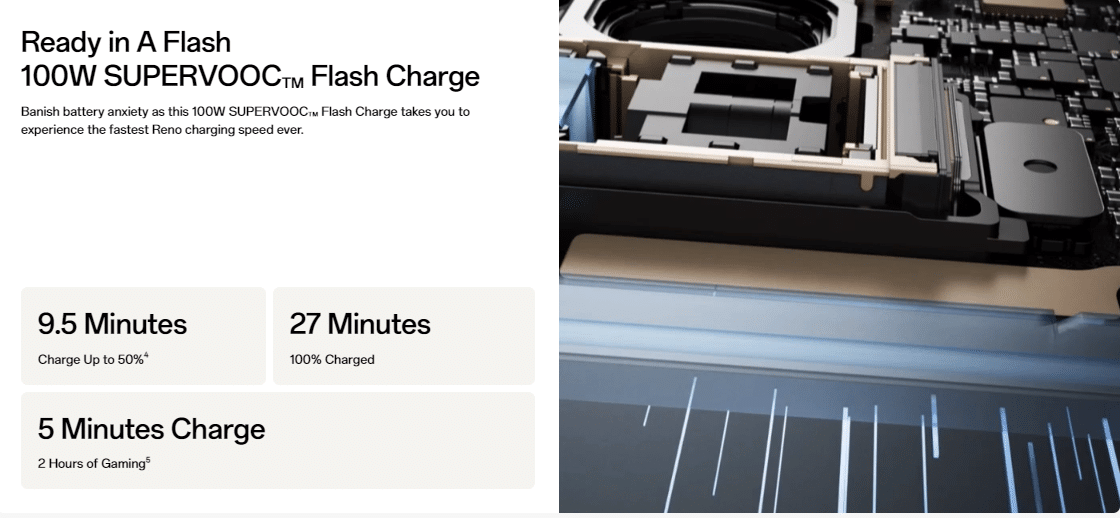
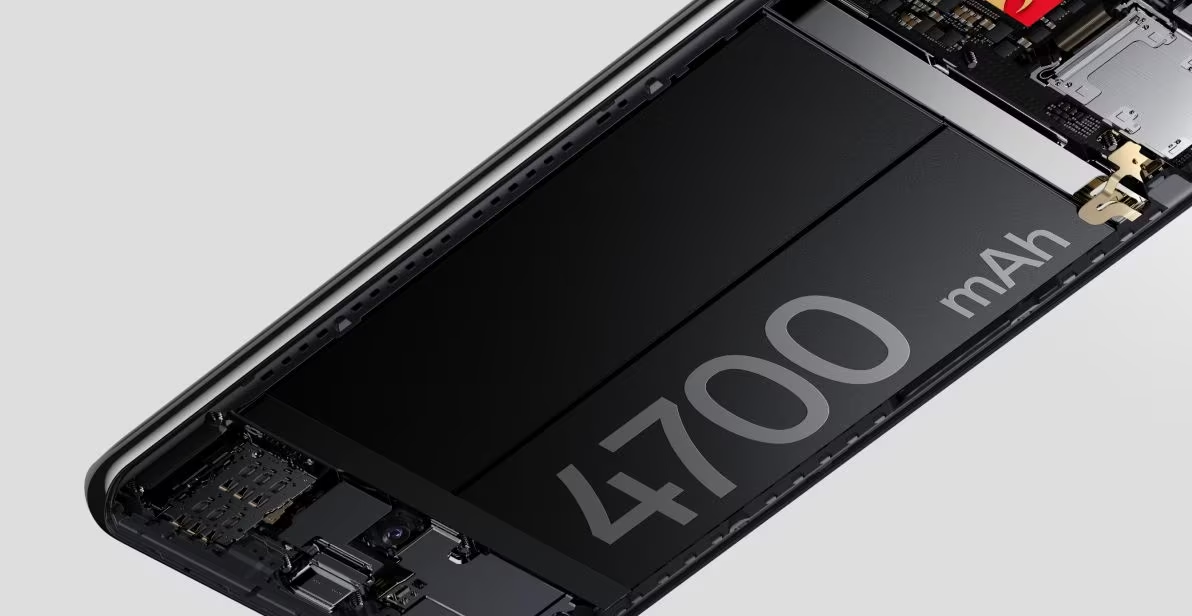

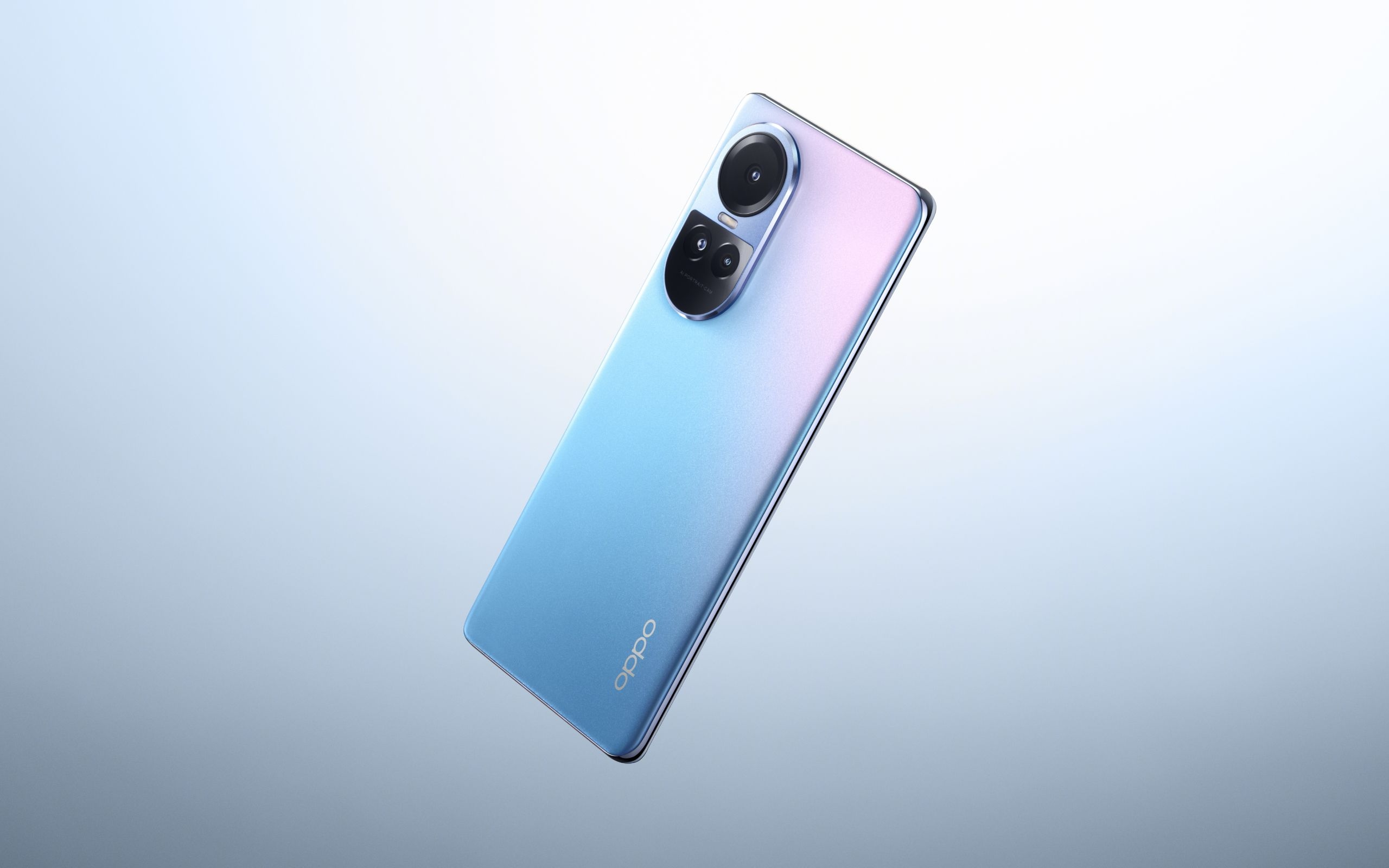
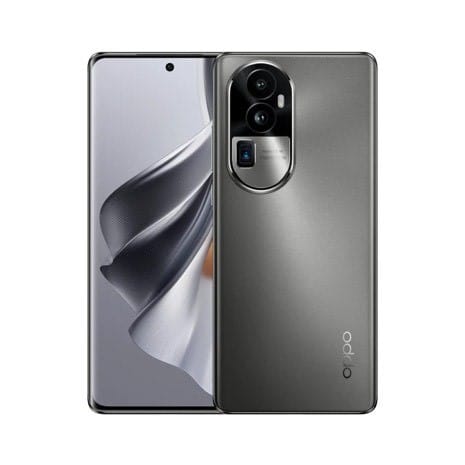
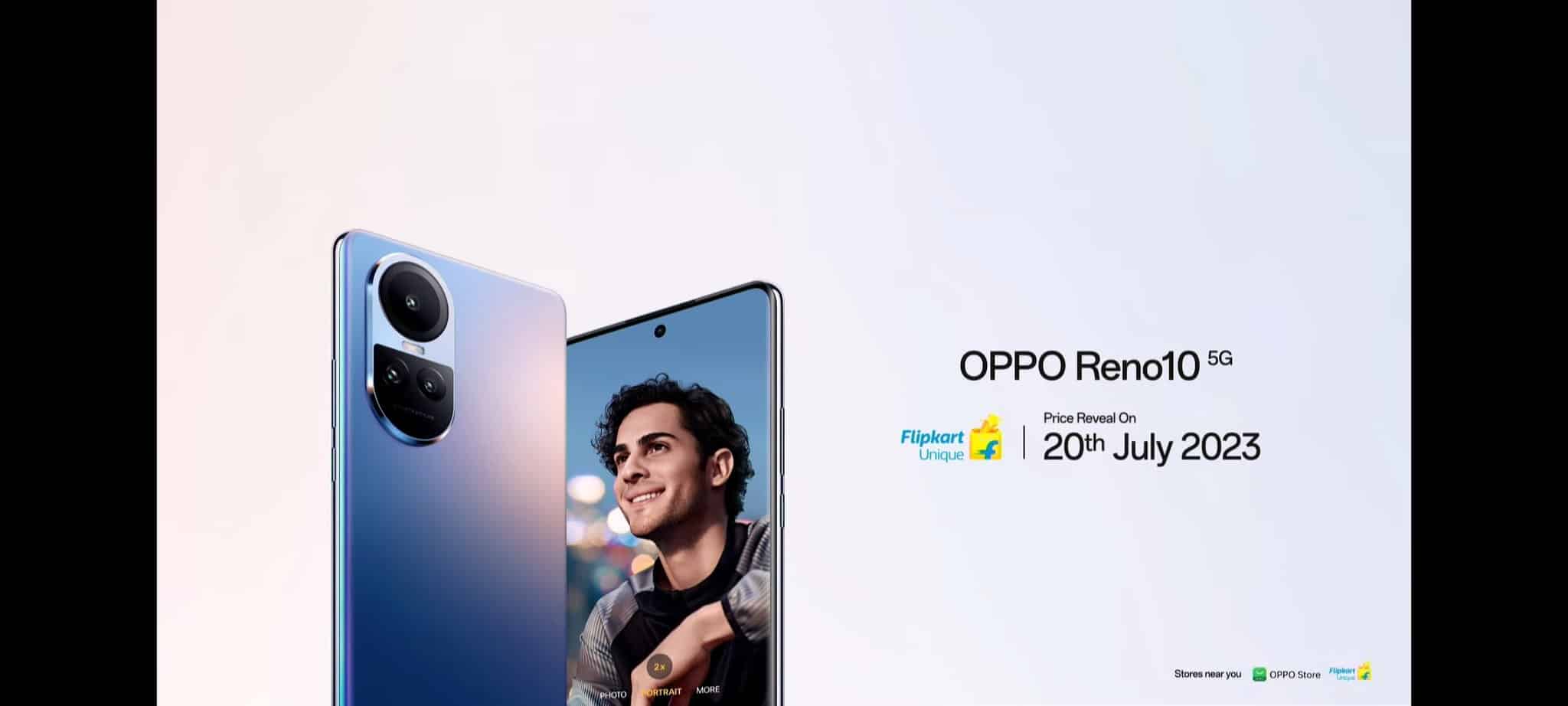


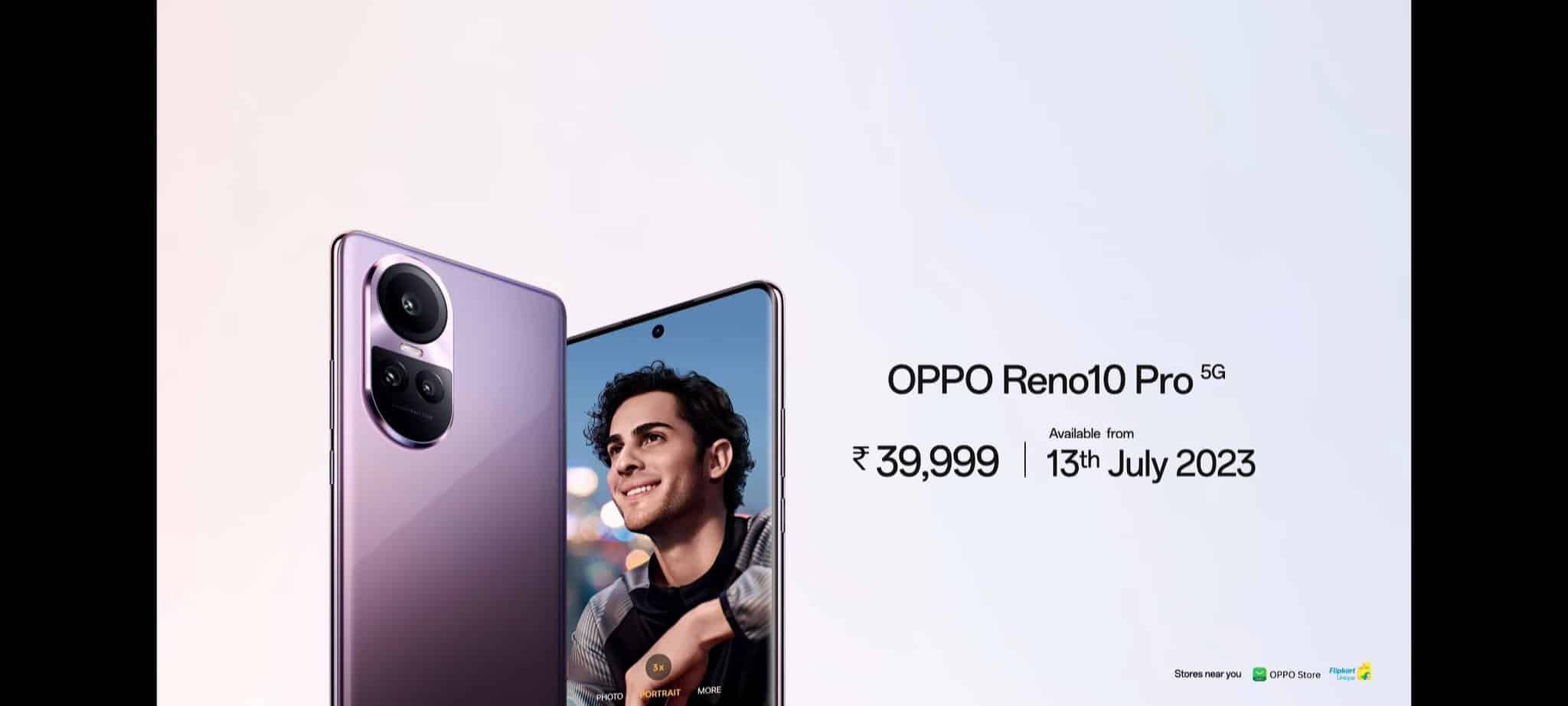

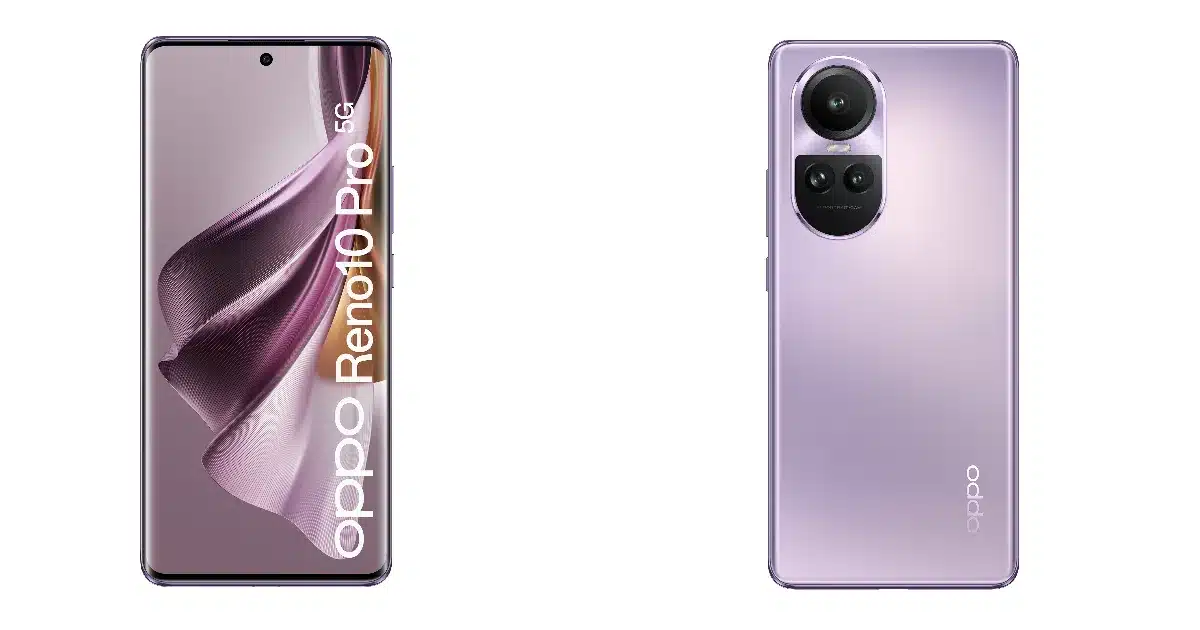





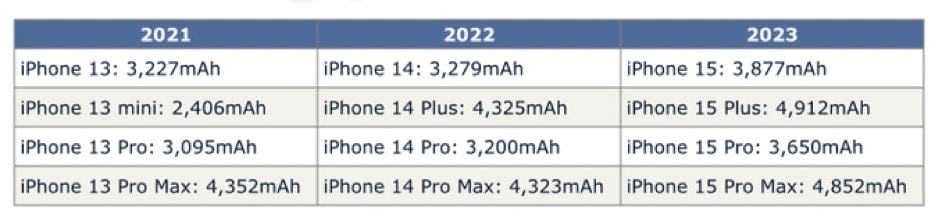
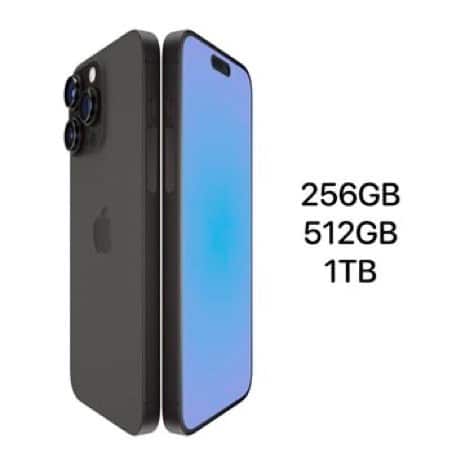

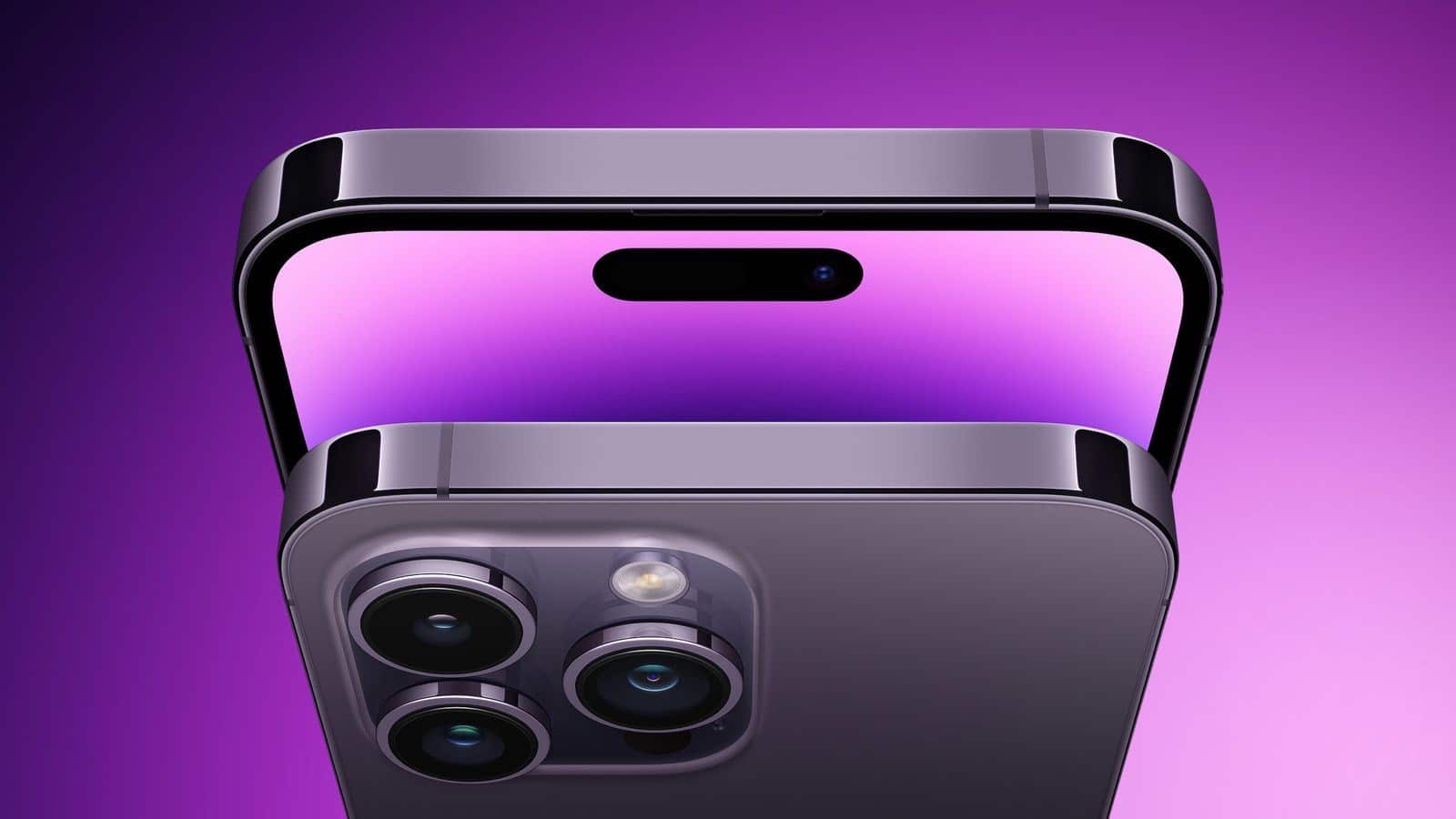


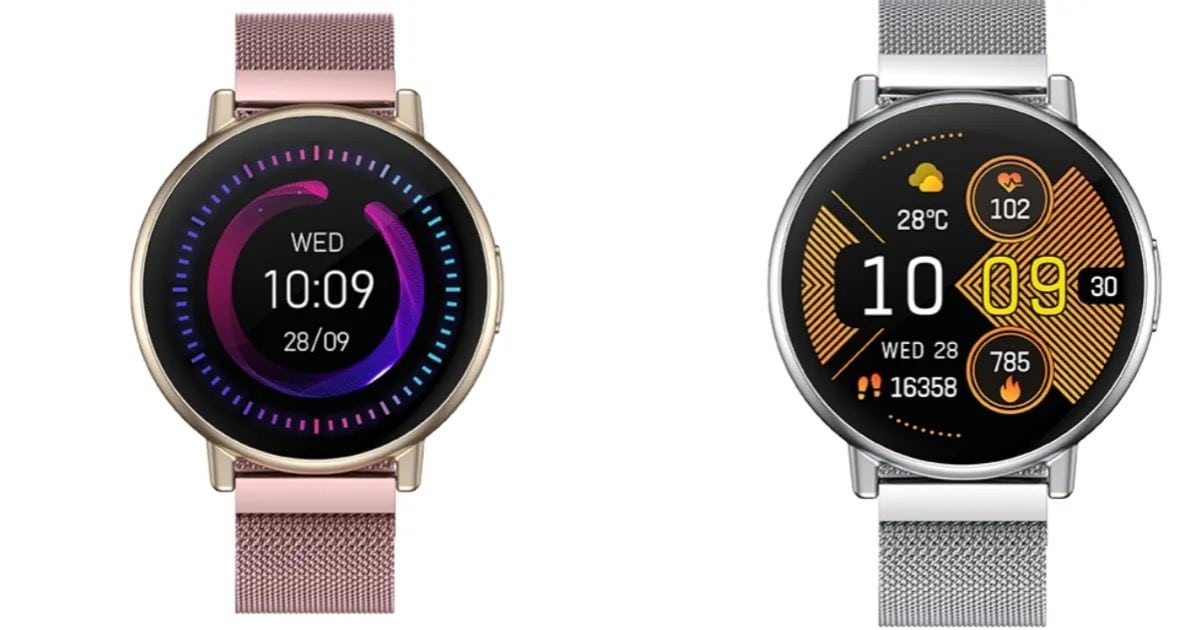

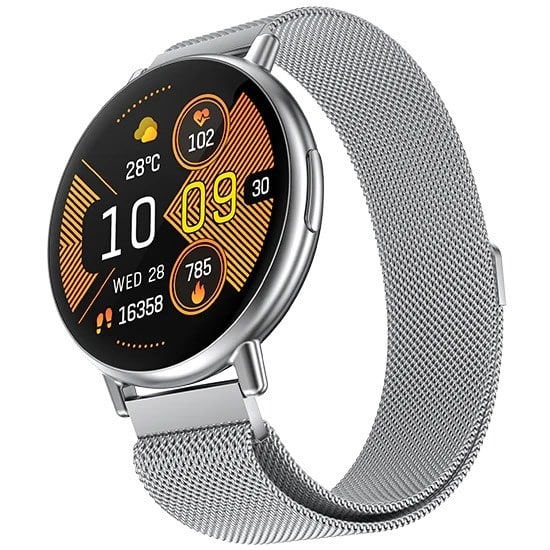


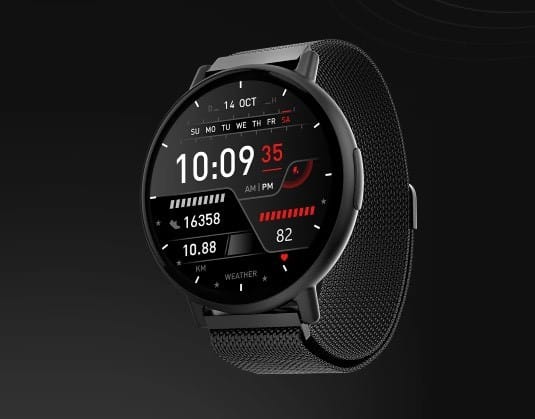

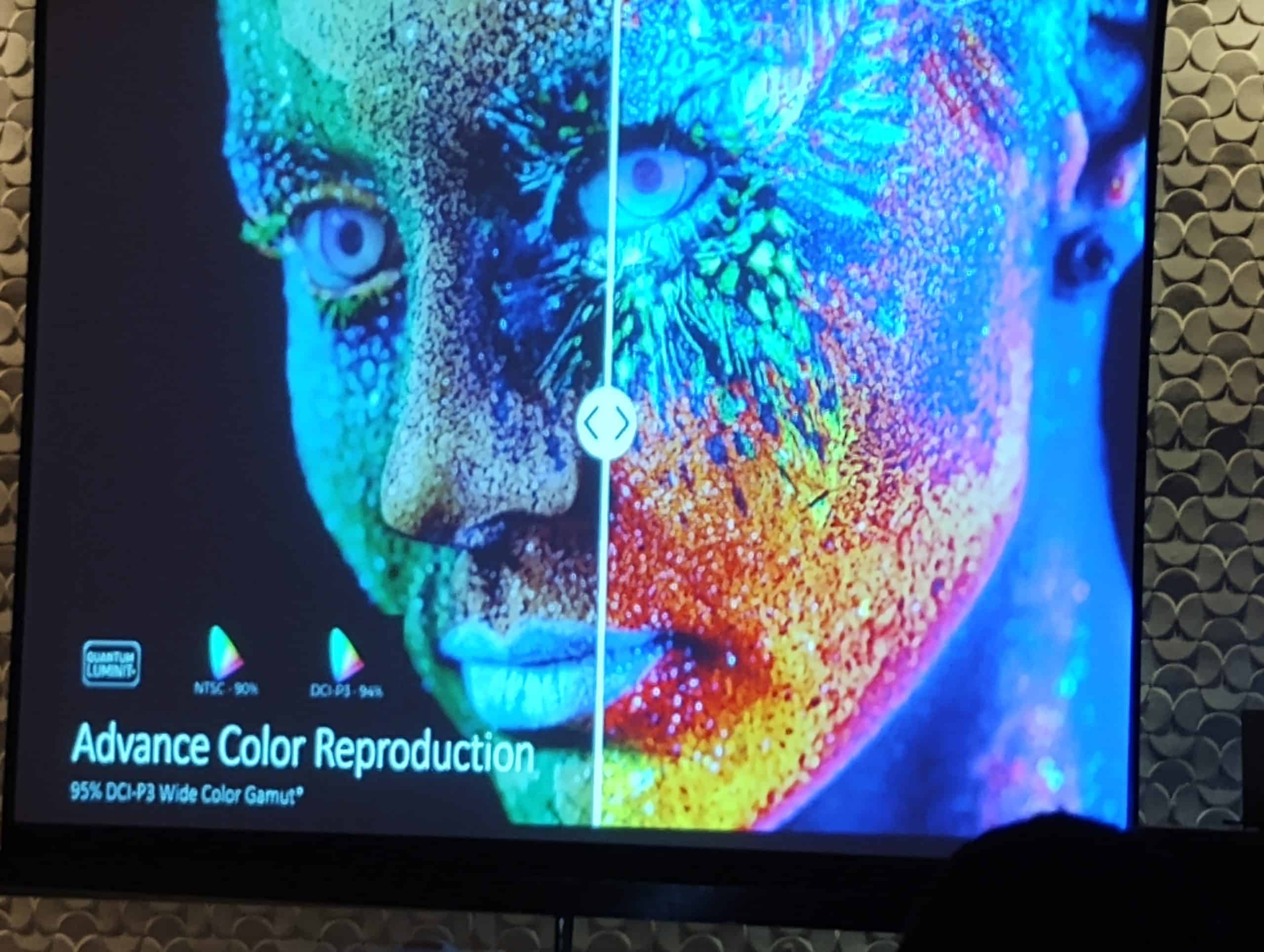
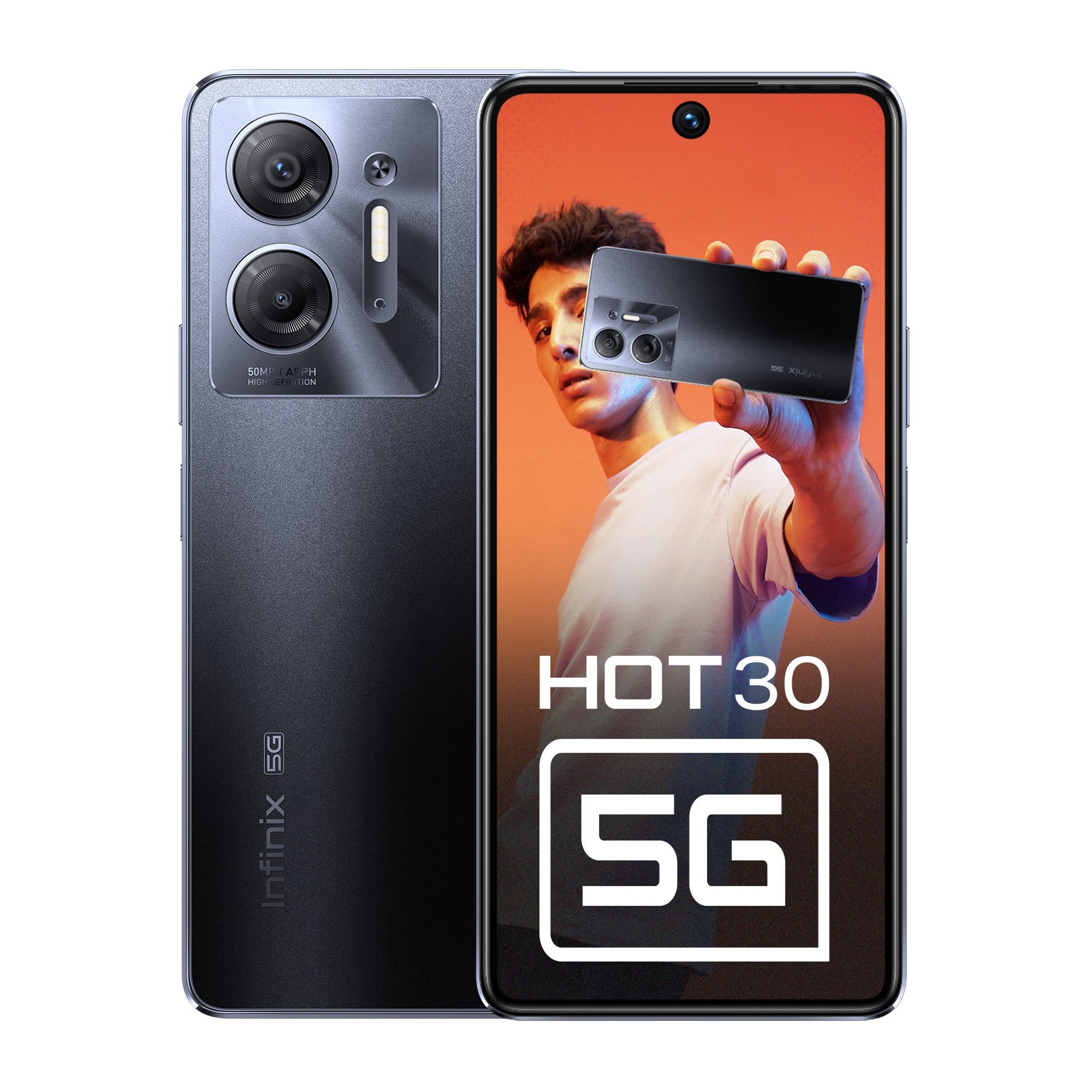 Designed with elegance and durability in mind, the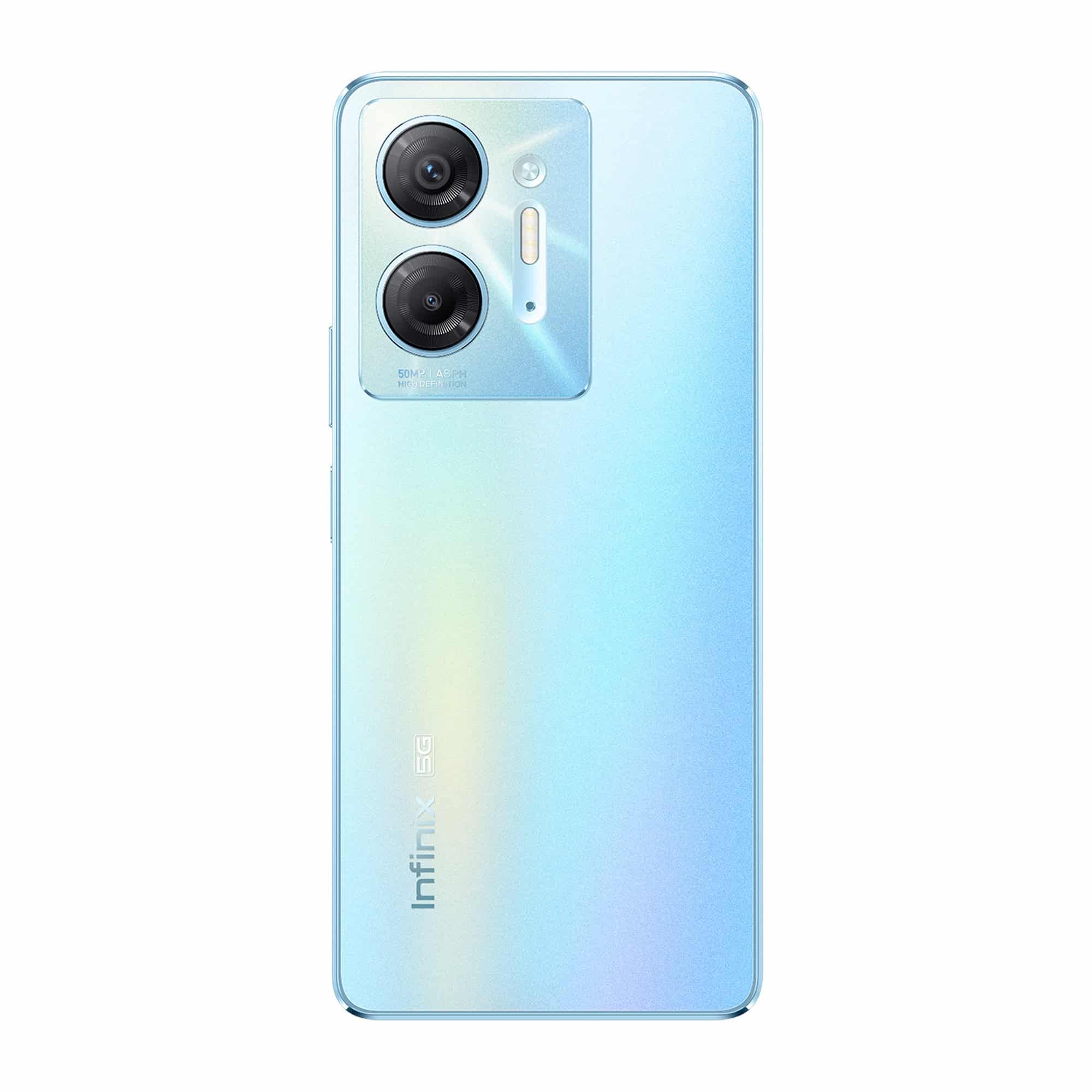




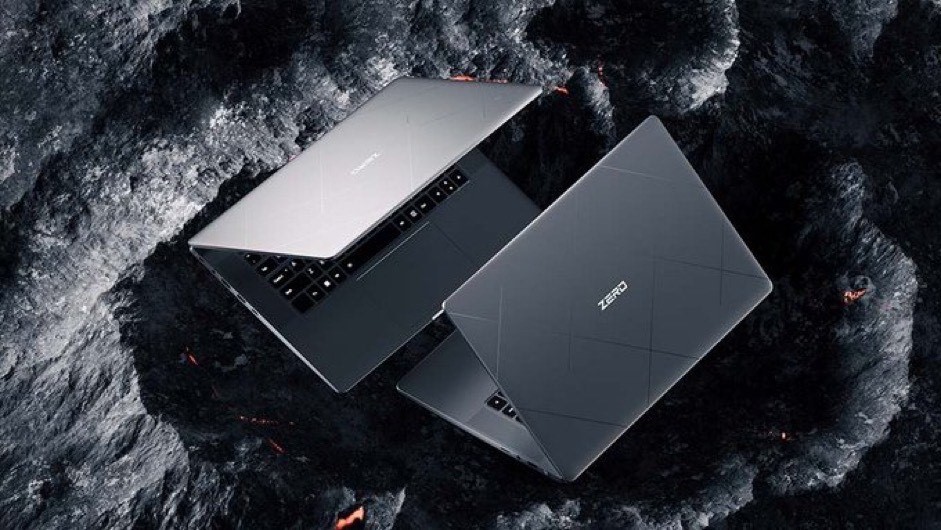


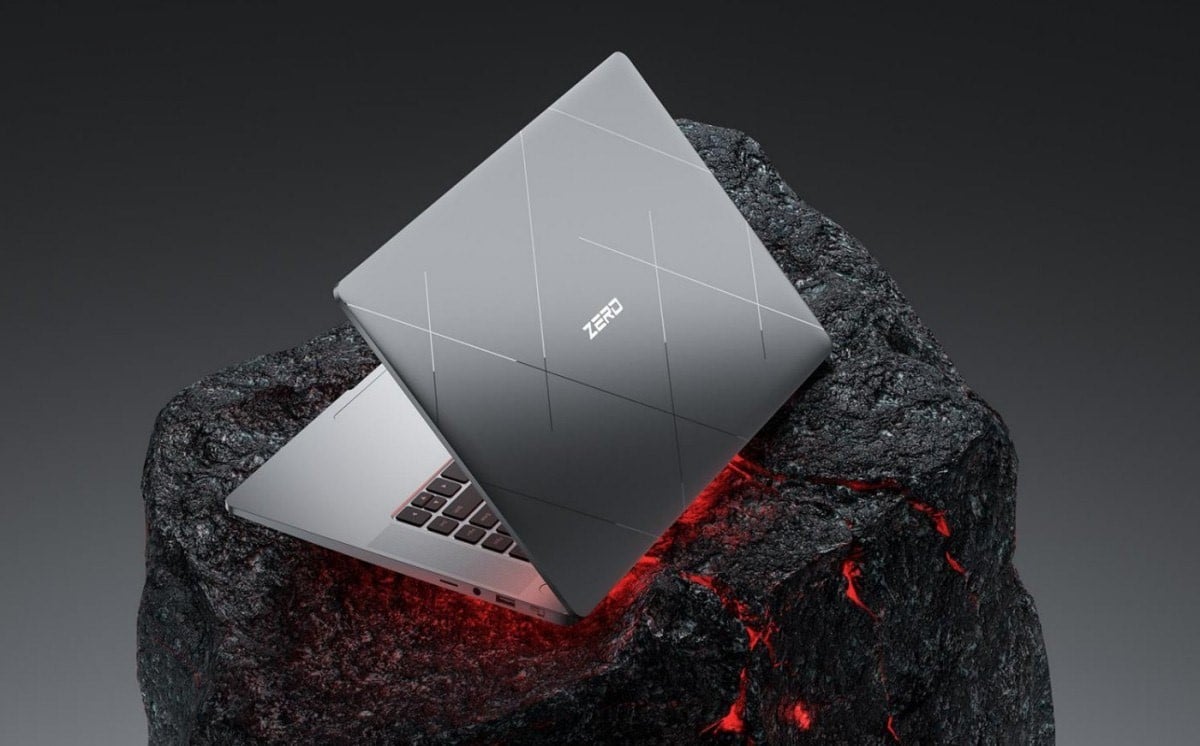
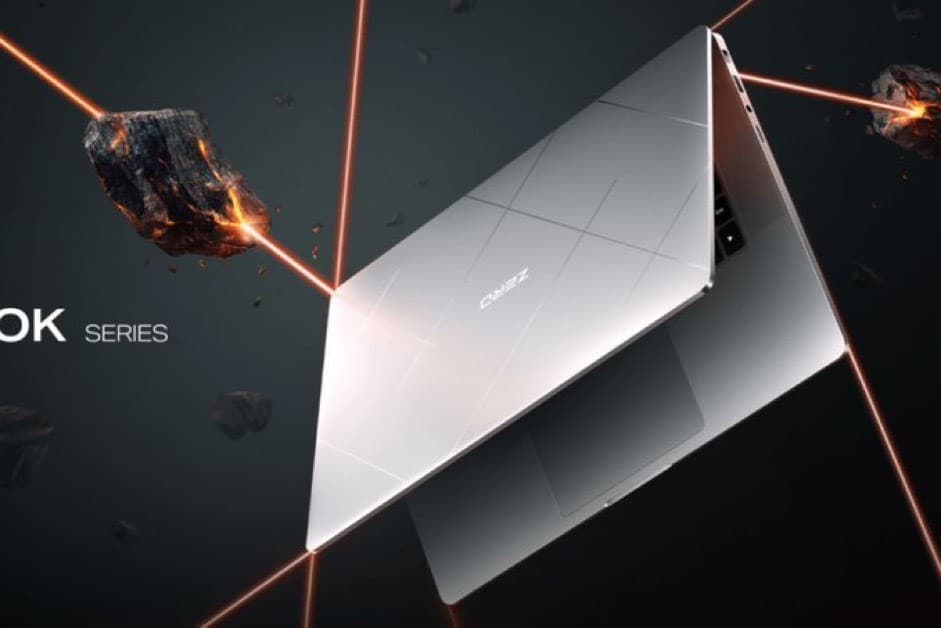 You get 16GB LPDDR5X on the i5, 16GB or 32GB on the i7 and 32GB on the i9. You also get a choice of 512GB and 1TB PCIe 4.0 NVMe SSD storage.