Home Blog Page 588

Noise Launches NoiseFit Twist Go with Glossy Metallic Design that Suits Every Wrist

0

Highlights

•Noise has launched the NoiseFit Twist Go, a new smartwatch featuring Bluetooth calling.
•The new smartwatch boasts a round dial with a metallic finish and offers silicone, and metallic strap options.
•The Noise Tru Sync technology on the smartwatch enables Bluetooth calling with quick pairing and low power consumption.
•The Noise Health Suite, which includes 24×7 heart rate monitoring, SpO2 measurement, sleep tracking, and stress management, is also included, as with other Noise smartwatches.
•It also features multiple sports modes, a functional crown, and pairs with the NoiseFit App.

Noise, today launched a new sleek round dial smartwatch, NoiseFit Twist Go, with glossy metallic design for the ones looking to create a classier look.

“Chic made Sleek”, this smartwatch raises the bar for elegance with a 1.39″ TFT display, metal build, and Bluetooth calling capability.

The NoiseFit Twist Go boasts a distinctive sleek design with a round dial, setting a new standard for smartwatch aesthetics.

Designed to complement all wrist types, it delivers both style and functionality.

NoiseFit Twist Go Price, Availability & Color’s

NoiseFit Twist Go Price, Availability & Color’s

Noise Fit Twist Go smartwatch launches today on Amazon and gonoise.com at a starting launch price of INR 1,199.

You can pre-order the smartwatch (only silicone strap variants) via Amazon now and get a chance to win an iPhone 15.

Check out more details on the promotional campaign in the image.

get a chance to win an iPhone 15
Get a chance to win an iPhone 15

It will be available in eight colour variants with Metallic, Silicon and Mesh strap options – Jet Black, Silver Grey, Rose Pink, Elite Black, Elite Silver, Gold Link, Black Link and Silver Link.
NoiseFit Twist Go Specifications & Features

NoiseFit Twist Go Specifications & Features

Creating an experience-led ecosystem of NoiseFit App, the NoiseFit Twist Go places paramount importance on data security, accurate health metric monitoring and tailored insights.

The NoiseFit App is a gateway to a transformative experience, emphasising macro benefits by seamlessly integrating health metrics tracking, personalised insights, and community engagement, ultimately enriching users’ overall well-being and fostering a sense of connected empowerment.

The NoiseFit Twist Go further integrates intelligence by offering voice assistant support.

Users can effortlessly engage with Siri and Google Voice Assistant enabling swift access to information and commands, thus enhancing the hands-free experience.

NoiseFit Twist Go Quick Specifications

Enabling users to efficiently track vital health metrics like heart rate, SpO2, sleep patterns, and Female Cycle tracking with Noise Health Suite™, NoiseFit Twist Go caters to both productivity and health monitoring.

Whether navigating through a busy workday, embarking on outdoor adventures, or engaging in fitness activities, users can rely on the long-lasting battery life of up to 7 days on a single charge along with integrated Productivity Suite™ offering access to daily reminders and weather forecasts.

Additionally, the integrated Productivity Suite™ offers. With IP67 water and dust resistance, the smartwatch is built to withstand various environments.

Seamlessly pairing with the smartphone, it provides a comprehensive set of features for holistic wellness tracking.

The Noise Buzz feature enables users to make calls directly from the watch dial-pad, capable of storing up to 8 contact details for quick and easy access.

NoiseFit Twist Go Quick Specifications

NoiseFit Twist Go Quick Specifications

* 1.39″ HD TFT LCD screen, 2.5D curved glass display
* Metal build, a rotating crown
* Bluetooth Calling with Noise Tru Sync technology; Dial Pad, Recent Call History
* In-built microphone, and a speaker.
* Compatible with NoiseFit app
* 100+ cloud-based watch faces
* 24×7 heart rate monitoring, SpO2, sleep tracking, stress management, female cycle tracker, and breathing practice.
* 100+ sports modes
* Voice assistance support
* IP68 water and dust resistance
* Notification display, weather updates, Reminders, Alarm, camera control, music control, calculator.

1.2020 copy
1.2021 copy
1.2024 copy
1.2026 copy
1.2017 copy
1.2015 copy
2.2026 copy
1.2010 copy
1.2020 copy 1.2021 copy 1.2024 copy 1.2026 copy 1.2017 copy 1.2015 copy 2.2026 copy 1.2010 copy

Faqs

What are the health features in Noise Fit Twist Go smartwatch?

The Noise Health Suite, which includes 24×7 heart rate monitoring, SpO2 measurement, sleep tracking, and stress management, is also included, as with other Noise smartwatches.

It also features multiple sports modes, a functional crown, and pairs with the NoiseFit App.

What are the productivity features on the NoiseFit Twist Go Smartwatch?

Whether navigating through a busy workday, embarking on outdoor adventures, or engaging in fitness activities, users can rely on the long-lasting battery life of up to 7 days on a single charge along with integrated Productivity Suite™ offering access to daily reminders and weather forecasts.

Additionally , the integrated Productivity Suite™ offers. With IP67 water and dust resistance, the smartwatch is built to withstand various environments. Seamlessly pairing with the smartphone, it provides a comprehensive set of features for holistic wellness tracking.

The Noise Buzz feature enables users to make calls directly from the watch dial-pad, capable of storing up to 8 contact details for quick and easy access.

What are the Color’s available in NoiseFit Twist Go Smartwatch?

Mesh strap options – Jet Black, Silver Grey, Rose Pink, Elite Black, Elite Silver, Gold Link, Black Link and Silver Link.

What is the availability of NoiseFit Twist Go Smartwatch ?

The smartwatch launches today on Amazon and gonoise.com .

What is the price of NoiseFit twist go Smartwatch ?

The smartwatch will be available on Amazon.in and Noise website at an introductory price starting at Rs. 1,199.

You can pre-order the smartwatch (only silicone strap variants) via Amazon now and get a chance to win an iPhone 15.

Product Specifications NoiseFit Twist Go

Screen 1.39” inch TFT
Waterproofing IP67
Battery Usage Up to 7 days
Sports Modes 100+ modes
Watch-faces 100+ cloud-based
Highlight Features Sleep tracking with the help of NoiseFit App

metallic glossy dial suitable for all wrist types

Multiple strap options


Also Read: NoiseFit Voyage Smartwatch Launched with 4G LTE and eSIM Capability: Pricing, Features, and Specs

Also Read: NoiseFit Vortex Plus Launches in India: Price, Features, Specs, and More

Also Read: Noise launches NoiseFit Grace for women seeking elegance adding to its smartwatch portfolio: Check Price, Specifications & Features

Apple’s Decade-Long Electric Car Dream Shuttered Permanently; Focus Shifted to Generative AI 

0
Apple’s Decade-Long Electric Car Dream Shuttered Permanently; Focus Shifted to Generative AI 

Highlights

  • Apple cancels its electric vehicle project, shifting resources to AI.
  • Nearly 2,000 employees redirected to generative AI projects.
  • Generative AI to become central to future Apple product advancements.
  • Apple commits to responsible AI investment, exceeding $1 billion annually.

Apple has officially ceased its efforts to enter the automotive industry with its own electric vehicle.

The project, which commenced in 2014 and sought to rival industry giants like Tesla, has been discontinued, redirecting the focus of nearly 2,000 employees towards a burgeoning domain: generative AI.

The End of the Road for Apple’s Automotive Aspirations

The End of the Road for Apple's Automotive Aspirations
The End of the Road for Apple’s Automotive Aspirations

For almost a decade, Apple’s foray into the electric car landscape was whispered around the tech and automotive sectors alike.

Dubbed Project Titan, this initiative promised an Apple-branded vehicle that wasn’t just electric but fully autonomous, boasting features from voice-guided navigation to a limousine-like interior.

The project attracted talent from the crème de la crème of the car manufacturing world, including Aston Martin, Lamborghini, BMW, and Porsche, underlining the serious intent and ambitious scope of Apple’s automotive ambitions.

However, despite the accumulation of talent and resources, Project Titan has encountered significant hurdles.

Leadership changes and strategic shifts plagued the project’s progression, with the intricacies of autonomous technology proving to be a formidable challenge.

Even as Apple took its self-driving tech to the streets for testing since 2017, the realization of a market-ready Apple car remained elusive.

A New Direction: Apple’s AI Ambitions

A New Direction: Apple's AI Ambitions
A New Direction: Apple’s AI Ambitions

In a surprising turn of events, a recent Bloomberg report unveiled that Apple has decided to terminate its electric car project.

The announcement was made internally by Chief Operating Officer Jeff Williams and Kevin Lynch, signaling a new direction for the tech giant.

The pivot redirects the talents and efforts of the Project Titan team towards an area of technology that’s rapidly gaining momentum: generative AI.

Under the leadership of John Giannandrea, Apple’s artificial intelligence division is set to welcome the influx of talent from the disbanded car project.

The move aligns with Apple CEO Tim Cook’s recent remarks on the company’s focus on generative AI.

“In terms of generative AI, obviously, we have work going on. I’m not going to get into details about what it is, because as you know, we really don’t do that. But you can bet that we’re investing. We’re investing quite a bit. We’re going to do it responsibly, and it will. You will see product advancements over time where those technologies are at the heart of them,” he said in a quote to 9to5Mac.

The Future of Apple in the AI Arena

Apple Car
The Future of Apple in the AI Arena

While the curtain falls on Apple’s automotive dreams, the company’s pivot to generative AI opens a new chapter of technological exploration and innovation.

With a proposed annual investment exceeding $1 billion in AI products and features, Apple is poised to make significant strides in an area teeming with potential.

From enhancing user experiences with smarter, more intuitive interfaces to pioneering new forms of digital interaction, Apple’s AI endeavors are set to redefine its product landscape.

FAQs

Why did Apple cancel its electric car project?

Apple decided to cancel its electric vehicle project due to challenges and strategic shifts, choosing instead to focus on the rapidly evolving field of generative AI.

What will happen to the employees working on the electric car project?

Nearly 2,000 employees previously working on Apple’s electric car project will be transferred to the company’s artificial intelligence division to focus on generative AI projects.

What is generative AI and why is Apple focusing on it?

Generative AI involves creating algorithms that can generate new, original content or data. Apple is focusing on this area to drive innovation and responsibly invest in technologies that will be at the heart of future product advancements.

Has Apple worked on AI before deciding to focus on generative AI?

Yes, Apple has been involved in AI for various applications, including Siri and facial recognition. The new focus on generative AI represents a significant expansion of its AI efforts, reflecting the technology’s growing importance.

What does Apple’s commitment to generative AI mean for future products?

Apple’s commitment to generative AI signals a strategic shift towards integrating AI technologies into future products, enhancing user experiences with smarter, more intuitive interfaces and innovative digital interactions.

Also Read: Apple Gears Up for Major CarPlay Announcements in 2023: Here’s What to Expect

Also Read: Apple’s Massive CarPlay Update Is Finally Coming To Car Infotainment Systems in 2024

Also Read: Apple Car: Project Titan Reportedly Gears Up for EV Market Entry by 2028

How GPS Became the Backbone of Modern Location Services: Explained

0
Benefits of GPS

Highlights

  • Developed by the US Department of Defense in the 1970s, now integral to global navigation.
  • Works through a constellation of satellites, enabling precise location tracking.
  • Essential for real-time navigation, timing, and geofencing applications.
  • Owned and operated by the US, but serves as a free global utility.

The Global Positioning System (GPS) is a cornerstone of modern navigation and tracking technology.

It comes as little surprise that the technology is an integral part of countless applications from driving directions to global commerce.

How was GPS first conceptualised?

Who owns GPS?

How does it work?

This deep dive into GPS location services provides a comprehensive overview of a system that has become indispensable in our daily lives.

Conception and Development

Developed by the US Department of Defense in the 1970s

GPS was developed by the United States Department of Defense in the 1970s, with the first satellite launched in 1978.

Originally intended for military applications, it was made available for civilian use in the 1980s.

The system reached full operational capability in 1995, marking the beginning of a new era in navigation technology.

Since then the technology has become highly integral in everything from smartphones to cars.

How Does GPS Work?

GPS Became the Backbone of Modern Location Services

GPS operates through a constellation of at least 24 satellites orbiting the Earth, transmitting signals to receivers on the ground.

These receivers calculate their precise location (latitude, longitude, and altitude) by analyzing the signals received from at least four GPS satellites.

The calculation involves measuring the time each signal takes to reach the receiver, allowing it to determine the distance from each satellite and thereby pinpoint its location on Earth through a process known as trilateration.

Key Features and Applications

Key Features and Applications
  • Real-time navigation: GPS provides real-time position and velocity information, essential for navigation in cars, planes, and ships.
  • Location tracking: It enables tracking of objects and individuals, useful in logistics, wildlife monitoring, and personal safety devices.
  • Timing: GPS offers precise timing signals, critical for time-sensitive operations like stock trading, electrical grid management, and telecommunications.
  • Geofencing: This feature allows for the creation of virtual geographic boundaries, triggering a response when a device enters or leaves a particular area.

Control and Maintenance

Control and Maintenance

The GPS is owned by the United States government and operated by the United States Space Force.

It is provided as a global utility free of charge, although the infrastructure and maintenance are funded by American taxpayers.

Despite its US ownership, GPS is a global system that serves users worldwide without discrimination.

This also means that if the US so desires, can take away this service from every other nation on the planet.

Benefits of GPS

Benefits of GPS
Benefits of GPS
  • Enhanced Safety: GPS plays a critical role in emergency response, search and rescue operations, and disaster relief by enabling rapid and accurate location tracking.
  • Economic Impact: It significantly contributes to the global economy by boosting efficiency in transportation, logistics, and agriculture, among other sectors.
  • Accessibility: GPS technology has made navigation and location-based services accessible to millions of users globally, enhancing personal mobility and convenience.

Challenges and Future Directions

Challenges and Future Directions

Despite its widespread adoption, GPS faces challenges such as signal interference, spoofing, and the need for greater accuracy in dense urban environments.

The future of GPS is likely to include advancements like the integration of additional satellites, improved signal strength, and compatibility with other global navigation satellite systems (GNSS) like Europe’s Galileo, Russia’s GLONASS, and China’s BeiDou.

India is also in the fray with NaVIC satellite working to provide location services in India.

FAQs

What is GPS and who developed it?

GPS, or Global Positioning System, is a navigation system developed by the United States Department of Defense in the 1970s to provide precise location and time information globally.

How does GPS determine my location?

GPS determines your location using signals from at least four satellites. By measuring the time it takes for each signal to reach the receiver, it calculates your exact position through trilateration.

Is GPS free to use?

Yes, GPS is provided as a free global utility by the United States government, although its maintenance and infrastructure are funded by American taxpayers.

Can GPS be used for more than just navigation?

Absolutely, GPS is crucial for a variety of applications beyond navigation, including location tracking, precise timing for financial transactions, electrical grids, and creating geofenced areas for security purposes.

What challenges does GPS face, and what is its future?

GPS challenges include signal interference and the need for higher accuracy in urban areas. Future advancements may include additional satellites, enhanced signal strength, and better integration with other global navigation satellite systems.

What are the Types of GPS in mobile phone industry ?

A-GPS (Assisted GPS) – this type of GPS is used to speed up the start-up time of the GPS based positioning systems.

The A-GPS would assist the receiver in getting a lock when the signal is weak. For this to work, though, a network connection is required in the mobile phone because the A-GPS uses the assistance server to get the lock.

S-GPS (Simultaneous GPS) – it is a method to enhance the satellite-based reporting ability to a network carrier.

The S-GPS allows a cell phone to receive both GPS and Voice Data at the same time, thus improving the sensitivity and allowing the network providers to give services based on the location.

How GPS supports assured position, navigation and timing?

GPS was one of the first established satellite positioning systems and its innovations continue to support the growth and adoption of positioning technologies today.

As GPS-based autonomous applications become more common, GPS will also continue to be at the core of everyday life.

Also Read: How to Track Friends Live Location through Google Maps?

Also Read: Introducing Qubo’s Latest GPS Trackers and Dashcam Models: Advanced Tech for Cars & Bikes

Xiaomi 14 Ultra vs Xiaomi 13 Ultra: A Comprehensive Showdown

0

Highlights

  • Xiaomi 14 Ultra debuts with Sony’s LYT-900 sensor for superior photography.
  • Introduces sleek design with “Dragon Crystal” glass and vegan leather options.
  • Features a 5,300mAh battery with rapid 90W charging.
  • Boasts Snapdragon 8 Gen 3 chip and two-way satellite communication.

Xiaomi continues to push the tech envelope with the introduction of the Xiaomi 14 Ultra, unveiled at the MWC 2024 in Barcelona.

This was the global launch for the device after Xiaomi’s earlier reveal in the Chinese market last year.

This new flagship not only builds upon the formidable foundation laid by the Xiaomi 13 Ultra but also introduces a plethora of enhancements that set a precedent for Android devices in 2024.

Now with its global availability confirmed the question remains: how does the 14 Ultra stack up against its predecessor, the Xiaomi 13 Ultra, and is it worth the upgrade?

Camera Innovations: A Leap Forward

Camera Innovations: A Leap Forward

The Xiaomi 14 Ultra takes the photographic prowess of the 13 Ultra to new heights.

Retaining the quad-camera setup, the 14 Ultra introduces the advanced LYT-900 sensor from Sony, a significant upgrade that promises even more detailed and vibrant images.

The new sensor maintains a 50MP resolution but enhances photo quality with a wider f/1.63 aperture, an improvement over the previous f/1.9, ensuring superior low-light performance and depth of field.

Moreover, the addition of four AI models powered by the Xiaomi AISP neural chip — FusionLM, ToneLM, ColorLM, and PortraitLM — provides smarter and more intuitive image processing.

These enhancements, coupled with the refined 120mm periscope lens featuring an f/2.5 aperture, make Xiaomi a leader in the smartphone photography race.

Design Evolution: Subtle Yet Impactful

Design Evolution: Subtle Yet Impactful

While maintaining a familiar aesthetic, the Xiaomi 14 Ultra introduces subtle design tweaks that elevate its visual appeal and ergonomic feel.

The camera array, now with a sloped frame, adds a touch of elegance, moving away from the pronounced bump of its predecessor.

The introduction of “Dragon Crystal” glass and a vegan leather option not only enhances durability but also offers a premium look and feel.

The stronger aluminum alloy mid-frame, surpassing the iPhone 15 Pro’s titanium in strength, might just make the Xiaomi 14 Ultra, the most durable flagship in the market.

Battery and Charging: Setting New Standards

Battery and Charging: Setting New Standards

The Xiaomi 14 Ultra is backed by a massive 5,300mAh battery, boasting an 8% smaller footprint yet providing 17% more life than the 13 Ultra’s 5,000mAh unit.

This increase in efficiency is complemented by the improved 90W wired charging capability, which the company claims can slash the time to reach 50% charge to just 12.5 minutes, slightly faster than the 17 minutes of its predecessor, and setting a new standard for charging speed and convenience.

Performance Enhancement: The Power Within

Performance Enhancement: The Power Within

Under the hood, the Xiaomi 14 Ultra shines with the Snapdragon 8 Gen 3 chipset, offering a significant leap in performance over the 13 Ultra’s Gen 2.

This is further bolstered by the introduction of Xiaomi’s Surge T1 chip, which enhances cellular, Wi-Fi, and Bluetooth connectivity by substantial margins.

The groundbreaking support for two-way satellite calling and texting, with improved connection speeds, ensures that the Xiaomi 14 Ultra is not just a smartphone but a lifeline in remote locations.

Display Brilliance: A Visual Feast

Display Brilliance: A Visual Feast

The Xiaomi 14 Ultra’s display is a marvel of engineering, featuring a 6.73-inch 120Hz LPTO AMOLED panel that dazzles with a peak brightness of 3000 nits.

The Xiaomi 13 Ultra in comparison has somewhat the same specs but pales in comparison to the brightness levels.

Apart from that both phones support Dolby Vision and HDR10+ HDR and offer an immersive viewing experience unmatched by its predecessor, making every visual more vibrant and dynamic.

Verdict

Xiaomi 14 Ultra is equipped with the flagship Qualcomm Snapdragon 8 Gen 3 processor
Xiaomi 14 Ultra vs Xiaomi 13 Ultra

The Xiaomi 14 Ultra emerges not just as an upgrade but as a transformation of the Xiaomi 13 Ultra.

From its superior camera capabilities and refined design to its enhanced battery life, cutting-edge chipset, and dazzling display, the Xiaomi 14 Ultra is sure to set a new standard for what users can expect from a flagship smartphone.

Xiaomi 13 Ultra Key Specifications

RAM 12 GB
Processor Qualcomm Snapdragon 8 Gen 1
Rear Camera 50 MP + 50 MP + 12 MP + 12 MP
Front Camera 32 MP
Battery 5500 mAh
Display 6.9 inches (17.53 cm)

General

Launch Date June 29, 2023 (Unofficial)
Operating System Android v12
Custom UI MIUI

Performance

Chipset Qualcomm Snapdragon 8 Gen 1
CPU Octa core (3 GHz, Single core, Cortex X2 + 2.5 GHz, Tri core, Cortex A710 + 1.8 GHz, Quad core, Cortex A510)
Architecture 64 bit
Fabrication 4 nm
Graphics Adreno 730
RAM 12 GB

Display

Display Type AMOLED
Screen Size 6.9 inches (17.53 cm)
Resolution 1440 x 3200 pixels
Pixel Density 509 ppi
Bezel-less display Yes with punch-hole display
Touch Screen Yes, Capacitive Touchscreen, Multi-touch

Camera

MAIN CAMERA
Camera Setup Quad
Resolution 50 MP, Primary Camera
50 MP, Ultra-Wide Angle Camera
12 MP , Telephoto Camera
12 MP
Autofocus Yes
Flash Yes, LED Flash
Image Resolution 8150 x 6150 Pixels
Settings Exposure compensation, ISO control
Shooting Modes Continuous Shooting
High Dynamic Range mode (HDR)
Camera Features Digital Zoom
Auto Flash
Face detection
Touch to focus
FRONT CAMERA
Camera Setup Single
Resolution 32 MP, Primary Camera

Battery

Capacity 5500 mAh
Type Li-Polymer
Removable No
Quick Charging Yes, Fast
USB Type-C Yes

Storage

Internal Memory 256 GB
Expandable Memory No

Network & Connectivity

SIM Slot(s) Dual SIM, GSM+GSM
SIM Size SIM1: Nano, SIM2: Nano
Network Support 5G Not Supported in India, 4G Supported in India, 3G, 2G
VoLTE Yes
SIM 1
4G Bands:
TD-LTE 2300(band 40)
FD-LTE 1800(band 3)
3G Bands:
UMTS 1900 / 2100 / 850 / 900 MHz
2G Bands:
GSM 1800 / 1900 / 850 / 900 MHz
GPRS:
Available
EDGE:
Available
SIM 2
4G Bands:
TD-LTE 2300(band 40)
FD-LTE 1800(band 3)
3G Bands:
UMTS 1900 / 2100 / 850 / 900 MHz
2G Bands:
GSM 1800 / 1900 / 850 / 900 MHz
GPRS:
Available
EDGE:
Available
Wi-Fi Yes, Wi-Fi 4 (802.11 b/g/n)
Wi-Fi Features Mobile Hotspot
Bluetooth Yes, v5.1
GPS Yes with A-GPS
NFC Yes
USB Connectivity Mass storage device, USB charging

Multimedia

Loudspeaker Yes
Audio Jack USB Type-C

Sensors

Fingerprint Sensor Yes
Fingerprint Sensor Position On-screen
Fingerprint Sensor Type Optical
Other Sensors Light sensor, Proximity sensor, Accelerometer, Compass, Gyroscope

Xiaomi 14 Ultra Key Specs

GENERAL

Sim Type Dual Sim, GSM+GSM
Dual Sim Yes
Sim Size Nano+Nano SIM
Device Type Smartphone
Release Date December 22, 2023 (Expected)

DISPLAY

Type Color AMOLED Dot Display (1B Colors)
Touch Yes
Size 6.67 inches, 1440 x 3200 pixels, 144 Hz
Aspect Ratio 20:9
PPI ~ 515 PPI
Screen to Body Ratio ~ 91.4%
Glass Type Corning Gorilla Glass Victus 2
Features HDR10+, AI display Supports, Sunlight Display 3.0, Display Mate A+, Reading Mmode 3.0, 360° Ambient Light Sensors 2.0, Curved Display
Notch Yes, Punch Hole

MEMORY

RAM 12 GB
Storage 256 GB
Storage Type UFS 4.0
Card Slot No

CONNECTIVITY

GPRS Yes
EDGE Yes
3G Yes
4G Yes
5G Yes
VoLTE Yes, Dual Stand-By
Vo5G Yes
Wifi Yes, with wifi-hotspot
Bluetooth Yes, v5.3, A2DP, LE, aptX HD
USB Yes, USB-C v2.0
USB Features USB Tethering, USB on-the-go, USB Charging
IR Blaster Yes

EXTRA

GPS Yes, with tri-band A-GPS, GLONASS, BeiDou, NavIC Support
Fingerprint Sensor Yes, In Display
Face Unlock Yes
Sensors Proximity, Ambient Light Sensor, Accelerometer, Gyroscope, Electric Compass, Hall Sensor, X-axis Linear Motor, Grip Sensor, Barometer, Rear Light Sensor, Flicker Sensor, Multi-dot Laser Focus Sensor
3.5mm Headphone Jack No
Extra NFC
Water Resistance Yes, 1.5 m upto 30 min
IP Rating IP68
Dust Resistant Yes

CAMERA

Rear Camera 50 MP
50 MP
50 MP (periscope)
50 MP with autofocus
Features HDR, Night Mode 2.0, Ultra Night Photos, Portrait, AI Beauty, AI Smart Slimming, Custom Watermark,
Video Recording 8K, 4K, 1080p, 720p
Flash Yes, Dual LED
Front Camera Punch Hole 32 MP f/2.2 (Wide Angle) with Autofocus and Screen Flash
Front Video Recording 1080p, 720p

TECHNICAL

OS Android v14
Custom UI MIUI 14
Chipset Qualcomm Snapdragon 8 Gen3
CPU Octa Core Processor
GPU Adreno GPU
IP Rating IP68
Java No
Browser Yes

MULTIMEDIA

Email Yes
Music MP3, FLAC, APE, AAC, OGG, WAV, WMA, AMR, AWB
Video MP4, MKV, AVI, WMV, WEBM, 3GP, ASF playback
FM Radio No
Document Reader Yes

BATTERY

Type Non-Removable Battery
Size 5000 mAh, Li-Po Battery
Fast Charging Yes, 120W Fast Charging
Wireless Charging Yes, 55W
Reverse Charging Yes, 15W

FAQs

How does the Xiaomi 14 Ultra’s camera compare to the Xiaomi 13 Ultra?

The Xiaomi 14 Ultra elevates photography with Sony’s LYT-900 sensor, offering a wider f/1.63 aperture for enhanced low-light photos and depth of field, marking a significant upgrade from the Xiaomi 13 Ultra.

What design improvements are seen in the Xiaomi 14 Ultra?

The Xiaomi 14 Ultra features a sloped camera frame for a more elegant look, “Dragon Crystal” glass for durability, and options for a vegan leather back, moving away from the pronounced camera bump of its predecessor.

What are the battery and charging capabilities of the Xiaomi 14 Ultra?

With a 5,300mAh battery, the Xiaomi 14 Ultra provides 17% more battery life in a smaller footprint than the Xiaomi 13 Ultra and offers faster 90W wired charging, reaching 50% in just 12.5 minutes.

How does the Xiaomi 14 Ultra’s performance differ from the Xiaomi 13 Ultra?

The Xiaomi 14 Ultra is powered by the Snapdragon 8 Gen 3 chipset and the Surge T1 chip, enhancing connectivity and introducing two-way satellite communication, a notable leap from the previous generation.

What display enhancements does the Xiaomi 14 Ultra offer?

Featuring a 6.73-inch 120Hz LPTO AMOLED display with a peak brightness of 3000 nits and support for Dolby Vision and HDR10+, the Xiaomi 14 Ultra provides a more vibrant and dynamic viewing experience than the Xiaomi 13 Ultra.

Also Read: Xiaomi 13 Ultra with 1-inch camera sensor, Snapdragon 8 Gen 2 SoC, Dolby Vision support, & large VC liquid cooling area launched in Europe: Price, Specifications

Also Read: Xiaomi 14 Ultra with 6.73″ 2K 120Hz LTPO AMOLED Display, Snapdragon 8 Gen 3, Quad 50MP Rear Cameras, IP68 Ratings Launched in China: Price, Specifications, Features & More

HONOR Magic6 Pro Sets New Records in DxOMark’s Display, Battery, and Selfie Rankings

0
HONOR Magic6 Pro Sets New Records in DxOMark’s Display, Battery, and Selfie Rankings

Highlights

  • Tops DxOMark with 157 points in Display category.
  • Leads battery performance with 157 points, surpassing competitors.
  • Scores highest in selfie camera category with 151 points.
  • Earns ‘Gold’ rating across Display, Battery, and Selfie camera categories.

In an impressive showcase at the Mobile World Congress (MWC) in Barcelona, the HONOR Magic6 Pro made its global debut, immediately setting new standards in the smartphone arena.

The flagship device has, quite surprisingly, broken three significant DxOMark records, which shows that HONOR is not here to play around.

It’s here to challenge the ultra flagships in the smartphone space.

A New Benchmark in Display Excellence

A New Benchmark in Display Excellence

Outperforming giants like the Samsung Galaxy S24 Ultra and the Google Pixel 8 Pro, the HONOR Magic6 Pro earned a remarkable 157 points in the Display category at DxOMark.

This achievement places it at the forefront, thanks to its exceptional motion management and touch panel responsiveness.

DxOmark praised the device for its adaptability in varying lighting conditions and its superior HDR video performance in dim settings.

Leading the Charge in Battery Performance

Leading the Charge in Battery Performance

The HONOR Magic6 Pro didn’t stop there; it also clinched the top spot in the battery performance category, outpacing contenders with a score of 157 points.

DxOMark highlighted its unparalleled indoor autonomy and impressive battery life, which remains robust during video streaming and gaming sessions.

Notably, its fast charging capabilities, both wired and wireless, have set a new standard, leaving the HONOR Magic5 Lite 5G and competitors like the HONOR X7b and OPPO Find X6 Pro trailing behind.

A New Era for Selfie Cameras

This graph compares overall photo and video DXOMARK Selfie scores between tested devices and references. Average and maximum scores of the price segment are also indicated. Average and maximum scores for each price segment are computed based on the DXOMARK database of devices. ( DXOMARK)

Dominating the selfie camera category, the HONOR Magic6 Pro ascends to the pinnacle with a score of 151 points, surpassing the likes of the iPhone 15 Pro (Max)and iPhone 14 Pro Max.

DxOMark’s report stated that the phone’s dynamic range and exposure accuracy were unparalleled and this also extended to its neutral white balance and appealing colour rendition.

Furthermore, the device’s ability to maintain low noise levels in bright and indoor lighting, along with its extensive depth of field, has redefined expectations for selfie photography.

A Gold Standard Across Categories

Credits -DXOMARK
Credits -DXOMARK

The HONOR Magic6 Pro’s achievements earned the device a ‘Gold’ rating from DxOMark across the Display, Battery, and Selfie camera categories.

While it secured a commendable second place in the Audio department, its performance across the board is indicative of a flagship smartphone that doesn’t just compete but leads.

Credits -DXOMARK
Credits -DXOMARK

FAQs

What records did the HONOR Magic6 Pro break at DxOMark?

The HONOR Magic6 Pro broke three DxOMark records, leading in the Display and Battery categories with 157 points each and topping the Selfie Camera category with 151 points.

How does the HONOR Magic6 Pro compare to other smartphones in display quality?

With 157 points in the Display category, the HONOR Magic6 Pro outperformed the Samsung Galaxy S24 Ultra and the Google Pixel 8 Pro, offering exceptional motion management and touch responsiveness.

What makes the HONOR Magic6 Pro’s battery performance stand out?

DxOMark praised its unmatched indoor autonomy and robust battery life during video streaming and gaming, highlighting its fast charging capabilities both wired and wirelessly.

Why is the HONOR Magic6 Pro considered superior in selfie photography?

Scoring 151 points, it was highlighted for its accurate exposure, wide dynamic range, neutral white balance, and pleasant color rendering, setting a new standard in selfie photography.

What overall rating did DxOMark give the HONOR Magic6 Pro?

The HONOR Magic6 Pro received a ‘Gold’ rating from DxOMark across the Display, Battery, and Selfie camera categories, showcasing its all-around flagship performance.

What are the pros of honor magic 6 pro selfie test according to Dxomark test ?

Pros

  • Accurate target exposure and wide dynamic range
  • Neutral white balance and fairly pleasant color rendering
  • Low noise levels in bright light and indoors
  • Wide depth of field

What are the cons of honor magic 6 pro according to dxomark ?

Cons

  • Slightly strong contrast in backlit scenes
  • Loss of fine detail in low light
  • Sharpness differences between frames in video with motion
  • Artifacts such as hue shift near saturation sometimes visible in outdoor and indoor conditions

Honor Magic 6 Pro Specs

GENERAL

Sim Type Dual Sim, GSM+GSM
Dual Sim Yes
Sim Size Nano SIM
Device Type Smartphone
Release Date January 11, 2024

DESIGN

Dimensions 75.8 x 162.5 x 8.9 mm
Weight 225 g
Colors Black, Green, Blue, Purple, White

DISPLAY

Type Color OLED Screen (1B Colors)
Touch Yes
Size 6.8 inches, 1280 x 2800 pixels, 120 Hz
Aspect Ratio 19.5:9
PPI ~ 453 PPI
Screen to Body Ratio ~ 91.6%
Glass Type Jurhino Glass
Features HDR, 1600 nits (HBM), 5000 nits (peak)
Notch Yes, Punch Hole
Curved Display Yes

MEMORY

RAM 12 GB
Storage 256 GB
Card Slot No

CONNECTIVITY

GPRS Yes
EDGE Yes
3G Yes
4G Yes
5G Yes
VoLTE Yes
Wifi Yes, with wifi-hotspot
Bluetooth Yes, v5.3, A2DP, LE, aptX HD
USB Yes, USB-C v3.1
USB Features USB on-the-go, USB Charging
IR Blaster Yes

EXTRA

GPS Yes, with A-GPS. Up to tri-band: GLONASS (1), BDS (3), GALILEO (2)
Fingerprint Sensor Yes, In Display
Face Unlock Yes
Sensors Accelerometer, Gyro, Proximity, Compass, Color Spectrum
3.5mm Headphone Jack No
NFC Yes
Water Resistance Yes, 1.5 m upto 30 min
IP Rating IP68
Dust Resistant Yes

CAMERA

Rear Camera 50 MP f/1.4-f/2 (Wide Angle)
180 MP f/2.6 (Telephoto)
50 MP f/2 (Ultra Wide) with autofocus
Features HDR, Panorama
Video Recording 4K @ 30 fps UHD, 1080p @ 30 fps FHD
Flash Yes, LED
Front Camera Punch Hole 50 MP f/2 (Wide Angle)
Front Video Recording 4K @ 30 fps UHD, 1080p @ 30 fps FHD

TECHNICAL

OS Android v14
Chipset Qualcomm Snapdragon 8 Gen3
CPU 3.3 GHz, Octa Core Processor
Core Details 1x Cortex-X3@ 3.2GHz & 4x Cortex-A715@ 2.8GHz & 3x Cortex-A510@2.0 GHz
GPU Adreno 750
Java No
Browser Yes

MULTIMEDIA

Email Yes
Music Yes
Video Yes
FM Radio No
Document Reader Yes

BATTERY

Type Non-Removable Battery
Size 5400 mAh, Li-Po Battery
Fast Charging Yes, 08W Fast Charging
Wireless Charging Yes, 66W
Reverse Charging Yes, 5W

Zoom to End Support for iOS 11 and 12 Devices, Requires Update for Continued Use

0
Zoom to End Support for iOS 11 and 12 Devices, Requires Update for Continued Use

Highlights

  • Zoom ends support for iOS 11 and 12 in the next update.
  • Users must upgrade to iOS 13 or higher to access new features.
  • Move ensures compatibility with newer security standards.
  • Affected users advised to update their operating system for uninterrupted service.

Zoom has revealed some bad news for old iPhone users.

The video conferencing service will soon cease to support devices operating on iOS 11 and 12.

Starting from the next update, Zoom will require users to have iOS 13 or higher on their iPhones and iPads to access new Zoom features and updates.

Zoom’s decision to phase out support for these older iOS versions indicates the company’s commitment to providing a secure and efficient service.

With iOS 11 having been launched in 2017 and iOS 12 in 2018, the world of technology has seen exponential upgrades and this necessitates updates to keep pace with the latest security and functionality standards.

What Should iOS 11 and iOS 12 Users Do?

Zoom to End Support for iOS 11 and 12 Devices, Requires Update for Continued Use

For users still utilizing devices on iOS 11 or 12 and having Zoom as an integral part of their workflow, this update serves as a nudge towards upgrading their operating system.

The transition is essential for continuing to use Zoom’s services without disruption, especially for those who depend on the platform for professional and personal communication.

Zoom advises its users to consult the release notes on their website for comprehensive details on the upcoming changes.

This information will guide affected individuals through the process of updating their devices, ensuring they can maintain uninterrupted access to Zoom’s features.

This move by Zoom shows the importance of staying current with operating system updates, not just for compatibility reasons, but also to benefit from the enhanced security and performance that newer software versions offer.

FAQs

What does Zoom’s update mean for users on iOS 11 and 12?

Users with devices running on iOS 11 or 12 will need to upgrade their operating system to iOS 13 or higher to continue receiving Zoom updates and access new features.

How can I continue using Zoom on my old iPhone or iPad?

To keep using Zoom without any disruption, update your device’s operating system to iOS 13 or above. Check Apple’s official guide for step-by-step instructions on updating your iOS.

Are all Zoom features going to be inaccessible on iOS 11 and 12?

While basic functionality may remain, you won’t receive new updates or features launched by Zoom unless you update to a supported iOS version.

Why is Zoom discontinuing support for older iOS versions?

Zoom aims to enhance security and efficiency by aligning with newer technology standards, which necessitates discontinuing support for outdated software versions.

Where can I find more information on updating my device?

Visit Zoom’s website and review the release notes for detailed guidance on updating your device and ensuring continued access to Zoom’s services.

Also Read: Tech News Wrap: Zoom fixes security glitch…and more

Also Read: Zoom will soon stop working on these laptops, know why

Google Maps Rolls Out Glanceable Directions for Easier Navigation

0
Google Maps Rolls Out Glanceable Directions for Easier Navigation

Highlights

  • Glanceable directions display real-time ETA and directions on your lock screen.
  • Feature reduces need to unlock your phone, enhancing safety.
  • Available globally on Android and iOS devices.
  • Easily activated through Maps’ Navigation settings.

Google Maps has introduced a feature that promises to make navigation more accessible and convenient than ever before.

Known for its continuous efforts to improve its navigation app, Google has now rolled out glanceable directions, a feature designed to bring critical navigation information directly to your lock screen.

Throughout 2023, Google developers have been hard at work, refining the Maps experience with innovations like the Immersive View.

Google Maps: Additional Features
Google will note when you turn on/off this feature directly on the route overview screen with a message bubble.

Despite these advancements, one highly anticipated update had remained just out of reach for users: glanceable directions.

However, this is no longer the case, as Google Maps is set to become an indispensable tool on your lock screen.

Glanceable Directions Now on Google Maps

Glanceable Directions Now on Google Maps
Tapping the blue dot/arrow lets you quickly enable/disable from the “Your Location” sheet.

Initially announced in February of the previous year, glanceable directions had somewhat fallen off the radar for many users.

This feature is designed to display essential information such as real-time ETA and turn-by-turn directions on the lock screen, eliminating the need to unlock your phone repeatedly during a journey.

It enables users to track their progress in the route overview without starting granular directions, offering a convenient way to double-check routes in familiar localities.

New settings for glanceable directions in Maps
New settings for glanceable directions in Google Maps

Furthermore, when enabled, Google Maps automatically reroutes and updates the route preview if you veer off-course, whether walking, driving, or biking.

Despite the promise of a rollout in the months following its announcement, glanceable directions remained conspicuously absent from the Maps settings page until January 2024, nearly a year after its initial unveiling.

If enabled, it turns into an arrow that points where to go. That arrow usually only appears when you fully start navigation. (This is the main difference we’ve noticed without actually testing on a live trip.)
When “Glanceable directions while navigating” is off, you just get a blue dot marking your location

However, the feature is now being spotted by users worldwide, with a new toggle for glanceable directions appearing silently on Android and iOS devices.

The Android Police team has confirmed its availability across multiple countries, signaling the global rollout long awaited by many.

How to Activate Glanceable Directions

In the February launch, Google confirmed glanceable directions would arrive on Android and iOS devices worldwide in the coming months.

To activate glanceable directions, users can navigate to their profile icon in the top right corner of the Maps screen, select Settings, and then Navigation settings.
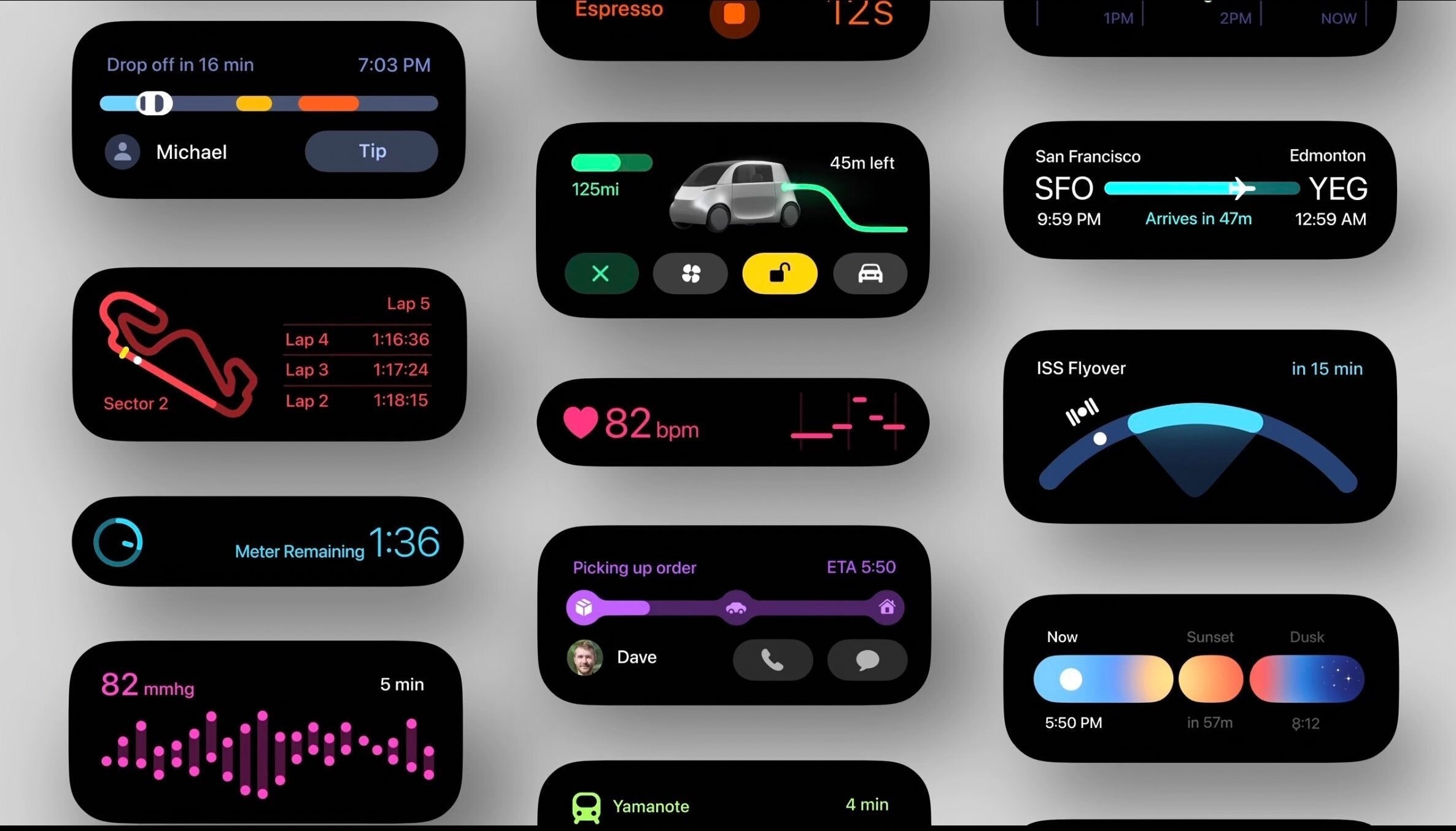
The option for Glanceable directions is found just past the Map Display section.

It is worth noting that the feature is turned off by default, meaning many users may have overlooked its presence despite its availability.

When “Glanceable directions while navigating” is off, you just get a blue dot marking your location
If enabled, it turns into an arrow that points where to go. That arrow usually only appears when you fully start navigation. (This is the main difference we’ve noticed without actually testing on a live trip.)

FAQs

What are glanceable directions on Google Maps?

Glanceable directions is a feature that shows real-time ETA and turn-by-turn navigation directly on your lock screen, making it unnecessary to unlock your phone to check directions.

How can I enable glanceable directions on my device?

To enable glanceable directions, go to your Google Maps profile icon, select Settings, then Navigation settings, and scroll to find the Glanceable directions option. Note: It is disabled by default.

Are glanceable directions available on both Android and iOS?

Yes, the feature has been rolled out globally and is available for users on both Android and iOS platforms.

Why haven’t I seen glanceable directions on my Google Maps app?

The feature was introduced in January 2024 and may be turned off by default. Check your Navigation settings in the Google Maps app to activate it.

Does glanceable directions work for all types of travel?

Yes, glanceable directions support walking, driving, and biking, automatically updating the route preview if you deviate from the course.

What does Glanceable directions offer?

* Real-time updates: See your estimated arrival time (ETA) and the next turn you need to take, displayed directly on your lock screen or the route overview screen.

* Stay in the flow: No more switching between apps or unlocking your phone repeatedly. Glanceable directions keep you informed without disrupting your journey.

* Adapts to your needs: If you take a detour, Glanceable directions automatically adjust, ensuring you stay on the right track.

Google Maps get ‘glanceable directions’ feature What it is and how to use it ?

  • Open the Google Maps app.
  • Tap on your profile picture or initial in the top right corner.
  • Select Settings.
  • Scroll down to Navigation settings.
  • Look for and toggle on “Glanceable directions while navigating”.

Also Read: Google Maps Update Introduces Bluetooth Beacon Support for Enhanced Tunnel Navigation
Also Read: Google Maps Now Offers Detailed Restaurant Reviews and Dish Information

Also Read: Google Maps for Android Now Features Real-Time Weather and AQI Updates

Elon Musk Reveals Starlink’s Revolutionary Direct-to-Cell Phone Communication

0
Elon Musk

Highlights

  • Elon Musk announces Starlink’s breakthrough in direct-to-cell phone communication.
  • No special equipment needed, use your existing smartphone for satellite communication.
  • Aims to bridge communication gaps between urban and rural, globally.
  • Starlink’s innovation simplifies global connectivity, making it accessible to all.

Elon Musk, the tech maverick behind SpaceX and Tesla, has revealed some new information on his official X account and it concerns not electric cars or rockets to Mars but revolutionizing how we communicate.

Elon Musk Reveals Starlink's Revolutionary Direct-to-Cell Phone Communication
Elon Musk Reveals Starlink’s Revolutionary Direct-to-Cell Phone Communication

Musk’s latest venture involves turning your everyday cellphone into a satellite phone, capable of sending messages directly through space.

But what does that mean exactly?

Let’s delve a little further.

A Leap Towards the Future of Communication

A Leap Towards the Future of Communication

SpaceX’s Starlink project has been in the headlines for bringing high-speed internet to the remotest corners of the globe.

However, Musk’s ambition doesn’t stop at providing internet access.

Elon Musk’s tweeted on  X “This post was made from a regular mobile phone directly using the SpaceX satellite, without any special equipment.”

The recent successful test of Starlink’s direct-to-cell phone communication capability marks a pivotal moment in telecommunication history.

Starlink's innovation simplifies global connectivity, making it accessible to all
Starlink’s innovation simplifies global connectivity, making it accessible to all

This isn’t just another step towards global connectivity; it’s a giant leap.

Imagine being stranded in a location devoid of cellular towers and still being able to send a text or make a call.

It would appear that this technology might just bridge the gap between urban and rural, developed and developing, connected and disconnected.

Currently a slew of flagship phones support one-way satellite communication but what Starlink is offering will be a proper two-way signal.

The Simplicity Behind the Complexity

The Simplicity Behind the Complexity

What makes Starlink’s innovation even more groundbreaking is that there’s no need for bulky satellite phones or complex setups; your existing smartphone is all you need to tap into the vastness of space for communication.

It’s an innovation that gives you access to global communication, ensuring that no one is left out because of geographical constraints or the lack of infrastructure.

More Than Just Technology

Elon Musk announces Starlink's breakthrough in direct-to-cell phone communication
Elon Musk announces Starlink’s breakthrough in direct-to-cell phone communication

Elon Musk’s involvement in the tech world extends far beyond mere announcements and product developments.

He also recently shared frustrations on the mandatory creation of a Microsoft account during laptop setup.

These are the unnecessary complexities that users often encounter when interacting with technology.

Musk wears two hats: that of a technological trailblazer and a vocal critic of industry norms.

His commitment lies not only in pushing the boundaries of innovation but also in ensuring that technology remains approachable and user-friendly for everyone.

FAQs

What is Starlink’s direct-to-cell phone communication?

Starlink’s direct-to-cell phone communication allows you to use your existing smartphone to send messages and make calls directly through satellites, without the need for any special equipment.

How does Elon Musk’s Starlink innovation change the way we communicate?

Elon Musk’s Starlink project makes satellite communication accessible to everyone, using just a smartphone. It eliminates the need for traditional cellular network infrastructure, enabling communication even in remote areas.

Can I use my current smartphone with Starlink’s satellite communication service?

Yes, Starlink’s service is designed to work with your current smartphone, allowing for seamless communication via satellite without requiring additional hardware.

What are the benefits of Starlink’s direct-to-cell communication technology?

Starlink’s technology aims to provide global communication coverage, ensuring no one is left out due to geographical constraints or lack of infrastructure, and simplifying the technology for everyday use.

How does Elon Musk plan to overcome the technological complexities of satellite communication?

Elon Musk’s approach with Starlink is to integrate satellite communication directly with existing smartphones, bypassing the complexities and making it user-friendly and accessible to all.

Also Read: US Officials to Review Twitter Deal, SpaceX Satellite Network; Details Inside

Also Read: Elon Musk Plans to Test Neuralink Implants In Humans in 2023

Also Read: Elon Musk Confronts Major Advertisers’ Pause on X with Defiant Stance

2025 Base iPhones Could Possibly Feature ProMotion and Always-On Display: Report

0
2025 Base iPhones

Highlights

  • iPhone 17 to inherit ProMotion and Always-On display from Pro models.
  • OLED and LPTO technology to enable dynamic refresh rates up to 120Hz.
  • Implementation depends on Apple’s collaboration with display manufacturer BOE.
  • Shift marks a significant strategy change, making Pro features widely accessible.

Apple may just be bringing some of its coveted Pro features to its base iPhone models.

According to a report byThe Elec, a known leaker within the supply chain industry, the tech giant will introduce Always-On and 120Hz ProMotion display technology to its entry-level iPhones come 2025.

So in effect, the iPhone 17 and 17 Plus might be the first base smartphones from Apple to get the feature.

This significant shift means that features previously exclusive to Apple’s Pro lineup will soon be accessible to a wider audience, offering a premium experience across the board.

iPhone ProMotion and Always-On

iPhone ProMotion and Always-On

Introduced with the iPad Pro in 2017 and making its way to the iPhone 13 Pro in 2021, ProMotion technology allows for a smoother, more responsive display with a refresh rate of up to 120Hz.

This means everything from scrolling through web pages to interacting with apps feels more fluid and natural.

On the other hand, the Always-On display feature enables users to see key information at a glance without having to wake their device, a convenience that’s been limited to the higher-end models until now.

OLED and LPTO Panels

2025 Base iPhones Could Possibly Feature ProMotion

The transition of these features to the base models, specifically the iPhone 17 and iPhone 17 Plus, would be made possible through the use of OLED displays equipped with low-temperature polycrystalline oxide (LPTO) technology.

LPTO panels are crucial for adjusting the screen’s refresh rate dynamically, from as high as 120Hz for ProMotion to as low as 1Hz for the Always-On display.

This not only enhances user experience but also optimizes battery consumption, striking a perfect balance between performance and efficiency.

Challenges Ahead with BOE

This Malware Might Be Stealing Money From Bank Accounts Of iPhone Users
Challenges Ahead with BOE

However, the implementation of these advanced features in the iPhone 17 series hinges on Apple’s collaboration with BOE, a display manufacturer that has had a tumultuous relationship with Apple.

Despite BOE’s experience in delivering LTPO screens to other tech companies, it has only provided Apple with a sample so far.

This sample, sent in late 2023, suggests that ramping up production in time for the iPhone 16 series might not be feasible, casting doubts on BOE’s capacity to meet Apple’s stringent quality standards.

Well let’s see how all of this plays out and it is also important to remember that The Elec is not that great at reporting on future iPhone features.

FAQs

What are ProMotion and Always-On display features?

ProMotion technology allows for smoother screen interactions with up to 120Hz refresh rates, while the Always-On display lets users view information without waking their device. These features were previously exclusive to Apple’s Pro models.

When will the base iPhone models receive ProMotion and Always-On display features?

According to a report by The Elec, Apple plans to introduce these Pro features to the base iPhone models, specifically the iPhone 17 and 17 Plus, in 2025.

How does LPTO technology contribute to the new iPhone features?

Low-temperature polycrystalline oxide (LPTO) panels enable dynamic adjustment of the screen’s refresh rate, essential for both the ProMotion and Always-On display functionalities, optimizing performance and battery life.

Can BOE meet Apple’s standards for the upcoming iPhone 17 series?

There are concerns regarding BOE’s capacity to fulfill Apple’s stringent quality requirements for the LPTO panels needed for the iPhone 17 series, though Apple may assist BOE to ensure they meet these standards.

Why is Apple extending Pro features to its base models?

By including ProMotion and Always-On display in its base models, Apple aims to offer a premium experience across its product range, making advanced features accessible to a broader audience.

Also Read: iPhone 17 Battery: Apple To Reportedly Explore Space-Saving Innovations

Also Read: 5 Reasons to Wait for iPhone 15: Anticipated Features Worth the Patience

Truecaller Call Recording Feature Now Available in India for Android and iOS Users: How to Use

0
Truecaller Call Recording Feature
Truecaller Call Recording FeatureTruecaller Call Recording Feature

Highlights

  • Truecaller introduces call recording for Android and iOS in India.
  • Android users can record calls with a simple tap on the “Rec” button.
  • iOS users can record calls by merging with Truecaller’s recording line.
  • Recorded calls are stored within the app for easy access and management.

Truecaller has today announced a significant step to further enhance user experience by introducing a call recording feature for its users in India.

This new feature is available for both Android and iOS platformsand aims to provide a seamless and integrated experience for recording calls directly through the Truecaller app.

This addition is likely to revolutionise the way users interact with calls, offering a plethora of benefits such as capturing important details, preventing misunderstandings, and saving time.

Commenting on the launch, Rishit Jhunjhunwala, Managing Director of Truecaller India and Chief Product Officer of Truecaller, said:

We are dedicated to pioneering groundbreaking solutions that elevate communication. With our commitment to pushing these boundaries, we are excited to introduce our AI-enhanced Call Recording feature, a much-requested addition by our 266 million active users in India. Our goal is to provide customers with enhanced control and flexibility in handling their conversations, offering a valuable tool for both personal and professional use.

“The integration of AI into the newly launched call recording feature marks a significant leap forward, allowing for a detailed transcription of the entire phone call, along with an AI-generated call summary,” the release said, adding, “you can record and transcribe all calls, in English and Hindi, from any caller.” Truecaller said the AI-powered call recording solution will be available as a part of the brand’s premium plan,starting at Rs 75 per month, or Rs 529 per year.

“We are constantly innovating cutting-edge solutions that enhance communication. As we continue to push these boundaries, we are thrilled to announce our AI-enabled call recording solution, which has always been a highly requested user feature,” he said.

“With regards to CNAP, we do not see that it would be a competitive service comparable to the full range of services and functionality that Truecaller offers to our more than 374 million users,” Truecaller had said.

What is Call Recording?

Truecaller Call Recording Feature Now Available in India

Let’s start from the basics, what exactly is call recording?

Well it is a feature that allows users to record voice calls made or received on their smartphones.

This functionality serves various purposes, including documentation, quality assurance, and personal record-keeping.

Truecaller introduces call recording for Android and iOS in India

With the advent of Truecaller’s call recording feature, users can now easily record both incoming and outgoing calls without the need for third-party apps.

How to Do Call Recording on Android

How to Do Call Recording on Android

For Android users, Truecaller has made the call recording process straightforward and user-friendly.

Here’s how you can start recording your calls on an Android device:

Android users can record calls with a simple tap on the "Rec" button
Android users can record calls with a simple tap on the “Rec” button
  • During an ongoing call, users will see a “Rec” button on the Truecaller call screen.
  • Simply tap on the “Rec” button to start recording the call.
  • Once the recording is initiated, both parties will be notified that the call is being recorded to ensure transparency and consent.
  • To stop recording, users can tap the “Rec” button again.
  • The recorded calls will be saved directly in the Truecaller app, where users can easily access, playback, and manage their recordings.

How to Do Call Recording on iOS

How to Do Call Recording on iOS

The process for recording calls on iOS devices is slightly different due to Apple’s more stringent privacy policies.

However, Truecaller has devised a clever workaround to enable this feature for iPhone users:

iOS users can record calls by merging with Truecaller's recording line
iOS users can record calls by merging with Truecaller’s recording line
  • During a call, iPhone users need to access the Truecaller app and tap on the ‘Record’ option.
  • Truecaller will then dial a recording line, and users must merge this new call with the ongoing call to start the recording process.
  • As with Android, both parties will be notified that the recording has commenced.
  • To end the recording, users can simply disconnect the call as usual.
  • The recordings are then saved within the Truecaller app, allowing users to listen to, organize, and manage them effortlessly.

Inlcuded in Premium Subscription

Inlcuded in Premium Subscription

The AI-driven call recording feature offers detailed transcriptions of entire phone calls along with AI-generated summaries, boosting productivity – said the company.

Available through Truecaller’s Premium subscription, it offers high voice clarity and supports English and Hindi calls from any caller.

Pricing and Availability

Truecaller has made the call recording process straightforward and user-friendly

Truecaller’s AI-powered Call Recording is available with the Premium plan, priced at Rs. 75 per month or Rs. 529 per year.

Currently, supporting English and Hindi transcriptions, Truecaller plans to expand to additional languages and markets in the future.

FAQs

How can I record calls using Truecaller on my Android device?

To record calls on an Android device, open the Truecaller app during a call and tap the “Rec” button to start or stop recording. The app notifies both parties that the call is being recorded for transparency.

What steps do I need to follow to record calls on my iPhone with Truecaller?

For iOS users, initiate a call recording by opening Truecaller and selecting the record option. Merge the ongoing call with Truecaller’s recording line to begin. All participants are alerted about the recording.

Where are the recorded calls saved in Truecaller?

All recorded calls are securely stored within the Truecaller app, allowing users to easily listen, organize, and manage their call recordings without hassle.

Is the call recording feature by Truecaller available outside India?

The editorial focuses on the launch of Truecaller’s call recording feature for users in India. For availability in other regions, it’s best to check the latest updates directly on Truecaller’s official website or app.

Do both parties know when a call is being recorded on Truecaller?

Yes, Truecaller ensures transparency and consent by notifying all parties involved in a call as soon as the recording starts, adhering to privacy and ethical standards.

Also Read: Change Truecaller Name: ‘How To’ Edition!

Also Read: Truecaller finally adds live caller ID for iPhones, but there’s a catch: Only For Premium User: Learn how to access it

Also Read: How To Remove Mobile Number from Truecaller?