Home Blog Page 503

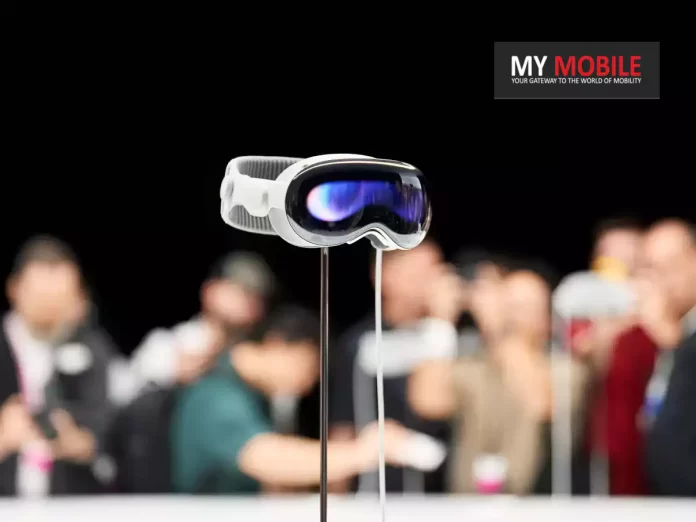
Apple Shifts Focus to Affordable Vision Pro Model, Pauses Work on Vision Pro 2: Report

0
Apple Vision Pro visionOS 1.1 Beta

Highlights

  • Apple halts work on advanced Vision Pro model to prioritize a cheaper variant.
  • The affordable Vision Pro is expected to launch by late 2025 with a target price of $1,500.
  • New model aims to compete with lower-cost mixed reality headsets like Meta Quest.
  • Key features might be scaled back to reduce costs, including potentially removing EyeSight.

Apple has paused work related to its next-generation Mixed Reality headset, the model succeeding the Vision Pro, to focus on a cheaper variant, according to a report by The Information.

Recently, Apple extended availability of the current Vision Pro into eight more countries while showcasing upcoming software updates for visionOS 2 at WWDC 2024.

Cheaper Model Slated for Late 2025

Apple halts work on advanced Vision Pro model to prioritize a cheaper variant
Apple is reportedly working on a cheaper, cut-down version of the Apple Vision Pro

The report claims Apple is now focusing on a lower-cost model of the Vision Pro that could come as early as 2025, while putting on hold work on an advanced second-generation model of the Vision Pro.

Apple has paused work on an advanced second-generation model of the Vision Pro, a move signaling a new emphasis on making its headset more affordable.

The target price for the cheaper Apple Vision headset is around $1500.

This aims to compete with products like Meta Quest, significantly lower than the current $3,500 Vision Pro.

The cheaper version is scheduled to arrive by the end of 2025, according to The Information

Initially, Apple planned multiple models in the Vision lineup, but now it seems only the lower-cost model will move forward.

The staffing for the second-generation Vision Pro has been on a downward trajectory over the last year, a sure sign of a gradual pivot to the cheaper model.

But even with cost-cutting attempts that do not compromise quality, engineering challenges persist, especially in weight reduction, a common critique of the Vision Pro.

Future Vision Pro Products

The affordable Vision Pro is expected to launch by late 2025 with a target price of $1,500
The Information suggests Apple is aiming for a price around $1500, similar to the cost of a high-end iPhone

Apple has always had two new Vision products in the pipeline: a thinner, more affordable version of the Vision Pro and better, more powerful follow-up, supposedly Vision Pro 2.

While all hopes on the latter product seem to fade into the indefinite hold, the former still remains under development, although a little in standstill.

That’s tricky to make the Vision Pro more affordable; Apple doesn’t know what corners to cut.

Apple first shifted focus to reducing the cost of the first-generation model's components and creating an upgraded display for the next model
Apple first shifted focus to reducing the cost of the first-generation model’s components and creating an upgraded display for the next model

It wants to keep its high-res optics, which for the company are among the most expensive features that it makes.

While this report makes it seem like Apple is still committed to the Vision line, it also shows the company may have hit a rare flop in its roster.

While the Vision Pro is clearly a forward-thinking product, Apple is still a profit-seeking organization, and if it doesn’t sell, the company will need to move on, eventually.

Source

FAQs

What is the reason behind Apple pausing work on the advanced Vision Pro model?

Apple has decided to focus on developing a more affordable version of the Vision Pro to make the technology accessible to a wider audience and compete with other lower-cost mixed reality headsets.

When is the affordable Vision Pro model expected to be released?

The cheaper Vision Pro model is expected to be released by late 2025.

What is the anticipated price for the affordable Vision Pro model?

The target price for the affordable Vision Pro model is around $1,500, significantly lower than the current Vision Pro’s $3,500 price tag.

What features might be reduced or removed in the cheaper Vision Pro model?

To lower the cost, Apple might remove or scale back some features, such as the EyeSight feature, which projects the user’s facial expressions on an external OLED display.

Will the advanced Vision Pro model still be developed in the future?

While work on the advanced second-generation Vision Pro has been paused, it is not completely canceled. Apple might resume its development after the affordable model is launched.

Also Read: Apple Vision Pro Transforms UK Surgery with Augmented Reality: A New Era For Healthcare?

Also Read: Unlocking the Future With Apple Vision Pro: Top Apps and Gaming Guide
How to Manage and Monitor Your Apple and App Store Subscriptions

0
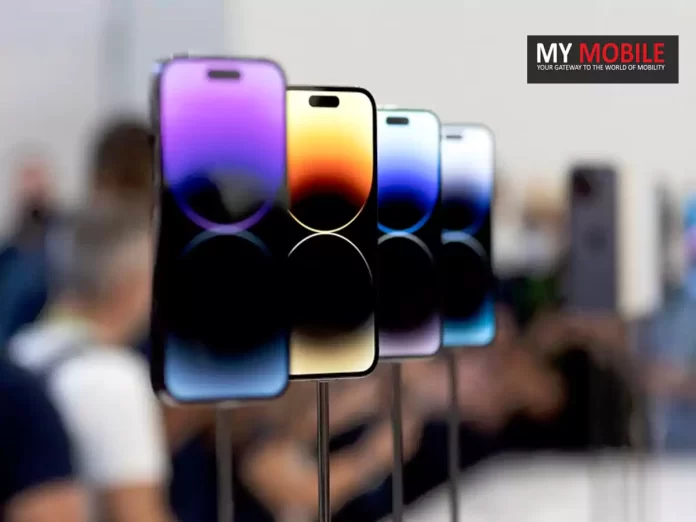
How to Manage and Monitor Your Apple and App Store Subscriptions

Highlights

  • Open the Settings app on your iPhone and tap your name to access “Subscriptions.”
  • View active, expired, or canceled subscriptions and manage them easily.
  • Check payment details, renewal dates, and explore alternative plans for each subscription.
  • Family Sharing subscriptions won’t appear under your Apple ID; check family members’ accounts separately.

Monitoring Apple and App Store subscriptions is important.

You may want to check current commitments or reduce expenses.

Here’s how to handle and monitor subscriptions.

The App Store allows signing up for services using your Apple ID.

It’s easy to lose track of what you’ve subscribed to – trials, monthly, or yearly plans.

Steps to Manage Subscriptions

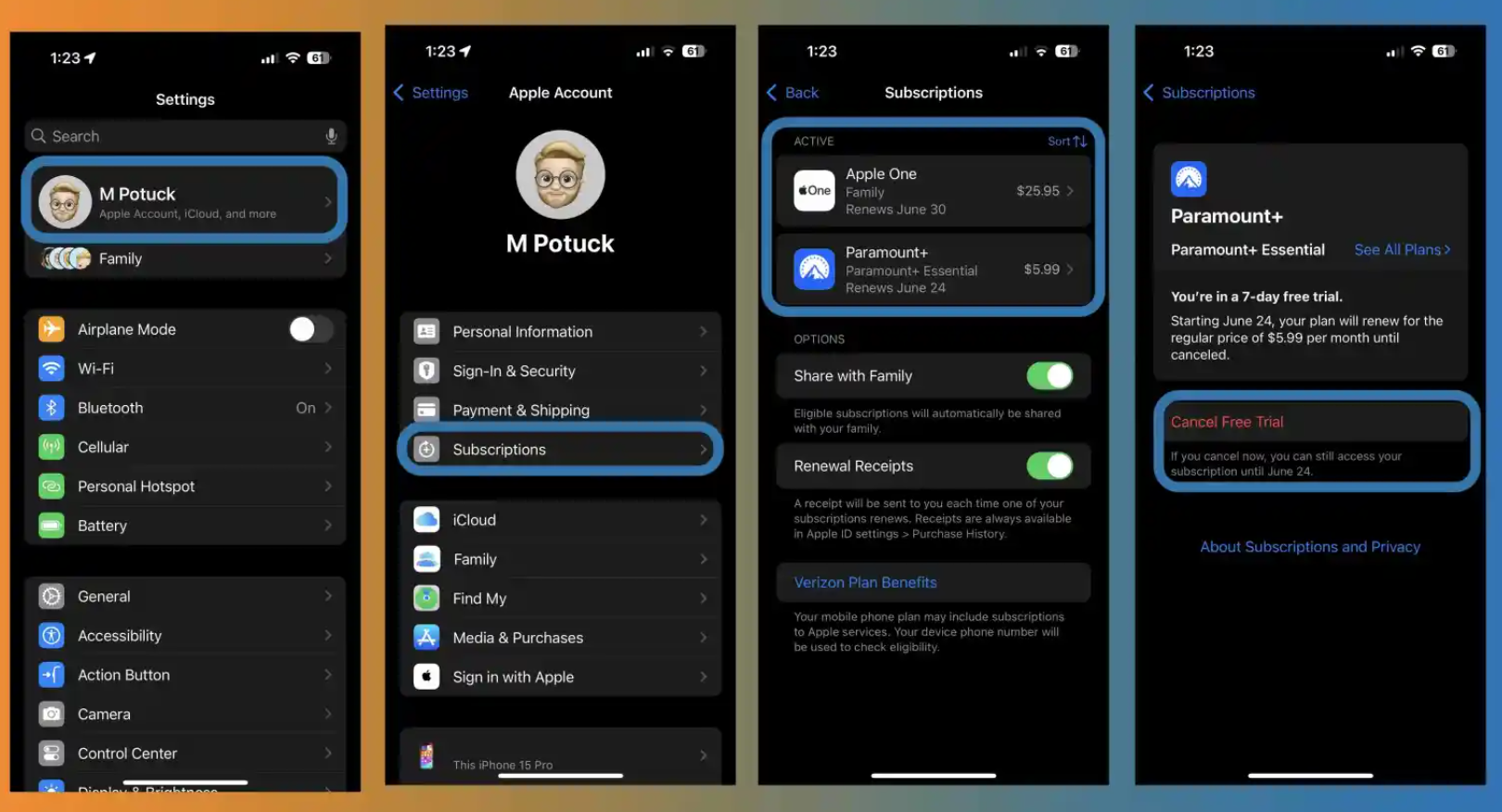
How to manage Apple and App Store subscriptions on iPhone
  1. Open the Settings app on your iPhone.
  2. Tap your name at the top. 
  3. Select “Subscriptions.”
  4. You’ll see active subscriptions at the top, expired or cancelled ones below.
  5. Tap any subscription to view details, cancel, or explore other plans.

If you use Family Sharing, subscriptions under a family member’s Apple ID won’t appear; check their account.

Checking Subscription Details

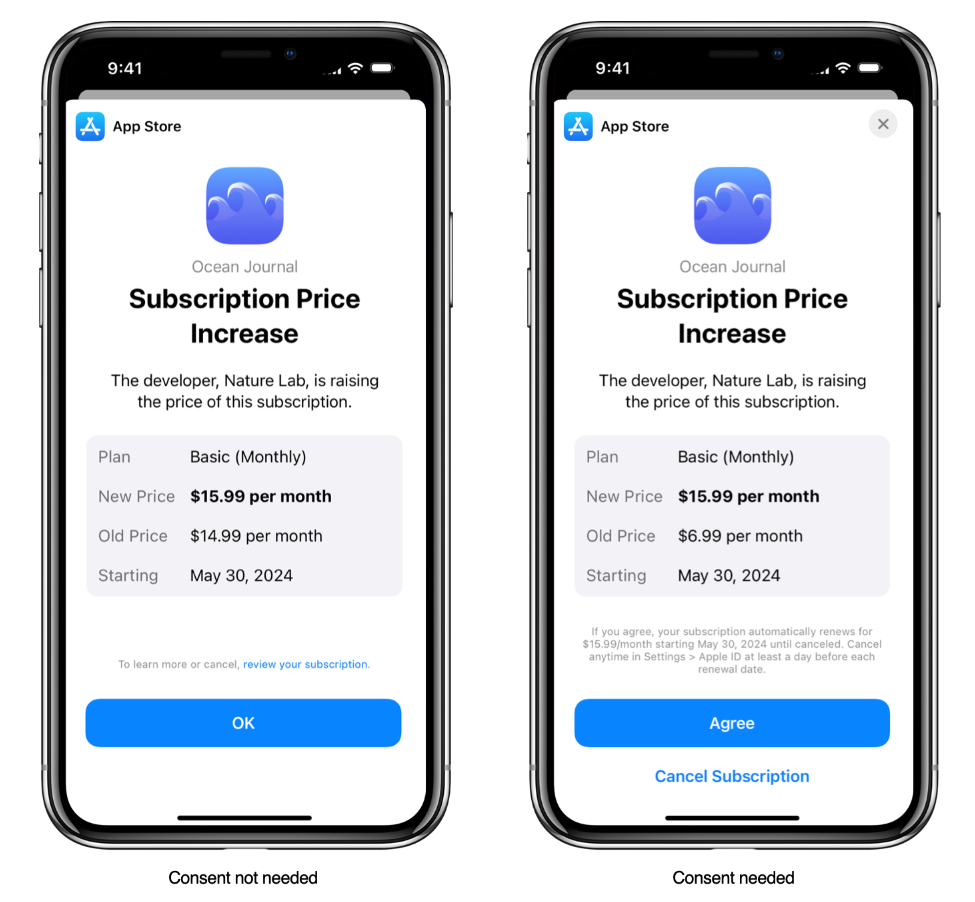
Manage pricing for auto-renewable subscriptions

When viewing a subscription, you can review payment details, see the next payment due date, explore alternative plans, and cancel if needed.

For issues like accidental purchases or subscription queries, Apple provides support through their website or by calling 1-800-APL-CARE in the US.

You may view the cost of your subscription, how long it will be before your next payment or renewal, look through more plan alternatives, and cancel it by tapping on the subscription for more information.

In addition to verifying whether any accounts linked to Family Sharing have subscriptions, you might also want to look into any previous Apple IDs you have used.

You can utilize Apple’s help website or call 1-800-APL-CARE in the US if you have any queries, are experiencing issues with an App Store subscription, or made an unintentional purchase.

FAQs

How can I view my current Apple subscriptions?

Open the Settings app on your iPhone, tap your name at the top, and select “Subscriptions.”

You’ll see all active subscriptions at the top and expired or cancelled ones below.

How do I cancel an App Store subscription?

To cancel a subscription, open the Settings app, tap your name, select “Subscriptions,” choose the subscription you want to cancel, and follow the on-screen instructions to cancel it.

Can I manage subscriptions for Family Sharing members?

No, subscriptions under a family member’s Apple ID won’t appear in your account.

You’ll need to check each family member’s account separately.

What information can I see about my subscriptions?

When viewing a subscription, you can check payment details, the next payment due date, explore alternative plans, and cancel the subscription if needed.

Who do I contact for issues with subscriptions or accidental purchases?

For any issues, accidental purchases, or subscription queries, visit Apple’s support website or call 1-800-APL-CARE in the US.

How to track and manage Apple App Store subscriptions?

Fortunately, you can view all of your Apple and third-party app subscriptions in one place on your iPhone and your other Apple devices.

And something useful to keep in mind, typically you can sign up for free trials, cancel right away, and still test out the service for the full trial period.

  • Open the Settings app on your iPhone
  • Tap your name at the top
  • Now choose Subscriptions
  • At the top, you’ll see your active subscriptions, and below you can view expired/canceled ones
  • Tap a subscription to cancel it or see more details
  • If you use Family Sharing, subscriptions that were started under a family member’s Apple
  • ID won’t show up on your Apple ID, you’ll need to look at theirs

How to Share subscriptions with family?

  • In the App Store on your Mac, click your name in the bottom-left corner or click Sign In if you’re not already.
  • Make sure you sign in with the same Apple ID you used to purchase your subscriptions.
  • Click Account Settings, sign in again if necessary, then click Manage (in the Manage section, to the right of Subscriptions).
  • Choose Share New Subscriptions.
  • Sharing subscriptions requires one adult in your household — the family organiser — to set up Family Sharing.

How to Cancel or change a subscription ?

  • In the App Store on your Mac, click your name in the bottom-left corner or click Sign In if you’re not already.
  • Make sure you sign in with the same Apple ID you used to purchase your subscriptions.
  • The Safari Extensions Mac App Store page. The sidebar on the left includes links to other pages: Discover, Create, Work, Play, Develop, Categories and Updates. On the right are available Safari Extensions.
  • Click Account Settings, sign in again if necessary, then click Manage (in the Manage section, to the right of Subscriptions).
  • Click Edit (if you have more than one subscription), then do any of the following:
  • Cancel a subscription: Click Cancel Subscription, confirm the cancellation, then click Done.
  • Change a subscription: In the Options list, select a setting, then click Done.

How to View and manage your subscriptions on iPhone ?

  • Go to Settings > [your name] > Subscriptions.

Do any of the following:

  • Change an existing subscription.
  • Renew an expired subscription.
  • Share an eligible subscription with other family members in your Family Sharing group.
  • Turn on Renewal Receipts.

How to Cancel a subscription on iPhone ?

  • Go to Settings > [your name] > Subscriptions.
  • Tap a subscription, then tap Cancel Subscription or Cancel All Services.

How to Find and download apps purchased by you or family members?

  • Tap the My Account button or your profile picture at the top right, then tap Purchased.
  • If you set up Family Sharing, tap My Purchases or choose a family member to view their purchases.

Note: You can see purchases made by family members only if they choose to share their purchases. Purchases made with Family Sharing may not be accessible after the family member leaves the family group.

Find the app you want to download (if it’s still available in the App Store), then tap the Redownload button.

How to Change or cancel your App Store subscriptions ?

  • Tap the My Account button or your profile picture at the top right, then tap Subscriptions.
  • You may need to sign in with your Apple ID.

Choose a subscription, then do any of the following:

  • Change or cancel an existing subscription.
  • Resubscribe to an expired subscription.
  • Share an eligible App Store subscription with other family members in your Family Sharing group.

How to Change your App Store settings ?

  • Go to Settings > App Store, then do any of the following:
  • Automatically download apps purchased on your other Apple devices: Below
  • Automatic Downloads, turn on Apps.
  • Automatically update apps: Turn on App Updates.
  • Automatically play app preview videos: Turn on Video Autoplay.
  • Automatically remove unused apps: Turn on Offload Unused Apps. You can reinstall an app at any time if it’s still available in the App Store.

How to Set content restrictions and prevent in-app purchases?

After you turn on content and privacy restrictions, do the following.

  • Go to Settings > Screen Time > Content & Privacy Restrictions > Content Restrictions.
  • Set restrictions such as the following:
  • Apps: Restrict apps by age ratings.
  • App Clips: Prevent App Clips from opening.

Also Read: Questt Best app, ‘Apex Legends Mobile’ Top Game on Google Play Store in India

Also Read: Apple and Fortnite-Maker Epic Games Continue Legal Battle Over App Store Practices

Also Read: How to reset the Apple ID password

Also Read: How To Reset Apple ID Password Using Different Methods?

Samsung to Use 200 Galaxy S24 Ultra Phones to Broadcast Paris 2024 Olympics Opening Ceremony 

0
Samsung Galaxy S24 Ultra Display Defects Stir Frustration As Users lose Pre-order Discount

Highlights

  • Samsung to use 200 Galaxy S24 Ultra phones for broadcasting Paris 2024 Olympics.
  • High-quality HDR footage to be streamed via a private 5G network by Orange.
  • Enhanced viewer experience during the Opening Ceremony and sailing competitions.
  • Official Smartphone and Computing Equipment partner for Paris 2024 Olympics.

Samsung Electronics announced its plan for a new broadcasting experience for the viewing audiences and fans of the 2024 Olympics, which will be held in Paris.

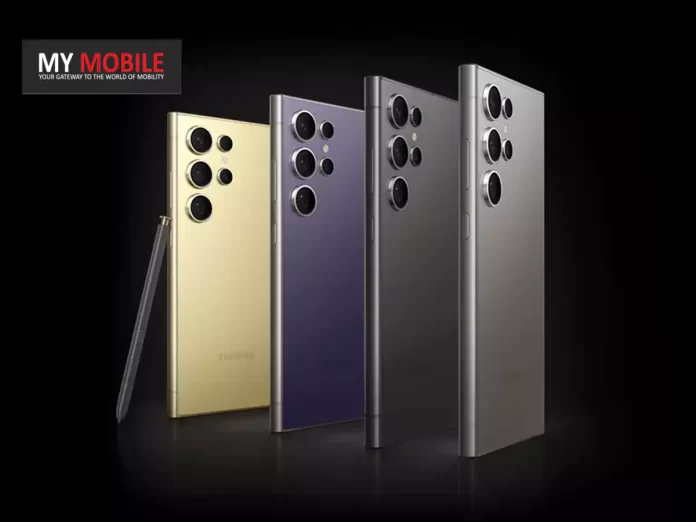
Samsung will use 200 Galaxy S24 Ultra smartphones to capture and share footage with an opening ceremony that will take place on the Seine River and include sailing competitions.

Samsung Official Olympics Partner

Samsung to Use 200 Galaxy S24 Ultra Phones to Broadcast Paris 2024 Olympics Opening Ceremony 
Samsung to Use 200 Galaxy S24 Ultra Phones to Broadcast Paris 2024 Olympics Opening Ceremony

As the Official Smartphone and Computing Equipment partner, Samsung will leverage its mobile technology and 5G connectivity to offer a closer perspective on the level of celebration and flexible competition moments.

The new view is proposed to make the Paris 2024 Games more open and continue Samsung innovation support to the Olympic and Paralympic Games.

“In an increasingly connected society, Samsung Galaxy mobile technology has helped deepen and transform users’ relationships with the world, wherever they are. Having been a Worldwide Partner for nearly three decades, we know first-hand how important it is to create and enable the same meaningful connections at the Olympic and Paralympic Games,” said Stephanie Choi, EVP & Head of Marketing of Mobile eXperience Business at Samsung Electronics. “We’re honored to be working closely with the IOC and OBS to provide high-quality footage that will be part of a series of firsts at Paris 2024 and bring fans at home and onsite even closer to the excitement.”
High-quality HDR footage to be streamed via a private 5G network by Orange

For the first time ever, next month’s Opening Ceremony will take place outside a stadium.

The Seine River will play host to teams of 10,500 athletes representing their national delegations on designated boats.

It will be history’s greatest and most accessible opening ceremony ever, passing through the very heart of Paris and official Olympic venues.

The S24 Ultra to Carry the Opening Ceremony

Samsung to use 200 Galaxy S24 Ultra phones for broadcasting Paris 2024 Olympics

With the Opening Ceremony, Samsung is going to fit more than 200 Galaxy S24 Ultra smartphones on the athlete vessels.

The HDR footage, captured and streaming via a private 5G network from Orange, the Official Mobile Network Provider in France, will be live-broadcast.

Orange will position, along the Seine, 5G antennas to create the first-ever 5G Standalone network in France for seamless connectivity.

But the same technology is going to be brought in by Samsung during the sailing events in Marseille, simply by fitting a Galaxy S24 Ultra on every competition boat.

That lets the fan experience every thrill alongside their favorite Olympian.

Enhanced viewer experience during the Opening Ceremony and sailing competitions

“As host broadcaster of the Olympic Games, we’re incredibly excited about this partnership with Samsung which will allow a truly original perspective of Paris 2024, evolving the way in which fans will experience the Games,” said Yiannis Exarchos, Chief Executive Officer of OBS. “Samsung’s latest mobile innovation will allow millions of fans around the world to live and breathe the spirit, action and emotion of the Opening Ceremony and sailing competitions alongside their favorite athletes in real-time.”

The company addressed challenges like video quality, connectivity, weather conditions, and waves through research, development, and testing with OBS and Orange.

Solutions involved the Galaxy S24 Ultra’s optical image stabilization, increased transmission power, and relay towers on chase boats.

FAQs

What new technology is Samsung introducing for the Paris 2024 Olympics?

Samsung will utilize 200 Galaxy S24 Ultra smartphones to capture and share high-quality footage during the Opening Ceremony and sailing competitions.

How will the footage be transmitted during the events?

The footage will be streamed via a private 5G network provided by Orange, with 5G antennas installed along the Seine River for seamless connectivity.

What events will Samsung’s technology be used for at the Olympics?

Samsung’s Galaxy S24 Ultra will be used to broadcast the Opening Ceremony on the Seine River and the sailing competitions in Marseille.

What is the significance of the Opening Ceremony at Paris 2024?

For the first time, the Opening Ceremony will take place outside a stadium, with athletes floating down the Seine River, making it the most open and accessible ceremony in history.

How has Samsung addressed potential challenges in capturing footage?

Samsung has tackled issues like video quality, connectivity, and weather conditions through research, development, and testing with OBS and Orange, using features like optical image stabilization and increased transmission power.

What has been Samsung’s Long-Running Contribution to the Games ?

The announcement shows the next stage of Samsung’s long-standing commitment, in close collaboration with the IOC, to drive digital transformation and deliver cutting-edge technology at the Games by opening up the latest mobile innovations to athletes, fans and communities alike.

This originated with the first ‘Call Home’ program which allowed nearly 2,500 athletes to speak to their families back home for free in 1998, when access to mobile phones was limited.

It continued with the Wireless Olympic Works (WOW) app, the first official Olympic information service on mobile.

The WOW app was introduced to Olympic organizers via Samsung-supplied Palm OS phones at Athens 2004 and then was made available to the public at Vancouver 2010, providing fans with the latest Games-time updates straight to their mobile phones.

Samsung has also contributed to how athletes and staff, connect and communicate during the Games-time.

Since Nagano 1998, Samsung has provided athletes and staff with a total of more than 120,000 mobile products.

Did Galaxy S24 Ultra Gives Viewers Front Row Seat to the Games ?

To bring fans at home closer to the action and provide an intimate glimpse of athletes’ reactions during this once-in-a-lifetime voyage, Samsung will install more than 200 Galaxy S24 Ultra smartphones at the bow and sides of each of the 85 athlete vessels at the opening ceremony.

The high-quality HDR footage taken with the Galaxy S24 Ultra devices will be shared and streamed via a private 5G network powered by Orange, the official mobile network provider of Paris 2024 in France.

Orange will install more than a dozen 5G antennas along the Seine to create the first-ever 5G standalone network in France, as this pioneering collaboration is designed to ensure a seamless 5G connectivity and viewing experience for fans around the world.

Samsung will also deploy the same technology for the sailing competitions in Marseille by installing the Galaxy S24 Ultra on each competition boat, letting fans experience the thrill of the race alongside their favorite Olympians and allowing them to truly get in on the action.

This presented a whole new set of challenges and months of research, development and testing — in close collaboration with the OBS and Orange — to guarantee video quality and connectivity performance across various bodies of water and weather conditions, which can be really windy with huge waves or extremely hot and sunny.

Samsung and its partners addressed these challenges by leveraging the Galaxy S24 Ultra’s optical image stabilization (OIS) features, increasing transmission power and installing relay towers on chase boat to ensure a seamless livestream experience for viewers.

Also Read: Samsung Galaxy S24 Ultra Camera Glitch: Company Promises Fixes for Early Adopters

Also Read: Samsung Galaxy S24 Ultra Showing Washed-out Colours in Vivid Mode: A Closer Look at the Issue 

Also Read: Samsung Galaxy S24 Series Sets New Pre-Order Records in South Korea and India

Qualcomm Confirms Snapdragon Tech Summit Dates: Snapdragon 8 Gen 4 with Oryon CPU Set to Launch

0

Highlights

  • Snapdragon Tech Summit scheduled for October 21-23, 2024.
  • Snapdragon 8 Gen 4 to feature Oryon CPU for enhanced neural processing.
  • Major smartphone brands like Samsung, OnePlus, Asus, and Xiaomi to adopt the new chipset.
  • Snapdragon 8 Gen 4 expected to deliver record-breaking Geekbench scores with TSMC’s 3nm process.

Chipmaker Qualcomm has finally confirmed the dates for its much-anticipated annual tech summit, setting the stage for a major chipset launch.

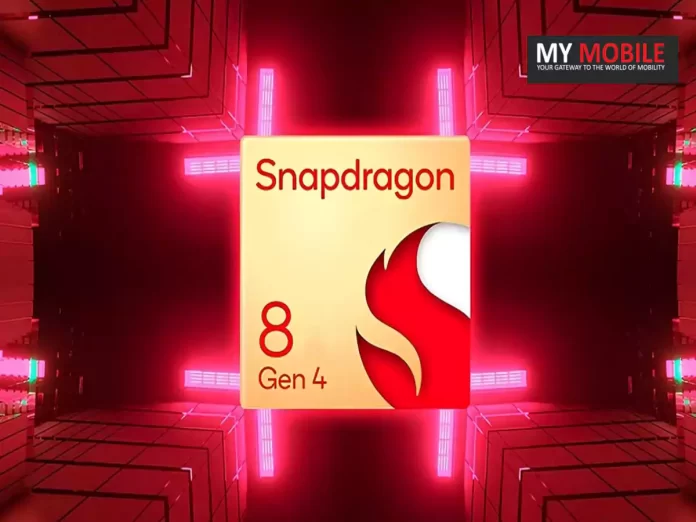
The company unveiled dates for its 7th Snapdragon Tech Summit: October 21st to 23rd where the next-generation Snapdragon 8 Gen 4 SoC will be unveiled with a truly revolutionary design—Oryon CPU.

The Oryon Revolution

Qualcomm Confirms Snapdragon Tech Summit Dates
It comes along with three bright stars in a straight line in the Orion’s Belt, highlighting the Oryon CPU

Qualcomm’s Chief Marketing Officer, Don McGuire, further confirmed at MWC 2024 that the Snapdragon 8 Gen 4 will indeed be powered by the Oryon CPU, a massive step in improving this chipset’s neural processing capabilities.

This has been a very exciting development for tech enthusiasts and industry analysts alike.

Fueling the Next Generation of Flagships

Snapdragon Tech Summit scheduled for October 21-23, 2024
Oryon CPU was confirmed by Qualcomm’s Chief Marketing Officer (CMO), Don McGuire, at MWC 2024

The introduction of Snapdragon 8 Gen 4 is undoubtedly going to cause a massive stir in the flagship smartphone arena.

Giants like Samsung, OnePlus, Asus, and Xiaomi are going to be in line to include this monster chipset in their upcoming specific flagships, such as the Samsung Galaxy S25 Series, OnePlus 13, Asus Zenfone 11, and Xiaomi 15 Series.

Notably, the Xiaomi 15 and Xiaomi 15 Pro might be the first two smartphones to have the Snapdragon 8 Gen 4 for an engine and finally hit the Chinese market as early as October 2024.

Breathtaking Performance in the Offing

Snapdragon 8 Gen 4 expected to deliver record-breaking Geekbench scores with TSMC's 3nm process.
Qualcomm recently officially scheduled its seventh annual Snapdragon Tech Summit for this year on October 21st to 23rd

Reports say the upcoming Snapdragon 8 Gen 4 chipset will offer stellar performance.

Such is the case with the claims that the new SoC will be paired with a self-developed prime core, supporting up to a high frequency of 4.2 GHz.

Furthermore, the chipset’s Geekbench scores are expected to soar, with single-core scores touching 3000 points and multi-core scores reaching a staggering 10,000 points, substantially higher than its predecessor, the Snapdragon 8 Gen 3.

Cutting-Edge Manufacturing Process

Snapdragon Tech Summit scheduled for October 21-23, 2024
The two high-performance cores are said to reach peak clock speeds of 4GHz and have reportedly achieved over 3,000 points in single-core and 10,000 points in multi-core Geekbench tests

Industry trends indicate that the Snapdragon 8 Gen 4 will also be fabricated using TSMC’s advanced 3nm process, much like Apple’s A17 Pro chipset.

Equipped with this manufacturing process at its core, it would promote great performance and power efficiency, further cementing the leadership of Qualcomm in mobile chip technology.

The Snapdragon Tech Summit has been a platform the company traditionally uses to show off its latest tech and set the tone for the future of mobile technology.

This year’s edition is expected to be historic with the highly-anticipated unveiling of Snapdragon 8 Gen 4 SoC, thereby marking a new era of performance, efficiency, and leading-edge capabilities for next-generation flagship smartphones.

FAQs

When is the Snapdragon Tech Summit 2024 scheduled?

The Snapdragon Tech Summit 2024 is scheduled to take place from October 21st to 23rd.

What is the key feature of the Snapdragon 8 Gen 4 chipset?

The Snapdragon 8 Gen 4 will be powered by the Oryon CPU, which significantly enhances neural processing capabilities.

Which smartphone brands are expected to use the Snapdragon 8 Gen 4?

Major brands such as Samsung, OnePlus, Asus, and Xiaomi are expected to incorporate the Snapdragon 8 Gen 4 in their upcoming flagship models.

What are the expected performance benchmarks for the Snapdragon 8 Gen 4?

The Snapdragon 8 Gen 4 is anticipated to achieve single-core scores of 3000 points and multi-core scores of 10,000 points on Geekbench.

What manufacturing process will be used for the Snapdragon 8 Gen 4?

The Snapdragon 8 Gen 4 will be fabricated using TSMC’s advanced 3nm process, similar to Apple’s A17 Pro chipset.

Also Read: Qualcomm Snapdragon 8 Gen 4 Could Have New Architecture With No Efficiency Cores

Also Read: Qualcomm Snapdragon 8 Gen 4 SoC Benchmarks Reportedly Leaked Showing Massive Gains Over 8 Gen 3

WhatsApp Beta Introduces Seamless Chat History Transfer with New QR Code Feature

0
WhatsApp Beta Introduces Seamless Chat History Transfer with New QR Code Feature

Highlights

  • WhatsApp beta version 2.24.9.19 includes QR code-powered chat history transfer.
  • New feature aims to simplify transferring chats between Android devices.
  • Beta version available on Google Play Store for registered beta program users.
  • QR code method expected to replace the cumbersome Google Drive backup process.

WhatsApp is pushing a new beta featuring one of the most highly anticipated changes related to the management of chat history migration between different devices.

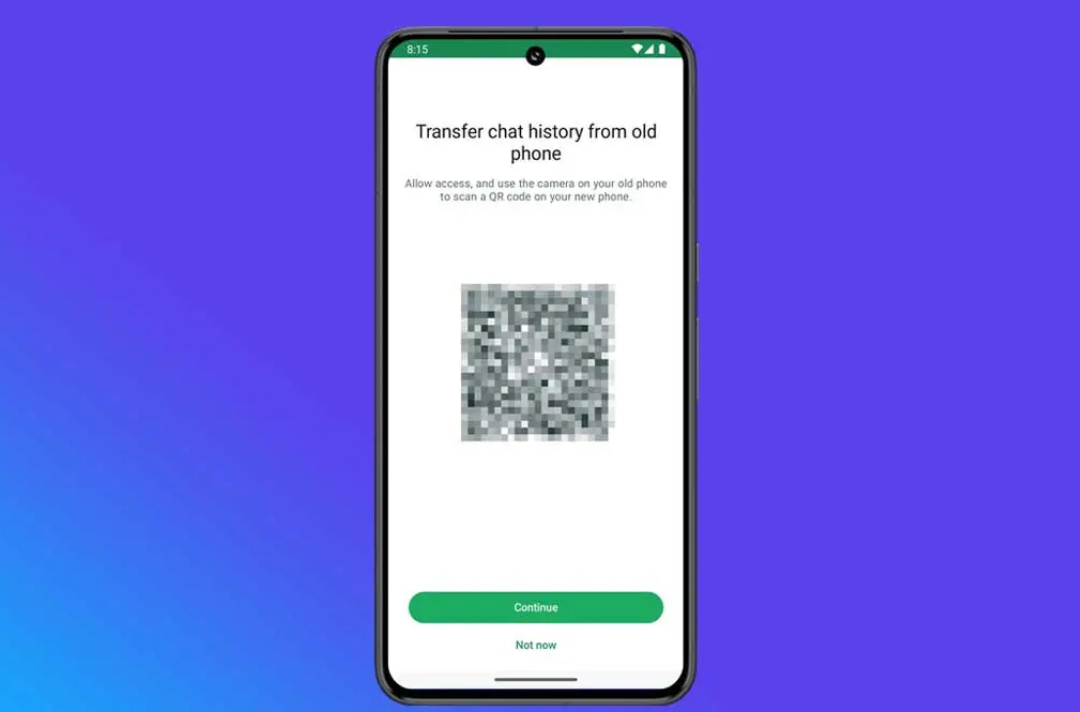
As per WABetaInfo, the new beta version, tagged 2.24.9.19, rolls out with a feature that makes the transferring of chats seamless using a QR code-powered feature.

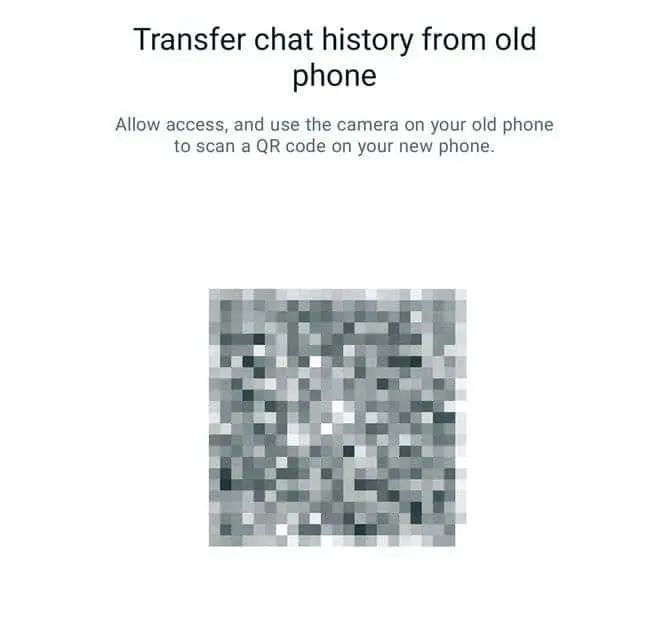
“As you can see from the attached screenshot, WhatsApp is currently experimenting with another section to let users easily transfer their chat history from an old phone, scheduled for release in a future update of the app.

Specific details regarding the implementation for this alternative feature are currently unavailable as it is still in development.

However, it looks like a universal feature designed to transfer chat history across different platforms without relying on specific sections or methods,” WaBetaInfo wrote on its page.

“Although this is purely speculative, this new section suggests WhatsApp may be aiming to enhance the migration process universally across devices, as it doesn’t mention that the old phone needs to be an Android device,” WaBetaInfo added.

How to Access the Beta Version

WhatsApp Beta Introduces Seamless Chat History Transfer with New QR Code Feature

The WhatsApp beta version with the new transfer tool has entered the Google Play Store for users who have been registered for the beta program.

Activity on the interest register of the beta program is reported to be maxed out again, though—so  many new users may have to wait until it arrives in the public release.

Streamlining the Transition Process

New feature aims to simplify transferring chats between Android devices

Considering that chat history transfer between Android devices has long been quite hectic, there was a need to depend on users’ own storage on Google Drive.

Despite the fact that WhatsApp itself updated the method to make it easier, updating conversations to a Google Drive account remained pretty time-consuming for most users.

Now, the QR code transfer feature is designed to help assuage this pain point and will make things much more intuitive and user-friendly.

Easy and efficient: End

QR code method expected to replace the cumbersome Google Drive backup process

Testing the new chat transfer feature extensively is not needed, as it is expected to be much more manageable than the classic Google Drive way.

However, the transfer time may vary depending on the amount of chat history accumulated by the user.

It remains not very clear whether both devices need to be logged in or if the QR code serves as a sign-in tool on the new phone, but these details are expected to become clearer once the feature is fully tested and deployed.

In any case we are closer than ever to seamless transition of chats without the additional headache brought over by the introduction of cables and whatnot.

Distinct from Cross-Platform Transfers

transferring of chats seamless using a QR code-powered feature
Transferring of chats seamless using a QR code-powered feature

It’s important to note that the new chat transfer tool in the beta version of WhatsApp appears to be distinct from the process used to transfer chats between iOS and Android devices, which typically involves a physical cable and several steps.

While straightforward, the cross-platform transfer process can be time-consuming.

The new transfer tool aims to streamline this process by ideally eliminating such steps, providing a more seamless experience for users switching between Android devices.

Benefits

  • Seamless Chat Migration: The QR code feature simplifies transferring chat history between Android devices, eliminating the need for Google Drive backups.
  • User-Friendly Experience: This new method makes the process more intuitive and efficient, reducing the time and effort required for chat history migration.

Challenges

  • Beta Access Limitations: Access to the new beta version is currently maxed out, limiting the number of users who can test the feature.
  • Unclear Details: There is still uncertainty regarding whether both devices need to be logged in or if the QR code serves as a sign-in tool on the new device.

FAQs

What is the new feature introduced in WhatsApp beta version 2.24.9.19?

The new feature allows seamless chat history transfer between Android devices using a QR code, eliminating the need for Google Drive backups.

How can I access the WhatsApp beta version with the new transfer tool?

The beta version is available on the Google Play Store for users registered in the WhatsApp beta program. Currently, the interest register is maxed out, so new users may have to wait until the public release.

How does the QR code transfer feature work?

The QR code transfer feature streamlines the process of migrating chat history between devices, making it more intuitive and user-friendly compared to traditional methods.

Is the new transfer tool different from the cross-platform transfer process?

Yes, the new chat transfer tool is distinct from the cross-platform transfer process, which involves physical cables and several steps. The new tool simplifies the process specifically for transfers between Android devices.

Will the transfer time vary with the new feature?

Yes, the transfer time may vary depending on the amount of chat history a user has accumulated, but the process is expected to be much more manageable than using Google Drive backups.

Also Read: WhatsApp is Testing a New Feature to Transfer Chat History with a QR Code

Also Read: WhatsApp to Launch Voice Message Transcription and Longer Status Videos on Android

Also Read: WhatsApp to Enhance User Experience with AI-Powered Image Editor

Samsung’s One UI 7: Anticipated Features and Enhancements Revealed

0
Samsung's One UI 7: Anticipated Features and Enhancements Revealed

Highlights

  • One UI 7 may introduce a vertical app drawer for easier navigation on larger screens.
  • Enhanced battery health and optimization tools expected for better device longevity.
  • New privacy-focused features, including app sandboxing, to enhance user security.
  • Improved Pro Mode in the camera app for professional-level photography controls.

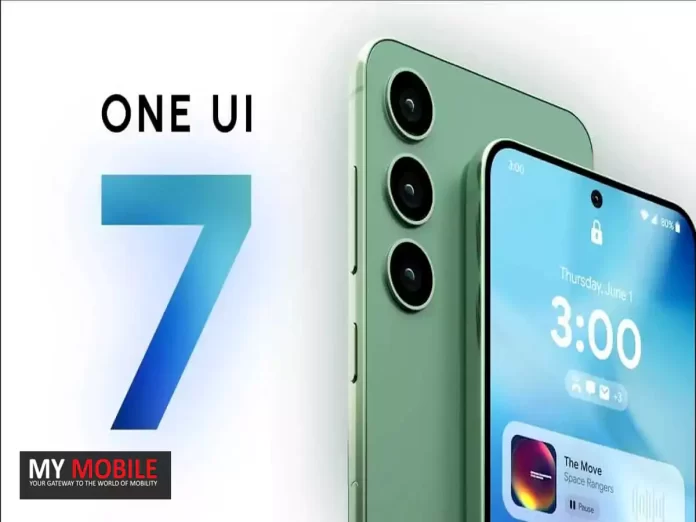
Samsung is about to release One UI 7, which may well become the most awaited custom skin, based on the latest Android OS.

According to rumours and leaks, we can expect a more enriched experience from One UI 7 to bring the gap closer between Samsung Galaxy devices and their top competitor, Apple’s iOS.

Vertical App Drawer: The Possible Game Changer


One of the most expected features in One UI 7 is the addition of the vertical app drawer, unlike the traditional horizontal layout.

The change may turn it around for people using larger screens on their phones, providing easy navigation and improved one-hand use.

Improved Battery Health and Optimization

Samsung's One UI 7: Anticipated Features and Enhancements Revealed
Google is running the Android 15 Public Beta Program

Battery Life—this is where most smartphone users have had qualms.

Samsung is reportedly at the very front line in developing One UI 7.

As per rumours, new software will be put in place so users get granular details on the health of the batteries and charge cycles for better and longer battery life, hence keeping the charge in Galaxy devices for a longer period.

Privacy-Focused Features and App Sandboxing

Enhanced battery health and optimization tools expected for better device longevity
According to IceUniverse, Samsung’s One UI 7 will have much better user interface and user experience

With privacy becoming an ever-increasing feature in today’s world, Samsung will quite unquestionably bring a suite of new privacy tools with One UI 7.

Among the most exciting rumoured features is an app sandbox; this reportedly stakes isolation and runs potentially risky apps to safeguard both user data and device integrity.

Improved Pro Mode for Camera Lovers

One UI 7 might allow users to personalize app icons beyond pre-set themes

What is interesting for camera lovers is the fact that One UI 7 might also bring critical changes to the Pro Mode in the native camera app.

It could integrate several manual controls with granular adjustment capabilities for taking professional-looking shots easily.

Customizable Icons for a Personalized Home Screen

Samsung One UI 6.0 to bring refreshed Notification panel, icons, music player

Clearly, aesthetics form a great part of the overall UX, so One UI 7 may also extend support to customization app icons entirely independent of pre-set themes.

This feature would provide extreme uniqueness in the home screen aesthetic and is tailored according to individual taste.

From there, Samsung just does not stop improving on the One UI experience with every successive release.

And One UI 7 is going to be a quantum leap.

Gradual progress has indeed been made, but Samsung knows it still has much to do in bringing its UI and UX closer to Apple’s iOS for a more effective comparison of par or at least closing the gap.

One UI 6.1.1: A Precursor to Greatness

Samsung will debut the new Android 14-based One UI 6.1.1 next month
Samsung will launch the new Android 14-based One UI 6.1.1

Before the arrival of One UI 7, Samsung will debut the new Android 14-based One UI 6.1.1 next month.

This incremental upgrade will bring system optimizations and select new features not only to the latest Galaxy devices but also to previous foldable phones, ensuring a consistent experience across the Galaxy ecosystem.

With the anticipated features and improvements, Samsung aims to match, if not surpass, the level of polish and sophistication offered by Apple’s iOS, possibly cementing its position as a leader in the Android ecosystem.

FAQs

What is the expected release date for Samsung One UI 7?

Samsung One UI 7 is expected to be released later this year, with rumours suggesting it will follow the launch of One UI 6.1.1.

What new features will One UI 7 bring?

One UI 7 is rumoured to introduce a vertical app drawer, improved battery health and optimization tools, new privacy features like app sandboxing, and enhanced Pro Mode for the camera.

How will the vertical app drawer benefit users?

The vertical app drawer will provide easier navigation and improved one-hand use, especially beneficial for users with larger screen devices.

What improvements are expected in the Pro Mode for the camera?

The improved Pro Mode in One UI 7 is expected to offer more manual controls and granular adjustment capabilities, allowing users to take professional-quality photos.

What privacy features are rumoured for One UI 7?

One UI 7 is expected to introduce new privacy tools, including an app sandbox feature that isolates potentially risky apps to protect user data and device integrity.

Also Read: Samsung Is Introducing a New Battery Protection Feature in the One UI 6.1 Update

Also Read: One UI 6.1: All You Need To Know About Samsung’s Next AI Frontier

OnePlus Nord CE 4 Lite Set to Launch in India: Budget-Friendly 50MP Dual Camera Smartphone

0

Highlights

  • Launching in India on June 24 at 7 pm IST
  • Priced under Rs 20,000, exclusive on Amazon India
  • Features 50MP dual rear camera with Optical Image Stabilization (OIS)
  • Equipped with a 5,500 mAh battery and 80W SuperVOOC fast charging

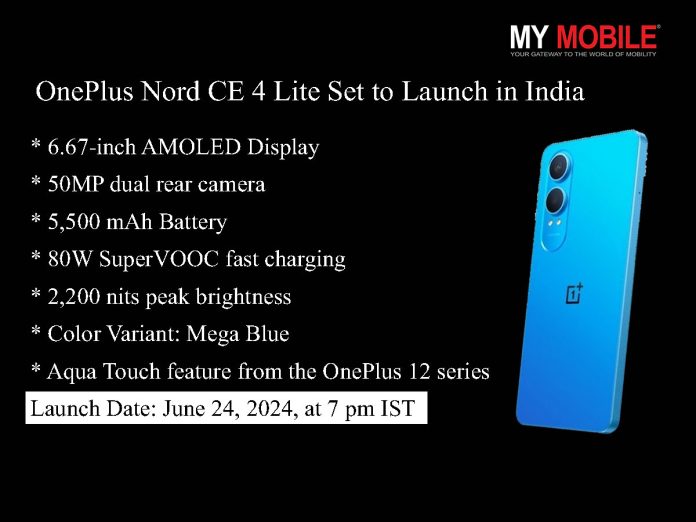
OnePlus is gearing up to launch the OnePlus Nord CE 4 Lite in India on June 24 at 7 pm IST.

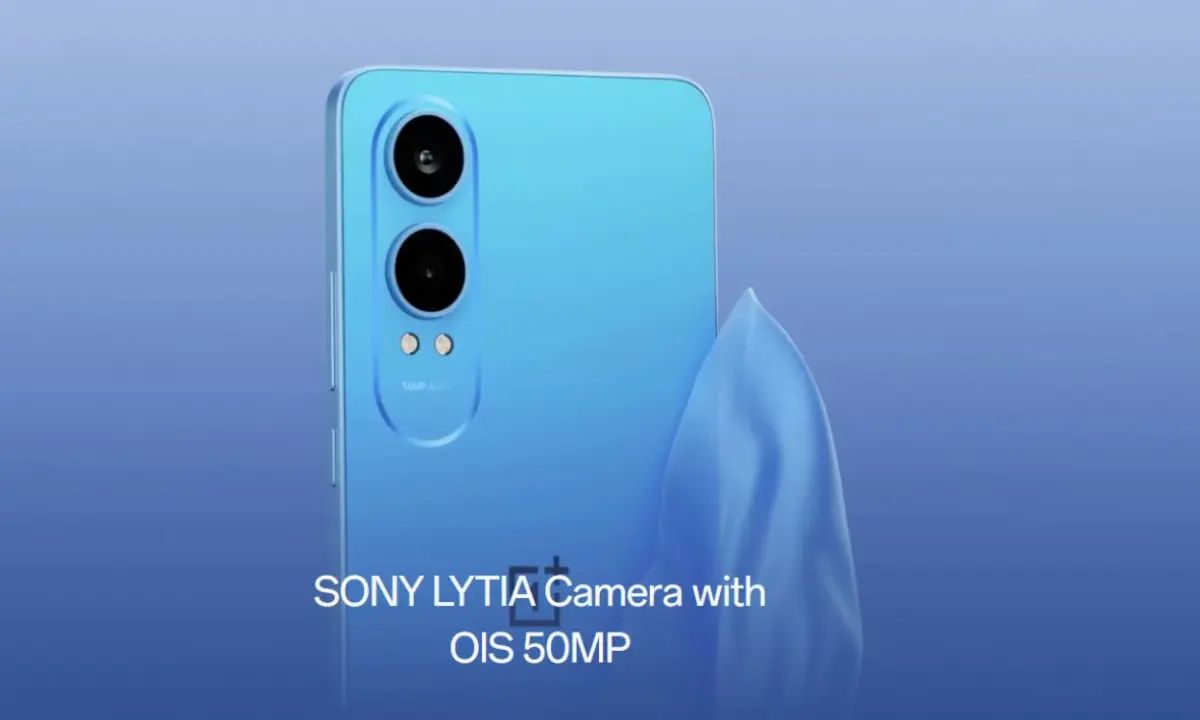
Among things teased by the company, the upcoming budget smartphone will feature a 50MP dual rear camera setup and sleek flat edges.

OnePlus Nord CE 4 Lite: Expected Pricing and Availability

The OnePlus Nord CE 4 Lite is expected to be priced attractively under Rs 20,000, similar to its predecessor, the OnePlus Nord CE 3 Lite, which was launched in India at Rs 19,999 and is currently available at an effective price of Rs 17,000.

Like all other previous OnePlus phones, the device will go on sale exclusively on the Amazon India website.

Kinder Liu, President and COO of OnePlus, expressed confidence in the OnePlus Nord CE 4 Lite 5G, stating, “The OnePlus Nord CE4 Lite 5G is the ideal phone that’s set to revolutionize the budget smartphone market. By delivering OnePlus’ flagship-level battery life, charging speeds, display quality, and photography experience, all at an unbeatable price, the OnePlus Nord CE4 Lite 5G stands out from the crowd to set a new benchmark for the budget smartphone segment.”

OnePlus Nord CE 4 Lite: Expected, Specs, Design and Color Variants

OnePlus Nord CE 4 Lite Set to Launch in India: Budget-Friendly 50MP Dual Camera Smartphone
OnePlus will launch its OnePlus Nord CE 4 Lite in India on June 24 at 7 pm IST

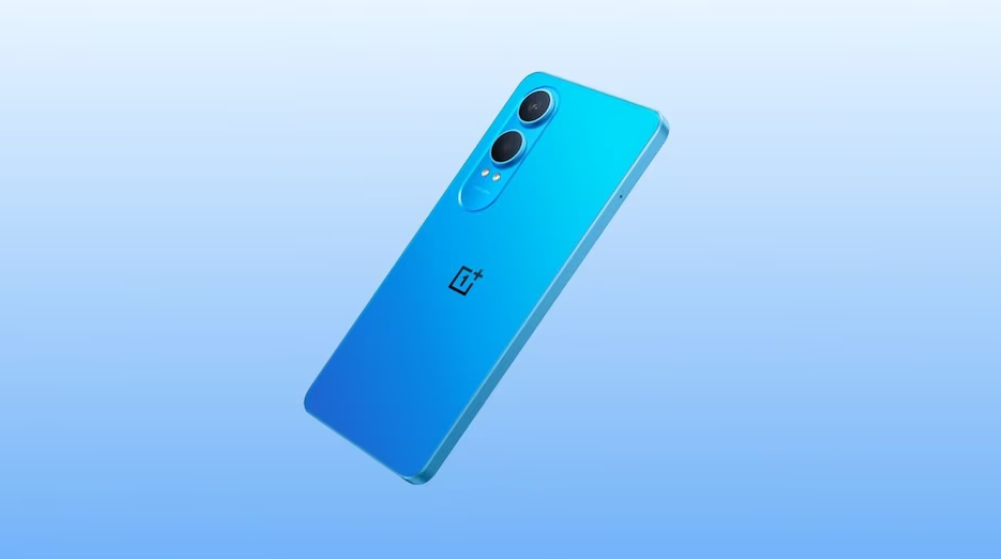
According to the teasers, the OnePlus Nord CE 4 Lite will be available in a stunning “Mega Blue” color variant, adding a touch of vibrancy to its design.

OnePlus has also confirmed that the smartphone will house a massive 5,500 mAh battery, complemented by 80W SuperVOOC fast charging capabilities, ensuring users never have to compromise on battery life.

The OnePlus Nord CE 4 Lite 5G is expected to feature a 6.67-inch AMOLED display, offering an impressive 2,200 nits of peak brightness and a buttery-smooth 120Hz refresh rate.

Additionally, the handset will come equipped with the Aqua Touch feature, previously seen on the OnePlus 12 series, enhancing the overall user experience.

It features 50MP dual rear camera with Optical Image Stabilization (OIS)
OnePlus Nord CE 4 Lite 5G is confirmed to come with a dual rear camera setup that includes a 50MP Sony LYTIA 600 camera with OIS support

In terms of camera capabilities, the OnePlus Nord CE 4 Lite 5G is confirmed to boast a dual rear camera setup, headlined by a 50MP Sony LYTIA 600 camera with Optical Image Stabilization (OIS) support, ensuring stunning image quality and stability.

OnePlus Nord CE 4 Lite 5G Specs

GENERAL

Sim Type Dual Sim, GSM+GSM (Hybrid Slot)
Dual Sim Yes
Sim Size Nano SIM
Device Type Smartphone
Release Date June 04, 2024 (Expected)

DESIGN

Dimensions 165.5 x 76 x 8.3 mm (6.52 x 2.99 x 0.33 in)
Colors Pastel Lime, Chromatic Gray

DISPLAY

Type Color IPS Screen (1B Colors)
Touch Yes, 380 Hz Touch Sampling Rate
Size 6.74 inches, 1080 x 2400 pixels, 120 Hz
Aspect Ratio 20:9
PPI ~ 390 PPI
Screen to Body Ratio ~ 90.3%
Glass Type Corning Gorilla Glass
Features Support sRGB, Display P3, 550 nits (typ), 680 nits (peak)
Notch Yes, Punch Hole

MEMORY

RAM 8 GB
Expandable RAM Upto 8 GB Extra Virtual RAM
Storage 128 GB
Storage Type UFS 2.2
Card Slot Yes, (Hybrid Slot), upto 1 TB

CONNECTIVITY

GPRS Yes
EDGE Yes
3G Yes
4G Yes
5G Yes
5G Bands SA: n1/3/5/8/40/41/77/78/28A(703~733MHz), NSA: n1/3/41/78
VoLTE Yes, Dual Stand-By
Wifi Yes, with wifi-hotspot
Wifi Version Wi-Fi 802.11 a/b/g/n/ac/ax, 2.4G/5G
Bluetooth Yes, v5.3, A2DP, LE, aptX HD
USB Yes, USB-C v2.0
USB Features USB on-the-go

EXTRA

GPS Yes, with GPS, BDS, GLONASS, GALILEO, QZSS
Fingerprint Sensor Yes, Side
Face Unlock Yes
Sensors Accelerometer, Gyro, Proximity, Compass
3.5mm Headphone Jack Yes
Water Resistance Yes
IP Rating IP55
Dust Resistant Yes
Extra Features Dual Stereo Speakers, Noise cancellation support

CAMERA

Rear Camera 108 MP 1/1.67″, 0.64µm, PDAF f/1.8 (Wide Angle)
2 MP f/2.4 (Macro)
2 MP f/2.4 (Depth Sensor) with autofocus
Features AI Scene Enhancement, Dual-view Video, HDR, Nightscape, Portrait mode, Pano, Macro, Slo-mo, Time-lapse, Text-scanner, Retouching, Filters
Video Recording 1080p @ 30 fps FHD
Flash Yes, LED
Front Camera Punch Hole 16 MP f/2 (Wide Angle) with Screen Flash
Front Video Recording 1080p @ 30 fps FHD

TECHNICAL

OS Android v14
Custom UI OxygenOS 14.1
Chipset Qualcomm Snapdragon 6 Gen1
CPU 2.2 GHz, Octa Core Processor
Core Details 4xCortex-A78@2.2 GHz & 4xCortex-A55@1.8 GHz
GPU Adreno GPU
Java No
Browser Yes, supports HTML5

MULTIMEDIA

Email Yes
Music Decoder: MP3, AMRNB, AMRWB, AAC, G711-ALAW, G711-MLAW, VORBIS, OPUS, RAW, FLAC, GSM, Encoder: AAC, AMRNB, AMRWB, FLAC, OPUS
Video H.264, HEVC, VP9, VP8, AV1, MPEG4, 3GPP
FM Radio No
Document Reader Yes

BATTERY

Type Non-Removable Battery
Size 5000 mAh, Li-Po Battery
Fast Charging Yes, 67W Fast Charging
Reverse Charging Yes

FAQs

When will the OnePlus Nord CE 4 Lite launch in India?

The OnePlus Nord CE 4 Lite is set to launch in India on June 24 at 7 pm IST.

What is the expected price of the OnePlus Nord CE 4 Lite?

The OnePlus Nord CE 4 Lite is expected to be priced under Rs 20,000, similar to its predecessor, the OnePlus Nord CE 3 Lite.

Where will the OnePlus Nord CE 4 Lite be available for purchase?

The device will be available exclusively on the Amazon India website.

What are the key features of the OnePlus Nord CE 4 Lite?

Key features include a 50MP dual rear camera setup with OIS, a 5,500 mAh battery, 80W SuperVOOC fast charging, and a 6.67-inch AMOLED display with 2,200 nits peak brightness and 120Hz refresh rate.

What color variants will be available for the OnePlus Nord CE 4 Lite?

The OnePlus Nord CE 4 Lite will be available in a stunning “Mega Blue” color variant.

Also Read: OnePlus Nord CE 4 Lite Spotted on BIS, Indian Launch Expected Soon

WhatsApp to Introduce 10 New Colour Themes for iOS Users

0
whatsapp feature

Highlights

  • WhatsApp plans to roll out ten new colour themes for iOS users.
  • Users will have options including green, white, blue, pink, and purple.
  • Customizable accent colours for in-app buttons are also in development.
  • Features aim to enhance personalization and compete with other messaging apps.

WhatsApp is reportedly gearing up to add several colour themes for its iOS users.

Following months of complaints from iPhone users at the mandatory green theme that came on board, the Meta-owned platform appears to try and assuage its users by providing them with more control over the appearance of their chat interfaces.

Initial reports had indicated that WhatsApp intended to introduce five new default themes so as to add some variety to its existing green theme.

It has now emerged that the number of new themes in development is not five but ten.

With this extension, users will have the ability to choose themes that really suit their styles.

A Plethora of Colour Options

WhatsApp working on 10 new colour themes to make your chats look different

These colour options, previously reported on, include the classic green, white, blue, pink, and purple, among many others.

Although this feature is still in development, this does show that Meta is indeed working to better the available options for personalization within the app.

On top of chat themes, WhatsApp is reportedly developing another feature permitting iOS users to change the accent colour of the app.

This feature will allow the in-app buttons to be customized with the same colour options available for chat themes.

WhatsApp is set to introduce ten new chat themes and customisable accent colours for iPhone users

While none of these features are live yet for the general public, their presence here does indicate that a wider rollout could be just around the corner.

The process of changing the chat theme and accent colour is designed to be seamless.

Users can navigate to the settings of their WhatsApp account, select the Chat option, and then choose Theme.

From there, users can pick their preferred colour, which will automatically adjust both the wallpaper and chat bubble colours to match.

This personalized setting is unique to each user’s account, ensuring that the chosen colour will not affect the appearance of chats for the person on the other end.

Making WhatsApp Competitive

Offering more themes will enhance the user experience by allowing greater personalisation and customisation

These are going to help WhatsApp fight back against some other messaging apps, particularly Telegram, that already has a wide variety of customization features.

Basically, giving more control to the users through the look and feel of the app, WhatsApp is trying to attract and retain individuals who have a gourmet appreciation for styled messaging.

Worth noting, in the first instance, WhatsApp is making these features available for iOS users, with a view to potentially making them more widely available to Android users in the future.

FAQs

What new feature is WhatsApp planning for iOS users?

WhatsApp is developing ten new colour themes for iOS users to customize the appearance of their chat interfaces, expanding beyond the classic green theme.

What colour options will be available for WhatsApp themes?

The new themes include colours such as green, white, blue, pink, and purple, among others, offering a variety of choices to suit different user styles.

Can users customize other aspects of WhatsApp’s appearance?

Yes, WhatsApp is also working on allowing users to change the accent colour of in-app buttons, matching the colour options available for chat themes.

How can users change their chat theme and accent colour in WhatsApp?

Users can navigate to the settings of their WhatsApp account, select the Chat option, and then choose Theme.

From there, they can pick their preferred colour, which will adjust the wallpaper and chat bubble colours.

Will these new features be available to Android users as well?

Initially, these features are being made available for iOS users. However, WhatsApp may consider rolling them out to Android users in the future.

Also Read: WhatsApp Unveils New UI and Features Echoing Instagram’s Style

Also Read: WhatsApp Channels Update Brings Audio Messages, Polls, and Enhanced Admin Features

Also Read: WhatsApp to Enhance Calling Experience with New Favourites Feature 

Google Launches Gemini AI Assistant in India with Support for Multiple Languages

0
Google Launches Gemini AI Assistant in India with Support for Multiple Languages

Highlights

  • Gemini AI supports English and nine Indian languages including Hindi and Bengali.
  • Integration with Google Assistant for seamless access on Android devices.
  • iOS users can access Gemini via the Google app, enhancing device compatibility.
  • Gemini Advanced offers features like document summarization and data analysis.

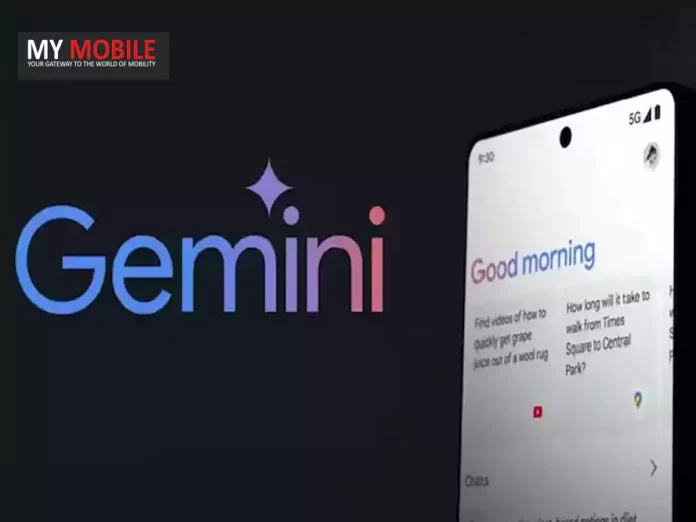
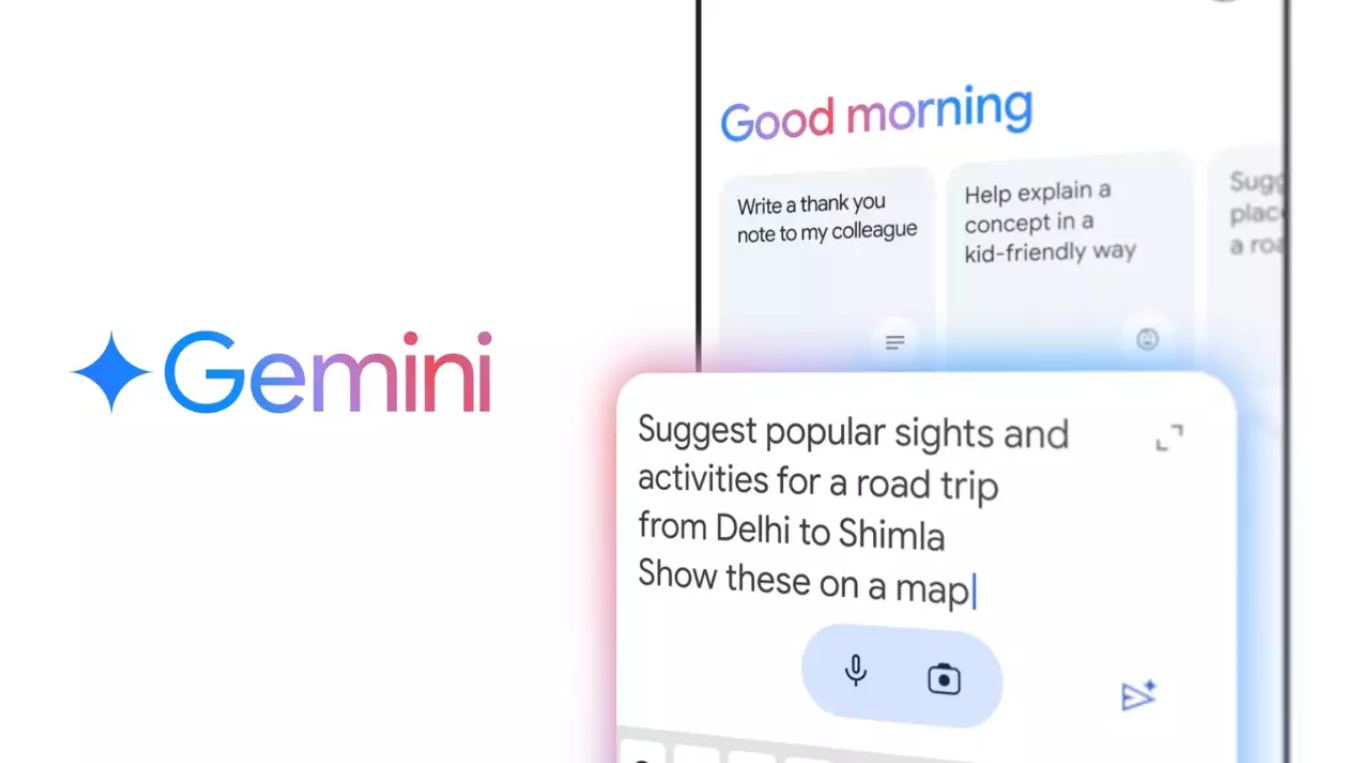
Google has launched the mobile app in India for its AI assistant Gemini.

The best part is that it provides access to multiple languages —including English and nine Indian languages like Hindi, Bengali, Gujarati, Kannada, Malayalam, Marathi, Tamil, Telugu, and Urdu.

Obviously, with the move, Google is increasing access to its AI assistant and making tasks easy to be accomplished at people’s will.

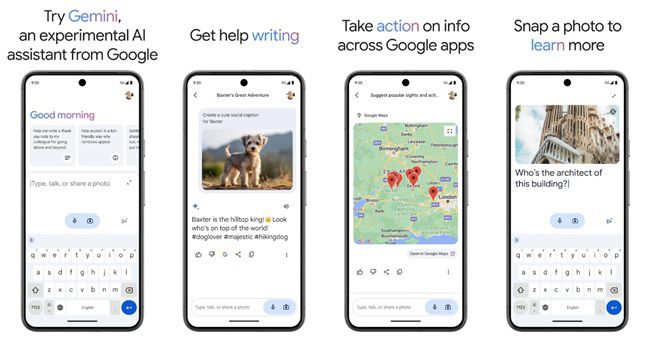
Whether it is an event planner, recipe builder, or even a social media posting draft, Gemini helps make interactions smooth through typing, voice commands, or image uploads.

Gemini AI supports English and nine Indian languages including Hindi and Bengali
Google launches Gemini app in India with multilingual support

“Exciting news! Today we’re launching the Gemini mobile app in India, available in English and nine Indian languages. We’re also adding these local languages to Gemini Advanced, plus other new features, and launching Gemini in Google Messages in English,” said Sundar Pichai, chief executive officer of Google, on X (formerly Twitter).

“Take a picture of a flat tyre for instructions on how to change it, or get help writing that perfect thank-you note – the possibilities are endless. This marks a significant step forward in our journey to build a truly conversational, multimodal, and helpful AI assistant,” said Google.

“Privacy is a top priority. Gemini keeps your files private to you, and they’re not used to train our models,” said Google. We’ll be rolling out Gemini in Google Messages in English to start with, on select devices,” said the company.

Gemini Advanced, which is based on the company’s most advanced AI model, will also be available in the nine Indian languages.

“…Gemini Advanced boasts the longest context of any widely available consumer chatbot worldwide,” said the company.

Amar Subramanya, Vice President of Engineering for Gemini Experiences, stated, “Today, we’re building on this momentum with new Gemini features designed to empower even more people to get things done in their preferred language.”

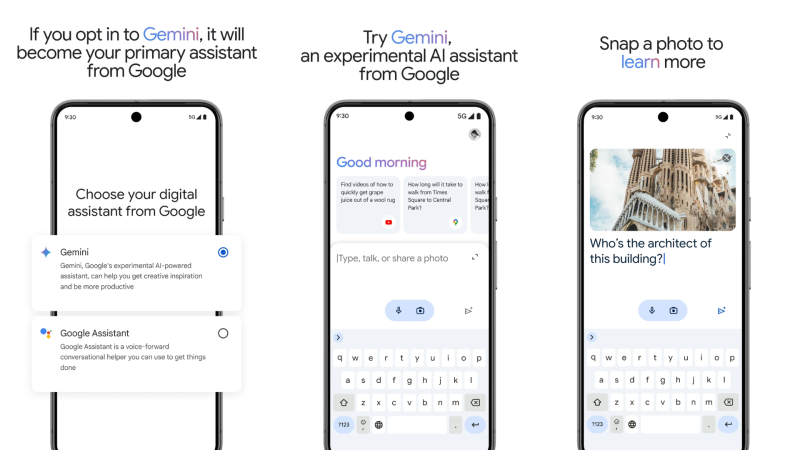
Users can type, talk, or even add an image to receive AI assistance on the go. “Take a picture of a flat tire for instructions on how to change it, or get help writing that perfect thank you note – the possibilities are endless,” Subramanya added .

Two versions: Basic and AdvancedThe default version of the Gemini app is powered by Gemini 1.0 Pro, while a paid option called Gemini Advanced uses the more powerful Gemini 1.5 Pro model.

“With a massive 1 million token context window, Gemini Advanced now boasts the longest context of any widely available consumer chatbot worldwide,” Subramanya explained .

“We’re incredibly excited to see how people across India will continue to use Gemini in new and innovative ways. Whether you’re using Gemini on your phone, in Google Messages, or on the web, we hope you’ll find it to be a valuable tool for unleashing your creativity, boosting productivity, and exploring new ideas,” Subramanya added.

Integration with Google Assistant

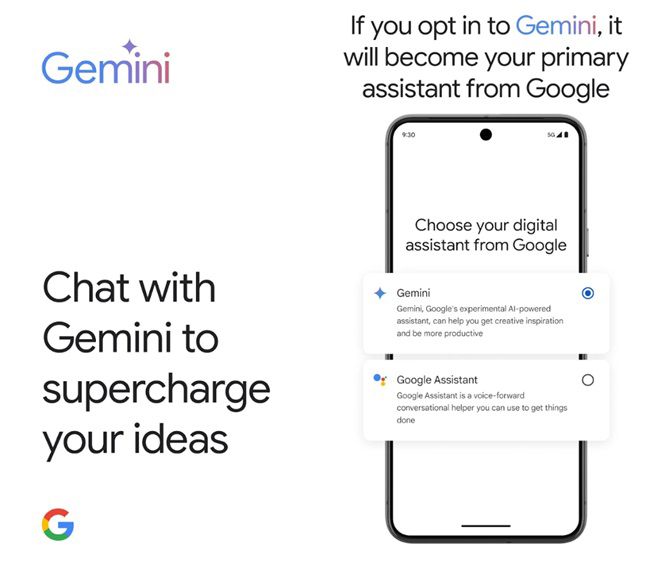
With this, other than the app itself, Gemini is also available on Android by activating Google Assistant.

Corner swipe gestures, a press of the power button on some phones, or saying “Hey Google” will enable you to do this.

This integration ensures an overlay experience with easy access to the features of Gemini while retaining many of Google Assistant’s voice functions, such as setting timers, making calls, or setting reminders.

iOS Accessibility

Google Launches Gemini AI Assistant in India with Support for Multiple Languages
The Gemini app and Gemini Advanced are now available in nine Indian languages

Specifically, the company is trying to make Gemini easier to access for iOS users by allowing them to turn on Gemini from the Google app, which will create a session with the AI assistant and unlock many more devices.

But that’s not all: alongside the new Gemini app, Google is also announcing support for Indian languages for its supercharged Gemini Advanced.

Integration with Google Assistant for seamless access on Android devices
The Gemini app supports English and nine Indian languages: Hindi, Bengali, Gujarati, Kannada, Malayalam, Marathi, Tamil, Telugu, and Urdu

This advanced version allows one to do everything from document uploading for summaries, feedback, and actionable insights, all the way to data analysis on spreadsheets, where users can clean, analyze, and visualize data with interactive charts and graphs.

Addressing potential concerns, Google assures users that privacy and security are prioritized with Gemini.

Google has launched the mobile app in India for its AI assistant Gemini.
This expansion includes Gemini 1.5 Pro, featuring an impressive 1 million token context window — the longest available among consumer chatbots worldwide

User files remain private and are not used to train the AI models, ensuring a secure and transparent experience.

Gemini in Google Messages

Gemini Advanced offers features like document summarization and data analysis
Gemini will roll out on iOS through the Google app over the coming weeks, expanding its reach to Apple users

In addition to the standalone app, Gemini is being integrated into Google Messages, initially available in English on select devices.

This integration allows users to collaborate with the AI assistant directly within the Messages app, facilitating tasks such as drafting messages, brainstorming ideas, or planning events seamlessly.

Google is increasing access to its AI assistant and making tasks easy
Users can upload large documents (up to 1,500 pages)

FAQs

What languages does the Gemini AI assistant support in India?

The Gemini AI assistant supports English and nine Indian languages, including Hindi, Bengali, Gujarati, Kannada, Malayalam, Marathi, Tamil, Telugu, and Urdu.

How can I access Gemini on my Android device?

You can access Gemini on Android by activating Google Assistant through corner swipe gestures, pressing the power button on some phones, or saying “Hey Google.”

Is Gemini available for iOS users?

Yes, iOS users can access Gemini by turning it on from the Google app, which creates a session with the AI assistant and unlocks more devices.

What features does the Gemini Advanced version offer?

Gemini Advanced allows users to upload documents for summaries, feedback, and actionable insights. It also supports data analysis on spreadsheets, enabling users to clean, analyze, and visualize data with interactive charts and graphs.

How is Google ensuring privacy and security with Gemini?

Google assures that user files remain private and are not used to train AI models, ensuring a secure and transparent experience.

iQOO Neo 9 Pro+ Rumoured to Launch in July 2024 with Snapdragon 8 Gen 3 Chipset

0

Highlights

  • iQOO Neo 9 Pro+ set to feature Snapdragon 8 Gen 3 chipset
  • 6.78″ LTPO AMOLED display with 144Hz refresh rate and HDR10+
  • Triple camera setup with 50MP main camera and 120W wired charging
  • Potential India launch with competitive pricing in Rs 35,000 segment

There is a new rumour that iQOO is preparing perhaps to launch one more variant as part of its rather popular Neo 9 series—the iQOO Neo 9 Pro+.

The leak reportedly put the device for a release in July 2024.

According to fresh leaks by Chinese microblogging platforms Weibo, this new edition is supposed to feature the latest chip from Qualcomm: Snapdragon 8 Gen 3.

Smart Pikachu says iQOO Neo 9 Pro+ will have Snapdragon 8 Gen 3

Last year, the iQOO Neo 9 Pro had a Snapdragon 8 Gen 2 chipset and really represented great value for the price.

This time, however, the Neo 9 Pro+ could turn out even better.

Rumoured Specifications

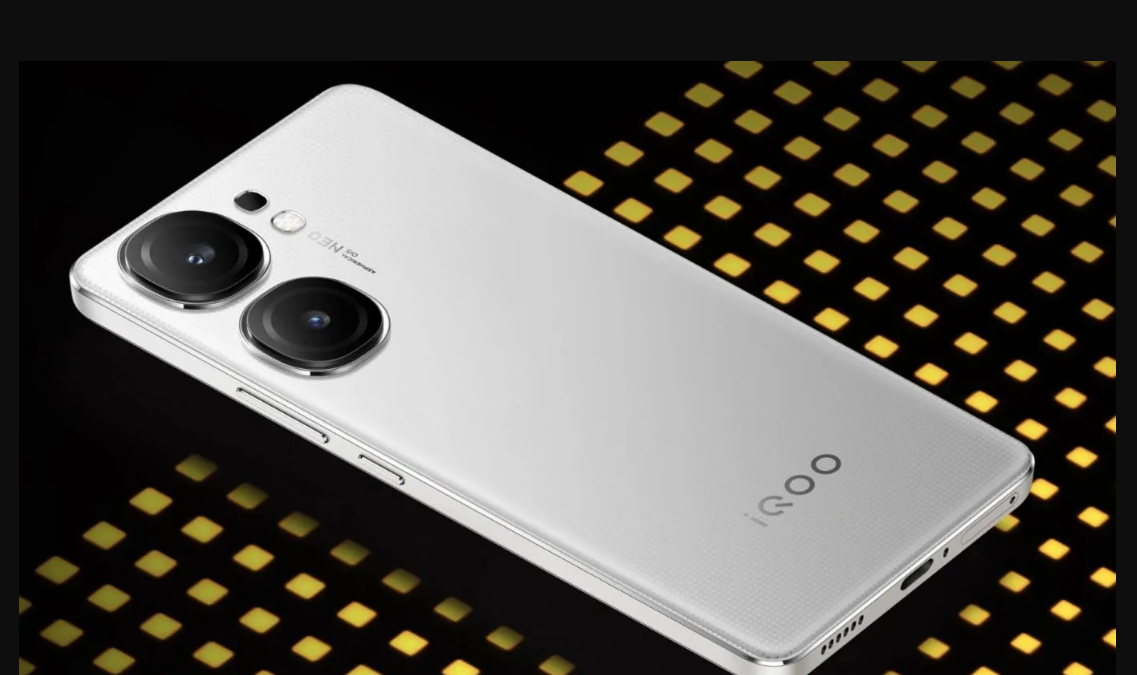
iQOO Neo9 Pro in Marble White

Although the leak primarily focuses on the Chinese market, there’s speculation that the iQOO Neo 9 Pro+ could make its way to India as well.

If that’s the case, here are the rumored specifications that have tech enthusiasts buzzing:

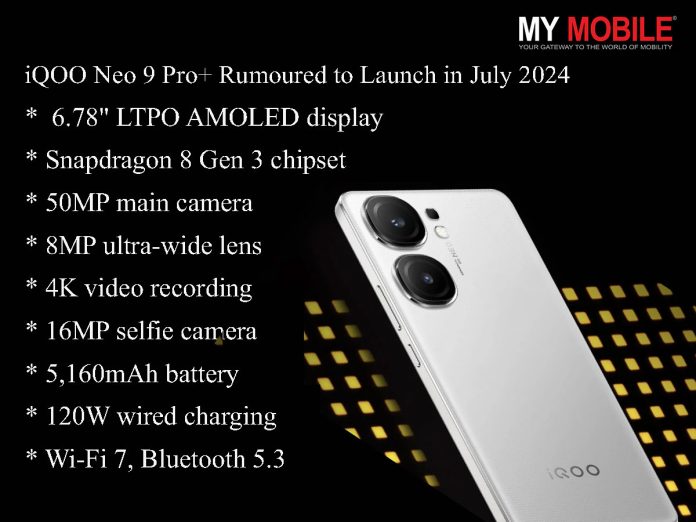
  • 6.78″ LTPO AMOLED display with a 144Hz refresh rate, HDR10+, and a peak brightness of 3,000 nits
  • Snapdragon 8 Gen 3 chipset
  • Up to 12GB LPDDR5X RAM and 256GB UFS 4.0 storage
  • Triple camera setup with a 50MP main camera, 8MP ultra-wide lens, and 4K video recording
  • 16MP selfie camera with 1080p video capability
  • 5,160mAh battery with 120W wired charging and reverse wired charging support
  • Wi-Fi 7, Bluetooth 5.3
  • Android 14 with FuntouchOS 14

A Good Move for iQOO?

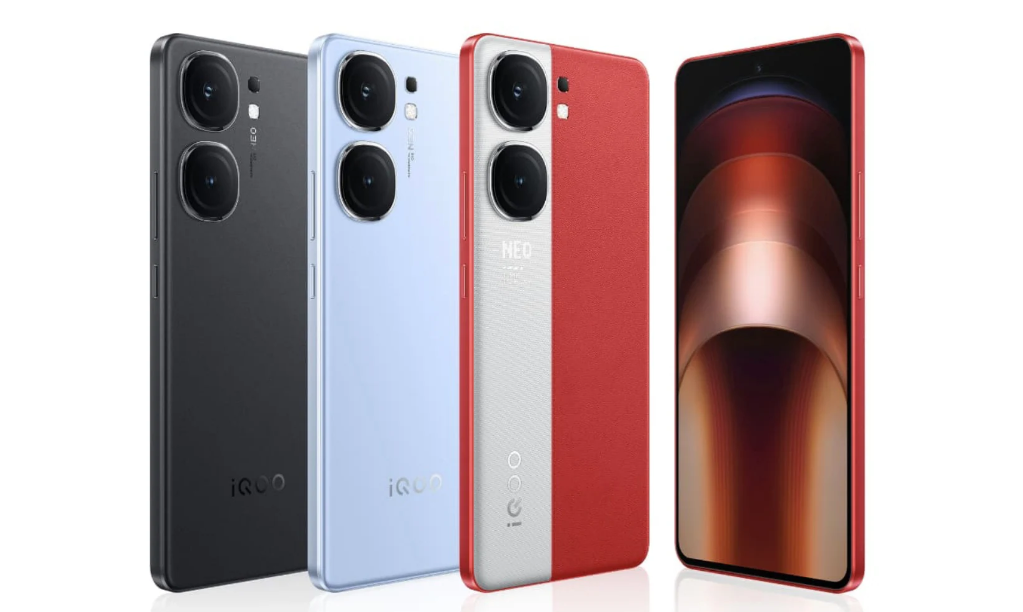
iQOO Neo9 Pro all variants

On the off chance that the reports were true, then, the iQOO Neo 9 Pro+ would have its place in India.

The Neo 9 Pro+ will have an edge over what others lack with so many similar Snapdragon 8s Gen 3 phones about to hit the market, and therefore accomplish what others have not—with its more superior chip for the price tag.

While the iQOO Neo 9 Pro can already stand up to competition in the segment of Rs 35,000, the Neo 9 Pro Plus might bridge that gap between the ‘Neo’ series and the iQOO 12 by bringing powerful performance at an affordable price.

What would be the differentiating factor then?

How much separation will be there between the iQOO Neo series and the signature number series?

While we wait for more updates and confirmations from the officials, that prospect alone of an iQOO Neo 9 Pro+ can make any tech enthusiast excited.

It will be potentially jammed with the speculated specs, and maybe with the help of Snapdragon 8 Gen 3 in the power department, this might just change everything on how much performance one can squeeze from this price point.

FAQs

What is the expected release date for the iQOO Neo 9 Pro+?

The iQOO Neo 9 Pro+ is rumoured to be released in July 2024, according to leaks from Chinese microblogging platform Weibo.

What processor will the iQOO Neo 9 Pro+ feature?

The iQOO Neo 9 Pro+ is expected to feature the latest Snapdragon 8 Gen 3 chipset from Qualcomm.

What are the display specifications for the iQOO Neo 9 Pro+?

The device is rumored to have a 6.78-inch LTPO AMOLED display with a 144Hz refresh rate, HDR10+ support, and a peak brightness of 3,000 nits.

What camera setup is expected on the iQOO Neo 9 Pro+?

The iQOO Neo 9 Pro+ is expected to feature a triple camera setup with a 50MP main camera, an 8MP ultra-wide lens, and 4K video recording capabilities.

What battery and charging features will the iQOO Neo 9 Pro+ offer?

The device is expected to come with a 5,160mAh battery, supporting 120W wired charging and reverse wired charging.

Also Read: iQOO Neo 9 Pro is all set to Launch on February 22 with Flagship Level Performance, Camera and Design

Also Read: iQOO Neo 9 Pro Pre-Bookings To Start From February 8th Ahead of Launch: All You Need to Know

Also Read: iQOO Neo 9 Pro to Launch as a Rebranded Version of the iQOO 9 in China

Also Read: iQOO Neo 9 Pro to Launch in India Today: Pricing, Features, and All You Need to Know