Highlights
- Upcoming Vivo Phones – While the Vivo S2 5G is set to launch first, several other models including the Vivo V80, X Fold 6, X500 Pro and Y-series smartphones, are expected to arrive in India over the coming months.
Vivo is preparing to launch several new smartphones in India across different price segments. From premium foldable devices and flagship X-series phones to feature-packed Y-series and T-series models, the upcoming lineup is expected to offer something for every type of buyer. Some of these phones have already been confirmed, while others have surfaced through leaks, certifications, and industry reports. Here’s a detailed look at the upcoming Vivo phones expected to arrive in India.
Vivo S2 5G – Launching on August 6

The Vivo S2 5G has been officially confirmed to launch in India on August 6 at 12pm IST. Vivo has shared teaser images showing the smartphone in black and white colour options with a glossy rear panel. The phone features a horizontal pill-shaped camera module with a dual rear camera setup, while the front houses a hole-punch display for the selfie camera.
Vivo and Amazon have also created dedicated landing pages for the upcoming smartphone. Although the company has not officially revealed the specifications, leaks suggest that the Vivo S2 5G could be powered by the octa-core MediaTek Dimensity 7360 Turbo chipset. It is expected to pack a large 7,050mAh battery with support for 44W wired fast charging.
According to rumours, the phone may feature a 6.83-inch curved pOLED display with 1.5K resolution and a 120Hz refresh rate. For photography, it is expected to include a 50MP Sony IMX852 primary camera along with a 2MP secondary sensor. A 32MP front camera is also expected for selfies and video calls. The handset could arrive with IP68 and IP69 ratings for dust and water resistance.
In terms of pricing, the 8GB RAM + 128GB storage variant is rumoured to cost Rs. 51,999, while the 8GB + 256GB version could be priced at Rs. 55,999. The launch will also mark the return of Vivo’s S-series in India after the company introduced the Vivo S1 in 2019.
Vivo S2 FE

The Vivo S2 lineup may soon expand with the arrival of the Vivo S2 FE. According to a report by PassionateGeekz, Vivo has reportedly dropped plans to launch a Vivo S2 Pro and is instead working on an FE model.
The company has not officially confirmed the smartphone or its launch timeline. However, more information is expected to surface in the coming weeks. The move follows the growing trend of smartphone brands introducing “FE” models that offer flagship-inspired features at a comparatively lower price instead of launching Pro variants.
At present, Vivo has only teased the Vivo S2 5G for India, which is expected to bring the company’s S-series back to the country after nearly six years.
Vivo Y500 Pro

The Vivo Y500 Pro was first launched in November, 2025 and is expected to arrive in India this year. The smartphone is powered by the MediaTek Dimensity 7400 processor and features a 6.67-inch OLED display with 1.5K resolution.
For photography, the Vivo Y500 Pro comes with a 200MP Samsung HP5 primary camera. It also packs a large 7,000mAh battery with support for 90W fast charging. The handset carries IP68 and IP69 ratings for dust and water resistance.
The smartphone is available in four RAM and storage options. The 8GB + 128GB model is priced at CNY 1,799 (roughly Rs. 22,000), while the 8GB + 256GB version costs CNY 1,999 (roughly Rs. 25,000). The 12GB + 256GB and 12GB + 512GB variants are priced at CNY 2,299 (roughly Rs. 28,000) and CNY 2,599 (roughly Rs. 32,000), respectively. It has been launched in Auspicious Cloud, Light Green, Soft Powder, and Titanium Black colour options.
Vivo X Fold 6

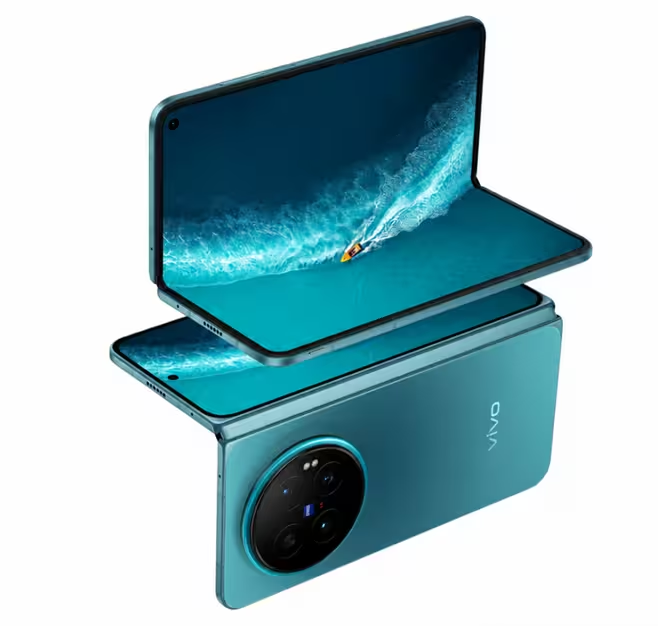
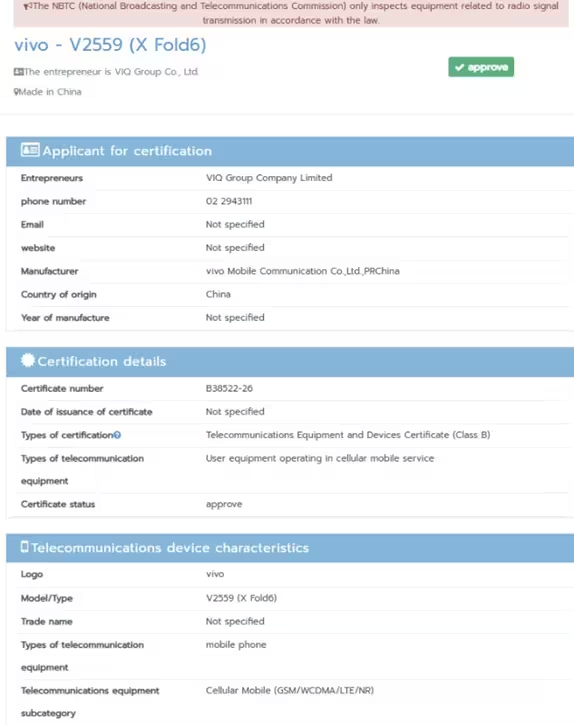
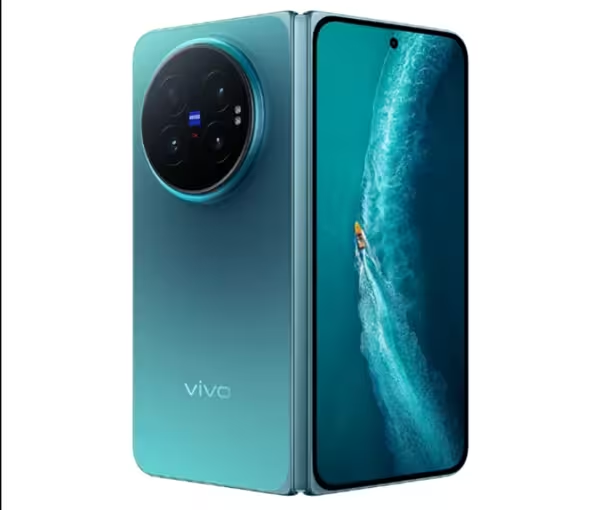
The Vivo X Fold 6 appears to be getting closer to its global launch after receiving certification from Thailand’s NBTC. The foldable smartphone was also recently spotted on certification websites in Indonesia and Europe indicating that Vivo is preparing it for international markets.
The NBTC certification, shared by tipster Anvin on X, confirms support for GSM, WCDMA, LTE, and 5G connectivity. It also lists VIQ Group Company Limited as the applicant and Vivo Mobile Communication Co., Ltd., PR China as the manufacturer. However, the certification does not reveal any hardware specifications.
According to earlier reports, the Vivo X Fold 6 could launch in India in October 2026. It is expected to be Vivo’s next flagship foldable smartphone and may carry a price tag of over Rs. 1,05,000. Reports also suggest that the global version will offer the same hardware specifications as the Chinese model.
Vivo X500 Pro

The Vivo X500 Pro has recently appeared in leaks that reveal several design and display details. According to tipster Digital Chat Station, the upcoming smartphone is expected to be powered by the new 2nm MediaTek Dimensity 9600 Pro chipset.
The phone is tipped to feature a compact 6.37-inch flat LTPO display with more than 1.5K resolution and a 144Hz refresh rate. Vivo is reportedly testing a BOE OLED panel that uses next-generation light-emitting materials for improved display performance.
The Vivo X500 Pro is also expected to use LIPO display packaging, allowing slimmer bezels on all four sides. It is said to retain Vivo’s signature centrally positioned circular rear camera module along with a premium metal frame.
Previous reports suggest that the smartphone could debut in China in September as the successor to the Vivo X300 Pro.
Vivo Y6 5G

The Vivo Y6 5G was officially introduced in select markets on April 24, 2026 and is expected to launch in India soon.
The smartphone features a 6.75-inch HD+ LCD display with 120Hz refresh rate, up to 1,200 nits peak brightness, a 90.60 percent screen-to-body ratio, and a 1500:1 contrast ratio. It is powered by the 4nm Snapdragon 4 Gen 2 processor paired with Adreno 613 GPU and up to 12GB LPDDR4X RAM.
For photography, the Vivo Y6 5G includes a 50MP rear camera with an f/2.2 aperture and an 8MP front camera with an f/2.05 aperture. It supports several camera modes, including Portrait, Live Photo, Night Scene, and Slow Motion.
The handset packs a massive 7,200mAh battery with 44W fast charging support.
The Vivo Y6 5G is priced at CNY 1,799 (roughly Rs. 24,000) for the 8GB + 128GB model. The 8GB + 256GB and 12GB + 256GB variants are priced at CNY 1,999 (roughly Rs. 27,000) and CNY 2,199 (roughly Rs. 30,000), respectively. It is available in Galaxy Silver, Obsidian Black, and Phoenix Welcomes Gold colour options.
Vivo V80
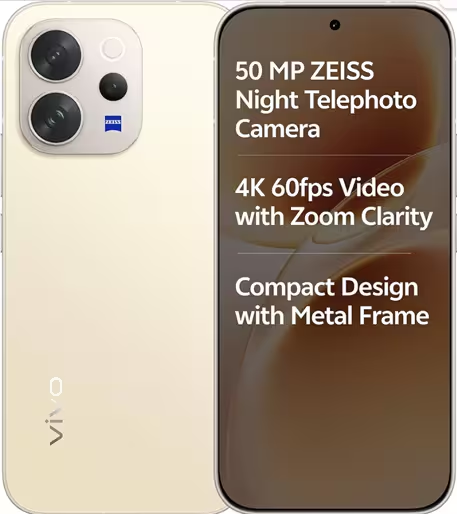
Vivo V70 5G. (Image credit – Vivo)
The Vivo V80 series is tipped to launch in India in the middle of August, according to tipster Sanju Choudhary on X. The upcoming series is expected to compete with the Oppo Reno 16, which starts at Rs. 61,999 in India.
The Vivo V80 lineup is also expected to see a noticeable price increase compared to the Vivo V70 series.
Leaks suggest that the smartphones will be powered by the Snapdragon 7 Gen 4 chipset. They are expected to feature a 6.59-inch 1.5K display with a 144Hz refresh rate, offering an upgrade over the 120Hz panel found on the previous generation. The series could also include a 3D ultrasonic fingerprint scanner.
The Vivo V80 series is expected to pack a large 7,200mAh battery with 90W wired fast charging support.
For photography, the phones are tipped to feature a Zeiss-tuned triple rear camera setup consisting of a 50MP primary sensor, an 8MP ultra-wide camera, and a 50MP telephoto camera with up to 3x optical zoom. The devices could also carry IP68 and IP69 ratings for dust and water resistance.
Vivo T5

The Vivo T5 was introduced earlier this year in Mexico and is expected to launch in more markets including India. Vivo has not yet confirmed an official launch date.
The smartphone is expected to feature a 6.75-inch LCD display with 1570 × 720 pixels resolution, a 120Hz refresh rate and up to 1,250 nits High Brightness Mode for better outdoor visibility.
Powering the device is the Qualcomm Snapdragon 6s Gen 2 4G processor paired with 8GB LPDDR4X RAM and 256GB UFS 2.2 storage. The phone also supports up to 8GB of virtual RAM and runs Android 16-based OriginOS 6. A side-mounted fingerprint scanner is expected to handle security.
One of the biggest highlights of the Vivo T5 is its 7,200mAh battery with support for 44W fast charging. It is also expected to come with IP68 and IP69 ratings for dust and water resistance.
For photography, the smartphone is expected to feature a 50MP primary rear camera alongside a 2MP secondary sensor, while a 32MP front camera is expected for selfies and video calls.
The Vivo T5 is expected to be priced at around Rs. 25,990 in India.
Also Read –
https://mymobileindia.com/upcoming-phone-launches-in-august-2026/
https://mymobileindia.com/5g-phones-under-rs-20000-in-india/