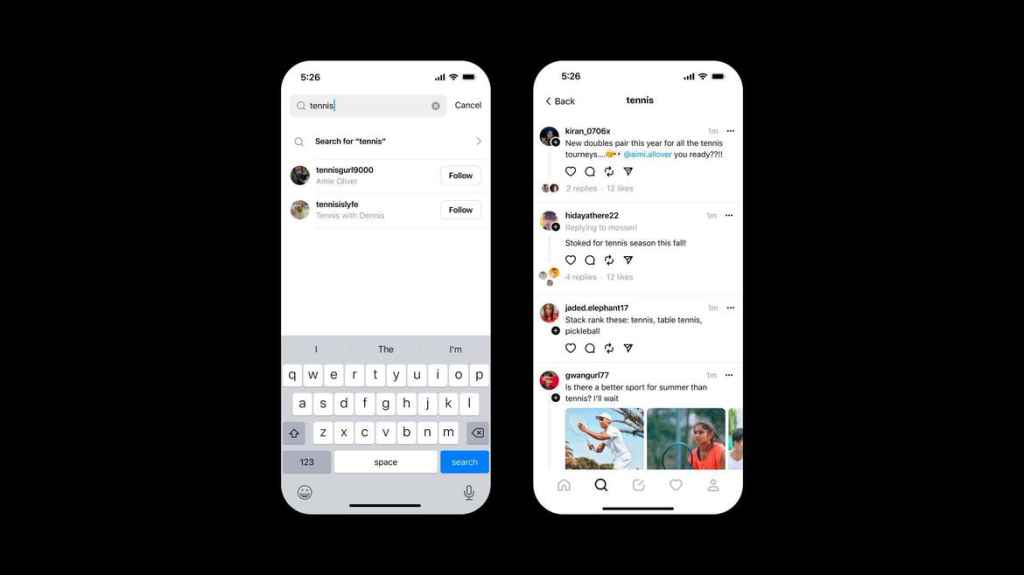
No more scrolling through the stack of old content; search prioritizes timely and relevant information.
Threads used to rely a lot on its analytic prowess to serve you the best content created by users around the world.
However, the tides have turned, and chronological order now reigns supreme, providing a refreshingly open look at the ebb and flow of social conversation.
Instagram’s Adam Mosseri announced that Threads has implemented a Recent tab for searches, allowing users to see the results in chronological order, just like their feeds that show the most recent posts first.
“In an effort to make it easier to find timely, relevant content on Threads, we’re introducing a Recent tab for your searches. Search results here are still evaluated for quality, but you can now see them in chronological order. As a reminder, your Following feed is also in chronological order, so you’ll always see the most recent posts first in that feed as well.”
A Paradigm Shift in Search
Meta Launches New Threads Search Feature with Chronological Order
This new innovation promises a much more radical improvement in the user experience with results now going to be shown in chronological order, and the freshest material getting pride of place.
The new “Recent” tab marks a radical break from its prior approach, which relied heavily on algorithmic curation to display the most interesting articles.
It ushers in a brand new era in transparency and user-driven discovery.
Embracing the Cutting Edge
Threads now prioritizes timely and relevant information over algorithmic curation.
Meta is toiling hard to catapult Threads to the forefront of the digital sphere.
Meta’s commitment to innovation is shown in features like the just-implemented “Topics” function, which elegantly organizes hot postings into topic groups.
With Threads already sporting a stunning 150 million daily active users, with its status already tagged as one of the world’s top applications, Meta is poised to unleash a slew of game-changing features that keep users enthralled and engaged in the ever-changing digital landscape.
FAQs
What is the new Search feature in Meta Threads?
Meta has introduced a “Recent” tab in Threads’ Search function, which displays search results in chronological order, prioritizing the freshest content.
How does the new Search feature improve user experience?
The “Recent” tab offers a more transparent and user-driven discovery experience, moving away from algorithmic curation to display timely and relevant information.
What additional features has Meta added to Threads?
Meta has implemented a “Topics” function that organizes trending posts into topic groups, enhancing the way users discover and engage with content.
How popular is Threads currently?
Threads has reached 150 million daily active users, making it one of the top applications worldwide, with continuous updates to keep users engaged.
What did Instagram’s founder say about the new Threads feature?
Adam Mosseri announced the “Recent” button, highlighting the shift towards chronological order in search results for a more radical and improved user experience.
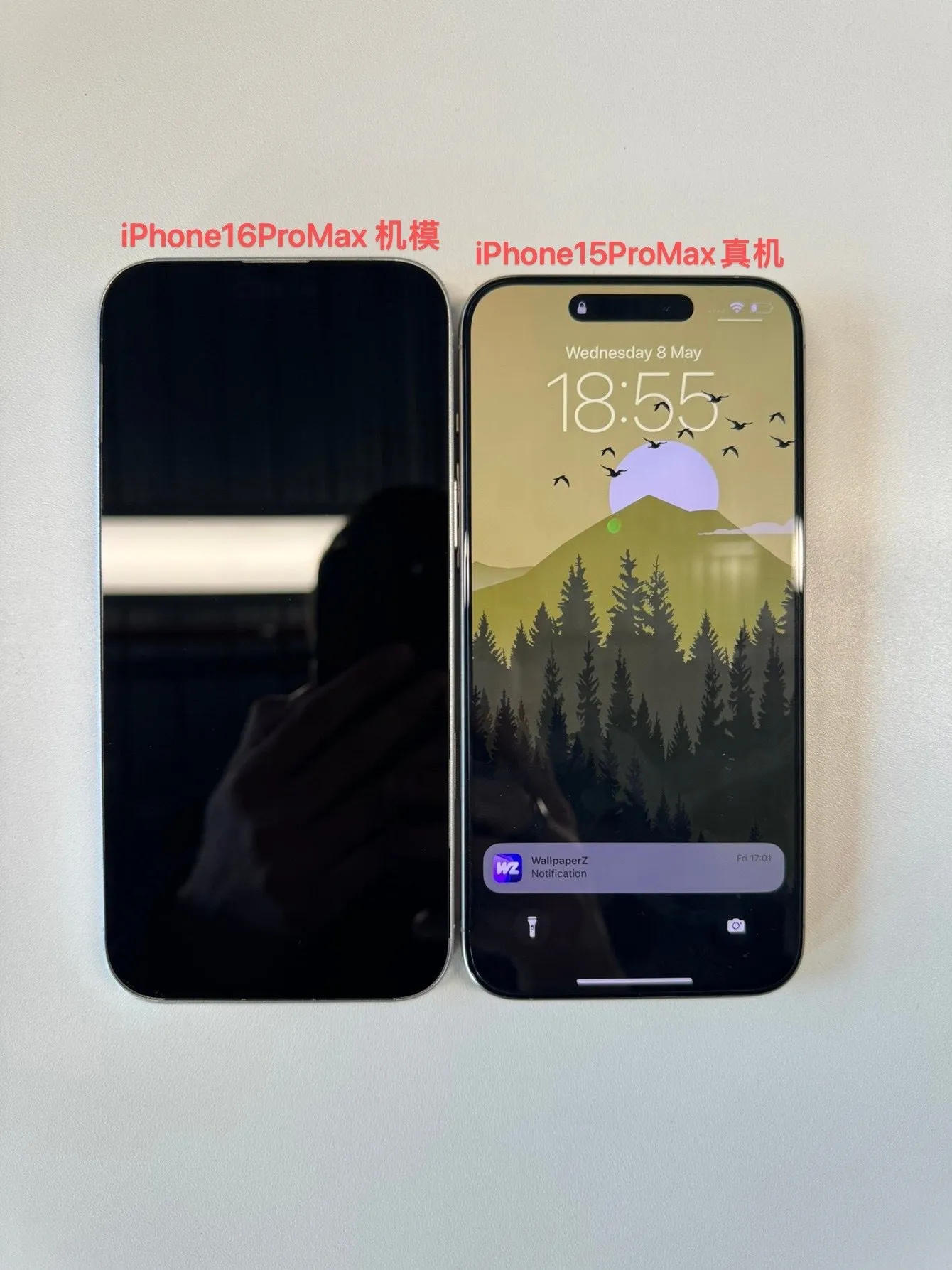
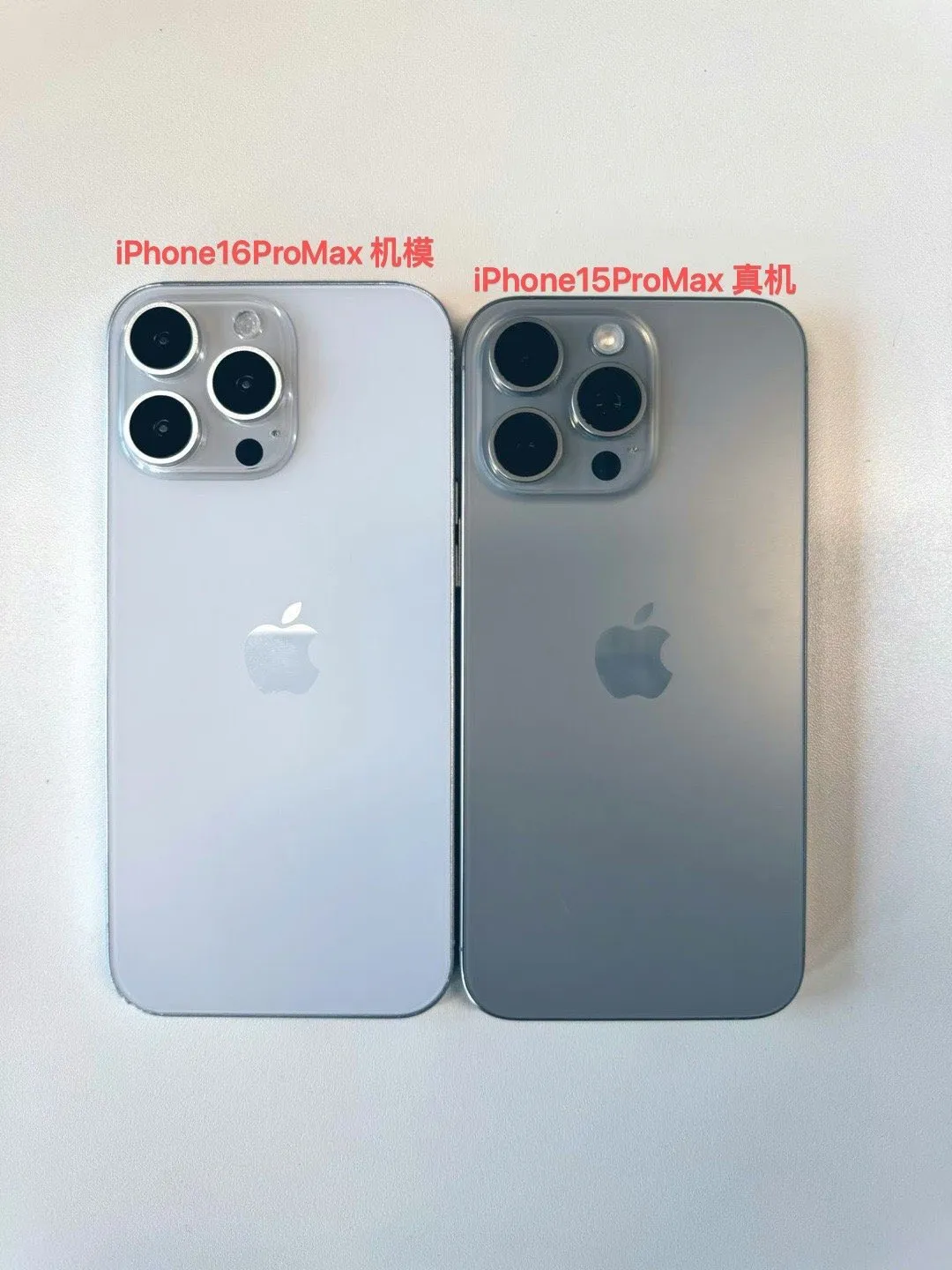
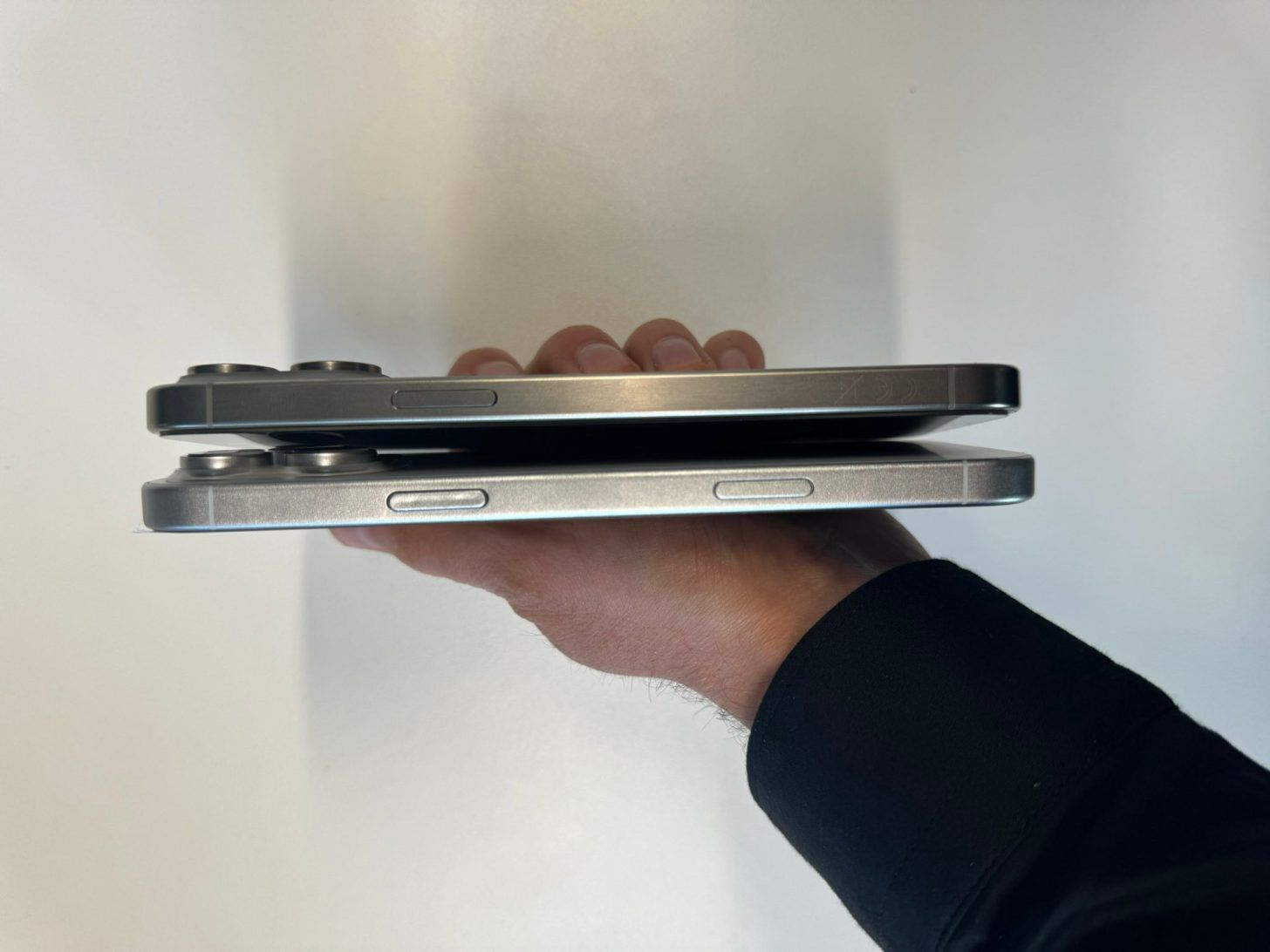
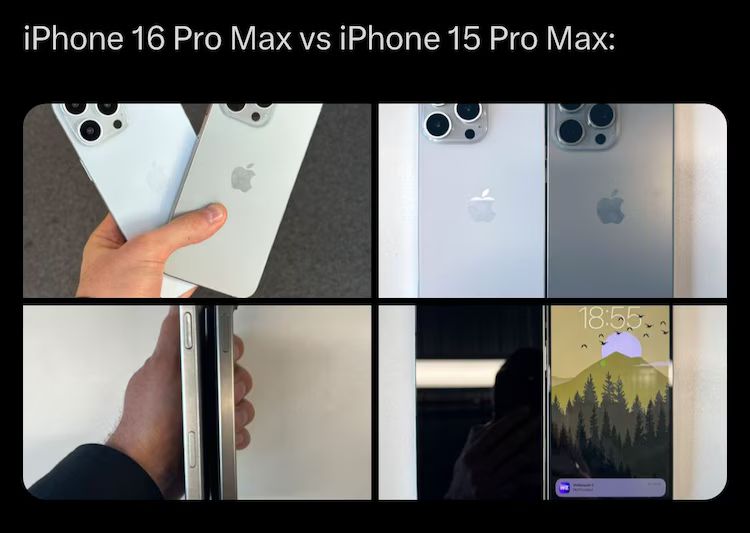
The iPhone 16 Pro Max will sport a 6.9-inch display, which means the screen is expected to be 0.2mm larger than its predecessor.
Leaked Images Suggest iPhone 16 Pro Max to Feature Larger 6.9-Inch Display
The images only show a little difference in the screen dimensions, the dummy unit doesn’t confirm the actual screen size or the display resolution etc .
What is the rumoured display size for the iPhone 16 Pro Max?
The iPhone 16 Pro Max is rumoured to feature a 6.9-inch display, which is 0.2mm larger than the iPhone 15 Pro Max.
What visual changes are expected in the iPhone 16 Pro Max compared to the iPhone 15 Pro Max?
Leaked images suggest the iPhone 16 Pro Max will be slightly larger in total size, with comparisons showing differences in displays, back panels, and sides.
What new camera features are rumoured for the iPhone 16 series?
The iPhone 16 series might include a vertically placed camera lens layout for capturing spatial video, and a 48MP ultra-wide camera in the Pro models.
What additional buttons might the iPhone 16 series feature?
Rumours indicate the inclusion of an “Action Button” and a pressure-sensitive “Capture Button” to enhance photo and video recording capabilities.
What upgrades are expected in the iPhone 16’s CPU?
Apple is expected to introduce new A-series CPUs built on the advanced N3E 3-nanometer manufacturing node, with higher-end chips likely for the Pro models.
While Apple’s ad was very criticized for its depiction of the symbolic crushing of creative tools, Samsung’s response is much more light-hearted.
“Our goal is to always celebrate the myriad of ways users express themselves and bring their ideas to life through iPad,” Apple’s marketing VP, Tor Myhren, said in response to the backlash, adding that, “We missed the mark with this video, and we’re sorry.”
In a statement to Ad Age, Tor Myhren, Apple’s VP of marketing communications said, “Creativity is in our DNA at Apple, and it’s incredibly important to us to design products that empower creatives all over the world.
Embracing the Creative Spirit
Meet the new iPad Pro: the thinnest product we’ve ever created, the most advanced display we’ve ever produced, with the incredible power of the M4 chip. Just imagine all the things it’ll be used to create. pic.twitter.com/6PeGXNoKgG
As opposed to Apple’s depiction of artistic tools getting smashed, “UnCrush” depicts a girl finding inspiration amidst the symbolic destruction’s shards.
With her Galaxy Tab S9, upgraded by Galaxy AI, she makes effortless music on a guitar, insinuating that Samsung respects and nurtures the creative community.
Playful Jab at the Rival’s Misstep
We would never crush creativity. #UnCrush pic.twitter.com/qvlUqbRlnE
— Samsung Mobile US (@SamsungMobileUS) May 15, 2024
Apple’s approach was lambasted by both leaders of the tech industry and celebrities, as personalities like Paul Graham and Hugh Grant expressed disappointment at the perceived disrespect against the human experience.
The Samsung “UnCrush” commercial effectively positions itself as the champion of innovation—elegantly mocking Apple’s mistake while telling a more inclusive and inspirational story.
Samsung Mocks Apple with “UnCrush” Ad Campaign for Galaxy Tab S9
Samsung’s new campaign is semi-formal but engaging, showing the brand’s willingness to engage in playful banter with its competitors.
Not like this is the first time Samsung has mocked Apple.
The company made fun of Apple for removing the headphone jack, for not offering expandable storage options, and, more.
Guess who’s copied Apple now.
FAQs
What is Samsung’s “UnCrush” ad campaign about?
Samsung’s “UnCrush” ad is a humorous response to Apple’s “Crush” ad, promoting creativity and innovation using the Galaxy Tab S9.
How does Samsung’s ad differ from Apple’s “Crush” ad?
While Apple’s ad depicted the symbolic destruction of creative tools, Samsung’s ad shows a girl finding inspiration and making music with a Galaxy Tab S9.
What message does Samsung convey with the “UnCrush” ad?
Samsung’s ad promotes the idea that technology should nurture and respect the creative community, contrasting with Apple’s more polarizing message.
Why did Samsung launch the “UnCrush” ad campaign?
Samsung took advantage of the backlash against Apple’s “Crush” ad to position itself as a champion of creativity and innovation.
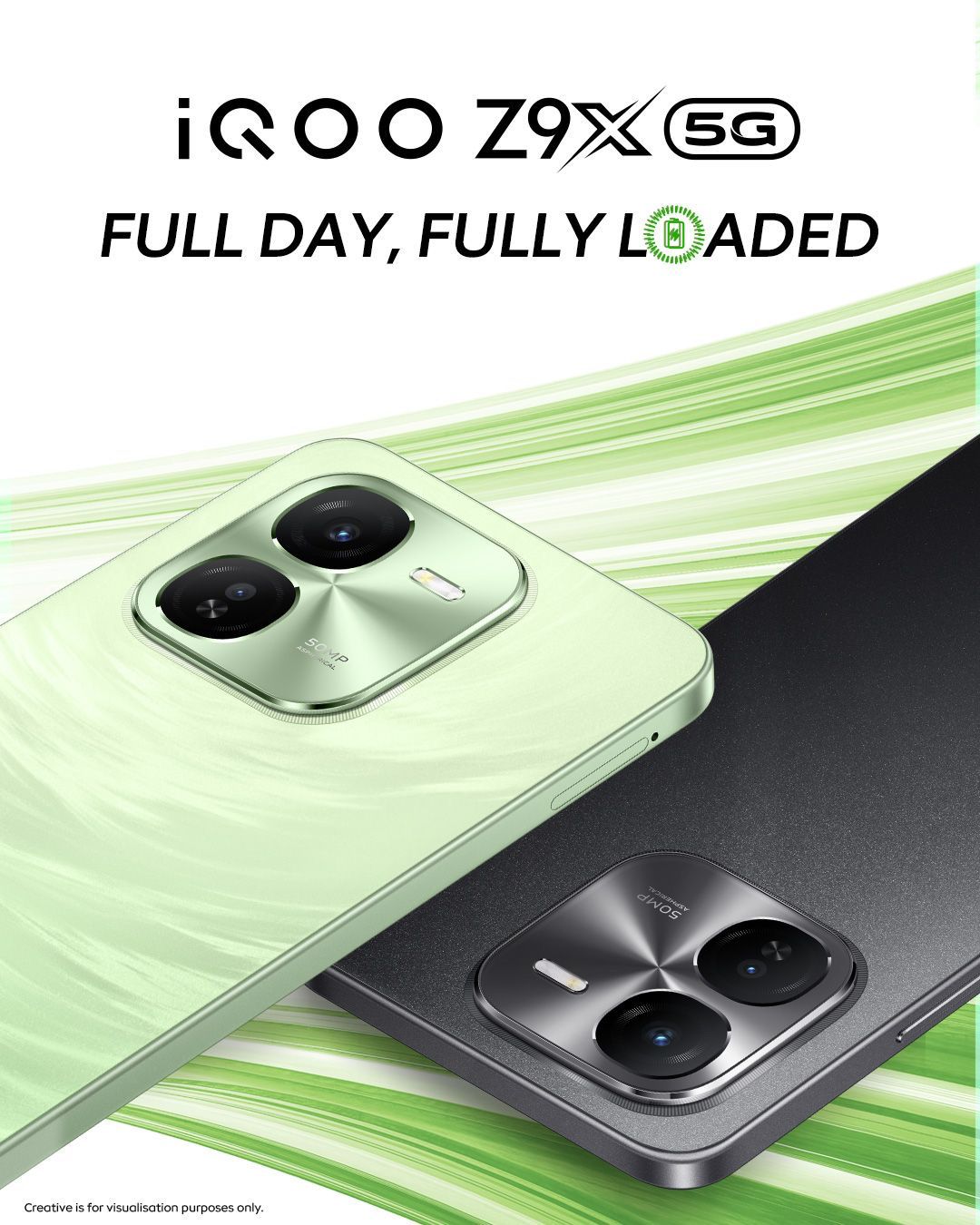
In iQOO’s words, this device aims to offer users a robust experience with a focus on performance and battery life.
It is one of the cheapest iQOO phones you can get your hands on at the moment, so let’s see what exactly are getting for your money.
iQOO Z9x: Pricing and Availability
iQOO Z9x: Pricing and Availability
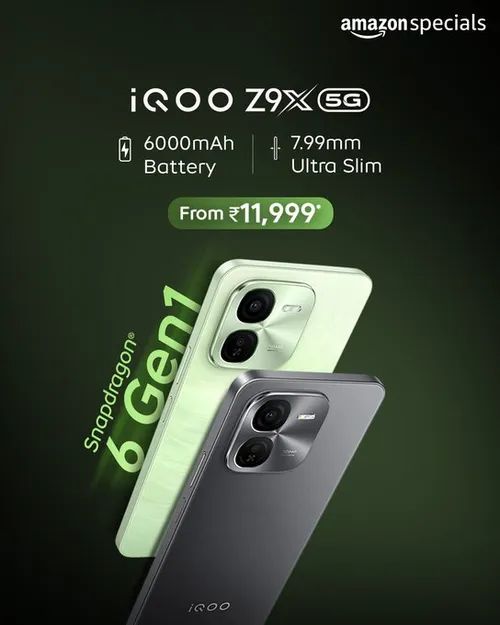
4GB+128GB: Rs 12,999 (Effective Price: Rs 11,999)
6GB+128GB: Rs 14,499 (Effective Price: Rs 12,999)
8GB+128GB: Rs 15,999 (Effective Price: Rs 14,499)
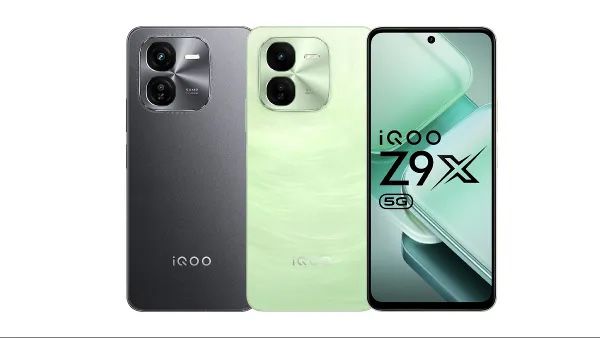
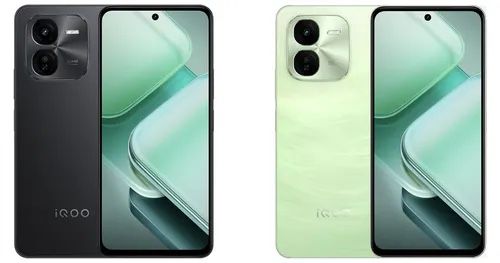
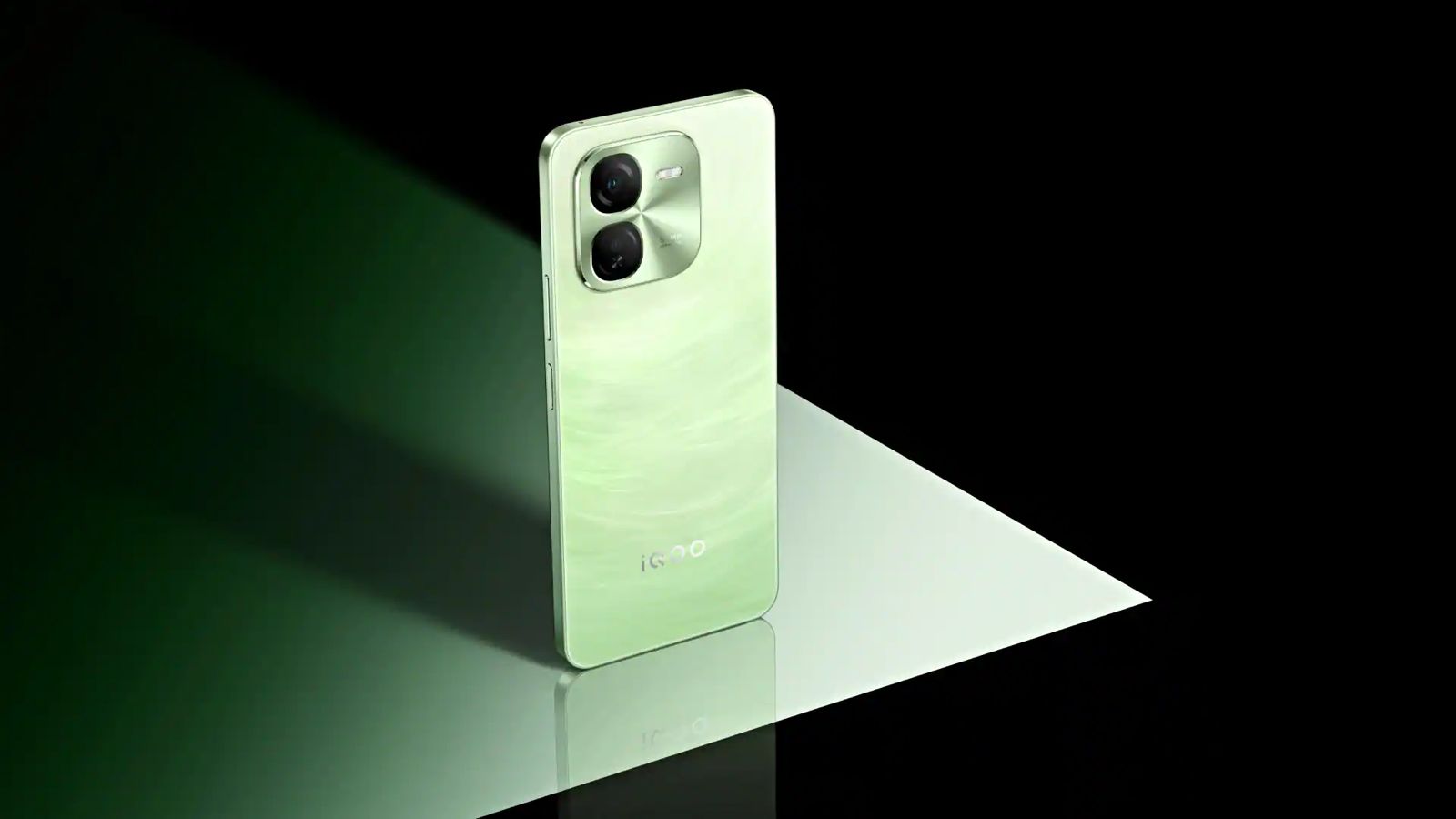
Available on the iQOO e-store and Amazon.in in Tornado Green and Storm Grey colour options.
Priced from Rs 11,999 for the 4GB+128GB variant
Nipun Marya, Chief Executive Officer of iQOO, stated “As we mark our 4th anniversary, our commitment to innovation remains steadfast. At iQOO, we continuously strive to reimagine possibilities, driven by insights from consumer feedback, industry trends, and our ethos of constant innovation. The iQOO Z9x, with its sleek 7.99mm design, boasts a powerful 6000mAh battery that caters perfectly to the needs of our dynamic GenZ users. Designed for those who are always on the go, it offers a Full Day, Fully Loaded experience, merging style and performance seamlessly. It’s a testament to our ongoing efforts to deliver innovative solutions that resonate with the lifestyle of today’s youth,”.
Key Specifications
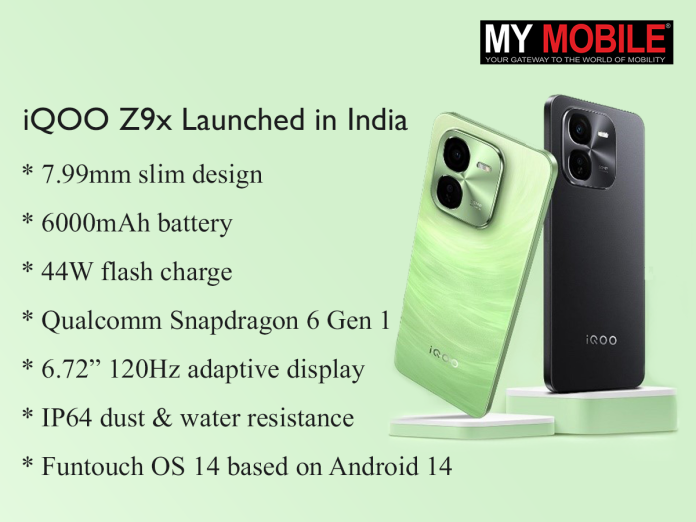
iQOO Z9x Launched in India
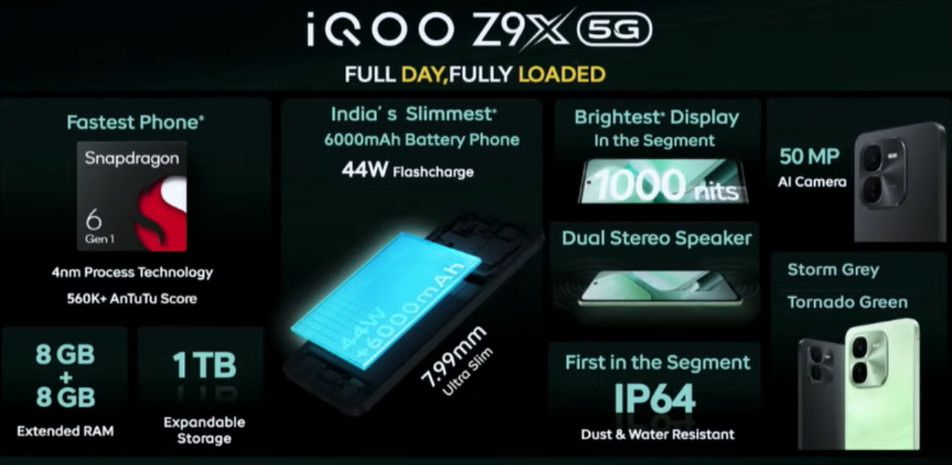
7.99mm slim design
6000mAh battery
44W flash charge
Qualcomm Snapdragon 6 Gen 1 Mobile Platform
6.72″ 120Hz adaptive display
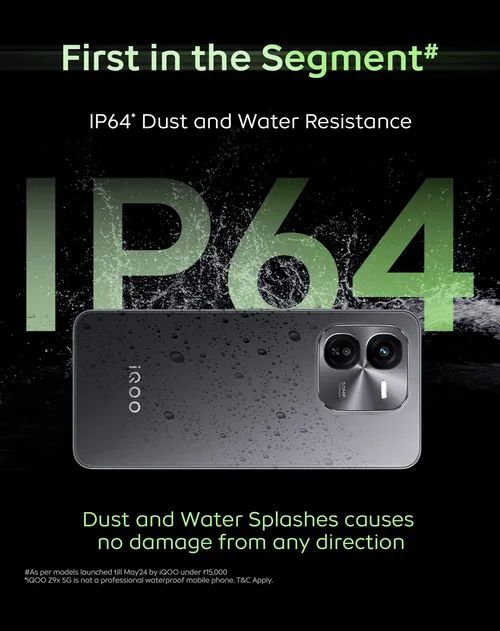
IP64 dust and water resistance
Funtouch OS 14 based on Android 14
iQOO Z9x: Features
Powered by Snapdragon 6 Gen 1 with 120Hz adaptive display
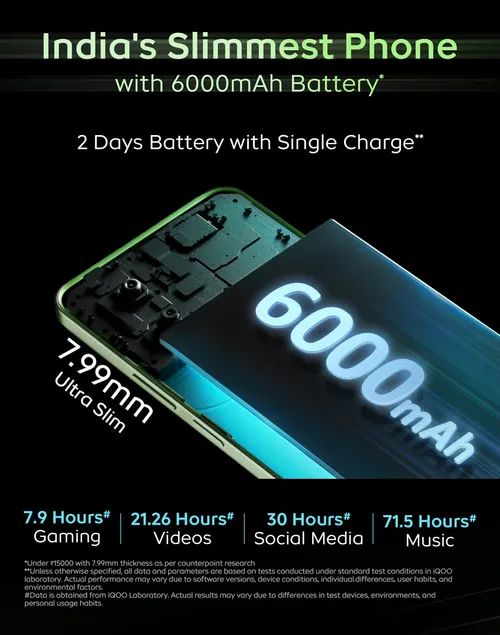
The iQOO Z9x includes a 6000mAh battery designed for long-lasting use, capable of lasting up to two days on a single charge.
iQOO Z9x features a 6000mAh battery and 44W FlashCharge
It also supports 44W FlashCharge, which charges the device up to 50% in 37 minutes.
The battery-saver mode and charging algorithm enhance efficiency and longevity.
Available in Tornado Green and Storm Grey on Amazon.in and iQOO e-store
Powered by Snapdragon 6 Gen 1 and equipped with India’s Slimmest 6000mAh battery
Ranjit Babu, Director of Wireless and Home Entertainment at Amazon India, said, “Celebrating our long-standing engagement with iQOO, we are thrilled to launch the slimmest iQOO device ever*! Display, ergonomics and battery play a critical role when selecting a smartphone for customers, and we are happy to see that the iQOO Z9x ticks all the boxes. As a customer-obsessed brand, Amazon. is deeply committed to offering our valuable customers cutting-edge technology and will continue to provide a wide selection of products from top brands across price points. We congratulate the entire team at iQOO for today’s launch and for completing four years in India.”
iQOO Z9x Specifications
iQOO Z9x Specifications
6.72-inch (2408×1080 pixels) Full HD+ screen with 120Hz refresh rate, up to 1000 nits peak brightness
Octa Core (4x A78 at 2.2GHz+4x A55 at 1.8GHz Kryo CPUs) Snapdragon 6 Gen 1 4nm Mobile Platform with Adreno 710 GPU
4GB / 6GB / 8GB LPDDR4x RAM, 128GB (UFS 2.2) storage, expandable memory up to 1TB
Hybrid Dual SIM (nano + nano / microSD)
Android 14 with FuntouchOS 14
50MP rear camera with f/1.8 aperture, 2MP depth sensor with f/2.4 aperture, LED flash, 4K video recording (8GB RAM version only)
8MP front-facing camera with f/2.05 aperture
Side-mounted fingerprint sensor
Dimensions: 165.7×76×7.99mm; Weight: 199g
3.5mm audio jack, Stereo speakers
Dust and water resistant (IP64)
5G, Dual 4G VoLTE, Wi-Fi 6 802.11 ax (2.4GHz + 5GHz), Bluetooth 5.1, GPS/ GLONASS/ Beidou, USB Type-C
The iQOO Z9x includes a 6000mAh battery, Snapdragon 6 Gen 1 processor, 120Hz adaptive display, and runs on Funtouch OS 14 based on Android 14.
What is the price of the iQOO Z9x in India?
The iQOO Z9x is priced at Rs 12,999 for the 4GB+128GB variant, Rs 14,499 for the 6GB+128GB variant, and Rs 15,999 for the 8GB+128GB variant, with effective prices lower due to discounts.
Where can I purchase the iQOO Z9x?
The iQOO Z9x is available on the iQOO e-store and Amazon.in in two color options: Tornado Green and Storm Grey.
What features does the iQOO Z9x offer for gaming?
The iQOO Z9x is equipped with Ultra Game Mode, motion control options, and 4D Game Vibration, providing an immersive gaming experience.
How is the battery life of IQoo Z9x?
Full Day Fully Loaded Battery
The iQOO Z9x stands out as one of the slimmest smartphones in its segment, featuring a 6000mAh ultra-thin Graphite Battery. With this powerhouse, one can enjoy two days of battery on a single charge.
It is complemented by 44W FlashCharge that juices up the device upto 50% in just 37 mins.
Whether you’re streaming videos, gaming, or scrolling social media, the iQOO Z9x has got you covered- A quick 30-minute charge will provide you with 10 hours of binge-watching.
Additionally, with the Ultra Battery saver mode and Anti-Aging Charging Algorithm, you can maximise battery efficiency and longevity, giving you peace of mind throughout your day.
How is the performance of IQoo Z9x?
Fully Loaded Performance
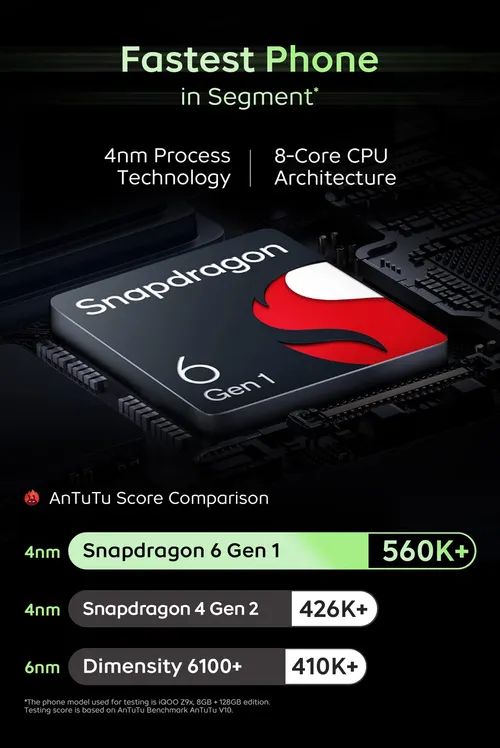
The iQOO Z9x is powered with the Snapdragon® 6 Gen 1 5G Mobile Platform, which is the first in the segment on Amazon with a 2.2GHz Clock speed that resulted into an impressive AnTuTu score of 560K+.
Built on flagship-grade 4nm process technology, the Snapdragon 6 Gen 1 gives remarkable efficiency with minimal power consumption, ensuring seamless multitasking and a smooth OTT streaming experience.
The 8 GB RAM, coupled with an additional 8 GB Extended RAM (up to 1TB expandable storage), empowers users to run over 27+ apps simultaneously in the background.
iQOO Z9x has passed 50 months of smooth experience testing in the iQOO laboratory, ensuring users can enjoy a seamless and lag-free experience for 50 months.
Moreover, the iQOO Z9x showcases a 6.72″ Ultra Bright display with TUV certification for low blue light emission and a global peak brightness of 1000 nits, ensuring clear visibility under various lighting conditions.
The display further enhances your viewing experience with its 120Hz Refresh Rate and 7-level adaptive refresh rate, optimising power consumption while maintaining visual fluidity.
It features a 3.5mm audio jack and Dual Stereo Speakers, delivering clear and realistic sound effects that captivate your senses with a maximum of 300% volume, offering a higher volume while significantly reducing distortion.
Crafted for seamless gaming experiences, it incorporates Ultra Game Mode for uninterrupted gameplay and motion Control with six motion control options and corresponding illustrations.
Elevating immersion further, the 4D Game Vibration enriches gameplay in supported titles like BGMI, Call Of Duty, and Genshin Impact.
What are the camera features of IQoo Z9x?
Fully Loaded Camera with Elegant Design
Equipped with a 50MP AI rear camera system, the iQOO Z9x empowers users to flex their photography skills with its impressive camera prowess, ensuring stunning day and night captures.
The 50 MP AI ultra HD camera gives you the freedom to capture smoothly and clearly. The AI support additionally brings the perfect lighting and colours to make every moment worth capturing.
Additionally, the smartphone camera setup is paired with a 2MP Bokeh Camera, allowing users to reinvent the consumer’s overall photography experience. iQOO Z9x offers 4K @30fps video recording capabilities (only available with the 8 GB variant), ensuring ultra-high quality and clarity.
Additionally, it excels in low-light conditions, delivering clear and noise-controlled night shots with accurate details and vibrant colours, enabling you to capture stunning nighttime scenes effortlessly.
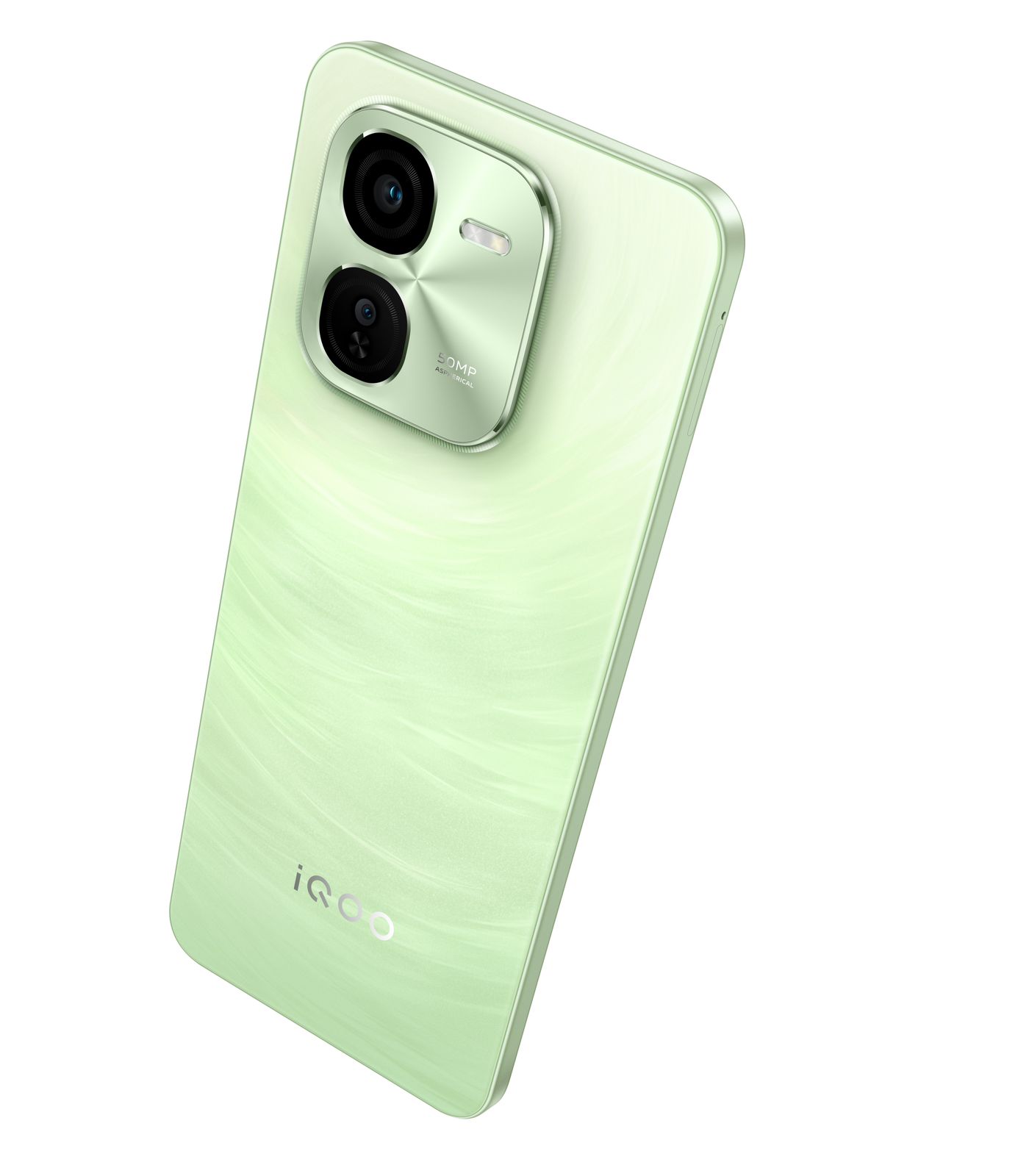
Featuring a striking rear camera module and the latest premium design from the iQOO family, this phone effortlessly complements both light and shadow, and its stylishly streamlined flat frame ensures easy portability and comfortable handling.
What are the best features of IQoo Z9x design ?
Enhanced with a sunburst texture on the back and a sleek profile measuring just 7.99 mm thick, it offers a perfect balance of elegance and comfort.
Notably, it stands out as the only device in its segment on Amazon, featuring the best in the segment IP64 dust and water resistance rating, ensuring complete protection against dust ingress and water splashes from any direction.
Experience seamless multitasking and enhanced privacy features with Funtouch OS 14 on the iQOO Z9x.
With the App Retainer feature, your background apps will quickly restore to their previous state, ensuring uninterrupted usage.
Additionally, enjoy effortless multitasking with split-screen and small window overlaying, allowing you to handle multiple tasks like a pro.
What is IQoo Make in India initiative for IQoo Z9x ?
Continuing iQOO’s commitment to ‘Make in India- iQOO Z9x will be manufactured at vivo’s Greater Noida facility.
To offer a hassle-free after-sales service experience to its valued customers, iQOO customers can now visit any of the 670+ company-owned service centres across the country.
iQOO Launches Full Day Fully Loaded iQOO Z9x with Snapdragon 6 Gen 1 and 6000mAh Ultra-Slim Battery. Details ?
iQOO, has launched the latest addition to the Fully Loaded Z series – iQOO Z9x today in India. The smartphone is set to redefine excellence in its category, offering users an unparalleled experience that combines power, style, and innovation.
The slimmest smartphone (7.99mm) in the segment* – iQOO Z9x comes with a massive 6000mAh battery and is your ideal companion for daily entertainment and adventure, lasting two days straight on a single charge.
It is complemented by the 44W flash charge, which can juice up your device by up to 50% in just 37 minutes.
At the heart of this powerhouse is the Qualcomm Snapdragon® 6 Gen 1 Mobile Platform with the latest 4nm process technology that offers unmatched performance with an AnTuTu benchmark score of over 560K+. With this, iQOO Z9x stands out as one of the fastest phones in the segment.
It boasts a 6.72″ Ultra Bright 120Hz adaptive display with dual stereo speakers that delivers an immersive audio-visual experience.
The smartphone stands as the only device in its segment on Amazon, featuring best in the segment IP64 dust and water resistance rating.
It features the all-new Funtouch OS 14 based on Android 14, out of the box. Further, iQOO Z9x also offers 2+3 years of Android and security updates.
What is the price & availability of IQoo Z9x?
Priced at INR 12,999 (Effective Price – INR 11,999) for 4GB+128GB, INR 14,499 (Effective Price – INR 12,999) for 6GB+128GB and INR 15,999 (Effective Price- INR 14,499) for 8GB+128GB.
iQOO Z9x boasts up to 16GB of extended RAM (combining 8GB of RAM with an additional 8GB of extended RAM along with support for up to 1TB of expandable storage.
iQOO Z9x will be available on the iQOO e-store and Amazon.in in two color variants representing Dynamic Energy: Tornado Green and Storm Grey.
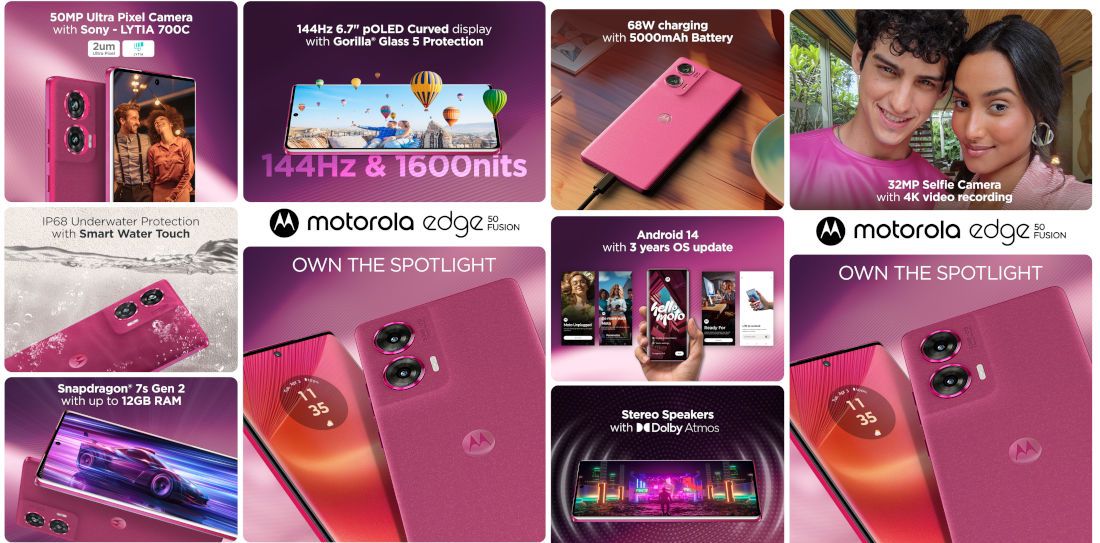
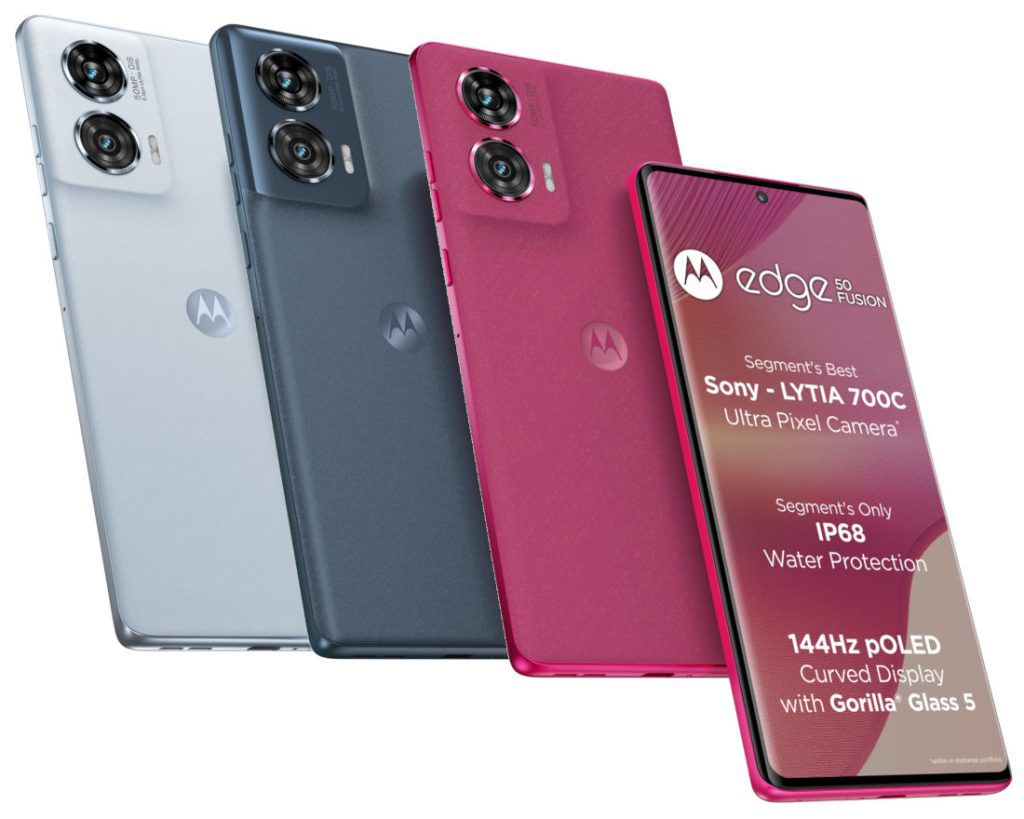
•The motorola edge 50 Fusion boasts a 50MP camera with most advanced Sony LYTIA™ LYT-700C sensor in the segment, all pixel instant focus technology, Optical image stabilization, 4K video recording and more.
•The motorola edge 50 Fusion flaunts the segment’s only IP68 rated water repellent design along with Smart Water touch for seamless running display.
•Additionally, the motorola edge 50 Fusion features the Segment’s best 144Hz 10-bit pOLED curved display with 1600nits peak brightness and segment’s only Corning® Gorilla® Glass 5 Protection.
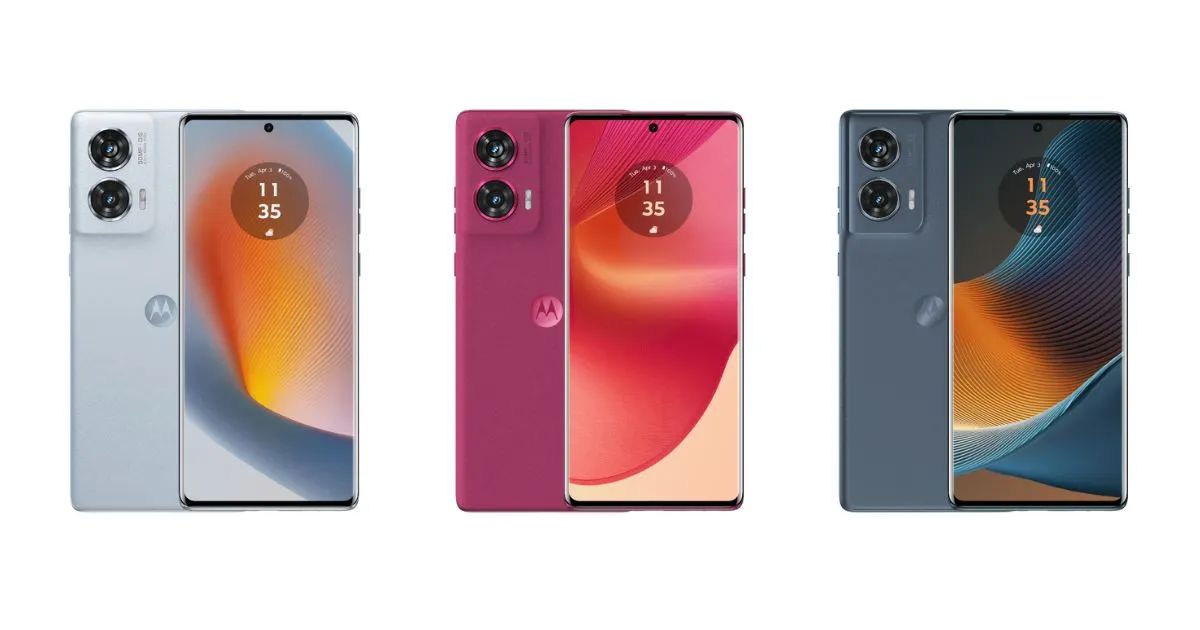
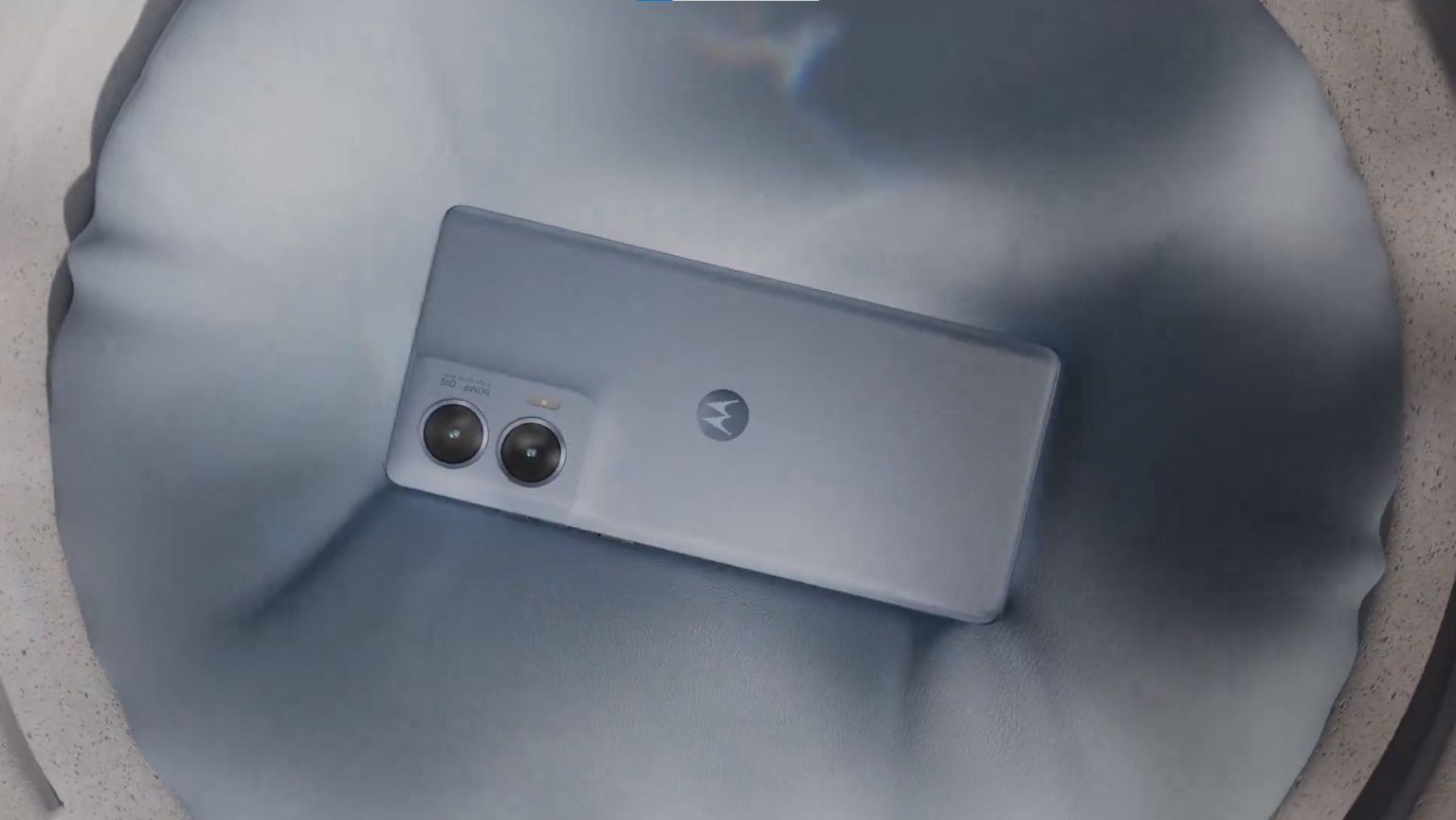
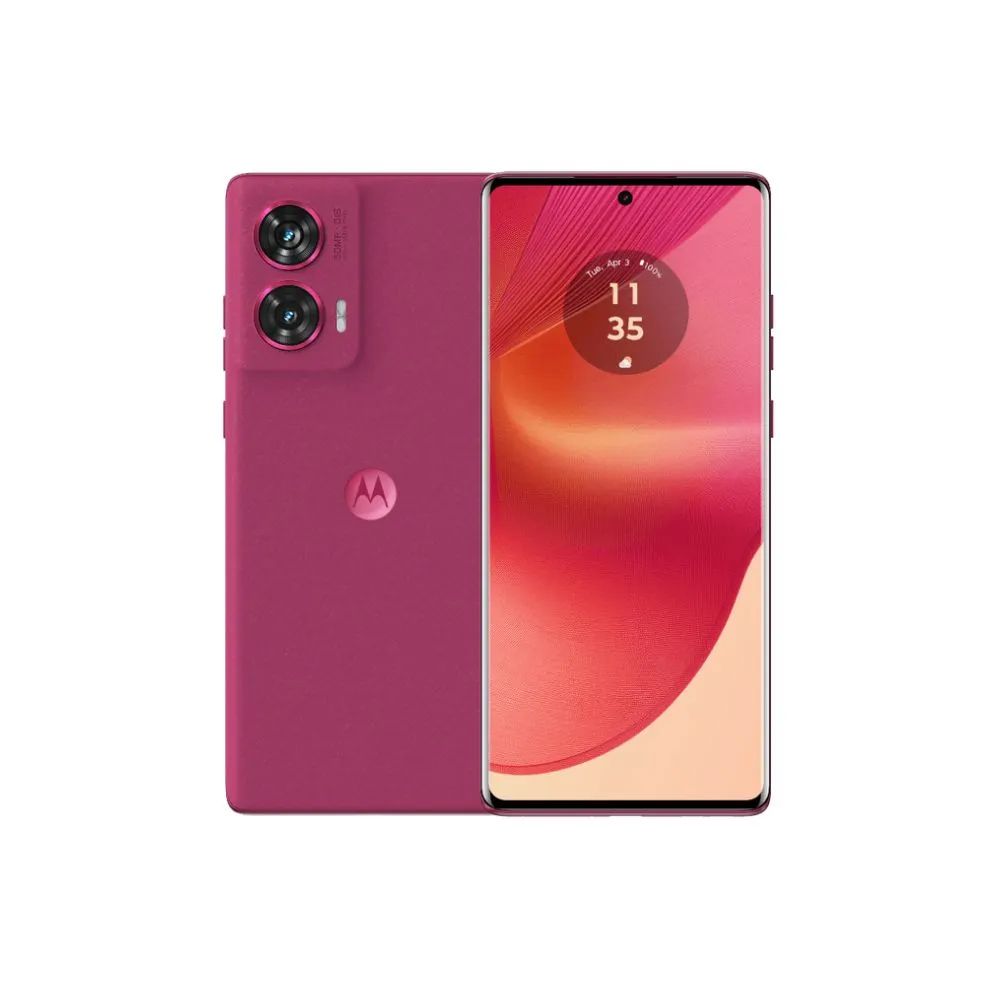
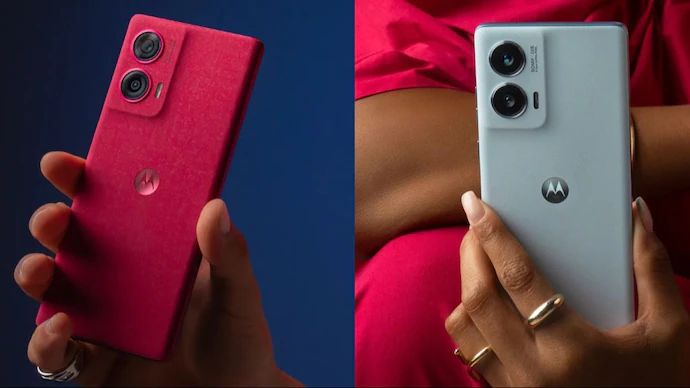
•The smartphone is offered in 3 trending Pantone Curated Colours with 3 different finishes, namely Marshmallow Blue vegan leather finish for a soft and tactile feel, Hot Pink vegan suede finish with an added touch of luxury and Forest Blue color in a sophisticated PMMA (Acrylic Glass) finish.
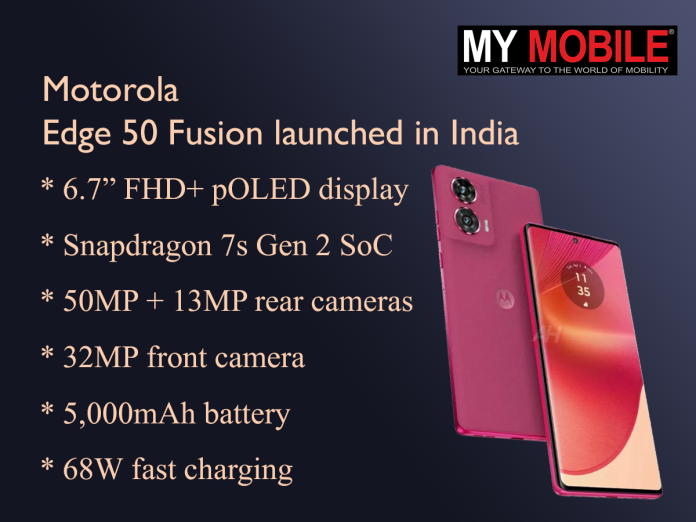
•The device comes equipped with Snapdragon® 7s Gen 2 processor (4nm chipset delivering AnTuTu scores up to 630K) with up to 12GB RAM and 256GB Storage, offering accelerated performance.
•The motorola edge 50 Fusion also comes equipped with a massive 5000mAH battery and a 68W TurboPower™ charger.
•The smartphone also features Hello UI based on latest Android 14 with assured 3 OS upgrades and 4 years of security updates in an eco-friendly packaging and with climate friendly colorful Phone Cases in the box.
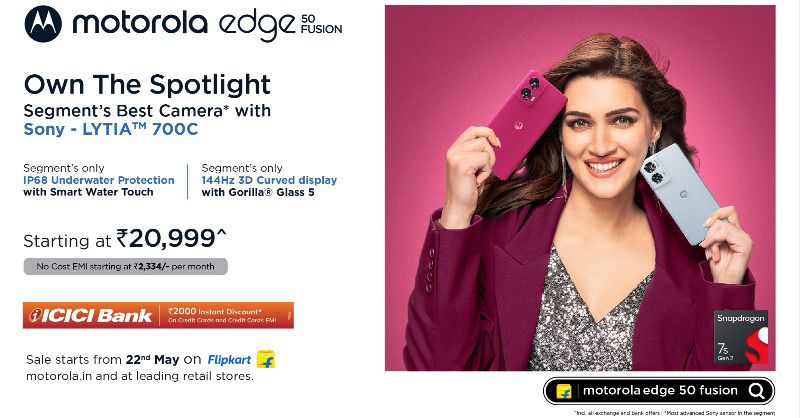
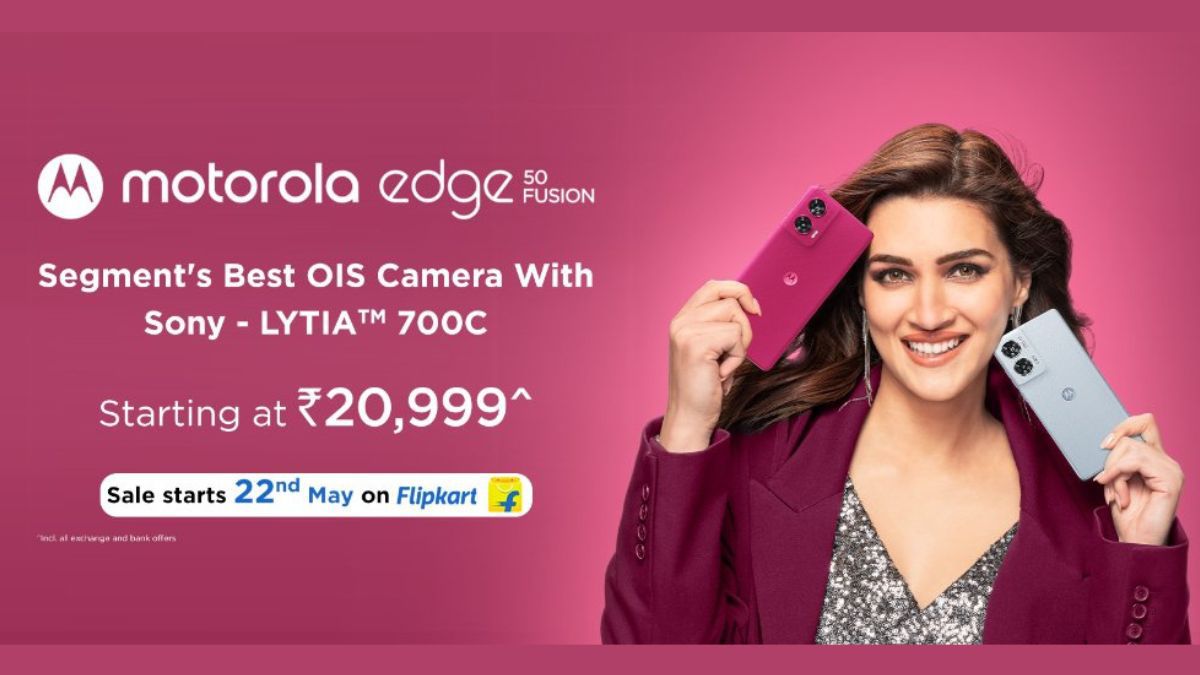
•motorola edge 50 Fusion will go on sale at an effective price starting at just Rs 20,999* for 8GB variant and Rs 22,999* for the 12GB variant on Flipkart, Motorola.in and leading retail stores across India, starting 12PM, 22nd May 2024.
Additionally, the motorola edge 50 Fusion also boasts the Snapdragon® 7s Gen 2 processor, up to 12GB in-built RAM and 256GB Storage, a 68W blazing fast charger for its massive 5000mAH battery and assured 3 OS upgrades along with 4 years of security updates.
Additionally, pushing the boundaries of sustainable packaging and product design, the smartphone comes in an eco-friendly packaging, which is plastic-free and uses recycled and recyclable materials.
The motorola edge 50 Fusion boasts a 50MP camera with most advanced Sony LYTIA™ LYT-700C sensor in the segment
The motorola edge 50 Fusion is equipped with a 50MP 2.0µm Ultra Pixel Main OIS Camera with segment’s most advanced Sony LYTIA™ LYT-700C sensor for ultrafast performance in darker environments.
The 50MP camera delivers outstanding nighttime photos owing to its 2.0µm Ultra Pixel technology which captures more light and gives 4x better light sensitivity owing to its 1.5x large pixels.
The secondary camera is a 13MP ultra wide-angle camera that has 120° POV for wider ultrawide shots and fits 4x more of the scene in the frame.
motorola edge 50 Fusion features the Segment’s best 144Hz 10-bit pOLED curved display
The secondary camera also features Macro Vision which is integrated to bring the user 4X closer to the subject than a standard lens.
Both rear cameras support 4K video recording as well.
motorola edge 50 Fusion Features
Additionally, the edge 50 Fusion features a 32MP selfie camera with Quad Pixel technology which supports 4K video recording, the segment’s only selfie camera to do so.
Quad Pixel technology combines every four pixels into one for 4x better low-light sensitivity and brilliant results no matter the lighting conditions.
The device comes equipped with Snapdragon® 7s Gen 2 processor
The symmetrical curved inlay makes it comfortable to hold, aligning perfectly with the natural contours of the user’s hands.
Being one of the lightest smartphones in the segment, the ultra-thin motorola edge 50 Fusion weighs a mere 175g and is just 7.9mm thick.
The device comes in 3 trending Pantone Curated Colours with 3 different finishes, which are as follows: Marshmallow Blue vegan leather finish for a soft and tactile feel, Hot Pink vegan suede finish with an added touch of luxury and Forest Blue color in a sophisticated PMMA (Acrylic Glass) finish.
The motorola edge 50 Fusion’s 6.67″ pOLED display with infinite contrast and cinematic color makes watching videos and playing games a delightful experience.
Additionally, the lightning-fast 144Hz refresh rate makes switching between apps, playing games, and scrolling websites feel smooth and seamless.
The motorola edge 50 Fusion flaunts the segment’s only IP68 rated water repellent design
This processor provides accelerated performance, faster GPU/CPU speed, and faster 5G with support of higher resolution videos with unbelievable battery efficiency.
The motorola edge 50 Fusion comes with up to 12GB RAM + 256GB storage, providing tons of room for photos, movies, songs, apps, and games.
It also supports up to 15 5G bands and WiFi 6.
The motorola edge 50 Fusion equips a massive 5000mAH battery and a 68W TurboPower™ charger which gives users ample power for a day’s usage in just 15 minutes of charge.
•The motorola edge 50 Fusion also comes equipped with a massive 5000mAH battery
It also keeps the device running for up to 30 hours.
Staying at par with the display, the stereo speakers on the motorola edge 50 Fusion come with Dolby Atmos® with Hi-res audio, which gives an immersive, multidimensional audio experience.
Speaking on the launch, Mr. T.M. Narasimhan, Managing Director, Motorola India said “We are thrilled to introduce the motorola edge 50 Fusion, representing a significant milestone in our commitment to delivering cutting-edge technology and innovative solutions to our valued customers. Our focus towards delivering meaningful innovation reflects in the exceptional camera and groundbreaking design of the edge 50 Fusion as it sets a new standard for excellence in the smartphone industry. We are confident that the edge 50 Fusion will exceed expectations and leave a lasting impression on consumers as we continue to shape the future of mobile technology.”
The smartphone also features Hello UI based on latest Android 14 with assured 3 OS upgrades and 4 years of security updates
These software experiences include Moto Connect which allows users to use apps on a desktop display, giving them more space to work and play.
Ready For enables users to access their phone apps and PC files all on the same screen for more ease.
Moto Secure with ThinkShield® enhances protection at every level from the factory to the phone.
Availability:
motorola edge 50 Fusion will go on sale at an effective price starting at just Rs 20,999
The motorola edge 50 fusion is available in three stunning PantoneTM colour variants, Marshmallow Blue vegan leather finish, Hot Pink in vegan suede finish and Forest Blue in PMMA (acrylic glass) finish.
smartphone will go on sale from 22nd May 2024, 12PM on Flipkart
For 8GB+128GB variant, Launch Price: INR 22,999 Effective Price with offers: INR 22,999 INR 20,999* For 12GB+256GB variant, Launch Price: INR 24,999 Effective Price with offers: INR 24,999 INR 22,999*
Smartphone
Configuration
Price
Edge 50 Fusion
8GB + 128GB
Rs 22,999
12GB + 256GB
Rs 24,999
*T&C Apply. Limited period offer. Affordability Offers~:
1. Rs. 2000 Instant Bank discount on ICICI Bank Credit Cards and Credit Card EMI transactions
OR 2. Rs 2000 Exchange bonus on exchange of any old phone (on Flipkart only) 3. Additional No Cost EMI offer upto 9 Months starting at 2,334/ per month on ICICI Bank cards Operator Offers:
Total Benefits worth Rs.10,000 from Reliance Jio.
Jio Cashback up to Rs 2000 + Additional Offers up to Rs 8000. T&C apply
* Cashback – Valid on Prepaid recharges of Rs. 399 (Rs.50 * 40 vouchers) * Additional Partner offers: * Swiggy: Discount of Rs. 125 off on Rs. 299 on Food Orders * Ajio: Flat Rs 200 off on min transaction of Rs 999 * Easemytip: Upto Rs.1500 off on Flights * EaseMyTrip: Upto Rs.4000 off on Hotels * AbhiBus: 25% off up to Rs.1000 on Bus Bookings
Motorola Edge 50 Fusion is priced at Rs 22,999 for the base model with 8GB RAM and 128GB storage. It also comes with 12GB RAM and 256GB storage, and this variant is priced at Rs 24,999.
What is Motorola Edge 50 Fusion sale details?
The smartphone will be available via Flipkart, Motorola.in and other retail channels on May 22nd at 12 PM.
Motorola Edge 50 Fusion comes in three colour options: Forest Blue, Marshmallow Blue and Hot Pink.
What are motorola edge 50 fusion specifications ?
6.7-inch (2400×1080 pixels) FHD+ 10-bit OLED Endless Edge Display, HDR10+, 144Hz refresh rate (120Hz in Latin America), 360Hz touch sampling rate, Corning Gorilla Glass 5 protection, up to 1600 nits peak brightness
Up to 2.4GHz Octa Core Snapdragon 7s Gen 2 4nm Mobile Platform with Adreno 710 GPU
50MP rear camera with Sony LYT-700C sensor with f/1.88 aperture, OIS, 13MP ultra-wide camera, macro option, f/2.2 aperture
32MP front camera with f/2.45 aperture
USB Type-C Audio, Stereo speakers, Dolby Atmos
Dimensions: 161.9 x 73.1 x 7.9mm; Weight: 174.9g
In-display fingerprint sensor
Dust and Splash resistant (IP68)
5G SA/NSA (n1/n3/n5/n7/n8/n20/n28/n38/n40/n41/n77/n78), Dual 4G VoLTE, Wi-Fi 6 802.11ax (2.4GHz/5GHz), Bluetooth 5.2, GPS, USB Type-C, NFC 5000mAh battery with 68W fast charging
What are Motorola Edge 50 Fusion Features ?
The Edge 50 Fusion features a 10-bit 3D curved pOLED display with SGS Low Blue Light certification and Corning Gorilla Glass 5 protection. It features an IP68 rating which makes it dust and water-resistant.
The handset also offers other security features such as ThinkShield for Mobile, Moto Secure, and more. There is support for the Ready For feature as well which lets users access phone apps on PC.
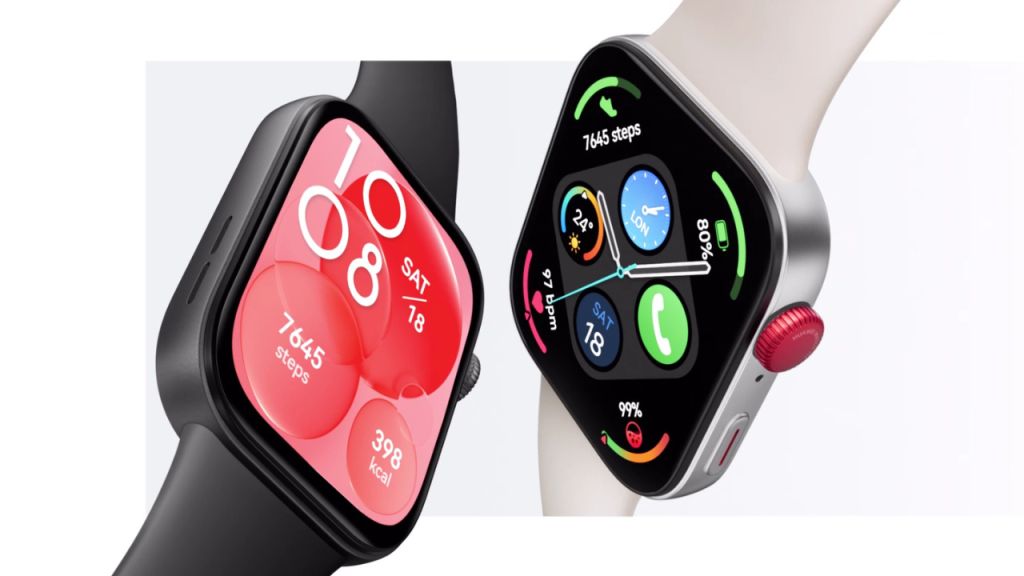
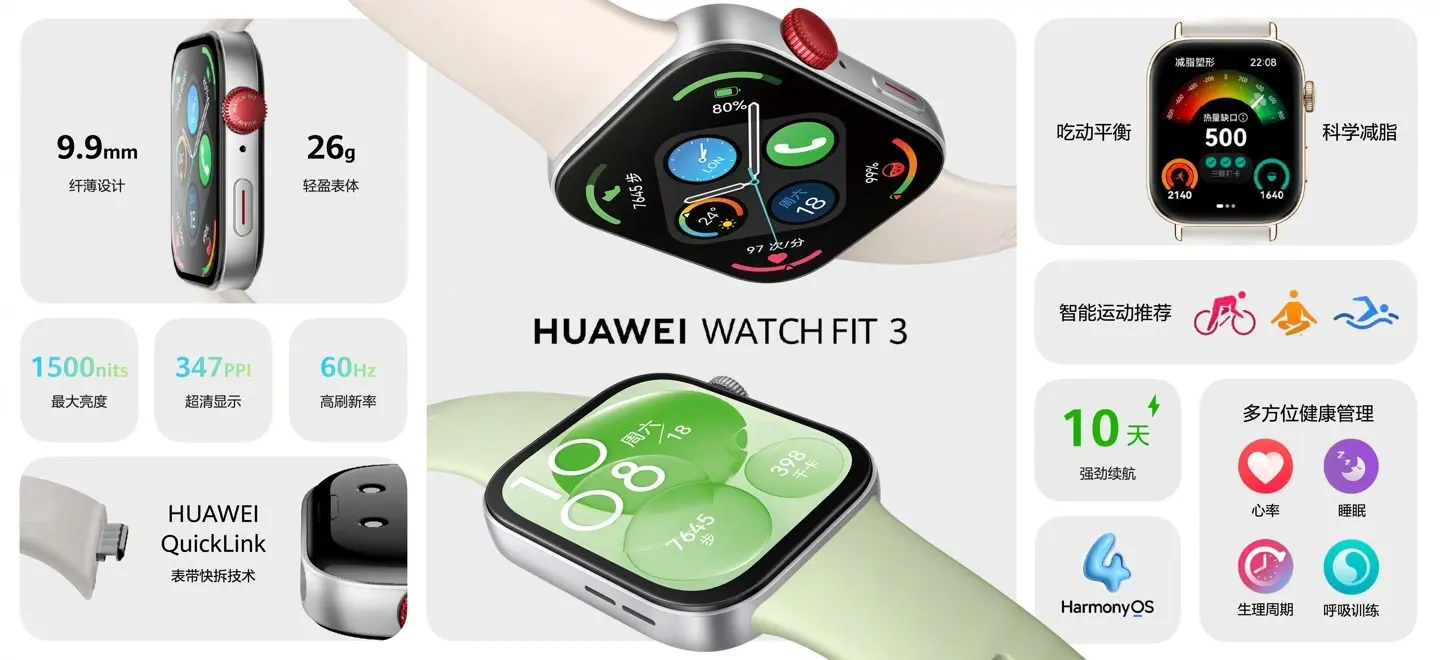
With a brightness up to 1,500 nits and pixel density of 347 PPI, the vivid 1.82-inch AMOLED display will be mounted within a thin aluminium alloy body weighing just 26 grams.
A metal rotating crown will complete the elegant appearance of the watch.
The Watch FIT 3 is packed with a number of connectivity options, including Bluetooth phone calls and standalone music playback
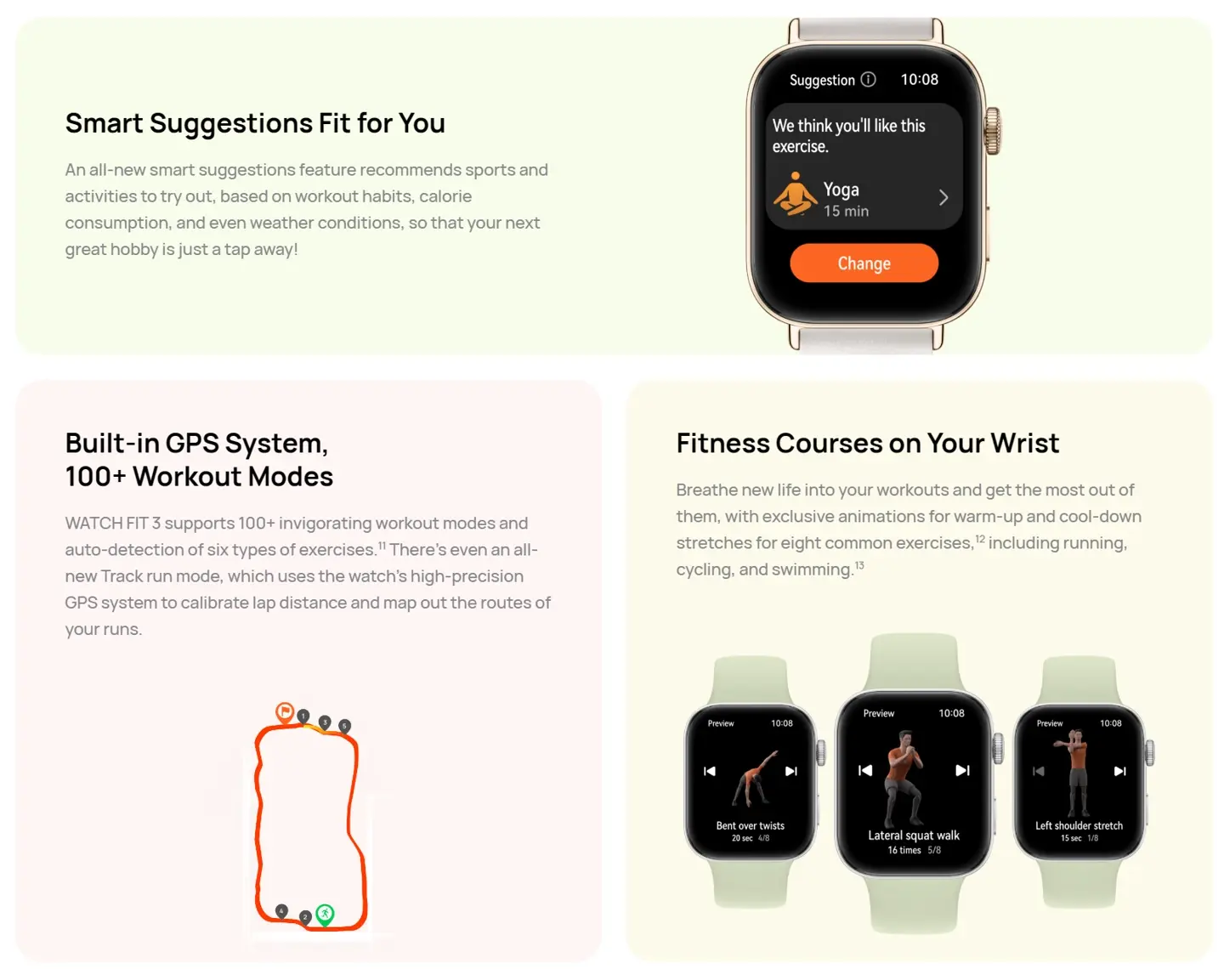
1) The Watch FIT 3 places top priority on careful fitness and health tracking. It automatically identifies six popular workout activities, plus a large selection of exercise modes, for accurate tracking without needing a paired smartphone.
2) Accurate heart rate monitoring during exercise is guaranteed by Huawei’s advanced TruSeen 5.5 heart rate monitoring system, which is driven by multi-channel sensors and smart fusion algorithms. The watch further improves blood oxygen sensing and is capable of sending out timely alerts for possible health risks like atrial fibrillation and irregular heartbeats.
Huawei Watch FIT 3 seamlessly embeds innovative features of fitness tracking within its stylish design
3) A calorie-logging feature and personalized workout advice based on information provided by the user take the watch to the next level of fitness tracking. This kind of personalization aims at helping people achieve their fitness goals more effectively.
4) The Watch FIT 3 is packed with a number of connectivity options, including Bluetooth phone calls and standalone music playback, not to mention the fitness functions. Its 400mAh battery lasts up to 10 days with normal use or 4 days if the always-on display is turned on.
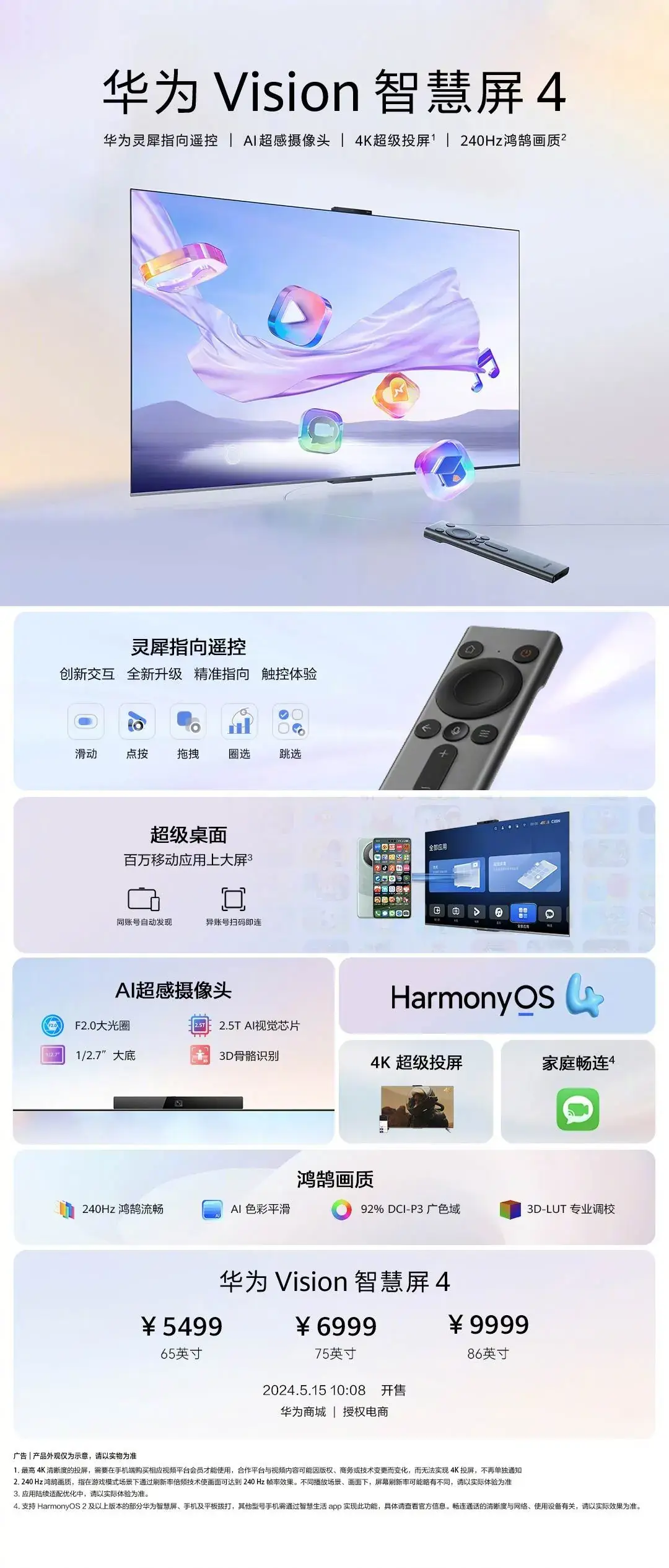
Huawei Vision Smart Screen 4 Series: Pricing and Key Specs
Vision Smart Screen 4
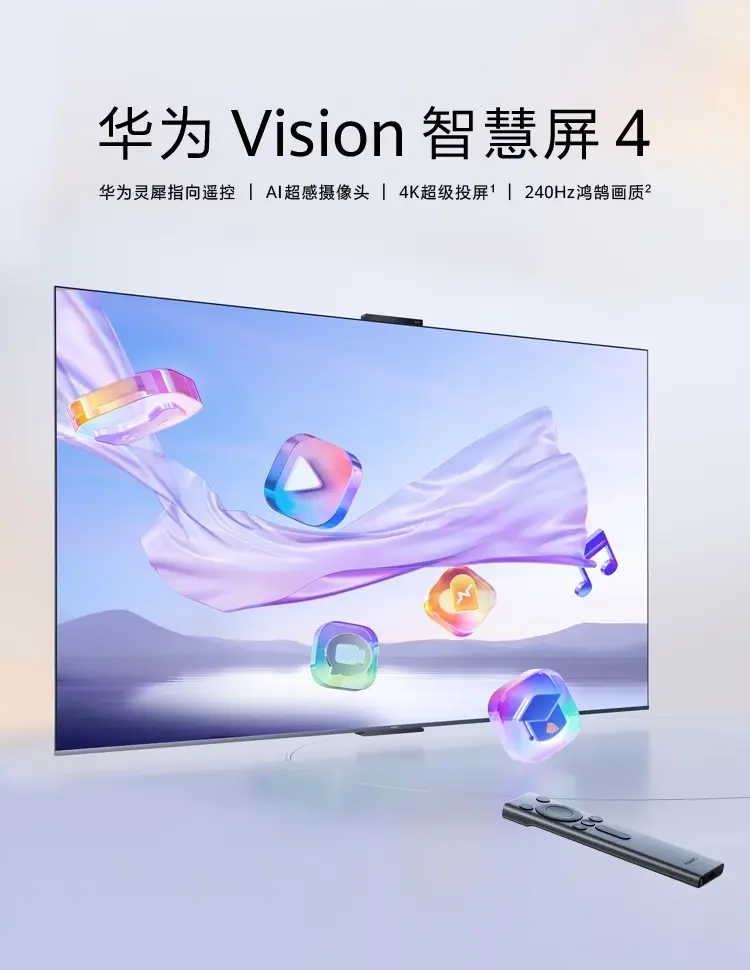
Huawei’s Vision Smart Screen 4 series brings users a totally innovative smart TV experience
65 inches: 5,499 CNY ($762), pre-sale at 4,999 CNY ($692)
75 inches: 6,999 CNY ($969), pre-sale at 6,499 CNY ($900)
86 inches: 9,999 CNY ($1,385), pre-sale at 8,999 CNY ($1,246)
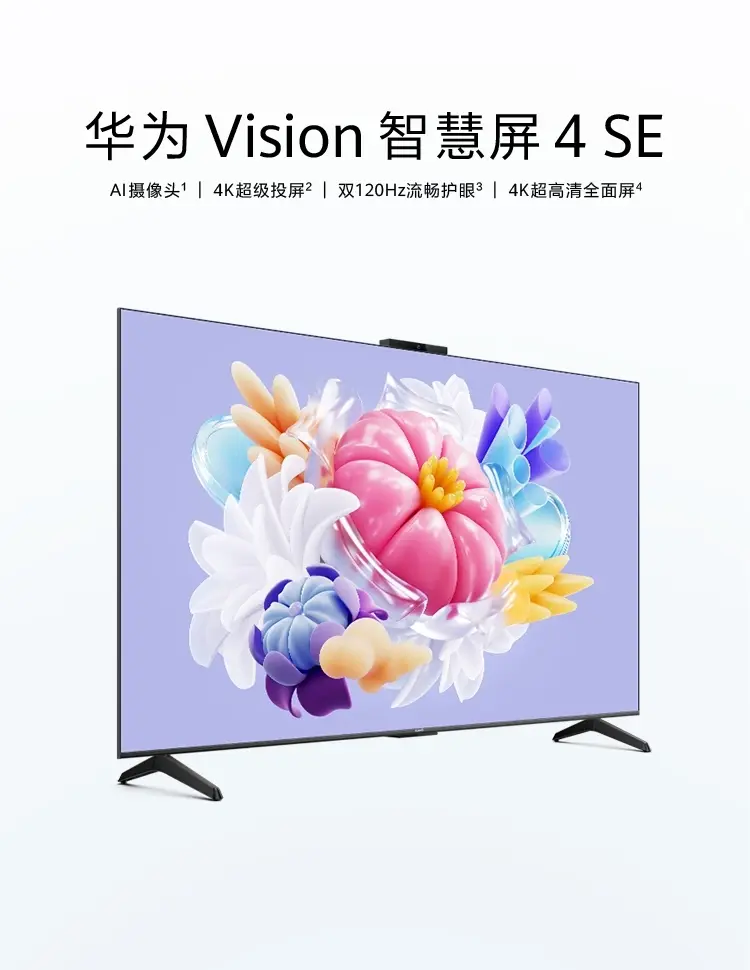
Vision Smart Screen 4 SE
Vision Smart Screen 4 series introduced with up to 98% screen-to-body ratio
55 inches: 2,699 CNY ($374), pre-sale at 2,499 CNY ($346)
65 inches: 3,299 CNY($487), pre-sale at 2,999 CNY ($415)
75 inches: 4,999 CNY ($692), pre-sale at 3,999 CNY ($554)
Key Specifications
The AI super-sensing camera brings in many more excellent features
The Vision Smart Screen 4 is integrated perfectly with Huawei’s Link Pointing Remote Control
Huawei’s Vision Smart Screen 4 series brings users a totally innovative smart TV experience that can enhance personal and family life.
The series includes the premium Vision Smart Screen 4 and the more affordable Vision Smart Screen 4 SE, targeting different needs.
1) The Vision Smart Screen 4 is integrated perfectly with Huawei’s Link Pointing Remote Control, supporting air-to-air touching and sliding using UWB technology. This smart remote control enables the user to control the TV easily, just like using a mobile phone.
2) Being the star feature, it can directly run millions of mobile applications on the big screen without installation or networking, ensuring absolutely convenient and accessible use.
3) 4K super mirroring: it’s easy to share content across multiple devices with the TV’s single-touch mirroring function. This facility is available up to eight ways, including with PCs and tablets.
4) The AI super-sensing camera brings in many more excellent features: recognizing the sitting posture of children, distance reminders, and portrait tracking in Changlian video calls enhance the viewing experience.
FAQs
What are the key features of the Huawei Watch FIT 3?
The Huawei Watch FIT 3 features a 1.82-inch AMOLED display, TruSeen 5.5 heart rate monitoring, over 100 exercise modes, built-in GPS, and a 400mAh battery lasting up to 10 days.
How much does the Huawei Watch FIT 3 cost?
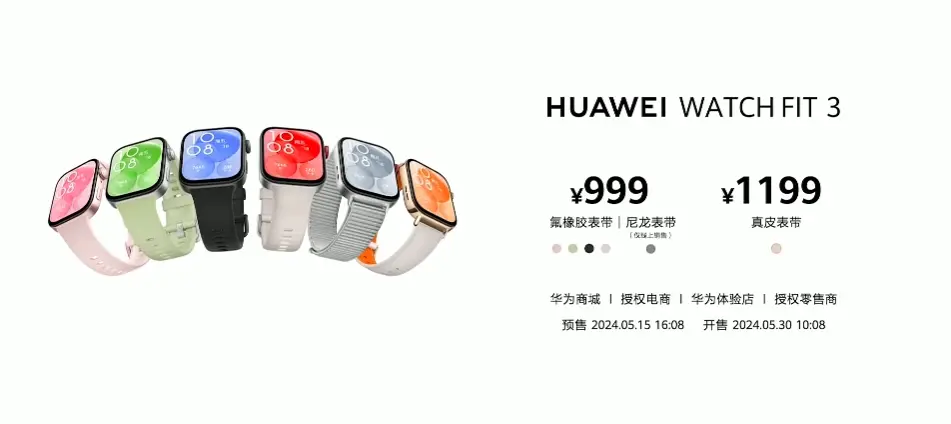
The Watch FIT 3 is priced at 999 CNY ($138) for the fluororubber and nylon strap version, and 1,199 CNY ($277) for the leather strap variant.
What sizes are available for the Huawei Vision Smart Screen 4 series?
The Vision Smart Screen 4 series is available in 65-inch, 75-inch, and 86-inch models, while the Vision Smart Screen 4 SE comes in 55-inch, 65-inch, and 75-inch sizes.
What are the pricing details for the Vision Smart Screen 4 series?
Prices range from 2,699 CNY ($374) for the 55-inch SE model to 9,999 CNY ($1,385) for the 86-inch premium model, with pre-sale discounts available.
What AI features are included in the Vision Smart Screen 4 series?
The Vision Smart Screen 4 series includes an AI camera with features such as child posture recognition, distance reminders, and portrait tracking in video calls.
What is the Pricing and Availability of Huawei Watch Fit 3 ?
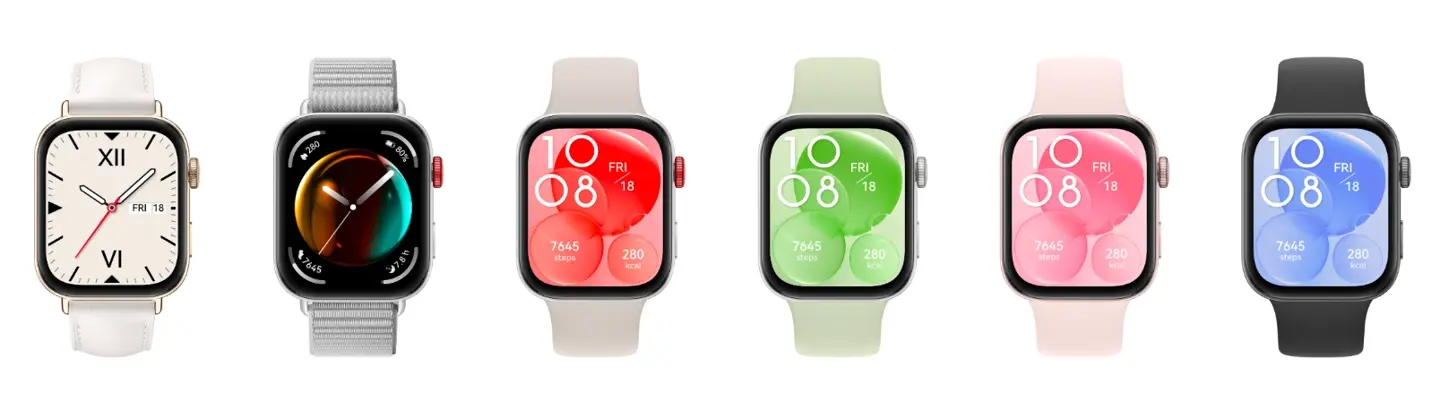
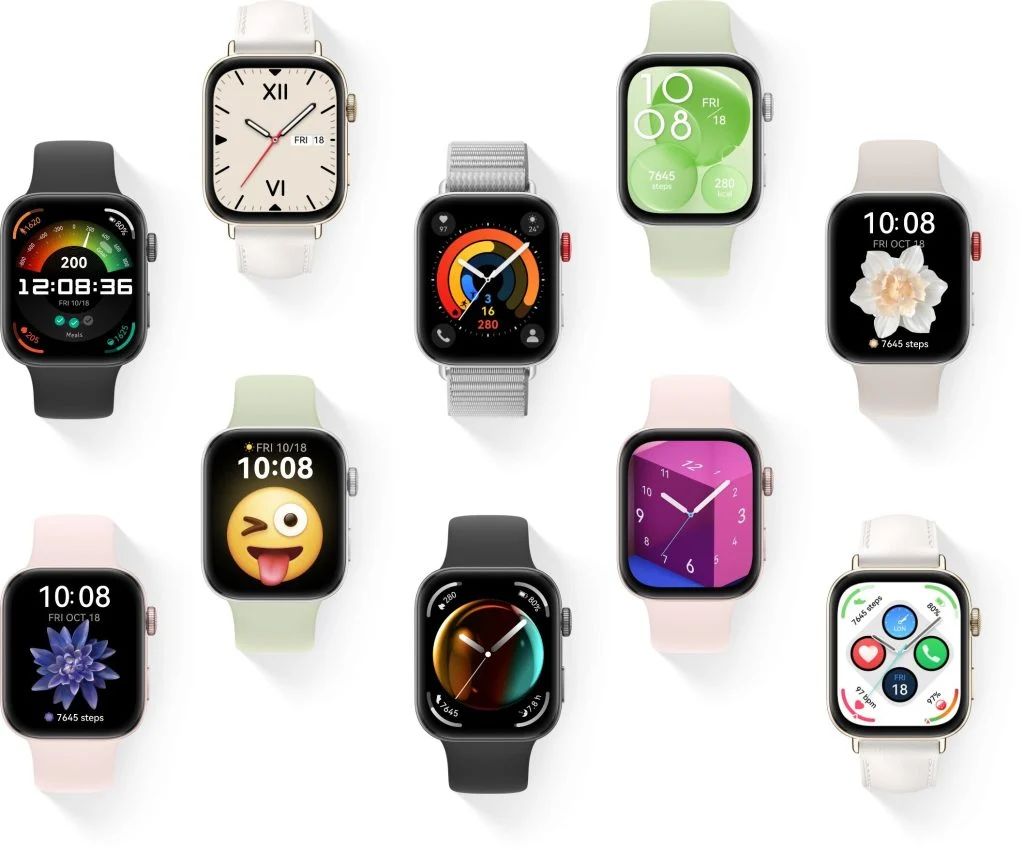
The Huawei Watch Fit 3 comes in six color options and is currently available for purchase in China.
The price starts at 999 Yuan (approximately $138) for the fluoro rubber and nylon strap version, while the genuine leather strap version costs 1199 Yuan (approximately $166).
The pre-sales for the Watch Fit 3 started at 16:08 today, with official sales scheduled to begin at 10:00 on May 20th.
What are the features of huawei watch fit 3 for fitness enthusiasts?
For fitness enthusiasts, the Watch Fit 3 has over 100 workout modes, including a new Track Run mode that utilizes built-in GPS for accurate route and lap distance tracking.
It features automatic exercise detection for six workout types and on-wrist fitness courses with animated guides for various exercises.
What is the battery life of huawei watch fit 3?
It promises up to 10 days of battery life under certain conditions, such as limited Bluetooth calling and music playback. With AOD enabled, the battery life reduces to around 4 days.
The watch also supports quick charging, offering a full day’s worth of battery life with just 10 minutes of charging.
How is the display & design of huawei watch fit 3?
The Watch Fit 3 features a 1.82-inch rounded rectangular AMOLED display with a peak brightness of 1500 nits, a PPI of 347, and a 60Hz refresh rate. The display boasts a sleek design with a screen-to-body ratio of 77.4%.
The watch itself features a square-shaped premium aluminum alloy body with curved edges and a thin profile of just 9.9mm.
It weighs only 26 grams without the strap, making it comfortable for extended wear.The smartwatch comes with Always-On Display (AOD).
What is the sleep monitoring feature of huawei watch 3?
The watch includes sleep monitoring with Huawei’s TruSleep technology, which tracks sleep stages and quality.
It also provides insights respiratory health and offers personalized sleep hygiene tips.
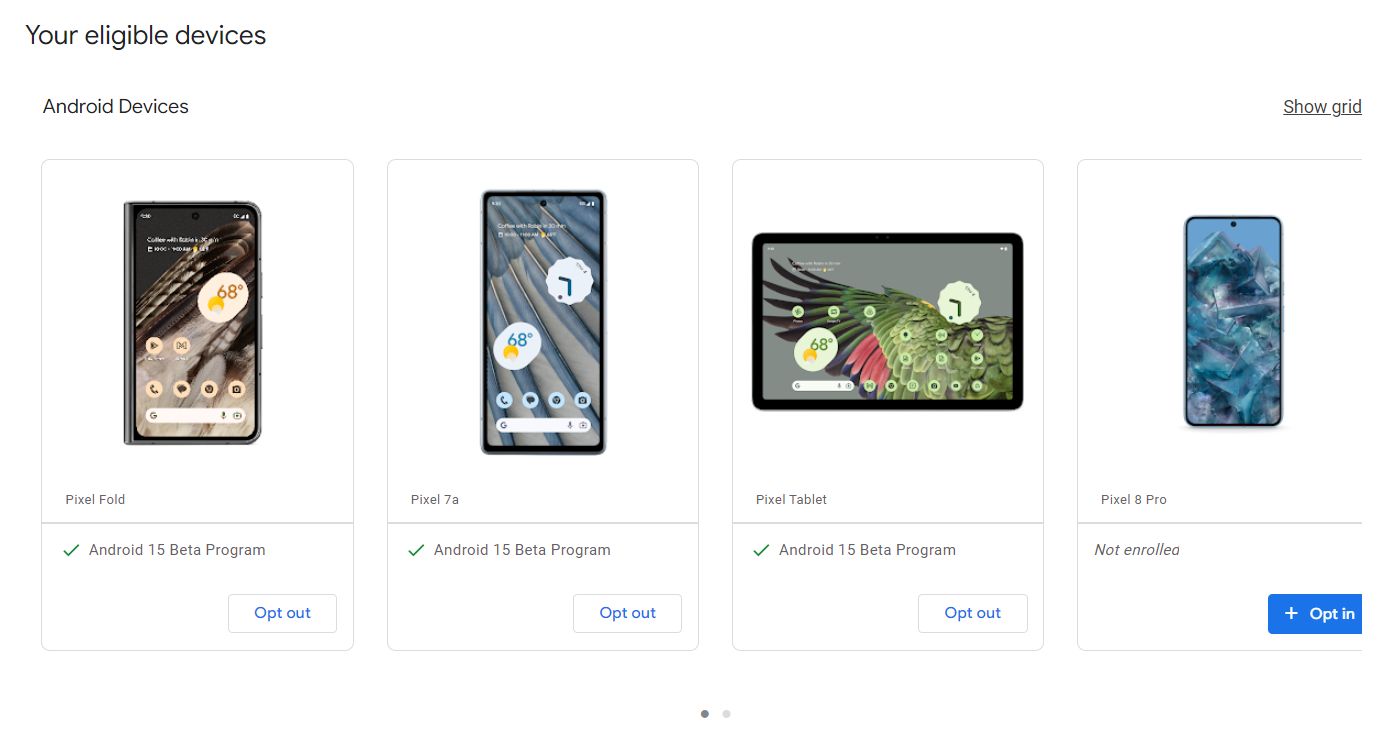
Visit google.com/android/beta and “Opt in” on your selected device.
Once opted in, check for updates on your device to install the beta.
Sideloading
Download the necessary files from Google’s Full OTA Image hosting site.
Boot your Pixel into Recovery mode.
Navigate to “Apply update from ADB” and connect your device to a computer with ADB tools installed.
Enter the sideload command and follow the prompts to install the beta.
Reboot your phone once the installation is complete.
Android 15 Beta Experience on Your Google Pixel Device
At the same time, it’s very important to remember that, while sideloading might be a bit faster, Google’s advice is to wait to unlock the bootloader or enable “OEM Unlocking” under developer settings.
Second, one should make a backup of any important data before doing any major software change.
Needless to say, one should make a backup of all the important data before sideloading.
FAQs
Which Pixel devices are compatible with Android 15 Beta?
The Android 15 Beta is compatible with Pixel 6, Pixel 6 Pro, Pixel 6a, Pixel 7, Pixel 7 Pro, Pixel 7a, Pixel Fold, Pixel Tablet, Pixel 8, Pixel 8 Pro, and Pixel 8a.
How can I install the Android 15 Beta using the Android Beta Program?
To install via the Android Beta Program, visit google.com/android/beta, opt-in on your selected device, and check for updates to install the beta.
What is the sideloading method for installing Android 15 Beta?
Sideloading involves downloading files from Google’s Full OTA Image site, booting your Pixel into Recovery mode, applying the update from ADB, and following prompts to complete the installation.
Is it necessary to back up data before installing the Android 15 Beta?
Yes, it is highly recommended to back up all important data before installing the beta to prevent data loss during the update process.
Should I unlock the bootloader before sideloading the Android 15 Beta?
Google advises against unlocking the bootloader or enabling “OEM Unlocking” unless necessary. It’s best to follow the standard installation procedures.
How to sideload Android 15 Beta on Google Pixel ?
The fastest way to get a new version of Android on your Pixel is to sideload it.
It’s a relatively easy process, but you’ll need to get set up to do it.
Download the needed files. Boot into Recovery mode. Navigate to ADB sideload. Connect the handset to a computer with ADB tools installed. Enter the sideload command. Reboot your phone.
How to Download Android 15 Beta files ?
To get started, you’ll first need to download the files needed to actually put the Android 15 Beta 2 on your Pixel.
There are two ways to do that . First, you can install a Factory Image, which wipes your phone and starts everything from scratch.
There’s an OTA file, which installs over your current version of Android without wiping your phone.
You can download the beta OTA file from Google’s Full OTA Image hosting site.
That site contains OTA downloads for sideloading different updates, including the Android 15 Beta, on every Pixel and Nexus device, so you’ll need to scroll down to ensure you are downloading the file that is associated with your device. OTA downloads are available here.
For the Android 15 Beta, only Pixel 6/Pro, Pixel 6a, Pixel 7/Pro, Pixel 7a, Pixel 8/Pro, Pixel 8a, Pixel Fold, and Pixel Tablet are available. You won’t be able to install it on the original Pixel/XL, Pixel 2/XL, Pixel 3/XL, Pixel 3a/XL, Pixel 4/XL, Pixel 4a, Pixel 4a 5G, Pixel 5, or Pixel 5a.
How to Boot into Recovery mode ?
After downloading Android 15 beta files you’ll boot your Pixel into Recovery mode. To do this, fully power down your handset.
Then hold down on the Power button and the Volume down button at the same time until you get to the Bootloader page.
You will know you’re in the right place when you see an Android figure lying down on the screen.
Using your volume buttons, scroll down to Recovery mode. Select this by clicking the power button. Alternatively, if you’re already connected to a computer with ADB, you can use the reboot recovery command.
You should see a smaller Android lying down with an exclamation mark over it.
After this press the Power button and the Volume up button for about a second to fully enter Recovery mode. Releasing the Volume up button will send you into Recovery.
How to Navigate to ADB sideload ?
Using the volume buttons, scroll down to Apply update from ADB and select it with the power button. This will launch a mostly blank screen with text near the bottom directing you on how to sideload an OTA.
How to Connect the handset to a computer with ADB tools installed ?
It’s the only way to transfer the downloaded OTA file to your handset. You’ll need to have ADB and Fastboot tools in a handy place.
You can download ADB tools from the Android Developers website. You can also use the Universal ADB Drivers from ClockWorkMod, which can make the process a bit easier on Windows devices.
How to enter the sideload command ?
You can now sideload the OTA file. On Windows, ensure your Command Prompt is directed to the ADB tools folder and type in adb sideload.
If you’re on macOS or Linux, do the same thing in Terminal (use “cd” and “ls” commands to make sure your Terminal is pointed at the right folder – Google it if you need help) but type in ./adb sideload.
You’ll then need to insert the file name of the .zip folder you downloaded from Google and hit enter to start the process.
If everything is working properly, you should see some dialog on your computer and handset that shows the process of the sideload and installation process.
How to Reboot your phone after installing ?
Once the OTA is done installing, you will be taken back to Recovery Mode. The last step to jump into the new update is to select the Reboot now option with your power button.
It has released features that can help users with disabilities in the latest beta.
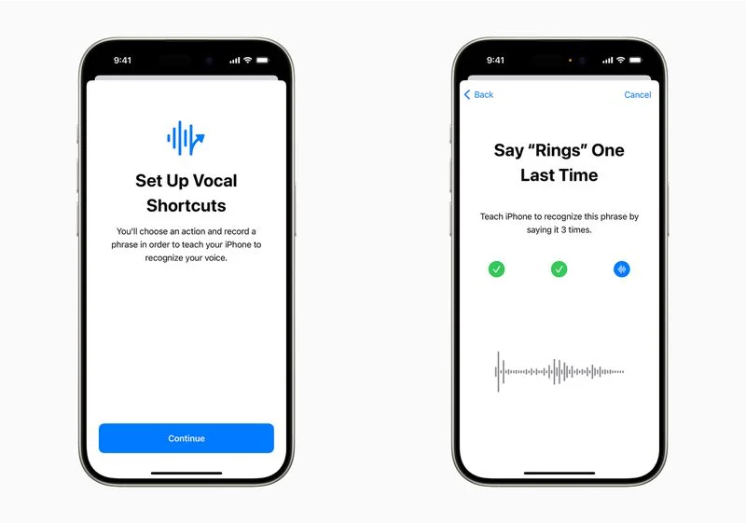
Vocal Shortcuts are now available, which lets users issue voice commands throughout the system without invoking Siri.
Then there is Eye Tracking, which uses the front camera and on-device machine learning to offer eye-controlled navigation for users with physical disabilities.
“We believe deeply in the transformative power of innovation to enrich lives,” said Tim Cook, Apple’s CEO. “That’s why for nearly 40 years, Apple has championed inclusive design by embedding accessibility at the core of our hardware and software. We’re continuously pushing the boundaries of technology, and these new features reflect our long-standing commitment to delivering the best possible experience to all of our users.”
“Each year, we break new ground when it comes to accessibility,” said Sarah Herrlinger, Apple’s senior director of Global Accessibility Policy and Initiatives. “These new features will make an impact in the lives of a wide range of users, providing new ways to communicate, control their devices, and move through the world.”
“Apple Vision Pro is without a doubt the most accessible technology I’ve ever used,” said Ryan Hudson-Peralta, a Detroit-based product designer, accessibility consultant, and cofounder of Equal Accessibility LLC. “As someone born without hands and unable to walk, I know the world was not designed with me in mind, so it’s been incredible to see that visionOS just works. It’s a testament to the power and importance of accessible and inclusive design.”
“Artificial intelligence has the potential to improve speech recognition for millions of people with atypical speech, so we are thrilled that Apple is bringing these new accessibility features to consumers,” said Mark Hasegawa-Johnson, the Speech Accessibility Project at the Beckman Institute for Advanced Science and Technology at the University of Illinois Urbana-Champaign’s principal investigator.
“The Speech Accessibility Project was designed as a broad-based, community-supported effort to help companies and universities make speech recognition more robust and effective, and Apple is among the accessibility advocates who made the Speech Accessibility Project possible.”
Let’s jump into what these updates actually mean.
Vocal Shortcuts: Seamless Voice Commands
iOS 18 introduces Vocal Shortcuts for voice commands without Siri
Apple announced that in iOS 18, a potent new voice tool, Vocal Shortcuts, will be available.
Apple demonstrated an example where typing “Rings” would open the user’s Activity app and display their Activity Rings but did not elaborate.
Maybe there will be more utility-driven initiatives for this in the future.
Vocal Shortcuts will allow iPhone and iPad users to assign “custom utterances” that Siri can understand to “launch shortcuts and complete complex tasks.”
Eye Tracking enables control of iPhone and iPad using eye movements
More interestingly, Apple also released new tools for access: Music Haptics and Eye Tracking.
The feature of eye tracking will enable disabled persons with physical impairments to just control their iPad or iPhone with their eyes.
It could be set up and calibrated instantly via the front-facing camera.
iPhone’s Taptic Engine will play “taps, textures, and refined vibrations” that correspond with the audio of the music
Setup and control data is stored on the device via on-device machine learning and kept fully secure.
Meanwhile, Music Haptics will be the feature that uses the Taptic Engine of the iPhone, introducing a new way for hard-of-hearing or deaf users to experience music.
Motion Cues in Vehicles and CarPlay Compatibility
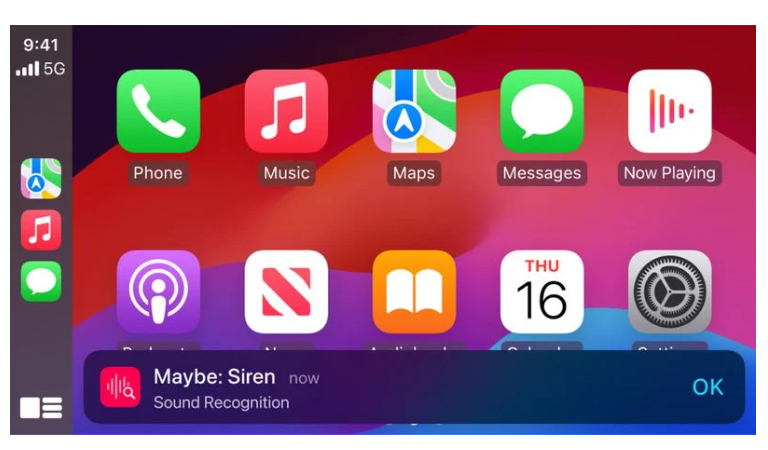
New CarPlay features include Sound Recognition, Colour Filters, and Voice Control
Apple has released Vehicle Motion Cues, meant to help diminish sensory conflict when users are moving around.
This feature represents the changes in vehicle motion using moving dots at the edges of the screen without interfering with the primary information.
CarPlay will be gaining Voice Control, Color Filters, and Sound Recognition.
Vehicle Motion Cues uses the built-in sensors of iPhone and iPad to detect when a user is riding in a moving vehicle and to respond accordingly.
Vocal Shortcuts allow users to issue custom voice commands to initiate system wide actions without invoking Siri, making the device more accessible.
How does the Eye Tracking feature work in iOS 18?
Eye Tracking uses the front camera and on-device machine learning to enable users with physical disabilities to control their iPhone or iPad using eye movements.
What is Music Haptics in iOS 18?
Music Haptics uses the Taptic Engine to provide a tactile experience for hard-of-hearing or deaf users, allowing them to feel the music through vibrations.
What are Vehicle Motion Cues in iOS 18?
Vehicle Motion Cues use built-in sensors to represent vehicle motion with moving dots on the screen, helping to reduce sensory conflict for users on the move.
What new accessibility features are available for CarPlay in iOS 18?
iOS 18 introduces Sound Recognition, Colour Filters, and Voice Control for CarPlay, enhancing hands-free operation and accessibility while driving.
What are the Additional Updates by Apple ?
For users who are blind or have low vision, VoiceOver will include new voices, a flexible Voice Rotor, custom volume control, and the ability to customize VoiceOver keyboard shortcuts on Mac.
Magnifier will offer a new Reader Mode and the option to easily launch Detection Mode with the Action button.
Braille users will get a new way to start and stay in Braille Screen Input for faster control and text editing; Japanese language availability for Braille Screen Input; support for multi-line braille with Dot Pad; and the option to choose different input and output tables.
For users with low vision, Hover Typing shows larger text when typing in a text field, and in a user’s preferred font and color.
For users at risk of losing their ability to speak, Personal Voice will be available in Mandarin Chinese. Users who have difficulty pronouncing or reading full sentences will be able to create a Personal Voice using shortened phrases.
For users who are nonspeaking, Live Speech will include categories and simultaneous compatibility with Live Captions.
For users with physical disabilities, Virtual Trackpad for AssistiveTouch allows users to control their device using a small region of the screen as a resizable trackpad.
Switch Control will include the option to use the cameras in iPhone and iPad to recognize finger-tap gestures as switches.
Voice Control will offer support for custom vocabularies and complex words.
What are the best features of Eye Tracking introduced to iPad and iPhone ?
Powered by artificial intelligence, Eye Tracking gives users a built-in option for navigating iPad and iPhone with just their eyes.
Designed for users with physical disabilities, Eye Tracking uses the front-facing camera to set up and calibrate in seconds, and with on-device machine learning, all data used to set up and control this feature is kept securely on device, and isn’t shared with Apple.
Eye Tracking works across iPadOS and iOS apps, and doesn’t require additional hardware or accessories. With Eye Tracking, users can navigate through the elements of an app and use Dwell Control to activate each element, accessing additional functions such as physical buttons, swipes, and other gestures solely with their eyes.
Does Music Haptics Makes Songs More Accessible ?
Music Haptics is a new way for users who are deaf or hard of hearing to experience music on iPhone. With this accessibility feature turned on, the Taptic Engine in iPhone plays taps, textures, and refined vibrations to the audio of the music.
Music Haptics works across millions of songs in the Apple Music catalog, and will be available as an API for developers to make music more accessible in their apps.
What are the New Features introduced for a Wide Range of Speech by Apple ?
With Vocal Shortcuts, iPhone and iPad users can assign custom utterances that Siri can understand to launch shortcuts and complete complex tasks. Listen for Atypical Speech, another new feature, gives users an option for enhancing speech recognition for a wider range of speech.
Listen for Atypical Speech uses on-device machine learning to recognize user speech patterns.
Designed for users with acquired or progressive conditions that affect speech, such as cerebral palsy, amyotrophic lateral sclerosis (ALS), or stroke, these features provide a new level of customization and control, building on features introduced in iOS 17 for users who are nonspeaking or at risk of losing their ability to speak.
Can Vehicle Motion Cues Help Reduce Motion Sickness ?
Vehicle Motion Cues is a new experience for iPhone and iPad that can help reduce motion sickness for passengers in moving vehicles.
Research shows that motion sickness is commonly caused by a sensory conflict between what a person sees and what they feel, which can prevent some users from comfortably using iPhone or iPad while riding in a moving vehicle.
With Vehicle Motion Cues, animated dots on the edges of the screen represent changes in vehicle motion to help reduce sensory conflict without interfering with the main content.
Using sensors built into iPhone and iPad, Vehicle Motion Cues recognizes when a user is in a moving vehicle and responds accordingly.
The feature can be set to show automatically on iPhone, or can be turned on and off in Control Center.
What features has CarPlay added in IOS 18 beta ?
CarPlay Gets Voice Control, More Accessibility Updates
Accessibility features coming to CarPlay include Voice Control, Color Filters, and Sound Recognition. With Voice Control, users can navigate CarPlay and control apps with just their voice.
With Sound Recognition, drivers or passengers who are deaf or hard of hearing can turn on alerts to be notified of car horns and sirens.
For users who are colorblind, Color Filters make the CarPlay interface visually easier to use, with additional visual accessibility features including Bold Text and Large Text.
What are the Accessibility Features Coming to visionOS ?
This year, accessibility features coming to visionOS will include systemwide Live Captions to help everyone — including users who are deaf or hard of hearing — follow along with spoken dialogue in live conversations and in audio from apps.
With Live Captions for FaceTime in visionOS, more users can easily enjoy the unique experience of connecting and collaborating using their Persona. Apple Vision Pro will add the capability to move captions using the window bar during Apple Immersive Video, as well as support for additional Made for iPhone hearing devices and cochlear hearing processors.
Updates for vision accessibility will include the addition of Reduce Transparency, Smart Invert, and Dim Flashing Lights for users who have low vision, or those who want to avoid bright lights and frequent flashing.
These features join the dozens of accessibility features already available in Apple Vision Pro, which offers a flexible input system and an intuitive interface designed with a wide range of users in mind.
Features such as VoiceOver, Zoom, and Color Filters can also provide users who are blind or have low vision access to spatial computing, while features such as Guided Access can support users with cognitive disabilities.
Users can control Vision Pro with any combination of their eyes, hands, or voice, with accessibility features including Switch Control, Sound Actions, and Dwell Control that can also help those with physical disabilities.
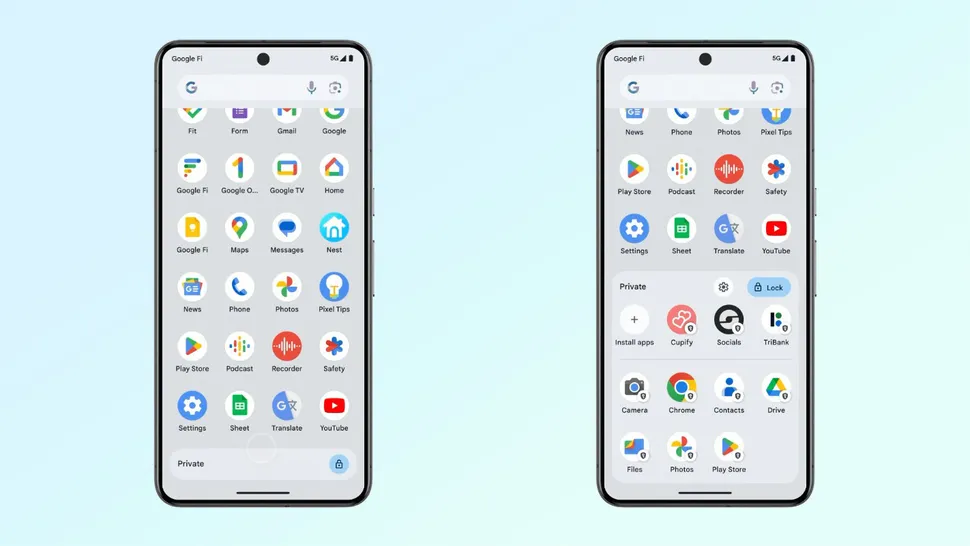
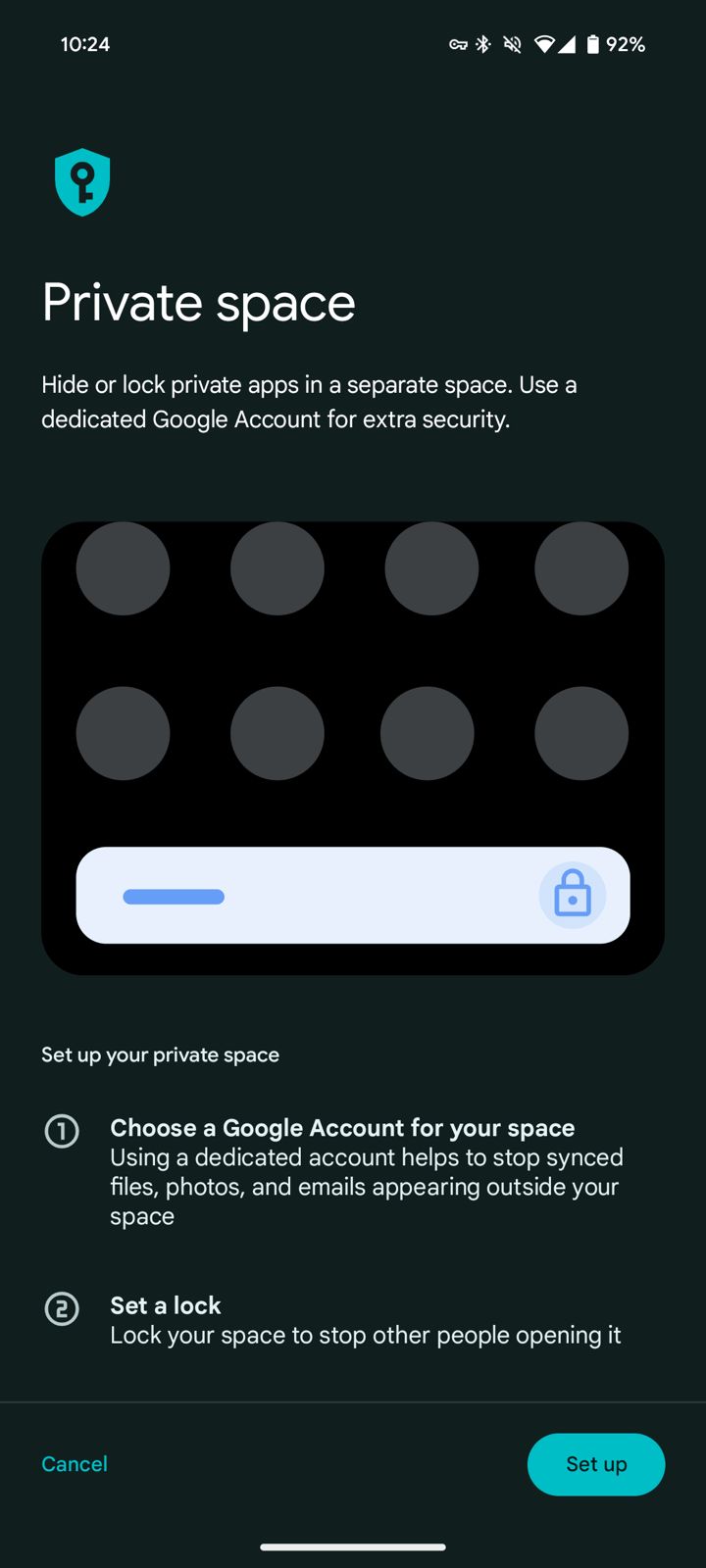
Private Space has been one of the biggest features added in Android 15 beta 2
The feature allows users to isolate and protect sensitive applications installed on the smartphone, each with an extra layer of authentication.
The feature allows users to isolate and protect sensitive applications installed on the smartphone
These apps go under lockdown, are grayed out, and are hidden from the launcher, recents view, settings menu, and notifications for further privacy and protection.
Increasing Battery Life and Efficiency
Improves battery life with time-limited foreground services
Google has made a couple of changes to make things more effective and battery-saving.
DataSync and media processing foreground services are now time-limited to 6 hours before shifting into the background to conserve power.
Foreground services are what keep an application running in an active state.
The second beta adds more font support for various global alphabets, including variable support for Chinese, Japanese, and Korean, and a new font file for Japanese Hentaigana by default.
These changes are intended to improve readability and avoid linguistic and cursive font clippings.
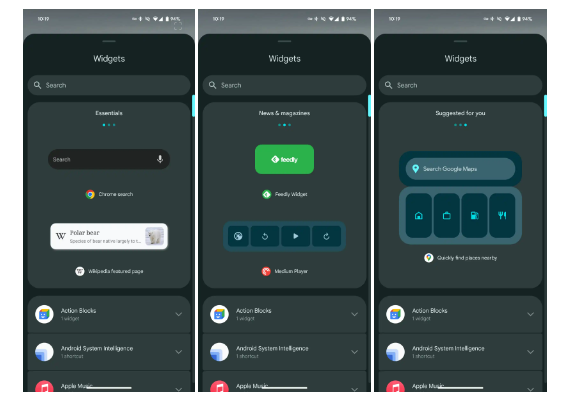
Also, the second beta release of Android 15 includes widget previews, which allow applications to provide a Remote View to the Widget Picker that shows the user what the widget looks like so that users may preview what a widget looks like before placing it on their home screen.
Health and Fitness Enhancements
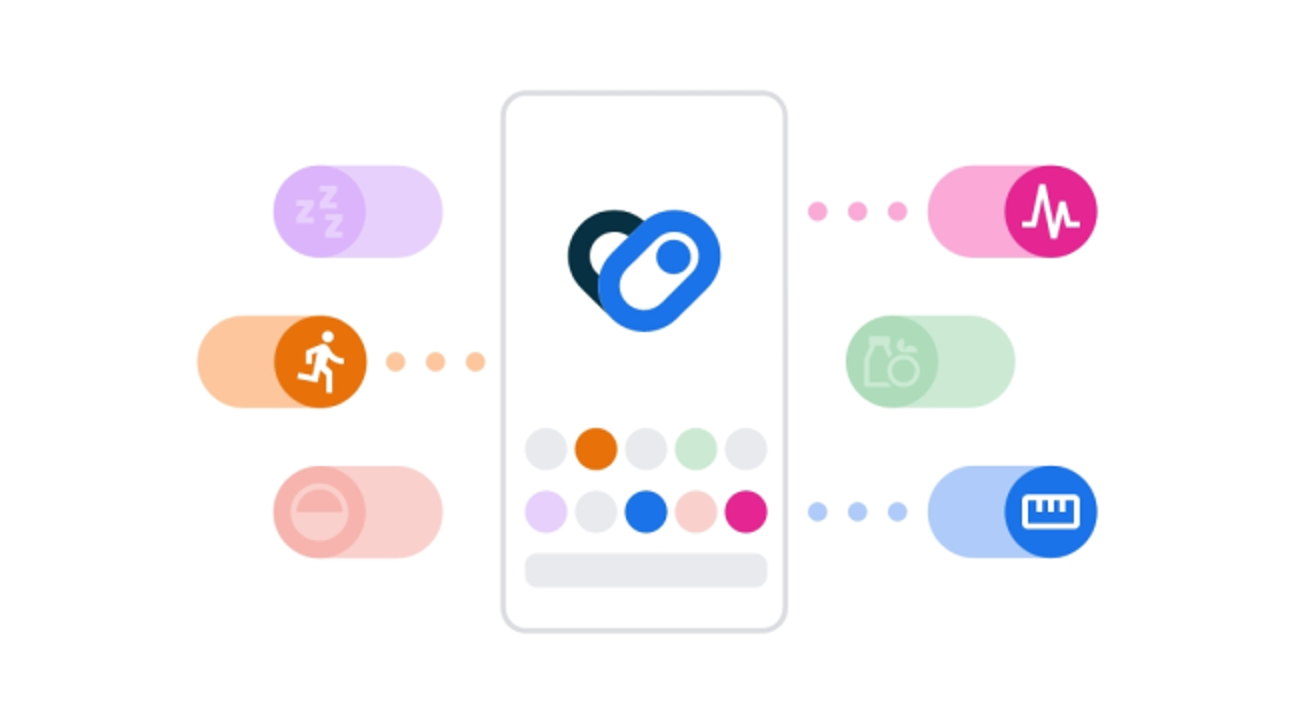
Google’s Platform That Centralizes Health and Fitness Data.
This includes skin temperature monitoring and training plans with performance goals for cadence, heart rate, power, perceived rate of exertion, and completion goals for steps, distance, time, and calories burnt.
Improved Navigation and Volume Panel
Beta 1.2 vs Beta 2
Taller with the app icon appearing
Android 15 Beta 2, accessible via Tasker or any other application that can trigger the intents
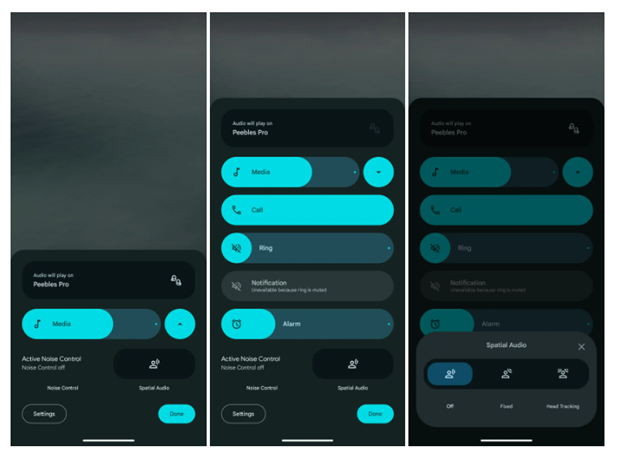
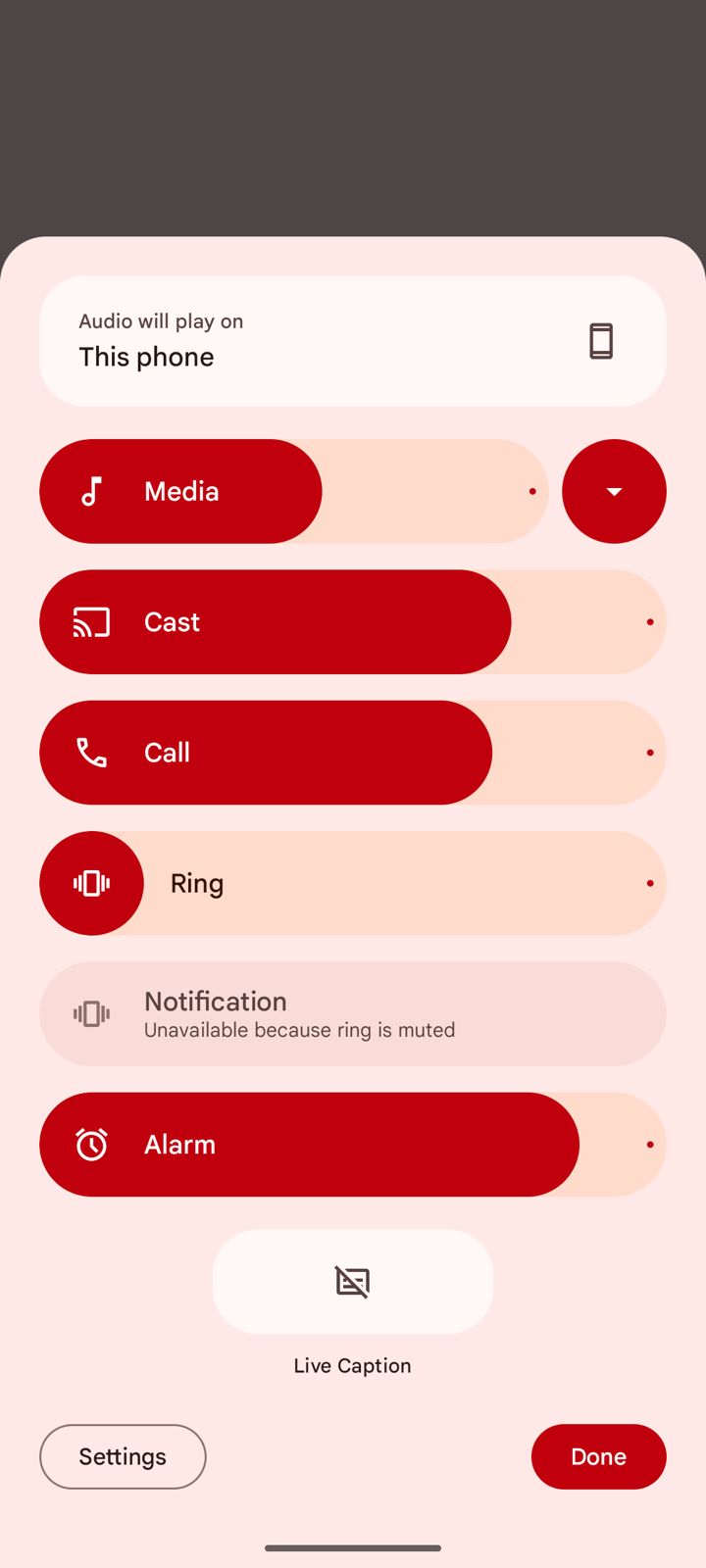
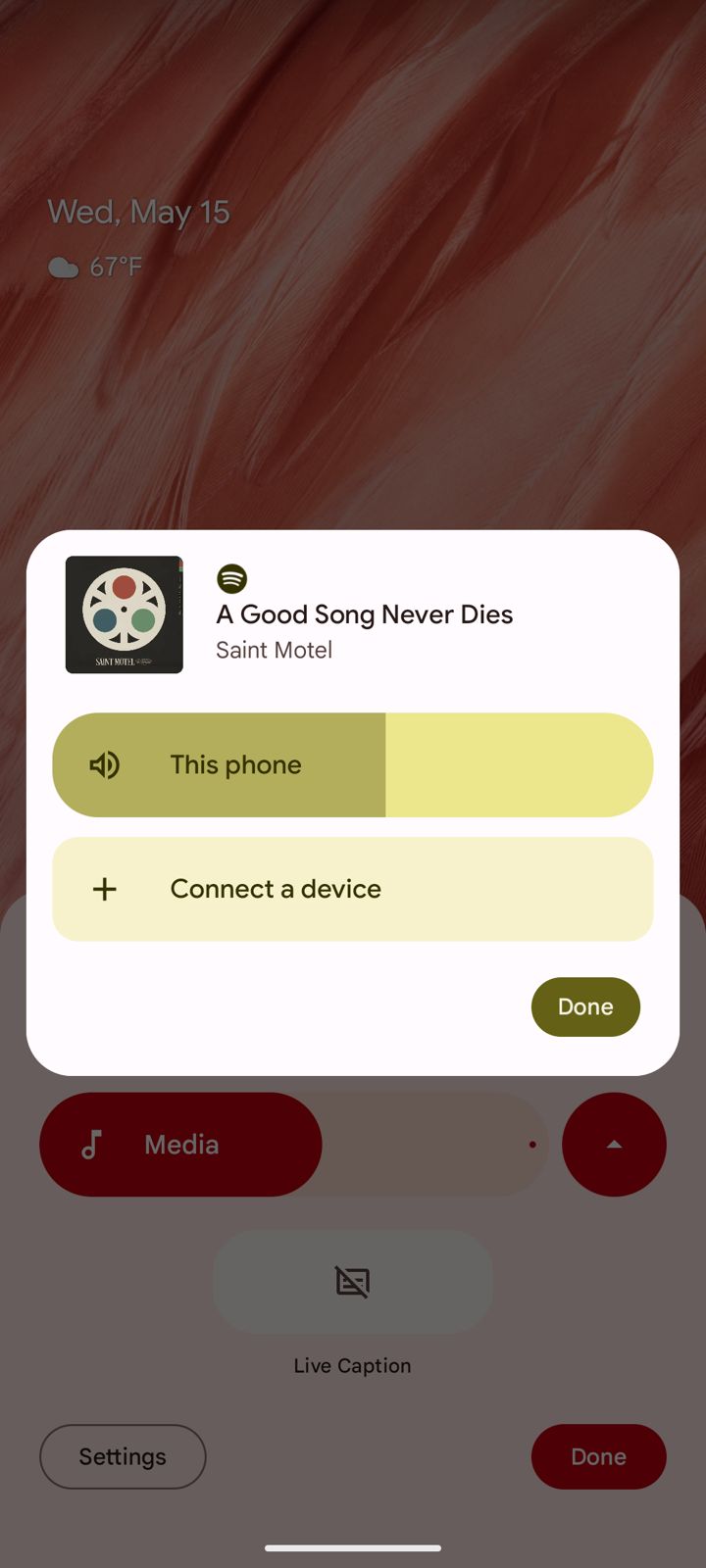
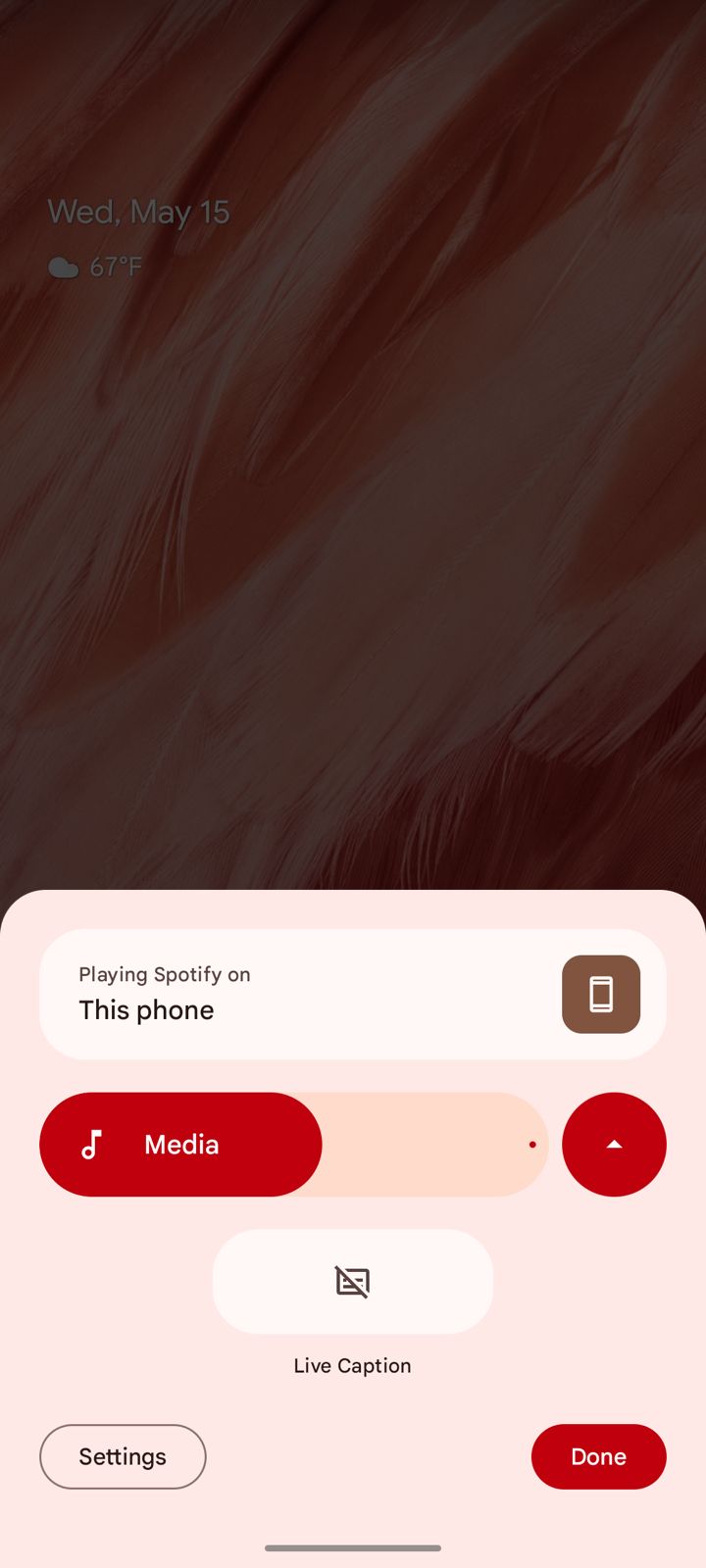
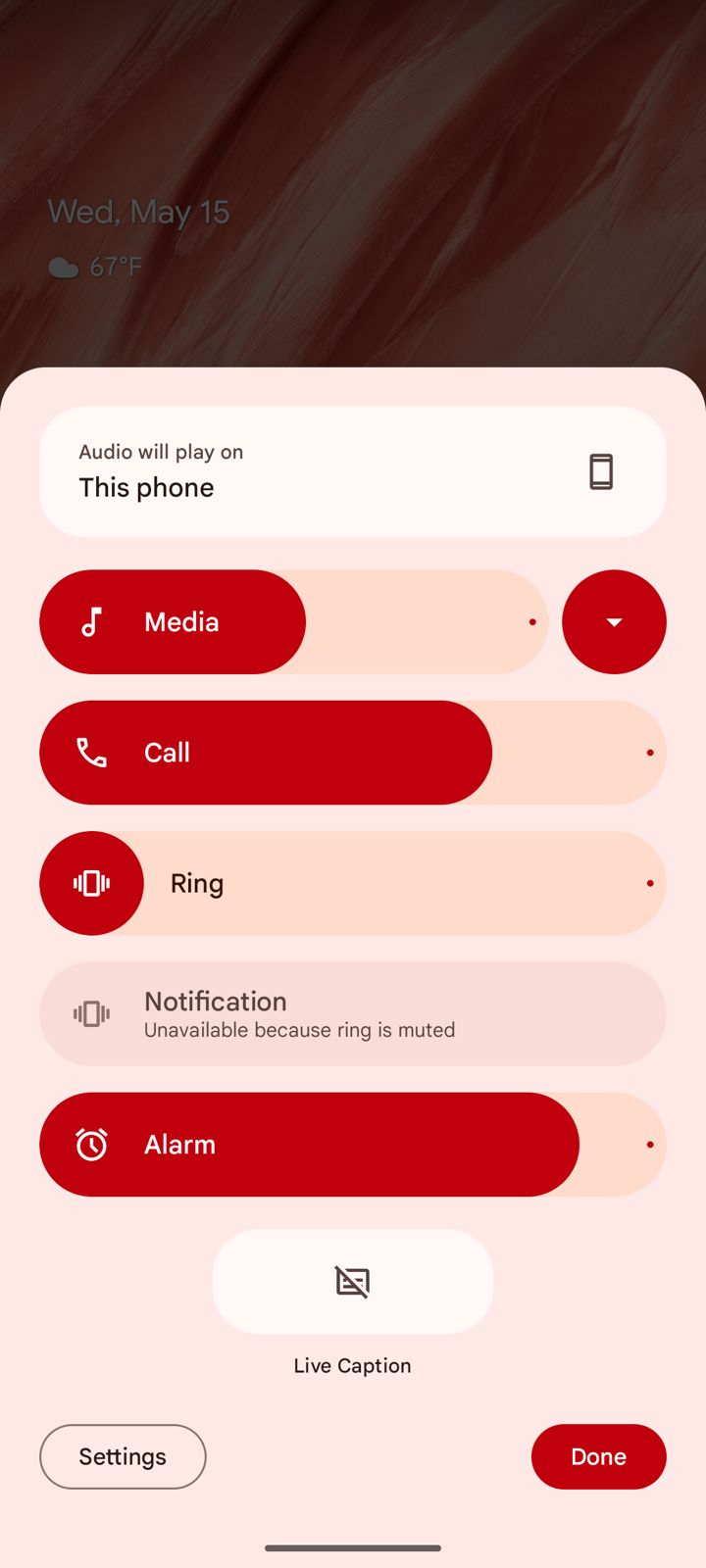
There’s also a redesign of the volume panel, with a sleeker interface, a shortcut for Live Captions, and an output switcher widget for Bluetooth accessories.
Note that the previous, enlarged volume panel user interface is still present in Android 15 Beta 2, accessible via Tasker or any other application that can trigger the intents.
However, when you use the extended volume panel in this way, as opposed to using the shortcut in the right-aligned volume panel, you still invoke the Android 14-style bottom sheet panel.
The new design, live by default in Android 15 Beta 2, adds a splash of Material You to the whole interface.
The sliders are now big and vibrantly colored.
In terms of functions it remains the same .
The sliders are now big and vibrantly colored.
New functionality here includes a shortcut for Live Caption at the bottom of the page and an audio output switcher.
Android already supports switching the output via the media widget in Quick Settings, but this new means of access is always available.
New functionality here includes a shortcut for Live Caption at the bottom of the page
A slider for Cast volume is also present when the context demands it.
slider for Cast volume is also present when the context demands it.
A button next to the “Media” slider allows you to condense the menu down, and the menu will remember what status you’ve picked the next time you open it.
Bluetooth Tweaks
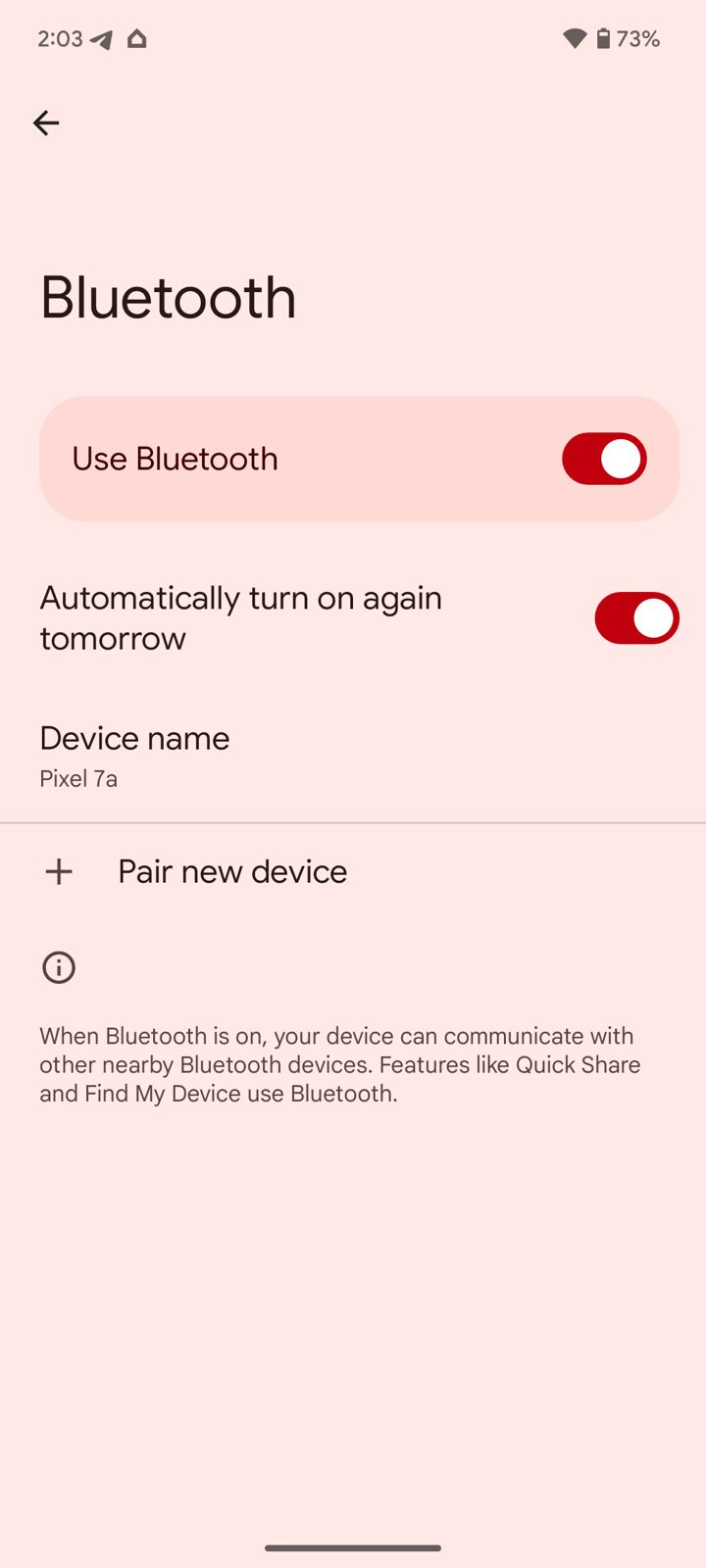
Settings > Connected devices > Connection preferences > Bluetooth
Enabled by default
Presumably aid the Find My Device network
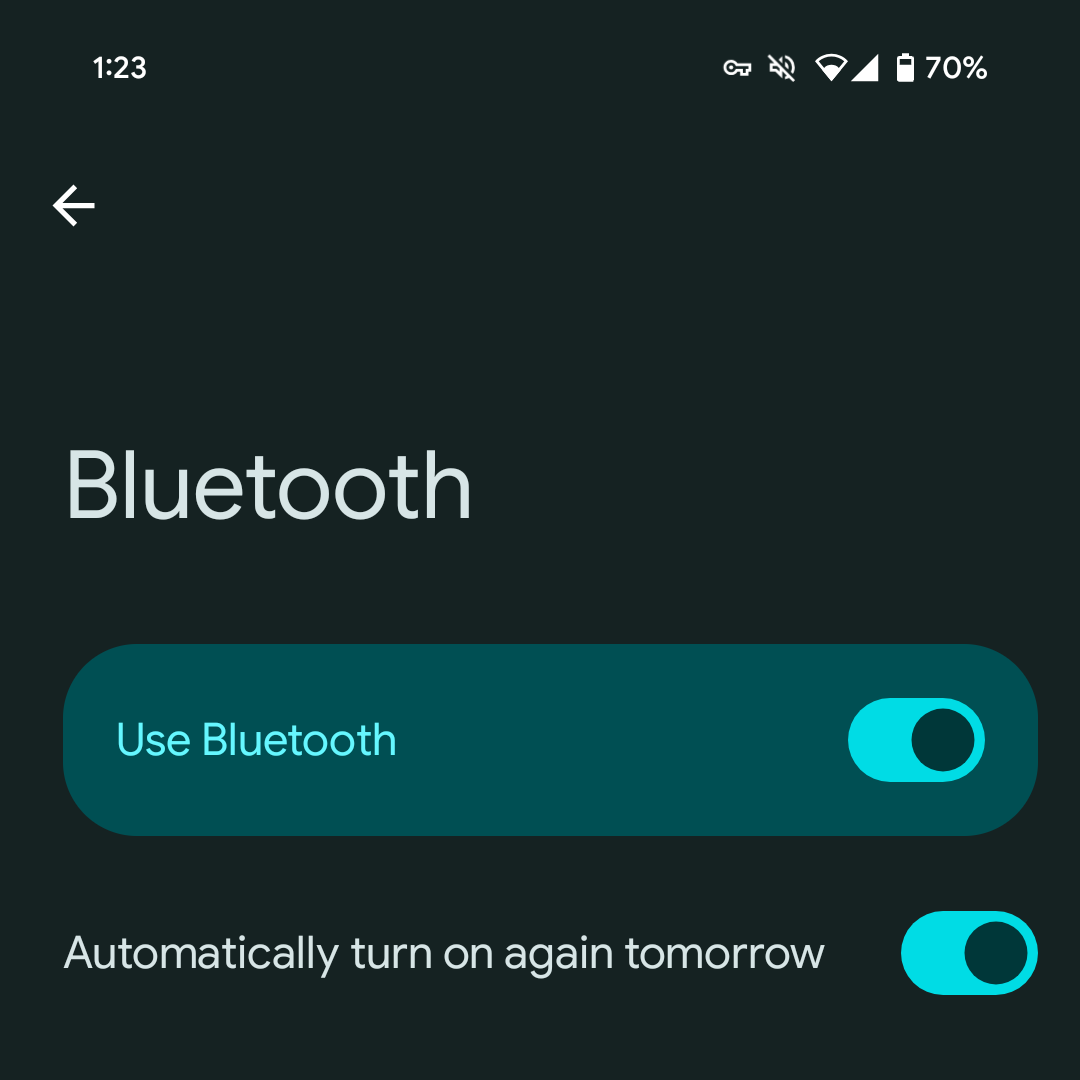
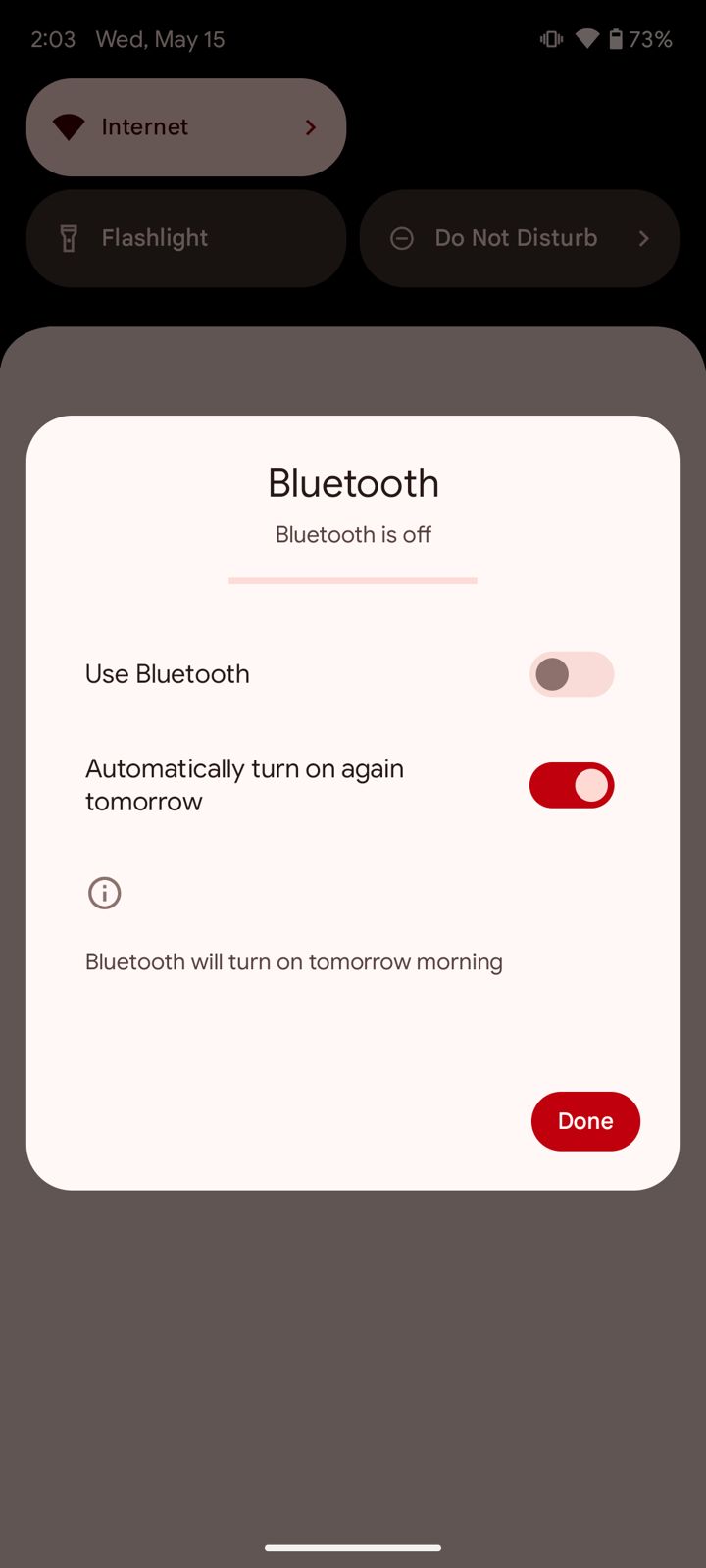
Google states clearly that Bluetooth will be turned back on “tomorrow morning,”
Google is altering the default behaviour of Bluetooth in Android 15.
If a user turns off Bluetooth in the Quick Settings, it will automatically reactivate the following morning.
But this has nothing to do with when you switch off Bluetooth.
Google is altering the default behaviour of Bluetooth in Android 15.
Google states clearly that Bluetooth will be turned back on “tomorrow morning,” but only in the Quick Settings.
However, it’s unclear what “morning” means in this particular context.
If a user turns off Bluetooth in the Quick Settings
This adjustment is aimed at enhancing the functionality of Quick Share and Find My Device, although the specific time for reactivation is not yet specified.
Predictive Back Live
In Settings app
Developer option toggle has been removed
Don’t suggest app
Pixel Launcher from suggesting it
Previously, you had to drag the app up as if you were deleting to stop the Pixel Launcher from suggesting it
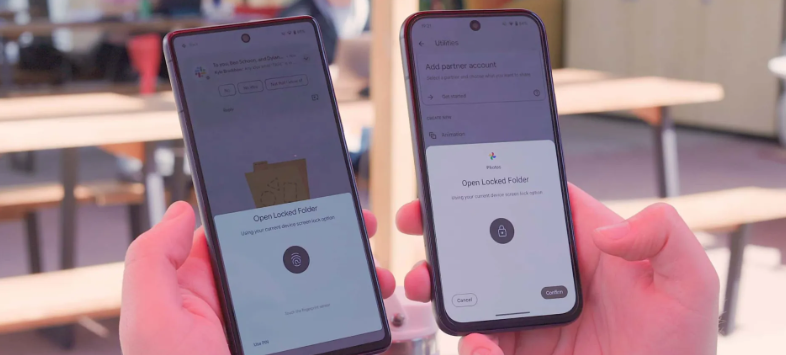
Redesigned authentication Panel
Redesigned authentication panel
Beta 1.2 vs Beta 2
Taller with the app icon appearing
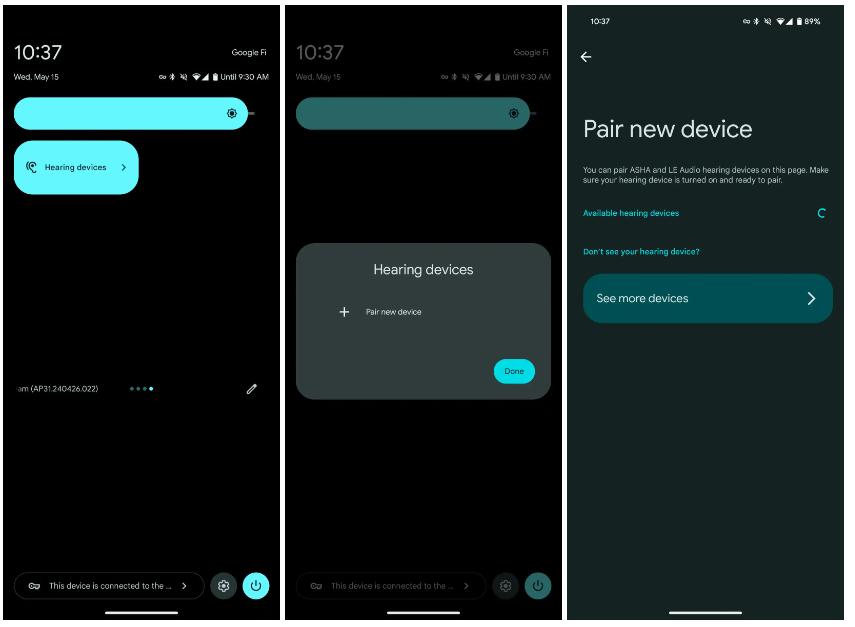
Hearing devices QS Tile
Hearing devices QS Tile
FAQs
Which devices are compatible with Android 15 Beta 2?
Android 15 Beta 2 is now available for a wider range of devices from brands like iQOO, Lenovo, Nothing, OnePlus, Sharp, Oppo, Realme, Tecno, Vivo, Xiaomi, and Honor.
What is the Private Space feature in Android 15 Beta 2?
Private Space allows users to isolate and protect sensitive apps with an extra layer of authentication, hiding them from the launcher, recent view, settings menu, and notifications.
How does Android 15 Beta 2 improve battery life?
Battery life is enhanced by time-limiting DataSync and media processing foreground services to 6 hours before they shift to the background to conserve power.
What new font support does Android 15 Beta 2 include?
The update adds support for various global alphabets, including new font support for Chinese, Japanese, and Korean, and a new font file for Japanese Hentaigana.
What changes are introduced in the volume panel of Android 15 Beta 2?
The volume panel has been redesigned with a sleeker interface, a shortcut for Live Captions, and an output switcher widget for Bluetooth accessories. The older volume panel interface is still accessible via Tasker.
What are known issues of private space ?
Creating a private space on a device for the first time removes app icons from the Home screen (or Home screens if more than one Home screen has been added). We expect to include a fix for this issue in a Beta 2 point release in the coming days. (Issue #340868295)
Debugging with LLDB doesn’t work yet with 16 KB emulator system images.
When an app window is transitioning to picture-in-picture (PiP) mode, the PiP window disappears if the device is rotated before the PiP transition finishes.
An error page shows while adding an account during device setup.
An “Android System Intelligence keeps stopping” message appears while creating a file in the Google Docs app.
The Google TV app sometimes fails to initiate video playback and instead displays a “Play Movies & TV is temporarily unavailable” message.
What are Bluetooth resolved issues ?
BLE Reliability:
Implemented a fix to prevent BluetoothGatt from getting stuck in a busy state when a characteristic write fails. (Issue #330663537)
Fixed a bug in BluetoothGattService that sometimes a SecurityException is thrown out when enabling notifications for a specific device. (Issue #317215071)
Addressed a critical Bluetooth connection issue affecting dual-mode devices with LE random address.
LE Audio Enhancements:
Significant improvements have been made to LE Audio, addressing clock synchronization problems, pairing and bonding experiences, and packet drops for a smoother, higher-quality audio and hearing aid experience.
Bluetooth API Refinements: – Extended Bluetooth Audio Classic (A2DP) stack to support vendor codec on the offload audio codec.
Also refined Bluetooth APIs for better developer experience and improved functionality. This includes fixes for GATT error handling, HID/HOGP switching, and enhancements to BluetoothDevice#getAddressType() accessibility. (Issue #220161109)
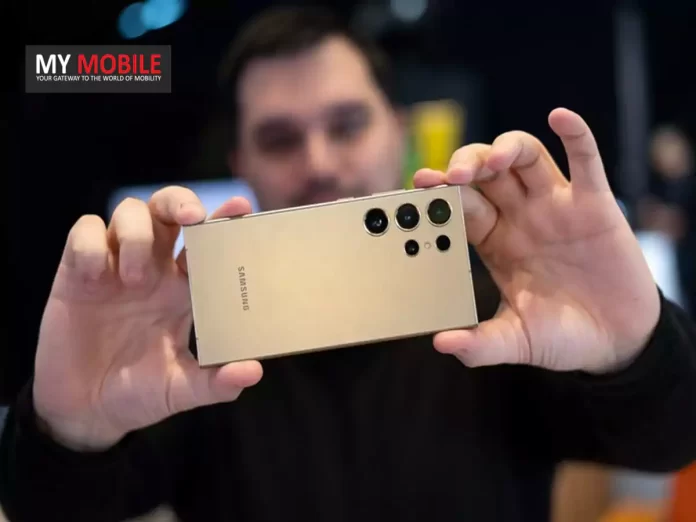
Several leakers on X have made different claims about the number of cameras on the Galaxy S25 Ultra.
Tipster Sperandio4Tech was the first to say that Samsung will only offer three cameras instead of four cameras like the S24 Ultra.
Sperandio4Tech said that Samsung will use a 200MP main camera with the same sensor size as before (but with improved light capture) to generate 3x images.
They said that the S25 Ultra will have a periscope camera with variable zoom and a large sensor.
This isn’t believed to be continuous variable zoom but rather switching between ~4x to ~5x and ~6x to ~7x.
Galaxy S25 Ultra – Camera News
A prototype of the S25 Ultra is already having its cameras tested by Samsung… and there are 3 new aspects that I’d like to share with you first-hand about the new model’s cameras.
It seems that Samsung is trying to be bold, which I think is… pic.twitter.com/J5GUfID29k
— Sperandio4Tech (@ISAQUES81) May 12, 2024
Leaked @BennettBuhner said that the Galaxy S25 Ultra would be getting three cameras instead of four.
He claims that Samsung will offer a ~50MP variable telephoto camera with “select zoom ranges.”
The tipster said that we could see 14x “lossless” zoom if it tops out at 7x optical zoom.
The leaker also says that the S25 Ultra will pack an upgraded 200MP ~1-inch sensor and a 50MP ultrawide lens.
Tipster Revegnus says that the S25 Ultra has four rear cameras.
Galaxy S25 Ultra rumored to retain four-camera setup with 200MP main sensor
But always reliable Ice Universe has given light on the topic and says that the next Ultra variant will still include four cameras.
Ice Universe clarified that an upgrade with respect to this camera is definitely going to be possible, and that it will not be discontinued.
Regarding the camera of Galaxy S25 Ultra, you need to be prepared for the worst. Do not rule out the possibility that everything will remain the same.
What I can confirm at present is that the screen size has not changed, and it is still 6.8 inches.
— ICE UNIVERSE (@UniverseIce) May 15, 2024
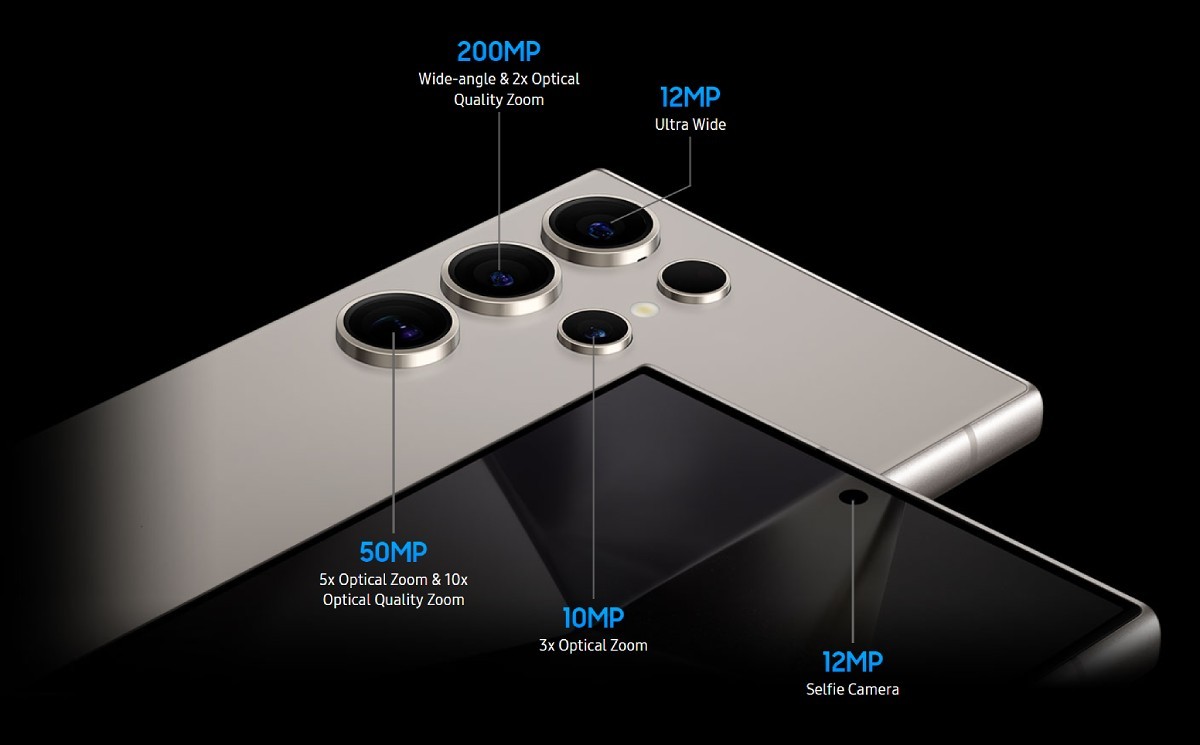
The 10MP 3x camera has not changed much, except for slight changes with the sensor size and focus length, since the Galaxy S21 Ultra.
“Regarding the camera of Galaxy S25 Ultra, you need to be prepared for the worst. Do not rule out the possibility that everything will remain the same. What I can confirm at present is that the screen size has not changed, and it is still 6.8 inches,” is what Ice Universe wrote in his tweet.
Potential Upgrades and Speculations
Samsung Galaxy S24 Ultra’s camera configuration
The 12MP 120° ultra-wide camera hasn’t changed all that much since the S20 Ultra, much like the 3x camera.
The main camera, however has changed over time—from the S20 Ultra’s 108MP HM1 sensor to the S23 and S24 Ultra models’ 200MP HP2 sensor.
While it is expected that the Galaxy S24 Ultra will retain the HP2 sensor, there are indeed speculative reports that Samsung has experimented with the concept of making the periscope module variable in its focal length, thus able to switch between two pre-defined positions.
The ultra-advanced AI skills introduced with the S24 series
Samsung might have a few surprises in store, though specifications, such as battery life, screen resolution and refresh rate, and storage options are unlikely to differ greatly from the S24 Ultra.
Speculative reports suggest variable focal length for periscope module
Furthermore, it’s possible that the Galaxy S25 Ultra will have minor but noticeable design adjustments; however, details are yet unknown at this time.
The rumour mill will continue to churn and Samsung enthusiasts might not have to await to long to get some tangible confirmation and details about the Galaxy S25 Ultra.
Digital Zoom, Auto Flash, Face detection, Touch to focus
Video Recording
4K, 1080p
Flash
Yes, LED
Front Camera
Punch Hole 60 MP with Screen Flash
Front Video Recording
1080p
TECHNICAL
OS
Android v14
Custom UI
OneUI 6.0
Chipset
Qualcomm Snapdragon 8 Gen4
CPU
Octa Core Processor
GPU
Adreno GPU
Java
No
Browser
Yes
MULTIMEDIA
Email
Yes
Music
Yes
Video
Yes
FM Radio
Yes
Document Reader
Yes
BATTERY
Type
Non-Removable Battery
Size
5100 mAh, Li-Po Battery
Fast Charging
Yes, 65W Fast Charging
Wireless Charging
Yes, 45W
Reverse Charging
Yes, 10W
FAQs
FAQs
Will the Samsung Galaxy S25 Ultra have a 3x telephoto camera?
Yes, reliable sources indicate that the Galaxy S25 Ultra will retain its 10MP 3x telephoto camera with slight upgrades in sensor size and focus length.
What changes are expected in the Galaxy S25 Ultra’s camera setup?
The main camera will continue to feature the 200MP sensor from the S24 Ultra, with potential enhancements in other cameras, including a possible variable focal length for the periscope module.
What processor might the Galaxy S25 Ultra feature?
Rumours suggest that the Galaxy S25 Ultra could be equipped with the new Snapdragon 8 Gen 4 processor, potentially matching the performance of Apple’s upcoming A18 Pro chip.
Are there any design changes expected for the Galaxy S25 Ultra?
While specific details are yet unknown, it is speculated that the Galaxy S25 Ultra may have minor but noticeable design adjustments compared to its predecessor.
When will more information about the Galaxy S25 Ultra be available?
As the rumour mill continues, Samsung enthusiasts can expect more tangible confirmation and details about the Galaxy S25 Ultra in the coming months.
Will some Galaxy S25 models be more power efficient than others ?
The Exynos 2500 will feature Samsung Foundry’s Gate-All-Around (GAA) process technology, which should allow it to run cooler than the Snapdragon 8 Gen 4, per Business Korea.
While both of these chips will be based on the 3nm tech, the GAA process will give Samsung’s chip an edge in terms of efficiency.
The GAA architecture overcomes the challenges of FinFET, leading to increased performance and reduced power consumption.
The report says that while the Snapdragon 8 Gen 4 will lead in performance, the Exynos 2500 will be close.
The Exynos 2500 won’t be Samsung’s first 3nm chip, though, as the Exynos W1000 chip for the Galaxy Watch 7 will be the company’s first 3nm chip in July 2024.
The company decided to go ahead with the Exynos 2500 processor for some Galaxy S25 and Galaxy S25+ units.
The Galaxy S25 Ultra will likely continue using the Snapdragon 8 Gen 4 processor.
Other 3nm chips, such as the M4 chip in Apple’s new iPad Pro, are made using TSMC’s 3nm process, which uses the older FinFET structure.
What to expect from Galaxy S25?
The Galaxy S25 is expected to have a new design, improved camera quality, and longer battery life.
The phone could also feature two-way satellite connectivity for emergency communications.
It will most likely run Android 15-based One UI 7.1 out of the box and get major Android OS updates for seven years.