* JioCinema is soon going to become a paid streaming platform post IPL. * It could be offered as JioVoot and subscription plans could start at Rs 99. * The revamped streaming platform will offer over 100 new movies and TV shows. * It will have a Super Plan. * Jio confirmed it will add over 100 movies and shows before IPL ends.
Reliance Jiohas some big plans for JioCinema with plans of offering it as a subscription-based streaming platform. JioCinema is currently available for free to all Jio users, and it’s also where the popular Indian Premier League (IPL) is streamed live, after the much-popular FIFA World Cup, which was also free.
A new report now suggests that JioCinema’s revamp will actually be a merger with Viacom 18’s Voot, collectively making it ‘JioVoot’.
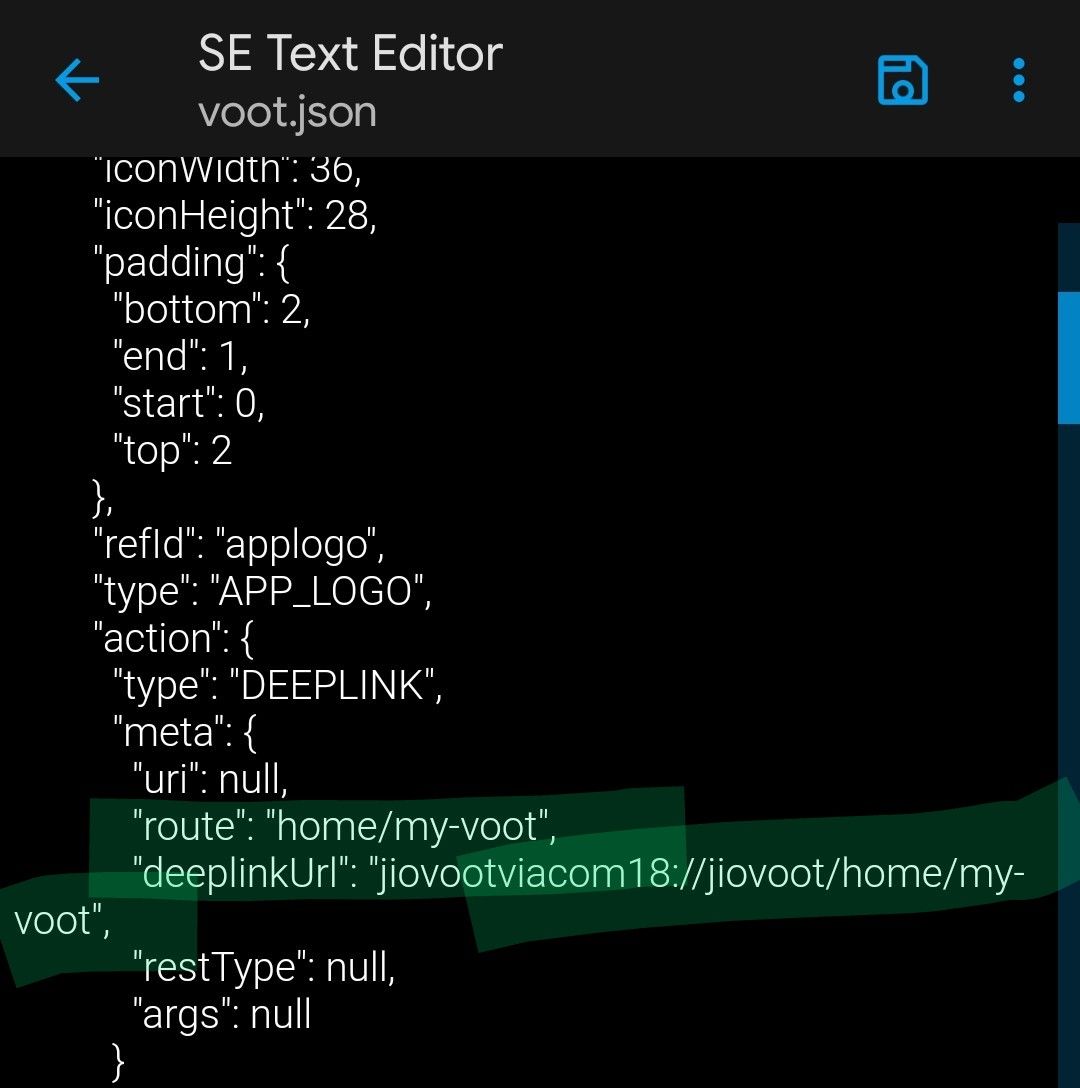
JioVoot is said to be the rebranded streaming platform, and its subscription plans will start at Rs 99, according to a report by OnlyTech. These details were fetched from the source code of the current JioCinema APK which revealed the new JioVoot name and also the subscription price.
This is supposedly the JioVoot Super Plan which is priced at Rs 99 but there’s no confirmation on whether this will be monthly or quarterly.
This comes after Reliance’s media and content business President Jyoti Deshpande confirmed in an interview with Bloomberg that JioCinema will indeed expand its base and start charging for content.
JioCinema may soon have a new name as the company plans to bring several new content onto its platform. This could be done to give the OTT platform a new identity apart from just an IPL streaming platform.
Currently, the platform is streaming Indian Premier League (IPL 2023) for free which has given a major boost to its viewership already.
It now seems that JioCinema may rebrand itself to JioVoot. In case you don’t know, Voot is another OTT platform that is owned by Viacom 18. The report comes from a community post on OnlyTech.
The post also reveals the starting price of the company’s firstsubscription plan for its OTT platform. Here’s everything you need to know about it.
JioCinema plans not officially announced yet
Vootalready exists as a streaming service and offers premium content starting at Rs 299 per year. For those unaware, Voot is a Viacom18 product which is under Network 18 that is a Reliance Industries subsidiary.
The one doubt and question looming over Jio users amid all these reports is whether IPL streaming would continue to be free or not. According to Reliance’s media and content business President Jyoti Deshpande, IPL will continue to be free even after the new subscription-based content plan. Deshpande confirmed this in a recent interview with Bloomberg where she shared the future plans for JioCinema.
There will be more than 100 movies and TV series added to JioCinema, and the new content will be available to watch before the end of IPL which is on May 28th. The company is also keeping in mind the price factor given the price-conscious market that India is, and also if it wants to compete with other streaming platforms.
But the company doesn’t plan to make JioCinema another platform for watching international content. It instead wants JioCinema to “get as Indian as it can.”
With IPL ending next month, we should get more clarity on Jio’s new content streaming plans and how it will compete with rivals in the market.
JioCinema to JioVoot rebranding possible after IPL 2023
JioCinema is expected to go under a complete makeover after IPL 2023 ends. A post done by xcap6456 from Onlytech revealed that JioVoot could be the new name for JioCinema. The member deconstructed the current JioCinema APK and found some interesting details during his research.
In the screenshot above, the source code of the app reveals that JioVoot will be the new platform from Mukesh Ambani-led Reliance. It will be owned by Viacom 18 which also holds the digital rights for IPL 2023.
Reliance’s media and content business President Jyoti Deshpande in an interview revealed that major changes and new content are coming to JioCinema. It now seems that a name rebranding could be on the cards.
JioVoot ‘Super Plan’ Could be Priced at Rs 99
In our previous report ,we revealed that JioCinema could soon have a subscription-based model after IPL 2023. Deshpande also confirmed the same in the interview. She revealed that all the new content will come at a cost for consumers however, the company is still finalising the pricing strategy.
The deconstruction of JioCinema APK reveals that JioVoot will have a plan calledSuper Planthat could be priced at Rs 99 for users. As of now, it is hard to say whether it’s a monthly or annual fee. It is also unknown whether Jio users will get the content for free or on a paid basis.
JioVoot to Get a Catalog of 100 Movies & TV Series
Reliance’s entertainment division Jio Studio recently announced a slate of 100 original productions that would be coming this year.
This includes “Dunki,” starring Shah Rukh Khan, a courtroom drama for Amitabh Bachchan, as well as the “Bhediya” and “Stree” sequels.
It has signed a production agreement with SVF Entertainment, a major player in Bengali cinema. The film titles on the slate cover action, drama, thriller, comedy, romance, biopics, horror, and musicals. They are intended for the Hindi, Marathi, Bengali, Gujarati, South, and Bhojpuri markets. It has announced a collaboration with many known directors as well.
Faqs on Jio Cinema
1) Will JioCinema be rebranded as JioVoot after IPL 2023?
Ans) JioCinema is expected to go under a complete makeover after IPL 2023 ends. A post done by xcap6456 from Onlytech revealed that JioVoot could be the new name for JioCinema. The member deconstructed the current JioCinema APK and found some interesting details during his research.
The source code of the app reveals that JioVoot will be the new platform from Mukesh Ambani-led Reliance. It will be owned by Viacom 18 which also holds the digital rights for IPL 2023.
Reliance’s media and content business President Jyoti Deshpande in an interview revealed that major changes and new content are coming to JioCinema. It now seems that a name rebranding could be on the cards.
2) Will JioVoot ‘Super Plan’ Could be Priced at Rs 99?
Ans) In our previous report, we revealed that JioCinema could soon have a subscription-based model after IPL 2023. Deshpande also confirmed the same in the interview. She revealed that all the new content will come at a cost for consumers however, the company is still finalising the pricing strategy.
The deconstruction of JioCinema APK reveals that JioVoot will have a plan called Super Plan that could be priced at Rs 99 for users. As of now, it is hard to say whether it’s a monthly or annual fee. It is also unknown whether Jio users will get the content for free or on a paid basis.
3) Is Jio Voot getting a Catalog of 100 Movies & TV Series?
Ans) Reliance’s entertainment division Jio Studio recently announced a slate of 100 original productions that would be coming this year.
This includes “Dunki,” starring Shah Rukh Khan, a courtroom drama for Amitabh Bachchan, as well as the “Bhediya” and “Stree” sequels. You can check out the full list here.
It has signed a production agreement with SVF Entertainment, a major player in Bengali cinema. The film titles on the slate cover action, drama, thriller, comedy, romance, biopics, horror, and musicals. They are intended for the Hindi, Marathi, Bengali, Gujarati, South, and Bhojpuri markets. It has announced a collaboration with many known directors as well.
• Since 2018, Lenovo has recorded an average growth of 25% year-on-year during April-May period • Lenovo is back with another grand sale entailing 10% instant discounts and cashback offers up to Rs. 10,000 on selected PCs.
Lenovo, the global technology leader, has announced its Back to School (BTS) offers for students across the country.
As the new academic session begins, the brand is offering a variety of discounts on laptops and accessories that help enhance the learning experience of students and educators alike.
In line with Lenovo’s vision of providing Smarter Technology For All, it understands the demand for premium devicesamong students, and delivers the most long-lasting and trusted solutions possible for today’s hyperconnected environment at accessible price points.
As per GFK, a global market research company, the BTS sale is the most important sale period for OEMs, coming second to only the festive period (September to November). This sale accounts for 15%-17% of the overall sales of the year. **(except 2020 and 2021 due to Covid restrictions).
Lenovo’s BTS offers are currently live and will be valid until 15th May 2023 across all retail and e-tail channels.
Additionally, with the new Lenovo PC Exchange Program, customers can sell their old laptop/ PC in exchange for a new device and get an Exchange Bonus of upto Rs 10,000 over and above the value of the old PC.
Apart from this, Lenovo is also offering attractive discounts on computer accessories during this period.
Customers can purchase accessories like H100 Gaming Headset/ M300 RGB Gaming Mouse or Fire Pods Ninja G311/ 600 BT Silent Mouse at just Rs. 499, while buying any gaming PC or non-gaming PC respectively.
Lenovo is also running a limited time offer for Warranty/ADP extension, where customers can get Comprehensive Services worth Rs 19,990 at only Rs 2,999. Under this, customers can avail a three- year extended warranty, three-year premium care and a three-year accidental damage protection (ADP).
Customers can choose affordable finance schemes so they can own their favorite Lenovo device. They can avail paper finance and digital finance options with select banks and online finance partners like PineLabs, Paytm and Amazon Pay.
Customers can get 3 to 24 months EMI with paper finance and 0 to 12 months EMI with digital finance partners.
They can also avail 10% instant discount and cashback up to 10,000/- on select series, through PineLabs.
Furthermore, Lenovo will provide a flat Rs. 3,000 instant discount on IdeaPad Slim 3 Ci5 series through HDFC Bank.
With Amazon Pay, further discounts can be availed on Bank or UPI transactions till 30th April, 2023.
Warranty Offer on Lenovo Notebooks
Product
Default Services
Pay Rs.1,999
Pay Rs.2,999
IdeaPad Slim5 / Flex5
/ Gaming3
1Yr Warranty + 1Y ADP+ 1Y premium care
+ 2 Year Warranty
+ 2 Year Premium care
+ 2 Years Additional Warranty
+ 2 Year Premium Care
+ 2 Year ADP
Legion 5
1Yr Warranty + 1Y ADP+ 1Y premium care
+ 2 Year Warranty
+ 2 Year Legion Ultimate Support
+ 2 Years Additional Warranty
+ 2 Year Legion Ultimate Support
+ 2 Year ADP
Legion 5 Pro / Legion Slim 7
3Yr Warranty + 1Y ADP+ 1Y LUS
–
+ 2 Year Legion Ultimate Support
+ 2 Year ADP
Legion 5 Pro/
Legion 7 (New)
3Yr Warranty + 1Y ADP+ 3Y LUS
–
+ 2 Year ADP
Yoga / IdeaPad Slim 5 Pro
3Yr Warranty + 1Y ADP+ 1Y premium care
–
+ 2 Year Premium Care
+ 2 Year ADP
Yoga (New)
3Yr Warranty + 1Y ADP+ 3Y premium care
–
+ 2 Year ADP
Faqs on Lenovo Offers
1) What is the latest Lenovo Offers on PCs & Notebooks?
Ans) Lenovo has announced its Back to School (BTS) offers for students across the country. As the new academic session begins, the brand is offering a variety of discounts on laptops and accessories that help enhance the learning experience of students and educators alike. In line with Lenovo’s vision of providing Smarter Technology For All, it understands the demand for premium devices among students, and delivers the most long-lasting and trusted solutions possible for today’s hyperconnected environment at accessible price points.
As per GFK, a global market research company, the BTS sale is the most important sale period for OEMs, coming second to only the festive period (September to November). This sale accounts for 15%-17% of the overall sales of the year(except 2020 and 2021 due to Covid restrictions).
Lenovo’s BTS offers are currently live and will be valid until 15th May 2023 across all retail and e-tail channels. Additionally, with the new Lenovo PC Exchange Program, customers can sell their old laptop/ PC in exchange for a new device and get an Exchange Bonus of upto Rs 10,000 over and above the value of the old PC.
Apart from this, Lenovo is also offering attractive discounts on computer accessories during this period. Customers can purchase accessories like H100 Gaming Headset/ M300 RGB Gaming Mouse or Fire Pods Ninja G311/ 600 BT Silent Mouse at just Rs. 499, while buying any gaming PC or non-gaming PC respectively.
Lenovo is also running a limited time offer for Warranty/ADP extension, where customers can get Comprehensive Services worth Rs 19,990 at only Rs 2,999. Under this, customers can avail a three-year extended warranty, three-year premium care and a three-year accidental damage protection (ADP).
Customers can choose affordable finance schemes so they can own their favourite Lenovo device. They can avail paper finance and digital finance options with select banks and online finance partners like PineLabs, Paytm and Amazon Pay.
Customers can get 3 to 24 months EMI with paper finance and 0 to 12 months EMI with digital finance partners. They can also avail 10% instant discount and cashback up to 10,000/- on select series, through PineLabs.
Furthermore, Lenovo will provide a flat Rs. 3,000 instant discount on IdeaPad Slim 3 Ci5 series through HDFC Bank. With Amazon Pay, further discounts can be availed on Bank or UPI transactions till 30th April, 2023.
2) What is the benefit Lenovo is offering for HDFC bank card holders ?
Ans) Lenovo will provide a flat Rs. 3,000 instant discount on IdeaPad Slim 3 Ci5 series through HDFC Bank.
* Motorola Razr Pro and Lite are expected to be the company’s upcoming foldables. * The launch date for the new Razr phones have now been leaked. * Of the two, the Razr Pro is said to be the premium offering while the Razr Lite will be a more affordable option. * Motorola Razr Pro was previously tipped to launch as Razr Plus. * The Motorola Razr Lite will be an affordable version of the Pro model. * Design details of both foldable phones have leaked previously.
Motorola is expected to launch a newer generation of its foldable Razr series later this year. Rumours and leaks suggest there’s going to be more than one phonefrom the 2023 Motorola Razr series. There could be as many as three phones in the series and these are supposedly the Razr Pro, Razr Lite and Razr 40 Ultra.
A new leak now suggests when these foldables could possibly launch. According to tipster Max Jambor, the Motorola Razr Pro and Razr Lite smartphones will launch globally on June 1st in Madrid, Spain.
As the names suggest, the Razr Pro is said to be a premium foldable while the Razr Lite will be a more affordable option.
The Motorola Razr series is set to launch soon. The company is tipped to launch two new foldable phones later this year. There were rumours of the Motorola Razr Plus 2023 launching as a premium clamshell-style foldable phone. However, a new leak reveals that the phone will actually be called the Motorola Razr Pro.
Alongside this, the company will also launch an affordable version of its premium foldable smartphone. This will be called the Motorola Razr Lite.
Tipster Max Jambor has now revealed the launch date of the two Motorola foldable phones. Let’s take a look at the Motorola Razr Pro, Razr Lite specifications, features and other details revealed so far.
Motorola Razr Pro, Razr Lite
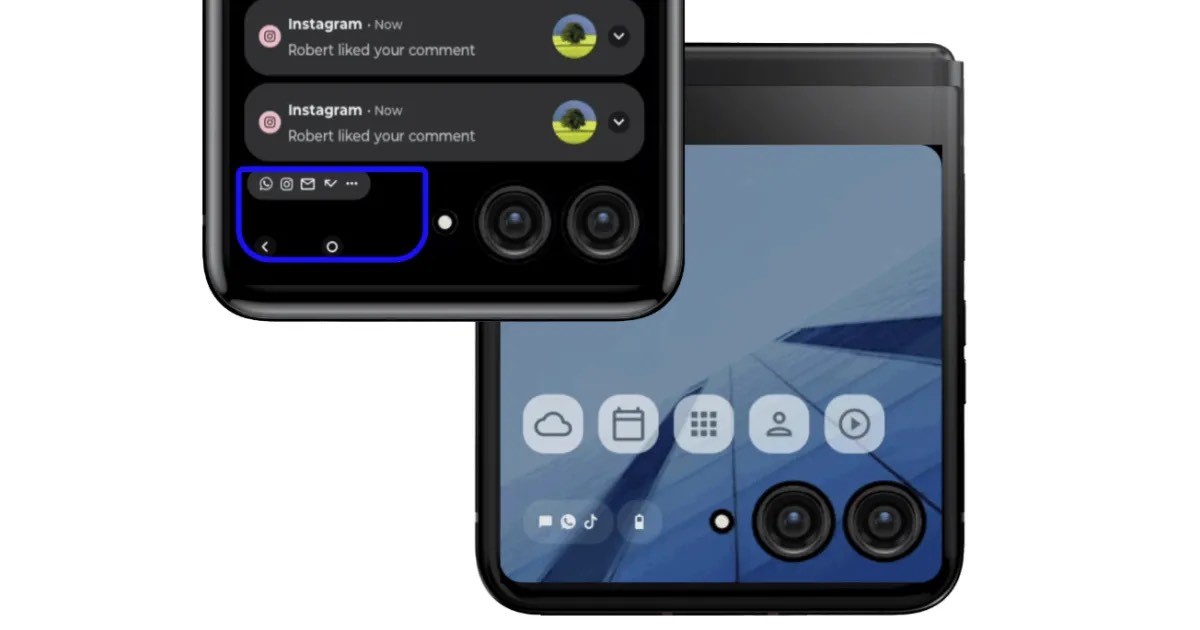
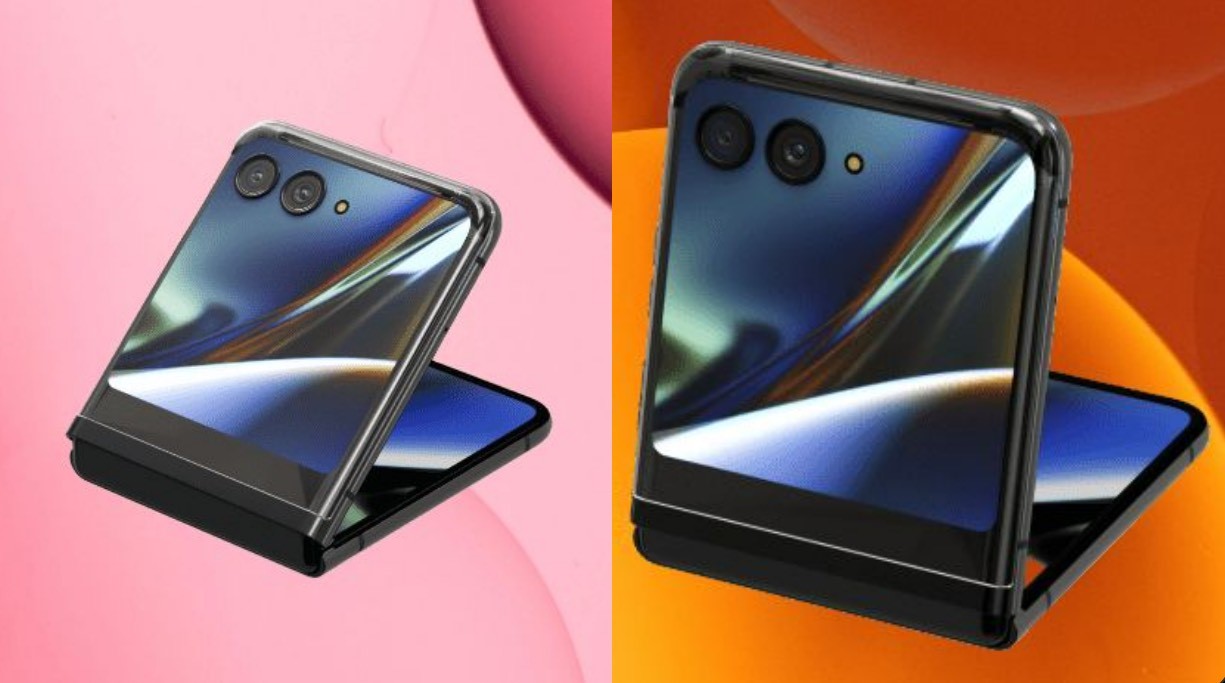
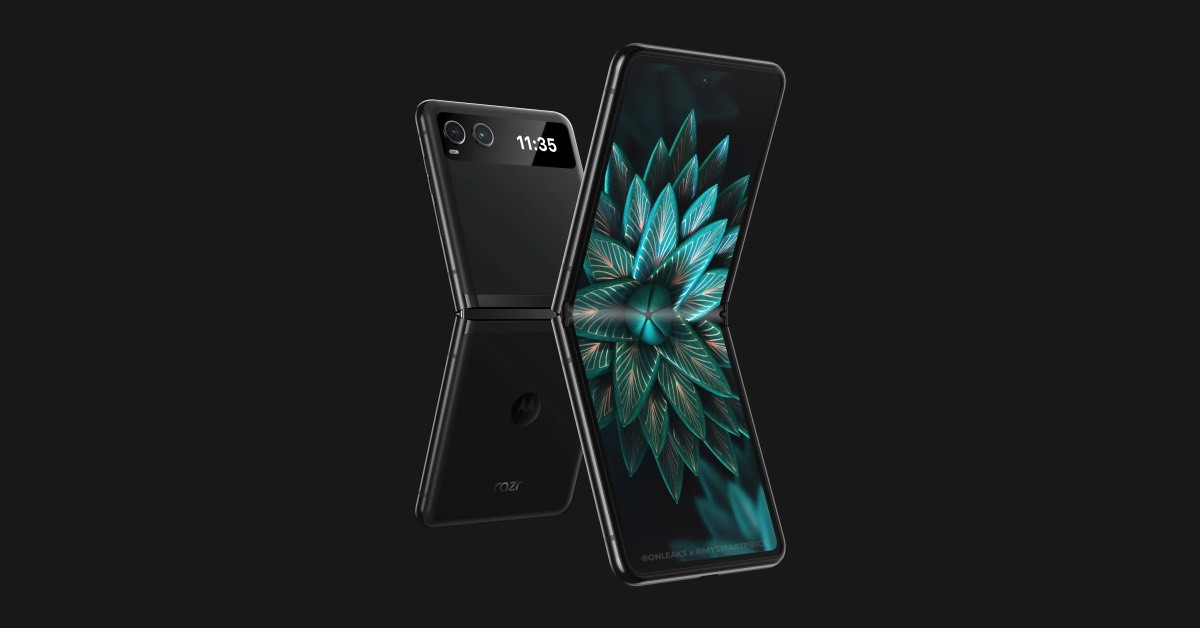
There have been leaks revealing what could be the specifications and design of the 2023 Motorola foldables. Starting with the Razr Lite, this one has a clamshell design similar to the Samsung Galaxy Z Flip4 and OPPO Find N2. There’s a small outer display that’s only enough to house notifications, calls, and more. Its leaked renders also show a dual camera setup just next to the cover display. The inner display will be a bigger one with a punch-hole camera cutout for selfies.
As for the Razr Pro, this foldable is said to house a bigger outer display that will take up almost half of the exterior panel. It could even be bigger than the OPPO Find N2 Flip’s outer display which is 3.2-inches in size. The Motorola Razr Pro too will have a dual rear cameras but on the inside rumours suggest it could be an under-display camera instead of the punch-hole.
But there’s not enough evidence to back this up so it’s best we wait for more details on this information. As far as the specifications are concerned, there isn’t anything concrete yet.
If the launch date rumour is accurate, then there’s less than two months to go for the Motorola Razr Pro and Lite to debut. We should also start seeing more details on the upcoming foldables.
1) When Motorola Razr Pro, Razr Lite Might Launch?
Ans) Motorola will debut two premium foldable phones later this year. There will be the Motorola Razr Pro sitting above the Razr Lite foldable phone. Jambor, who has a reputation for accurate leaks related to OnePlus and Samsung products, has now revealed the launch date of the Motorola foldable phones. The tipster claims that the Razr Pro and Razr Lite will launch in Madrid on June 1.
We are about six weeks away from the tipped launch timeline. Motorola has not confirmed any details about the same. The tipster did not reveal any details about the two foldable phones from Motorola. However, MySmartPrice recently revealed the exclusive design renders of the Motorola Razr Lite foldable phone.
The Razr Lite will have a small outer display, which is likely to be good enough for checking the time, notifications, incoming calls, etc. There is a dual-camera setup next to the cover display along with an LED flash. On the inside, the foldable display has a hole-punch cutout at the top centre for the front camera. The bezels around the foldable display, while being fairly narrow, are slightly thicker than the leaked Razr Pro 2023.
The Razr Pro, formerly known as Razr Plus, will have a massive outer display compared to currently available clamshell-style foldable phones. The cover display will occupy nearly half of the rear panel and will reportedly be bigger than the OPPO Find N2 Flip, which has a 3.26-inch outer screen.
The outer screen on the Razr Pro has cutouts for the dual-camera setup and an LED flash module. On the contrary, the foldable display on the inside is tipped to feature no cutouts anywhere for the front camera. In fact, the clamshell foldable phone is tipped to feature a front camera under the foldable display. If true, the Razr Pro might well be the first clamshell-style foldable phone to feature an under-screen front camera.
The rumour mill has not been able to reveal the specifications or features of the Razr Pro/ Lite at the time of writing this. We can expect the Razr Pro to continue sporting a 144Hz 6.7-inch OLED display.
The foldable phone might pack a top-end Snapdragon or MediaTek SoC under the hood.
The device was spotted on 3C with 33W fast charging support. It is likely to pack a 3640mAh battery under the hood.
2) What will the Razr Lite be priced at & what are its specifications ?What is the price of Razr Pro & it’s specifications ?
Ans) According to rumours, the reasonably priced Razr Lite will have an LED flash, a twin camera system adjacent to the cover display, and a small outside display. The front camera will presumably be housed in a hole-punch cutout on the inner display of the phone.
The pricey Razr Pro, formerly known as the Razr Plus, is expected to have a huge outside display that takes up almost the entire back panel.
The smartphone’s battery capacity and charging speed were recently discovered on the CQC and TDRA site.On both websites, the smartphone’s model number was listed as XT2321-3.
The smartphone might include a 2,850mAh battery with 30W fast charging capabilities and a 2.7-inch cover display. The forthcoming smartphone, which is expected to replace the Moto Razr 2022, is expected to have a larger battery than its before.
* ASUS ExpertBook B1 laptops are targeted towards enterprise users * Screen size options include 14-inch and 15.6-inch * The company is yet to reveal prices of the new business laptops
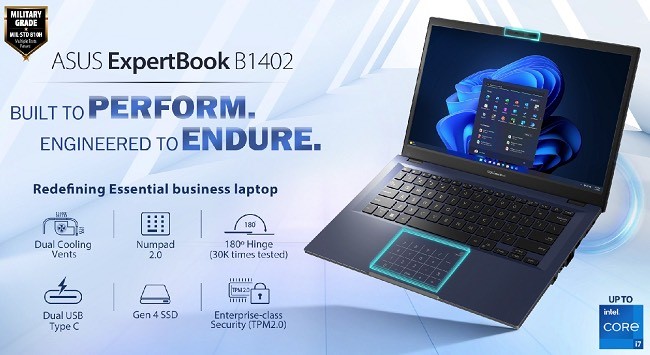
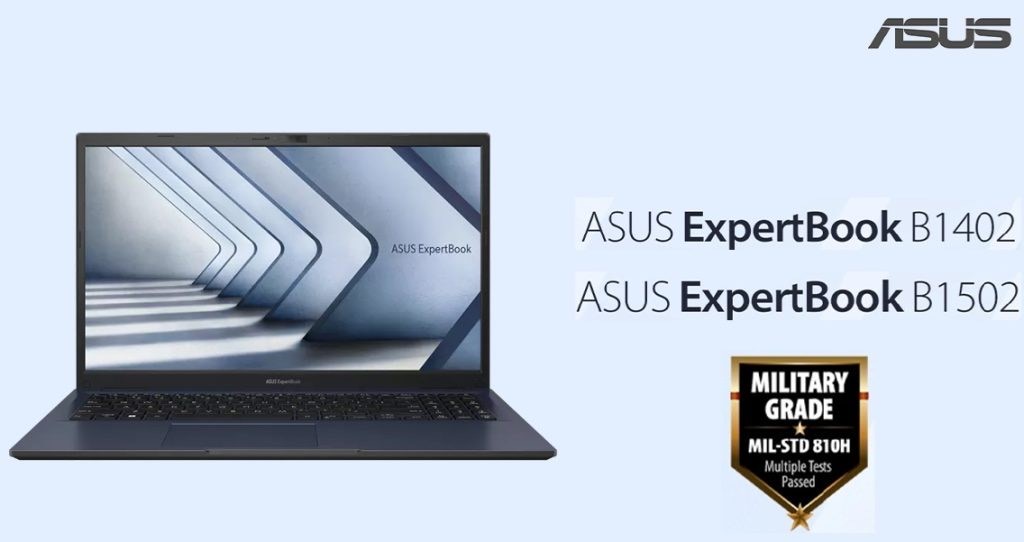
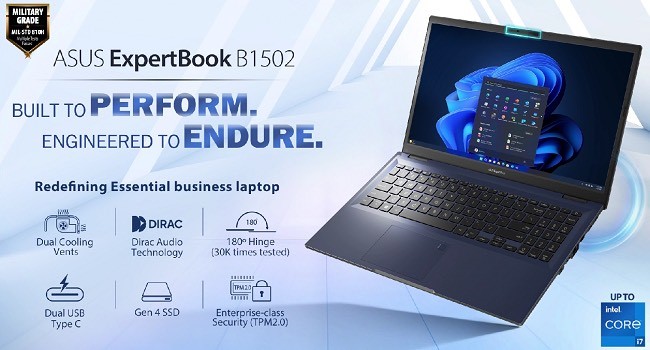
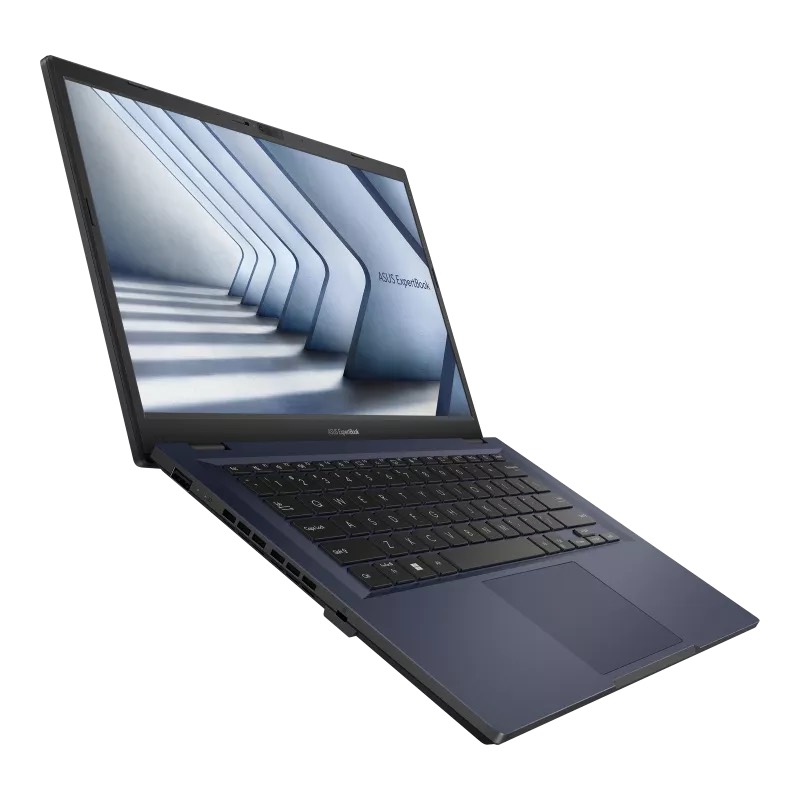
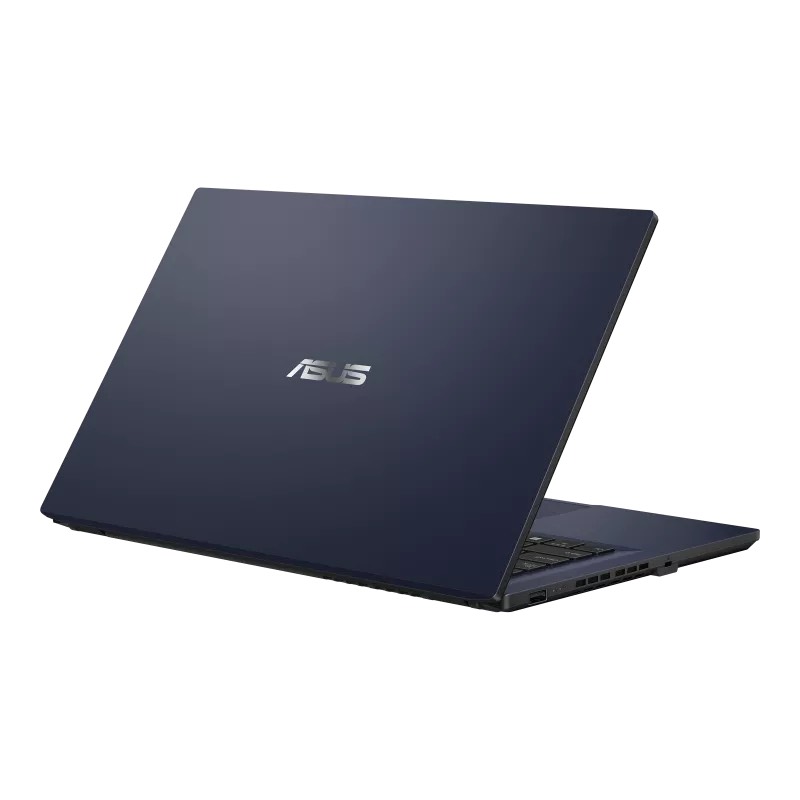
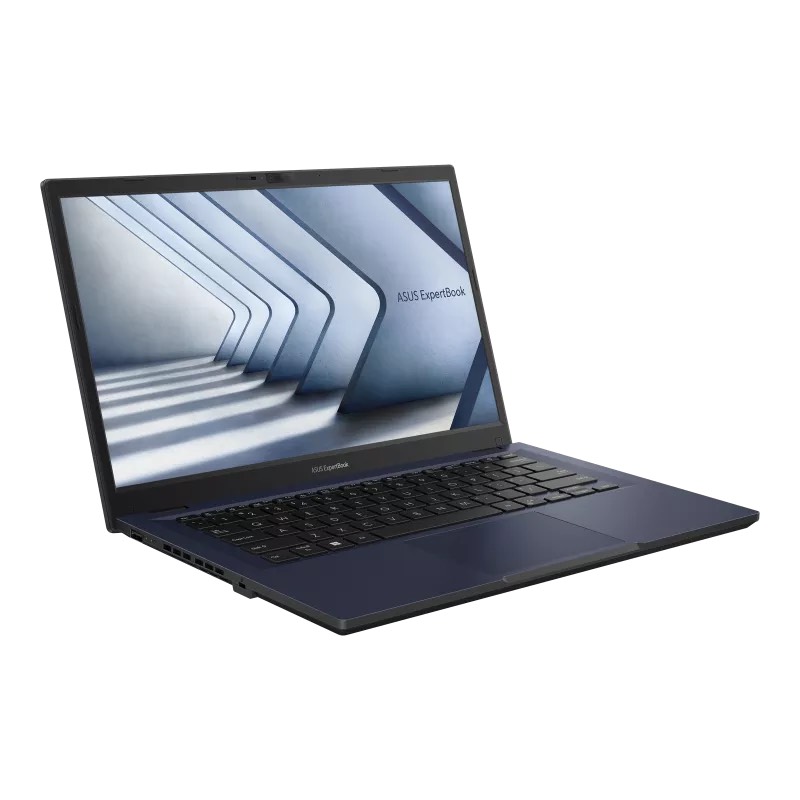
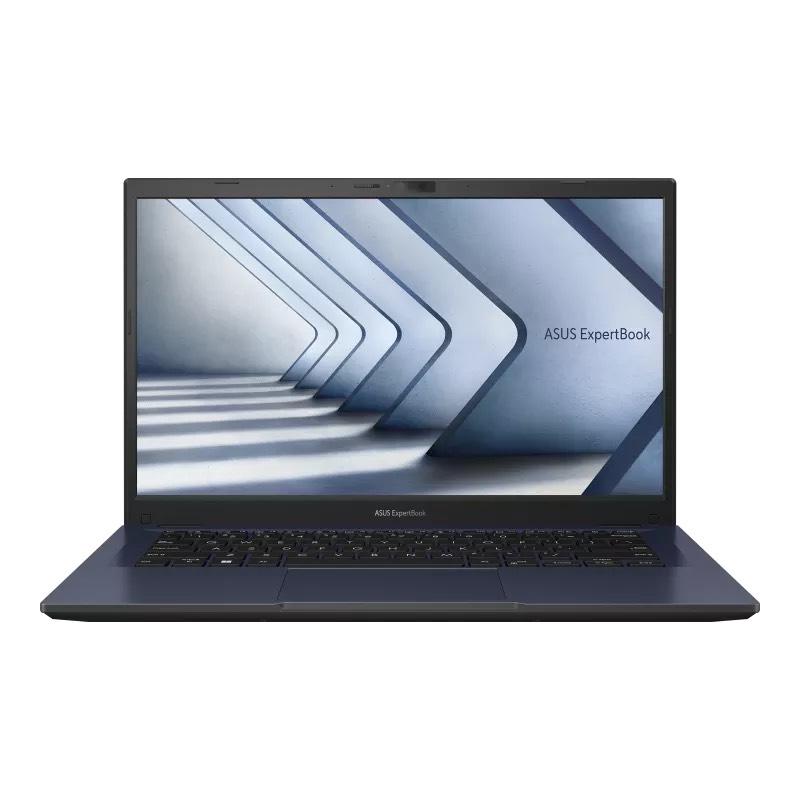
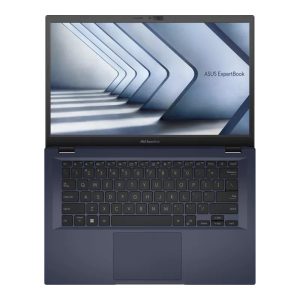
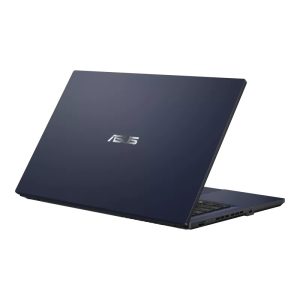
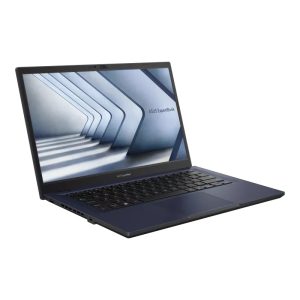
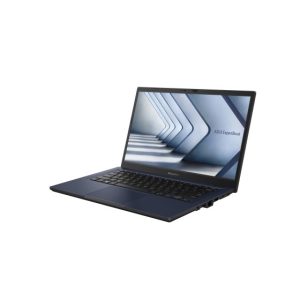
ASUS has launched two new enterprise laptops in the country — the ASUS ExpertBook B1402 and B1502. The laptops offer a good variety of specifications, as well as additional features to enhance the utility and security of the devices.
Among the key takeaways behind the new laptops is also the durability aspect, all of which is aimed at making the ASUS ExpertBook series enterprise-focused offerings. The products come at a fairly busy stretch for ASUS, which unveiled its 2023 lineup of ZenBook and VivoBook laptops on March 14th, followed by its flagship gaming range of ROG Strix Scar and ROG Zephyrus on March 22nd.
Commenting on the launch of the ExpertBook B1402 / B1502 , Dinesh Sharma, Business Head, Commercial PC and Smartphone, System Business Group, ASUS India said, “At Asus Our vision is to innovate solutions and equip our Business customers with the latest and meaningful technologies to help them stay ahead of the curve. We are excited to introduce the latest segment leading and true game changer ExpertBook B1402 and B1502, laptops that built to perform and engineered to endure.
ExpertBook B1402 / 1502 are affordable yet offer segment leading performance, durability, convenience and security with unmatched features in the segment such as NumPad 2.0, Dual Display Out, 180 Degree robust Hinges tested for 30000 times, USB Type C PD fast Charging and comprehensive hardware security of TPM 2.0, RJ 45 port, Kensington Lock and optional IR Camera.
Availability
The ASUS ExpertBook B1 (1402 and 1502) will be available at “all leading commercial PC channel partners”, according to the company. Prices and availability dates of the laptops were not revealed upon launch.
Features and Specifications
The ASUS ExpertBook B1 (1402 and 1502) range will feature 12th generation processor options, which range from Core i3-1215U, Core i5-1235U and Core i7-1255U SKUs. The Core i3 variant will feature Intel UHD integrated graphics, while the other two variants will come with Intel Xe graphics.
Along with this, there are a total of six display options spread across the two ExpertBook B1 models — three for each. These include one LED-backlit 1366 x 768 pixels HD resolution variant, one LED-backlit full HD resolution variant, and a full HD TN panel variant. Each of these three choices are available in the 14-inch size on the ASUS ExpertBook B1402, and 15.6-inch on the B1502.
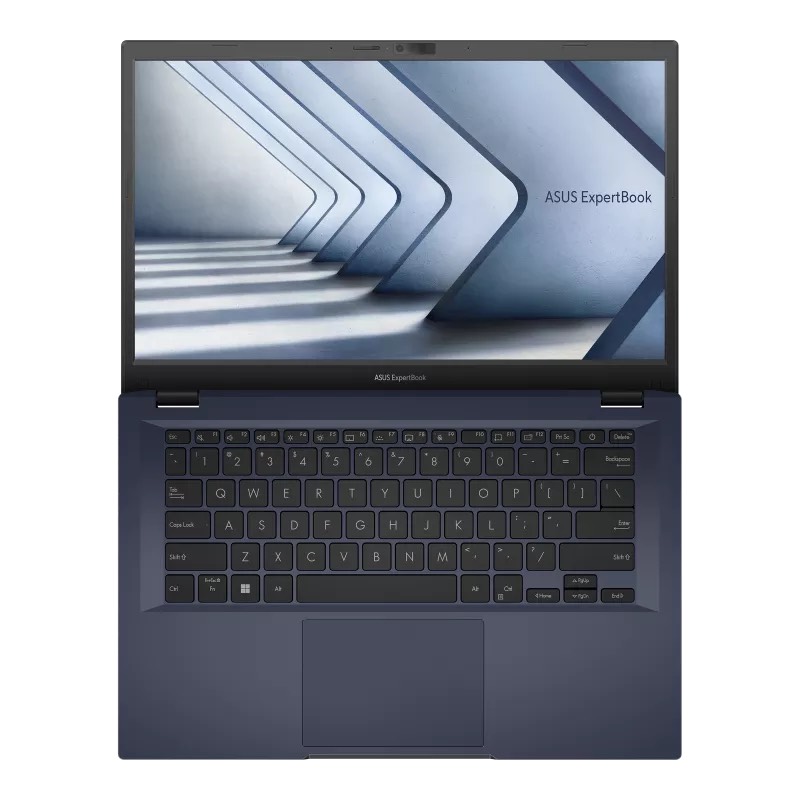
RAM and storage configurations for the laptops will include up to 16GB DDR4 memory and 2TB NVMe PCIe 4.0 SSD storage on all the variants, although the RAM configuration can be user-upgraded up to 32GB. Other core offerings include a backlit keyboard, a fingerprint sensor, a multi-touch trackpad which doubles up as a virtual numeric pad with ASUS’ NumberPad 2.0.
Interestingly, the latter features a major upgrade where even with the number pad enabled, users can still use the trackpad to control the pointer.
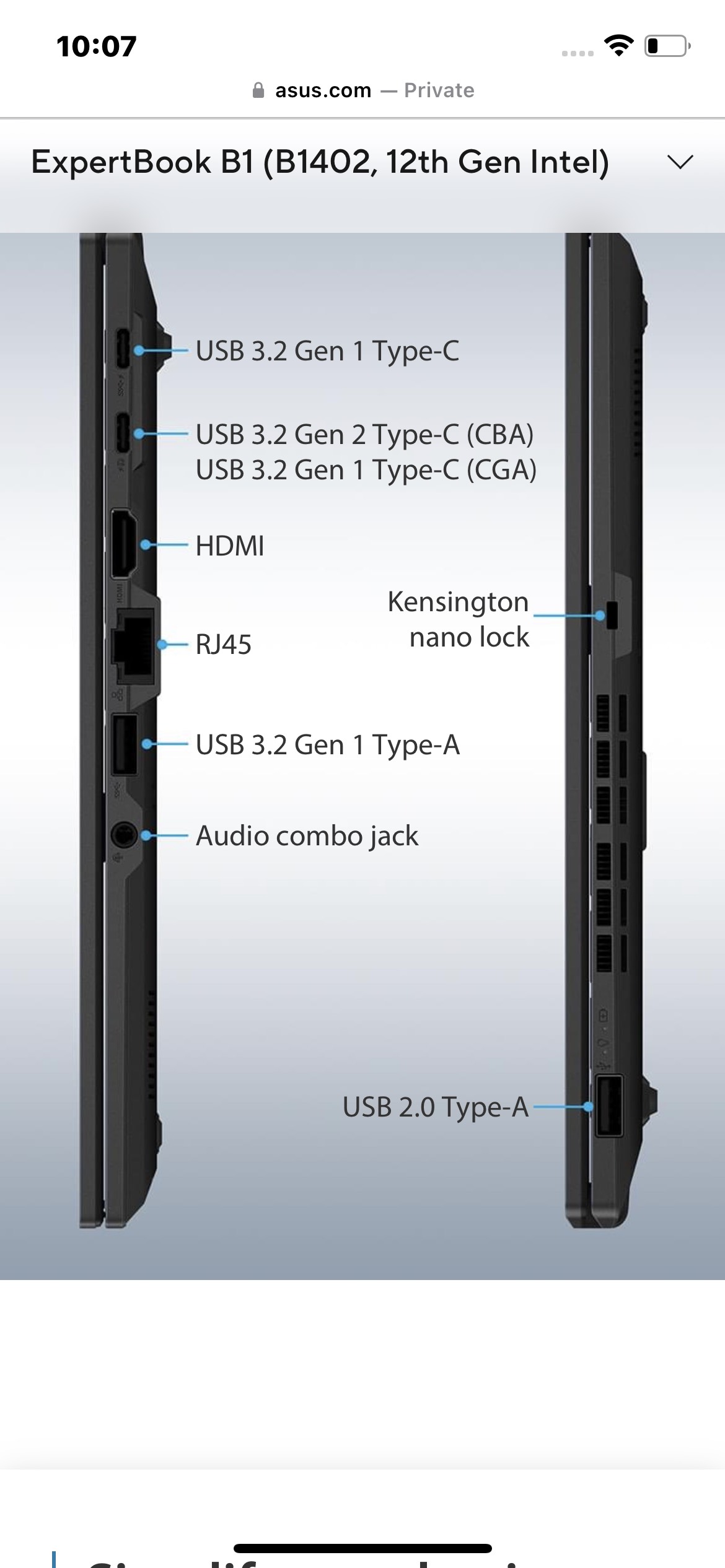
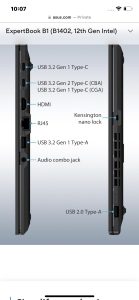
In terms of connectivity, the two laptops feature two USB-A ports, with one USB 2.0 and one USB 3.2 Gen 1. It also gets two USB-C ports — with one USB 3.2 Gen 1 standard for power delivery, and one USB 3.2 Gen 2 port with full features including DisplayPort support and power delivery. It also gets one HDMI 1.4 port, one RJ45 Ethernet port with LED indicators for connectivity, and a 3.5mm audio combo port.
It also gets Wi-Fi 6E and Bluetooth 5.1 for wired connectivity, and a 720p HD webcam on both the models. Finally, both the laptops are powered by 42Wh batteries that can be charged with 65W USB-C power adapters. ASUS advertises a 49-minute charging time for juicing up the laptop by 60 percent. Both the laptops are advertised to last for seven hours of usage time.
They also measure the same in thickness — 19.9mm, and while the ASUS ExpertBook B1402 measures 1.49kg in weight, the B1502 measures 1.69kg. The laptops also feature infrared cameras for Windows Hello recognition.
The enterprise segment offering is underlined by the security offerings on the laptops, which feature the Trusted Platform Module (TPM) 2.0 security chip, Kensington micro security ports, and physical webcam covers. The displays on the laptops can also be pushed down flat at 180 degrees for added viewing convenience.
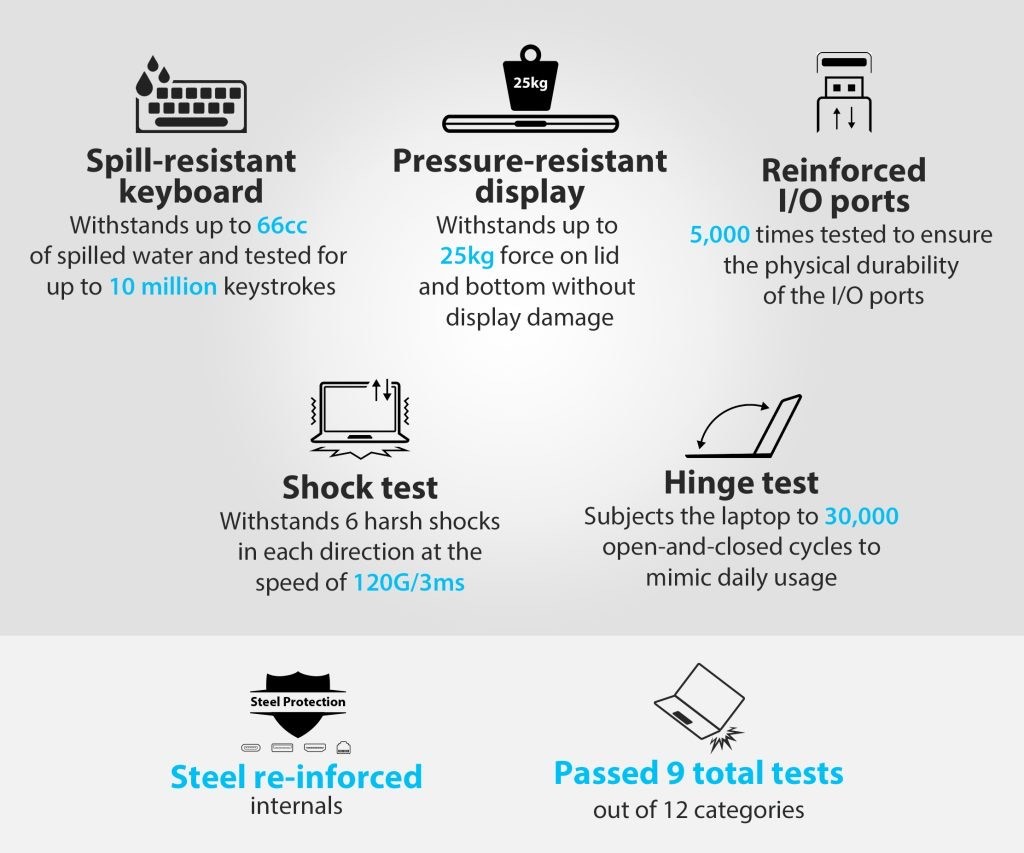
Finally, the laptops also come with military-grade durability, thanks to their US-MIL-STD-810H certifications — ASUS advertises that you can place up to 25kg of weight atop the laptop lids, and not damage the products.
Quick Specifications: ASUS Expert B1402
* Design: 180° lay flat hinge; easy screen sharing * Display: 14″ FHD Anti-Glare display, Low Bluelight certified by TÜV Rheinland * Operating system: Windows 11 * Processor: Intel Core i3-1215U/i5-1235U/i7-1255U Processors * Graphics: Intel UHD Graphics for i3 / Intel Iris Xe Graphics for i5 and i7 * Memory: Up to 16GB DDR4 on board; 16GB DDR4 SO-DIMM, Memory Max Up to:48GB * Storage: Up to 1TB M.2 NVMe PCIe 4.0 SSD * Ports: 1x USB 2.0 Type-A, USB 3.2 Gen 1 Type-A, USB 3.2 Gen 1 Type-C support power delivery, USB 3.2 Gen 2 Type-C support display / power delivery, HDMI 1.4, 3.5mm Combo Audio Jack, RJ45 Gigabit Ethernet * Expansion Slots: 1x DDR4 SO-DIMM slot; 1x M.2 2280 PCIe 4.0×4 * Keyboard & Touchpad: Chiclet Keyboard, 1.4mm Key-travel, Spill-resistant Keyboard, Support NumberPad * Camera: 720p HD camera; With privacy shutter * Audio: Audio by Dirac; Built-in speaker and array microphone * Connectivity: Wi-Fi 6(802.11ax) (Dual band) 2*2 + Bluetooth® 5.1 * Battery: 42WHrs; TYPE-C, 65W AC Adapter, PD Charger * Dimensions (W x D x H): 32.69 x 21.45 x 1.99 cm; Weight: 1.49 kg * Built-in Apps: MyASUS and McAfee * Military Grade: US MIL-STD 810H military-grade standard * Security: Trusted Platform Module (TPM) 2.0, Kensington Nano Security Slot * Dual heat dissipation fins & dual fan exhaust ports * Color: Star Black
Quick specifications: ASUS Expert B1502
* Display: 15.6″ FHD Anti-Glare display, Low Blue light certified by TÜV Rheinland, Screen-to-body ratio of 83 % * Operating system: Windows 10 Home (Upgradable to Windows 11 Home) * Processor: Intel Core i3-1215U/i5-1235U/i7-1255U Processors * Graphics: Intel UHD Graphics * Dimensions (W x D x H): 32.16 x 23.30 x 1.99 cm; Weight: 1.69 kg
ASUS ExpertBook B1 Key Specifications
Model
ASUS ExpertBook B1402 | B1502
Operation System
Windows 11 Pro – ASUS recommends Windows 11 Pro for business
Windows 11 Pro Education
Windows 11 Home – ASUS recommends Windows 11 Pro for business
DOS
Processor
Intel® Core™ i5-1235U Processor 1.3 GHz (12M Cache, up to 4.4 GHz, 10 cores)
Intel® Core™ i3-1215U Processor 1.2 GHz (10M Cache, up to 4.4 GHz, 6 cores)
Intel® Core™ i7-1255U Processor 1.7 GHz (12M Cache, up to 4.7 GHz, 10 cores)
B1402 – Non-touch screen, 14.0-inch, HD (1366 x 768) 16:9, Anti-glare display, LED Backlit, 220nits, NTSC: 45%, Screen-to-body ratio:81 %
Non-touch screen, 14.0-inch, FHD (1920 x 1080) 16:9, Wide view, Anti-glare display, LED Backlit, 250nits, NTSC: 45%, Screen-to-body ratio:81 %
Non-touch screen, 14.0-inch, FHD (1920 x 1080) 16:9, TN, Anti-glare display, LED Backlit, 220nits, NTSC: 45%, Screen-to-body ratio:81 %B1502 – Non-touch screen, 15.6-inch, FHD (1920 x 1080) 16:9, Wide view, Anti-glare display, LED Backlit, 250nits, NTSC: 45%, Screen-to-body ratio:83 %
Non-touch screen, 15.6-inch, FHD (1920 x 1080) 16:9, TN, Anti-glare display, LED Backlit, 220nits, NTSC: 45%, Screen-to-body ratio:83 %
Non-touch screen, 15.6-inch, HD (1366 x 768) 16:9, TN, Anti-glare display, LED Backlit, 220nits, NTSC: 45%, Screen-to-body ratio:83 %
Memory
Onboard memory up to 16 GB DDR4 3200
1 x SO-DIMM slot supports up to 32GB DDR4 3200
Total expandable memory – 48GB
Storage
Up to 2TB M.2 NVMe PCIe® 4.0 SSD
Interfaces
1x USB 2.0 Type-A
1x USB 3.2 Gen 1 Type-A
1x USB 3.2 Gen 1 Type-C support power delivery
1x USB 3.2 Gen 2 Type-C support display / power delivery
1x HDMI 1.4
1x 3.5mm Combo Audio Jack
1x RJ45 Gigabit Ethernet
Wi-Fi connectivity
Wi-Fi 6E (802.11ax)
Bluetooth® 5.1
Keyboard
Full-size, backlit, spill-resistant, with 1.5 mm key travel
Fingerprint sensor with Windows Hello support
Touchpad
Optional NumberPad 2.0
Audio
integrated stereo speakers and microphone
AI noise cancelling technology
Camera
720p HD Camera with microphone
Battery
42Whr 3-cell Li-ion polymer
Dimensions
B1402 – 323.4 x 215.65 x 19.9 mm
B1502 – 361 x 233 x 19.9 mm
Weight
B1402 – 1.49 kg
B1502 – 1.69 kg
Manageability
ASUS Control Centre (optional)
ASUS Business Manager
ASUS Business Manager
MyASUS, ASUS ExpertWidget
Wake-on-LAN
Security
Module TPM 2.0 embedded security chip
Webcam Shield
Kensington lock slot
ASUS Business Manager with secure drive options and lock control to USB storage devices
Green Certification
Energy star 8.0, EPEAT Silver, RoHS, FCC Compliance, BSMI, CCC, CB
Faqs on Asus Expertbook
1) What are the key points of Asus ExpertBook B1402, 1502?
Ans) Key Points of Asus Expert Book are-
• Rugged beyond Military-grade: ExpertBook B1402 /1502 comes certified with the latest military-grade standard, and torture tested to ensure robust reliability with 180 degree lay flat hinges tested up to 30,000 open and close test, Panel stress tests dealing up to 25kg of force, keys tested for 10 million times, spill proof keyboard and I/O ports tested up to 5000 times of plug-in and out.
• Numberpad 2.0 in 14” version : The 14-inch variant ExpertBook B1402 features the innovative ASUS NumberPad as a standard, allowing easy number input alongside mouse functionality.
• Sustained high-performance: Up to 12th Gen Intel® Core™ processors with dual exhaust vents for accelerated cooling and performance, powerful Iris Xe integrated graphics, coupled with support of up to 48 GB of upgradable RAM and blistering fast PCIe Gen 4 SSD storage.
• Extensive connectivity and input: Modern and Comprehensive I/O with segment first dual USB-C ports with 65W USB-C PD charging, Full-size rigid RJ-45 ports with status LEDs, USB-A ports and full size HDMI.
• Commercial-grade features and Security: 180-degree ‘lay-flat’, Shielded webcam, dedicated TPM 2.0, Secure MAC-binding over RJ-45, Kensington lock, and a segment-first Numpad 2.0 touchpad.
• Crystal-clear audio conferencing: High-fidelity audio with Dirac audio tuning, ASUS two-way AI noise-cancelling technology & software employs machine learning to eliminate background sounds, both in single presenter and multi-presenter mode
2) What are the specifications of Asus Expert Book B1402, 1502 ?
Ans) Primed to perform: Up to 12th Gen Intel® Core™ i7 processor and flexible configuration.
The new ExpertBook B1 series is powered by the latest 12th Generation Intel® Core™ processors and blazing fast PCIe Gen 4 SSDs, so they’re primed to deliver the sterling performance needed to get the job done.
A unique dual-vented exhaust cooling solution on the B1402 helps the processor to achieveconsistent high-speed performance for heavy workloads, in comparison to a laptop with a single exhaust vent, the laptop will frequently have to turn down performance to keep the thermals in check. ASUS-exclusive algorithms are combined with up to five smart sensors to intelligently manage CPU performance.
The ExpertBook B1402 and B1502 offer superior memory support of up to 48 GB, and also allows the option of having the Iris Xe graphics operate in dual-channel mode on i5 and i7 CPUs for elevated 3D graphics performance. The device also benefits from an admin-friendly design for hassle-free maintenance in commercial or even in education settings. Removal of a few screws on the base provides easy access to upgrade the RAM or storage devices without the need to disassemble the entire device.
Innovative Convenience:
The ExpertBook B1402 and B1502 feature Asus Expert Widget the increases user’s productivity by allowing the users to customise their own hot keys to launch apps / browser instantly with the combination of Fn Key + Number Key 1-4 and F10 / F12 keys.
Expert B1402 is enabled with NumberPad 2.0, dual function touchpad that has a numeric keypad integrated that can be switched on or off as needed and is perfect for crunching numbers. Even when NumberPad 2.0 is activated the touchpad can be used for cursor control.
Superior and Comprehensive I/O connectivity:
Connectivity is especially important in a business laptop to ensure it’s easy for any task types or workloads, hence the ExpertBook B1 series feature comprehensive selection of modern I/O ports. It offers a ‘segment-first’ dual USB-C ports, with USB 3.2 Gen 2 offering Power Delivery, Data transfer and DisplayPort. It also has both USB 3.2 Gen 2 and USB 2.0 Type-A ports, an HDMI 1.4, a rigid full-size RJ-45 Ethernet port with connection status LEDs, and a combo audio jack — all tested for up to 5000 times of connection cycles for an assurance of maximum reliability. The ExpertBook B1 series also feature a Kensington Lock slot allowing for quick, easy, and physical security the device.
The need for remote work and learning tools has never been greater, ExpertBook B1402 is equipped for these demands, with two external-video outputs — DisplayPort over USB-C and HDMI, supporting connections of up to two external 4K UHD displays. This gives users the freedom to engage in a video-conferencing or remote-learning session on the laptop’s display while using two screens on either side to keep in view information that’s relevant to a call or event.
The new ExpertBook B1402 model is also engineered for non-stop connectivity and productivity, with congestion-busting Wi-Fi 6E coupled with ASUS Wi-Fi Master Technology and features Bluetooth 5.1 as standard.
Lightweight mobility: Class-leading weight and slimness
ASUS ExpertBook B1402 and B1502 are surprisingly light for a business laptop, weighing as little as 1.49 kg and 1.69kg respectively for the 14 and 15-inch variants. It’s comfortable to carry anywhere – and lighter than many competing models in its segment. It’s also one of the thinnest in its class barring its feet extensions that facilitates better underbody airflow, standing just 19.2 mm tall.
Despite the slim dimensions and lightweight, the laptop also offer great screen-to-body ratio. The narrow-bezel design of their NanoEdge displays allows a for a much smaller body design to accommodate a larger screen. The display is also certified up to TÜV Rheinland standards for low blue-light emissions, ensuring comfortable eyes when used over longer periods.
Commercial-grade durability and security: Military-grade construction and customizable options
The latest ExpertBook B1402/ B1502 laptop offers numerous options for robust security to ensure confidential and private data does not leak out.
The laptop features a front webcam with a built-in privacy shield. This ingeniously simple idea means that all the user needs to do for instant privacy is to swipe the cover across the webcam’s lens, with that visibility is just one flick of the finger away.
The optional Trusted Platform Module (TPM) 2.0 chip also ups the new ExpertBook B1’s business-friendly security credentials. The embedded TPM 2.0 chip securely stores authentication information used by software, such as passwords or encryption keys, to protect important data and transactions — keeping the information away from the eyes of would-be attackers.
Of course, life on the road can be tough, so the new ExpertBook B1402 / B1502 is designed to both meet and surpass exacting industry thresholds — including the latest ultra-demanding MIL-STD 810H US military standard, putting ExpertBook B1402/ B1502 one step ahead of the competition.
The chassis design combines additional structural enhancements to meet the rigorous tests of daily use. These include an internal keyboard bracket that provides additional structural support. The laptop is further subjected to additional durability testing that’s separate from Military-grade certifications, among these tests is testing the laptop lid with up to 25kg of force at the centre of the display lid.
Crystal-clear conferencing audio: Two-way AI Noise cancellation & Dirac powered audio
ExpertBook B1402 and B1502 are ready for the increased levels of remote working and education, with ASUS two-way AI noise-cancelling technology integrated to ensure superior audio experiences for calls and video conferences.
ASUS two-way AI noise-cancelling audio employs machine learning to isolate unwanted noise from human speech. There are two modes: Single-presenter mode allows the voice directly in front of the PC to be heard clearly; while multi-presenter mode clarifies speech from different directions, ensuring optimum quality for group conference calls.
MEANWHILE, the AI noise-cancelling mic speaker feature filters out all ambient noise apart from human speech, making it easier to hear what everyone else is saying. With Dirac’s software audio tuning, the ExpertBooK B1402/ B1502 steps up its audio fidelity to match your current productivity stream, whether if its playing back a video or listening to a conversation live, it all sounds punchy, crisp and definite.
3) Where will the Asus Expertbook series be available?
Ans) The ASUS ExpertBook B1402 and B1502 will be available at leading Commercial PC channel partners.
4) Asus Expertbook B1402 /B1502 Everything You Need to know ?
Ans) ASUS, Taiwan-head-quartered, multinational computer hardware as well as consumer electronics and the fastest-growing consumer laptop brand in India, today announced the launch of the latest ASUS ExpertBook B1 series, offering 14-inch (B1402) and 15.6-inch (B1502) variants of the commercial laptop. ExpertBook B1402/B1502 is the brand new slim, light, and highly versatile notebook that is tailored for business, designed as the smart choice for fast-paced ambitious enterprises and as well as small-medium businesses that demand the utmost in portability and security.
Powered by the latest 12th Generation Intel® Core™ processors, ExpertBook B1402/B1502 is super sleek, highly configurable , boasts a design, replete with military-grade durable construction, that effortlessly combines high performance with rugged reliability to empower every business. The new ExpertBook B1 series includes ‘segment-first’ features such as incredible dual-vented exhausts for accelerated cooling that offers consistent high-speed performance, blazing fast PCIe Gen 4 Solid-State Drive, Dual USB-C ports with USB-C charging, a full-size rigid RJ-45 port with status LEDs, 180-degree lay-flat hinges that are internally tested for 30,000 open-and-close lifecycles, NumberPad 2.0 on the touchpad of 14 inch screen version for fast number crunching and choices of up to a Full-HD Wide-view IPS display, all with Anti-glare layer for all-day long productivity.
The ExpertBook B1402 and B1502 offer superior and modern I/O ports ranging from Dual high-speed USB-C ports that allows for high-speed data transfer and allows for fast-charging via a 65W USB-C adapter and offers display-out and power delivery. The laptop also features full-sized ports such as USB-A ports, and HDMI.
* Samsung is reportedly thinking of switching its search engine to Microsoft’s Bing. * Microsoft Bing is back in the limelight after years following its AI integration. * The final decision hasn’t been made though and Samsung might just stick with Google.
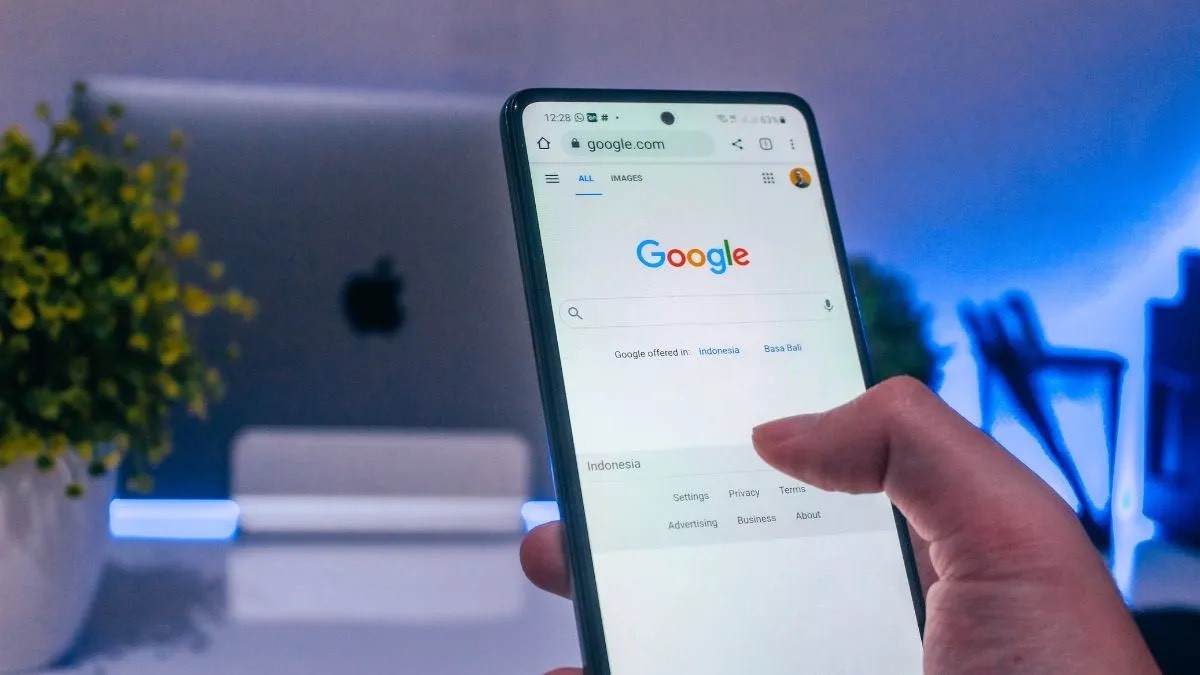
Google is the pioneer among search engines but its dominance might be shaken soon. A report by the New York Times (via Ars Technica) says that Samsung is considering switching from Google Search to Microsoft Bingas its default search engine on smartphones.
This would be a big blow to Google since Samsung is the second-biggest smartphone maker in the world.
Microsoftrevamped Bing earlier this year and integrated it with OpenAl’s GPT models which also powers the very popular and trending ChatGPT. How is it better? With an Al-powered Bing, you can basically ask it more complex questions and also give tasks.
This was quite a smart move considering Bing is almost nonexistent in the browsing world, and it also gives the search engine an edge over rivals.
As for Samsung choosing Microsoft over Google, the decision isn’t final yet. According to the report, the decision is still under negotiation and “Samsung could stick with Google.” So we may not see Bing on Samsung phones after all but the possibility is still there and it would seriously change things in the smartphone world.
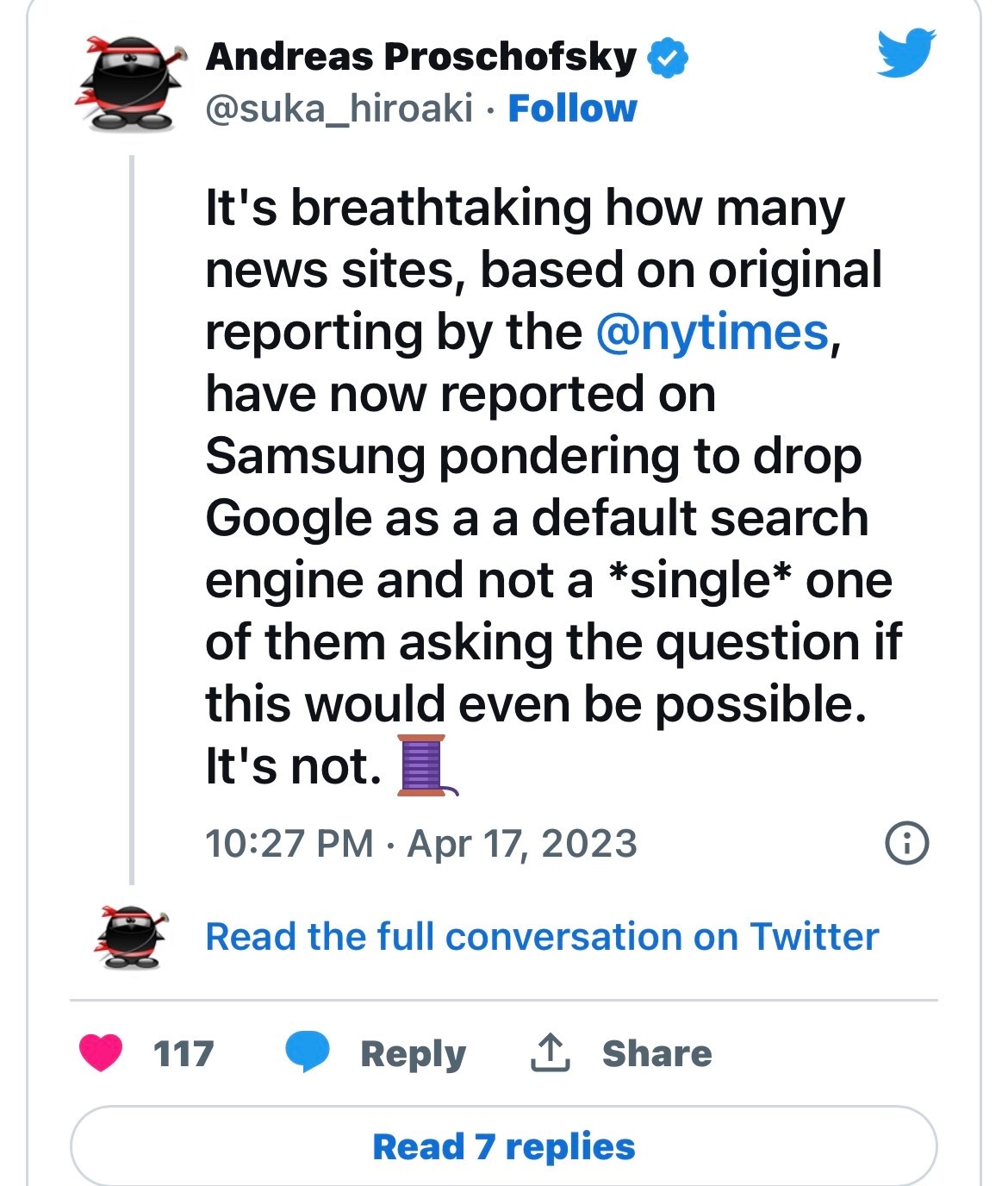
Also, Samsung may be contemplating but it’s not going to be easy to execute. As explained by Andreas Proschofsky on Twitter, all Android OEMs have to sign MADA (Mobile Application Distribution Agreement) so that they can have Google Play Store apps including Google Search on their phones. Now removing Google Search would mean not having access to the Google app ecosystem which doesn’t seem like a viable option.
Android OEMs have to sign a thing called “Mobile Application Distribution Agreement” (MADA) if they want to get a license to use the Play Store and other Google apps. This includes a bunch of rules which includes – in most countries – setting Google Search as default. — Andreas Proschofsky (@suka_hiroaki) April 17, 2023
Google pays Samsung, Apple to be default search engine
Google is known to pay a hefty amount to both Samsung and Appleto stay as the default search engine. The tech giant reportedly pays Apple $20 billion per year, and Samsung $3.5 billion per year for the same. Having said so, there’s no word from Microsoft on this matter and also whether the company would be willing to shell out this much money as Google does.
Microsoft is currently busy updating Bing with more features and also to OpenAI’s latest GPT-4 model. People who have access to Bing’s preview version can access the updated search engine. Microsoft also integrated OpenAI’s DALL-E image creator with Bing. Through this feature users can directly generate images from Bing Chat.
It’s called the “Bing Image Creator” and you can ask it to generate images based on the details provided. Google was also quick to start its own AI work, and plans to integrate AI chat to search. An AI-powered search engineon smartphones would be something very interesting but with no official confirmation yet, it’s hard to say if we’ll indeed see one soon.
Faqs on Samsung May ditch google for bing
1) Original Story Below of Samsung & Google ?
Ans) Samsung and Google have been in a long running partnership of 12 years where the former has been using the Google Search Engine as the default one on its smartphones. However, this collaboration could come to an end if Google doesn’t hurry up, as Microsoft has now entered the scene to take away Google’s share of the pie.
Google was left in shock last month as Samsung reportedly informed the company that it’s considering making Microsoft’s Bing the default search engine on its smartphones. A report by “The New York Times” that the Samsung threat put the company in “panic” mode.
The reason behind making this switch, is as you’d have guessed by now, the integration of AI into the Bing search engine by Microsoft. This has already given Microsoft an upper hand over Google in a long time where the former’s search engine is now kore advanced.
Google has Bard in place but that AI chatbot is far from being ready to compete with Bing, despite Google’s continuous efforts in making it more advanced.
2) How is Google the unrivaled player in the search engine industry ?
Ans) Google is the unrivaled dominant player in the search engine industry, making up 93.2 percent of the global market share as of March, followed by Microsoft’s Bing with a mere 2.9 percent, according to research firm StatCounter. In the mobile search engine sector, Google accounted for 96.6 percent, while Bing made up only 0.5 percent.
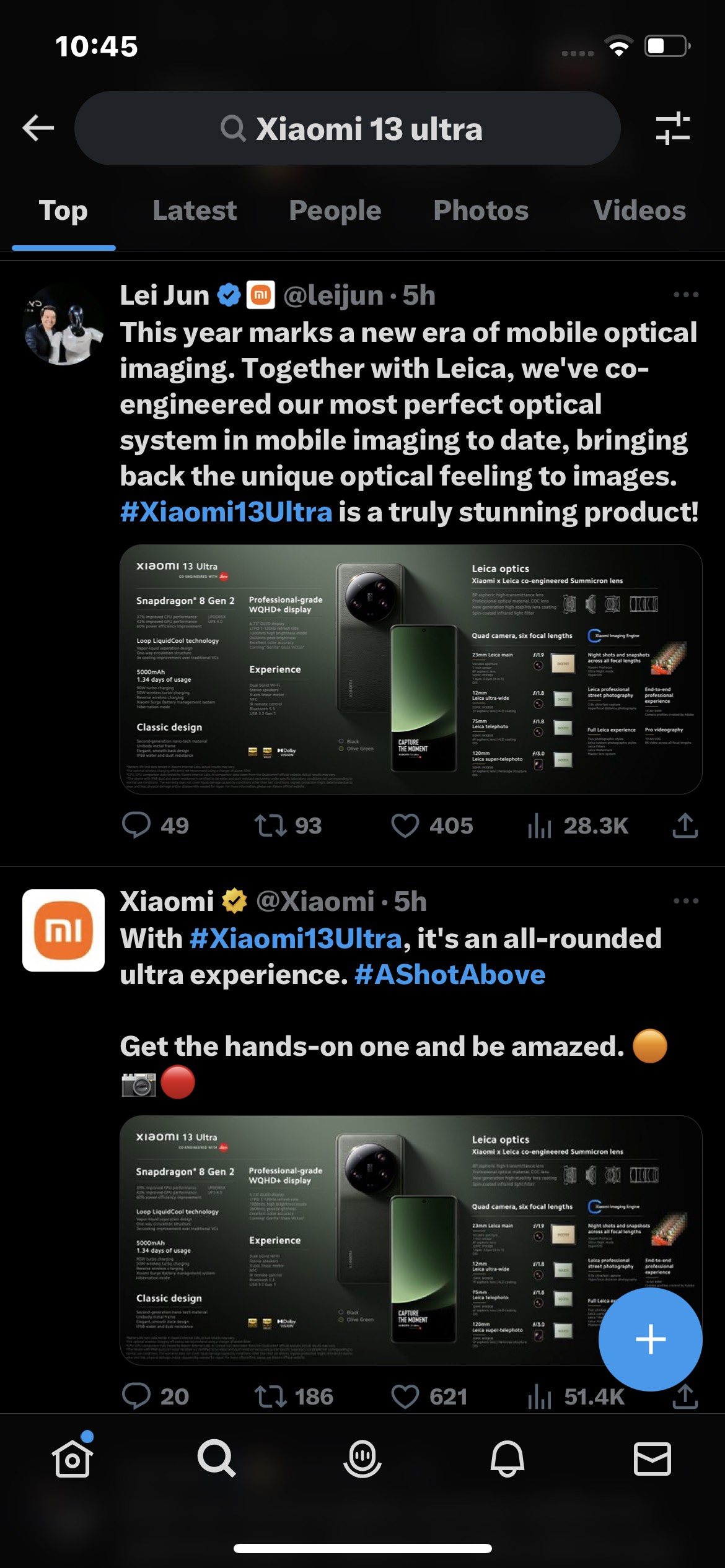
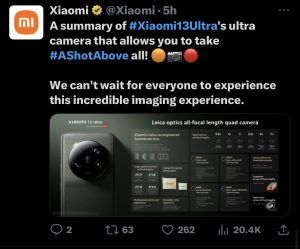
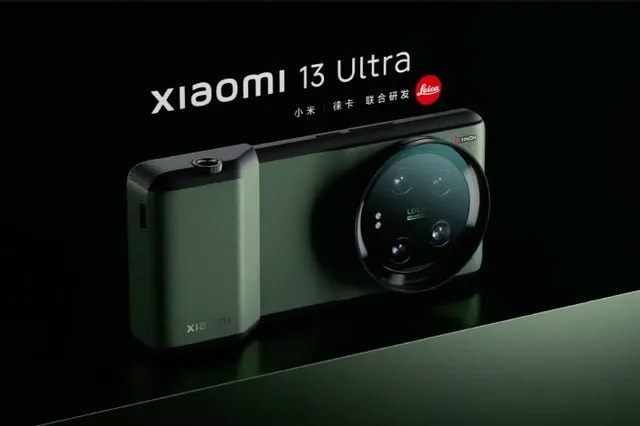
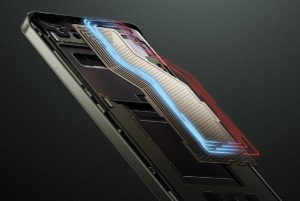
* Xiaomi 13 Utra has been launched officially in China and other global markets. * The flagship ships with Qualcomm Snapdragon 8 Gen 2 SoC, a 1-inch ultra-large Sony IMX989 sensor with variable aperture, and a large VC liquid cooling area. * Xiaomi 13 Ultra price starts at RMB 5999 (approx Rs 71,600) * Xiaomi 13 Ultra features a 1-inch camera sensor. * The phone’s main camera aperture can be set to f/1.9 or f/4.0. * The Xiaomi 13 Ultra features the brightest display on any phone currently available in the market.
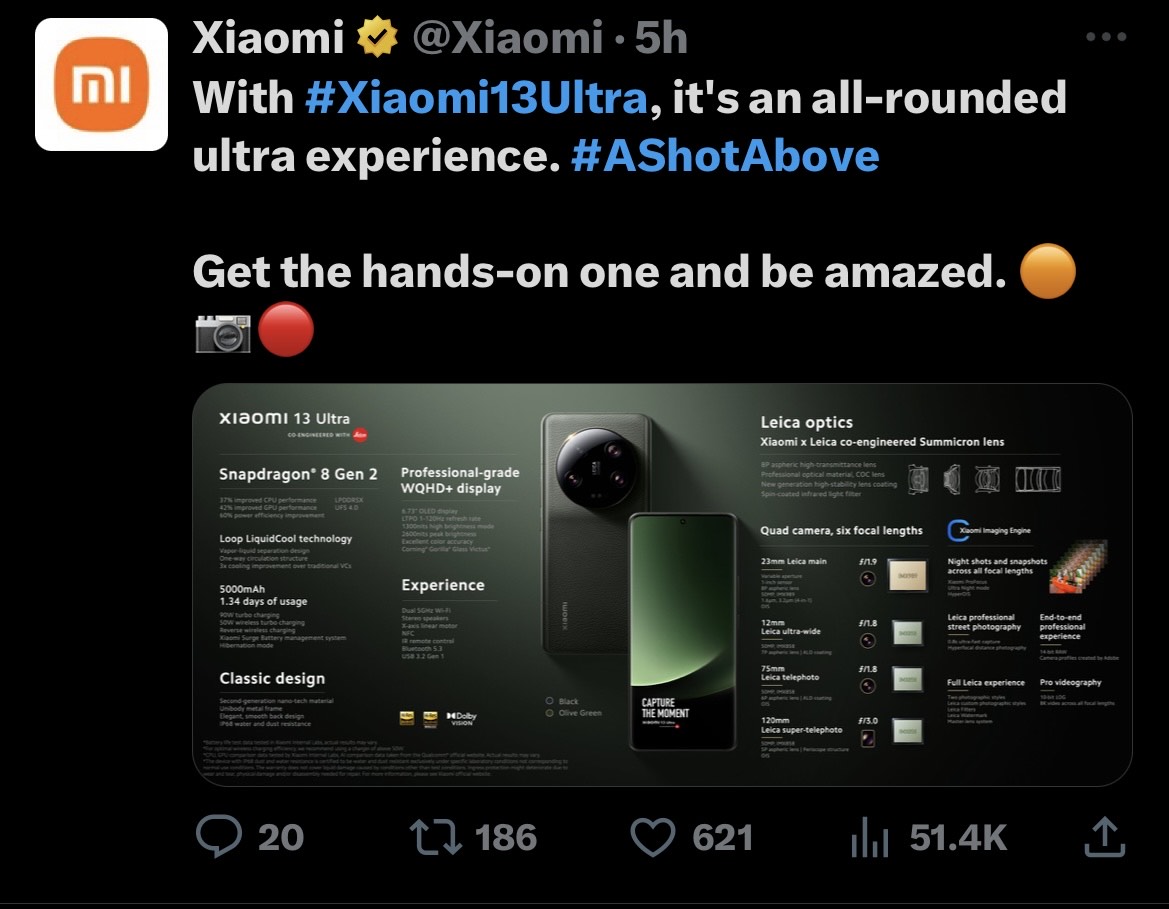
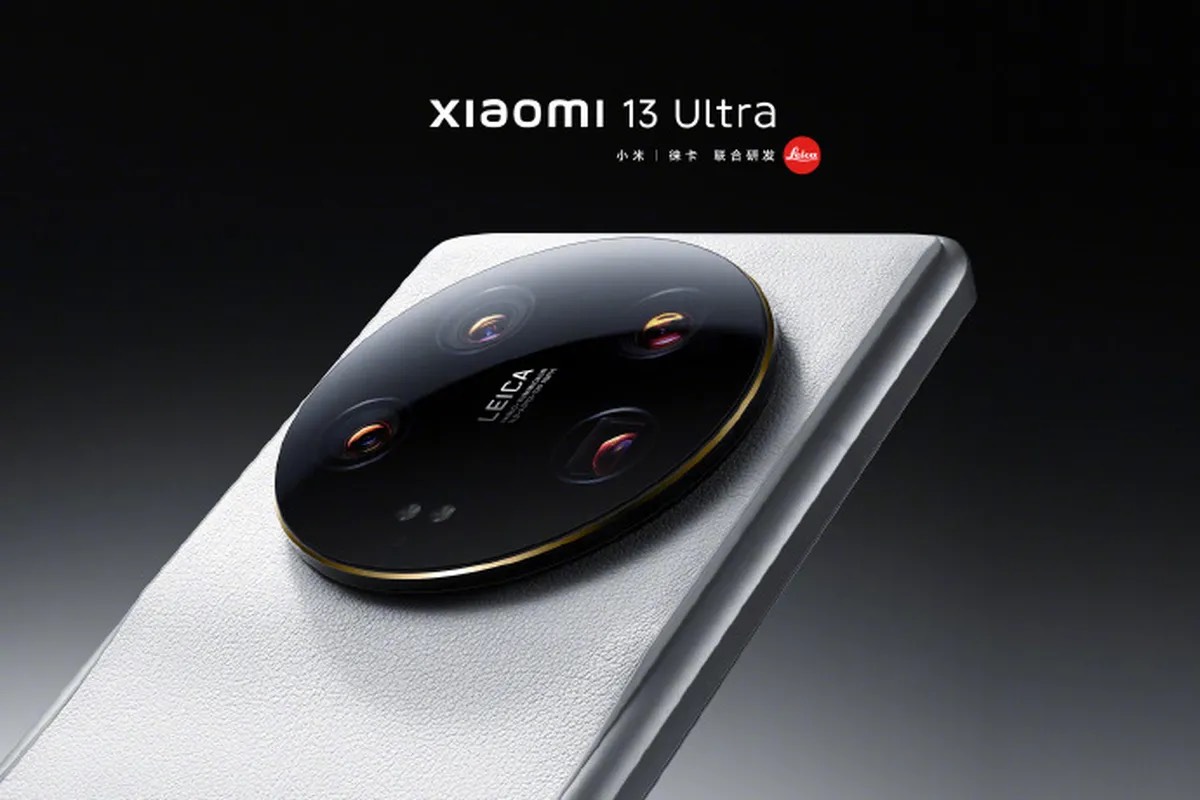
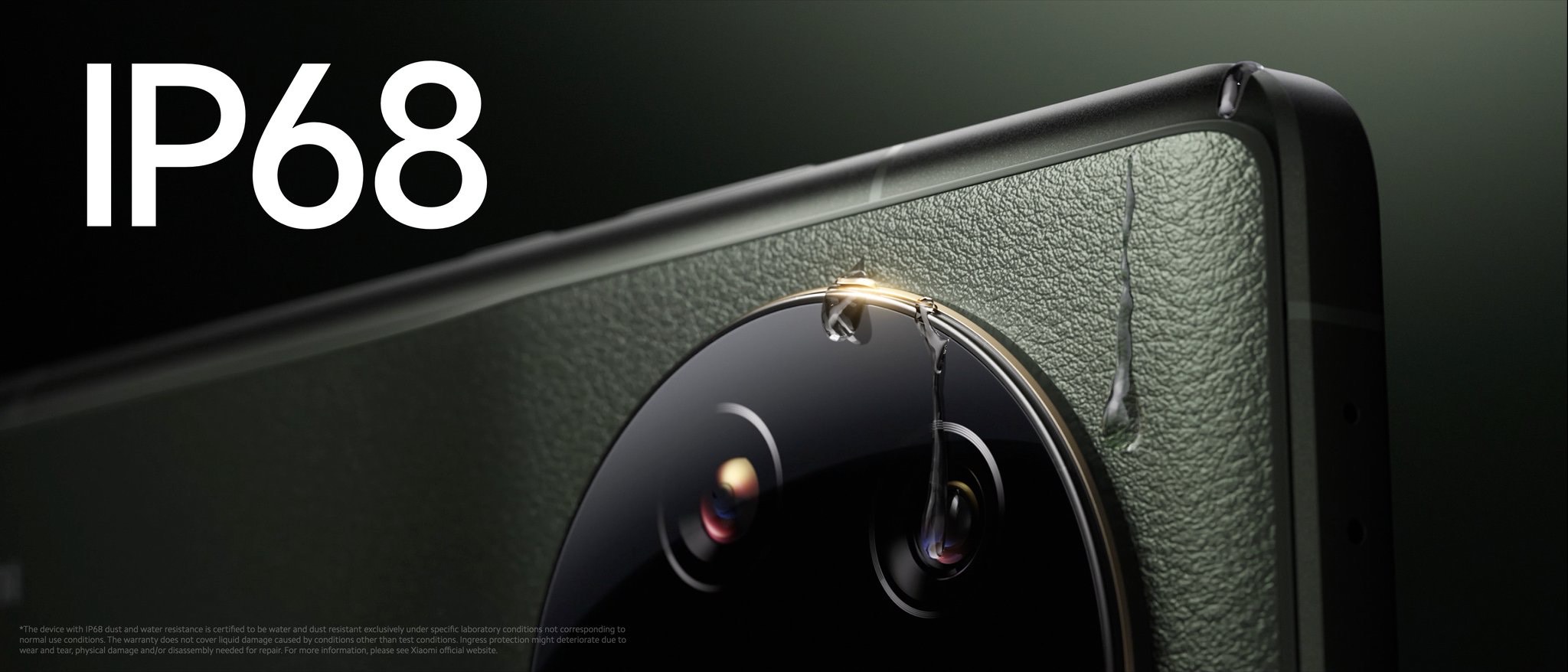
Xiaomi Ultra 13 has been officially launched in China and globally as the company’s newest premium offering and it comes as a follow-up to the Xiaomi 11 Ultra. The flagship phone arrives with the mighty Qualcomm Snapdragon 8 Gen 2 SoC, a 1-inch ultra-large Sony IMX989 sensor with variable aperture, a large VC liquid cooling area, Dolby Vision support for an immersive viewing experience, and an IP68 rating for water and dust resistance.
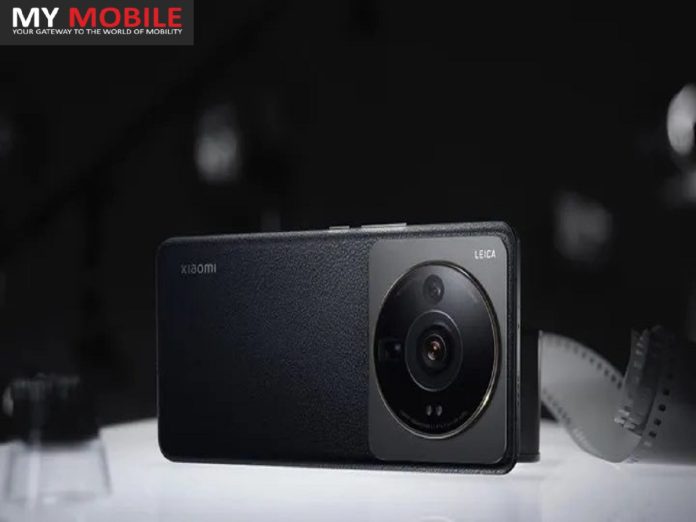
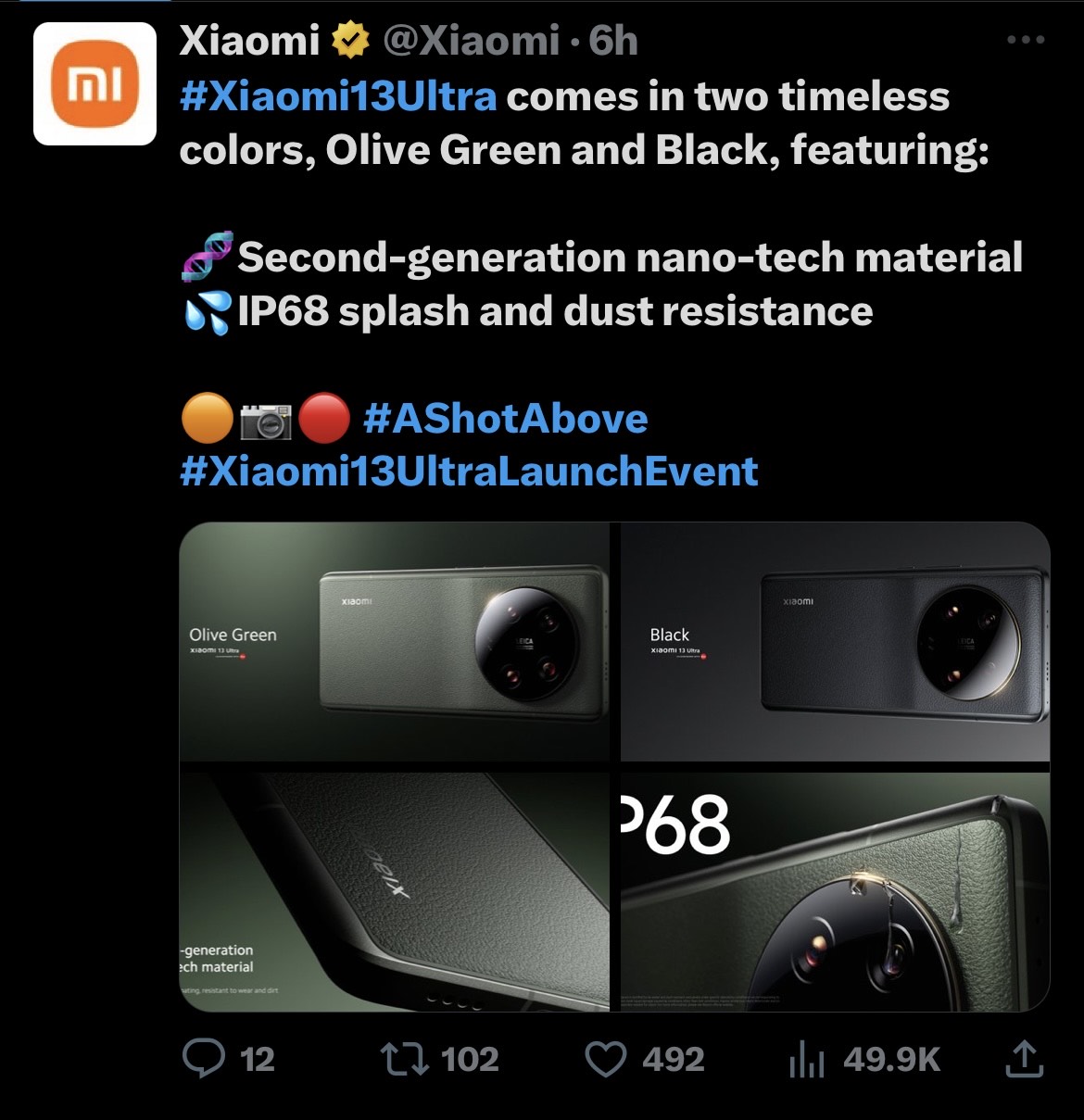
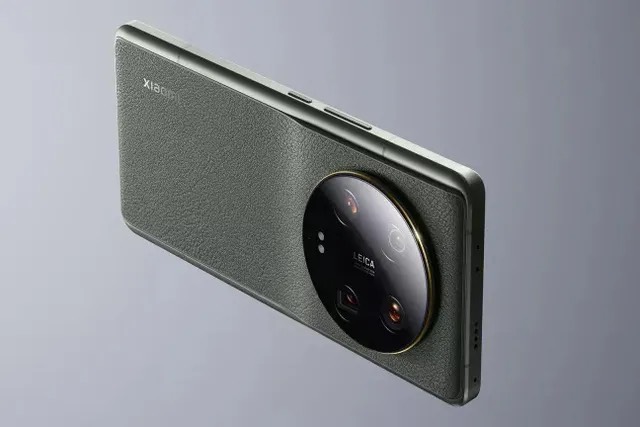
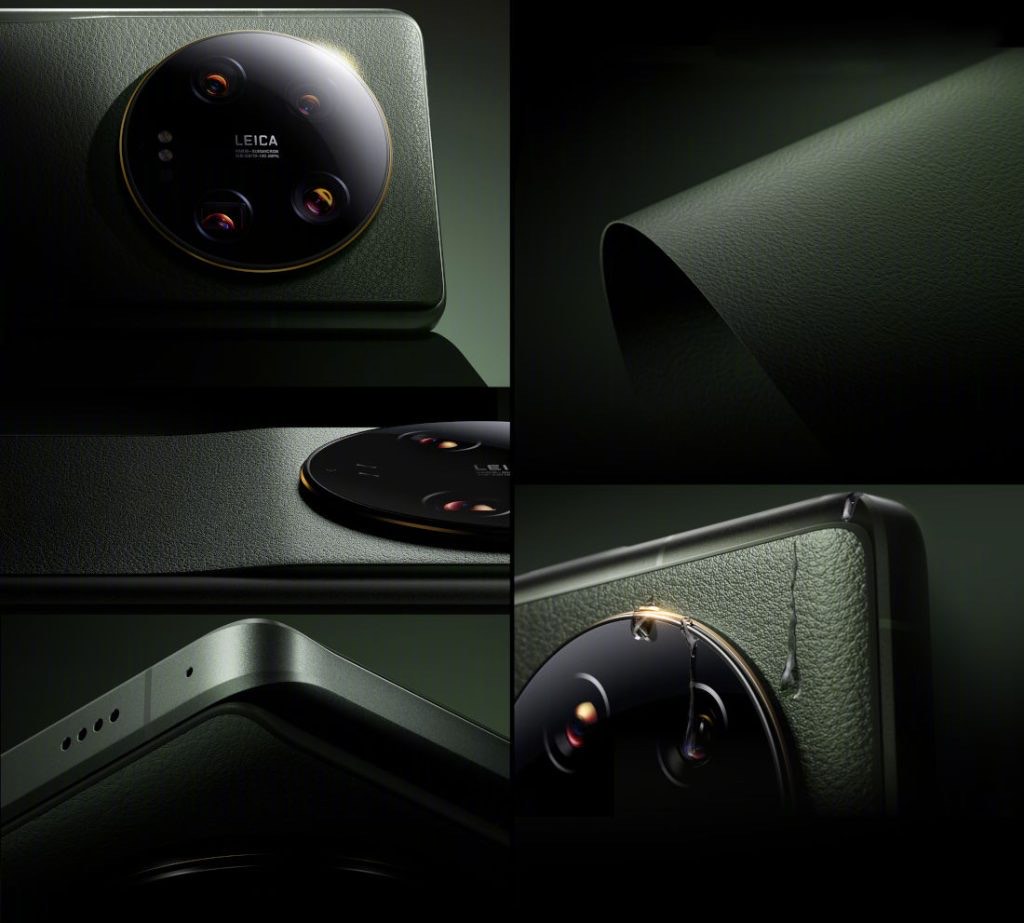
The Xiaomi 13 Ultra features a leather finish that is claimed to be resistant to wear, dirt, and UV rays with anti-degradation material.
Xiaomi 13 Ultra has been officially launched globally. The new Xiaomi flagship smartphone is the company’s most premiumoffering to date worldwide.
The phone packs specs to the gills. It also comes with a premium build quality. The 13 Ultra continues to come with a Leica-tunedcamera setup. Also, the Xiaomi 13 Ultra has a 1-inch camera sensor on the back with support for a variable aperture. Currently, it is the only smartphone available in the market to feature the combination.
Xiaomihas not confirmed any details about the 13 Ultra’s launch in India. While we wait for some clarity on that front, here’s a quick look at the Xiaomi 13 Ultra price, specifications and features announced at the global launch event.
Check out the complete price and specifications of the Xiaomi 13 Ultra below.
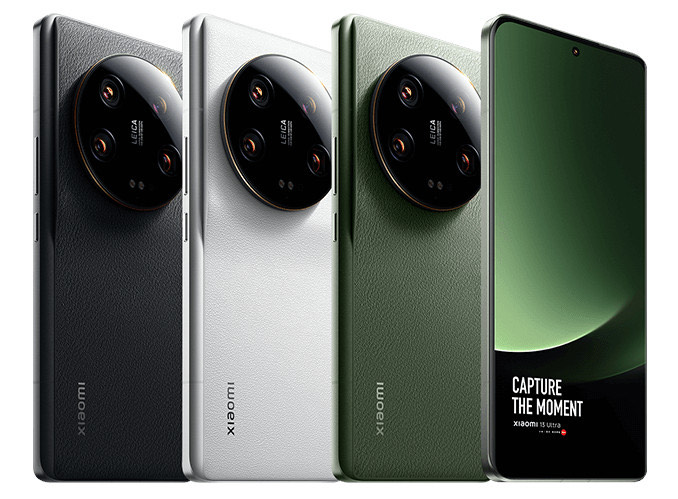
Xiaomi 13 Ultra Price, Colour Options
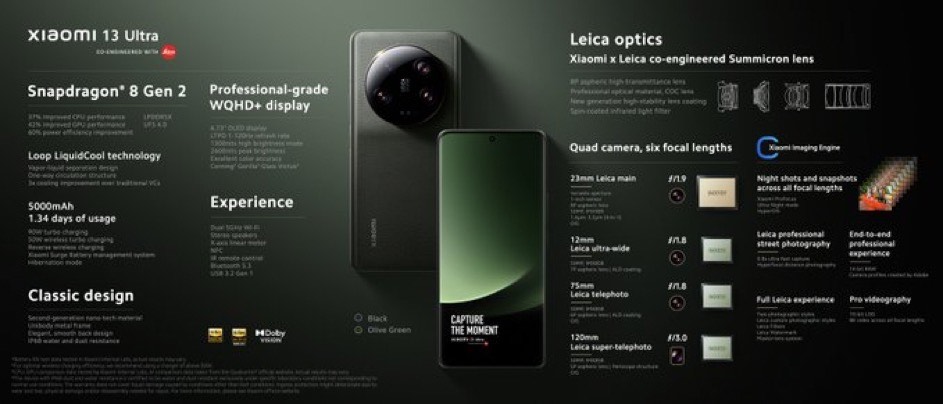
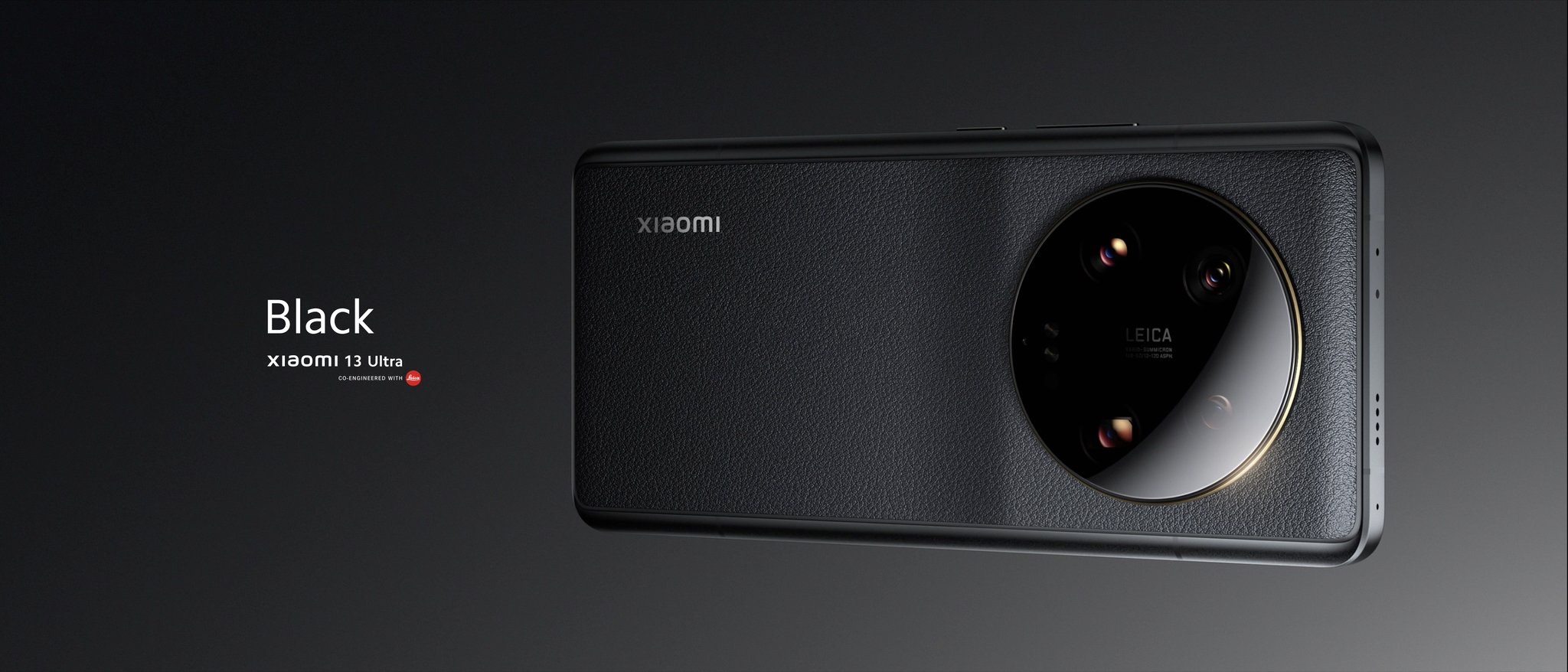
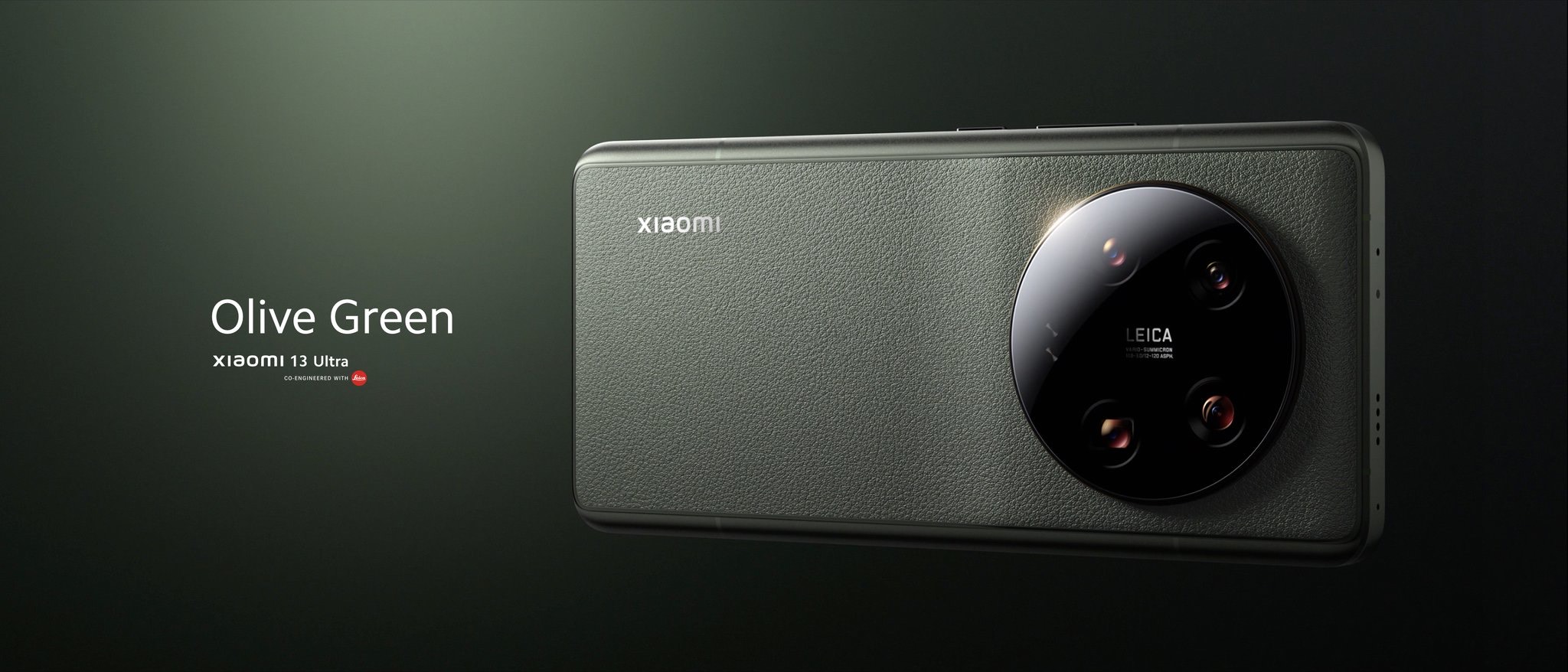
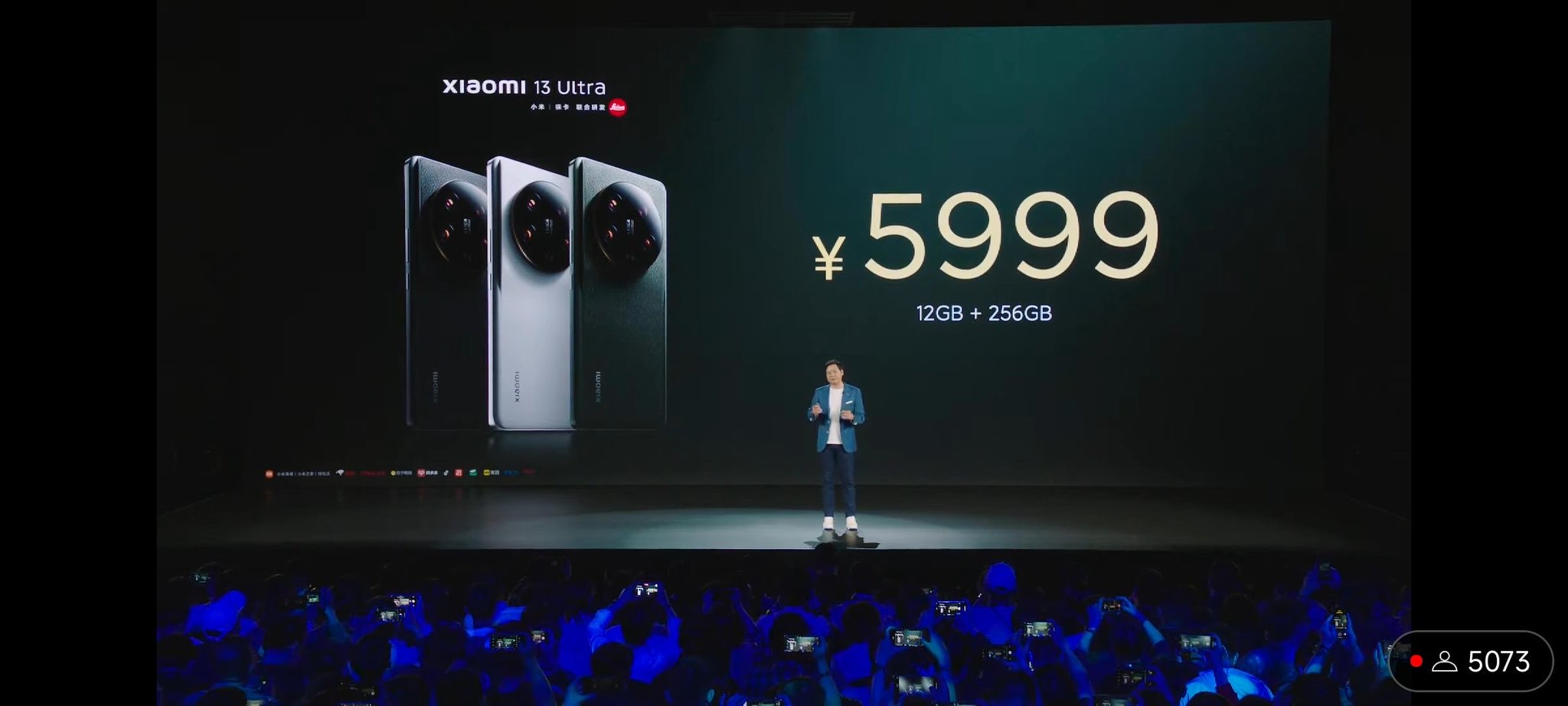
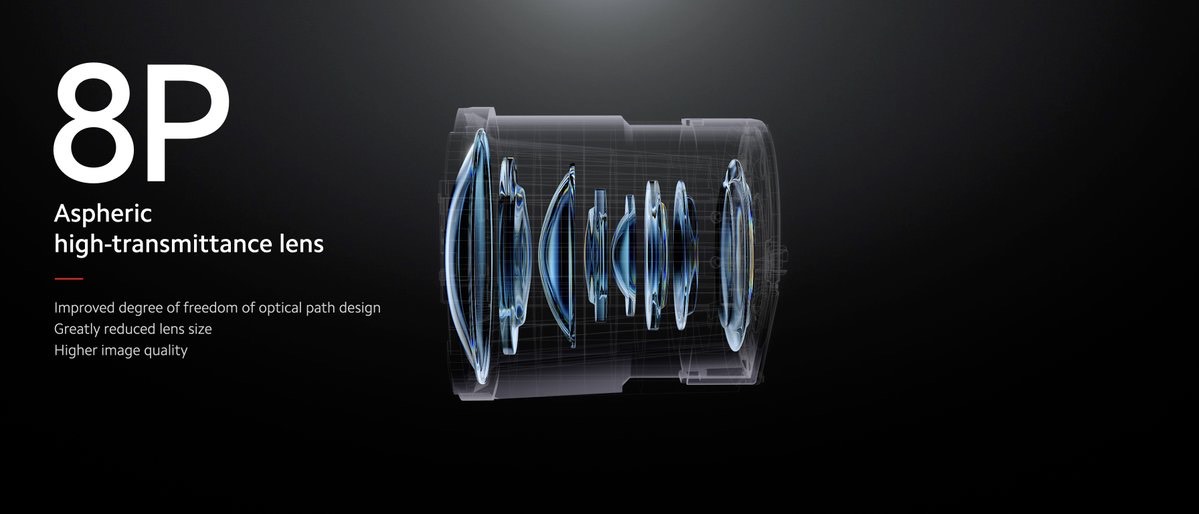
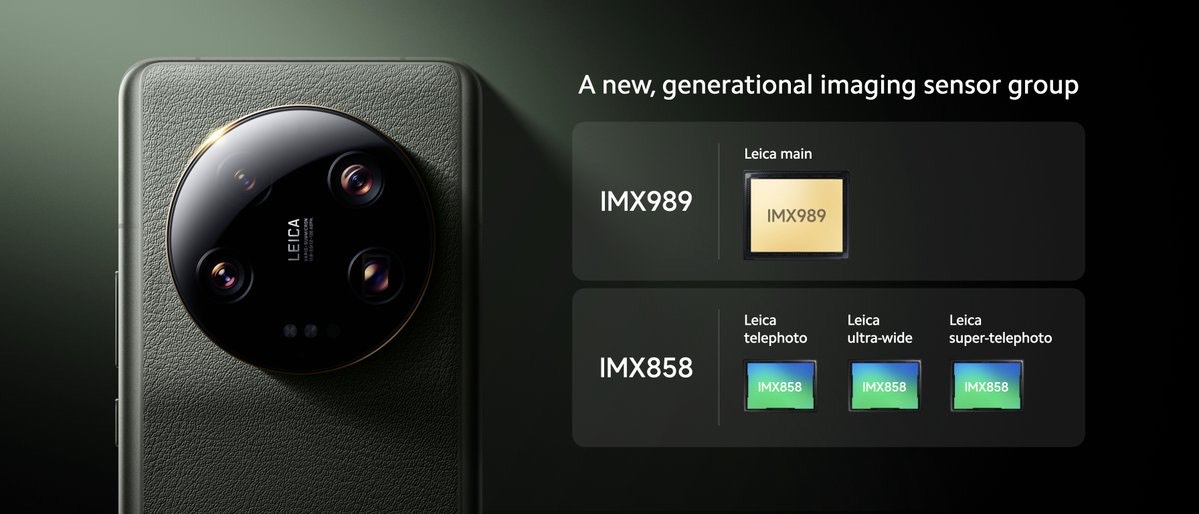
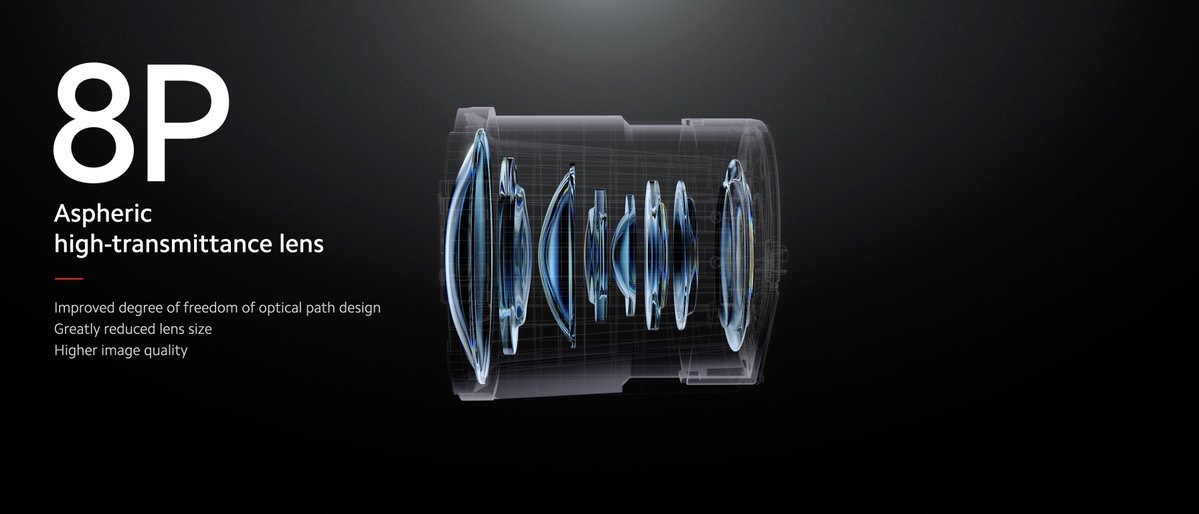
* Xiaomi 13 Ultra price is set at RMB 5999 (approx Rs 71,600) for the base 12GB+256GB model. * The 16GB+512GB model costs RMB 6499 (approx Rs 77,600). * The 16GB + 1TB version is priced at RMB 7299 (around Rs 87,200). * The phone comes in Olive Green, Black, and White colour options. Xiaomi 13 Ultra specifications, features * Display: Xiaomi 13 Ultra flaunts a large 6.73-inch 2K AMOLED LTPO display with 3200 x 1440 pixels resolution, up to 120Hz refresh rate, punch-hole cutout, HDR10+, Dolby Vision, P3 Colour Gamut, Corning Gorilla Glass Victus, 1920Hz PWM dimming, up to 2600nits peak brightness, and curved edges. * Battery: The flagship phone rocks a 5000mAh battery that supports 90W wired and 50W wireless fast charging support. * Connectivity: Connectivity options include 5G, 4G LTE, Wi-Fi, Bluetooth, GPS, NFC, and a USB Type-C port. * Chipset: The Xiaomi flagship is powered by the Qualcomm Snapdragon 8 Gen2 SoC paired with Adreno GPU. * RAM and storage: The phone packs up to 16GB LPDDR5X RAM and 1TB of UFS 4.0 storage that is not expandable. * Rear camera: Xiaomi 13 Ultra features a quad camera setup on the back, with a 50MP Sony IMX989 primary camera with Hyper-OIS, 8P Lens, EIS, LED flash, variable aperture (f/1.9 to f/4.0), and an LED flash. There is a 50MP Sony IMX858 ultra-wide-angle lens, a 50MP super telephoto sensor with OIS, and a 50MP telephoto sensor with 3x optical zoom. * Front camera: There is a 32MP snapper on the front for selfies and video chats. * Other features: Xiaomi 13 Ultra is equipped with an in-display fingerprint sensor for security, Hi-Res audio certified, Dolby Atmos, an IR blaster, and stereo speakers. * IP rating: The phone is IP68 rating for water and dust resistance. * OS: The phone runs on Android 13-based MIUI 14 custom skin out of the box.
Xiaomi 13 Ultra Specifications
* 6.73-inch (3200 x 1440 pixels) Quad HD+ AMOLED 20:9 HDR10 + display, 1-120Hz refresh rate, 240Hz touch sampling rate, up to 2600 nits peak brightness, 1920Hz PWM dimming, HDR10+, Dolby Vision, Corning Gorilla Glass Victus protection * Octa Core Snapdragon 8 Gen 2 4nm Mobile Platform with Adreno next-gen GPU * 12GB LPPDDR5X RAM with 256GB (UFS 4.0) storage, 16GB LPPDDR5X RAM with 512GB / 1TB UFS 4.0 storage * Dual SIM (nano + nano) * MIUI 14 based on Android 13 * 50MP rear camera with 1″ Sony IMX989 sensor,f/1.9 – f/4.0 variable aperture, 23mm focal length, HyperOIS, 8P aspherical lens, LED flash, 50MP Sony IMX858 122° ultrawide angle lens with f/2.2 aperture, 50MP Sony IMX858 telephoto camera with f/1.8 aperture, 75mm equivalent focal length, OIS, 3.2x optical zoom, 50MP Sony IMX858 periscope telephoto camera with f/3.0 aperture, 120mm equivalent focal length, OIS, 10x optical zoom, up to 120x digital zoom, Leica Summicron optics, Dolby Vision HDR video recording, 8K video recording * 32MP RGBW front-facing camera with f/2.0 aperture * In-display fingerprint sensor with heart rate monitoring, Infrared sensor * USB Type-C audio, Hi-Res audio, Dual speakers, Dolby Atmos * Dust and water-resistant (IP68) * Dimensions: 163.18×74.64×9.06mm; Weight: 227g * 5G SA/NSA, Dual 4G VoLTE, Wi-Fi 6E 802.11 ax, Bluetooth 5.3, GPS (L1 + L5), NavIC, USB Type-C USB 3.2 Gen 1, NFC * 5000mAh (Typical) battery with 90W wired fast charging, 50W wireless charging, Reverse wireless charging
1) What is the price of Xiaomi 14 Ultra according to the different storage variants ?
Ans) The Xiaomi 13 Ultra has been launched globally in multiple storage and colour options. The phone’s base model packs 12GB of RAM. It offers 256GB of storage and is priced at CNY 5999 (roughly Rs 71,600). The 16GB + 512GB variant is priced at CNY 6499 (roughly Rs 77,500). There is a 16GB + 1TB variant of the phone as well, which is priced at CNY 7299 (roughly Rs 87,100).
2) What are the colours available in Xiaomi 13 Ultra ?
Ans) The 13 Ultra has been launched in multiple colour options. The Black, White and Green colour variants of the phone are available with a faux leather finish.
3) What are the specifications of Xiaomi 13 Ultra ?
Ans) In terms of specifications, the 13 Ultra’s highlight features include its cameras. The smartphone has a quad-camera setup on the back, which rests on a raised rear panel. The primary camera features a 50MP Sony IMX989 1-inch sensor with support for a variable aperture. Users can set the aperture to f/1.9 or f/4.0 as per their shooting preferences. The camera setup also features a 50MP Sony IMX858 ultra-wide camera, a 50MP telephoto camera with 3.2x optical zoom and another 50MP Sony IMX858 sensor with 5x optical zoom. The front camera features a 32MP front camera.
There is a 6.7-inch 2K AMOLED display with 120Hz refresh rate support. The screen is curved towards the edges. There is a hole-punch cutout at the top centre for the front camera. The display is also claimed to offer up to 2600 nits of peak brightness, which, as of now, is the brightest on any smartphone. It comes with a dual speaker setup with Dolby Atmos support, Dolby Vision, HDR10+, etc. The screen has a layer of Corning Gorilla Glass Victus as well.
The 13 Ultra’s performance unit features a Qualcomm Snapdragon 8 Gen 2 SoC. The flagship Qualcomm chipset is paired with LPDDR5X RAM and UFS 4.0 storage. The device also features a 5000mAh battery with support for 90W fast wired charging and 50W wireless charging.
There is an in-display fingerprint scanner. The phone runs Android 13 out of the box. It has a layer of MIUI 14 on top. The 13 Ultra has an IP68 rating for water and dust resistance.
4) How is the Battery life of Xiaomi 13 Ultra ?
Ans) The Xiaomi 13 Ultra packs a 5,000mAh battery with support for 90W wired turbo charging and 50W wireless turbo charging as well as reverse wireless charging, thanks to Xiaomi Surge P2 Charging Chip and Xiaomi Surge G1 Battery Management Chip.
The phone has several battery health functions and can estimate the battery life at extremely granular levels, said Xiaomi. It has a new Hibernation mode, which will be automatically triggered when the battery is low, limiting background activities and offering up to 60 minutes of additional standby.
5) How is the camera of Xiaomi 13 Ultra ?
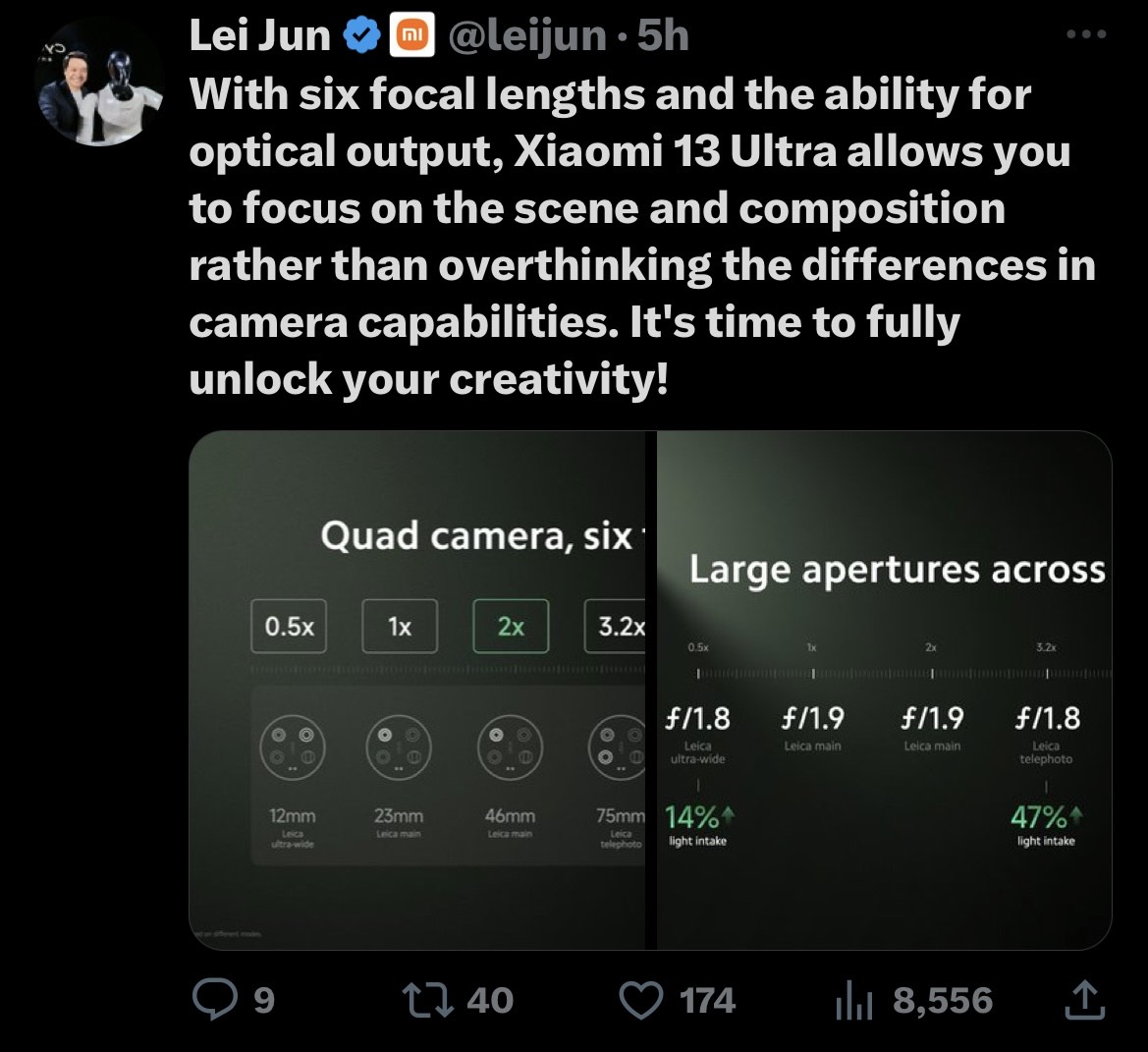
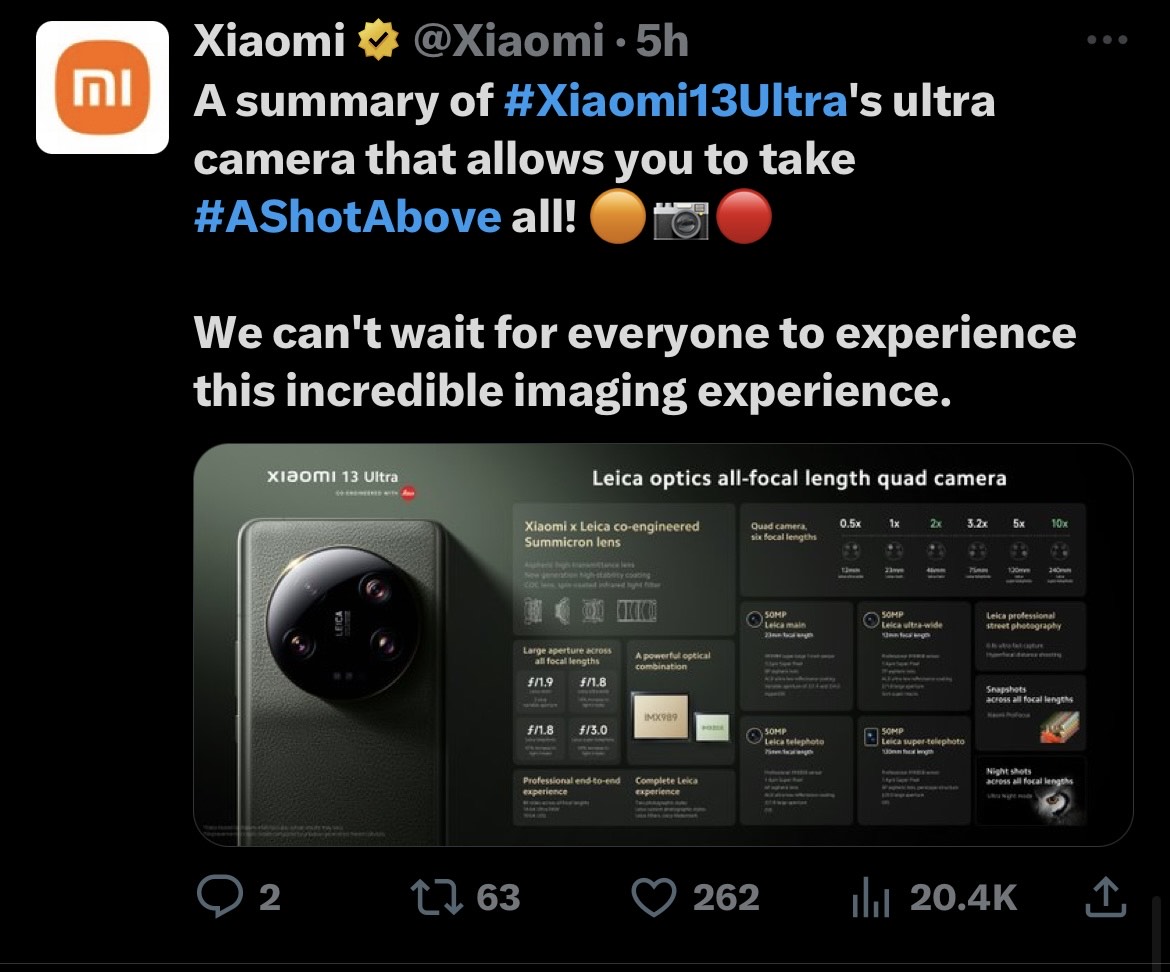
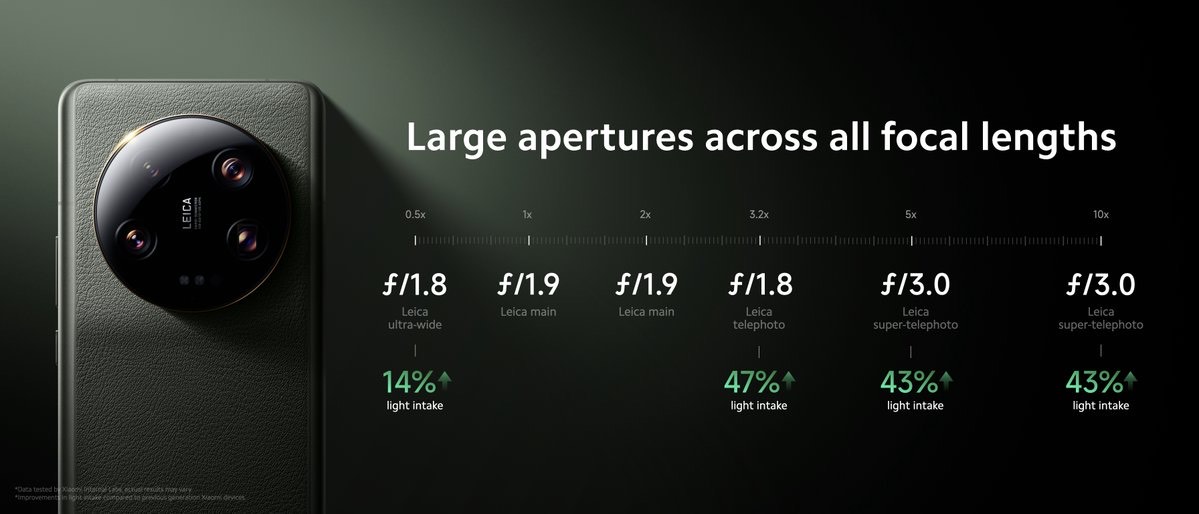
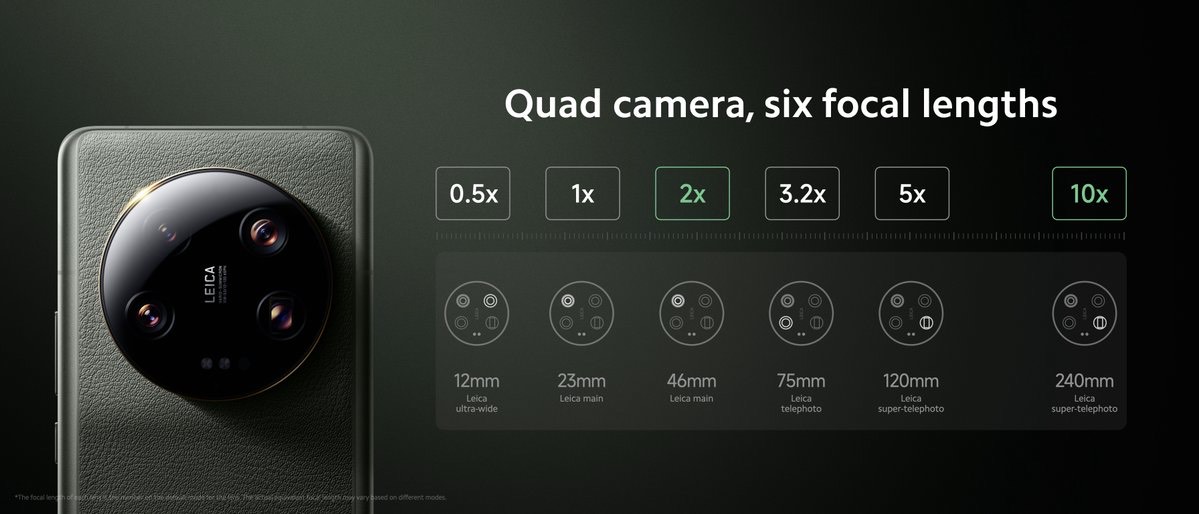
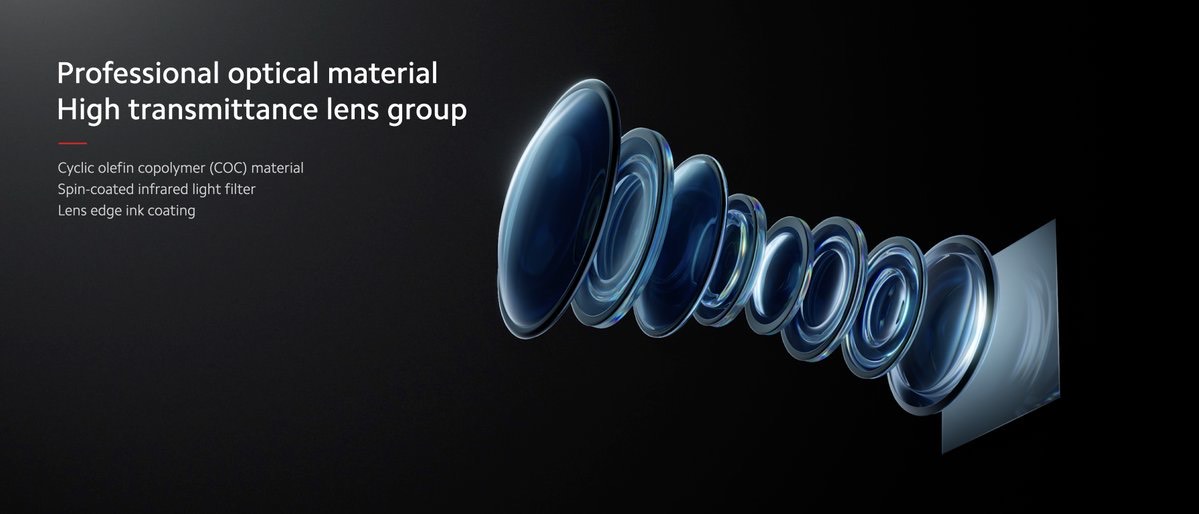
Ans) The phone has quad 50MP rear cameras with 6 focal lengths, Leica optics and features Leica co-engineered Summicron lens. The phone has a 50MP 23mm Leica main camera uses a 1-inch IMX989 sensor and a new physical two-stop aperture switching between ƒ/1.9 and ƒ/4.0.
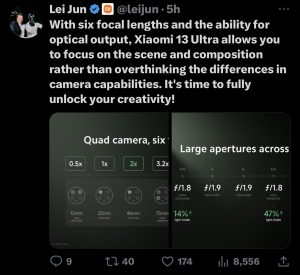
There are triple 50MP IMX858 sensors for ultrawide at 12mm, 3.2x telephoto at 75mm, and the new super-telephoto at 120mm, as well as the extra 46mm and 240mm lengths through the In-Sensor-Zoom. Three of the cameras feature an aperture wider than ƒ/2.0, which brings in more light and a soft, shallow depth of field, and allows for shorter shutter times, thus quicker capturing of natural and unmissable moments, said the company.
The phone supports end-to-end Dolby Vision recording and playback. It also supports up to 14-bit Ultra RAW photos, as well as 8K video and 10-bit Log.
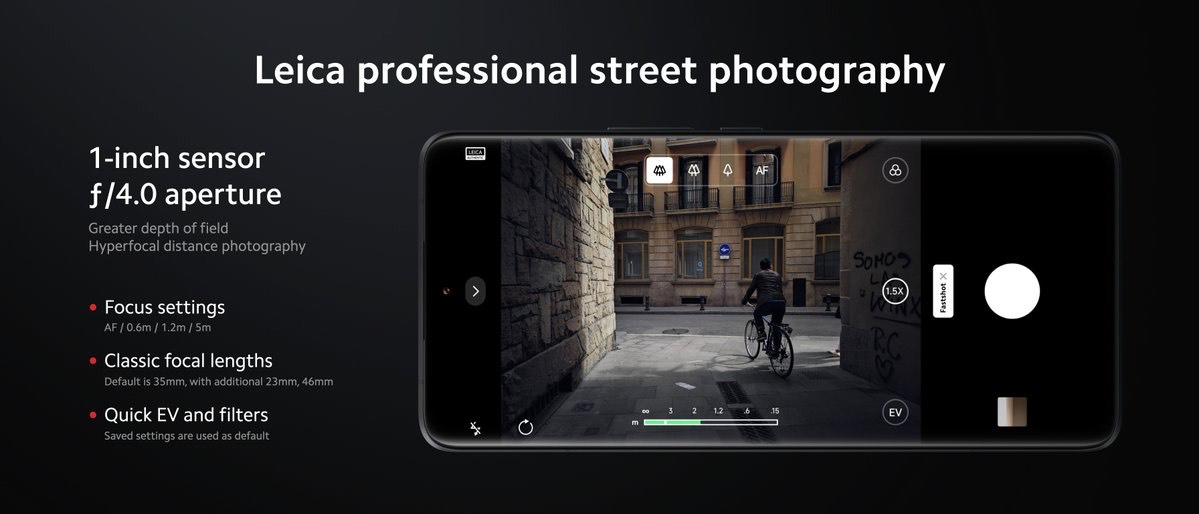
Inspired by the “hyperfocal distance” shooting method commonly used by street photographers, there is a new Fast Shot mode that allows taking focus-free snapshots by setting the focus point manually, and later starting and capturing the moment in just 0.8s.
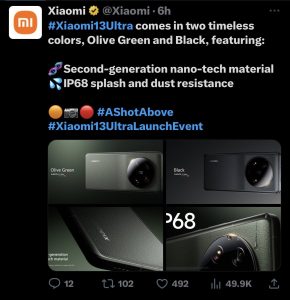
It has IP68 ratings for dust and water resistance. It uses second generation nanotech silicone leather technology that is not only resistant to fingerprints and smudges, but also is antibacterial and anti-yellowing, said Xiaomi. Its bacterial inhibition rate can reach as high as 99%, it added.
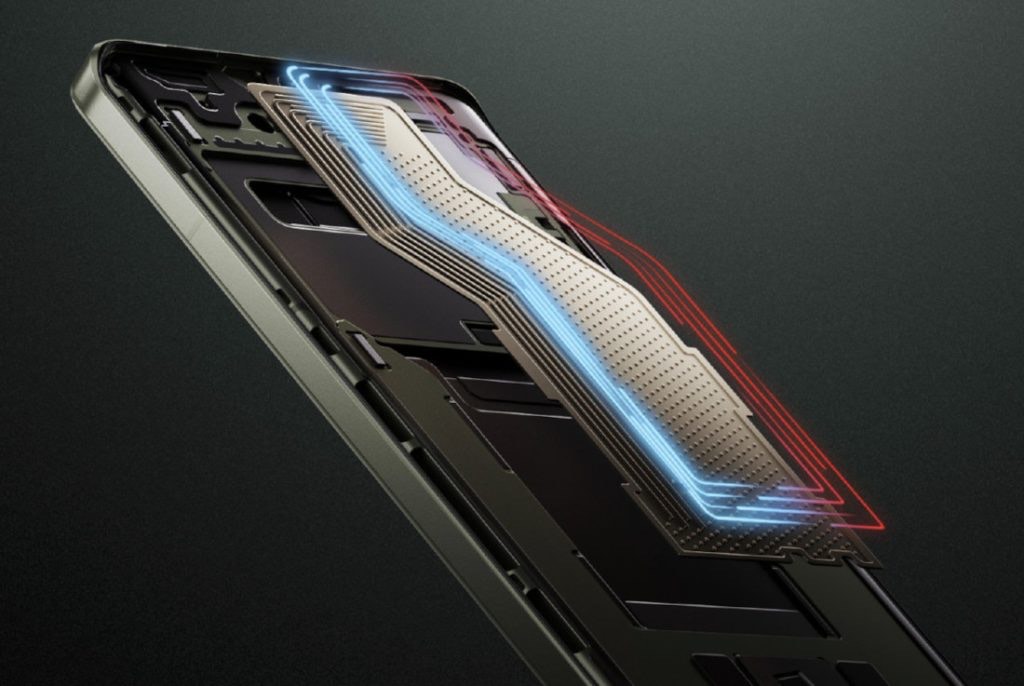
6) What is the Loop Liquid Cool Technology in the Xiaomi 13 Ultra ?
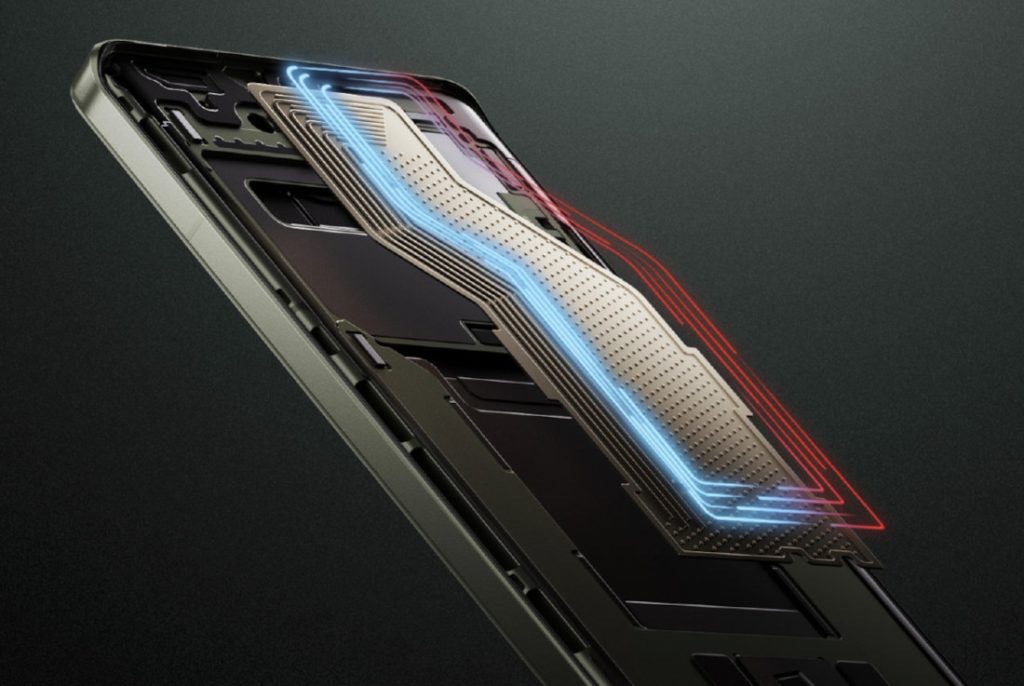
Ans) The phone has a Loop Liquid Cool technology. This uses Vapor liquid separation design, and One-way circulation structure that promises 3x cooling improvement over traditional VCs. This also ensures equivalent thermal conductivity more than three times that of traditional VCs, and heat dissipation capacity exceeds 10W, said the company.
7) What will the key selling points be for Xiaomi 13 Ultra ?
Ans) Xiaomi 13 Ultra: The key selling points of this flagship 5G phone from Xiaomi are Snapdragon 8 Gen 2 SoC, 2K 12-bit display with up to 2600nits peak brightness, 90W fast charging tech, and top-notch premium features. The new Xiaomi 13 Ultra is expected to come to India in the near future.
* Vivo is planning to launch a new V-series 5G smartphone in the coming months. * The Vivo V29 Lite 5G has been spotted on the Google Play Console Database. * The upcoming smartphone is expected to be powered by a Qualcomm chipset. * The V29 Lite 5G will be the baseline model in the lineup. * The V29 Lite might launch as the Y78 5G in various markets.
Vivo recently launched the V27 series in India. The company launched two premium phones in the lineup, namely the V27 5G and V27 Pro 5G. The two V series smartphones offer premium hardware at an upper mid-range price.
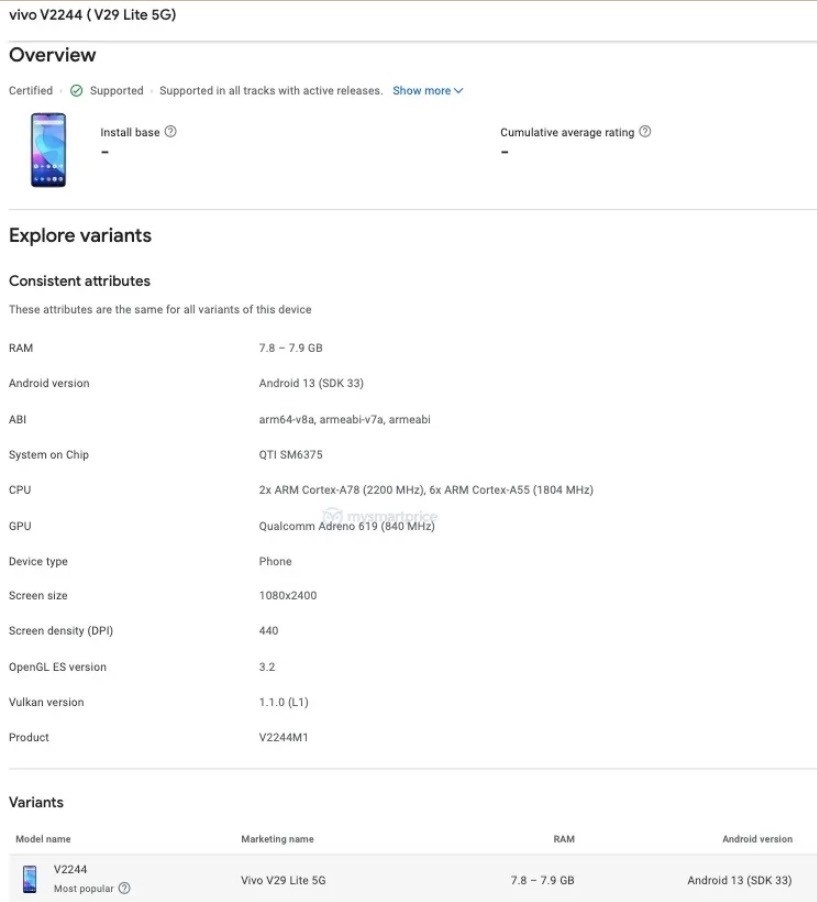
It has been a few weeks since the launch of the V27 series and now a new listing of the upcoming Vivo V29 Lite 5G has surfaced online. The V29 Lite 5Ghas been spotted on the Google Play Console ahead of its launch.
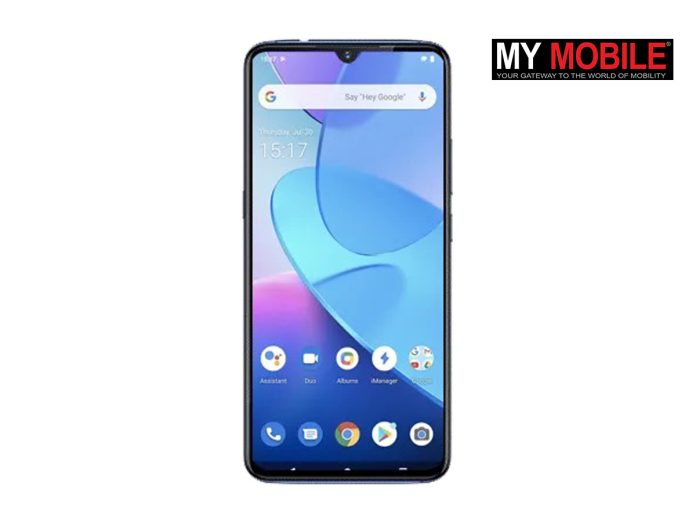
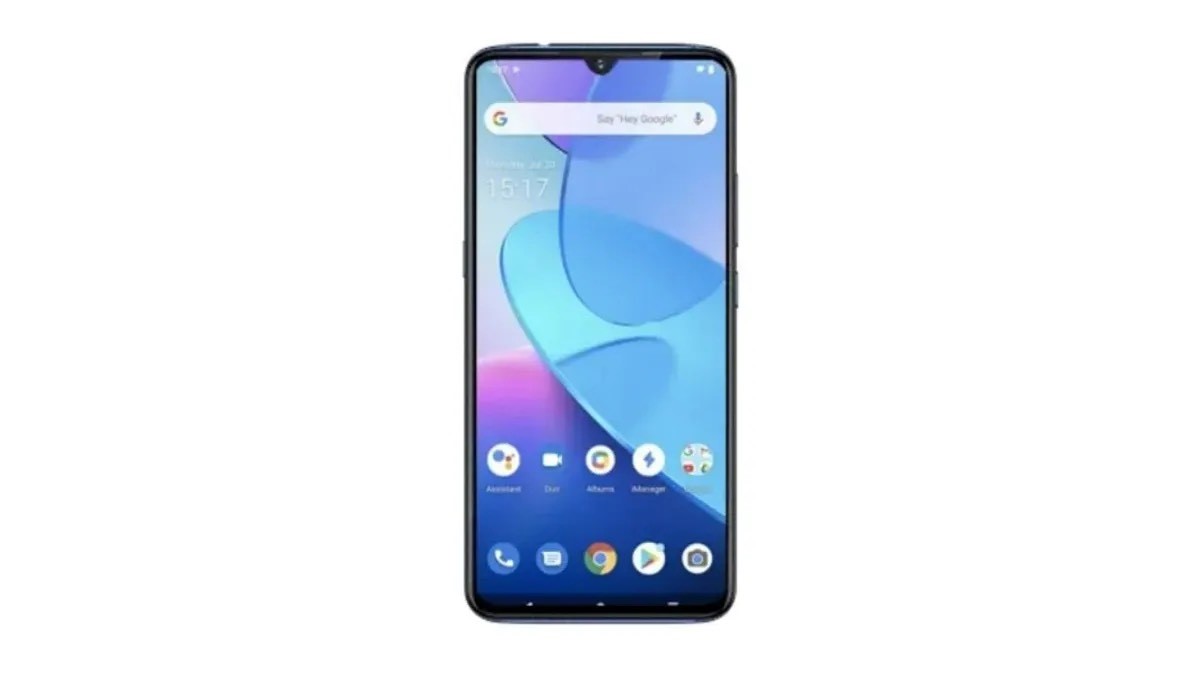
The listing on Google Play Console reveals the front of the phone along with some other details about the device’s hardware.
It looks like Chinese smartphone maker Vivo is working to unveil another V-series 5G phone in several markets. According to a report, the upcoming Vivo V29 Lite 5G smartphone has been spotted on the Google Play Console Database, with the model number V2244, which indicates that the phone might launch soon.
The company has not yet revealed anything regarding the upcoming smartphone. However, the listing indicates the phone’s front look and is said that the upcoming phone might be powered by a Qualcomm chipset.
Let’s take a look at the Vivo V29 Lite 5G specifications, features and other details revealed ahead of its launch.
Vivo V29 Lite 5G Might Feature a Qualcomm SoC
The Google Play Console Database listing has revealed that the upcoming Vivo V29 Lite 5G will have a Full HD+ display with a waterdrop notch and thin bezels. It will be powered by the Qualcomm Snapdragon 695 chipset, which boasts a maximum clock speed of 2.2GHz and is equipped with an Adreno 619 Graphics Processing Unit (GPU).
The Google Play Console listing for the Vivo V29 Lite 5G variant indicates that it has 8GB of RAM and at least 128GB of internal storage and will run Android 13 out of the box, as per a report by MSP.
The listing showed that the Vivo V29 Lite 5G has a model number V2244, and it should be noted that the Vivo Y78 has been observed on both the Google Play and 3C websites with the same model number. This implies that the phone might be released in various markets as Vivo V29 Lite 5G or Vivo Y78 5G.
If the Vivo V29 Lite 5G is a rebranded version of the Vivo Y78 5G, it will likely pack a triple rear camera setup and a 5,000mAh battery with fast charging support. However, the company has not yet revealed any details about the upcoming smartphone and to be sure about all the specifications and design, we will have to wait for the company to confirm it.
1) Vivo V29 Lite 5G Might Feature a Qualcomm SoC?is it true?
Ans) The Vivo V29 Lite 5G has been spotted on Google Play Console. The upcoming Vivo V series smartphone is expected to launch in various markets very soon. Ahead of the launch, the Google Play Console listing reveals that the V29 Lite 5G has the model number V2244. The listing confirms the official moniker of the phone. The Y78, which was recently spotted on the Google Play and 3C websites, has the same model number. It is likely that the same phone launches in different markets as the V29 Lite or Y78.
As per the listing, the V29 Lite 5G will feature a Qualcomm Snapdragon 695 SoC. The SoC has a peak clock speed of 2.2GHz and features an Adreno 619 GPU. The variant of the V29 Lite 5G listed on Google Play Console has 8GB of RAM. It is likely to offer 128GB of storage.
The phone will run Android 13 out of the box. It will have a layer of Funtouch OS 13 on top for the global market. The listing also reveals that the V29 Lite 5G has a Full HD+ display. There is a waterdrop notch at the top. The screen has narrow bezels around the display but the chin is slightly thick.
If the V29 Lite is indeed a rebadged Y78 5G, it is likely to support 44W fast charging. The phone is also likely to pack a 5,000mAh battery and sport a triple-camera setup on the back. At the time of writing this, there is no word on the launch date or any other specs of the phone.
2) What is availability of Vivo V29 & Vivo V78?
Ans) As far as availability is concerned, the Vivo V29 Lite will be sold outside mainland China. On the other hand, the Vivo V78could release in both China and other markets, whereas the Vivo V78m might be exclusive to China.
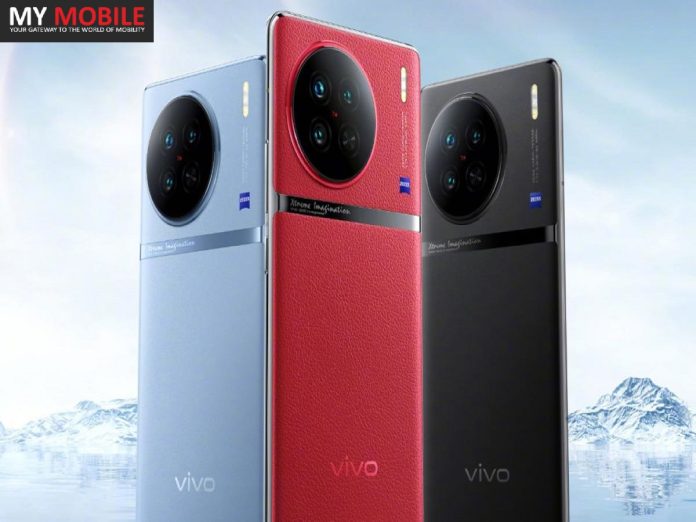
* Vivo X90 series is launching in India on April 26th. * The smartphones are confirmed go on sale via Flipkart. * Vivo is expected to launch at least two phones from the X90 series. * Vivo X90 series smartphones are powered by MediaTek Dimensity 9200 SoC. * These smartphones support 120W fast charging and feature ~4800mAh battery. * The Vivo X90 and X90 Pro offer 120Hz OLED display with 1300nits brightness.
The Vivo X90 series launch date in India is April 26th, and Flipkart has now confirmed the availability of the new smartphones on its platform. Other than Flipkart, the Vivo X90 is expected to also sell through the company’s online store.
The flagship Vivo X90 series, which has already debuted in China and in some markets internationally, features three phones in total — Vivo X90, Vivo X90 Pro, and Vivo X90 Pro+.
The company, however, hasn’t confirmed if all three models are arriving in Indiaas well. The Flipkart teaser also doesn’t shed any light on this information. There are speculations though that only the Vivo X90 and Vivo X90 Pro will launch in India since the Vivo X90 Pro+ is available only in China.
For those interested, the Vivo X90 series India launch is scheduled to take place at 12 noon on April 26.
Vivo has been teasing the Vivo X90 series India launch for the last few days. The company recently revealed that the Vivo X90 series will launch on April 26 in the country. Ahead of the launch, the Vivo X90 series micro-site has gone live on the e-commerce portal Flipkart. This confirms that the Vivo X90 series will be sold exclusively via Flipkart in India.
The Vivo X90 series launch micro-site on Flipkart doesn’t reveal the monikers of the smartphones that will be launched on April 26. However, the micro-site mentioned Vivo X90 Series, so the company will surely launch more than one X90 series smartphone in the country. To recall, the Vivo X90 series was launched back in November in the Chinese market and was introduced in February in global markets.
Vivo X90, Vivo X90 Pro Specifications
The Vivo X90 and Vivo X90 Pro feature a 6.78-inch AMOLED display with a 120Hz refresh rate and a 300Hz touch sampling rate. The Pro variant has a better 2K resolution.
Both phones are also powered by the MediaTek Dimensity 9200 chipset paired with Immortalis-G715 GPU for graphics. You can get up to 12GB of RAM and 512GB of onboard storage with UFS 4.0.
There are some differences in the camera department of the two phones. The Vivo X90 has a triple rear camera setup with a 50MP primary sensor, a 12MP portrait lens and a 12MP ultrawide sensor. For selfies, there’s a 32MP front camera. The Vivo X90 Pro also has a 50MP primary sensor but with a 50MP portrait sensor and a 12MP ultrawide sensor. It also houses a 32MP front camera for selfies.
The Vivo X90 Pro packs a larger 4,870mAh battery than the 4,810mAh battery on the X90 but bot phones come with 120W fast charging support. More features on the Vivo X90 series include 5G support, dual-band Wi-Fi 6, stereo speakers, Hi-Res audio and an in-display fingerprint sensor.
1) What are the Vivo X90 and Vivo X90 Pro: Specifications and Features?
Ans) The Vivo X90 series smartphones sport 6.78-inch Full HD+ OLED display panel with 120Hz refresh rate and 1300nits peak brightness. Under the hood, the X90 series smartphones pack MediaTek Dimensity 9200 processor that brings with it Immortalis G715 GPU. Vivo has equipped these smartphones with up to 12GB LPDDR5 RAM and up to 512GB UFS 4.0 storage.
The Vivo X90 packs a triple-rear camera setup that includes a 50MP Sony IMX866 sensor and an f/1.75 aperture. It gets accompanied by a 12MP ultra-wide-angle lens that has an f/2.0 aperture. The smartphone also has a 12MP portrait lens with a 50mm focal length and 2x optical zoom.
The Vivo X90 Pro sports a 50MP Sony IMX 989 sensor with a 1-inch sensor size and OIS support. The smartphone also gets a 12MP Sony IMX663 sensor which adds ultra-wide-angle functionality. It also has a 50MP Sony IMX758 sensor with 2x optical zoom.
The Vivo X90 series smartphones are equipped with 32MP front selfie shooters. The Vivo X90 has a 4810mAh battery unit. Whereas, the X90 Pro has a 4870mAh battery. These devices support 120W fast charging. Vivo X90 Pro also supports up to 50W wireless charging.
The Vivo X90 series smartphones boot the latest version of Android, that is Android 13. On the security front, these devices feature an in-display fingerprint scanner. The Vivo X90 series smartphones also pack stereo speaker setup but lack the 3.5mm audio jack. The Vivo X90 and Vivo X90 Pro weigh 200 grams and 215 grams respectively.
2) What is Vivo X90 & Vivo X90 Pro prices & availability?
Ans) The Vivo X90 and Vivo X90 Pro have been officially launched in Malaysia today in a single storage configuration of 12GB RAM and 256GB ROM each. The vanilla X90 is priced at MYR 3,699 (approx. Rs 70,000) while the X90 Pro costs MYR 4,999 (approx. 95,000).
As for the colour options, the standard X90 comes in Breeze Blue and Asteroid Black, and the X90 Pro in a single Legend Black vegan leather option.3 Early buyers of the devices can grab a free Vivo TWS Air along with a Protection Plus plan that includes 1 year of extended phone warranty, 1 year of screen crack protection, and 1 year of battery warranty. Indian pricing of the Vivo X90 and X90 Pro will be revealed at a later date when the handsets are officially unveiled in the country.
3) Vivo is a company from which country?
Ans) Dongguan, China
4) What is the price of Vivo X90 and X90 Pro?
Ans) The cost will be between Rs 69,221 and Rs 99,162.
5) How is the Vivo X90 and X90 Pro camera?
Ans) The Vivo X90 will have three cameras placed up at the back. A 12MP ultrawide lens and a 12MP portrait sensor will be used in addition to the 50MP core sensor. The Vivo X90 Pro, on the other hand, has a 50 MP main camera, a 50MP telephoto lens and a 12MP ultrawide sensor.
6) How is the Vivo X90 Pro battery?
Ans) The X90 Pro has a 4,780-mAh battery, which can be replenished with a bundled 120-watt charger or a 50-watt wireless charger (sold separetly). The phone offers two charging modes, fast charging and balanced mode. Vivo says the X90 Pro can be charged to 50% in 8 minutes and 10 seconds using the former mode. Balanced mode is apparently ideal for everyday charging, and takes 29 minutes to revitalize the battery to a full charge, according to Vivo.
7) What is the X90 Pro’s odd design choice on the back?
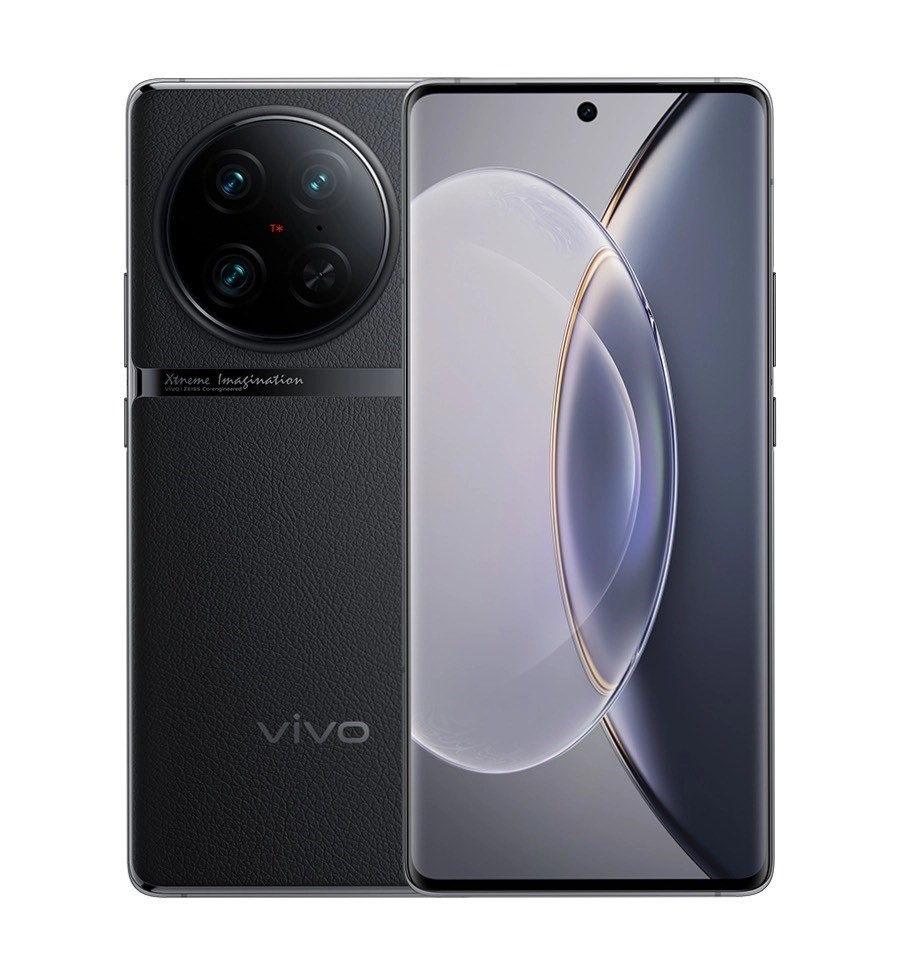
Ans) For a phone in 2023, the X90 Pro’s design appears relatively ordinary from the front. The rectangular display has curved edges and features a a punch-hole cutout in the center housing the selfie camera. But flip it over, and you’ll see a narrow bar running through the width of the chassis (below the camera module).
No, it’s not a camera bar as seen on Google’s Pixel 7 lineup, it’s simply a flat bar emblazoned with the words “Xtreme Imagination” running across the rear of the phone. Frankly, it makes for a bizarre choice that undermines the overall design of an otherwise sleek phone. Above this perplexing bar, is the circular camera bump housing three lenses. There’s also bold vivo branding at the bottom.
8) What is the X90 Pro’s Zeiss lenses?
Ans) Vivo says this phone gives you a piece of pro photography equipment in your pocket. That’s why it makes sense that the company has flexed its camera partnership with Zeiss, a 176-year old company considered a pioneer in optical photography. There are three cameras on the X90 Pro: a 50-megapixel main camera, a 50-megapixel portrait camera and a 12-megapixel wide-angle lens.
9) What are the New Vivo X90 Pro features?
Ans) Vivo changed an array of features from the phone’s predecessor, the V80 Pro. Apart from swapping out the chip from Qualcomm to a Mediatek one, it ditched the ultrasonic fingerprint reader, telephoto camera and reduced display resolution. The 3D Sonic Max feature was one that set the X80 Pro apart from a number of Android flagships, so it’s disappointing to see it go.
* Apple may discontinue some older-generation iPhones after iPhone 15 series launch. * The company traditionally discontinues a number of iPhones after launching the next gen lineup. * The iPhone 15 series is expected to be launched in the second half of 2023. * Apple may scrap iPhone 14 Pro and iPhone 14 Pro Max this year. * Additionally, it may stop selling iPhone 11 and iPhone 12. * That leaves us with iPhone 13, iPhone SE (2022), iPhone 14, and iPhone 14 Plus.
As tech giant Apple is gearing toward the new generation of iPhones, it is speculated that the company might discontinue some older generation iPhones after the launch of the iPhone 15 series. Every year, Apple gets rid of some of its older models to make room for the new iPhones.
This time, it might be the Pro models from the iPhone 14 series, along with some other older-generation iPhones. Apple is likely to discontinue some of its existing smartphones after launching iPhone 15 series. There is no official announcement on the same, but every year the company discontinued old iPhones after the launch of the new devices.
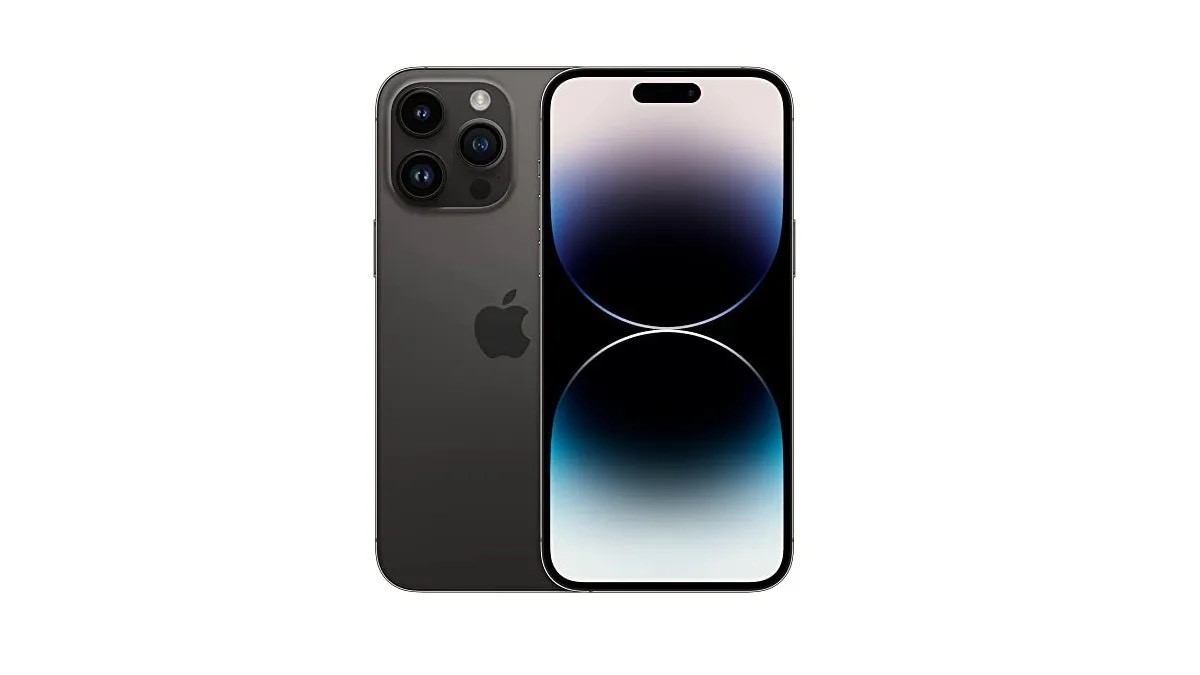
Notably, the iPhone 15 smartphone seriesare expected to have four models, such as iPhone 15, iPhone 15 Plus, iPhone 15 Pro, and the iPhone 15 Pro Max (or Ultra).
Earlier, the company discontinued iPhone 11 and the iPhone 12 mini after the launch of the iPhone 14 series last year, which also means that there is a high chance that it might stop selling some of its old devices or come up with discounts on the devices.
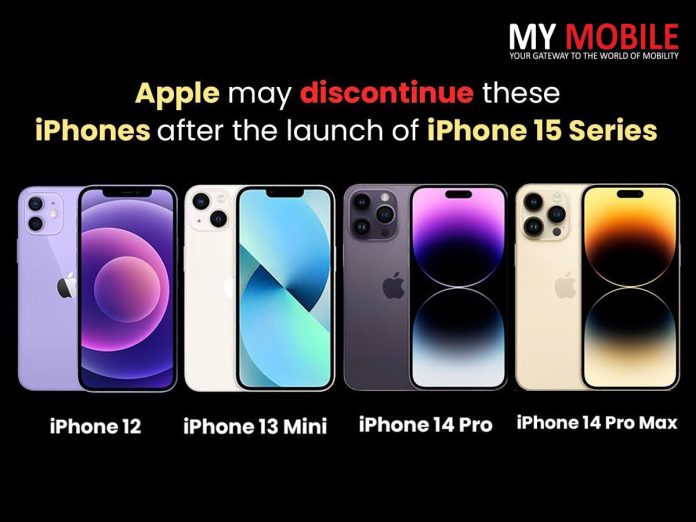
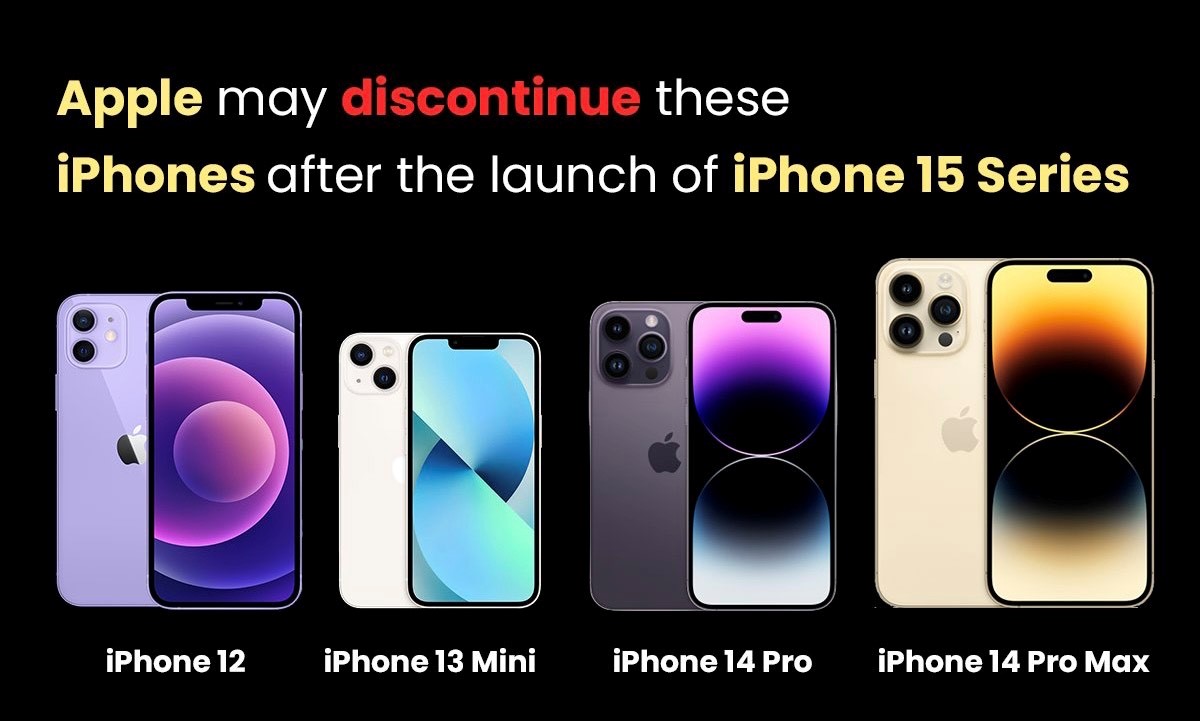
According to a new report by Tom’s Guide, the Cupertino-based tech giant is expected to discontinue iPhone 12, iPhone 13 mini, 14 Pro Max, and the iPhone 14 Plus. Again, the company has not shared anything yet, which means we have to wait until September to know more about the discontinued devices.
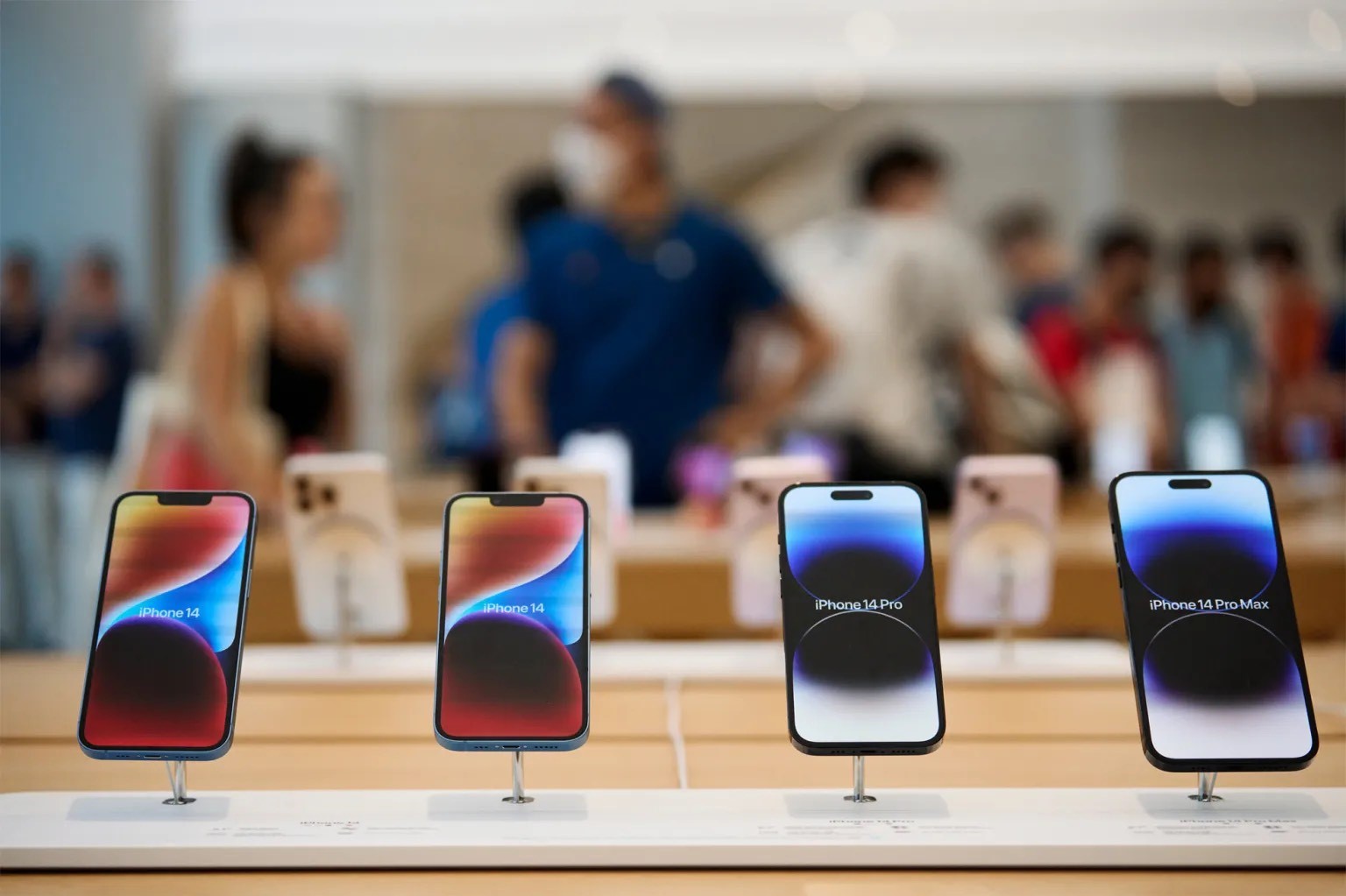
To those unaware, currently, the company is selling eight models such as iPhone 14 Pro Max, iPhone 14 Pro, iPhone 14 Plus, iPhone 14, iPhone 13, iPhone 13 mini, iPhone 12, and the iPhone SE.
Take a look at it.
List of iPhones that Apple might discontinue
Apple is currently selling the iPhone 14 lineup, the iPhone 13 and iPhone 13 mini, the iPhone 12, and the iPhone SE (2022). However, after the iPhone 15 series comes out, it is speculated that Apple might discontinue the iPhone 14 Pro, the iPhone 14 Pro Max, the iPhone 12, and the iPhone 13 mini indicating that we will be left with the iPhone 13, the iPhone SE (2022), the vanilla iPhone 14, and the iPhone 14 Plus.
Last year, after the launch of the iPhone 14 lineup, the company discontinued the iPhone 13 Pro and the iPhone 13 Pro Max, the iPhone 12 mini and the iPhone 11 in several markets, including India.
It was surprising to many users when Apple discontinued the Pro models last year. This was unexpected because Apple usually only discontinues older generation Pro models and keeps the latest generation “Pro” iPhones in its lineup.
iPhone 15 Series Launch
Apple is gearing up to unveil the iPhone 15 in the month of September or October (precisely in the second half of 2023), which will include the iPhone 15, the iPhone 15, the iPhone 15 Plus, the iPhone 15 Pro, and the iPhone 15 Pro Max, which will be launched as iPhone 15 Ultra.
It is also speculated that the company is planning to bring several new features, including Dynamic Island to all the models, revamped design and a lot more, in the upcoming series. You can read about the developments of the iPhone 15 series here.
Faqs on Apple IPhone Updates
1) What has been the Apple Sales In India?
Ans) Meanwhile, the company has managed to hit $6 billion in sales in India by the end of March 2023, according to a Bloomberg report. This means there is a 50 percent jump in the overall revenue, as Apple reported $ 4.1 billion in March 2022 end. This clearly shows that Apple has increased its share in the premium market in India.
Apart from that, the company is all set to launch two stores in Mumbai on April 18th and in Delhi on the 20th.
The move is expected to help Apple to increase its sales in the country. It is worth noting that Apple saw huge demand for iPhones and iPads from India during the pandemic. This could be a reason why Apple is focusing on the Indian market.
2) Will Apple Launch Mixed-Reality Headset Soon?
Ans) Meanwhile, the company is all set to bring or launch the first mixed-reality headset in June at its WWDC 2023 event. In addition, the company might showcase new Macs along with Socs. Plus, the tech giant is likely to bring iOS 17, and iPadOS 17, and the Watch
OS UI is likely to receive a new makeover.
3) What are the phones which are being discontinued after iPhone 15 launch?
Ans) The iPhone 15 series official launch is months away, but we are getting new information through leaks almost every week. Similar to last year’s lineup, the new series will likely include four models – the vanilla iPhone 15, iPhone 15 Plus, iPhone 15 Pro, and iPhone 15 Pro Max (or Ultra). However, like every year, new iPhones mean some old iPhones will be discounted. A new report by Tom’s Guide suggests that Apple might discontinue at least four phones following the launch.
Currently, Apple officially sells the iPhone 14 series, iPhone 13 and iPhone 13 mini, iPhone 12, and iPhone SE (2022). The new report suggests that Apple might scrap iPhone 14 Pro and iPhone 14 Pro Max, iPhone 12, and iPhone 13 mini after the iPhone 15 series launch. That leaves us with iPhone 13, iPhone SE (2022), iPhone 14, and iPhone 14 Plus.
The speculation looks mostly accurate since Apple adopted a similar strategy following the launch of the iPhone 14 series last year. The company ditched the old-gen Pro models to boost the sales of new ones. It also ditched iPhone 11 and iPhone 12 mini.
Otherwise, the older existing models would receive a price cut of up to $100. In India, Apple may consider slashing the price by Rs 10,000. Here is how iPhones (for the base 128GB storage) are currently priced: -iPhone 14: Rs 79,900 -iPhone 14 Plus: Rs 89,900 -iPhone 14 Pro: Rs 1,29,900 -iPhone SE: Rs 49,900 -iPhone 13: Rs 69,900 -iPhone 12: Rs 59,900 (64GB)
Meanwhile, Apple is expected to launch its first mixed-reality headset at the upcoming WWDC 2023 event on June 5. According to Apple analyst and Bloomberg’s Mark Gurman, Apple will introduce the device at WWDC 2023, though the actual sale may take place at the end of the year. Gurman has also added that the upcoming WWDC would see one of its biggest launches. Apple will reportedly showcase new Macs with its proprietary SoCs.
* The iPhone 15 series is expected to see a change in design. * The iPhone 15 Pro and iPhone 15 Pro Max/ Ultra will likely feature an ‘Action’ button. * The button will be used to click pictures, power off or force restart the device.
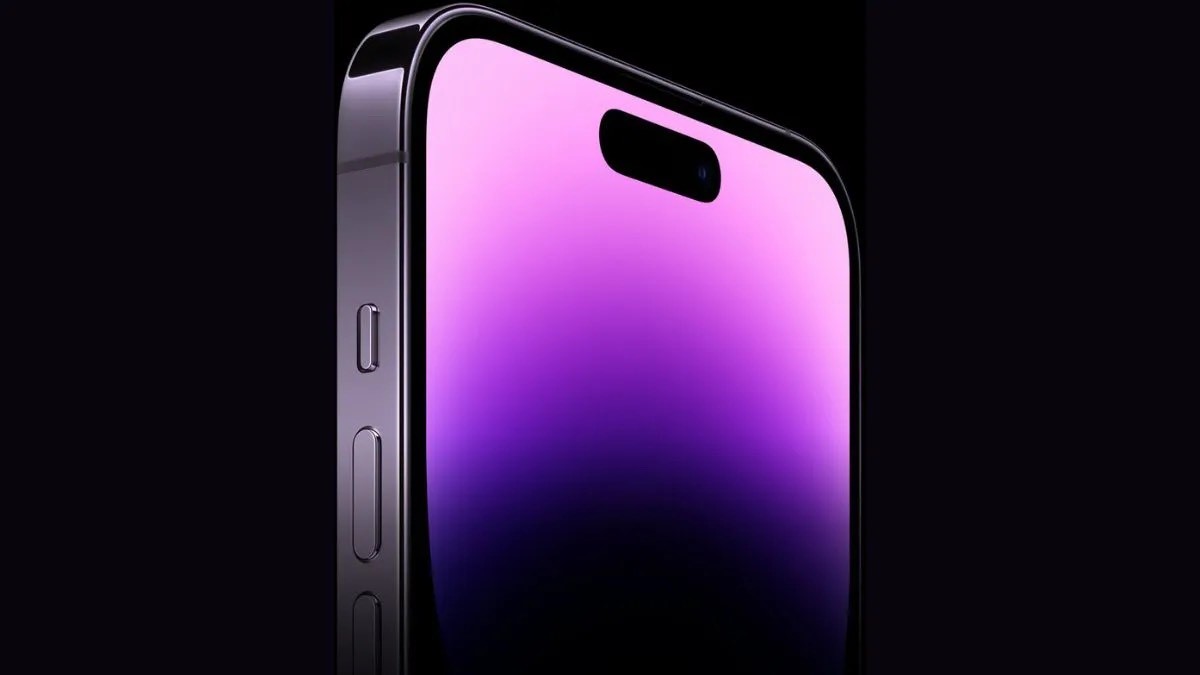
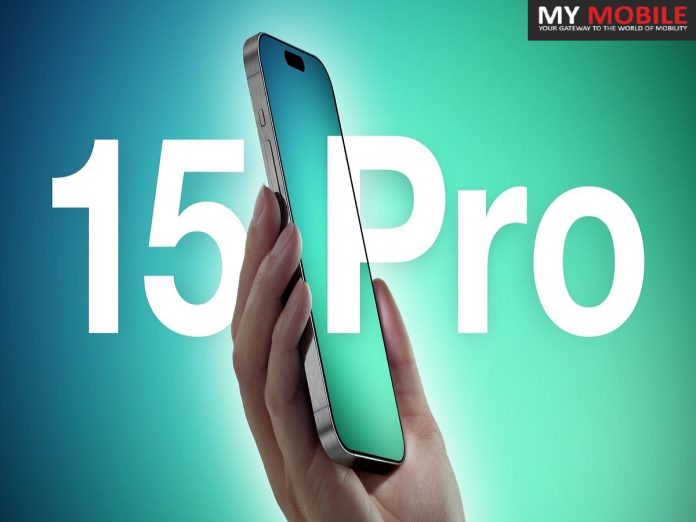
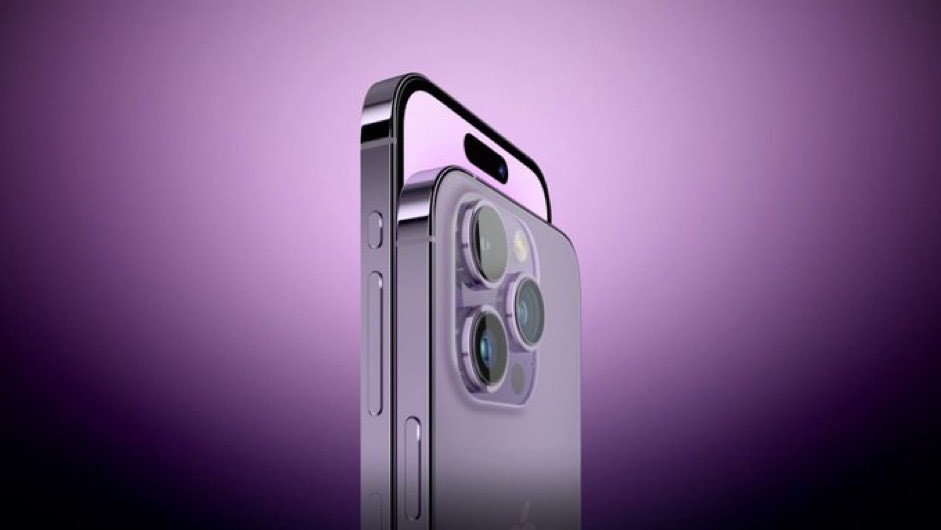
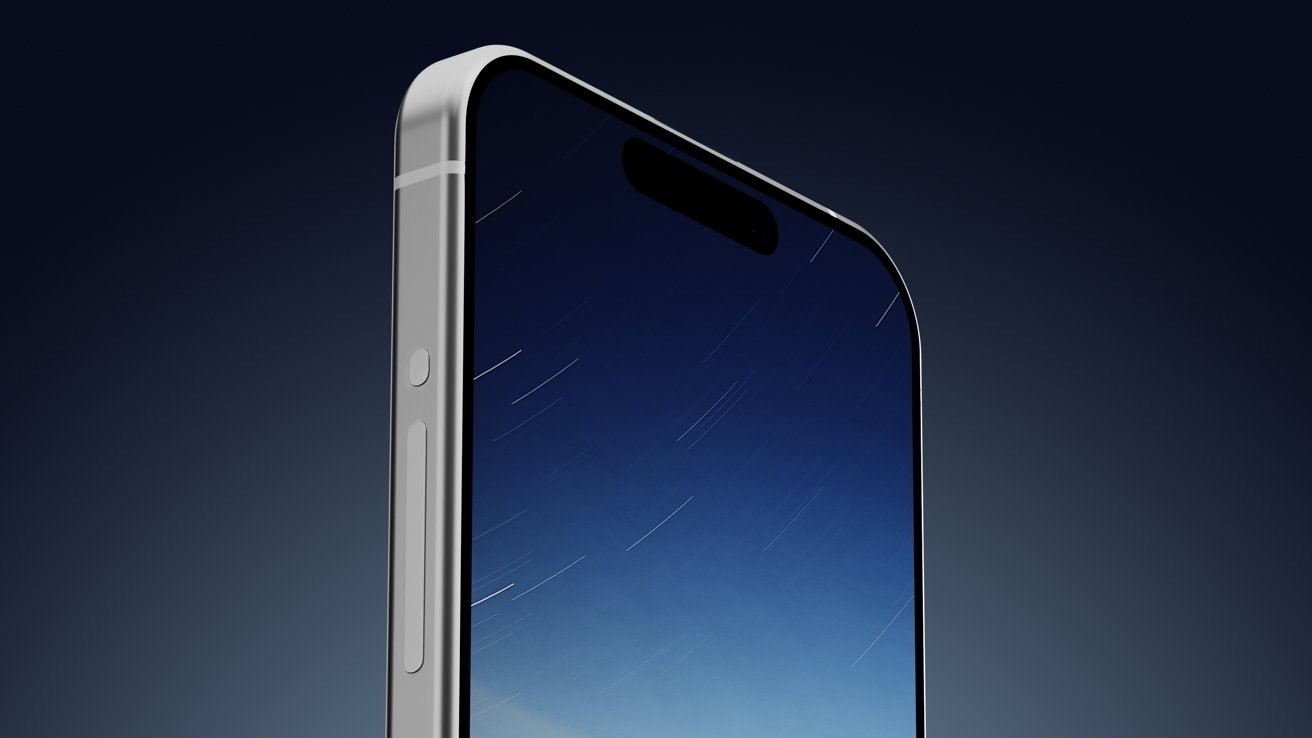
Tech giant Apple is expected to bring some noticeable changes in the upcoming iPhone 15 series. It is still unconfirmed what changes we might see in the upcoming series, but what we know is that there might be a new “Action” button on the iPhone 15 Pro and iPhone 15 Pro Max/ Ultra.
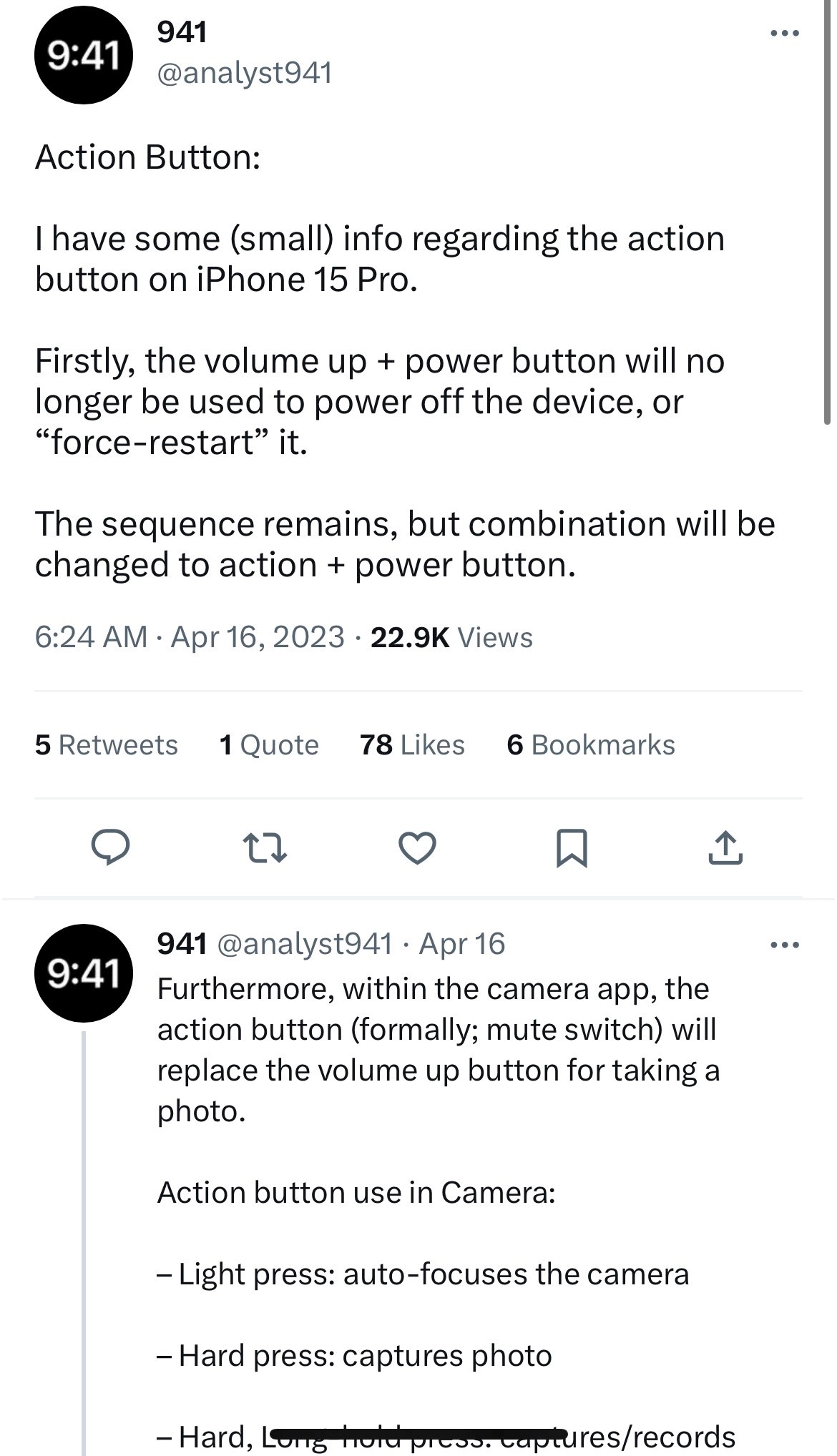
According to a tipster, the “Action” button in upcoming Pro models will be used to click pictures, power off or force restart the device.
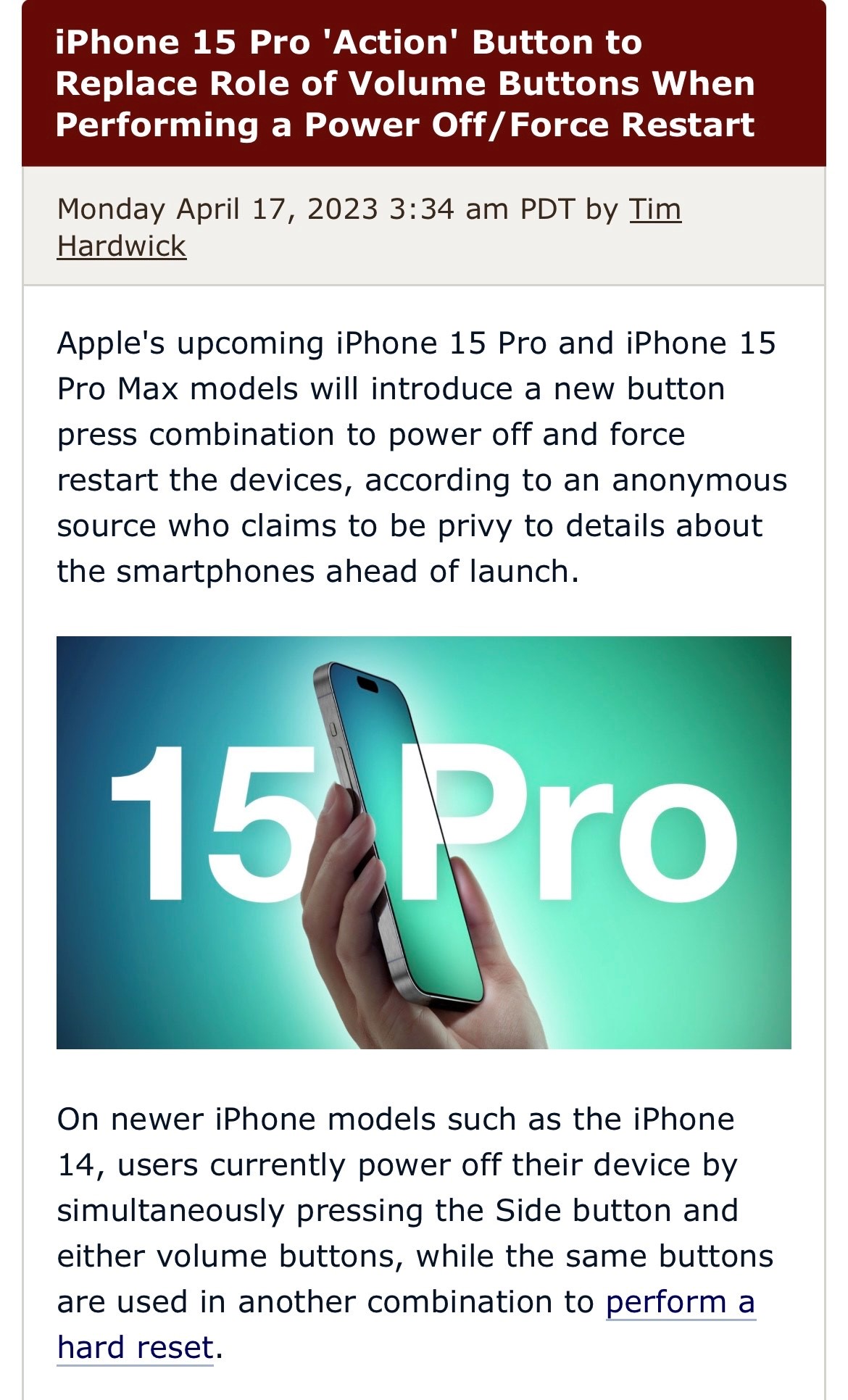
Apple’s upcoming iPhone 15 Pro and iPhone 15 Pro Max models will introduce a new button press combination to power off and force restart the devices, according to an anonymous source who claims to be privy to details about the smartphones ahead of launch.
On newer iPhone models such as the iPhone 14, users currently power off their device by simultaneously pressing the Side button and either volume buttons, while the same buttons are used in another combination to perform a hard reset.
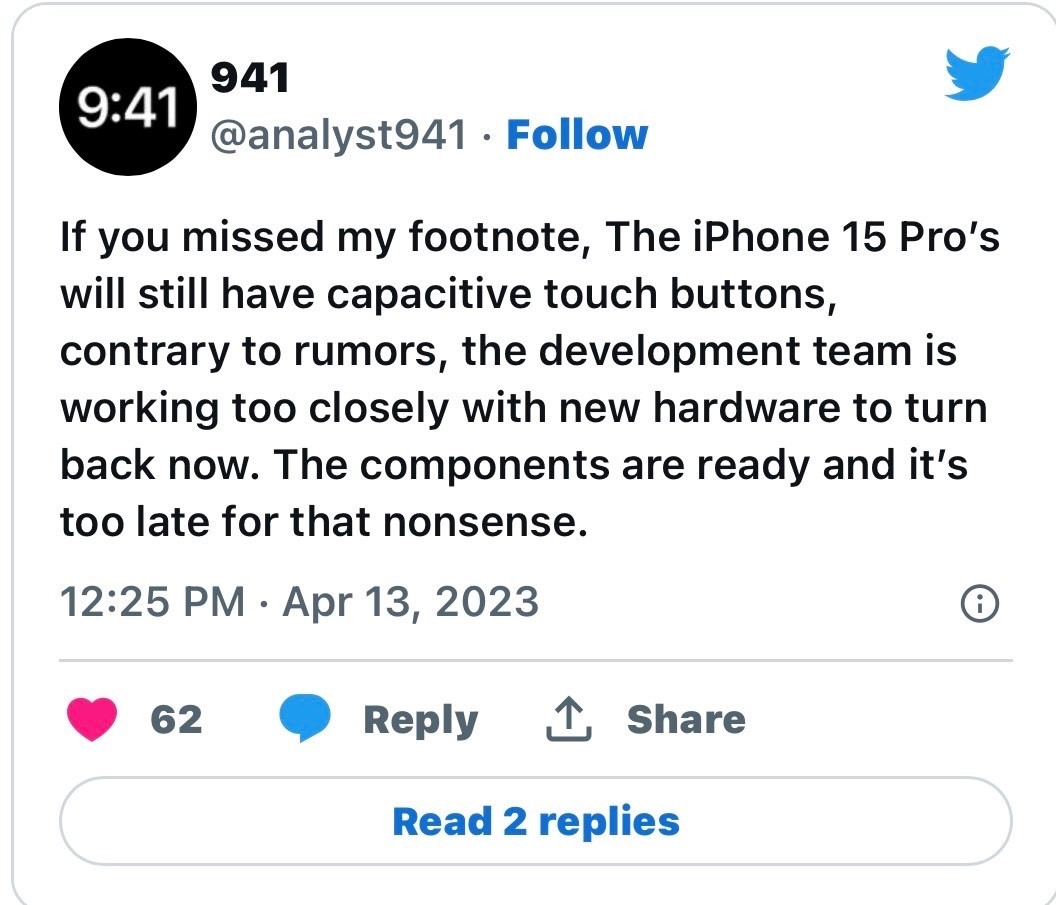
However, with the mute switch expected to be dropped in favor of a potentially customizable “Action” button, this latter new button will take on the role of the volume buttons when powering off/resetting the iPhone 15 Pro models, according to the leaker who goes by the Twitter alias @analyst941.
“The volume up and power button will no longer be used to power off the device, or ‘force-restart’ it,” claimed the leaker in a tweet.
“The sequence remains, but the combination will be changed to action and power button.” In a follow-up tweet, the leaker also claimed that the “Action” button will replace the volume up button for taking photos in the Camera app, with force-sensitivity enabling a light press to auto-focus the camera, a hard press to take a picture, and a hard/long press to record video.
At this point, it’s important to take the second claim about Force Touch sensitive functions with a pinch of salt. Several other sources have indicated that Apple has encountered technical issues with capacitive buttons on the iPhone 15 Pro models and will now delay them for a later version of the iPhone.
For what it’s worth, @analyst941, who has been the source of previously accurate pre-launch information, disputes this claim and believes they are still coming to the iPhone 15 Pro.
A unified volume button was also a design planned for solid-state technology, but Apple is said to be opting to stick with the current design now that solid-state buttons have been delayed.
For more on the iPhone 15 Pro and Pro Max, we have a dedicated iPhone 15 Pro roundup that aggregates everything we’ve heard so far, and we also have a separate iPhone 15 roundup that gives a better idea of the differences between the Pro and non-Pro models.
‘Action’ button on the iPhone 15 Pro models
The latest iPhone models, including the iPhone 14, can be powered off by pressing the Side button and either volume buttons at the same time. To perform a force reset, users need to use a different combination of the same buttons. The upcoming iPhone 15 Pro models may no longer have a mute switch, as it is rumoured to be replaced by a customisable “Action” button. In this case, the new button will serve as the volume button when turning off or resetting the device.
What more will the iPhone 15 ‘Action’ button do?
In a subsequent tweet, the tipster said that the “Action” button will replace the volume up button in the Camera app for capturing images, with force-sensitivity allowing a light press to auto-focus the camera, a hard push to snap a picture, and a hard/long press to record video.
Action button use in Camera
* Light press: auto-focuses the camera * Hard press: captures photo * Hard, Long-hold press: captures/records video
However, multiple sources in the past said that the tech giant has found technical challenges with the capacitive buttons on the upcoming iPhone 15 Pro models and will now delay them until a later edition of the iPhone.
A recent report also indicated that the upcoming iPhone 15 Pro, iPhone 15 Pro Max/ Ultra would have conventional buttons, and the solid-state idea was scrapped at the last minute. According to analyst Ming-Chi Kuo, the iPhone 15 Pro is currently undergoing Engineer Validation Test (EVT) and may still go through design changes before its final release.
There are various rumours circulating about the upcoming iPhone models. However, the company will reveal the new features of the iPhone 15 series only upon its release in the second half of this year. The series will consist of four models – iPhone 15, iPhone 15 Plus, iPhone 15 Pro, and iPhone 15 Pro Max, likely to be renamed iPhone 15 Ultra.
Ans) Apple first created a user-programmable Action button on the Apple Watch Ultra. A lot of us said at the time that we’d love to see one on the iPhone, and a report last month seemed to indicate that we’d be getting our wish.
The leaker also refers to the new mute button as an “action” button. This suggests that it will be user-programmable, like the Action button on the Apple Watch Ultra. Many people keep their iPhones muted at all times, relying on vibrations for alerts, so may wish to use the button for something else.
This went hand-in-hand with expectations that Apple was going to replace both the volume buttons and mute switch with capacitive buttons. However, subsequent reports suggested that Apple ran into production issues with this, and has now decided to stick to mechanical buttons for now.
Haitong Tech analyst Jeff Pu has heard from sources familiar with Apple’s supply chain that the company may switch back to the classic volume button design on the iPhone 15 Pro since the new solution would have a much more complex design […] Reliable analyst Ming-Chi Kuo has just corroborated Jeff Pu’s report.
2) What is Uncertainty about the Action button?
Ans) All of which left us wondering how this might affect the planned Action button. My view at the time was that if Apple had to backtrack on the capacitive buttons, then the most likely fallback was to stick to the existing setup for now.
If Apple does abandon the solid-state plans, what about the Action button? Does it mean that Apple would revert to the existing setup, including the mute switch? Or is there still the possibility of replacing it with a mechanical Action button?
That would be my hope – but not, sadly, my belief. While I can accept that we’re still early enough for Apple to postpone a decision on whether or not to go ahead with a planned change, I’d very much expect the fallback position to be “keep things as they are.”
3) Leaker claims it’s going ahead, with camera control?
Ans) However, @analyst941 seems to think Apple is going ahead with the iPhone 15 Pro Action button, and has described how it can be used to control the camera.
Within the camera app, the action button (formally; mute switch) will replace the volume up button for taking a photo. Action button use in Camera:
Light press: auto-focuses the camera Hard press: captures photo Hard, Long-hold press: captures/records video However, they also say this: If you missed it, or don’t understand how the capacitive button can be “light” or “hard” pressed: again, the capacitive buttons (incl. action) will be Force-sensitive.
Which suggests that, unlike Jeff Pu and Ming-Chi Kuo, they think Apple is still going ahead with the plans for capacitive buttons.
The leaker also says that an Action and Power button combo will replace Volume Up and Power for the power-off/restart menu.