Highlights
- Messenger now allows the creation of shared albums within group chats.
- New feature includes the ability to share photos in HD quality.
- Users can send large files up to 100MB directly through chats.
- Shared album functionality unique to Messenger among Meta’s messaging platforms.
Meta has announced a useful new feature for Messenger that allows users to create shared albums within group chats.
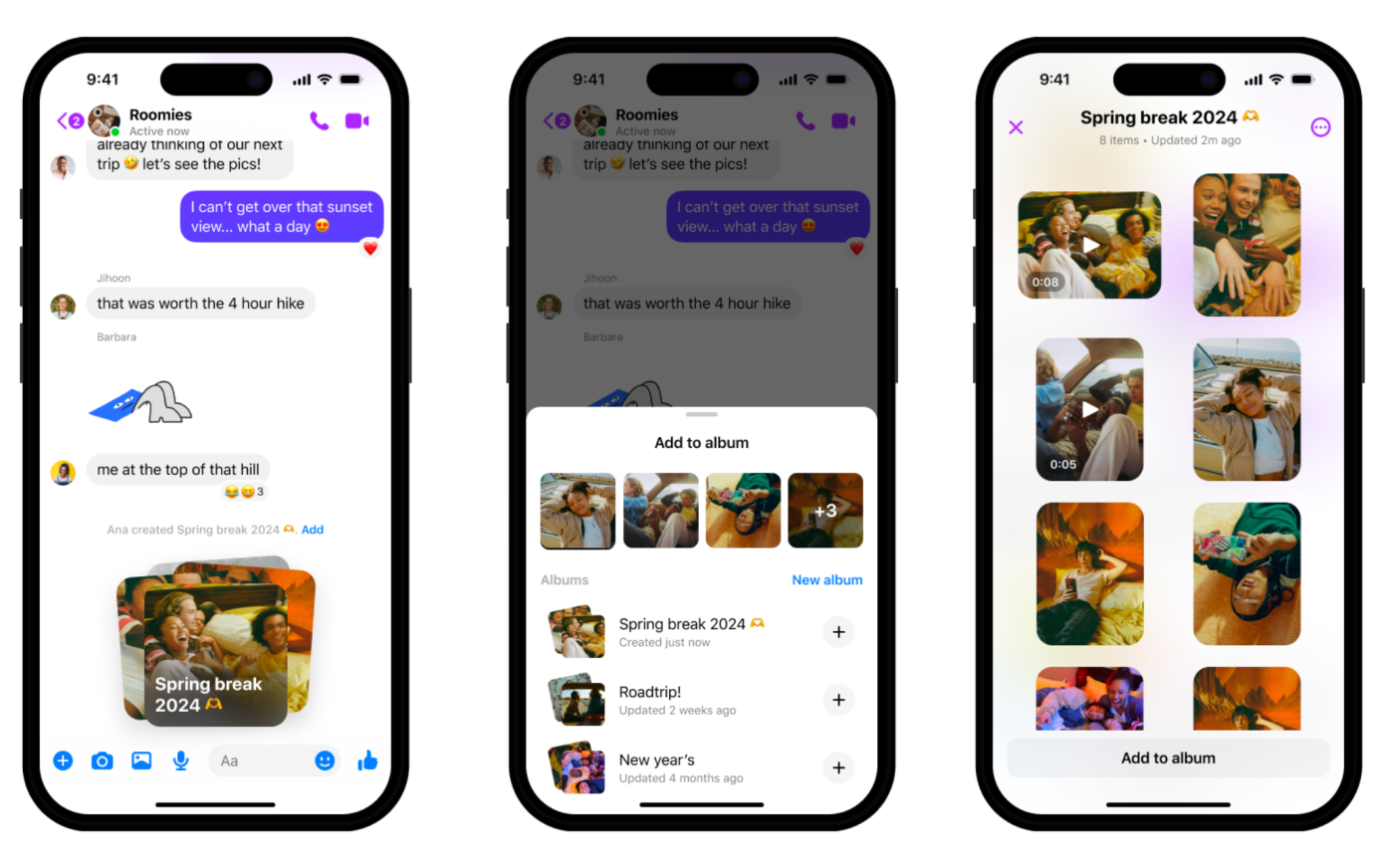
This capability enables people to compile photos and videos from events or occasions into organised albums, rather than having them scattered across the chat.
To make an album, users simply need to select multiple media files from the chat composer and tap ‘create album’.
Alternatively, they can long-press on an existing photo to add it to a new album.
Once created, everyone in the group chat can view, contribute to, edit, or download the contents of the shared album by accessing it through the ‘Media’ button.
This addition is likely to be welcomed by those who frequently use Messenger to share memories with friends and family, as Meta’s other messaging apps like WhatsApp and Instagram DMs do not currently offer shared album functionality.
Sending High-Quality Photos and Large Files
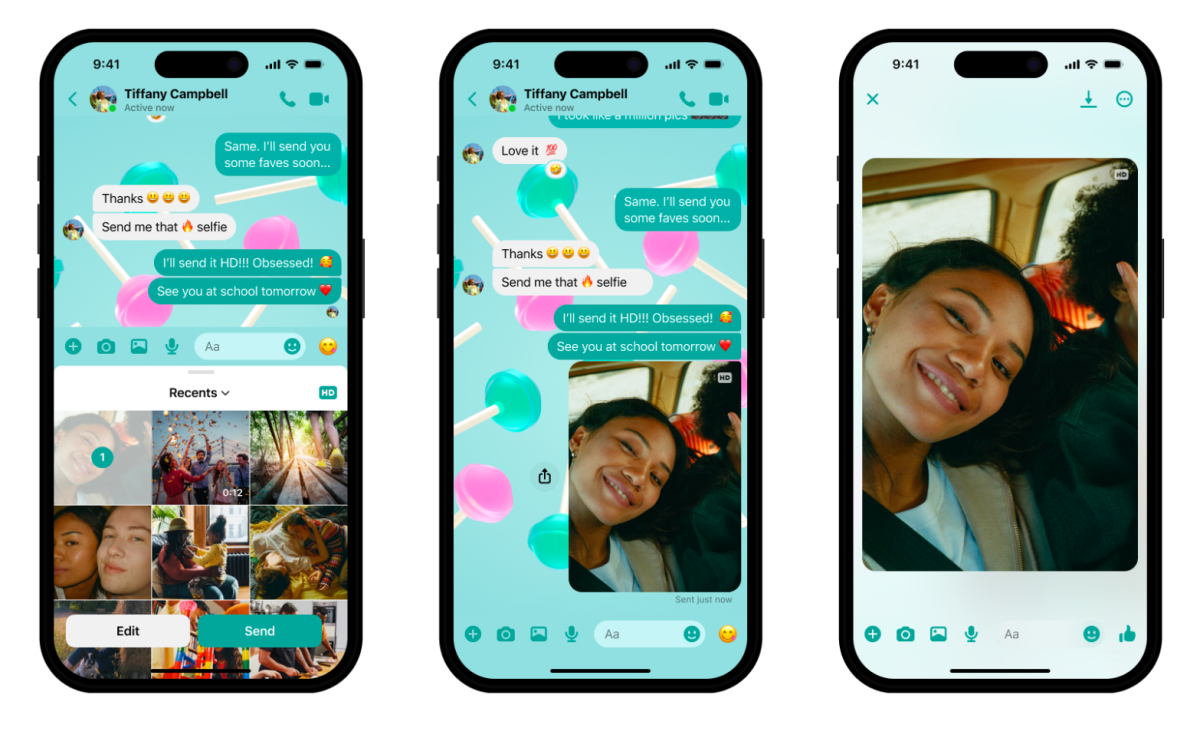
Messenger has also gained the ability to share photos in high-definition (HD).
Users can toggle an ‘HD’ option when selecting images to send, ensuring crisp, detailed photos in the chat.
This feature follows a similar HD photo sharing rollout on WhatsApp last year.
Furthermore, Messenger now supports sending large files up to 100MB in size directly through chats.
Users can share documents like Word files, PDFs, Excel sheets, and zipped folders by tapping the ‘+’ button and selecting the desired file from their device.
These new file sharing capabilities position Messenger as an alternative to email for quickly transmitting high-quality photos and large documents between contacts.
The updates are gradually rolling out to all Messenger users on mobile devices.
With shared albums, HD photos, and expanded file sharing, Meta aims to enhance Messenger as a convenient hub for organising and exchanging various types of media and documents among groups.
FAQs
How do I create a shared album in Messenger?
To create a shared album in Messenger, select multiple media files from the chat composer and tap ‘create album’.
You can also long-press an existing photo in the chat to add it to a new or existing album. Everyone in the group chat can then access, contribute to, and edit the album.
Can everyone in the group chat contribute to a shared album?
Yes, once a shared album is created in a Messenger group chat, all participants can view, contribute to, edit, or download the contents.
This collaborative feature makes it easy for everyone to share and organize photos and videos from shared experiences.
What is the advantage of the HD photo-sharing option in Messenger?
The HD photo-sharing option in Messenger ensures that the photos you send retain their quality and detail.
By toggling the ‘HD’ option when selecting images, users can send and receive high-definition photos, enhancing the visual experience within chats.
How large can the files I share on Messenger be?
Messenger now supports the sending of large files up to 100MB in size directly through chats.
This update allows users to share a wide range of documents, including Word files, PDFs, Excel sheets, and zipped folders, making Messenger a versatile tool for sharing important documents.
Also Read: Meta’s Threads App Surges in Popularity, Eclipsing X in Recent Download Stats
Also Read: Meta Introduces User-Choice Political Content Filters on Instagram and Threads
Also Read: Meta Updates Instagram and Threads with New Features for Enhanced User Interaction