Home Blog Page 607

iQOO Z9 Launched in India with MediaTek Dimensity 7200: Pricing, Features, Specs, and, More

0

Highlights

  • MediaTek Dimensity 7200 processor ensures top-notch performance.
  • 50MP Sony IMX882 primary camera with optical image stabilization.
  • 120Hz Ultra-Bright AMOLED display for superior viewing experience.
  • Unique Brushed Green design with a matte finish adds to aesthetic appeal.

The iQOO Z9 has officially entered the Indian smartphone scene, marking the latest addition to iQOO’s lineup.

This model seeks to mix performance with innovative features, aiming to cater to the evolving needs of tech-savvy consumers.

Unique Brushed Green design with a matte finish adds to aesthetic appeal

Here’s what you need to know about the iQOO Z9, its pricing, features, and more.

Mr. Ranjit Babu, Director of Wireless and Home Entertainment, Amazon India, said, “We would like to congratulate the iQOO team on the launch of the iQOO Z9 5G, another fully loaded smartphone that will set a new benchmark with cutting-edge and segment-first features. As e-sports picks up in India, we are seeing an upward trend for performance centric smartphones from customers, and today’s launch will certainly help satisfy their need for a powerful device that is also affordable.

We are happy to announce that Prime members will get early access to purchase on 13th March 2024 along with an instant bank discount of INR 2000 and a limited time additional INR 500 off on exchange for existing iQOO and Vivo customers. Plus, with Amazon Pay Later, customers can enjoy hassle-free instant loan within minutes, enabling up to 3 months of no-cost installments without the need for a credit card on India’s most preferred* online destination for smartphones.”

Commenting on the launch, Nipun Marya, Chief Executive Officer – iQOO, said, “At iQOO, we are committed to catering to the ever-evolving needs of our multitasking GenZ, who are always on the go. Encouraged by the overwhelming enthusiasm exhibited by our consumers for our previous Z series products, we are motivated to expand the portfolio by introducing the iQOO Z9. Elevating the photography experience, it boasts the segment’s first Sony IMX 882 OIS rear camera. This device, curated for GenZ, seamlessly combines style and performance, offering a perfect blend that college goers can proudly flaunt.”

iQOO Z9: Pricing and Availability

iQOO Z9: Pricing and Availability

iQOO introduces the Z9 in India with a starting price of Rs 19,999 for the 8GB + 128GB configuration. The 8GB + 256GB variant is available for Rs 21,999.

Early access sales commence on March 13th at 12:00 PM, exclusively for select users, before opening up to the wider public on March 14th.

iQOO Z9: Pricing and Availability
iQOO Z9: Offers

ICICI and HDFC Bank credit/debit cardholders can enjoy a flat Rs 2,000 discount on their purchase.

iQOO Z9 5G Price
8GB + 128GB Rs 19,999
8GB + 256GB Rs 21,999

iQOO Z9: Key Specs

iQOO Z9: Key Specs
iQOO Z9: Key Specs
  • Processor: MediaTek Dimensity 7200 for peak performance.
  • Camera: 50 MP Sony IMX882 primary sensor with OIS; dual camera setup.
  • Display: AMOLED, 120Hz refresh rate, 300Hz touch sampling rate.
  • Brightness: Peak at 1800 nits, leading its class.
  • Battery: 5,000mAh for extended use.
  • Audio: Dual stereo speakers.
  • Design: Brushed Green with a matte, dual-tone finish.

iQOO Z9: Features

iQOO Z9: Features
iQOO Z9: Features

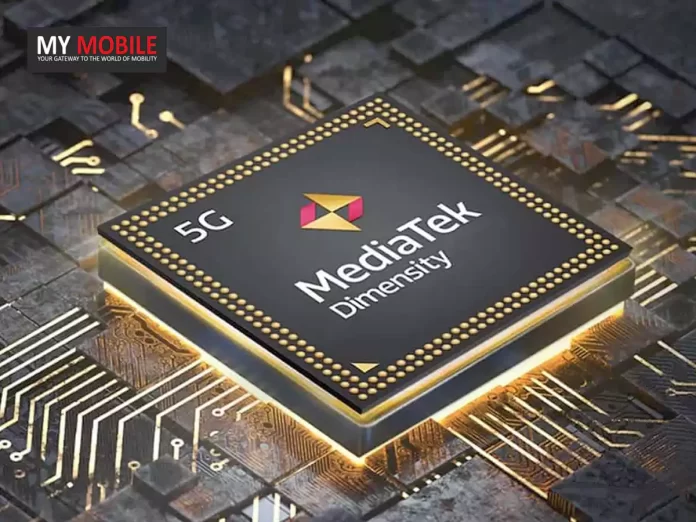
The iQOO Z9 is anchored by the MediaTek Dimensity 7200 chipset, setting new benchmarks for speed in its category. 

This smartphone showcases a 6.6-inch FHD+ AMOLED display that refreshes at 120Hz, complemented by a 300Hz touch sampling rate, ensuring silky-smooth visuals and responsive touch interactions. 

MediaTek Dimensity 7200 processor ensures top-notch performance

With an astonishing peak brightness of 1800 nits, the Z9’s screen outshines competitors, offering unparalleled visibility even under direct sunlight.

Photography enthusiasts will find the iQOO Z9’s camera capabilities remarkable. The device is equipped with a 50MP Sony IMX882 primary camera, featuring optical image stabilization (OIS) for crisp, blur-free images. 

50MP Sony IMX882 primary camera with optical image stabilization

The inclusion of an aspherical lens promises minimized distortion and enhanced color accuracy, elevating the photography experience across various lighting scenarios.

A 2MP bokeh sensor and a 16MP front camera round out the Z9’s versatile imaging suite, catering to all your photo and video needs.

120Hz Ultra-Bright AMOLED display for superior viewing experience

Beyond its technical prowess, the iQOO Z9 excels in delivering an immersive audio-visual experience. Dual stereo speakers create a rich, enveloping soundstage, perfect for gaming, movies, and music.

Unique Brushed Green design with a matte finish adds to aesthetic appeal
iQOO Z9 Specifications

The device’s design, particularly in the Brushed Green variant, shows iQOO’s attention to detail. The matte back with subtle patterns not only adds visual intrigue but also provides a tactile sensation that enhances the phone’s grip and comfort.

5 Reasons to Buy iQOO Z9

Unique Brushed Green design with a matte finish adds to aesthetic appeal
5 Reasons to Buy iQOO Z9
  • MediaTek Dimensity 7200 Processor: Ensures lightning-fast performance and energy efficiency, ideal for multitasking and gaming.
  • 50MP Sony IMX882 Primary Camera with OIS: Offers superior image quality, stability, and low-light performance for photography enthusiasts.
  • 120Hz Ultra-Bright AMOLED Display: Provides a smooth visual experience with exceptional brightness, making it perfect for outdoor viewing.
  • Dual Stereo Speakers: Enhances audio output for an immersive sound experience, whether for music, videos, or gaming.
  • Unique Design and Brushed Green Variant: Stands out with its aesthetic appeal, combining style with a comfortable grip for daily use.

 iQOO Z9: Top 5 Alternatives

Poco X5 Pro (Price: Rs. 16,999​​)

POCO X6 Pro: Features
  • Display: 6.67-inch AMOLED, 120Hz refresh rate
  • Processor: Snapdragon 778G
  • RAM/Storage: 6GB/128GB
  • Camera: 108MP main + 8MP ultra-wide + 2MP macro, 16MP front
  • Battery: 5000mAh with 67W fast charging
  • OS: Android 12 with MIUI 14

iQOO Z7 5G (Price: Rs. 19,499​​)

iQOO Z7 Pro 5G Smartphone

  • Display: 6.38-inch AMOLED, 90Hz refresh rate
  • Processor: MediaTek Dimensity 920
  • RAM/Storage: 6GB/128GB
  • Camera: 64MP + 2MP dual rear, 16MP front
  • Battery: 4500mAh with fast charging
  • OS: Funtouch OS based on Android

Realme 11 5G (Price: Rs. 16,490​​)

Realme-11-5G-1-1
Realme 11 5G
  • Display: 6.72-inch, 120Hz refresh rate
  • Processor: MediaTek Helio G99
  • RAM/Storage: 8GB/128GB
  • Camera: 108MP + 2MP dual rear, 16MP front
  • Battery: 5000mAh with 67W fast charging
  • OS: Android 13

OnePlus Nord CE 3 Lite 5G (Price: Rs. 17,999​​)

OnePlus Nord CE 3
OnePlus Nord CE 3
  • Display: 6.39-inch, 120Hz refresh rate
  • Processor: Snapdragon 695 5G
  • RAM/Storage: 8GB/128GB
  • Camera: 108MP + 8MP + 2MP triple rear, 16MP front
  • Battery: 5000mAh with 67W fast charging
  • OS: Android 13

Tecno Pova 6 Pro (Price: Rs. 15,990​​)

Tecno POVA 6 Pro
Tecno POVA 6 Pro
  • Display: 6.78-inch, 120Hz refresh rate
  • Processor: Dimensity 6080
  • RAM/Storage: 8GB/256GB
  • Camera: 108MP + 2MP + 0.08MP triple rear, 32MP front
  • Battery: 6000mAh with 70W fast charging
  • OS: Android v14

iQOO Z9 5G Key Specs

GENERAL

Sim Type Dual Sim, GSM+GSM (Hybrid Slot)
Dual Sim Yes
Sim Size Nano SIM
Device Type Smartphone
Release Date March 21, 2024 (Expected)

DESIGN

Dimensions 164 x 75.3 x 8.5 mm (6.46 x 2.96 x 0.33 in)

DISPLAY

Type Color IPS LCD Screen (16.7M)
Touch Yes
Size 6.67 inches, 1080 x 2412 pixels, 120 Hz
Aspect Ratio 20:9
PPI ~ 407 PPI
Screen to Body Ratio ~ 90.61%
Notch Yes, Water Drop Notch

MEMORY

RAM 8 GB
Expandable RAM Upto 4 GB Extra Virtual RAM
Storage 128 GB
Storage Type UFS 2.2
Card Slot Yes, (Hybrid Slot), upto 1 TB

CONNECTIVITY

GPRS Yes
EDGE Yes
3G Yes
4G Yes
5G Yes
VoLTE Yes, Dual Stand-By
Wifi Yes, with wifi-hotspot
Bluetooth Yes, v5.3, A2DP, LE, aptX HD
USB Yes, USB-C
USB Features USB Tethering, USB on-the-go, USB Charging

EXTRA

GPS Yes, with A-GPS, Beidou, GLONASS, GALILEO, QZSS
Fingerprint Sensor Yes, Side
Face Unlock Yes
Sensors Accelerometer, Gyro, Proximity, E-compass, Light Sensor, Gravity Sensor
3.5mm Headphone Jack Yes

CAMERA

Rear Camera 64 MP f/1.8 (Wide Angle)
8 MP f/2.4 (Ultra Wide)
2 MP f/2.4 (Depth Sensor) with autofocus
Features HDR, Panorama
Video Recording 1080p
Flash Yes, LED
Front Camera 16 MP f/2 (Wide Angle) with Screen Flash
Front Video Recording 1080p

TECHNICAL

OS Android v13
Chipset Qualcomm Snapdragon 7+ Gen2
CPU 2.91 GHz, Octa Core Processor
Core Details 1xCortex-A710@2.91 GHz & 3xCortex-A710@2.49 GHz & 4xCortex-A510@1.8 GHz
GPU Adreno GPU
Java No
Browser Yes

MULTIMEDIA

Email Yes
Music AAC, MIDI, OGG, FLAC, WMA, WAV, APE, MP3
Video MP4, 3GP, AVI
FM Radio Yes
Document Reader Yes

BATTERY

Type Non-Removable Battery
Size 5000 mAh, Li-Po Battery
Fast Charging Yes, 45W Flash Charge

FAQs

What makes the iQOO Z9 stand out in its price segment?

The combination of the MediaTek Dimensity 7200 processor, a high-quality Sony IMX882 camera sensor with OIS, and a peak brightness of 1800 nits for its AMOLED display places the iQOO Z9 ahead in its category.

When does the sale for the iQOO Z9 begin?

Early access sales start on March 13th at 12:00 PM, exclusively for select users. The general sale opens on March 14th.

Are there any discounts available for the iQOO Z9 purchase?

Yes, ICICI and HDFC Bank credit/debit cardholders can avail a flat Rs 2,000 discount on their purchase of the iQOO Z9.

What are the camera features of the iQOO Z9?

The iQOO Z9 is equipped with a 50 MP primary camera with OIS and an aspherical lens for reduced distortion and enhanced color accuracy, making it a capable device for photography enthusiasts.

How does the iQOO Z9 cater to gamers and multimedia users?

Its 120Hz AMOLED display with a 300Hz touch sampling rate and dual stereo speakers offer an immersive gaming and multimedia experience, supported by a robust battery life.

iQOO Launches the #FullyLoaded Z9 with Segment leading Performance and Sony IMX882 Camera. Details?

● iQOO Z9 will be available at an effective price of INR 17,999 and INR 19,999 on iQOO e-store and Amazon.in
● iQOO Z9 will be up for grabs for Amazon Prime customers starting March 13th, 12 noon and to all the customers from March 14th, 12 noon

iQOO, the high-performance smartphone brand, has unveiled the #FullyLoaded smartphone – iQOO Z9, from its Z series portfolio in India today.

Powered by the MediaTek Dimensity 7200 5G 4nm processor, iQOO Z9 promises unmatched performance with an AnTuTu score of 730K+, making it the fastest in the segment. It also boasts the segment’s first Sony IMX 882 rear camera system, 4K video recording with OIS capability, and the brightest 120 Hz AMOLED display with 1800 nits peak local brightness.

The Dual Stereo Speakers provide surround sound for music, OTT videos, and games. The bold rear camera module and a brushed textured design add a touch of elegance to the device while measuring just 7.83mm thick. The smartphone will have Funtouch OS 14 based on Android 14 out of the box.

The iQOO Z9 will be available at an effective price of INR 17,999(MOP INR 19,999) for 8GB+128GB and INR 19,999 (MOP INR 21,999) for 8+256GB on both the iQOO e-store and Amazon.in. Special launch offers include an INR 2000 instant bank discount and 3 months of no-cost EMI.

The smartphone comes in two premium and distinctive colour variants, Brushed Green and Graphene Blue, making it a statement piece that seamlessly combines style with functionality.

How is the camera & design of IQoo Z9 5G?

#FullyLoaded Camera with Elegant Design

Equipped with a segment-first 50MP Sony IMX 882 OIS rear camera system, the iQOO Z9 empowers users to flex their imaging skills with its impressive camera prowess, ensuring stunning day and night captures.

The IMX882 sensor features a large sensing area and pixel size, enhancing light sensitivity for brighter and clearer images. Additionally, the smartphone camera setup is paired with a 16MP front camera and a 2MP Bokeh Camera, allowing users to reinvent the consumer’s overall photography experience.

The device offers impressive 2x zoom capabilities in portrait photography, enhancing image sharpness and composition.

In terms of video features, the iQOO Z9 supports 4K @30fps with OIS video recording, providing high-resolution footage for capturing ultra-stable videos. The iQOO Z9 incorporates Optical Image Stabilization (OIS) to minimize image blur in shaky scenarios, ensuring clear photos in low-light environments.

This technology, combined with Electronic Image Stabilization (EIS), delivers stable video footage. Furthermore, the Super Night Mode utilizes OIS and advanced AI algorithms to capture stunning night scenes with accurate details and colours, even in challenging low-light environments.

Featuring a bold rear camera module and a unique colour combination, the iQOO Z9 stands out effortlessly for its stylish design. Its sleek profile, with a thickness of 7.83 mm and a weight of 188 grams, offers elegance and comfort.

How is the performance of IQoo Z9?

#FullyLoaded Performance

The iQOO Z9 has the “Most powerful chipset in the segment.” MediaTek Dimensity 7200 chipset is built with flagship 4nm process technology. With iQOO’s deep optimization, this chipset redefines multitasking capabilities, providing ultimate performance and power efficiency and achieving exceptional peak performance with an AnTuTu score of 734K+.

With this powerful chipset, users can expect unparalleled gaming and multitasking experiences. Moreover, the iQOO Z9 features the segment’s brightest AMOLED display with 1800 nits of local peak brightness, ensuring clear visibility in various lighting conditions.

The display also offers a 120Hz Refresh Rate and 300Hz Touch Sampling rate for smoother graphics, ensuring a lag-free smartphone experience.

The iQOO Z9 is ultra-loaded with a massive 5000mAh battery to ensure a full day of uninterrupted usage, combined with powerful 44W FlashCharge technology.

The all-rounder smartphone also provides extended RAM through software algorithm optimization, expandable storage up to 1 TB through a Hybrid slot, and the latest Wi-Fi 6 for faster internet connectivity.

How is the gaming experience of IQoo Z9 5G?

#FullyLoaded Gaming Experience

Designed for seamless gaming, it features the Ultra Game Mode for uninterrupted gameplay, Motion Control with six options for precise gesture control, and a 1200Hz Touch Response Rate for unmatched responsiveness.

The 4D Game Vibration enhances immersion in supported games like BGMI.

Continuing iQOO’s commitment to ‘Make in India- iQOO Z9 will be manufactured at vivo’s Greater Noida facility.

To offer a hassle-free after-sales service experience to its valued customers, iQOO customers can now visit any of the 670+ company-owned service centres across the country.

Also Read: iQOO Z9 Series Design Renders Emerge Showing Dual-Camera Design

Also Read: iQOO Z9 5G Set for India Launch After Amazon Microsite Goes Live, Spotted on Geekbench

Also Read: iQOO Z9 5G Set to Launch in India with MediaTek Dimensity 7200: What You Need To Know

Also Read: iQOO Z9 Key Specs Revealed by Company Ahead of 12th March Launch in India

Also Read: iQOO Z9 Set to Launch in India on 12th March: All You Need to Know

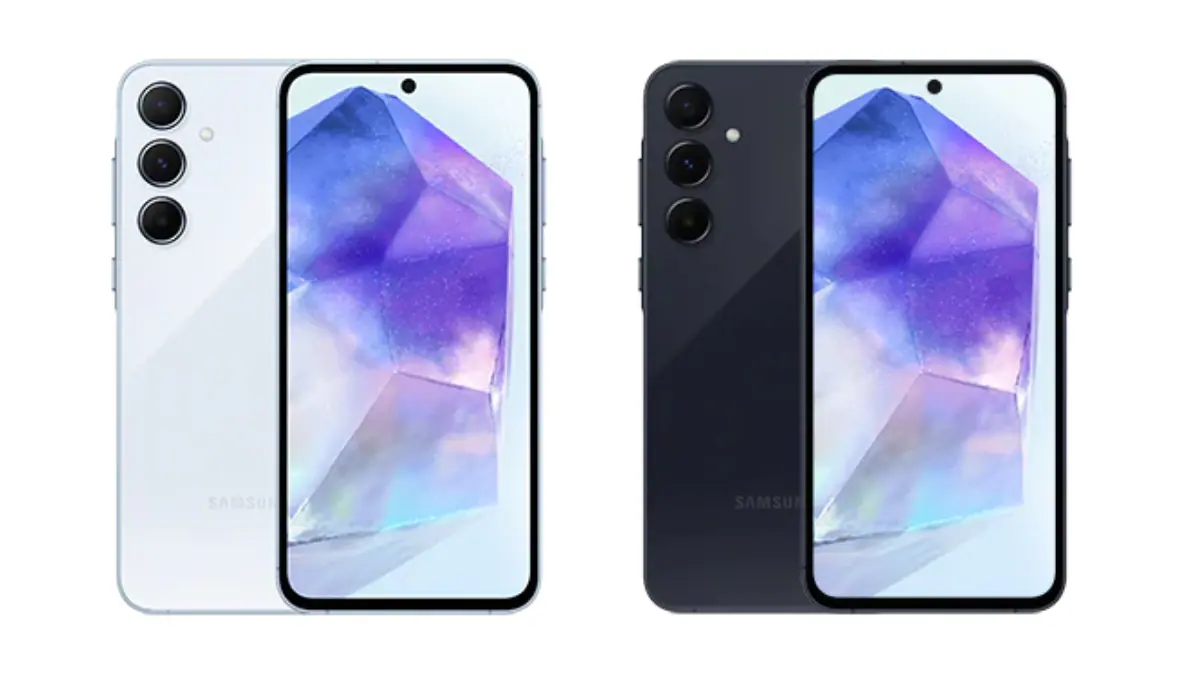
Samsung Galaxy A55 vs Galaxy A54: What All Has Improved?

0

Highlights

  • Galaxy A55 introduces a 6.6-inch Super AMOLED display, edging out A54’s 6.5-inch.
  • A55 powered by Snapdragon 750G, A54 by Snapdragon 720G.
  • Both models feature quad-camera setups with software enhancements in A55.
  • Equipped with 5,000mAh batteries and 25W fast charging for all-day use.

The recent launch of the Samsung Galaxy A55 and its predecessor, the Galaxy A54, highlights Samsung’s commitment to balancing performance, features, and cost-effectiveness.

This comparison examines the differences and similarities between the two models to assist in an informed purchasing decision.

Samsung Galaxy A55 vs Galaxy A54: What All Has Improved?
Samsung Galaxy A55 vs Galaxy A54
Specification Galaxy A55 Galaxy A54
Display 6.5-inch Super AMOLED, 120Hz, HDR10+ 6.4-inch Super AMOLED, 120Hz, HDR10+
Resolution 1080 x 2340 pixels 1080 x 2340 pixels
Processor Exynos 1480 Exynos 1380
RAM 4-8GB 4-8GB
Storage 128GB/256GB 128GB/256GB
Main Camera 50 MP (wide), 12 MP (ultrawide), 5 MP (macro) 50 MP (wide), 12 MP (ultrawide), 5 MP (macro)
Selfie Camera 32 MP 32 MP
Battery 5000mAh, 25W wired charging 5000mAh, 25W wired charging
OS Android 14, One UI 6 Android 13, upgradable to Android 14, One UI 6
Weight Not announced yet 202g
SIM Single SIM (Nano-SIM, eSIM) or Hybrid Dual SIM (Nano-SIM, dual stand-by) Single SIM (Nano-SIM, eSIM) or Hybrid Dual SIM (Nano-SIM, dual stand-by)
Protection IP67 dust/water resistant IP67 dust/water resistant

Samsung Galaxy A55 vs Galaxy A54: Display and Design

Samsung Galaxy A55 vs Galaxy A54: Display and Design

The Galaxy A55 features a 6.6-inch Super AMOLED screen, maintaining the tradition of vibrant visuals and deep contrasts with a resolution of 1080 x 2400 pixels.

 In contrast, the Galaxy A54 offers a slightly smaller 6.5-inch display, yet provides the same resolution for clear and bright imagery.

Both models encapsulate Samsung’s dedication to sleek, attractive designs.

Samsung Galaxy A55 vs Galaxy A54: Performance Capabilities

Samsung Galaxy A55 vs Galaxy A54: Performance Capabilities

The Galaxy A55 edges ahead in performance, powered by the Qualcomm Snapdragon 750G/ Exynos 1480 processor, available with 6GB or 8GB RAM options, enhancing app responsiveness and gaming experiences.

The A54, on the other hand, operates on the Snapdragon Exynos 1380 chipset, with 4GB or 6GB RAM variants, still offering solid performance for everyday tasks.

Samsung Galaxy A55 vs Galaxy A54: Camera Systems

Samsung Galaxy A55 vs Galaxy A54: Camera Systems

Both devices boast quad-camera setups, with the A54 featuring a 64MP main sensor complemented by 12MP ultra-wide, 5MP macro, and 5MP depth sensors.

The A55 mirrors this configuration but benefits from software enhancements and AI improvements, yielding better image quality and low-light performance.

Samsung Galaxy A55 vs Galaxy A54: Battery Life and Charging

Samsung Galaxy A55 vs Galaxy A54: Battery Life and Charging

Equipped with a 5,000mAh battery, the Samsung Galaxy A54 and A55 ensure that users can navigate through their day without worrying about running out of charge.

The adoption of 25W fast charging technology significantly reduces the time it takes to recharge the devices, making them ready to go in less time.

This feature is particularly beneficial for users with busy lifestyles or those who frequently use their phones for high-demand tasks like gaming, video streaming, or navigation, providing a reliable power source throughout the day.

Samsung Galaxy A55 vs Galaxy A54: Software Experience

Samsung Galaxy A55 vs Galaxy A54: Software Experience

Both smartphones operate on Samsung’s One UI, layered over the latest Android version, offering a smooth and intuitive user experience.

This interface is designed to simplify interaction with the device, making it more accessible and efficient.

Features such as Knox security safeguard the user’s data, providing peace of mind in an era where privacy and security are paramount.

Samsung Galaxy A55 vs Galaxy A54: Connectivity Features

Samsung Galaxy A55 vs Galaxy A54: Connectivity Features

The inclusion of 5G connectivity on the Galaxy A54 and A55 not only ensures faster internet speeds but also prepares users for the future of telecommunications.

The ability to download content, stream videos, and engage in online gaming without lag significantly enhances the mobile experience.

Dual SIM capabilities offer flexibility for users who travel frequently or wish to separate work and personal contacts.

Additionally, Bluetooth 5.0 ensures a stable and efficient connection with a wide range of peripherals, including headphones, speakers, and wearables.

Pricing Considerations

Both models feature quad-camera setups with software enhancements in A55

Positioned as budget-friendly mid-range options, both smartphones deliver value, with the A55 being slightly pricier due to its updated specifications.

Despite this, each model is competitively priced, offering substantial quality and features for their respective costs.

Final Thoughts

Galaxy A55 introduces a 6.6-inch Super AMOLED display, edging out A54's 6.5-inch
Galaxy A55 introduces a 6.6-inch Super AMOLED display, edging out A54’s 6.5-inch

The Galaxy A54 and A55 represent Samsung’s ongoing efforts to offer robust mid-range options.

The A55, with its enhanced processor and camera improvements, presents itself as a modest upgrade over the A54.

However, the A54 remains a strong contender, providing reliable performance and a comprehensive feature set.

The choice between them boils down to individual preferences and budget constraints, but both stand as testament to Samsung’s prowess in creating quality, accessible smartphones.

Samsung Galaxy A55 5G Specs

GENERAL

Sim Type Dual Sim, GSM+GSM (Hybrid Slot)
Dual Sim Yes
Sim Size Nano SIM
Device Type Smartphone
Release Date March 15, 2024 (Expected)

DESIGN

Colors Lime, Graphite, Violet, White

DISPLAY

Type Color Super AMOLED Screen (16M Colors)
Touch Yes
Size 6.6 inches, 1080 x 2340 pixels, 120 Hz
Aspect Ratio 20:9
PPI ~ 390 PPI
Screen to Body Ratio ~ 90.9%
Notch Yes, Punch Hole

MEMORY

RAM 8 GB
Storage 128 GB
Card Slot Yes, (Hybrid Slot), upto 1 TB

CONNECTIVITY

GPRS Yes
EDGE Yes
3G Yes
4G Yes
5G Yes
VoLTE Yes
Wifi Yes, with wifi-hotspot
Wifi Version Wi-Fi 6
Bluetooth Yes, v5.3, A2DP, LE
USB Yes, USB-C v2.0
USB Features USB on-the-go

EXTRA

GPS Yes, with A-GPS, GLONASS, GALILEO, BDS
Fingerprint Sensor Yes, In Display
Face Unlock Yes
Sensors Accelerometer, Gyro, Compass, Barometer
3.5mm Headphone Jack No
Extra NFC
Water Resistance Yes, 1 m upto 30 min
IP Rating IP67
Dust Resistant Yes

CAMERA

Rear Camera 64 MP PDAF, OIS f/1.8 (Wide Angle)
12 MP 123˚, 1.12µm f/2.2 (Ultra Wide)
5 MP f/2.4 (Macro) with autofocus
Features panorama, HDR
Video Recording 4K @ 30 fps UHD, 1080p @ 30 fps FHD, 720p @ 480 fps HD
Flash Yes, LED
Front Camera Punch Hole 32 MP 26mm, 1/2.8″, 0.8µm f/2.2 (Wide Angle)
Front Video Recording 4K @ 30 fps UHD, 1080p @ 30 fps FHD

TECHNICAL

OS Android v14
Custom UI OneUI 6
Chipset Samsung Exynos 1480
CPU Octa Core Processor
GPU AMD GPU
IP Rating IP67
Java No
Browser Yes

MULTIMEDIA

Email Yes
Music Yes
Video Yes
FM Radio No
Document Reader Yes

BATTERY

Type Non-Removable Battery
Size 5000 mAh, Li-Po Battery
Fast Charging Yes, 30W Fast Charging

SAMSUNG GALAXY A54 KEY SPECIFICATIONS

Key Specs

RAM 8 GB
Processor Samsung Exynos 1330
Rear Camera 50 MP + 12 MP + 5 MP
Front Camera 32 MP
Battery 5000 mAh
Display 6.4 inches (16.26 cm)

General

Launch Date March 15, 2023 (Unofficial)
Operating System Android v13
Custom UI Samsung One UI

Performance

Chipset Samsung Exynos 1330
CPU Octa core (2.4 GHz, Dual core, Cortex A78 + 2 GHz, Hexa Core, Cortex A55)
Architecture 64 bit
Fabrication 5 nm
Graphics Mali-G68
RAM 8 GB

Display

Display Type Super AMOLED
Screen Size 6.4 inches (16.26 cm)
Resolution 1080 x 2400 pixels
Aspect Ratio 20:9
Pixel Density 411 ppi
Screen to Body Ratio (calculated) 81.45 %
Bezel-less display Yes with punch-hole display
Touch Screen Yes, Capacitive Touchscreen, Multi-touch
Refresh Rate 120 Hz

Design

Height 158.3 mm Compare Size 
Width 76.7 mm
Thickness 8.2 mm
Colours Black, Green, Purple, White, Yellow
Waterproof Yes, Water resistant, IP67
Ruggedness Dust proof

Camera

MAIN CAMERA
Camera Setup Triple
Resolution 50 MP, Primary Camera
12 MP, Ultra-Wide Angle Camera
5 MP, Depth Camera
Autofocus Yes
OIS Yes
Flash Yes, LED Flash
Image Resolution 8150 x 6150 Pixels
Settings Exposure compensation, ISO control
Shooting Modes Continuous Shooting
High Dynamic Range mode (HDR)
Camera Features Digital Zoom
Auto Flash
Face detection
Touch to focus
FRONT CAMERA
Camera Setup Single
Resolution 32 MP, Primary Camera

Battery

Capacity 5000 mAh
Type Li-Polymer
Removable No
Quick Charging Yes, Fast, 25W
USB Type-C Yes

Storage

Internal Memory 128 GB
Expandable Memory Yes, Up to 1 TB

Network & Connectivity

SIM Slot(s) Dual SIM, GSM+GSM
SIM Size SIM1: Nano, SIM2: Nano (Hybrid)
Network Support 5G Not Supported in India, 4G Supported in India, 3G, 2G
VoLTE Yes
SIM 1
4G Bands:
TD-LTE 2300(band 40)
FD-LTE 1800(band 3)
3G Bands:
UMTS 1900 / 2100 / 850 / 900 MHz
2G Bands:
GSM 1800 / 1900 / 850 / 900 MHz
GPRS:
Available
EDGE:
Available
SIM 2
4G Bands:
TD-LTE 2300(band 40)
FD-LTE 1800(band 3)
3G Bands:
UMTS 1900 / 2100 / 850 / 900 MHz
2G Bands:
GSM 1800 / 1900 / 850 / 900 MHz
GPRS:
Available
EDGE:
Available
Wi-Fi Yes, Wi-Fi 5 (802.11 a/b/g/n/ac) 5GHz
Wi-Fi Features Mobile Hotspot
Bluetooth Yes, v5.1
GPS Yes with A-GPS, Glonass
NFC Yes
USB Connectivity Mass storage device, USB charging

Multimedia

Loudspeaker Yes
Audio Jack USB Type-C
Audio Features Dolby Atmos

Sensors

Fingerprint Sensor Yes
Fingerprint Sensor Position On-screen
Fingerprint Sensor Type Optical
Other Sensors Light sensor, Proximity sensor, Accelerometer, Compass, Gyroscope

FAQs

What are the main differences between the Samsung Galaxy A55 and A54?

The Samsung Galaxy A55 and A54 differ mainly in performance, with the A55 utilizing the Snapdragon 750G processor for enhanced efficiency, and display size, where the A55 boasts a slightly larger screen.

Do both the Galaxy A55 and A54 support fast charging?

Yes, both smartphones are equipped with 5,000mAh batteries that support 25W fast charging, allowing for quick power-ups and extended usage throughout the day.

Can I expect a good camera experience from these devices?

Both the A54 and A55 offer robust quad-camera systems. The A55, however, benefits from software optimizations and AI enhancements, providing improved image quality, especially in low-light conditions.

Which device should I choose for better performance?

For users seeking superior performance, the Galaxy A55 is the better choice due to its Snapdragon 750G processor, offering faster processing and improved multitasking capabilities compared to the A54’s Snapdragon 720G chipset.

Are the Galaxy A55 and A54 suitable for gaming and heavy usage?

Both devices are capable of handling games and heavy usage, but the A55, with its updated processor and higher RAM options, offers a smoother experience for demanding applications and gaming.

Also Read: Samsung Galaxy A54 5G, Galaxy A34 5G first sale in India starting today: Check Price, Specifications & Launch Offers

Also Read: Samsung Galaxy A54 5G Revealed in an ‘Awesome White’ Variant in India

Also Read: Samsung Galaxy A55 Renders Reveal Sleek Design and Upgraded Features

Also Read: Samsung Galaxy A55 Support Page Goes Live Ahead of Launch: What You Need to Know

Samsung Galaxy A35 and A55 5G Launched Globally with Premium Features: Pricing, Features, Specs and More

0

Highlights

  • Galaxy A55 5G and A35 5G boast 6.6-inch FHD+ Super AMOLED displays with 120Hz refresh rates.
  • A55 features a triple rear camera setup; A35 comes with a dual rear camera configuration.
  • Both models equipped with 5,000mAh batteries and run Android 14 with One UI 6.1.
  • Enhanced security with Samsung Knox and durability with an IP67 rating.

Samsung has announced the launch of its latest additions to the Galaxy A series lineup – the Galaxy A35 and Galaxy A55 5G smartphones.

It’s no secret that the A series is Samsung’s most popular series globally and the South Korean electronics giant has taken steps to make the device more palatable to the wider audience. 

Designed to offer premium features at a mid-range price, these new models come equipped with Samsung Knox protection and boast an IP67 rating for enhanced dust and water resistance. 

Samsung Galaxy A35 and A55 5G Launched Globally

Let’s delve into the pricing, availability, and key specifications that set these devices apart.

“With the Galaxy A series, we are expanding our latest technologies to a wider audience so that more people can benefit from them,” said TM Roh, President and Head of Mobile eXperience Business at Samsung Electronics.

“We are excited to open up even more possibilities on the Galaxy A series this year, including offering Samsung Knox Vault for the first time on this lineup. We’re proud to enable Galaxy A series users to safely and reliably enjoy outstanding mobile experiences.”

Galaxy A55 and Galaxy A35 5G: Pricing and Availability

Galaxy A55 and Galaxy A35 5G: Pricing and Availability

The Galaxy A55 5G is priced starting at €480 for the 8GB RAM/128GB storage variant, with the higher-end models, 8GB RAM/256GB storage and 12GB RAM/256GB storage, available at €530 and €550, respectively.

On the other hand, the Galaxy A35 5G begins at a more affordable €380 for the 6GB RAM/128GB storage option. 

Additional configurations include 8GB RAM with either 128GB or 256GB storage, priced up to €450.

While Samsung has yet to announce the Indian pricing, details are expected to be revealed on March 14.

Samsung Galaxy A35 5G Specs

Samsung Galaxy A35 5G Specs:
  • 6.6-inch Full HD+ Super AMOLED display, 120Hz refresh rate, Gorilla Glass Victus+ protection.
  • Dual rear camera setup: 50MP primary sensor (f/2.2, OIS), 8MP ultra-wide, 5MP macro.
  • 13MP front-facing camera.
  • Powered by Exynos 1380 chipset.
  • Up to 8GB RAM and 256GB storage, expandable up to 1TB.
  • 5,000mAh battery with 25W fast charging.
  • OneUI 6.1 based on Android 14, with 4 years of OS and 5 years of software updates.

Samsung Galaxy A55 5G Specs

Samsung Galaxy A55 5G Specs:
  • 6.6-inch Full HD+ Super AMOLED display, 120Hz refresh rate.
  • Triple rear camera setup: 50MP primary sensor (f/1.8, OIS), 12MP ultra-wide, 5MP macro.
  • 32MP front-facing camera.
  • Runs on Exynos 1480 chipset.
  • Up to 12GB RAM and 256GB storage.
  • 5,000mAh battery with One UI 6.1 based on Android 14.

Galaxy A55 5G: Features

Galaxy A55 5G: Features

The Galaxy A55 5G features a 6.6-inch FHD+ Super AMOLED display with a 120Hz refresh rate and Vision Booster technology.

The screen measures 6.6 inches diagonally in a full rectangle and 6.4 inches considering the rounded corners.

The dimensions of the device are 161.1 x 77.4 x 8.2mm, and it weighs approximately 213 grams, although this may vary by market. In terms of camera capabilities, the device boasts a 12MP ultra-wide camera (F2.2), a 50MP main camera (F1.8, AF, OIS), a 5MP macro camera (F2.4), and a 32MP front camera (F2.2). 

Memory and storage configurations include 8GB + 128GB, 8GB + 256GB, and 12GB + 256GB options, subject to availability by carrier, market, or region.

The Galaxy A55 5G is equipped with a 5,000mAh battery, supporting Android 14 and One UI 6.1. It also includes Samsung Knox for security.

Galaxy A35 5G Features

Galaxy A35 5G Features

The Galaxy A35 5G is equipped with a 6.6-inch FHD+ Super AMOLED display, offering up to a 120Hz refresh rate and Vision Booster technology.

The screen size is 6.6 inches diagonally in the full rectangle and 6.4 inches with the rounded corners considered. 

The device’s dimensions are 161.7 x 78.0 x 8.2mm, and it weighs around 209 grams, which may vary according to the market.

Both models equipped with 5,000mAh batteries and run Android 14 with One UI 6.1

Camera specifications include an 8MP ultra-wide camera (F2.2), a 50MP main camera (F1.8, AF, OIS), a 5MP macro camera (F2.4), and a 13MP front camera (F2.2).

 Available memory and storage options are 6GB + 128GB, 8GB + 128GB, and 8GB + 256GB, with availability varying by carrier, market, or region.

The device comes with a 5,000mAh battery and runs on Android 14 with One UI 6.1. Security is ensured through Samsung Knox.

Specifications

Galaxy A55 5G
Display  6.6-inch FHD+

Super AMOLED Display

Up to 120Hz refresh rate

Vision Booster

* Measured diagonally, the screen size is 6.6-inch in the full rectangle and 6.4-inch with accounting for the rounded corners; actual viewable area is less due to the rounded corners and camera hole.
Dimensions & Weight  161.1 x 77.4 x 8.2mm, 213g
*Device weight may vary by market.
Camera  12MP Ultra-Wide Camera

·         F2.2

50MP Main Camera

·         F1.8, AF, OIS

5MP Macro Camera

·         F2.4

32MP Front Camera

·         F2.2

Memory 

& Storage

8GB + 128GB

8GB + 256GB

12GB + 256GB

* Storage options and availability may vary by carrier, market or region. Actual storage availability may vary depending on pre-installed software.
Battery  5,000mAh (typical)
*Typical value tested under third-party laboratory conditions. Typical value is the estimated average value considering the deviation in battery capacity among the battery samples tested under IEC 61960 standard. Rated (minimum) capacity is 4,905mAh. Actual battery life may vary depending on network environment, usage patterns and other factors.
OS  Android 14

One UI 6.1

Security  Samsung Knox


Galaxy A35 5G
Display  6.6-inch FHD+

Super AMOLED Display

Up to 120Hz refresh rate

Vision Booster

* Measured diagonally, the screen size is 6.6-inch in the full rectangle and 6.4-inch with accounting for the rounded corners; actual viewable area is less due to the rounded corners and camera hole.
Dimensions & Weight  161.7 x 78.0 x 8.2mm, 209g
Camera  8MP Ultra-Wide Camera

·         F2.2

50MP Main Camera

·         F1.8, AF, OIS

5MP Macro Camera

·         F2.4

13MP Front Camera

·         F2.2

Memory 

& Storage

6GB + 128GB

8GB + 128GB

8GB + 256GB

* Storage options and availability may vary by carrier, market or region. Actual storage availability may vary depending on pre-installed software.
Battery  5,000mAh (typical)
*Typical value tested under third-party laboratory condition. Typical value is the estimated average value considering the deviation in battery capacity among the battery samples tested under IEC 61960 standard. Rated (minimum) capacity is 4,905mAh. Actual battery life may vary depending on network environment, usage patterns and other factors.
OS  Android 14

One UI 6.1

Security  Samsung Knox

FAQs

What are the key differences between the Galaxy A55 5G and A35 5G?

The Galaxy A55 5G features a triple rear camera setup and up to 12GB of RAM, while the Galaxy A35 5G includes a dual rear camera setup and up to 8GB of RAM.

What kind of display technology do the Galaxy A55 5G and A35 5G use?

Both smartphones utilize a 6.6-inch Full HD+ Super AMOLED display with a 120Hz refresh rate and Vision Booster technology.

Are the new Galaxy A series phones water and dust resistant?

Yes, the Galaxy A55 5G and A35 5G come with an IP67 rating for dust and water resistance, enhancing their durability.

How long will the Galaxy A55 5G and A35 5G receive software updates?

Samsung promises 4 years of OS updates and 5 years of software updates for both devices.

What security features come with the Galaxy A55 5G and A35 5G?

Both smartphones are equipped with Samsung Knox for advanced security protection.

Does Samsung Galaxy A55 & Samsung Galaxy A35 5G give Seamless Connection With the Ever-Expanding Samsung Galaxy Ecosystem ?

The Galaxy A55 5G and Galaxy A35 5G are fully compatible with the Galaxy ecosystem giving users a smooth and integrated experience across a range of Galaxy devices. Users can keep up with their fitness goals by connecting Galaxy Fit3 or Galaxy Watch6 to their Galaxy A series smartphone.

And, thanks to Auto Switch, incoming calls will be automatically switched to connected Galaxy Buds FE for enhanced convenience.

Is Samsung Galaxy A Series Democratizing Samsung’s Most Powerful Security Innovations To Intelligently Protect More Customers for Longer ?

This year, Samsung is bringing one of its most innovative flagship security features, Samsung Knox Vault, to Galaxy A series users for the very first time, including on the new Galaxy A55 5G and Galaxy A35 5G.

A hardware-based and tamper-resistant security solution, Samsung Knox Vault offers comprehensive protection against both hardware and software attacks by constructing a secure execution environment that is physically isolated from the system’s main processor and memory.

It can help protect the most critical data on a device, including lock screen credentials, such as PIN codes, passwords and patterns. Samsung Knox Vault also protects device encryption keys, encrypting users’ private data stored in the device. Only a user who has the correct lock screen credentials can access their data, even if the device is lost or stolen.
The Galaxy A55 5G and Galaxy A35 5G are also secured by Samsung Knox, Galaxy’s multi-layer security platform.

One of the most trusted security platforms in the world, Samsung Knox is designed to safeguard critical information and protect against vulnerabilities with end-to-end secure hardware, real-time threat detection and collaborative protection, taking a holistic approach across the entire Galaxy ecosystem.

For even more ways to stay protected, the Galaxy A series offers Auto Blocker, an opt-in package of additional security measures. When switched on, Auto Blocker can block app installations from unauthorized sources, provide app security checks2 to scan for potential malware and block potentially malicious commands and software installations to your device while connected by USB cable.

New Galaxy A series users will also have access to Galaxy’s Security and Privacy Dashboard, making it easier than ever to see and control what is happening to their data and withdraw any permissions whenever they choose. They can also enjoy Private Sharing (part of Quick Share), which enables the secure and encrypted sharing of private files containing important personal or financial information.

To ensure confidentiality, users can control the recipient’s access permissions and the file’s expiration date, while also choosing to limit screenshots or downloads.

The new Galaxy A series smartphones demonstrate Samsung’s commitment to ensure Galaxy devices remain secure and up-to-date for longer.

With the Galaxy A55 5G and Galaxy A35 5G, users will continue to benefit from up to four generations of Android OS and One UI upgrades and five years of security updates, optimizing the lifecycle of the devices by keeping them equipped with all the latest Galaxy and Android features.

Is Samsung Galaxy A Series An Entertainment and Creativity Hub With Versatile Photography and Stunning Display ?

With enhanced Nightography, Galaxy A55 5G takes clearer and more vibrant photos even in poor lighting conditions.

That means every nighttime photo can reach epic new levels. Galaxy A55 5G’s advanced AI Image Signal Processing (ISP) produces stunning low-light images never seen before on Galaxy A series.

It’s not just scenery that looks amazing. Night Portrait mode and 12-bit HDR video ensure the people in every image look great so that capturing memories with friends and family is never dependent on the perfect lighting.

Both Galaxy A55 5G and Galaxy A35 5G offer the incredible photography capabilities that Samsung Galaxy is renowned for, including features such as optical image stabilization (OIS) and video digital image stabilization (VDIS) that keep photos and videos crisp even when filming on the go.

The new devices also continue the Galaxy A series’ tradition of making fun and immersive mobile experiences accessible to all. Users can enjoy watching the latest shows or browsing social media with Super AMOLED displays, showing astonishing clarity in Full High Definition.

They can also count on the 6.6-inch1 screen on both the Galaxy A55 5G and Galaxy A35 5G looking clear and bright in a range of light conditions thanks to Vision Booster.

Has Samsung Galaxy A55 5G and Galaxy A35 5G launched with Awesome Innovations and Security Engineered for Everyone?

With upgraded security features and a more vivid viewing experience, the new Galaxy A series devices democratize mobile experiences for all

Samsung Electronics today unveiled the Galaxy A55 5G and Galaxy A35 5G, two smartphones that demonstrate Samsung’s ongoing commitment to making the best of mobile innovations available to everyone.

Both devices come with extensive security features such as Knox Vault, as well as new photography capabilities inspired by Galaxy’s flagship camera innovations and a stunning display that adjusts to users’ surroundings with Vision Booster.

“With the Galaxy A series, we are expanding our latest technologies to a wider audience so that more people can benefit from them,” said TM Roh, President and Head of Mobile eXperience Business at Samsung Electronics. “We are excited to open up even more possibilities on the Galaxy A series this year, including offering Samsung Knox Vault for the first time on this lineup. We’re proud to enable Galaxy A series users to safely and reliably enjoy outstanding mobile experiences.”

What is price & availability of Samsung Galaxy A series ?

Pricing and availability

The Samsung Galaxy A35 and A55 come in Awesome Navy, Awesome Lemon, and Awesome Ice Blue, and Ice Blue colors. Pricing as follows

Galaxy A35 6GB + 128GB – 379 Euros (USD 414 / Rs. 34,315 approx.)
Galaxy A35 8GB + 256GB – 449 Euros (USD 491 / Rs. 40,655 approx.)
Galaxy A55 8GB + 128GB – 479 Euros (USD 523 / Rs. 43,370 approx.)
Galaxy A55 8GB + 256GB – 529 Euros (USD 578 / Rs. 47,900 approx.)
Pricing for the 12GB RAM version of the A55 is now available yet. The phones will roll out in several countries in Europe from today, March 11th.

Even though Samsung India teased the launch of the phone in the country from today, the website says that it will hold a Samsung Live on Mar 14th at 12PM, so the pricing should be available on the same day or a day early.

Also Read: Samsung Galaxy A35 Live Image Reveals New Design Details, Upgraded Specs

Also Read: Samsung Galaxy A55 Support Page Goes Live Ahead of Launch: What You Need to Know

Also Read: Samsung Galaxy A Series Set for March 11 Launch in India; Could be A55 5G and A35 5G Models

TikTok Working on New Photos App to Rival Instagram’s Photo Sharing Dominance

0

Highlights

  • TikTok to introduce TikTok Photos app, directly competing with Instagram.
  • New app allows seamless photo sharing and community building.
  • Aimed at users and creators seeking a photo-centric platform.
  • Faces regulatory challenges amidst potential US TikTok ban.

In an innovative move set to broaden its influence within the social media sphere, TikTok is reportedly developing a new application named “TikTok Photos,” aiming to directly compete with Instagram’s core feature of photo sharing. 

TheSpAndroid’s recent findings, based on code within the latest TikTok app version, revealed significant insights into this expansion.

According to the discovery, “TikTok Photos” will allow users to upload and share photographs with their network, fostering connections through visual storytelling.

The whole text string reads as follows:

“TikTok Photos will be launched soon, we hope to help you gain new audiences in the new app. If the switch is on, we’ll sync your public photos to the new app, whether you close the pop-up or not.”

TikTok Photos app could allow existing TikTok users to import or sync their publicly shared photos from TikTok to the new app.

Other relevant text strings within the app include:

“Open TikTok Photos”
“Get TikTok Photos”
“Share this post to TikTok Photos”
“Share”
“Your post has been shared to TikTok Photos”
“TikTok Photos”
“On TikTok Photos”
“Share to TikTok Photos”
“Reach other like-minded people who enjoy photo posts”
“Share photo posts to TikTok Photos”

Key Features and Expectations

Key Features and Expectations
  • Photo Sharing: Users can look forward to a dedicated platform for sharing moments through pictures, catering to those who prefer photographic content over videos.
  • Integrated Experience: Seamless sharing between TikTok’s primary video app and the new Photos app suggests an interconnected ecosystem designed to enhance user engagement.
  • Community Building: Emphasizing discovery, “TikTok Photos” aims to unite users with shared interests, enriching the social experience through like-minded photo content.
  • Strategic Timing Amidst Challenges
TikTok is rumored to be gearing up for competition with Instagram by developing a new app called "TikTok Photos."
TikTok is rumored to be gearing up for competition with Instagram by developing a new app called “TikTok Photos.”

This development arrives amidst rising concerns from creators about Instagram’s pivot towards video content, potentially alienating its original photo-sharing user base. 

TikTok’s venture into photos could capitalize on this discontent, offering an alternative platform focused on photographic expression. 

However, the timing also coincides with legislative scrutiny in the United States, where a potential ban on TikTok looms over allegations of data privacy concerns tied to its parent company, ByteDance.

Implications and Outlook

Also concealed within the current TikTok app is the new TikTok Photos icon, shown in AssmbleDebug’s capture
  • Enhanced Market Presence: By diversifying its offerings, TikTok could solidify its status as a comprehensive social media giant, directly challenging Instagram’s dominance in the photo-sharing domain.
  • Community and Creator Support: Addressing the needs of users and creators disillusioned with Instagram’s shift towards video, TikTok Photos may offer a new haven for photo enthusiasts.
  • Regulatory Hurdles: The impending legislative decisions in the U.S. pose a significant challenge to TikTok’s expansion plans, potentially impacting the launch and adoption of TikTok Photos.

FAQs

What is the TikTok Photos app?

The TikTok Photos app is a new platform developed by TikTok, enabling users to share photos and connect with others through a dedicated photo-sharing space, similar to Instagram’s photo feed.

How does TikTok Photos differ from Instagram?

While Instagram supports both photo and video content, the TikTok Photos app focuses exclusively on photographs, offering a specialized community for users preferring this medium.

Can I share content between TikTok and TikTok Photos?

Yes, the apps are designed for integrated use, allowing content to be shared seamlessly between TikTok’s original video app and the new TikTok Photos app.

Why is TikTok launching a photo-sharing app now?

The launch comes as a strategic move to appeal to users and creators who feel Instagram has shifted its focus more towards video content, providing an alternative platform dedicated to photos.

What are the challenges facing the launch of TikTok Photos?

The app’s introduction coincides with potential regulatory challenges in the US, including a possible ban on TikTok, which could impact the new app’s reach and adoption.

Also Read: TikTok Ventures into Spatial Reality with the Apple Vision Pro App; Netflix and YouTube Still Absent

Also Read: EU Launches Formal Investigation into TikTok for Potential DSA Violations

Also Read: YouTube’s New Create App is Expanding Globally, Could Rival TikTok

Top 5 AI Photo Editors To Use For Mind Blowing Transformations

0

Highlights

  • Intuitive interfaces and real-time editing across platforms.
  • AI-powered tools for automatic enhancements and creative freedom.
  • Solutions for both beginners and professionals in photo editing.
  • Features like image restoration, unique filters, and non-destructive editing.

The integration of AI into photo editing software has basically changed the playing field completely.

The once complex tasks have become exceedingly simple and also accessible to both novices and professionals alike. 

With the rise in competition and the industry’s growth, it won’t be out of place to say that the world of photography has been reshaped.

You are now just a click away from tools equipped with advanced filters, diverse backgrounds, and creative templates. Here are our top 5 AI photo editors that are changing the game.

Pixlr

Pixlr
Pixlr

Pixlr is a versatile and user-friendly photo editing tool that caters to a broad audience, from beginners to seasoned professionals.

It offers a variety of formats for creative projects and features real-time editing and content-sharing capabilities.

Designed with an intuitive drag-and-drop interface, Pixlr facilitates a smooth editing experience across desktop and mobile platforms.

Its adaptability extends beyond its comprehensive toolset. Its cloud-based nature makes sure that your projects are always within reach, regardless of the device you’re using.

This makes Pixlr not just a photo editing tool, but a reliable partner for all your creative endeavors, providing you with the freedom to create and innovate wherever you are. 

Pros:

  • Intuitive user interface, suitable for users of all skill levels.
  • Supports a wide range of formats, enhancing versatility.
  • Features real-time editing for efficient workflow.
  • Accessible without account creation, with optimized mobile use.

Cons:

  • Limited advanced editing features for professional use.
  • Presence of ads can be distracting and interrupt the editing process.

Befunky

Befunky
Befunky

Befunky is an online AI photo editor that emphasises simplicity and creativity. It offers comprehensive tools for colour correction, collage creation, and photo enhancement without the need for account registration.

As such, this platform is particularly appealing for beginners looking for an accessible entry point into photo editing.

The app also goes beyond just being a photo editor by fostering creativity and encouraging users to experiment with their photos. Its AI-powered tools take the guesswork out of complex editing tasks, allowing users to focus on their artistic vision. 

The platform’s commitment to simplicity extends to its UI, which is designed to be intuitive and easy to navigate, even for those new to photo editing.

Pros:

  • Comprehensive set of editing tools and features.
  • No need for account creation, facilitating easy access.
  • Advanced collage making and photo enhancement capabilities.

Cons:

  • Intrusive pop-up advertisements can hinder the editing experience.
  • Many features are locked behind a paywall, limiting free version utility.

Photolemur

Photolemur
Photolemur

Skylum’s Photolemur stands out in the realm of photo editing software by automating many of the tasks that can be time-consuming in other programs. Its intelligent algorithms analyze each photo and apply the necessary adjustments, such as color correction, exposure adjustment, and noise reduction. 

This automation allows users to enhance their photos with minimal effort, making Photolemur an excellent choice for those who want high-quality results without the need for extensive manual editing.

Pros:

  • Automates photo enhancements, saving time and effort.
  • Capable of processing multiple images simultaneously for consistent editing.
  • Affordable, offering good value for users new to photo editing.

Cons:

  • Limited manual editing controls, reducing flexibility for advanced users.
  • Slower processing speeds for raw files, which can impact efficiency.

Hotpot

Hotpot
Hotpot

Hotpot is also one of the best tools for restoring and enhancing images through AI-powered tools. Its Picture Restorer feature is particularly notable for its ability to repair and rejuvenate old or damaged photos.

The platform is free to use and offers API access for developers, making it a go-to option for professionals for various image editing needs.

In addition to its restoration capabilities, Hotpot also offers a range of other AI-powered tools that automate and enhance the image editing process. 

This includes features like background removal, object removal, picture colorization, and image upscaling. Hotpot’s AI-driven approach not only simplifies the editing process but also ensures high-quality results, making it a valuable tool for both individual users and developers

Pros:

  • Specializes in restoring damaged or old photos to their former glory.
  • Completely free to use, offering high accessibility.
  • Provides API access, allowing for integration with other apps and services.

Cons:

  • Images are removed after a certain period, necessitating external storage solutions.
  • Maximum resolution limitations may not meet the needs of users requiring high-resolution outputs.

Topaz Studio 2

Topaz Studio 2
Topaz Studio 2

Topaz Studio 2 is a creative photo editing solution that integrates automatic technology with unique filters and easy masking. It is designed to streamline the workflow for designers and small business owners, offering features that enhance efficiency and creativity in photo editing.

Apart from that, the app is also recognized for its non-destructive editing approach. This means that all edits and adjustments made within the software do not permanently alter the original image, allowing users to experiment freely without fear of losing their original work. 

Also, Topaz Studio 2’s AI-powered tools and unique filters not only simplify the editing process but also open up a world of creative possibilities, making it a powerful tool in the hands of the right user.

Pros:

  • Offers creative filters and frictionless masking for enhanced photo editing.
  • Features sharpening tools that significantly improve image quality.
  • Fast functionality makes it suitable for time-sensitive projects.

Cons:

  • Does not support raw image formats, limiting its use for professional photography.
  • May experience performance issues on older hardware, affecting editing speed.

FAQs

What are AI Photo Editors?

AI photo editors are software tools that use artificial intelligence to automate and enhance the photo editing process, making it faster and accessible to users of all skill levels.

How do AI Photo Editors simplify photo editing?

They automate complex tasks like color correction, background removal, and image restoration, allowing users to achieve professional-quality results with minimal effort.

Can beginners use AI Photo Editors effectively?

Yes, AI photo editors are designed with intuitive interfaces and automatic enhancements, making them ideal for beginners looking to improve their photos with ease.

Are there free AI Photo Editors available?

Yes, some AI photo editors offer free versions with basic features, while others may provide more advanced tools through a paid subscription.

Do AI Photo Editors support raw image formats?

While many AI photo editors support a range of formats, some may not support raw images, which is an important consideration for professional photographers.

Also Read: Master Mobile Photography: Top Photo Editing Apps for iOS and Android in 2023

Also Read: Top 7 AI-Powered Features for Enhanced User Experience on Android

Also Read: Top photo, Video Editing Apps for iPhone Users: Canva, Lightroom, Picsart and More

Also Read: Google Photos Introduces New AI-Driven Organizational Features


Top 7 AI-Powered Features for Enhanced User Experience on Android

0
Top 7 AI-Powered Features

Highlights

  • AI-driven Android Auto enhances driver safety with smart message management.
  • Google Lens merges with Maps for immersive, information-rich surroundings.
  • Collaborative lists on Google Maps boost social trip planning.
  • AI narrates images, elevating accessibility for visually impaired users.

Android is set to redefine the user experience with a suite of AI-powered features, marking a significant leap towards a more intuitive, personalized, and accessible digital environment. 

As Google harnesses the capabilities of its advanced AI model, Gemini, the Android ecosystem is poised for a transformative upgrade that promises to make our interactions with devices more seamless and engaging than ever before.

AI Android Auto

AI Android Auto
AI Android Auto

The integration of AI into Android Auto introduces a groundbreaking approach to driver safety and information management. 

By leveraging AI to read aloud, summarize, and offer quick response suggestions to messages, this feature aims to reduce driver distraction and make communication on the go safer and more efficient. 

This innovation can be a boon for safety-conscious drivers and also extends its benefits to individuals with visual impairments, offering them a more accessible way to stay connected while on the move.

Google Lens and Maps

Google Lens and Maps

Google is blending the visual recognition capabilities of Google Lens with the extensive data of Maps to create a new way to interact with our surroundings. 

This feature allows users to point their camera at places of interest to access a wealth of information, including ratings and operational hours, directly overlayed on the live camera feed.

Collaborative Exploration through Google Maps

Collaborative Exploration through Google Maps

Google Maps also enhances its social functionality with its introduction of collaborative lists. 

This feature enables users to jointly curate lists of places, share insights, and react with emojis, facilitating a new level of engagement in trip planning and shared experiences. 

It’s a testament to Google’s vision of making digital exploration a more collective and dynamic activity.

AI as an Image Narrator

AI as an Image Narrator

A particularly exciting development is AI’s capability to describe images, transforming the way we interact with visual content.

This feature promises to narrate the contents of photos, making it an invaluable tool for users with visual impairments and enhancing the accessibility of digital content.

Creative Expressions with YouTube Create

Creative Expressions with YouTube Create

For content creators, YouTube Create offers a suite of video editing tools powered by AI, including subtitle addition, audio enhancement, and music integration. 

This tool is designed to streamline content creation, making it more accessible to aspiring videographers looking to share their stories on social media and YouTube.

Gmail on Wear OS

Gmail on Wear OS
Gmail on Wear OS

The introduction of the Gmail app on Wear OS is pretty significant step that can enhance wrist-worn communication.

This app allows users to manage their emails directly from their smartwatches, marking a move towards more integrated and convenient digital communication tools.

Personal Touch with Google Docs Annotations

Personal Touch with Google Docs Annotations

Google Docs now supports handwritten annotations, allowing users to interact with documents in a more personal and intuitive manner. 

This feature caters to a diverse range of users, from professionals looking to quickly jot down notes to students marking up study materials.

The Road Ahead

The integration of AI into Android heralds a new era of personalized, accessible, and efficient digital experiences. 

By focusing on enhancing user interaction, safety, and content creation, Google is paving the way for a future where technology adapts to individual needs and preferences, making our digital lives more connected and enjoyable. 

AI is truly coming to Android and OEMs are taking steps to ensure that the SoC they deploy is capable of handling AI-based tasks efficiently.

FAQs

How does AI improve Android Auto for safer driving?

AI integration into Android Auto minimizes distractions by reading messages aloud, summarizing them, and suggesting quick responses, making it easier and safer for drivers to stay connected without taking their eyes off the road.

What unique functionality does Google Lens bring to Maps?

By combining Google Lens with Maps, users can now point their camera at locations to see overlaid information like ratings and hours of operation on their live camera feed, enriching their exploration and interaction with the environment.

How do collaborative lists on Google Maps enhance trip planning?

Collaborative lists on Google Maps allow users to create, share, and modify lists of favorite places together, adding a social dimension to trip planning with shared insights and reactions, making it a collective experience.

What makes AI an effective image narrator in Android?

AI’s ability to describe the content of photos transforms accessibility, offering detailed image descriptions for users with visual impairments and enhancing the overall digital content experience for all users.

How does Gmail on Wear OS redefine communication on smartwatches?

The Gmail app on Wear OS allows users to manage their emails directly from their wrists, marking a significant advancement in integrating and streamlining digital communication across devices.

Also Read: Nvidia CEO Jensen Huang Sparks Debate on AI’s Role in Coding’s Future: Ethical Considerations Explored

Also Read: Google To Soon Integrate Text-to-Image Generator Imagen Into Gboard Android App

Also Read: Google Enhances User Experience with Sign-In Redesign and Advances Android Auto AI

Top 10 Paytm UPI Alternative Apps in India for Secure Transactions

0

Highlights

  • Google Pay offers user-friendly interface and innovative payment options like UPI Lite.
  • PhonePe leads with a vast merchant network and wallet feature for easy refunds.
  • Amazon Pay integrates seamlessly with Amazon for a unified shopping experience.
  • BHIM app provides government-backed security and supports multiple Indian languages.

The RBI had mandated Paytm Payments Bank last month to halt accepting fresh deposits and contemplate business operation suspension, citing non-compliance issues.

This has led to a significant market value loss, impacting Paytm’s core business and credibility.

Naturally, people are wondering what are the other alternatives to Paytm. Below we have listed 10 UPI apps that you can do secure transactions with.

Google Pay

Google Pay
Google Pay

Google Pay is a digital wallet platform and online payment system developed by Google to power in-app and tap-to-pay purchases on mobile devices, enabling users to make payments with Android phones, tablets, or watches.

It also allows peer-to-peer transactions between individuals. In addition, Google Pay uses near field communication (NFC) to transmit card information facilitating funds transfer to the retailer.

Pros:

  • User-friendly interface, making it easy for new users to navigate.
  • Offers rewards like cashback and discount coupons, enhancing user engagement.
  • Supports innovative payment options such as UPI Lite and NFC for tap-and-pay.
  • Pre-installed on Android devices, ensuring wide accessibility.

Cons:

  • Some users may experience delays in receiving rewards.
  • Might not offer as extensive merchant-specific deals as some other platforms.

PhonePe

PhonePe
PhonePe

PhonePe is a digital payment platform that allows users to make seamless and secure payments from their smartphones.

It provides a range of services from mobile recharges to bill payments.

It also offers services like mutual funds and insurance, and allows users to invest in gold and shop for products across multiple categories.

Pros:

  • Market leader with a vast user base, offering reliability and trust.
  • Wallet feature allows for quick refunds and easy balance management.
  • Extensive merchant network for bill payments, recharges, and online shopping.
  • Offers investment options in mutual funds and gold.

Cons:

  • The app’s extensive feature set may overwhelm new users.
  • Occasional app performance issues during peak transaction times.

Amazon Pay

Amazon Pay
Amazon Pay

Amazon Pay is an online payment processing service owned by Amazon.

It provides a single view of your orders and transactions, allows you to shop from thousands of merchants, and helps you keep track of your shopping, orders, and shipments.

It also offers features like instant checkout, balance tracking, faster balance refund, and adding Gift Card balance to your account.

Pros:

  • Integrated with Amazon, offering a seamless shopping and payment experience.
  • Accumulates cashback and rewards directly in the wallet, usable across Amazon.
  • Supports a broad range of services including bill payments and UPI transactions.

Cons:

  • Primarily benefits Amazon customers, might not be the primary choice for non-Amazon users.
  • Wallet balance cannot be withdrawn to a bank account.

BHIM App

BHIM App
BHIM App

BHIM (Bharat Interface for Money) is a mobile app developed by the National Payments Corporation of India based on the Unified Payment Interface (UPI).

It facilitates e-payments directly through banks and drives towards a cashless society. 

The app supports all Indian banks that use UPI, which is built over the Immediate Payment Service (IMPS) infrastructure and allows the user to instantly transfer money between bank accounts of any two parties.

Pros:

  • Government-backed, ensuring high security and reliability.
  • Minimalist design, easy to use for basic UPI transactions and bill payments.
  • Supports multiple languages, making it accessible to a wider audience.

Cons:

  • Lacks some of the advanced features and rewards offered by private competitors.
  • User experience may not be as polished as in other apps.

CRED

CRED
CRED

CRED is a members-only app that offers exclusive rewards for every credit card bill payment.

It provides a platform for users to manage all their credit cards in one place and win rewards on every credit card bill payment.

It also provides insights about your spending patterns, helping you manage your finances better.

Pros:

  • Focuses on credit card payments, offering rewards and cashbacks for timely payments.
  • Allows management of multiple credit cards in one place.
  • Offers exclusive deals and discounts on premium brands.

Cons:

  • Limited to credit card users, not a comprehensive digital wallet solution.
  • Rewards primarily cater to high-spending users.

JioMoney Wallet

JioMoney Wallet
JioMoney Wallet

JioMoney Wallet is a digital wallet offered by Reliance Jio.

It offers a range of digital services like fast and secure online recharges and bill payments, sending/receiving money, making payments at local stores, and many more.

It also provides a secure way to store your documents and cards digitally.

Pros:

  • Offers a range of services including recharges, bill payments, and ticket bookings.
  • Provides cashback and rewards, enhancing user value.
  • No bank account needed for recharging the JioMoney wallet.

Cons:

  • Mainly designed for Jio users, with some features restricted to them.
  • Accepted at a limited number of merchants outside the Reliance ecosystem.

MobiKwik

MobiKwik
MobiKwik

MobiKwik is a digital wallet and online payment system where a user can store money to make mobile and DTH recharge, pay utility bills, and shop at various online merchants.

MobiKwik wallet can also be used for transferring money to other MobiKwik wallets and bank accounts.

Pros:

  • Offers a ‘Zip’ pay-later feature, providing users with a short-term credit option.
  • Extensive cashback and rewards system, encouraging regular use.
  • Supports a wide range of services including bill payments, recharges, and money transfers.

Cons:

  • The interface may seem cluttered due to the multitude of features.
  • Cash pick-up service limited to select cities.

Freecharge

Freecharge
Freecharge

Freecharge is a digital marketplace for financial services.

With Freecharge, you can do online recharges, make donations, do utility bill payments, invest in mutual funds, get easy credit, and much more.

It also provides a platform for users to manage all their bills and payments in one place.

Pros

  • Instant notifications for transactions, keeping users informed.
  • Provides a smooth and quick payment experience with minimal steps.
  • Offers a pay-later option for seamless transactions.

Cons

  • Cashback and rewards are not as competitive as some other platforms.
  • Some users report issues with customer service responsiveness.

Airtel Thanks

Airtel Thanks
Airtel Thanks

Airtel Thanks is an exclusive rewards program for Airtel customers.

It offers a variety of benefits such as exclusive offers, premium content, e-books, device protection, and more.

It also provides a platform for users to manage all their Airtel services in one place.

Pros:

  • Integrated services for Airtel users including bill payments, recharges, and banking.
  • Offers exclusive Airtel rewards and benefits.
  • Allows opening of Airtel Payments Bank accounts directly through the app.

Cons:

  • Primarily beneficial for Airtel users, offering limited advantages to others.
  • Some services within the app may require additional verification steps.

BharatPe

BharatPe
BharatPe

BharatPe is a QR code-based payment app for offline retailers and businesses.

It allows merchants to accept payments from any UPI app like Paytm, PhonePe, Google Pay, etc.

It also provides a platform for merchants to manage all their payments and customers in one place.

Pros:

  • Tailored for merchants, allowing acceptance of payments from all UPI apps without fees.
  • Offers instant loan facilities to merchants based on transaction history.
  • Simple and easy-to-use interface for business transactions.

Cons:

  • Focused more on merchants than on consumer usage.
  • Limited appeal for regular users not engaged in business.

FAQs

What makes Google Pay a preferred choice for UPI transactions?

Google Pay simplifies transactions with its user-friendly interface and rewards system, including cashback and coupons, making it a popular choice for Android users.

How does PhonePe enhance the digital payment experience?

PhonePe offers a comprehensive digital payment platform with a wide range of services, including bill payments, recharges, and online shopping, backed by a large user base for trust and reliability.

Can Amazon Pay be used for transactions outside of Amazon?

Yes, Amazon Pay extends its services beyond Amazon purchases, supporting bill payments, UPI transactions, and offering cashback on a wide array of services.

What are the advantages of using the BHIM app for UPI transactions?

The BHIM app stands out for its security features, government backing, and support for multiple languages, making it accessible and reliable for a broad audience.

Is there any fee associated with using these UPI apps for transactions?

Most UPI apps offer fee-free transactions for users, making them a cost-effective choice for digital payments. However, certain transactions like money transfers to bank accounts may incur nominal charges depending on the app and the specific transaction type.

Can I use multiple UPI apps with the same bank account?

Yes, you can link the same bank account to multiple UPI apps. This flexibility allows users to take advantage of different features and rewards offered by various apps while managing transactions from a single account.

How do UPI apps ensure the security of transactions?

UPI apps implement several layers of security, including device binding, two-factor authentication, and encryption, to protect user data and transactions. Regular audits and compliance with RBI guidelines further enhance transaction security.

What happens to Paytm FASTag after RBI’s directive?

Following the RBI’s instruction, Paytm Payments Bank will cease operations, impacting FASTag services. Users are advised to close their Paytm FASTag accounts and switch to another provider before the February 29, 2024 deadline.

How can I close my Paytm FASTag account?

You can close your Paytm FASTag account by calling Paytm customer service or through the Paytm app. Follow the steps provided in the app or give the necessary information to customer service to initiate closure.

Where can I find a new FASTag provider?

A comprehensive list of authorized NETC FASTag issuers is available for users looking to switch from Paytm. Choose a bank from the list and open a new FASTag account with them.

What is required to update FASTag KYC?

To update your FASTag KYC, visit the official FASTag portal or your new provider’s website, log in, and submit the required ID and address proof documents in the “KYC” section under “My Profile.”

How to steps to close your Paytm FASTag account?

Open the Paytm app on your phone and click on the search icon (magnifying lens) on top.
Type FASTag in the search bar and click on the Manage Fastag option under the Paytm Payments Bank header.
You will see all FASTag accounts associated with the Paytm account. Tap on the ones you want to deactivate on the next page where Management Options are displayed.
To close a FASTag account, scroll to the bottom of the page showing all FASTag accounts and click on Help & Support.
Scroll to the bottom again and select Need help with non-order-related queries.
On the next page, select I want to close my FASTag and select the FASTag VRN.
You will see the Close FASTag button on the next page at the bottom, click on it.
Permit to open a web browser and select the VRN on the page that opens in the browser.
Select the appropriate reason for closing from the list (It will be service-related issues with my FASTag in this case.)
Click on Close FASTag.
Once you have finished the above steps, Paytm will inform you that the account will be closed in 5-7 business days and the security deposit of Rs 250 along with the FASTag balance will be refunded to the Paytm Wallet.
Do remember that once you deactivate your Paytm FASTag account, you cannot reactivate it and will have to open a new account.

How to Port From Paytm FASTag?

There is currently no system in place to port from one FASTag provider to another.

However, Paytm FASTag users can deactivate their accounts using the steps above and open a new FASTag account with their bank. Below is the complete list of the NETC FASTag providers in India.

AU Small Finance Bank
Axis Bank Ltd
Bandhan Bank
Bank of Baroda
Bank of Maharashtra
Canara Bank
Central Bank of India
City Union Bank Ltd
Cosmos Bank
Dombivli Nagari Sahakari Bank
Equitas Small Finance Bank
Federal Bank
FINO Payments Bank
HDFC Bank
ICICI Bank
IDBI Bank
IDFC First Bank
Indian Bank
Indian Overseas Bank
IndusInd Bank Ltd.
Jammu and Kashmir Bank
Karnataka Bank
Karur Vysya Bank
Kotak Mahindra Bank
Nagpur Nagarik Sahakari Bank
Punjab National Bank
Saraswat Bank
South Indian Bank
State Bank of India
The Jalgaon People Co-op Bank
Thrissur District Cooperative Bank (Kerala Bank)
UCO Bank
Union Bank of India
Yes Bank Ltd
LivQuik/QuikWallet

How to check FASTag KYC status?

To check your FASTag KYC status:
Visit .
Log in using your registered mobile number and password, or opt for OTP-based validation.
Navigate to the Dashboard Menu, select “My Profile,” and view your KYC status.
How to update FASTag KYC?

Visit and log in with your registered mobile number and password or OTP.
In the Dashboard Menu, choose “My Profile” and click on the ‘KYC’ sub-section.
Select “Customer Type” and complete the mandatory fields by submitting the required ID Proof and Address Proof documents.
Tick the declaration confirming document authenticity to proceed with the KYC verification process.
How to Update KYC for FASTags from Specific Banks?

Visit .
Under “Request for NETC FASTag,” select your FASTag issuer bank and visit the bank’s website.
Log in to the respective FASTag issuer bank.
Update KYC online.
Note: The KYC takes about 7 working days to get approved.

What are the RBI’s restrictions on Paytm Payments Bank?

The RBI has prohibited Paytm Payments Bank from onboarding new customers, accepting fresh deposits, and conducting debit or credit transactions through wallets, FASTags, and NCMC cards.

How will Paytm’s operations change in response to RBI’s directive?

Paytm’s parent company, One97 Communications, announced a strategic shift to work with various banks other than Paytm Payments Bank. This move aims to comply with RBI’s directives while continuing its payment and financial services.

What is the impact on Paytm Fastag and NCMC card users?

Users of Paytm Fastag are advised to purchase a new tag from other issuers as the existing tags will be deactivated. NCMC card users can use the existing balance but cannot infuse new funds after February 29.

Will Paytm UPI services be affected by the RBI’s restrictions?

The impact on Paytm UPI services is not entirely clear. UPI transactions linked to external bank accounts might still be operational, but those linked to Paytm Payments Bank might face disruptions.

Are mutual fund investments and SIPs via Paytm affected by these restrictions?

Mutual fund investments and SIPs via Paytm, managed by Paytm Money regulated by SEBI, are not expected to be affected by the RBI’s action on Paytm Payments Bank.

What are Advantages of Online Payment Apps ?

Allows contactless payments so users don’t have to deal with the hassle of cash or cards.
Digital payments are faster and more efficient.
Payment apps use data encryption or protected code systems to safeguard the personal information of users. Ways like PIN, fingerprint, etc. are used to add an extra layer to security.
The recurring payment option allows the user to set up automatic payments for tasks that are regular. This way tracking finances is easier.
E-payments are transparent as every detail about the transaction is stored in the system.

What are the disadvantages of Online Payment Apps?

Cybercriminals manipulate users, obtain private information, and rob people of their money.
Technical glitches like server down, bugs, and other network issues are common.
Online payment apps are dependent on the internet. If you live in remote areas or don’t have access to the internet, it might pose problems.

What is UPI?​

Unified Payment Interface (UPI) is a platform developed by the National Payments Corporation of India (NPCI) under the guidelines of the Reserve Bank of India (RBI). It enables real-time money transfers between bank accounts using a Virtual Payment Address (VPA) instead of traditional IFSC codes. UPI has revolutionized the way we handle financial transactions, making them faster, safer, and more convenient.

What are the Key Features of Google Pay ?

AutoPay Feature: Provides a facility to auto-recharge or pay for monthly subscriptions for OTT apps.
UPI Lite: UPI lite can be used to initiate transactions of small amounts without the security pin.
CIBIL Score: Users can check their CIBIL score easily for free.

What are Key Features of PhonePe ?

UPI International: It allows users to make international transactions. Currently accepting countries – Bhutan, Singapore, Nepal, UAE, and Mauritius.
UPI payments with Credit Cards: Usually, UPI payments with credit cards are not supported. But using this feature, we can make payments using Rupay Credit Cards.
Cashbacks on One Tap Subscription Payment
Insurance & Investment Facility
PhonePe Smart Speaker: A voice-alert device that alerts confirmation of the payment and currently supports 11 languages including English.

Also Read: Will Paytm Stop Working After February 29th? RBI Imposes Restrictions on Paytm Payments Bank: Key Impacts and Responses

Also Read: Paytm Payments Bank Ban in India and FASTag: How To Deactivate, Port to Different Bank, Check Status, and More

Ultimate Guide to Choosing the Right Power Bank in 2024: What You Need to Know

0

Highlights

  • Opt for a power bank with double the capacity of your device’s battery for optimal charging.
  • Balance between high capacity and portability based on your daily usage and travel needs.
  • Seek fast charging support like PD, QC, or PowerIQ for quicker power-ups.
  • Prioritize safety features and choose reputable brands for reliability and efficiency.

Even in today’s age of extreme battery backup on our smartphones, you never know when you might need a power bank.

Whether on a long flight or a tiring train ride, power banks have clearly become an essential electronics item we carry. 

But which power bank is the best for you?

Prioritize safety features and choose reputable brands for reliability and efficiency

Before purchasing a power bank, there are several crucial factors to consider to ensure you get the best value and performance for your needs.

Here’s a comprehensive guide based on findings from various sources:

Capacity and Battery Power

Capacity and Battery Power

Although this is not something to be told, the capacity of the power bank is always the most paramount factor in your buying decision.

It’s recommended to choose a power bank with at least double the battery power capacity of your device. 

Seek fast charging support like PD, QC, or PowerIQ for quicker power-ups

For instance, if your phone has a 2,500mAh battery (hardly anyone), opt for a power bank with at least 5,000mAh to ensure you can fully charge your device at least once and have the power to spare​​.

However, keep in mind that the actual number of charges can vary due to power loss during the charging process​​.

Portability vs. Capacity

Portability vs. Capacity

While higher capacity might seem better, it also means a larger, heavier power bank. Consider how you’ll use the power bank.

If you need something for everyday carry, a compact model with 10,000mAh might offer the best balance between portability and sufficient charging capacity​​.

Anything larger than that and it will become too bulky for everyday travel.

Fast Charging Technologies

Fast Charging Technologies

Look for power banks that support fast charging technologies compatible with your devices, such as Power Delivery (PD), Qualcomm Quick Charge (QC), or PowerIQ.

Remember, the wall charger you use to charge the power bank should also support these technologies to achieve the fastest charging times​​.

Port Types and Connectivity

Port Types and Connectivity

Ensure the power bank has the types of ports you need for your devices.

USB-C is becoming the standard for its ease of use and compatibility with fast charging.

If you use devices that support wireless charging, consider a power bank that offers this feature as well​​.

Brand Reliability and Warranty

Brand Reliability and Warranty

Opt for power banks from reputable brands as they are more likely to offer reliable performance, quality construction, and customer support.

Verified reviews can provide insights into the product’s real-world performance​​. 

Brands matter because they often correlate with the reliability and safety features of the power bank.

Reputable brands include Anker, Xiaomi, Tronsmart, Aukey, ZMI, and Pineng​​.

Apart from that getting from reputed brands also guarantees that you won’t get a defective product.

Safety Features

Safety Features
Safety Features

Safety should never be overlooked, especially in a device with the kind of batteries power banks have.

Look for power banks with built-in protections against overcharging, short-circuiting, and overheating to safeguard both the power bank and your devices​​. 

Consider Special Features

Consider Special Features

Depending on your needs, features like an LCD display for precise battery level indication, pass-through charging (charging the power bank and a device simultaneously), and even solar charging capabilities might be beneficial​​.

Wireless charging is yet another feature that may be offered if your phone has support for it.

Price vs. Quality

Price vs. Quality
Price vs. Quality

While price is an important consideration, investing in a slightly more expensive power bank from a reputable brand can offer better reliability, durability, and efficiency in the long run.

Avoid extremely cheap options as they may compromise on quality and safety​​.

Compliance and Certifications

Compliance and Certifications

Ensure the power bank complies with airline regulations if you plan to travel with it.

Most airlines allow power banks under 100Wh (approximately 20,000mAh) in carry-on luggage​​.

Choosing the right power bank involves balancing between capacity, portability, charging speed, and additional features.

By considering the above points, you’ll be well-equipped to make an informed decision that best suits your charging needs and lifestyle.

Balance between high capacity and portability based on your daily usage and travel needs

FAQs

How do I choose the right capacity for a power bank?

Select a power bank with at least double the battery capacity of your smartphone or device to ensure at least one full charge. Consider your device’s battery size and the power bank’s efficiency rate.

Is it worth investing in a power bank with fast charging capabilities?

Yes, a power bank with fast charging technologies like Power Delivery or Qualcomm Quick Charge can significantly reduce charging times for compatible devices, making it a valuable feature for users on the go.

What should I look for in terms of portability and capacity?

If you need a power bank for daily use, a compact model around 10,000mAh offers a good balance of portability and sufficient charging capacity. For longer trips, a higher capacity might be more suitable despite increased size and weight.

Are there any specific safety features I should look for in a power bank?

Yes, ensure your power bank has built-in protections against overcharging, short-circuiting, and overheating to safeguard both the power bank and your devices.

How important is the brand when selecting a power bank?

Choosing a power bank from a reputable brand is crucial as it often guarantees quality construction, reliable performance, and customer support. Well-known brands are also more likely to offer warranties and comply with safety standards.

How can you Connect your device to a power bank ?

Most power banks will have at least one of the below charging inputs.

USB-A: The rectangular-shaped port built into basically every hard drive and TV of the past 20 years.

Micro/mini-USB: The miniature USB variant typically used in older smartphones and some portable devices is becoming less common but may still be the connection option for older power banks on sale.

USB-C: This is becoming the default USB option with the ability to simply plug into the power bank regardless of the orientation. Apple finally abandoning its proprietary Lightning connection for its iPhone 15 range will also push the USB-C format forward. USB-C should be at the top of your list of inclusions when shopping for your next power bank.

Wireless: A small number of models let you charge wirelessly by placing your smartphone on the power bank. Your phone also needs to support wireless charging for this to work. There are also some models that can charge the Apple Watch, which is both specific and very handy if you happen to have one.

USB firmware running beneath the surface tells the inputs what to do, like how much data, power and speed can run through the cable. This includes ‘fast charging’, which is a popular feature with power banks.

How long does a power bank take to charge a device?

Most power banks can charge a standard 3000mAh device such as a smartphone in a few hours. The power bank’s recharge time isn’t as much of an issue, as you can leave it plugged in overnight, but faster is generally better.

A few things need to match up in order for a power bank to charge your device. The power bank’s output needs to meet the requirements of the device you want to charge.

Smartphones can charge off a small current, tablets require more, and laptops and handheld consoles require more again.

If the output matches or exceeds the device’s demands, it will charge while in use. If the output meets, or just falls short, of the device’s requirements, it will slowly increase battery life, but won’t charge during use.

In this instance, the power bank is ‘powering’ the device, not charging it. However, it will charge if the device is turned off.

What Does A Quality Power Bank Look Like?

The easiest and quickest way to judge the quality of a power bank is to check the quality of its case. What materials are used? How well is it designed? Are there any signs of damage? Is the button easy to press?

A quality power bank should have:

1) A clean and complete surface, nothing out of shape. There should be no signs of mechanical damage, no corrosion on any of the connectors.

2) Clear markings about the power ratings, avoid anything blurry that you cannot read.

3) Make sure any buttons and lights work correctly.

How many times can the power bank charge your phone?

If a power bank is marked as 10,000mAh 3.8V (38Wh), that means its battery capacity is 10,000mAh, the voltage of the battery core is 3.8V, and the battery core energy is 38Wh.

Rated capacity (mAh): Also known as nameplate capacity, is the least output capacity under the rated voltage and current.

Conversion efficiency: This indicates the value difference between the battery core energy and rated capacity.

A power bank has a battery capacity as 10,000mAh; the battery core voltage is 3.8V which will increase to 5.1V when it’s charging a phone.

How long will the power bank last?

The lifespan of a power bank depends on two things: how well the power bank is made and how much you use it.

The number of charge-discharge cycles, decided by the battery core and other vital components, varies amongst power banks.

Typically, this is between 300 ~ 1,000 cycles and if you want my advice, you should definitely avoid any power bank that has less than 500 charge cycles.

How long does it take to charge the power bank or the phone fully?

The charging time depends on the capacity of the powered device (PD) and its input current which equals the output current of the power sourcing device (PSD)

Charging time = battery capacity / actual input current.

How Safe is the Power Bank?

You cannot be too more careful with electronic devices, including power banks. They should have protection mechanisms to prevent any danger caused by electricity.

There are several underlying protection mechanisms: over-current protection, under-voltage protection, short-circuit protection, over-temperature protection and overvoltage protection.

This information can usually be found in the user manual.

Also Read: Apple Issues Advisory for Safe Smartphone Use While Charging

Also Read: Fast Charging Your Apple Watch: What You Need to Know

Also Read: Harvard’s Breakthrough in Solid-State Battery Technology Promises EV Charging in 10 Minutes

ChatGPT vs Copilot vs Google Gemini: Which is Better?

0

Highlights

  • ChatGPT amasses over 100 million users with its versatile content generation.
  • Microsoft Copilot integrates GPT-4 with Bing for up-to-date information and visuals.
  • Google Gemini, known for speed and accuracy, offers unlimited conversations.
  • Each AI tool caters to distinct preferences, from reliability to integration with digital ecosystems.

Unless you are living under a rock, you will know that we have entered properly in the era of AI.

In the span of just one year, the technology has seen a remarkable transformation, unveiling a new age where the synthesis of code, art, and even decision-making has been made accessible to a very large audience. 

This surge is primarily attributed to the advent of generative AI tools, which have revolutionized the way we approach tasks, simplifying complexities and enhancing productivity.

Now among the frontrunners of this technological leap is ChatGPT, which was the very first glimpse the world had of generative AI, Microsoft Copilot, and Google Gemini. 

Each service offers unique capabilities and experiences.

Let’s have a look at these AI powerhouses, guiding you through their features, performance, and how they stack up against each other in the quest to be your go-to AI companion.

The Generative AI Revolution: A New Frontier

The Generative AI Revolution: A New Frontier

It’s no secret that Generative AI has emerged as a beacon of innovation, providing tools that extend beyond mere assistance to becoming integral parts of our digital interactions. 

ChatGPT, Microsoft Copilot, and Google Gemini, each represent the pinnacle of this evolution, and each promises to enhance our digital experiences in distinct ways.

Whether it’s crafting content, coding, or curating resumes, the decision on which to rely hinges on understanding their strengths and limitations.

ChatGPT: The Trailblazer

ChatGPT: The Trailblazer

Launched by OpenAI, ChatGPT has quickly became a household name, amassing over 100 million paid users in a short span.

Its simplicity and effectiveness in generating content have been lauded and despite occasional hiccups in accuracy due to its reliance on data up to January 2022, ChatGPT is the most popular GenAI Chatbot on the market.

Its journey has been marked by continuous improvements, including a more user-friendly interface and enhanced features like Custom Instructions.

However, its initial model, GPT-3.5, occasionally falters in understanding complex queries, as evidenced by incorrect responses to some basic maths problems. 

The solution?

ChatGPT Plus, which leverages GPT-4, and boasts superior accuracy and internet access for a comprehensive AI experience.

Microsoft Copilot: The Informative Navigator

Microsoft Copilot: The Informative Navigator

Microsoft Copilot, born from the integration of GPT-4 into Bing, offers a fresh perspective on AI interactions by providing up-to-date information and a plethora of visual features. 

Unlike ChatGPT’s static database, Copilot’s internet access ensures responses are current and informative. Despite its expansive capabilities, users may find its interface less intuitive and its conversation limit somewhat restrictive.

Yet, its unique visual responses and ability to generate images make it a versatile choice for those seeking an AI that can do more than just converse.

Google Gemini: The Speedy Innovator

Google Gemini: The Speedy Innovator

Formerly known as Bard, Google’s Gemini has undergone significant enhancements to address early criticisms.

Its speed and accuracy have seen remarkable improvements, making it a formidable contender in the AI arena. 

Unlike its rivals, Gemini doesn’t cap conversations, allowing for extended interactions. 

Most importantly its integration with the broader Google ecosystem, including Workspace and Maps, offers a seamless and enriched user experience, setting a new standard for what AI chatbots can achieve.

Basically, users who are very much into the Google Ecosystem will benefit the most from Gemini.

Choosing Your AI Companion: A Comparative Insight

Choosing Your AI Companion: A Comparative Insight

Deciding between ChatGPT, Microsoft Copilot, and Google Gemini boils down to what you value most in an AI tool.

If your priority lies in popularity and foundational reliability with an option to upgrade for enhanced capabilities, ChatGPT stands out. 

For those who crave the latest information complemented by visual aids, Microsoft Copilot is your go-to.

Meanwhile, Google Gemini appeals to users seeking swift, accurate responses integrated with the vast Google ecosystem for a comprehensive digital experience.
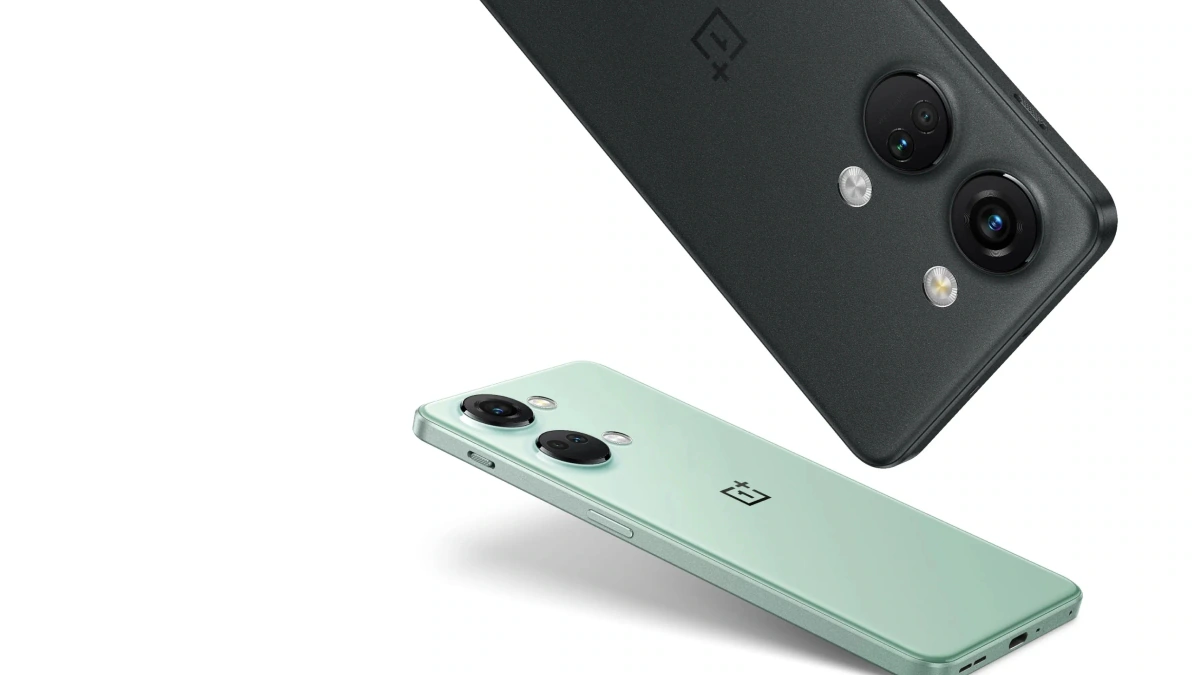
Choose wisely!

FAQs

What are generative AI tools, and how do they transform digital tasks?

Generative AI tools like ChatGPT, Microsoft Copilot, and Google Gemini utilize advanced algorithms to automate content creation, decision-making, and various digital tasks, simplifying complex processes and boosting productivity.

What makes ChatGPT stand out among generative AI tools?

ChatGPT has gained popularity for its ease of use and effective content generation capabilities.

Despite some accuracy challenges, its continuous updates and the introduction of GPT-4 in ChatGPT Plus have significantly improved performance.

How does Microsoft Copilot differ from ChatGPT?

Microsoft Copilot, powered by GPT-4 and integrated into Bing, offers real-time information and unique visual features. Its dynamic response system and image generation capabilities provide a more informative and versatile AI experience.
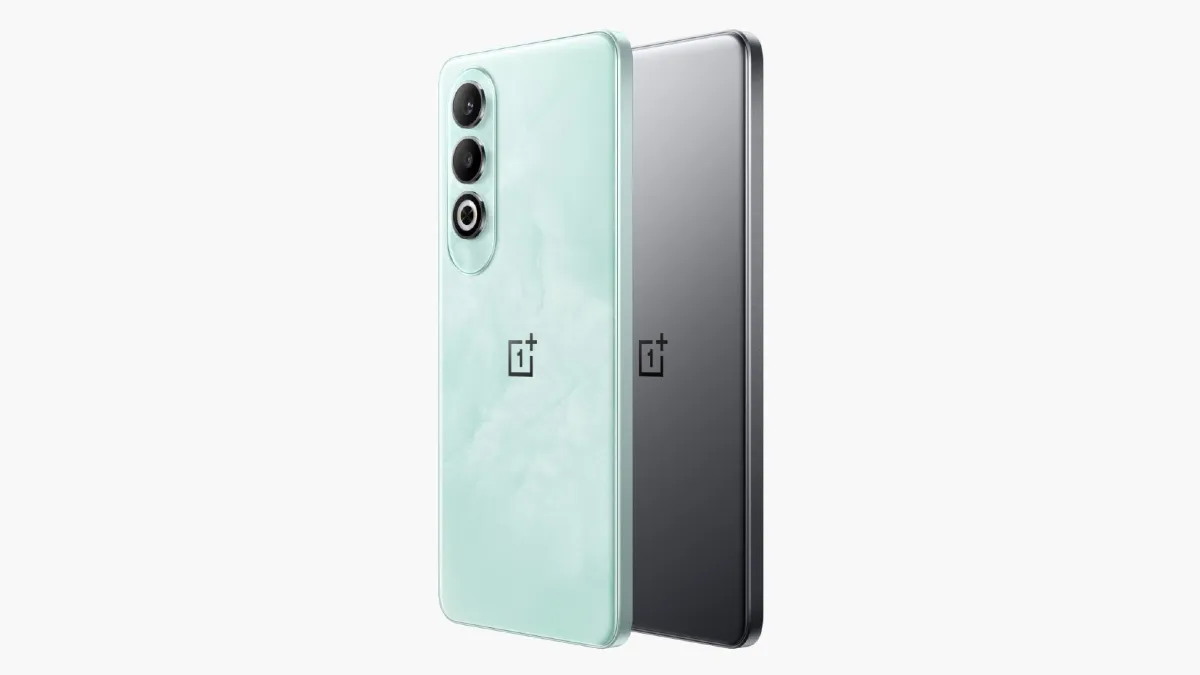
What are the key features of Google Gemini?

Google Gemini excels in speed and accuracy, allowing for extended, unrestricted conversations.

Its seamless integration with Google’s ecosystem, including Workspace and Maps, offers users a comprehensive and efficient AI chatbot experience.
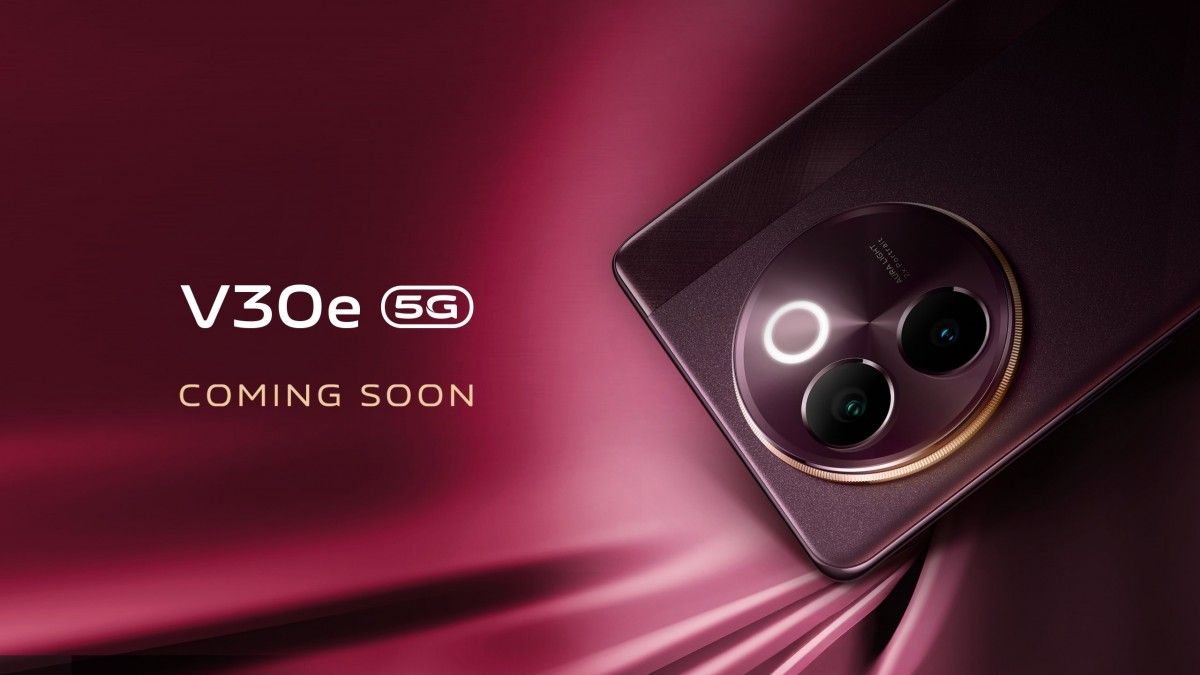
How do I choose the right AI tool for my needs?

Your choice should be based on your specific requirements: ChatGPT for a popular and evolving option, Microsoft Copilot for real-time information with visual aids, and Google Gemini for fast, accurate responses integrated with Google services.

WHAT IS GOOGLE BARD?

Bard (now known as Gemini) is also a generative AI chatbot designed by Google that leverages machine learning and natural language processing to simulate human conversations.

Powered by Google’s Pathway Language Model 2 (PaLM 2), a large language model, it is trained on a large dataset of text, code, and images, allowing Bard to understand the world better.

Bard can help users in creative design, language translation, and, like ChatGPT and Bing Chat, answer questions and perform tasks, but with real-time factual accuracy, research, and understanding of complex concepts.

Bard can also access real-time information, making it useful for searches regarding recent events.

WHAT IS BING CHAT?

You guessed it! Bing Chat (now known as Copilot) is also an AI-powered chatbot developed by Microsoft and powered by ChatGPT 4.0.

However, unlike ChatGPT and Bard, Bing Chat is built into the browser’s sidebar for easy access.

It also has three conversational styles you can select and converse with – Creative, Precise, and Balance, offering a more customized addition to your conversations.

It is also the first AI chatbot to attach citations and sources to their answers, adding reliability.

What is unique about Bing Chat is that it can generate images using Bing Image Creator, taking generative AI chatbots to a new level.

WHAT IS CHATGPT (CHAT GENERATIVE PRE-TRAINED TRANSFORMER)?

ChatGPT 3.5, an AI-powered language model developed by OpenAI, is like a superior version of an automated chatbot service you find on customer service websites.

This generative AI tool converses in human-like responses after receiving our written input, where we often ask it to perform tasks – from suggesting a place to eat to creating an Excel template for your expenses.

You might be thinking, how can they perform such complex tasks in just a few seconds?

ChatGPT 3.5 explains itself:

“GPT 3.5 is pre-trained on massive datasets from the internet, exposing it to a diverse range of language patterns and information. This extensive training helps the model generalize well to a wide array of tasks” (ChatGPT 3.5, Jan 2024).

Having been pre-trained with large datasets, along with other factors, contributes to its efficiency. With the infinite data online, it is no surprise how powerful and knowledgeable this AI tool is. However, unlike search engines like Google, ChatGPT 3.5 can only access information up to January 2022. Thus, it is crucial to remind ourselves to check the generated answers by ChatGPT as their capabilities are limited to what they have learned during training. Machines can make mistakes!

What are ChatGPT Capabilities ?

Some notable features and capabilities of ChatGPT include:

Conversational Abilities: ChatGPT has powerful natural language processing skills and can intelligently answer follow-up questions based on context of the conversation so far.

Diverse Topics: Trained on a massive amount of text dialog data, ChatGPT can discuss an extremely wide range of topics, from technology to relationships to philosophy.

Creative Writing: Whether crafting poems, lyrics, code, or educational content, ChatGPT produces high quality written content tailored to criteria given.

Adapts Responses: It decides what content to generate based on examples and user preferences provided.

Here are some quick use cases where ChatGPT delivers value:

Research: Compile sources and summarize information about any topic instantly.
Content Creation: Write SEO blogs, marketing copy, essays, programming solutions based on prompts.
Conversation: Engage in intelligent discussion across diverse domains.

What are ChatGPT Limitations?

However, there are some key limitations to note:

Inaccuracies: Since ChatGPT doesn’t fact check itself, responses can sometimes be incorrect or biased. Evaluating truthfulness is required.

Hallucinations: When unsure of a response, ChatGPT may “hallucinate” fake details rather than saying “I don’t know”.

Harmful Instruction: It has no filters regarding dangerous, illegal, or unethical suggestions. Commands must be carefully considered before executing.

What are Microsoft Copilot Limitations?

Microsoft Copilot also comes with some limitations:

Problematic Recommendations: It sometimes suggests incorrect code that doesn’t handle edge cases properly. All code should be rigorously tested.

Limited Natural Language Understanding: While it generates code, Copilot can’t discuss code the way a human peer programmer can. Explanations are limited.

Potential Legal Issues: Since Copilot is trained on publicly available code, there are concerns about potential plagiarism and legal risks for production applications.

What are Google Gemini Limitations?

Since Google Gemini remains under development with details still emerging, some open questions include:

Availability: When will it launch? Will Google Gemini be free or paid?

Content Moderation: Can it avoid issues with toxicity, bias, misinformation etc?

Data Privacy: What user data will feed improvements? How will privacy be maintained?

Also Read: Microsoft Launches Copilot for Finance to Transform Financial Management; Edge Update Leaves Users Disgruntled

Also Read: Microsoft Introduces Innovative AI Tools Including Copilot to Revolutionise Education

Also Read: Google Gemini Update Brings Automatic Voice Commands, To Expand to Headphones

Also Read: Google Gemini Now on Gmail, Workspace; New Open-Source AI Gemma Also Coming Out

Also Read: OpenAI Unveils ChatGPT Memory Features for Enhanced User Experience

Also Read: ChatGPT Introduces Read Aloud Feature for an Enhanced User Experience 

How To Generate Images Using ChatGPT: A Complete Guide

0
How To Generate Images Using ChatGPT: A Complete Guide

Highlights

  • ChatGPT and DALL-E integration revolutionizes digital art creation.
  • AI art democratizes creativity, making art accessible to all.
  • Detailed prompts are crucial for achieving desired image outcomes.
  • Ethical considerations emerge as AI delves into creative domains.

In the digital age, the convergence of artificial intelligence and creativity has birthed an innovative form of artistry.

The integration of ChatGPT with DALL-E, a groundbreaking development, stands at the forefront of this evolution, turning the abstract into the tangible. 

It comes as little surprise that this collaboration not only signifies a leap forward in AI capabilities but also democratizes art creation, making it accessible to a broader audience.
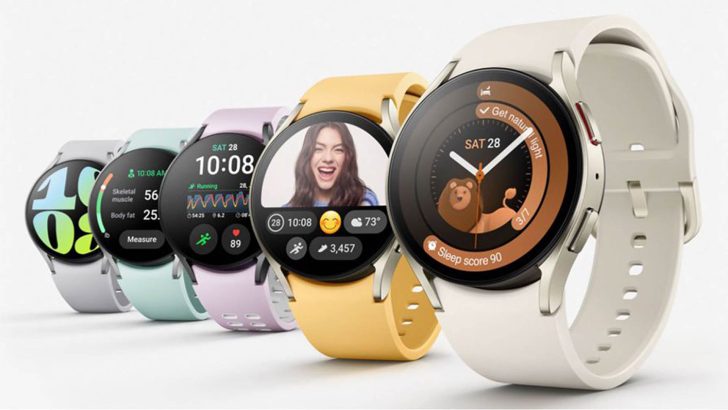
Everyone wants images generated whether it is for personal use or professional use.

The fact that you can get images just by typing in words is magical in itself and was unthinkable of just a few years.

Naturally, everyone wants to learn how to best utilise this service.

Here’s a detailed exploration of how to navigate this new landscape, from understanding its implications to mastering the art of AI-generated images.

Understanding the Fusion of ChatGPT and DALL-E

Understanding the Fusion of ChatGPT and DALL-E

ChatGPT, initially known for its prowess in text-based communication, has expanded its horizons through integration with DALL-E, which works on a diffusion model for generating images out of text.

However, this capability comes with its learning curve and ethical considerations, particularly concerning the use of copyrighted material in AI training.

The Mixed Reception from the Art Community

The Mixed Reception from the Art Community

Artists have responded to AI-generated art with varying degrees of enthusiasm and skepticism.

While some see it as a tool for inspiration or a new medium, others raise concerns about originality and the ethical use of pre-existing artworks

Despite these debates, the technology continues to evolve, pushing the boundaries of what can be achieved with AI in art.

Here’s how you can properly utilise DALL-E.

Step-by-Step Guide to Creating AI-Generated Art

Subscribing and Accessing DALL-E through ChatGPT

Subscribing and Accessing DALL-E through ChatGPT
  • Begin with a Subscription: To access DALL-E’s image generation capabilities, you’ll need a ChatGPT+ subscription, available for $20 a month.
  • Navigate the Interface: Log into your ChatGPT account, select “Explore GPTs” from the sidebar, and click on DALL-E in the top navigation bar to access the image generator.

Crafting the Perfect Prompt

Crafting the Perfect Prompt
  • Initial Prompt Creation: Describe the image you envision in the prompt box. Be as detailed as possible to guide the AI accurately.
  • Refinement and Adjustments: After generating an initial image, you can refine your request with additional instructions to alter aspects like aspect ratio or specific details.
  • Ask for Help: If unsure where to start, ChatGPT can assist in crafting an effective prompt.
  • Be Specific: Detail is key. Specify the style, subject, background, and colors to get closer to your envisioned outcome.

  • Use Plugins: There are several plugins available on Chrome with the specific job of crafting effective prompts to make your image.

Downloading Your Creation

Downloading Your Creation

Once satisfied with the generated image, download it by hovering over the image and clicking the download icon.

The downloaded file will be in .webp format so you will have to convert it to .jpeg or whichever format you so desire.

Navigating Common Challenges

Navigating Common Challenges
  • Avoid Ambiguity: Choose words carefully to prevent unintended interpretations by the AI.
  • Specify Aspect Ratios: If the dimensions are crucial, include the desired aspect ratio in your prompt to ensure the final image meets your requirements.

We are living in pretty special times.

The collaboration between ChatGPT and DALL-E is a significant advancement in the field of AI, that has worked to bridge the gap between imagination and digital creation. 

However, we must also be cautious.

While technology opens up new avenues for artistic expression, it also poses ethical questions that merit consideration.

By following the steps outlined above and applying the tips for effective prompt creation, users can explore the vast potential of AI-generated art.

FAQs

How can I access DALL-E’s image generation capabilities?

To utilize DALL-E for generating images, you need to subscribe to ChatGPT+, which costs around $20 a month. Once subscribed, navigate to the DALL-E option within the ChatGPT interface to start creating images.

What are the keys to crafting an effective prompt for DALL-E?

An effective prompt should be detailed, specifying the style, subject, and desired elements of the image. The more specific you are, the closer the generated image will be to your vision.

Can I refine an image generated by DALL-E?

Yes, after generating an initial image, you can refine your prompt with additional details or adjustments to better match your envisioned outcome. This iterative process helps fine-tune the AI’s creations.

Are there ethical concerns with using AI for art creation?

The use of AI in art raises ethical questions, especially regarding originality and the use of copyrighted materials in training AI models. It’s important to consider these aspects and use AI-generated art responsibly.

What challenges might I face with AI-generated art, and how can I overcome them?

Common challenges include unintended AI interpretations and specifying correct aspect ratios. To mitigate these, use clear and detailed language in your prompts and explicitly mention any crucial dimensions or aspect ratios.

How to Use ChatGPT Image Generator?

Using ChatGPT Image Generator involves three steps. These are:

  • Select a template
  • Fill the form
  • Get Your Content
  • Before you can do that, you need to create an account.
  • Click on the Get Started For Free button. Fill in the necessary details and click on the Register button. You will have to verify your account through email.
  • Once you create your account, you will be directed to the dashboard, which looks like this:
    Next, find the AI Images tab on the left-hand side of the dashboard.
  • Click on it and type in the description of your image. Then click Advanced Settings to type in your image name, Art style, Lighting style, Mood, Resolution, and Number of Images.
  • Then click on Generate. Wait a few seconds for your result. Below is what it generated with the description I entered:
  • For the free trial account, you can get two images per month.
  • For the free trial account, you can get two images per month.

It also features the use of 61 AI document templates, 1,000 words, and 1,000 characters for Text-to-speech per month.

If you want to do more, you can subscribe to their paid plans, which are the Pro and Unlimited plans. Pricing is at $5 and $10 respectively.

How to Use ChatGPT to Generate Images?

Alternatively, you can also use ChatGPT to generate images. While many users see the tool as a text generator, you can also give it prompts to create images. Here’s how:

Step 1: Use this prompt: You are an image generator. You need to ask me for an image description. Help me tell you what else you need to do this.

ChatGPT will give you this answer:

Describe your image by adding as many details as you can. The image below will show you the result I got:

As you can see from the result, it followed most of the details but not all.

The mood was bright, the colors were mostly yellows and oranges, but there was a cup beside the vase that seemed incomplete.

Also, this is nowhere near the style of Van Gogh.

And since there was no promise of a perfect image, you can still try and tweak the image using ChatGPT until you get the one you need.

Can ChatGPT Create Images?

The short answer is no. ChatGPT is not an image generation system and cannot directly output images.

However, it can help create text-based descriptions of images that can then be used as input into other image generation systems.

Would ChatGPT Ever Be Able to Create Images Directly?

ChatGPT is not currently able to generate images directly, and it is unlikely that this capability will be added soon. The telltale sign of this is the existence of DALL-E, which provides this ability.

For the foreseeable future, it is best to think of ChatGPT as a tool for generating text and use other models like DALL-E for image generation.

How to get the best results with DALL·E 3?

•Give detailed prompts
•DALL·E 3 understands numbers and position
•Ask for subtle variations
•Have fun and play around

Also Read: MIT’s PhotoGuard Technology: Protecting Images from Malicious AI Edits and Unauthorised Access

Also Read: ChatGPT 5: A Glimpse into the Future of OpenAI’s AI Evolution

Also Read: ChatGPT Data Policy: A Look at Security Enhancements by OpenAI To Protect User Data

Also Read: Elon Musk’s xAI Launches Grok, A New Challenger to ChatGPT in Generative AI Technology