


Highlights
- UIDAI has introduced a new Aadhaar app for iOS and Android, offering a secure, paperless way to store and share Aadhaar cards digitally.
- Users can store up to five Aadhaar profiles linked to one mobile number, enable biometric locks, and share credentials via QR codes.
- The app uses face authentication and a two-step access process, auto-updates Aadhaar profiles, and complements the existing mAadhaar app.
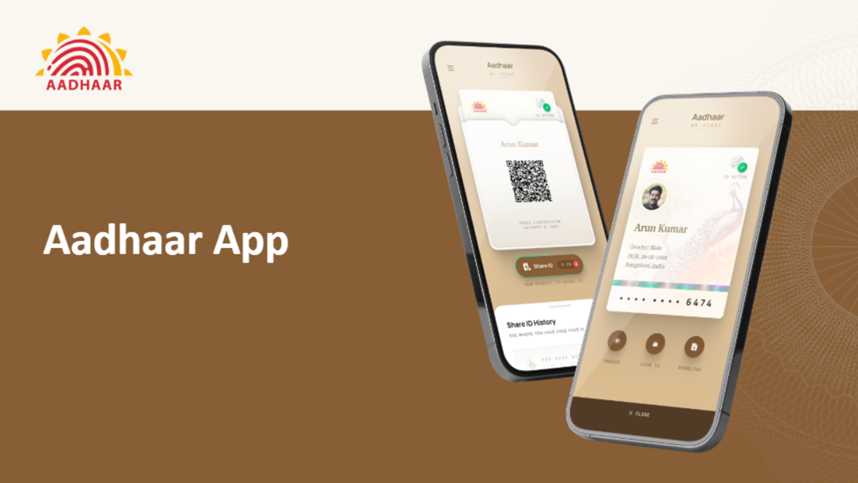
The Unique Identification Authority of India (UIDAI) has officially launched a new Aadhaar app to make it easier and safer for citizens to carry and share their Aadhaar information. The new app complements the existing mAadhaar app and offers a simplified, paperless experience for users who want to store and securely share their Aadhaar card digitally. It is currently available for download on both the Google Play Store and the Apple App Store.
Experience a smarter way to carry your digital identity!
The new Aadhaar App offers enhanced security, easy access, and a completely paperless experience — anytime, anywhere.Download now!
Android: https://t.co/f6QEuG8cs0
iOS: https://t.co/RUuBvLwvsQ#Aadhaar #UIDAI… pic.twitter.com/gOwI6jH6Lu— Aadhaar (@UIDAI) November 9, 2025
Here’s all you need to know.
New Aadhaar App – Overview and Key Features
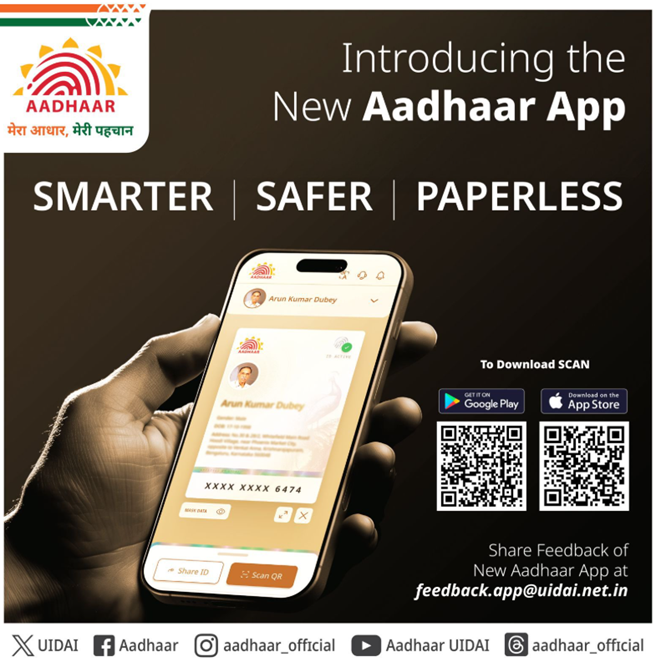
UIDAI has clarified that the new Aadhaar app is not a replacement for the mAadhaar app. While mAadhaar allows users to download digital Aadhaar cards, order PVC cards, verify registered mobile or email IDs, and generate virtual IDs, the new app primarily serves as a digital wallet for securely storing and showing your Aadhaar card.
The agency explained that the new Aadhaar app enables citizens to carry their Aadhaar details in a convenient digital format, ensuring that they no longer need to rely on printed or PDF versions. Though services like DigiLocker already allow Aadhaar storage, this new app introduces a more intuitive interface and a two-step access process for added security and ease of use.
One of the standout features of the app is its ability to store multiple Aadhaar profiles. Users can store up to five Aadhaar cards linked to the same mobile number. This allows users to keep their family members’ Aadhaar cards in one place. All data can be accessed securely within the app, and Aadhaar details can be shared as verifiable digital credentials.
Additionally, users can enable a biometric lock for added protection. Once activated, the biometric data remains locked until the user temporarily disables it. The app also updates the Aadhaar profile automatically after successful data updates. It supports QR code scanning and sharing, making it easier to use Aadhaar details for various services or transactions directly from the app.
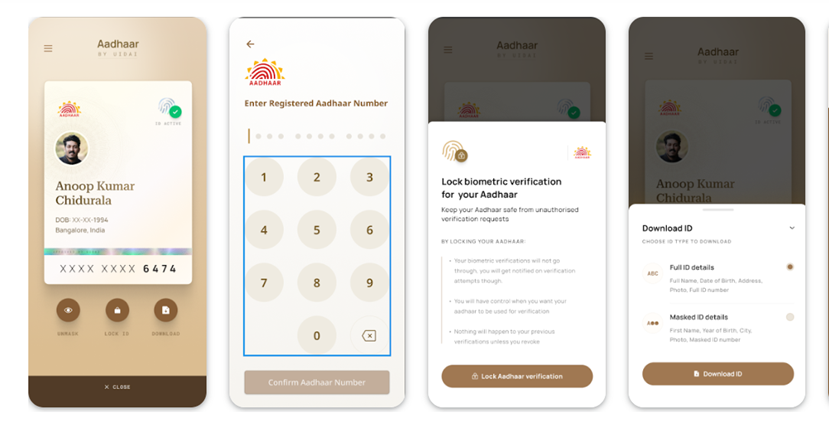
How to Use the New Aadhaar App?
Setting up the new Aadhaar app is straightforward and all you have to do is follow the steps below –
- Download and install the app from the Play Store or App Store.
- Select your preferred language and enter your 12-digit Aadhaar number.
- The app will prompt you to send an SMS from your Aadhaar-registered mobile number.
- After receiving the OTP, complete the face authentication process.
- Finally, set a six-digit password to secure your account.
Once the setup is complete, users can view their Aadhaar card on the profile page, mask details, share information securely, or add a biometric lock. The same process can be used to add up to four more Aadhaar profiles. This makes the app an all-in-one solution for digital Aadhaar management.
FAQs
Q1. What is the purpose of the new Aadhaar app launched by UIDAI?
Answer. The new Aadhaar app serves as a secure digital wallet for storing and sharing multiple Aadhaar cards, offering a paperless and user-friendly experience.
Q2. How many Aadhaar profiles can be stored in the app?
Users can store up to five Aadhaar profiles linked to the same mobile number, making it convenient to manage family members’ Aadhaar cards in one place.
Q3. What security features does the new Aadhaar app offer?
Answer. The app includes a two-step access process, biometric lock, masked Aadhaar display, and secure QR code sharing to protect user data and enhance privacy.
Also Read –
https://www.mymobileindia.com/aadhaar-facerd-app-all-you-need-to-know-about-uidais-new-app/