It is replacing the countdown timer with a grey rectangle covering the Skip button.
The new format is rolling out on desktop.
YouTube seems to removing the timer from Android App.
The new ad format hasn’t been officially announced yet.
YouTube testing a new skip button that makes ads unskippable. (Photo by Sara Kurfeß on Unsplash)
YouTube has long been known for its ads. The video streaming platform has a range of ads starting from sponsored recommendations to full ad segments.
Even the way ads appear on the platforms has different patterns, some appear before and some during videos.
There is no denying that these ads help keep the platform free for users who don’t wish to pay for YouTube Premium.
However, we also can’t deny that these ads sometimes can be a bit frustrating. And they are more annoying especially when they appear back-to-back.
YouTube usually allows users to skip ads after a few seconds with a countdown timer indicating when the “Skip” button will appear. Unfortunately, it seems that the timer might be disappearing.
Some users on the desktop noticed a grey rectangle covering the Skip button. (Screen recording credit – Android Police)
Recently, YouTube users have noticed changes to the way ads are displayed. Specifically, some desktop users reported that instead of seeing the familiar countdown timer before the Skip button becomes available, a grey rectangle now covers the Skip button until it’s ready to be used.
This change was initially thought to be part of a limited test. It now appears to be rolling out more widely.
On the Android app, a similar change was spotted, although this version doesn’t include the grey rectangle.
The key difference was that the countdown timer was also missing, making it harder for users to tell when the ad could be skipped.
This tweak seems designed to make users think an ad is unskippable since the Skip button isn’t immediately visible. However, once the button appears in the corner, it’s still easy to spot.
The playback seek bar for ad segments also continues to show the duration of the ad, so users can still see how long the ad will last.
While this change hasn’t been officially announced, it could become a standard feature on YouTube. For now, it seems to be part of a broader test, and there’s no word yet on whether YouTube plans to roll this out permanently.
FAQs
Q1. What changes have YouTube users noticed with ad display?
Answer. Recently, YouTube users have noticed changes to the way ads are displayed. Specifically, some desktop users reported that instead of seeing the familiar countdown timer before the Skip button becomes available, a grey rectangle now covers the Skip button until it’s ready to be used.
Q2. How has the ad display changed on the YouTube Android app?
Answer. On the Android app, a similar change was spotted, although this version doesn’t include the grey rectangle. The key difference was that the countdown timer was also missing, making it harder for users to tell when the ad could be skipped.
Q3. Is the new ad display format a permanent change on YouTube?
Answer. While this change hasn’t been officially announced, it could become a standard feature on YouTube. For now, it seems to be part of a broader test, and there’s no word yet on whether YouTube plans to roll this out permanently.
It appears Xiaomi is on a reinvention spree when it comes to smartphone design for the future. We already know that the world’s third-largest phone maker after Samsung and Apple is already working on a buttonless phone set for release next year. It is now being reported that a buttonless phone will not be the only design innovation from Xiaomi.
The company is apparently delving into bigger radical phone designs that can change the way modern smartphones look.
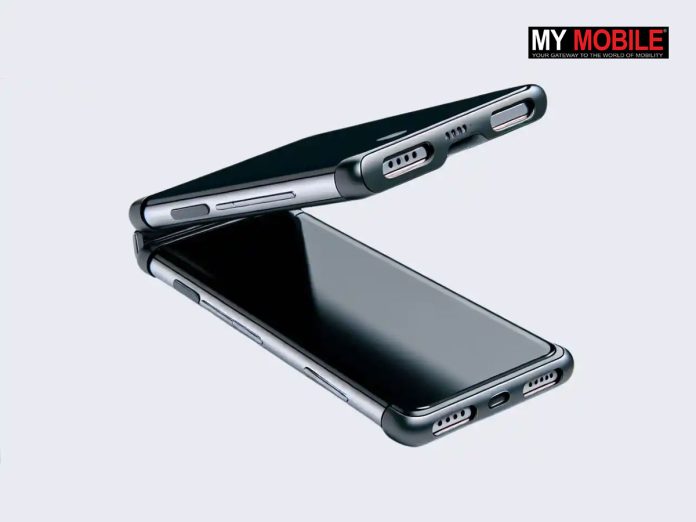
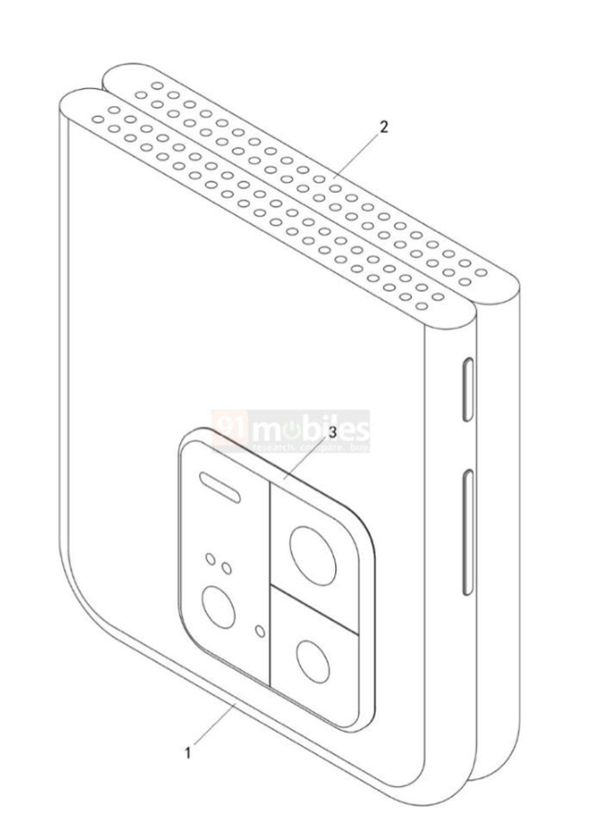
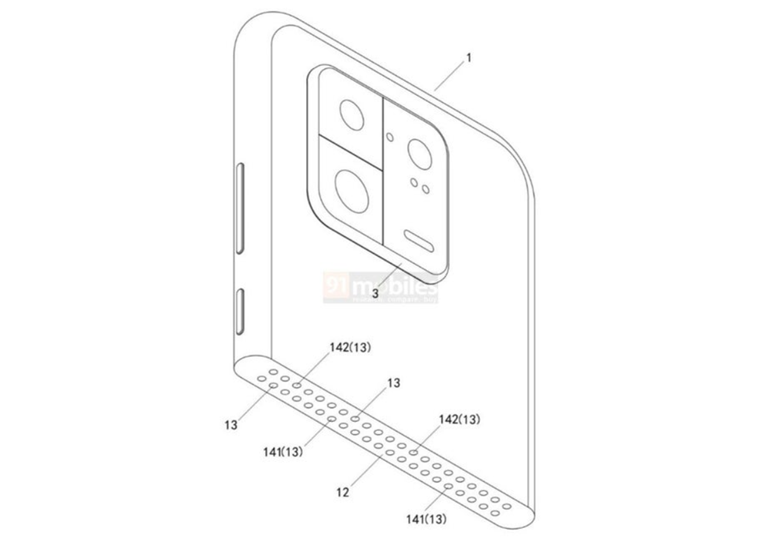
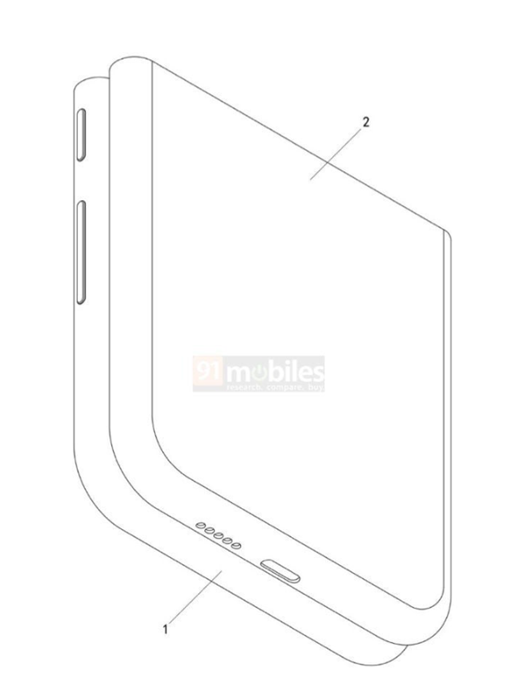
91Mobiles in one of its recent reports highlights a newly discovered patent on the China National Intellectual Property Administration (CNIPA) platform. The patent reveals that Xiaomi’s next big innovation is going to be a foldable phone that can break into two different parts.
This is beyond the traditional foldable screen with a crease along a central hinge. The new Xiaomi design will have the top half of the phone detachable. The design patent shows that it will be connected by pogo pins.
Xiaomi design patent revealed a foldable phone that can detached into two. (Image credit – Xiaomi/91Mobiles)Xiaomi design patent revealed the detachable clamshell foldable design concept. (Image credit – Xiaomi/91Mobiles)Xiaomi design patent revealed in 91Mobiles report. (Image credit – Xiaomi/91Mobiles)Xiaomi design patent revealed from China National Intellectual Property Administration. (Image credit – Xiaomi/91Mobiles)
The design is potentially called the Mix Flip.
The patent also reveals that the upper portion of the phone houses a multi-camera setup and seems to rotate around an axis.
If this design feature works out, this could enable many creative ways to take photos or videos. However, it is important to note that the exact purpose of this feature remains unclear as of now.
What we do know is that Xiaomi is definitely rethinking the foldable phone concept and there is a chance we will get to see something futuristic soon.
Apart from this, we have already reported Xiaomi is also working on the buttonless phone. As per a PhoneArena report, this project is codenamed Project Zhuque.
If everything falls into place, we could soon have a phone without any physical buttons. Interestingly, Apple was once rumoured to be developing a similar concept phone. However, the recently launched iPhone 16 suggest that Apple is far from going buttonless and has willingly shifted back to traditional buttons.
Xiaomi has a good record when it comes to experimental concepts and they often turn into reality. In the past, we have seen Xiaomi designs quickly passing through patents to prototypes to retail products.
The recent patent reveal has left tech enthusiasts excited all across. Hopefully, we will have more details about these upcoming Xiaomi smartphone designs soon.
FAQs
Q1. What new design Xiaomi is working on besides a buttonless phone?
Answer. 91Mobiles in one of its recent reports highlights a newly discovered patent on the China National Intellectual Property Administration (CNIPA) platform. The patent reveals that Xiaomi’s next big innovation is going to be a foldable phone that can break into two different parts.
Q2. How will the new Xiaomi foldable phone be different?
Answer. The new Xiaomi design will have the top half of the phone detachable. The design patent shows that it will be connected by pogo pins. The patent also reveals that the upper portion of the phone houses a multi-camera setup and seems to rotate around an axis.
Q3. What is Xiaomi’s buttonless phone project codenamed?
Answer. As per a PhoneArena report, this project is codenamed Project Zhuque.
Google Meet introduces automatic recording, transcription and AI-powered note-taking features.
Aims to ensure users never miss important details during meetings.
Users can enable automatic recording and transcription from Google Workspace settings.
Note-taking requires the Gemini add-on for AI-generated summaries.
Find more about the new Google Meet features – Automatic Recording, Transcription and AI Note-Taking (Image credit – Google)
How many times have you realised that you forgot to start the recording after a meeting ends in Google Meet? Well, if you are one of those who often forget to hit the record button during video calls, Google Meet has just made life easier.
Many other video conferencing platforms provide the option to record very handily. Google Meet, on the other hand, did not have that feature. However, the latest Google Meet update aims to solve that with three new features.
Here are the new features and how to enable them:
Google Meet’s Automatic Recording
New Auto Recording Feature update shared by Google Workspace Update page. (Screenshot credit – Google)
Automatically records meetings without manual input.
Can be disabled by any participant if they prefer not to be recorded.
To enable this feature, follow the below steps –
Go to Apps > Google Workspace > Google Meet > Meet video settings > Automatic recording.
Google Meet’s Automatic Transcription
New Auto Transcription Feature update shared by Google Workspace Update page. (Screenshot credit – Google)
Generates a text transcript of the meeting, capturing all spoken content.
Participants can opt out of transcription for privacy.
To enable this feature, follow the below steps –
Go to Apps > Google Workspace > Google Meet > Meet video settings > Automatic transcription.
Google Meet’s AI-Powered Note-Taking (for Gemini Add-on Users)
New AI-Powered Note-Taking Feature update shared by Google Workspace Update page. (Screenshot credit – Google)
Automatically creates a summary of meeting notes using AI.
Provides an easy way to capture key points without manual note-taking.
To enable this feature, users can follow the below steps –
Go to Apps > Google Workspace > Google Meet > Meet video settings > Automatic note taking.
These new features are already available in Google Meet.
However, if you’re using Meet within an organization, your administrator may need to enable them for you.
How To Get Started if You Are Using Google Meet for an Organisation?
Admins: These settings can be applied at the domain, OU, or Group level. Admins can visit the Help Center to learn more about choosing automatic meeting artefact settings for your organization.
End users: End users can visit the Help Center to learn more about recording a meeting, using meeting Transcripts, and taking notes with Gemini in Meet.
Google Meet Automatic Recording, Transcription, and AI Note-Taking Features – Availability
Available to Google Workspace –
Business Standard and Plus
Enterprise Essentials, Enterprise Essentials Plus
Enterprise Standard and Plus
Education Plus and the Teaching and Learning Upgrade
“Take notes for me” requires –
a Gemini Business, Enterprise, Education, Education Premium or AI Meetings & Messages add-on.
FAQs
Q1. How can I enable the Automatic Recording feature in Google Meet?
Answer. To enable this feature, follow the below steps – Go to Apps > Google Workspace > Google Meet > Meet video settings > Automatic recording.
Q2. What does the Automatic Transcription feature do in Google Meet?
Answer. The Automatic Transcription feature generates a text transcript of the meeting, capturing all spoken content. Participants can opt out of transcription for privacy.
Q3. What is the AI-powered note-taking feature in Google Meet?
Answer. The AI-powered note-taking feature automatically creates a summary of meeting notes using AI. It provides an easy way to capture key points without manual note-taking.
Q4. Who can access the new features like Auto Recording and Transcription in Google Meet?
Answer. These features are available to Google Workspace Business Standard and Plus, Enterprise Essentials, Enterprise Essentials Plus, Enterprise Standard and Plus, Education Plus, and the Teaching and Learning Upgrade users.
It sparked speculation about the first phone to feature the Snapdragon 8 Elite chipset.
The Snapdragon 8 Elite will feature Oryon CPU cores
No official confirmation or launch details yet.
Smartphone design shown in the Qualcomm Snapdragon 8 Elite chipset teaser video. (Image credit – Qualcomm)
It has been quite a topic of speculation about which smartphone will be the first one to be powered by Qualcomm’s highly anticipated Snapdragon 8 Elite chipset. It was previously reported that Xiaomi’s upcoming 15 Series could be the first smartphone in the market to boast the new chipset. However, a recently released Qualcomm teaser video changed the perception in favour of OnePlus. Here’s what has happened.
A teaser video posted on Qualcomm’s official Weibo account has sparked the recent speculation.
The video teaser released to promote the upcoming chipset shows a smartphone with a circular camera island in the top-left corner.
This design of the phone is similar to the classic OnePlus design. Many tech enthusiasts online quickly pointed out that the phone in the video is likely the OnePlus 13.
As of for the chipset features, the video teaser doesn’t give away much about the chipset apart from confirming it will feature Oryon CPU cores.
According to the teaser video shared on Weibo, Qualcomm highlights a new Snapdragon chipset with Oryon CPU.
Meanwhile, the well-known tipster Digital Chat Station confirmed the official name of Qualcomm’s new chipset as Snapdragon 8 Elite. He also clarified that some translations of the Chinese text referred to it as “Extreme Edition” were inaccurate.
There was more confusion about the phone shown in the teaser video. Digital Chat Station suggested that the phone shown in the teaser video is likely a Snapdragon 8 Elite prototype. It was probably a coincidence that the design of the phone seems similar to the upcoming OnePlus 13.
BOE teaser on Weibo shows what appears to be the front panel of the OnePlus 13. | Image credit-Weibo
As of now, we don’t have an official confirmation from either OnePlus or Qualcomm about the first smartphone to be released with the chipset
We also don’t have any exact launch details from official sources yet.
In any case, we don’t have to wait for long since the first smartphone featuring the Snapdragon 8 is expected to arrive soon.
FAQs
Q1. Which smartphone is the first to feature the Snapdragon 8 Elite chipset?
Answer. It is still not confirmed, however, a teaser video posted on Qualcomm’s official Weibo account has sparked the recent speculation. The design of the phone shown in the teaser video is similar to the classic OnePlus design. Many tech enthusiasts online quickly pointed out that the phone in the video is likely the OnePlus 13.
Q2. What features will the Snapdragon 8 Elite chipset have?
Answer. As for the chipset features, the video teaser doesn’t give away much about the chipset apart from confirming it will feature Oryon CPU cores.
Q3. What is the official name of Qualcomm’s new chipset?
Answer. The well-known tipster Digital Chat Station confirmed the official name of Qualcomm’s new chipset as Snapdragon 8 Elite. He also clarified that some translations of the Chinese text referred to it as “Extreme Edition” were inaccurate.
MediaTek’s new Dimensity 9400 chipset has been unveiled.
It offers major upgrades in CPU performance, AI capabilities and gaming features.
It also promises a 40% increase in power efficiency.
The chipset includes an 8th Generation NPU and the 12-core Arm Immortalis-G925 GPU.
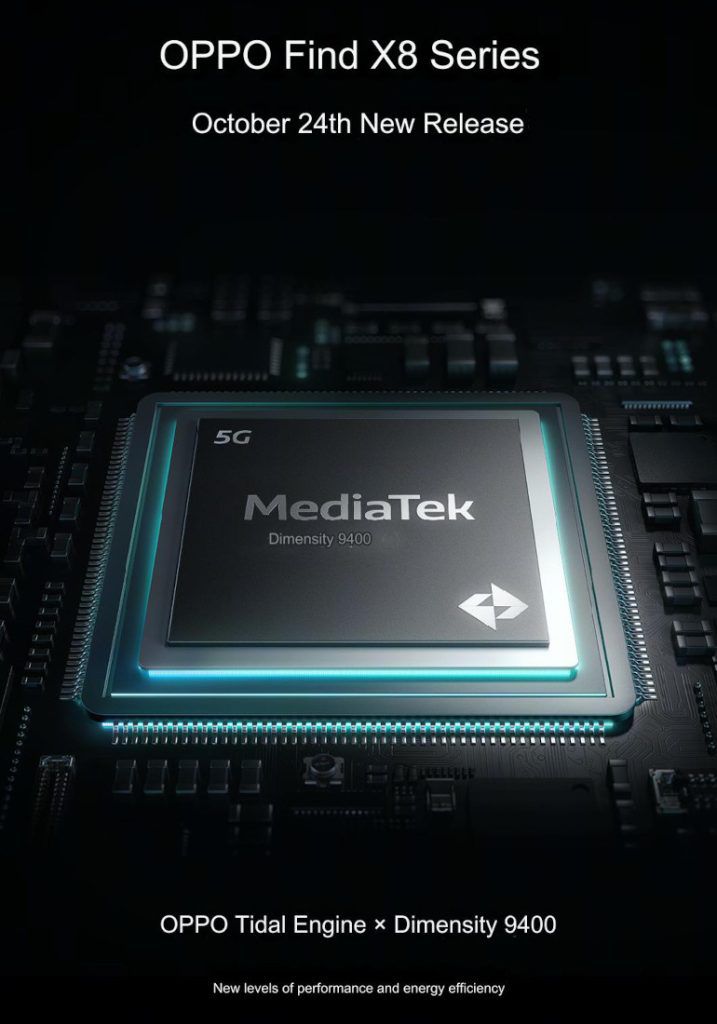
The Dimensity 9400 will debut in the Vivo X200 series and Find X8 series.
MediaTek Dimensity 9400 has been officially launched. (Image credit – MediaTek)
MediaTek has just announced its latest flagship chipset the Dimensity 9400 with improved efficiency for the next-generation smartphones.
This new chipset has been built to provide an upgrade over the previous Dimensity 9300. It offers major upgrades in CPU performance, AI capabilities and gaming features.
Here’s what we know about the new Dimensity 9400.
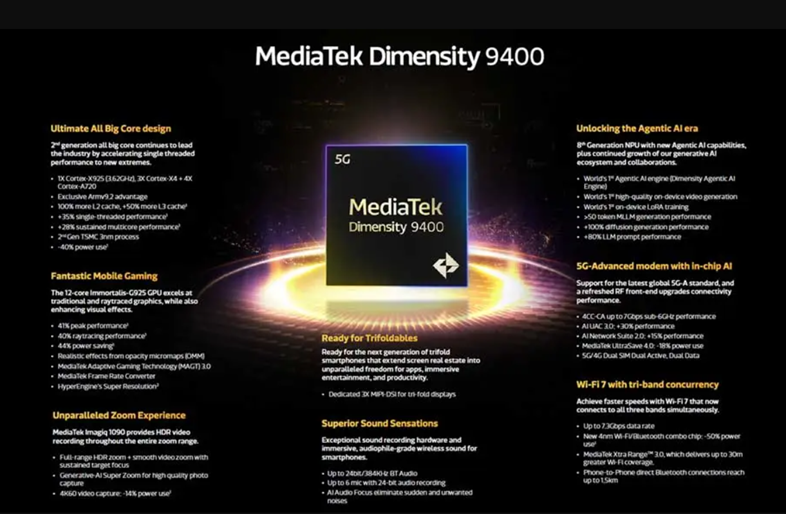
The new Dimensity 9400 promises enhancements across CPU performance, AI capabilities and gaming features. (Image credit – MediaTek)
“The MediaTek Dimensity 9400 will continue furthering our mission to be the enablers of Al, supporting powerful applications that anticipate users’ needs and adapt to their preferences, while also fueling generative Al technology with on-device LoRA training and video generation, said Joe Chen, President at MediaTek. “As the fourth-generation flagship chipset, the Dimensity 9400 continues to build on our momentum of steady growth in market share, and MediaTek’s legacy of delivering flagship performance in the most efficient design for the best user experiences.”
Dimensity 9400 – Powerful CPU Design for Speed and Efficiency
The new Dimensity 9400 will provide an immersive gaming experience with its 12-core Arm Immortalis-G925 GPU. (Image credit – MediaTek)
The Dimensity 9400 features MediaTek’s second-generation “All Big Core” architecture.
At its core is the powerful Arm Cortex-X925 clocked at over 3.62GHz. It is supported by three Cortex-X4 cores and four Cortex-A720 cores. This setup delivers a 35% increase in single-core performance and a 28% boost in multi-core tasks compared to the Dimensity 9300.
Moreover, it is built on TSMC’s 3nm process, which makes it up to 40% more power-efficient and helps in extending the battery life.
Our upcoming #MediaTekDimensity9400 is optimized for @Google Gemini Nano with Multimodality. The chip features a new 8th-gen NPU with multimodal hardware acceleration for text, image, & speech. pic.twitter.com/HL075ike7Q
— MediaTek (@MediaTek) October 7, 2024
Dimensity 9400 – Enhanced Gaming Performance
The Dimensity 9400 is set to deliver a top-tier gaming experience due to the 12-core Arm Immortalis-G925 GPU.
The Arm Immortalis-G925 MP12 GPU scored 16,257 points in Geekbench’s OpenCL benchmark, as per recent Gizmochina reports.
Dimensity 9400 in upcoming Vivo phone spotted scoring 16,257 points in Geekbench OpenCL benchmark. (Screenshot credit – Gizmochina)
This GPU provides up to 40% faster ray tracing and includes features like opacity micromaps (OMM) for more lifelike visuals. Gamers can expect up to a 41% enhanced performance with 44% power savings.
MediaTek’s HyperEngine technology has been co-developed with Arm and it enhances picture quality. It also offers super-resolution for immersive gameplay performance.
Dimensity 9400 – AI Capabilities
Dimensity 9400 – AI Capabilities
A key highlight of the Dimensity 9400 is its 8th Generation NPU. It brings several firsts in mobile AI performance.
It is the first chipset to support on-device LoRA training and advanced video generation.
MediaTek’s Dimensity Agentic AI Engine (DAE) enhances traditional AI applications and offers 80% faster large language model (LLM) prompt processing. It further improves power efficiency by up to 35%.
Dimensity 9400 – Advanced Camera and Multimedia Enhancements
Dimensity 9400 – Advanced Camera and Multimedia Enhancements
The new Dimensity 9400 comes with MediaTek’s Imagiq 1090 and it supports HDR video capture across the zoom range.
Its Smooth Zoom technology provides clear footage of moving subjects while consuming 14% less power during 4K60 video recording. It also supports a camera sensor up to 320MP and can handle 8K60 video capture.
Overall, the new chipset provides the perfect balance of hardware for advanced photography and videography.
Dimensity 9400 – Connectivity Features
From entry-to-flagship, the MediaTek Dimensity series powers incredible 5G smartphones for everyone.
The Dimensity 9400 is equipped with a new 3GPP Release-17 5G modem. It offers speeds of up to 7Gbps on sub-6GHz networks.
It also includes a 4nm Wi-Fi/Bluetooth combo chip, delivering up to 7.3Gbps speeds with Wi-Fi 7 tri-band MLO support.
With MediaTek Xtra Range™ 3.0, Wi-Fi coverage extends by up to 30 meters. Moreover, the chipset supports innovative form factors like 5G/4G Dual SIM Dual Active and foldable smartphones.
Specification
MediaTek Dimensity 9400
Architecture
TSMC 3nm
Number of Cores
8
Core Configuration
1x Cortex-X925
3x Cortex-X4
4x Cortex-A720
Maximum Clock Speed
3.62GHz
GPU
Immortalis G925
NPU
8th generation NPU
ISP
Imagiq 1090
Modem
Dimensity 9400 – Availability
Both Vivo X200 Series and Oppo Find X8 series will debut in China with the Dimensity 9400 chip (Image credit – Vivo/Oppo)
As per the latest reports, new smartphones featuring the Dimensity 9400 will begin releasing in the market by the end of 2024.
The Vivo X200 series including the X200, X200 Pro, and X200 Pro Mini will be the first devices powered by this new chipset. The series is launching on October 14 in China.
Oppo Find X8 series debuts on October 24 with Dimensity 9400.
Apart from that, we will have the Oppo Find X8 series debuting on October 24 in China. This phone will also feature the new Dimensity 9400.
FAQs
Q1. What are the main improvements of the Dimensity 9400 over its predecessor?
Answer. The Dimensity 9400 offers major upgrades in CPU performance, AI capabilities, and gaming features, with a 40% increase in power efficiency compared to the Dimensity 9300.
Q2. What is the CPU configuration of the Dimensity 9400?
Answer. The Dimensity 9400 features MediaTek’s second-generation “All Big Core” architecture, including the powerful Arm Cortex-X925 clocked at over 3.62GHz, supported by three Cortex-X4 cores and four Cortex-A720 cores.
Q3. What AI capabilities does the Dimensity 9400 bring?
Answer. The Dimensity 9400 includes an 8th Generation NPU, which supports on-device LoRA training and advanced video generation. MediaTek’s Dimensity Agentic AI Engine (DAE) enhances traditional AI applications and offers 80% faster large language model (LLM) prompt processing.
Q4. What gaming features does the Dimensity 9400 offer?
Answer. The Dimensity 9400 has a 12-core Arm Immortalis-G925 GPU, providing up to 40% faster ray tracing and features like opacity micromaps (OMM). Gamers can expect up to a 41% enhanced performance with 44% power savings.
Q5. When and in which devices will the Dimensity 9400 be available?
Answer. New smartphones featuring the Dimensity 9400 will begin releasing by the end of 2024. The Vivo X200 series, including the X200, X200 Pro, and X200 Pro Mini, will be the first devices powered by this new chipset, launching on October 14 in China. The Find X8 series will debut on October 24 in China.
Apple plans to launch a new AirTag in the first half of 2025.
To feature a more advanced second-generation UWB chip for improved location tracking.
The new AirTag will most likely work with Apple’s Vision Pro headset.
Specific details about its release are still unclear.
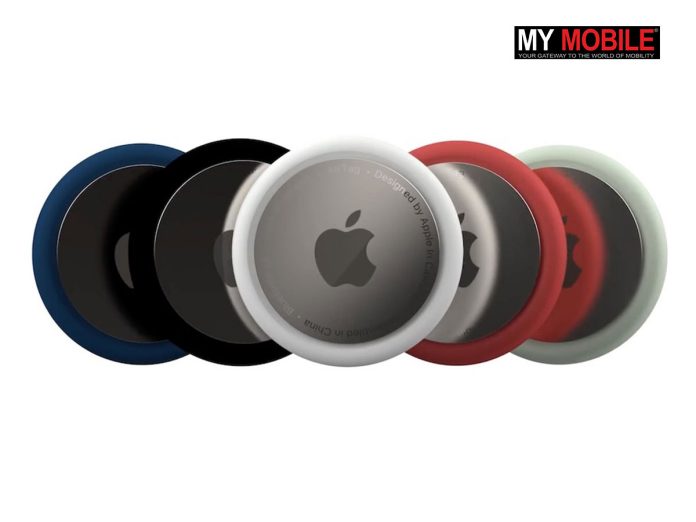
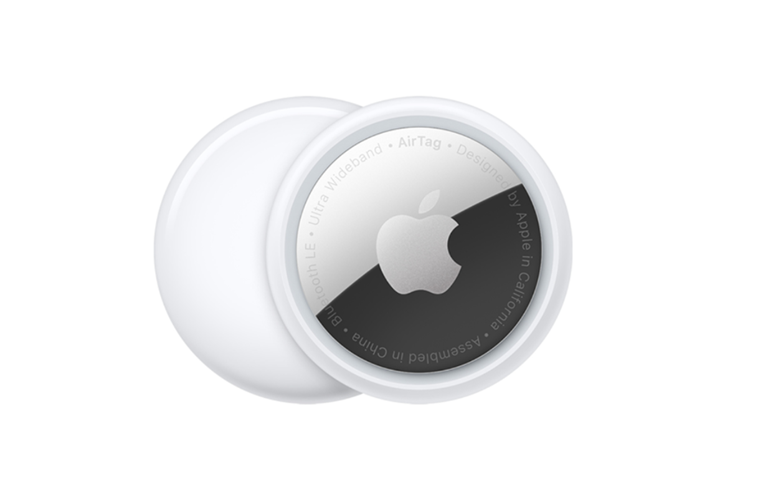
New Apple AirTag expected in 2025. (Image credit – Apple)
The recent reports by Bloomberg’s trusted Apple reporter Mark Gurman suggest Apple is planning to launch an updated version of its AirTag in the first half of 2025.
This will be the first significant update to the popular tracking device since it was first introduced in 2021.
The upcoming AirTag is expected to feature a more advanced chip with Gurman hinting that it will likely feature the second-generation ultra-wideband (UWB) chip. The same chip was last used in the iPhone 15.
This new chip will improve the accuracy of the device’s location tracking and will make it even easier to find lost items.
The original AirTag comes with Apple’s U1 chip that uses UWB technology and Bluetooth to connect to the Find My network.
This allows users to locate their items accurately. Its compact and lightweight stainless-steel design also offers IP67 water and dust resistance.
A small built-in speaker helps users find their AirTag by emitting sound through the Find My app. Moreover, the removable back cover makes it easy to replace the battery.
Users can track the AirTag on a map through the app. They can use additional features like sound, haptic feedback and visual directions using ARKit, accelerometer and gyroscope.
If an AirTag is lost, it can be put into Lost Mode. This will notify the owner when it is found or comes within range.
However, when someone else finds the tag they can tap it with an NFC-enabled device to see the owner’s contact details.
Apple has also built-in privacy features to prevent unwanted tracking.
The AirTag’s Bluetooth signal identifiers change frequently, which makes it hard for unauthorized users to track the device. Communication through the Find My network is encrypted end-to-end.
There are also rumours that the upcoming AirTag will work with Apple’s Vision Pro headset.
However, specific details about the future release of the AirTag are still unclear.
Analyst Ming-Chi Kuo had mentioned last year that the AirTag’s production would be delayed until 2025. If we consider the words of both Kuo and Gurman, we can assume Apple is planning a launch next year.
FAQs
Q1. When is Apple planning to launch the updated AirTag?
Answer. Apple is planning to launch an updated version of its AirTag in the first half of 2025, according to a report by Bloomberg’s Mark Gurman.
Q2. What new feature is expected in the upcoming AirTag?
Answer. The upcoming AirTag is expected to feature a more advanced chip with Gurman hinting that it will likely feature the second-generation ultra-wideband (UWB) chip.
Q3. How can the original AirTag help locate lost items?
Answer. The original AirTag uses Apple’s U1 chip that uses UWB technology and Bluetooth to connect to the Find My network, allowing users to locate their items accurately.
Apple has updated its vintage and obsolete product lists.
It added older models like the iPhone 6, iPod Nano, iPod shuffle and 2017 MacBook.
Products are marked “Vintage” after being off the market for five years.
Products markets “Obsolete” after seven years.
Apple added old MacBook and iPad models to the ‘vintage’ and iPods to the ‘obsolete’ list. (Image credit – Apple)
Apple has just updated its vintage and obsolete product lists with some old MacBook, iPad, iPhone and iPod models. This means some of the well-loved old Apple devices are now classified as “vintage” or “obsolete.”
Apple regularly updates these lists and adds products that have been off the market for a long time.
Apple follows some rules for both its vintage and obsolete lists. It marks a product “Vintage” after the product has not been sold for five years. Meanwhile, they are moved to the “Obsolete” list after seven years of not being sold.
As per a recent MacRumors report, several iconic products have been added to both lists this time.
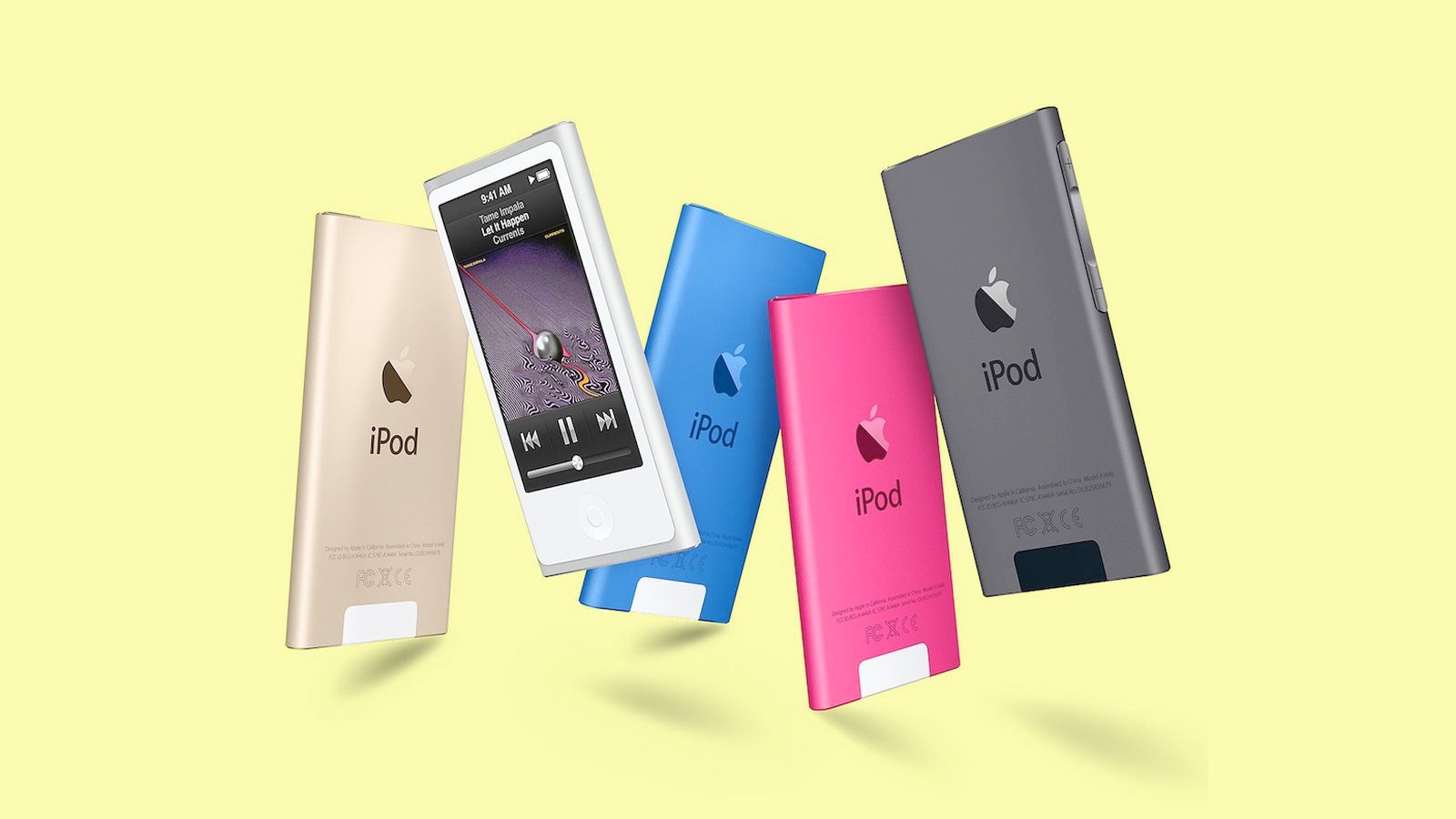
Apple today added the final iPod nano and iPod shuffle models to its obsolete products list worldwide. Image -Macrumors
The iPhone 6, the last models of the iPod nano and iPod shuffle are now considered obsolete. In the vintage list, Apple has added the 2017 version of the 12-inch MacBook and the 6th generation of the base iPad.
Apple updated these lists last month as well. Some of the products added to the Obsolete list last month include –
MacBook Air (13-inch, Early 2015)
MacBook Pro (13-inch, 2016, 2 TBT3)
MacBook Pro (13-inch, 2016, 4 TBT3)
MacBook Pro (15-inch, 2016)
MacBook Pro (Retina, 13-inch, Early 2015)
MacBook (Retina, 12-inch, Early 2016)
iMac (21.5-inch, Late 2015)
iMac (Retina 4K, 21.5-inch, Late 2015)
iMac (Retina 5K, 27-inch, Late 2015)
It also added three Macs to the vintage list last month. These included –
MacBook Air (Retina, 13-inch, 2018)
MacBook Pro (13-inch, 2017, 2 TBT3)
MacBook Pro (13-inch, 2018, 4 TBT3)
If you’re wondering where your old Apple product stands in these categories, you can find the full list including the recently added products on the Support page of Apple’s website.
When an Apple product is marked vintage, it basically means you can still potentially get the device repaired. Although it would depend on the availability of parts.
On the other hand, when a product is obsolete, it means Apple will no longer be able to offer hardware repairs on those products, except for battery replacements on certain Macs.
FAQ
Q1. How does Apple use to classify a product as “Vintage” or “Obsolete”?
Answer. Apple marks a product “Vintage” after it has not been sold for five years. After seven years of not being sold, the product is moved to the “Obsolete” list.
Q2. Which Apple products were added to the vintage and obsolete lists recently?
Answer. The iPhone 6, the last models of the iPod nano, and iPod shuffle are now considered obsolete. The 2017 version of the 12-inch MacBook and the 6th generation of the base iPad have been added to the vintage list.
Q3. What does it mean for an Apple product to be marked as obsolete?
Answer. When a product is marked obsolete, it means Apple will no longer be able to offer hardware repairs on those products, except for battery replacements on certain Macs.
Apple may introduce new colour options for iPhone 17 Pro.
Expected new colours – Teal Titanium, Green Titanium, and Dark Green Titanium.
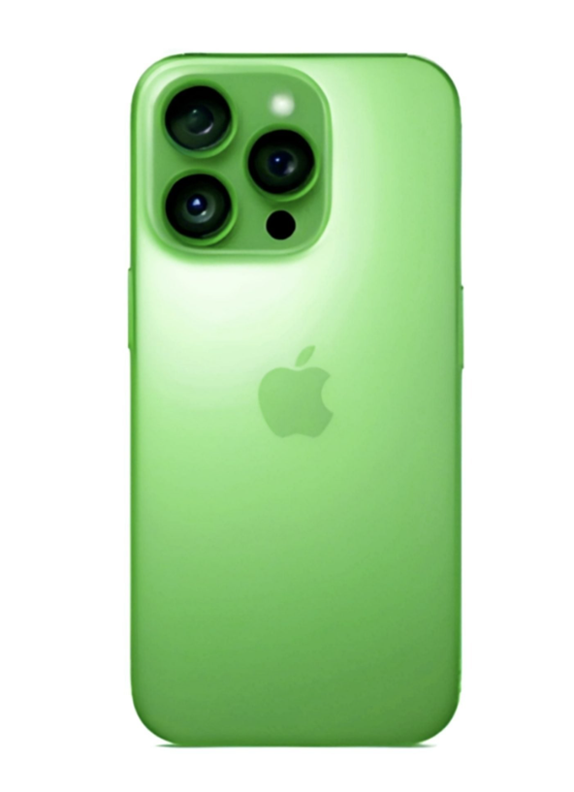
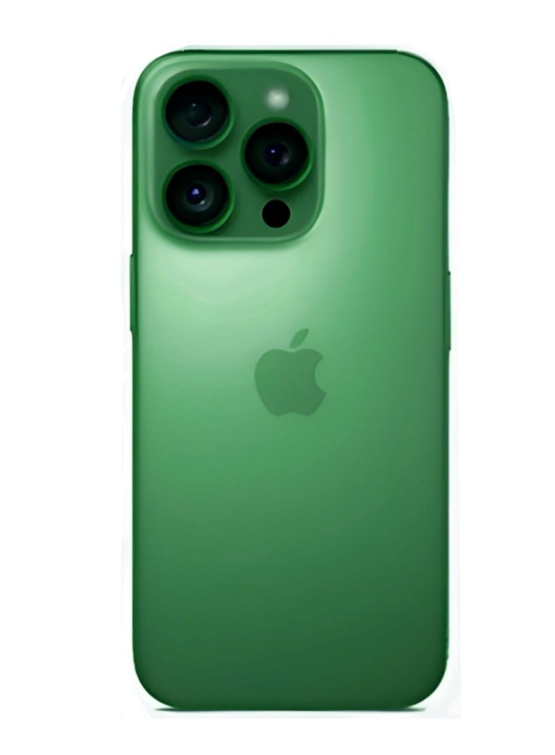
The upcoming iPhone 17 Pro could introduce new colour options. (Image credit – Majin Bu Official Website)
Apple is known for shaking things up with new colours and introducing some never-before-seen shades. However, the brand has always maintained subtle tones even in bold colour choices. The premium iPhone Pro models especially have more subdued tones as a part of their brand.
The iPhone 16 lineup brought a vibrant range of hues including ultramarine, teal, and a lively pink. Apple has been admittedly working to make sure colour options have something to offer for customers of every taste.
Now, it seems Apple might bring another set of fresh colours to its upcoming iPhone 17 Pro. The brand expects to add some freshness along with elegance to its lineup.
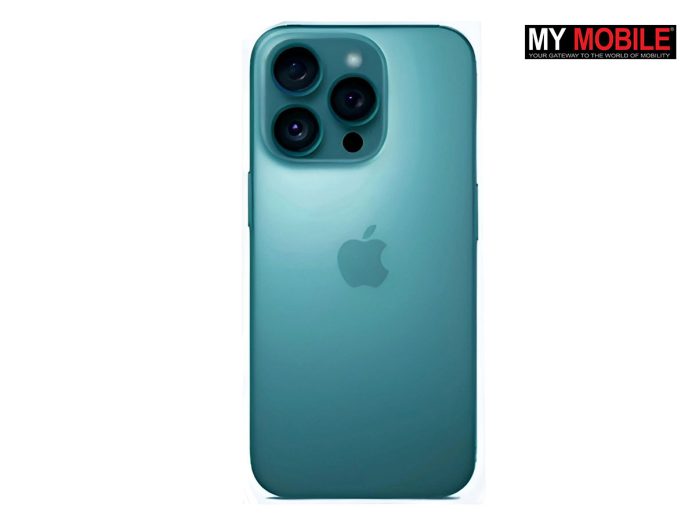
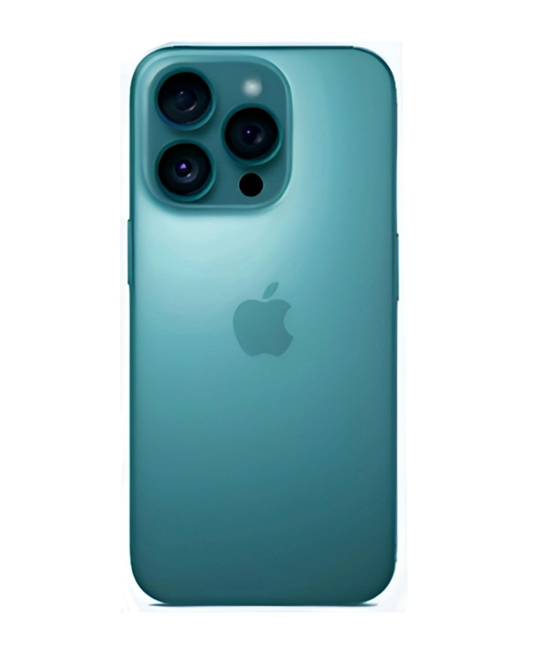
According to a recent report by reliable leaker Majin Bu, Apple is considering three new colour options for the iPhone 17 Pro with Teal Titanium being the frontrunner.
The company is anticipating for this colour to follow the success of the teal iPhone 16, which has been popular among buyers.
Upcoming Teal iPhone 17 Pro (Image credit – Majin Bu Official Website)
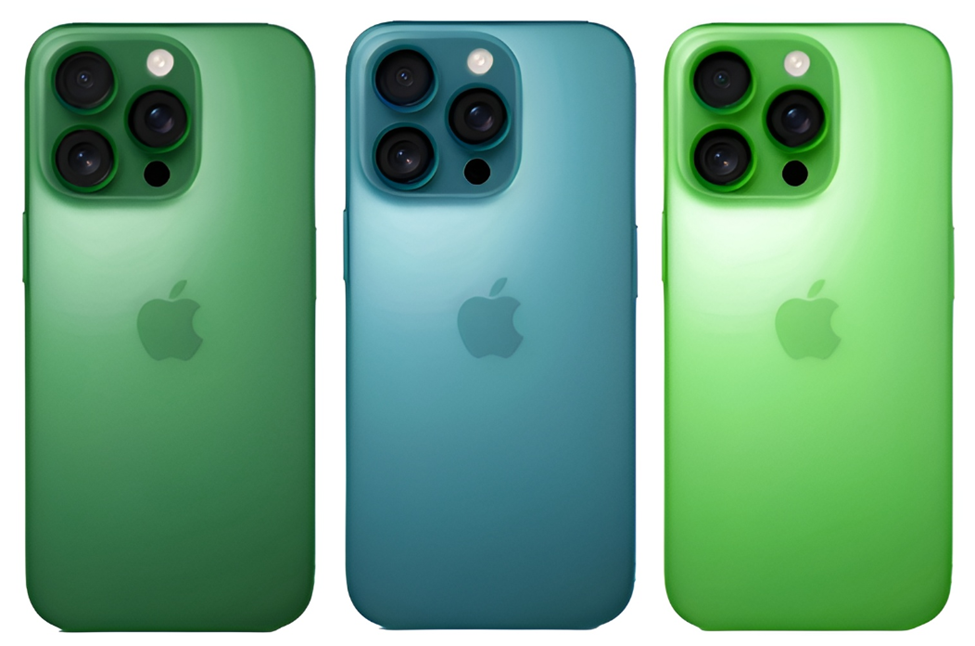
Apart from the Teal Titanium, Majin Bu reports Apple is also considering other potential colour options such as Green Titanium and Dark Green Titanium. These could closely resemble the Alpine Green from the iPhone 13 Pro.
Upcoming Green iPhone 17 Pro (Image credit – Majin Bu Official Website)Upcoming Dark Green Titanium iPhone 17 Pro (Majin Bu Official Website)
The colour code for all three colours –
#004349 code for Teal Titanium
#4f00b7 for Green Titanium
#4f00b7 for Green Titanium.
However, insiders believe that Apple is leaning towards the Teal Titanium since the other shades might be too flashy or too similar to past colours.
It seems Apple is continuously working to expand its iPhone colour palette even for premium devices since the past few launches. The Teal Titanium definitely has the potential to become a standout choice for the iPhone 17 Pro.
FAQs
Q1. What are the new colour options being considered for the iPhone 17 Pro?
Answer. Apple is considering three new colour options for the iPhone 17 Pro: Teal Titanium, Green Titanium, and Dark Green Titanium, with Teal Titanium being the frontrunner.
Q2. When is the iPhone 17 Pro is releasing?
Answer. The iPhone 17 Pro is expected to be released in September 2025.
Q3. What colour options are available for iPhone 16?
Answer. The iPhone 16 is available in five colours: ultramarine, teal, pink, black, and white. These colours feature aluminium frames and rear colour-infused glass panels.
Harvard students’ how Meta’s Ray-Ban smart glasses can be a potential threat to privacy.
Shows how smart glasses can identify strangers and create AI-generated profiles.
Experiment shows how modern tech can be misused for surveillance.
Ray-Ban Meta Smart Glasses come with a new ultra-wide 12 MP camera and a five-mic system. (Image credit – Ray-Ban/ Meta)
We have often heard and read about allegations against the government for using facial recognition technology. However, a recent project by two Harvard students shows how modern tech can be misused for similar surveillance.
In an eye-opening experiment, AnhPhu Nguyen and Caine Ardayfio demonstrated that Meta’s new Ray-Ban smart glasses along with a bit of coding can be used to identify strangers and create detailed AI-generated profiles. These claims now spark serious privacy concerns regarding the latest Meta gadget already available in the market.
Are we ready for a world where our data is exposed at a glance? @CaineArdayfio and I offer an answer to protect yourself here:https://t.co/LhxModhDpk pic.twitter.com/Oo35TxBNtD
— AnhPhu Nguyen (@AnhPhuNguyen1) September 30, 2024
Nguyen and Ardayfio are both experienced developers. They have carried out this project not to exploit the technology but as a “wake-up call” to highlight privacy risks in the age of AI.
Using the Ray-Ban glasses that come eqippped the cameras, these students were able to quickly identify people in public.
They were also able to build AI-generated dossiers based on publicly available data.
According to the duo, this experiment was meant to draw attention to the growing threats to privacy, especially as everyday devices become more advanced.
“All the data gathered by I-XRAY comes from public sources,” they explained, raising concerns about how easily open-source intelligence can be leveraged for doxing or other harmful activities.
Nguyen noted that smart glasses were chosen for their style rather than practicality. They also demonstrated how anyone could use a zoom camera to achieve the same results from a distance.
Moreover, the coding required for this particular project was actually very simple.
According to Nguyen, it only took them two or three days of coding with around four to six hours of work per day to achieve the results. This accessibility makes the technology even more alarming.
“Anyone familiar with basic web automation tools like ChatGPT could create this,” Nguyen said, emphasizing how easy it is for even novice developers to replicate their experiment.
The team has maintained that they have no plans to share the code due to its potential for misuse. Their goal was to demonstrate the risks posed by accessible technology.
FAQS
Q1. What did AnhPhu Nguyen and Caine Ardayfio demonstrate with Meta’s Ray-Ban smart glasses?
Answer. AnhPhu Nguyen and Caine Ardayfio demonstrated that Meta’s new Ray-Ban smart glasses, along with a bit of coding, can be used to identify strangers and create detailed AI-generated profiles.
Q2. What was the goal of Nguyen and Ardayfio’s Meta smart glasses experiment?
Answer. The experiment was meant to draw attention to the growing threats to privacy, especially as everyday devices become more advanced.
Q3. Why did Nguyen and Ardayfio choose to use smart glasses for their experiment?
Answer. Smart glasses were chosen for their style rather than practicality, demonstrating that anyone could use a zoom camera to achieve the same results from a distance.
Apple is positioning the iPhone 16 Pro and Pro Max as professional film cameras
A new ad shows a new 4K slow-motion video at 120fps feature.
The new ad highlights the tagline “Hollywood in your pocket.”
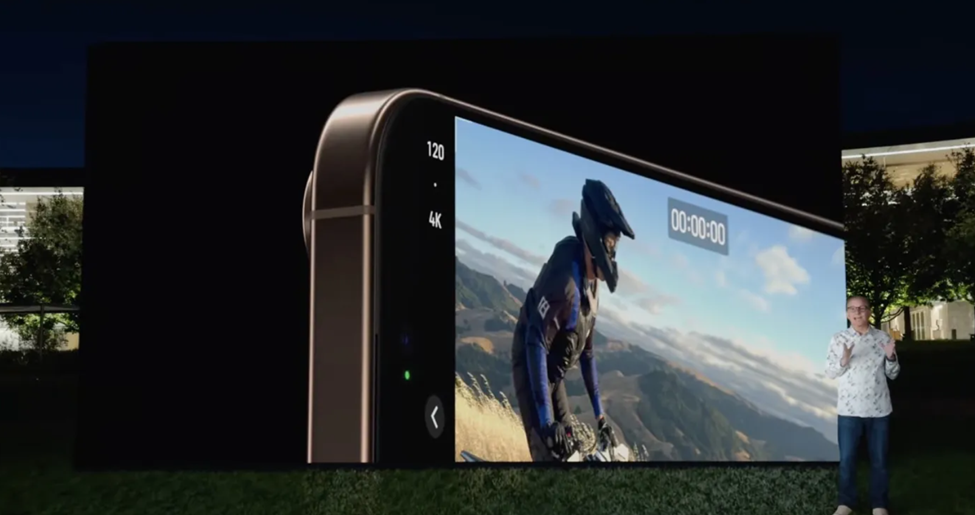
Apple introducing iPhone 16 Pro 4K slow-motion video at 120fps feature. (Image credit – Apple keynote)
Apple has been trying to position the iPhone camera system as a professional camera for video shoots, especially films. The whole idea of shooting movies on iPhone is not new and we have previously seen Apple collaborating with filmmakers. The recently released iPhone 16 Pro ads again remind us that iPhones are as good as professional film-shooting cameras.
Apple has just released a fresh ad for its iPhone 16 Pro and Pro Max. And as we mentioned, it is all about the camera.
The focus of the recently released ad is on an exciting new feature: 4K slow-motion video at 120 frames per second.
The ad emphasizes the power of this feature with the tagline – “Hollywood in your pocket.”
While earlier ads for the iPhone 16 series focused on Apple Intelligence, this new spot shifts the spotlight to the camera particularly its ability to record ultra-smooth 4K video at 120fps.
The feature is exclusively available in the Pro models.
To recall, key camera features of the iPhone 16 Pro include –
4K Slow-Motion Video: Records at 120 frames per second for ultra-smooth slow-motion.
Cinematic Slo-Mo: Professional-quality slow-motion video capture.
Advanced Audio: Adjust sound styles with a simple tap.
Triple-Lens System: Wide, ultra-wide, and telephoto lenses for versatile photography.
Night Mode: Improved low-light performance for stunning night shots.
ProRAW and ProRes: Advanced formats for professional-grade photo and video editing.
Improved HDR: Enhanced dynamic range for more vivid images.
Apple refers to this as “Cinematic slo-mo” in the ad, showcasing how users can capture stunning, professional-quality slow-motion videos with ease.
The ad underscores Apple’s positioning of the iPhone 16 Pro and Pro Max as devices capable of producing Hollywood-level video quality.
The camera system also supports advanced audio features that will allow iPhone 16 Pro series users to adjust sound styles with a simple tap. It basically offers a complete package for content creators.
With the tagline “Hollywood in your pocket,” Apple is trying to showcase iPhone 16 Pro models as similar to professional filmmaking devices for everyday users.
FAQs
Q1. What was the recently released ad for the iPhone 16 Pro and Pro Max?
Answer. Apple has just released a fresh ad for its iPhone 16 Pro and Pro Max. And like we mentioned, it is all about the camera. The focus of the recently released ad is on an exciting new feature: 4K slow-motion video at 120 frames per second.
Q2. What tagline was used in the new iPhone 16 Pro ad?
Answer. The ad emphasizes the power of this feature with the tagline – “Hollywood in your pocket.”
Q3. What is iPhone 16 4K camera feature?
Answer. The iPhone 16 Pro and Pro Max feature 4K slow-motion video recording at 120 frames per second, offering ultra-smooth, professional-quality video.