Samsung has officially confirmed that the Galaxy F06 5G will launch in India on February 12. As part of the F series, this will be a budget-friendly 5G smartphone priced under Rs. 10,000. Here’s everything we know about the upcoming smartphone.
Galaxy F06 will feature a 6.7-inch HD+ display and is powered by the MediaTek Dimensity 6300 chipset. With support for 12 5G bands, the phone ensures wide network compatibility.
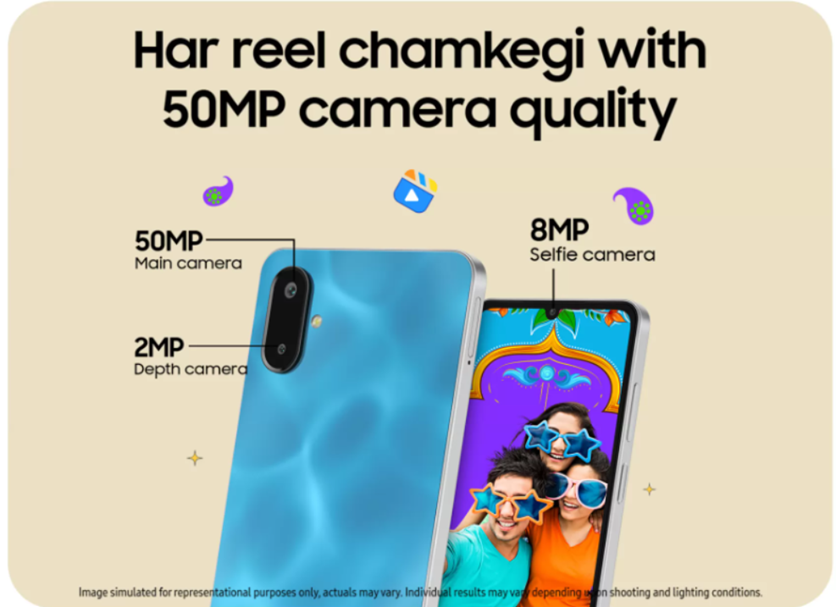
Samsung Galaxy F06 camera features. (Image credit – Samsung)
The phone will sport a dual rear camera setup featuring a 50MP primary sensor and a 2MP secondary sensor. On the front, there’s an 8MP camera for selfies and video calls. Other notable features include a side-mounted fingerprint scanner and voice focus technology for improved call clarity.
The device packs a 5000mAh battery with 25W fast charging support. Samsung has also promised four OS updates and four years of security updates for this model.
Design-wise, the phone has flat sides and a notch display. It is listed under model number SM-E066B/DS on Samsung India’s support page. Promotional material highlights its dual cameras and sleek design, positioning it as a mix of performance and style.
The Galaxy F06 5G will be available in Bahama Blue and Lit Violet colurs with 4GB and 6GB RAM options paired with corresponding storage variants. While the official price is yet to be revealed, considering its predecessor the Galaxy F05 launched at Rs 8,000, this model is also expected to be a sub-10K device.
Samsung will sell the Galaxy F06 5G via Flipkart, the Samsung India online store and select offline retail outlets. More details should emerge as the launch date approaches.
FAQs
Q1. When will the Samsung Galaxy F06 5G be launched in India?
Answer. The Samsung Galaxy F06 5G will be launched in India on February 12.
Q2. What is the expected price range of the Samsung Galaxy F06 5G?
Answer. The Samsung Galaxy F06 5G is expected to be a budget-friendly 5G smartphone priced under Rs. 10,000.
Q3. What are the key features of the Samsung Galaxy F06 5G?
Answer. The phone features a 6.7-inch HD+ display, MediaTek Dimensity 6300 chipset, dual rear cameras (50MP + 2MP), 8MP front camera, 5000mAh battery with 25W fast charging, side-mounted fingerprint scanner and voice focus technology.
Q4. What are the available colour options for the Samsung Galaxy F06 5G?
Answer. The Galaxy F06 5G will be available in Bahama Blue and Lit Violet colours.
Q5. Where will the Samsung Galaxy F06 5G be available for purchase?
Answer. The Galaxy F06 5G will be sold via Flipkart, the Samsung India online store and select offline retail outlets.
Oppo has officially confirmed that its next-generation foldable phone the Oppo Find N5 will launch in China on February 20, 2025. However, that’s not the only thing the company is gearing up for as it will also be introducing the Oppo Watch X2 on the same day. Here’s what we know so far.
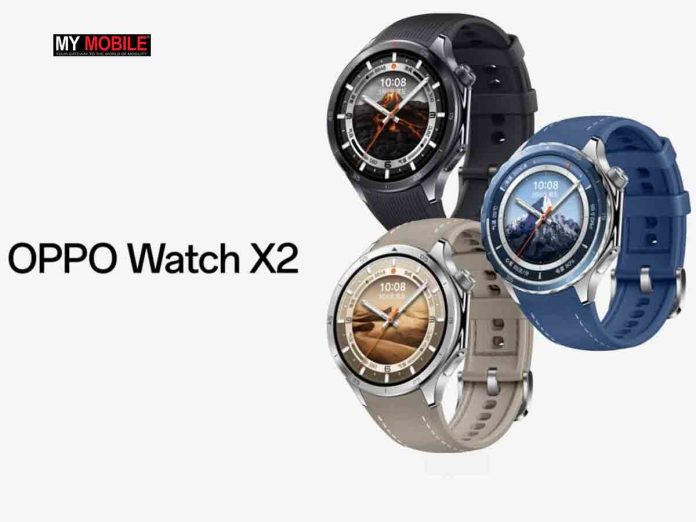
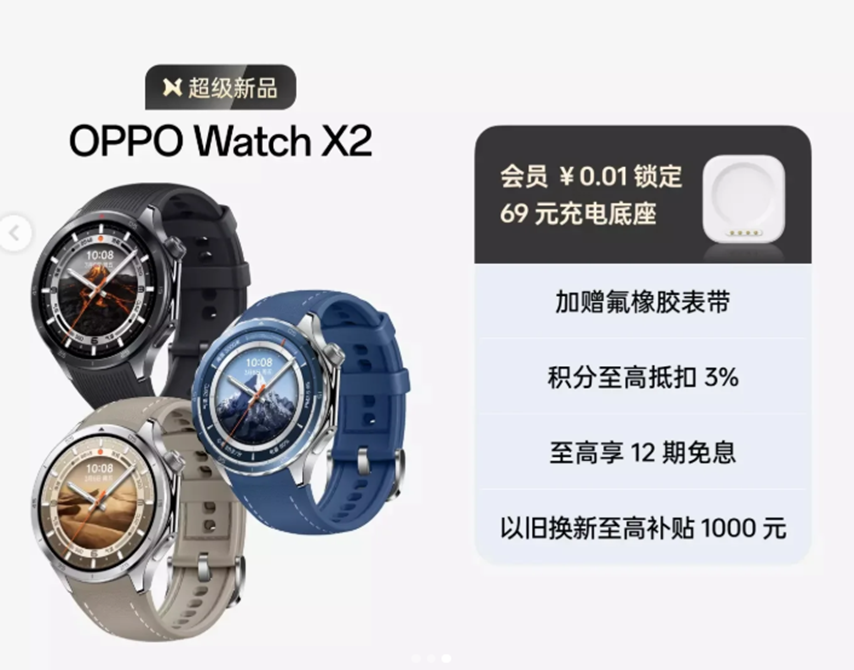
Along with the announcement of Oppo Find N5, Oppo shared a teaser image revealing the full design of the Watch X2. The smartwatch features a round dial and the display matches earlier leaks and reports.
Pre-orders for both the Find N5 and Watch X2 are already live in China.
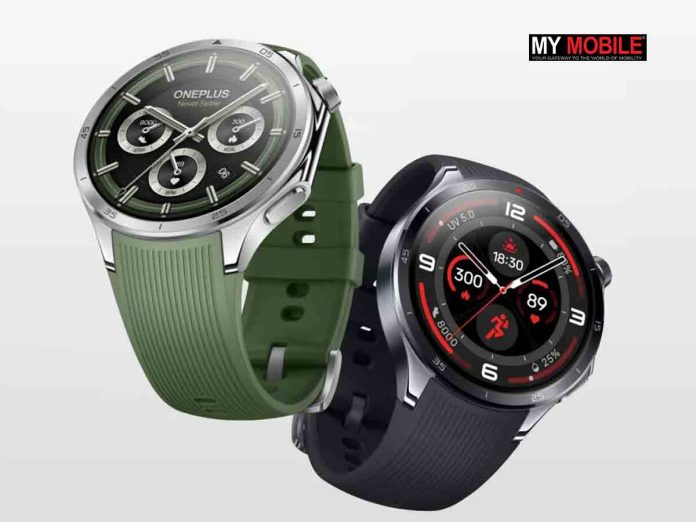
There’s also speculation that the Oppo Watch X2 could launch globally under a different name as the OnePlus Watch 3 Pro.
Oppo Watch X2 – Key Features (Expected)
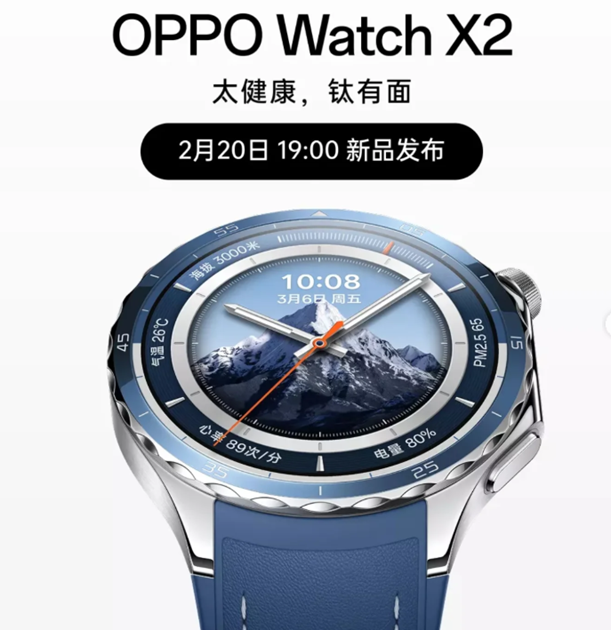
The Watch X2 will include several advanced health and fitness features including a hypertension risk reminder function, ECG heart rate tracking, wrist temperature mapping and a variety of health and sports monitoring capabilities.
Oppo Watch X2 launch poster revealing key features in China. (Image credit – Oppo)
Other Rumored Tech Specs include the following –
46mm Size – Comfortable for many wrists.
OLED Display – Vibrant colours and deep blacks are likely.
eSIM Support – Stay connected on the go.
648mAh Battery – long-lasting battery life.
10W Fast Charging – Quick power top-ups are expected.
GPS, NFC, 5ATM, IP68 – Essentials for a modern smartwatch including location tracking, contactless payments and water/dust resistance.
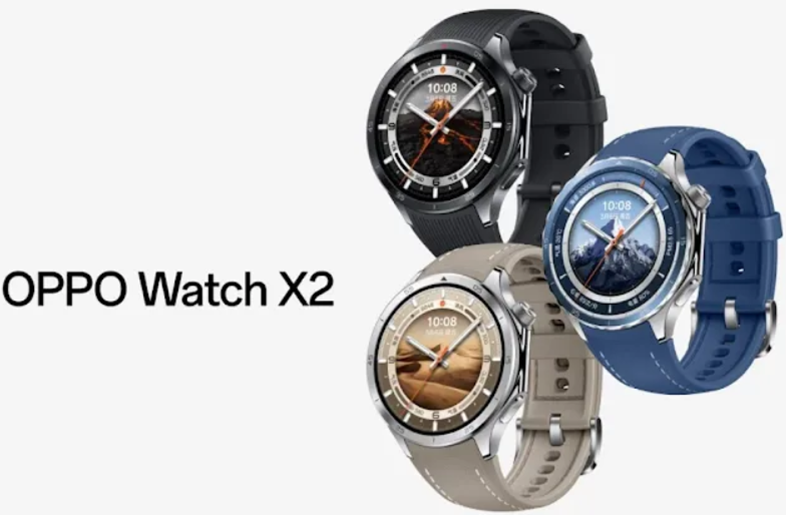
Oppo’s teaser also confirms at least three colour options, which include Silver, Blue and Black colours, each with matching straps. While exact details are limited as of now, we can expect more information to emerge as we move closer to the launch.
FAQs
Q1. When will the Oppo Watch X2 be launched?
Answer. The Oppo Watch X2 will be launched in China on February 20, 2025, alongside the Oppo Find N5.
Q2. What are some of the advanced health and fitness features of the Oppo Watch X2?
Answer. The Oppo Watch X2 includes hypertension risk reminders, ECG heart rate tracking, wrist temperature mapping, and a variety of health and sports monitoring capabilities.
Q3. What are the expected tech specs of the Oppo Watch X2?
Answer. The Oppo Watch X2 is expected to come with a 46mm size, OLED display, eSIM support, 648mAh battery, 10W fast charging, and GPS, NFC, 5ATM and IP68 ratings.
Q4. What colour options will the Oppo Watch X2 be available in?
Answer. The Oppo Watch X2 will be available in Silver, Blue and Black colours, each with matching straps.
OnePlus Nord 4 was launched in the Summer Launch event in 2024 as part of the Nord series.
It is available in three colour options – Obsidian Midnight, Mercurial Silver and Oasis Green.
The premium segment phone comes with 4 years of OS and 6 years of security updates.
Nord 4 5G price in India starts from ₹26,999.
Our OnePlus Nord 4 review when it was first launched in the Indian market last year nearly covers everything you need to know about the device. However, for those of you who are looking for a better understanding of how the phone performs over time, this long-term review will answer most of your questions. We have been using the phone as a primary device for over three months now, and this is our ultimate impression.
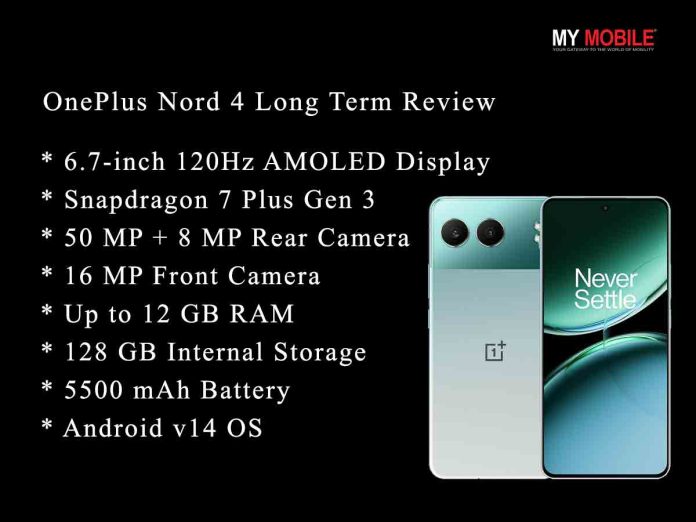
OnePlus Nord 4 – Key Features
OnePlus Nord 4 – Key Features
7-inch (17.12 cm) 120Hz AMOLED Display
Snapdragon 7 Plus Gen 3 Octa-core Processor
50 MP + 8 MP Rear Camera
16 MP Front Camera
Up to 12 GB RAM
128 GB Internal Storage
5500 mAh Battery with 100W Fast Charging
Android v14 OS
OnePlus Nord 4: Unboxing Video
OnePlus Nord 4 – Pros & Cons
Pros
Cons
● Good design and sturdy metal build quality
● Vibrant AMOLED display
● Powerful performance
● Useful AI features
● Good battery life and fast charging
● Great software support
● Bloatware
● No macro lens
● Subpar ultrawide lens performance
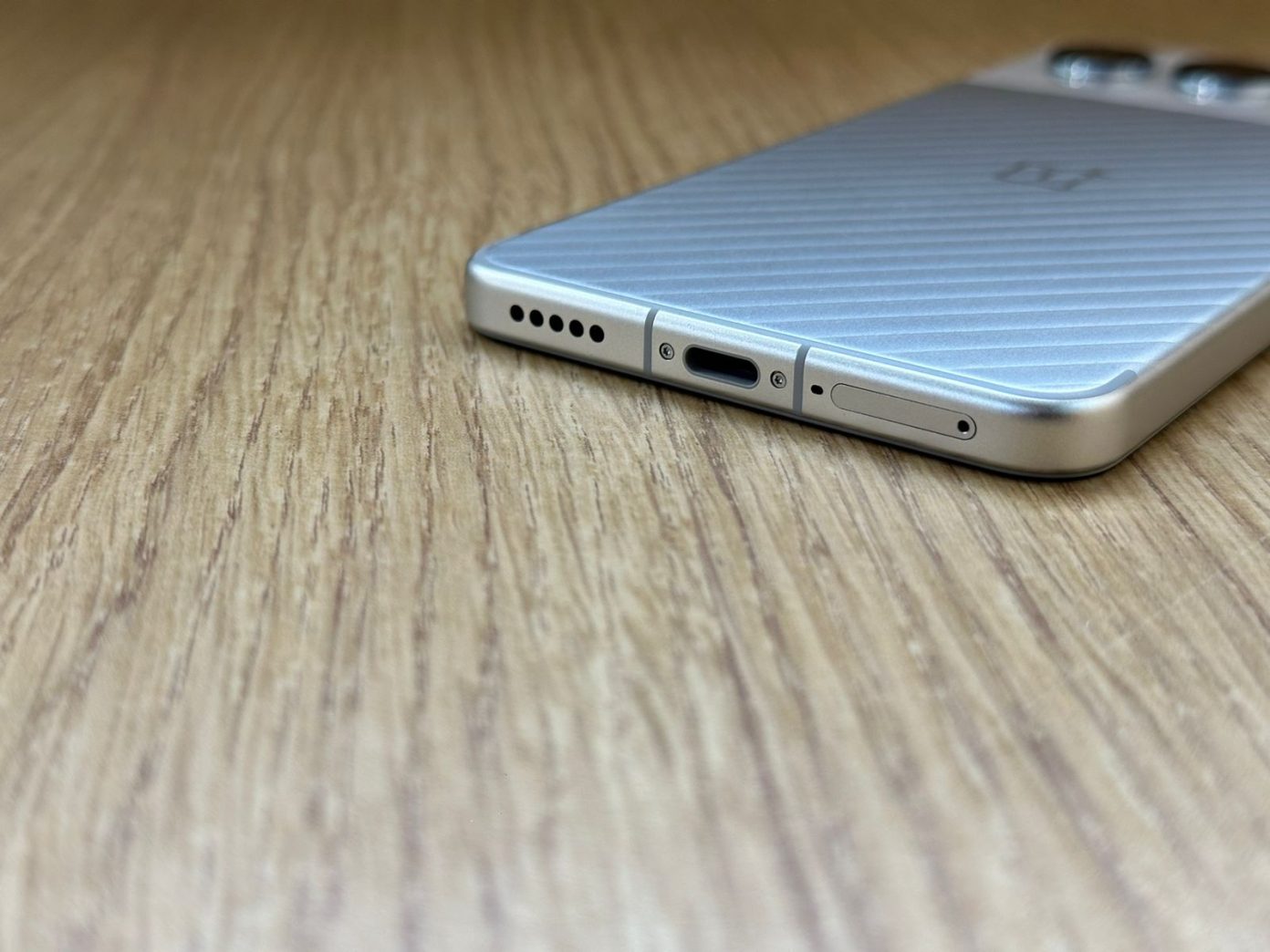
● No headphone jack
OnePlus Nord 4 – Design and Build Quality
OnePlus Nord 4 – Design and Build Quality
Dimensions – 162.6x75x8mm
Weight – 199.5g
Colours – Mercurial Silver, Oasis Green and Obsidian Midnight
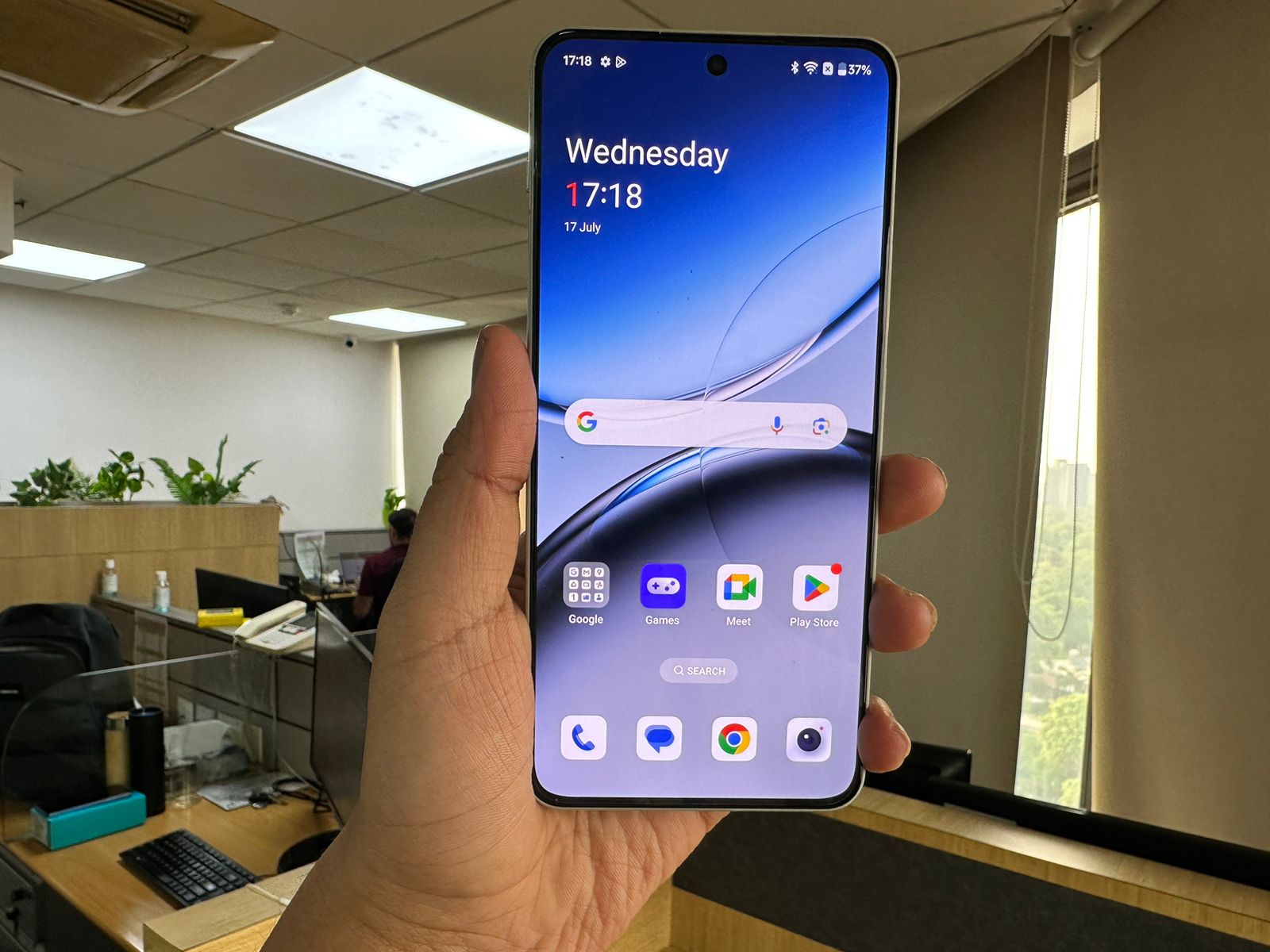
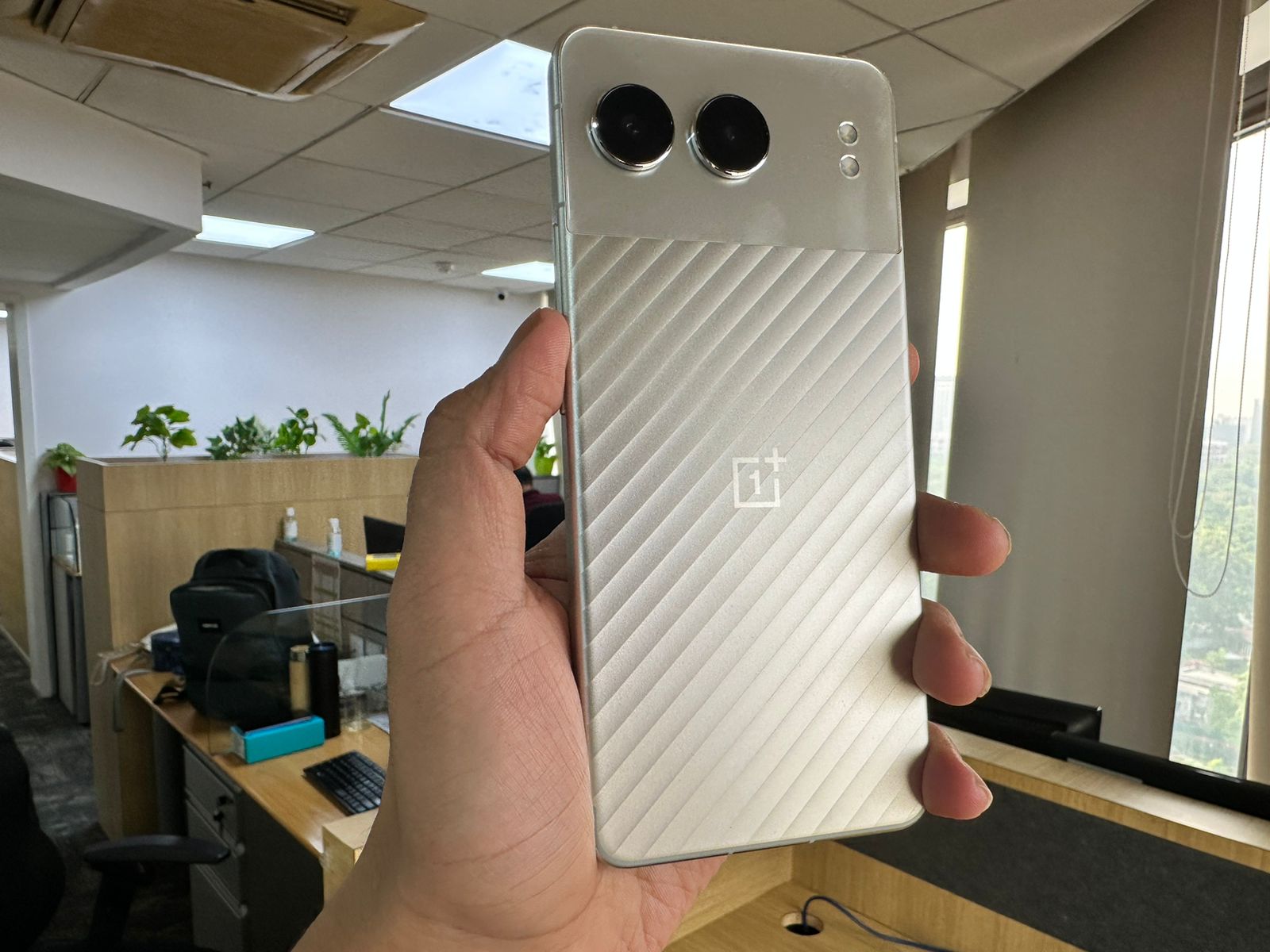
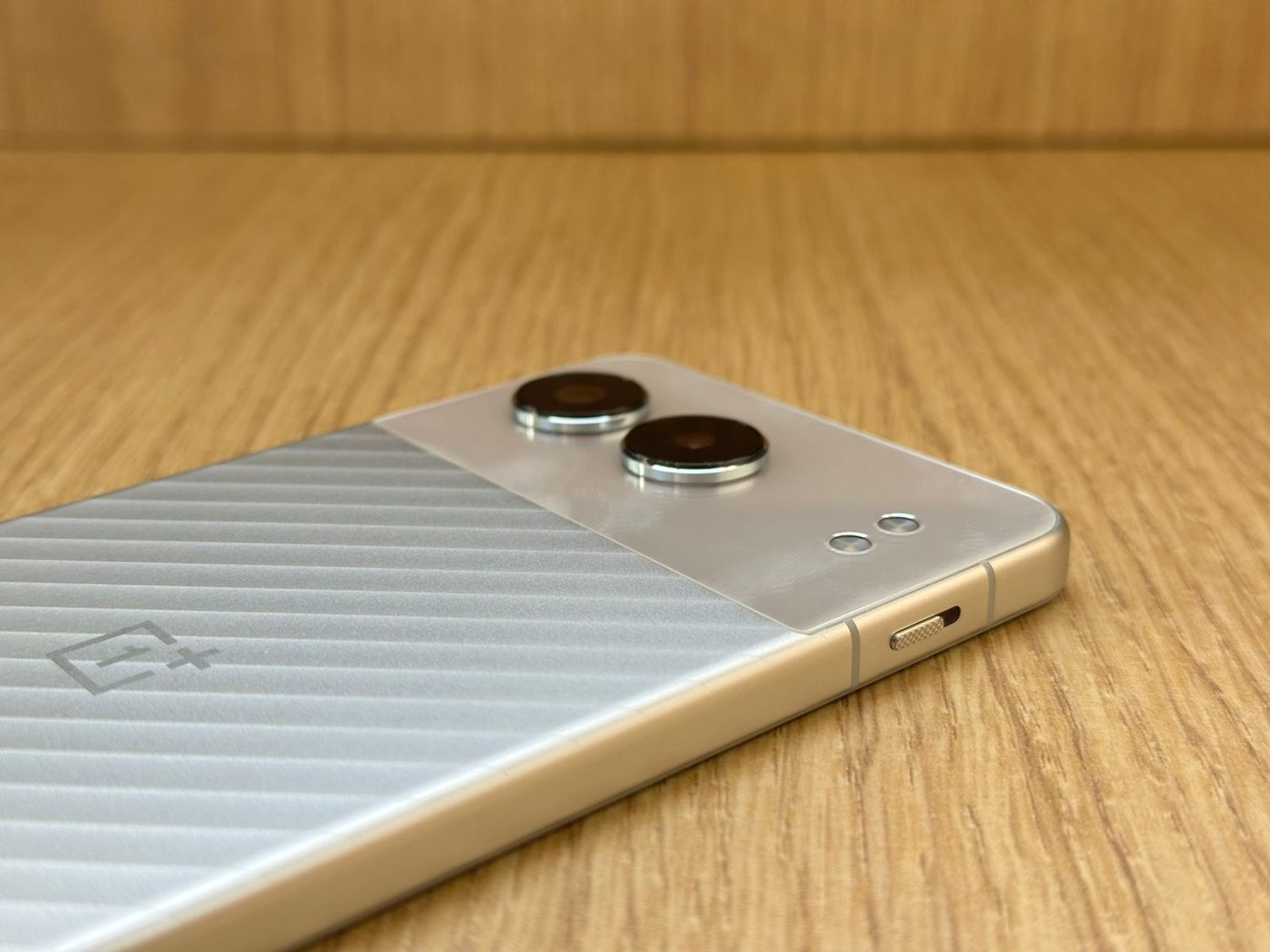
Most reviews initially praised the OnePlus Nord 4 for its design when it was launched. It did stand out for its unique back design and the very attractive metallic body. The minimalist camera module and the combination of glass and metal design at the back make it look very stylish. The phone also feels quite premium in hand.
However, as we started using the phone, some more aspects of the design became more noticeable over time. First of all, it is quite durable and resistant to scratches, dust or fingerprints. We mostly used the phone without a cover and it still looks almost new even after months of usage.
Moreover, the lightweight body with a slim profile and curved edges together work well ensuring a comfortable grip on the phone for a long time.
Overall, it is a decent phone design-wise. The button placement follows regular design language with the power button on the right side and volume rockers on the left. The OnePlus alert slider on the top left definitely comes in handy.
OnePlus Nord 4 – Display and Multimedia Experience
OnePlus Nord 4 – Display and Multimedia Experience
120Hz adaptive refresh rate for smooth scrolling and animations
240Hz touch sampling rate for responsive touch input
Peak brightness of 2150 nits, excellent for outdoor visibility
100% DCI-P3 colour gamut coverage for vibrant, accurate colours
HDR10 support for high dynamic range content
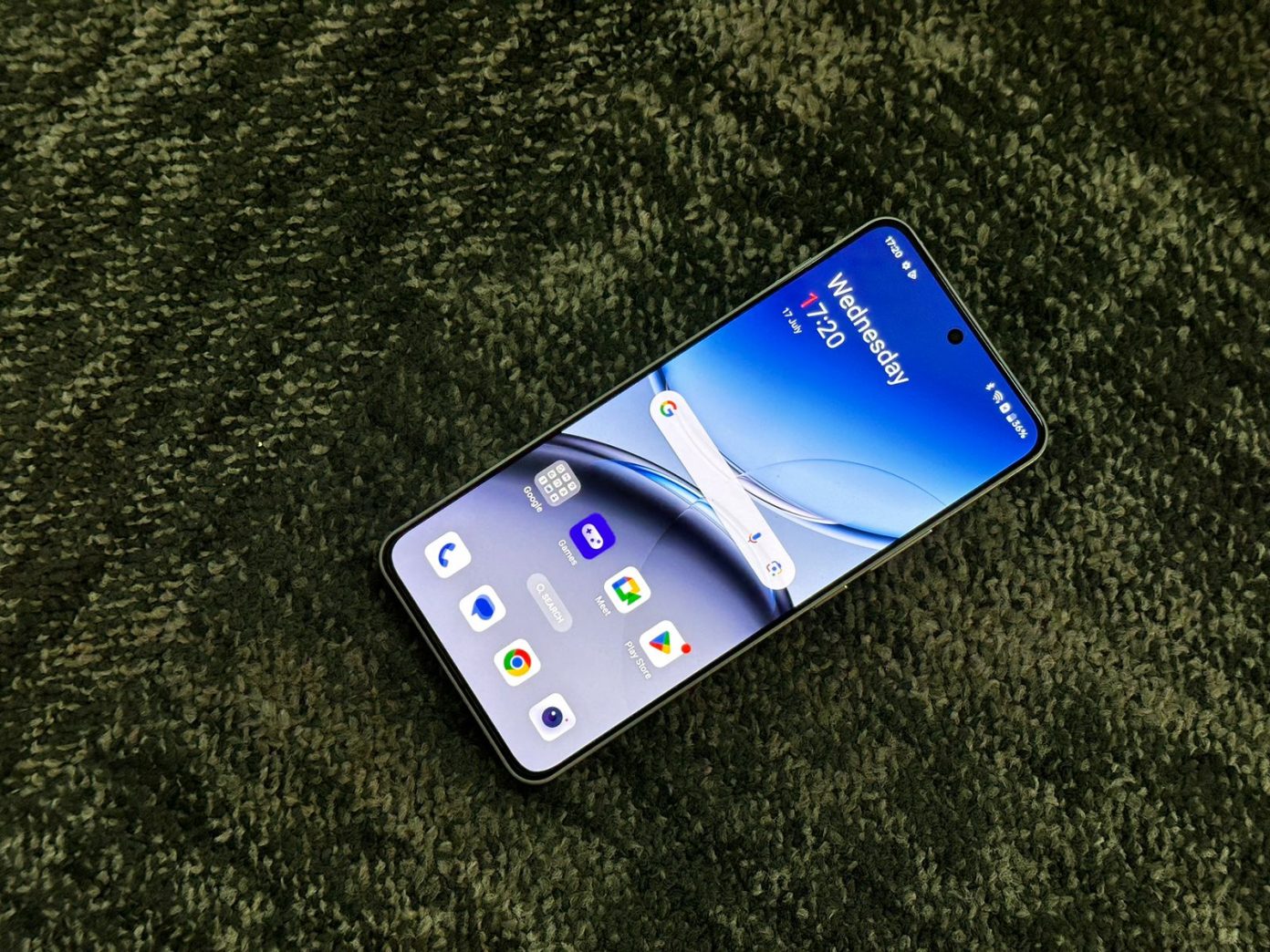
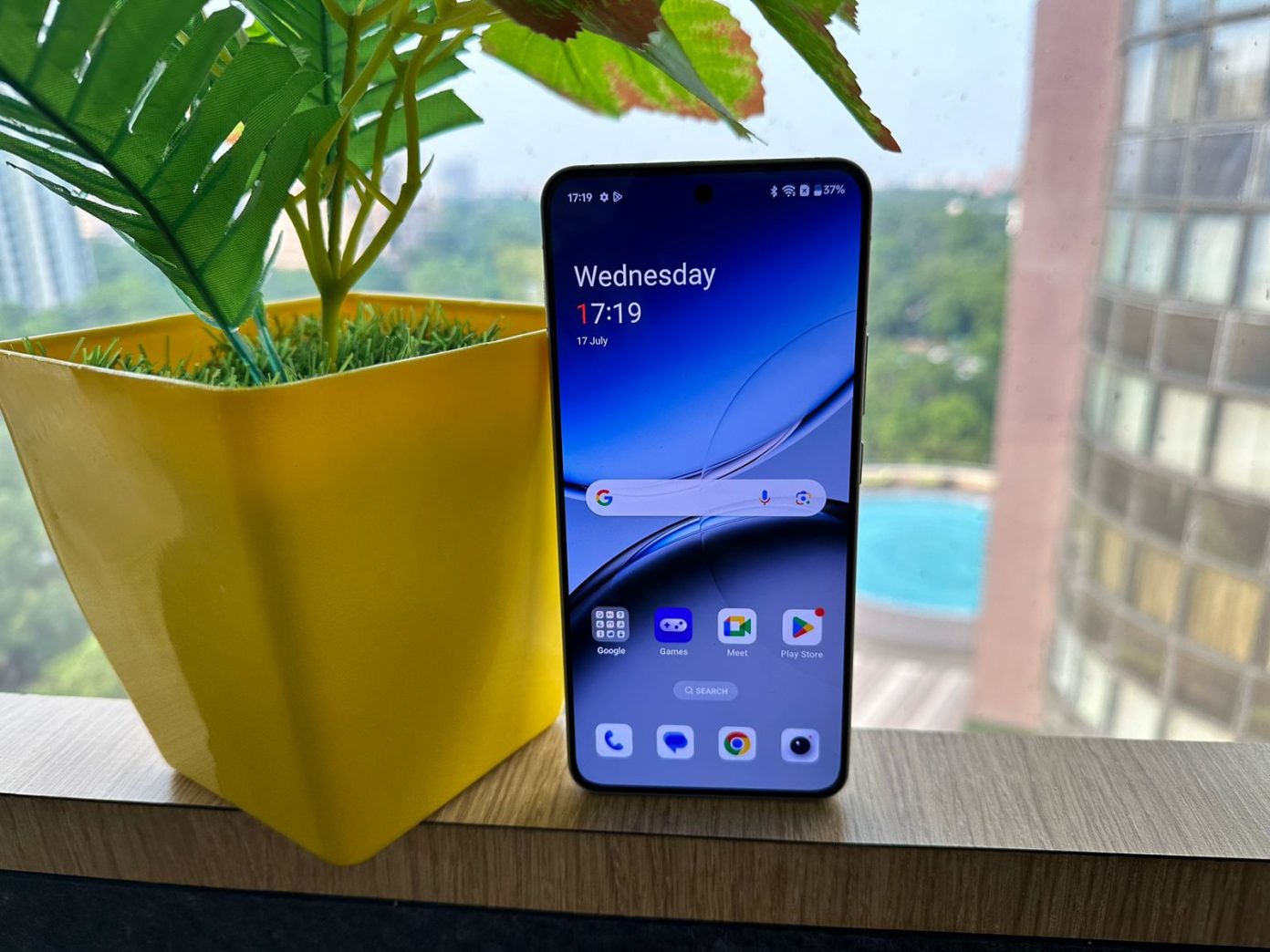
While most people would talk about the design and hardware when it comes to this phone, for us, the OnePlus Nord 4 display was definitely a highlight after using the phone as the primary device. For under 30K-segment phones, this 6.74-inch AMOLED is one of the best displays we have seen last year.
With a 120Hz refresh rate and a peak brightness of 2150 nits, we didn’t face any issues with the display performance. It is super smooth and maintains its responsiveness during all tasks. We also didn’t face any particular issues using the phone outdoors. The screen adapts to its surroundings well and remains visible.
The punch-hole design with extremely narrow bezels on all sides makes the viewing experience on the phone very immersive. The picture quality is great and the screen remains vibrant for high-definition visuals. We are also glad that with updates, the phone now gets HDR support for Netflix.
Moreover, the speakers are also quite loud and add to the display performance.
OnePlus Nord 4 – Performance
OnePlus Nord 4 – Performance
Snapdragon 7+ Gen 3
Up to 12GB (LPDDR5X)
Up to 512GB (UFS 4.0)
OxygenOS 14.1 based on Android 14
OnePlus Nord 4 comes with the Qualcomm Snapdragon 7+ Gen 3 processor, which needs no introduction to the mid-range smartphones. Now, this is a powerful processor and in our first-hand experience, it supports almost every task you can possibly imagine on a smartphone.
Everyday scrolling, app launches and multitasking is a breeze on this device. In our extended use, we hardly faced any significant lags or performance issues.
The hardware is also well-equipped to handle heavy gaming. We spent a good amount of time playing games like the Call of Duty or some racing games on this phone and the experience was smooth. We hardly faced any stutters or noticeable lags when playing the graphic-heavy games on medium settings. Being a metal body phone, we initially assumed that there could be heating issues during long gaming sessions, but the phone manages heat surprisingly well.
We used the 12GB RAM unit, which was more than enough for our loaded apps and media. The phone never slowed down or experienced any specific performance drops.
Moreover, thanks to the multiple updates OnePlus has rolled since its launch, the software performance has improved over time and has been constantly optimised as well. The manufacturer has promised years of software updates and six years of security patches, which means you can rest assured that the phone will be up-to-date for a good number of years.
OnePlus Nord 4 – AI Features
OnePlus Nord 4 – AI Features
Speaking of performance, the OnePlus Nord 4 does offer some cool and handy AI features that only add to the overall device experience. There are features like AI Audio Summary, Article Summary, AI Eraser and AI Smart Cutout.
The AI Audio Summary feature is very useful if you attend lectures or meetings. You can just record the event and your phone can easily summarise it while highlighting the key points. The same is the case with the AI Article Summary feature. We mostly used it to quickly read lengthy news articles or even editorial stories. The outcome is usually accurate but there are times when it takes a little longer to produce the results
For photography enthusiasts, there is the AI Eraser and AI Smart Cutout. Both tools work decently well even if not flawless. Below are some results –
OnePlus Nord 4 – Camera Performance
OnePlus Nord 4 – Camera Performance
50-megapixel (OIS, EIS) Main camera, up to 4K/ 60fps video
8-megapixel ultra-wide camera, up to 1080p/30fps video
16-megapixel selfie camera, up to 1080p/30fps video
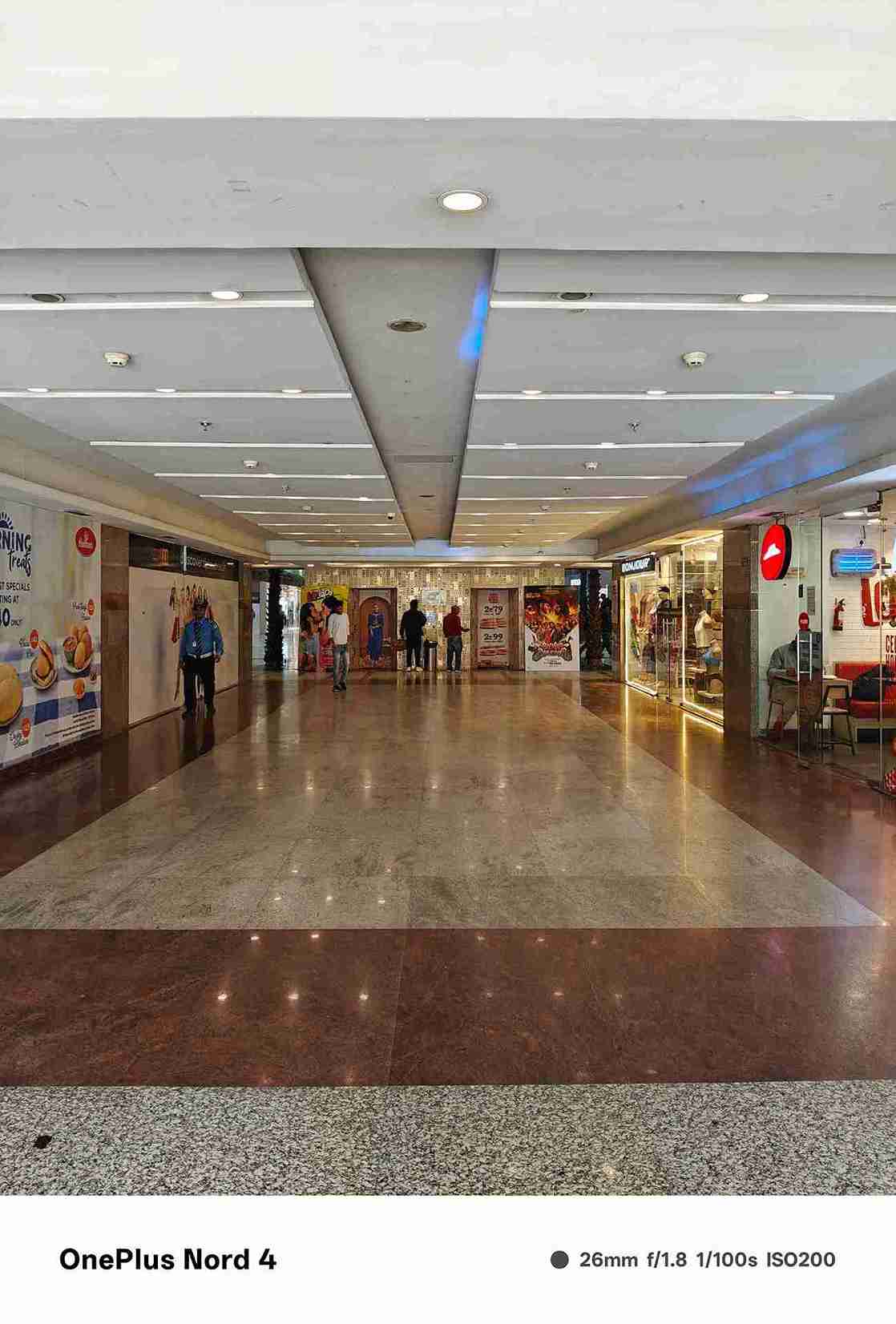
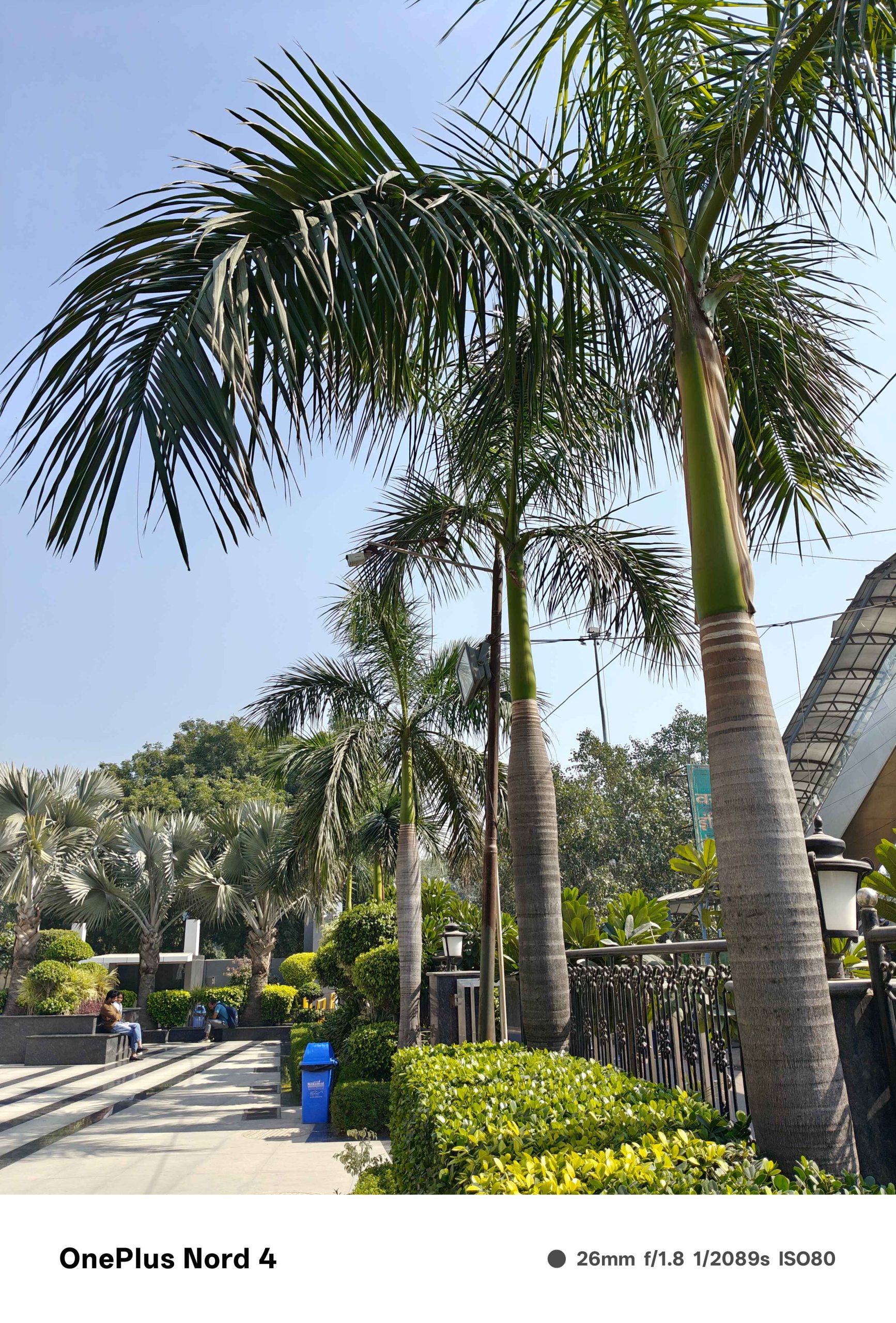
The camera performance of the OnePlus Nord 4 is quite impressive in the long run. The 50 MP main camera with OIS and EIS support is perfect for capturing everyday moments. We particularly found this excellent for long scenic shots taken when outdoors. It captures plenty of details and keeps the images quite natural looking when the lighting is right.
Meanwhile, low-light photography or night photography is also decent. There is less noise and the photos come out clear and sharp. The 8 MP ultra-wise lens is fine but in our everyday use, we definitely missed a macro lens.
There are multiple useful modes in the camera such as Portrait, Pro, Night, Long Exposure, Slo-Mo, Movie, Pano, Time-Lapse, Dual-View Video, Doc-Scanner, Hi-res and Google lens.
It is also a good device for video recording with a 4K feature at 60fps. The EIS and OIS features are only available for 1080p video at 60 fps recording, so we mostly preferred recording at lower settings since without the OIS support the videos are often shaky.
The 16 MP front camera is decently programmed and does meet all front camera needs. It comes with many modes including Face Unlock, Photo, Video, Portrait, Night, Pano, Time-Lapse and Dual-View Video. You can also record quality 1080p video at 30 fps and 720p video at 30 fps.
OnePlus Nord 4 – Battery
OnePlus Nord 4 – Battery
5,500mAh (Dual-cell)
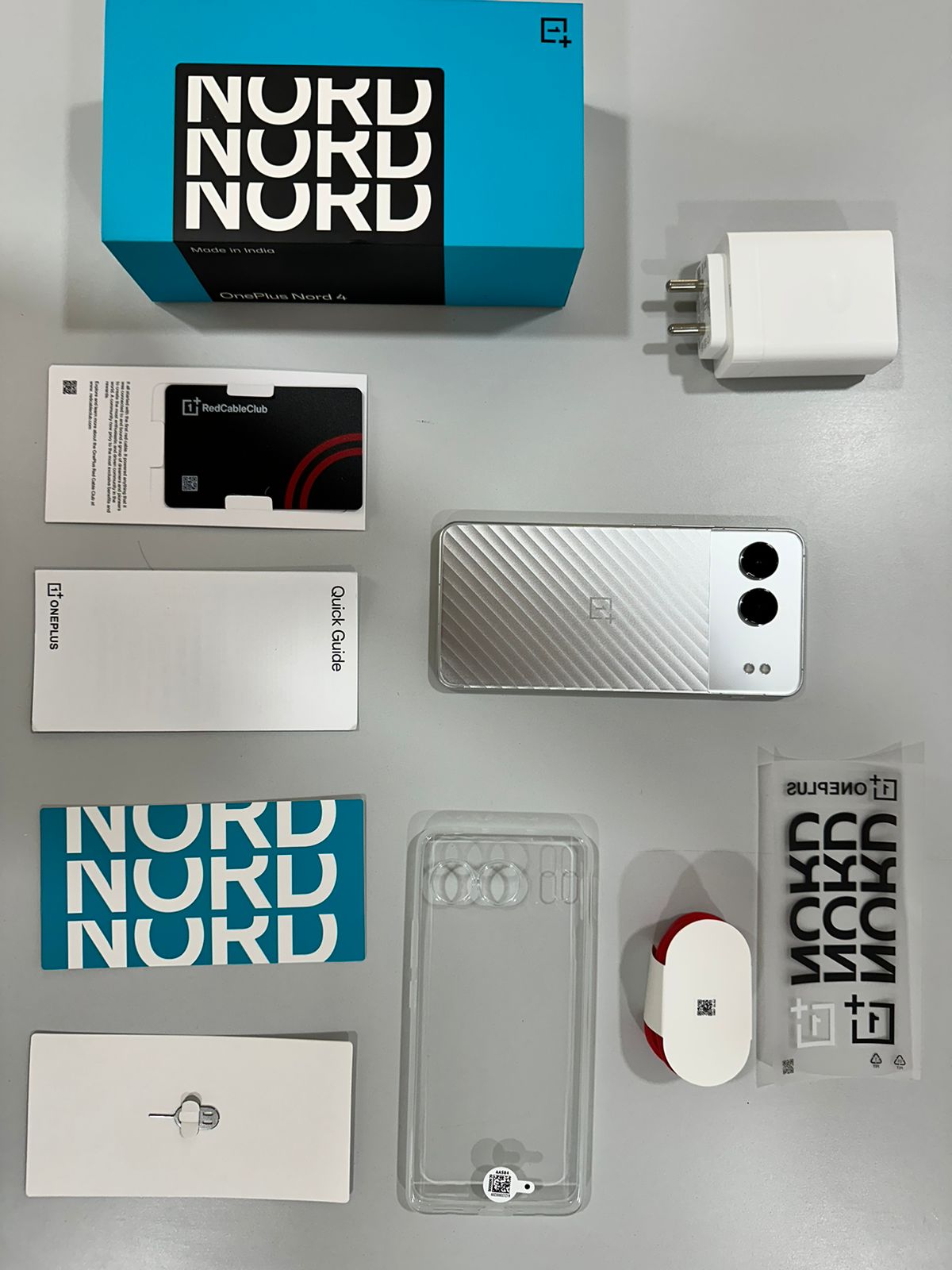
100W SuperVOOC (Included in the box)
The OnePlus Nord 4 features a massive 5500mAh battery capacity. While it is a good battery capacity to have on a mid-range phone, the highlight here 100W SUPERVOOC charge. The phone easily runs for a day and a half with moderate use. However, for those days when you might drain the battery with heavy usage, the 100W charging is a blessing.
The 100W charger adapter is provided in the box along with the phone and it easily boosts the power from under 10 per cent to 100 per cent in just about 30 to 35 minutes. Moreover, a quick 10-minute charge also gives a good boost by bringing the phone from 0 per cent to 50 per cent battery.
Verdict – Should You Buy OnePlus Nord 4?
Verdict – Should You Buy OnePlus Nord 4?
With the metal design, powerful processor, larger battery with 100W fast charging and some extremely useful AI features, the OnePlus Nord 4 is a worthy successor to its popular predecessor.
In comparison to its contemporaries, the Nord 4 is quite similar to the Realme GT 6T but with a flat display and a premium metallic body. So, whether you are a OnePlus enthusiast or simply someone who appreciates a sleek phone with optimum functionality, the OnePlus Nord 4 in the under 30K segment is a perfect upgrade.
FAQs
Q1. What is the price of the OnePlus Nord 4?
Answer. The OnePlus Nord 4 is priced at Rs 29,999 for the base variant.
Q2. What processor does the OnePlus Nord 4 use?
Answer. The OnePlus Nord 4 is powered by the Snapdragon 7 Plus Gen 3 chipset ensuring smooth performance and efficient multitasking.
Q3. Is the OnePlus Nord 4 made of metal?
Answer. Yes, the OnePlus Nord 4 features a unibody metal design, which adds to its durability and premium feel.
Q4. What are the camera specifications of the OnePlus Nord 4?
Answer. The OnePlus Nord 4 boasts a dual-camera setup with a 50 MP primary sensor and an 8 MP ultra-wide lens on the back and a 16 MP front camera for selfies.
Q5. How long does the battery last on the OnePlus Nord 4?
Answer. The OnePlus Nord 4 comes with a 5500 mAh battery that supports 100W fast charging, providing a full day of usage on a single charge and up to 8-9 hours of screen-on time.
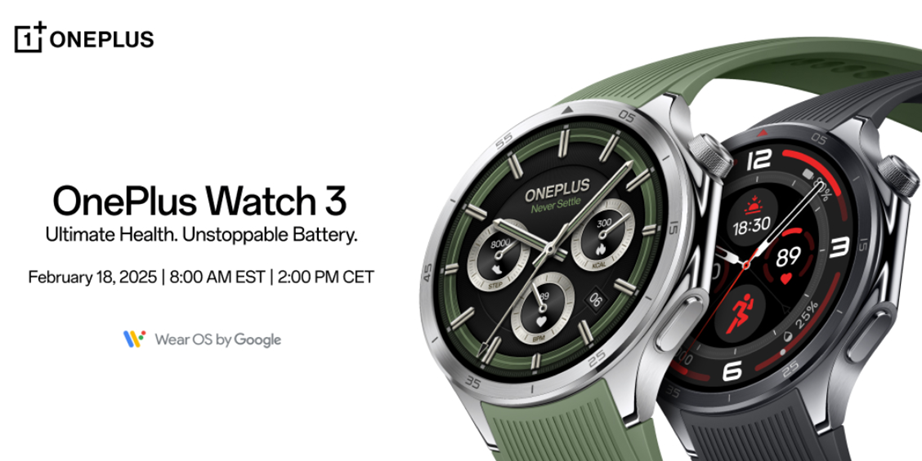
After weeks of leaks and speculation, it has been finally confirmed the OnePlus Watch 3 will be officially launched on February 18. The smartwatch will come with an upgraded design, longer battery life and continued support for Wear OS. Here’s what we know about the gadget so far.
OnePlus Watch 3 – What To Expect?
Last year’s OnePlus Watch 2 was a big step up from the brand’s first smartwatch, bringing better hardware, more features and an innovative dual-architecture setup. The highlight of that watch was it could last up to 100 hours on a single charge. According to reports, the successor will be launched with even more improvements and enhanced battery power
The OnePlus Watch 3 is powered by the same Qualcomm Snapdragon W5 chipset as before ensuring similar performance. However, it now includes a new BES2800 MCU chip, which could enhance the RTOS experience and further improve battery efficiency.
One of the biggest upgrades is the battery as OnePlus has introduced a new Silicon NanoStack Battery, increasing capacity from 500 mAh to 631 mAh, a boost of over 25%. This extends the watch’s battery life from 100 hours to 120 hours.
OnePlus Watch 3 – Premium Design and Colour Options
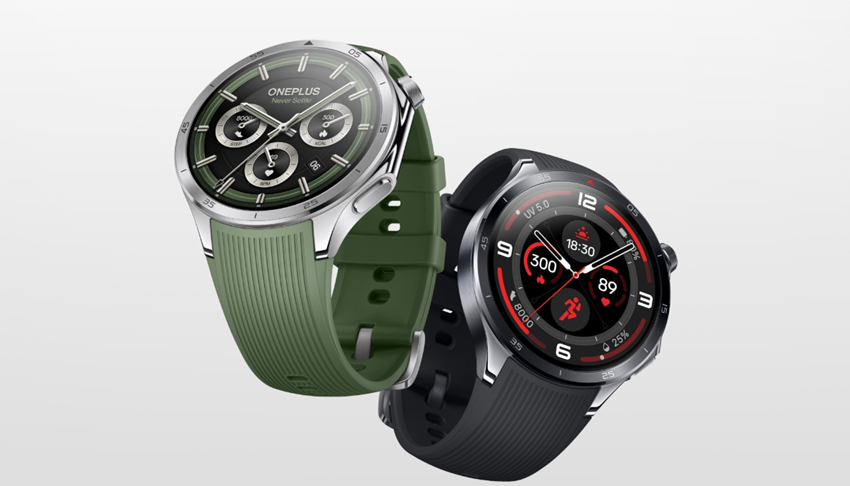
The OnePlus Watch 3 will be available in Emerald Titanium (left) and Obsidian Titanium (right) colour options. (Image credit – OnePlus)
The OnePlus Watch 3 also gets a fresh look and features a titanium alloy bezel and a Sapphire Crystal display giving it a more premium feel. The watch will be available in two colours including Emerald Titanium and Obsidian Titanium. Despite the titanium bezel, most of the chassis is still made from stainless steel.
The official press release outlines, “The Emerald Titanium watch features a silver titanium bezel and a stainless steel body, as well as a green fluororubber strap with a stainless steel buckle. This distinctive Emerald Titanium finish, which was inspired by nature, exhibits the ideal balance of dynamic athleticism, signifying development and energy.”
“The Obsidian model features a black titanium bezel and a stainless steel body, as well as a black fluororubber strap with a stainless steel buckle. This exquisite design is the perfect fusion of modern technology and understated elegance,” the press note further adds.
OnePlus Watch 3 – Availability and Pre-Launch Offers
The wait is almost over!
The #OnePlusWatch3 is coming February 18, bringing industry-leading battery life, advanced health tracking, and a premium titanium design.
✨ 120 hours of battery life
⌚ Powered by Snapdragon W5 & BES2800 chipsets
💪 Durable stainless steel body with… pic.twitter.com/EFYI6LpnUr
— OnePlus Europe (@OnePlus_Europe) February 10, 2025
While pricing hasn’t been announced yet, OnePlus confirms the Watch 3 will be available in the US, Canada and Europe starting February 18.
For those eager to grab one early, launch notifications are now open. You can sign up now with a $30 discount and a chance to win a pair of earbuds or a OnePlus Pad 2.
FAQs
Q1. When will the OnePlus Watch 3 be launched?
Answer. The OnePlus Watch 3 will be officially launched on February 18.
Q2. What is the battery life of the OnePlus Watch 3?
Answer. The OnePlus Watch 3 features a new Silicon NanoStack Battery with a capacity of 631 mAh, extending its battery life to 120 hours.
Q3. What chipset powers the OnePlus Watch 3?
Answer. The OnePlus Watch 3 is powered by the Qualcomm Snapdragon W5 chipset and includes a new BES2800 MCU chip.
Q4. What are the design features of the OnePlus Watch 3?
Answer. The OnePlus Watch 3 features a titanium alloy bezel, a Sapphire Crystal display, and a stainless steel chassis.
Q5. In which regions will the OnePlus Watch 3 be available?
Answer. The OnePlus Watch 3 will be available in the US, Canada, and Europe starting February 18.
Xiaomi is preparing to launch the Redmi A5 and its rebranded variant the POCO C71 in India.
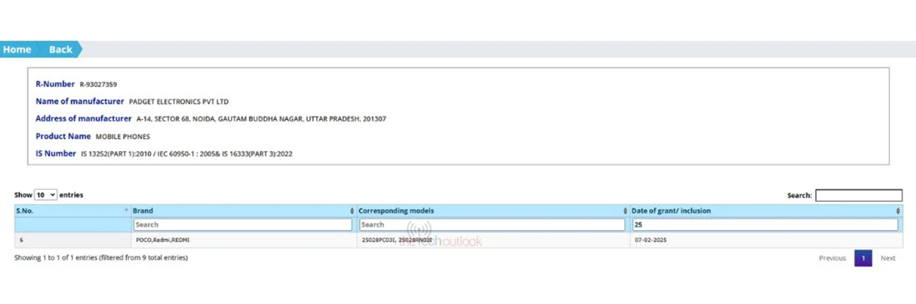
Both have received BIS certification confirming their market release later this month.
Both models have also received FCC and EEC certifications, indicating a global rollout.
Realme is set to launch the C75x in Malaysia.
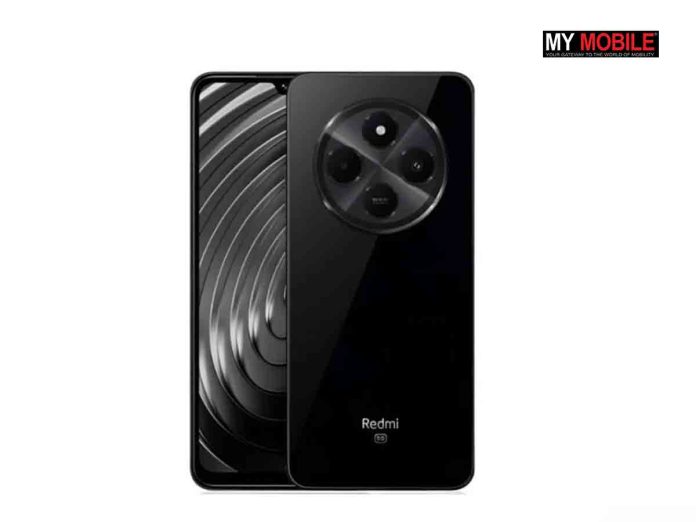
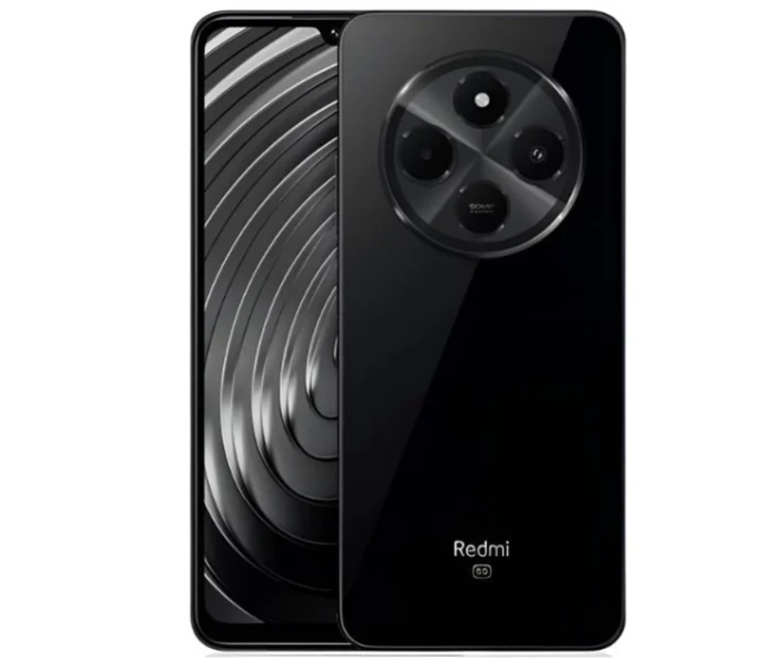
Redmi A4 5G for reference. (Image credit – Redmi)
Xiaomi is gearing up to launch its new budget smartphone the Redmi A5 in India. The device has just cleared BIS certification, spotted with model 25028RN03I, along with its rebranded variant the POCO C71 with model number 25028PC03I. This confirms that both phones will be hitting the Indian market later this month.
Redmi A5 cleared India’s BIS certification. (Image credit – TheTechOutlook)
Previously, these models have now also received FCC and EEC certifications confirming a global rollout as well. Here’s what we know about the phones so far.
Redmi A5 – Expected Features
Unlike the Redmi A4 5G, the Redmi A5 will be a 4G device. Here’s what to expect:
Storage Variants: 3GB/64GB, 4GB/64GB, 4GB/128GB, and 6GB/128GB
For reference, the Redmi A4 5G featured a 6.88-inch LCD, 120Hz refresh rate, and HD+ resolution, powered by the Snapdragon 4s Gen 2. It had a 50MP primary rear camera, a 5MP front camera, and a 5,160mAh battery with 18W fast charging. The side-mounted fingerprint scanner, 3.5mm headphone jack and FM radio were also part of the package.
The Redmi A5 is expected to have a similar display and refresh rate, though it may come with a slightly less powerful chipset. The camera setup could either remain the same or see a minor upgrade. Since the POCO C71 is a rebranded version of the Redmi A5, it will likely offer identical features.
Realme Prepares to Launch C75x in Malaysia
Meanwhile, Realme is set to launch the C75x in Malaysia after unveiling the C75 in Vietnam. The phone was spotted in Malaysia’s SIRIM database, confirming some key details including an IP69 rating for durability, a 5,600mAh battery, 120Hz display, a flat design, 8GB RAM (expandable to 24GB) and 128GB storage.
The chipset is still currency unknown but with its high refresh rate and large battery, the C75x could be another strong budget offering from Realme.
FAQs
Q1. What are the expected features of the Redmi A5?
Answer. The Redmi A5 will be a 4G device with Android 15, HyperOS 2.0, and various storage options (3GB/64GB to 6GB/128GB). It will have connectivity options like Wi-Fi 5, Bluetooth, and optional NFC.
Q2. When will the Redmi A5 and POCO C71 be available in India?
Answer. Both the Redmi A5 and POCO C71 have received BIS certification, confirming their market release in India later this month.
Q3. What are some key features of the Realme C75x?
Answer. The Realme C75x is expected to feature an IP69 rating for durability, a 5,600mAh battery, a 120Hz display, a flat design, 8GB RAM (expandable to 24GB) and 128GB storage.
The upcoming Google Pixel 9a will not feature Google’s signature camera bar design.
The camera cutout is now positioned on the left side.
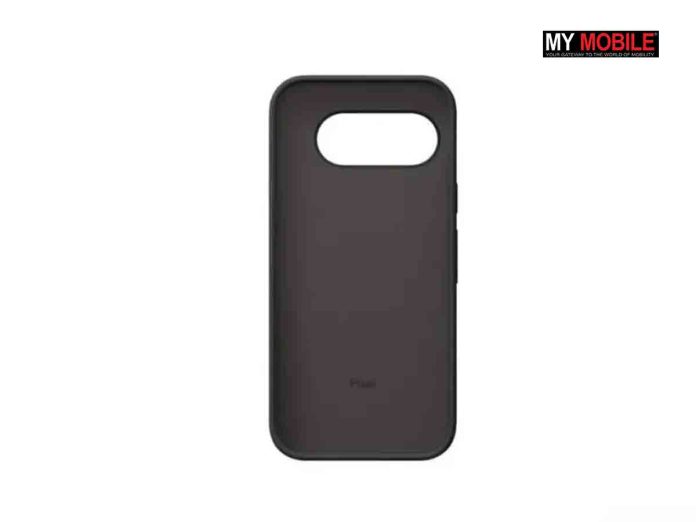
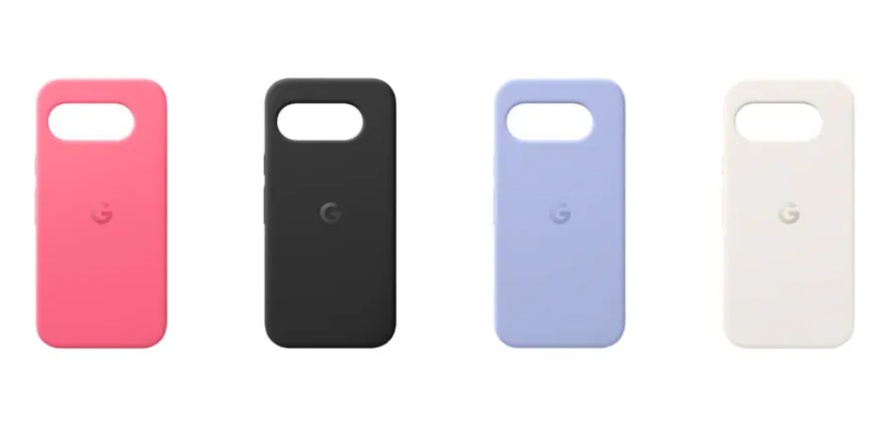
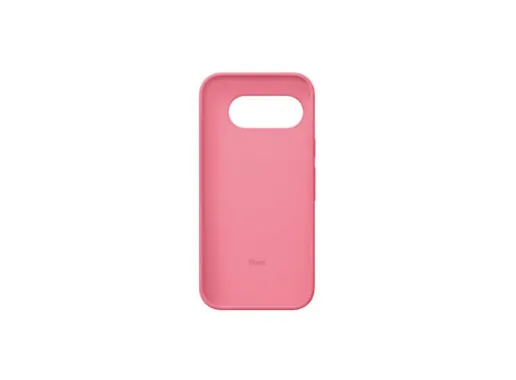
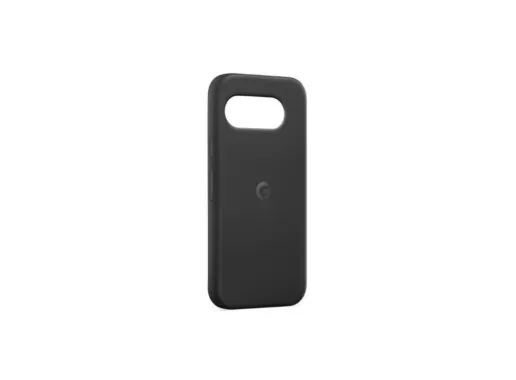
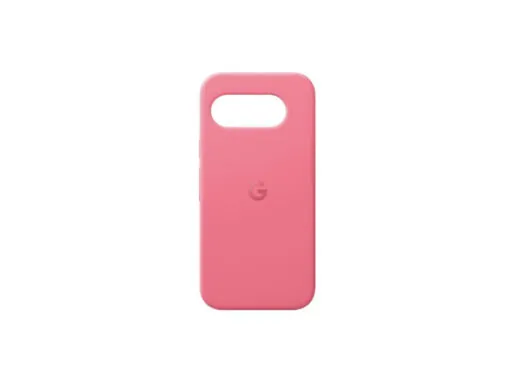
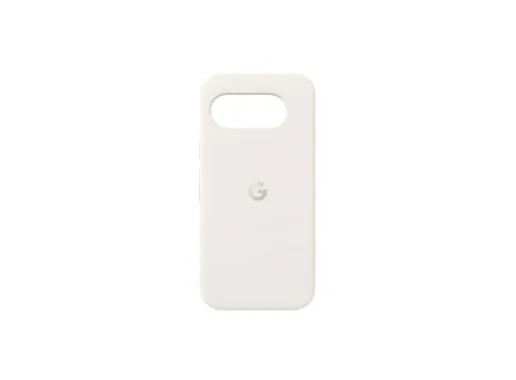
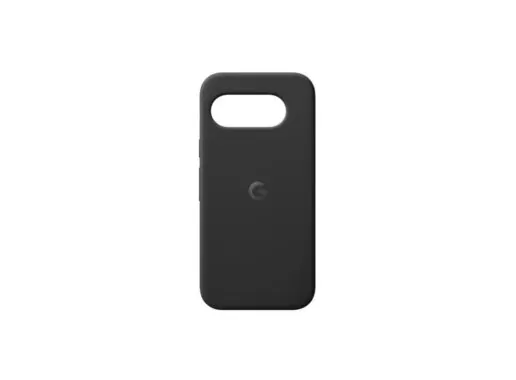
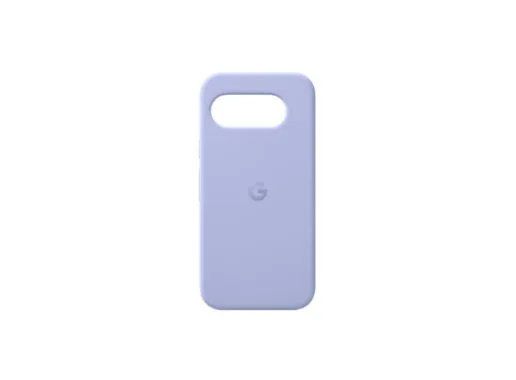
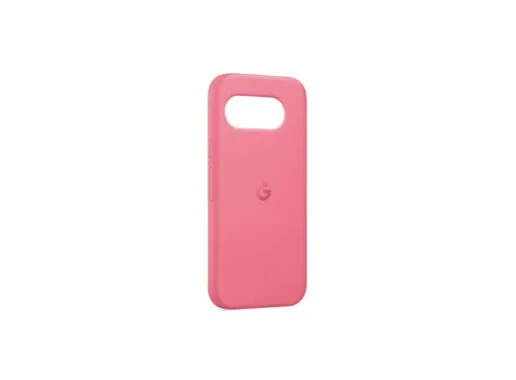
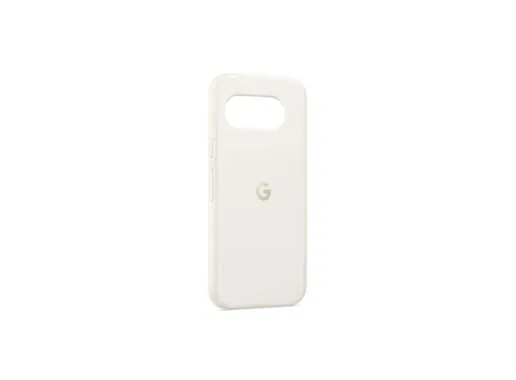
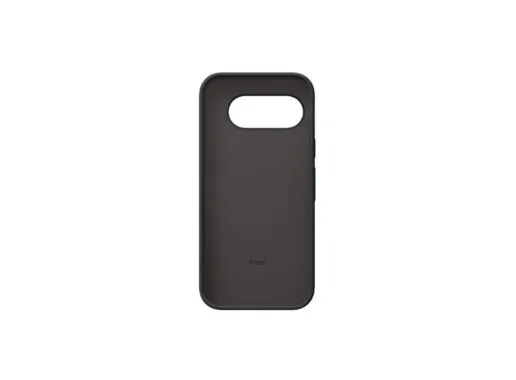
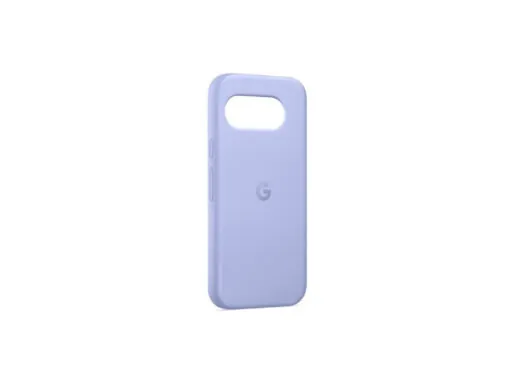
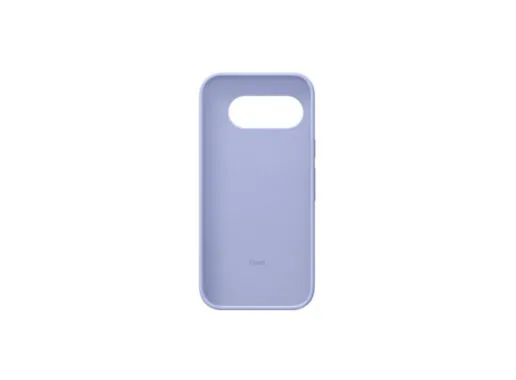
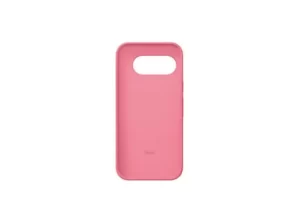
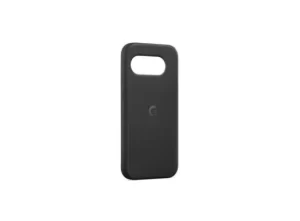
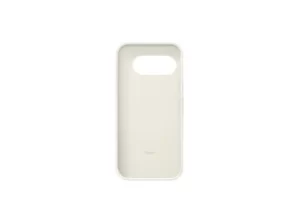
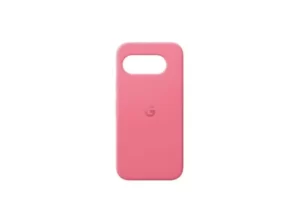
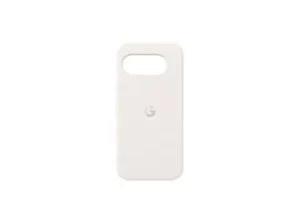
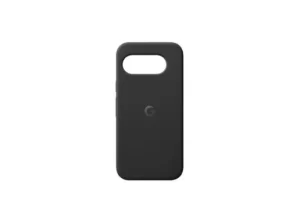
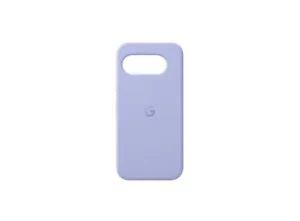
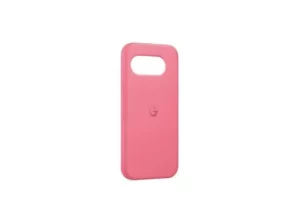
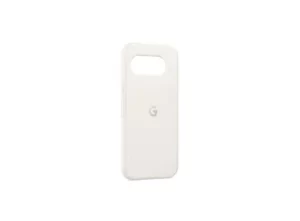
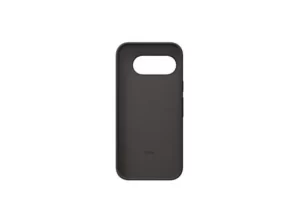
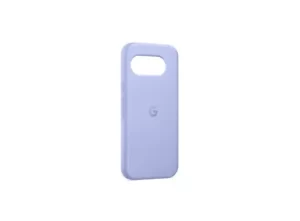
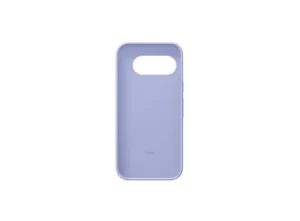
Leaked images of the Pixel 9a cases show four colour options – pink, black, purple, and white.
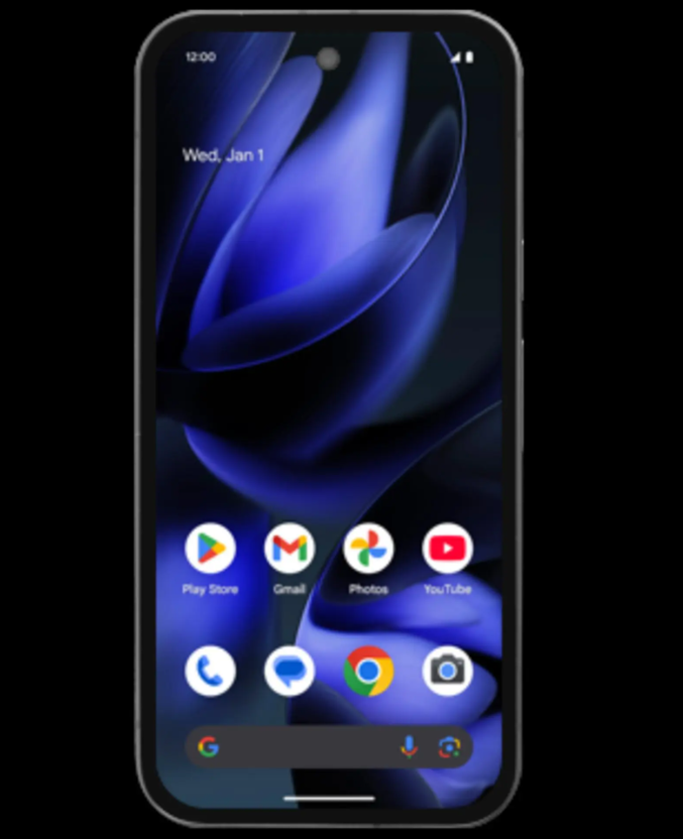
A new leak reveals the front design of the Pixel 9a resembling the Pixel 9 series with rounded corners.
Google Pixel 9a official case images leaked. (Image credit – Android Authority)
Several Google Pixel 9a leaks have already hinted at a major design change in the camera module. But now we have a new leak that confirms that Google is not only making any design change but simply moving away from its signature camera bar design for the upcoming Pixel 9a. Here’s what we know.
No Google Signature Camera Bar in Pixel 9a
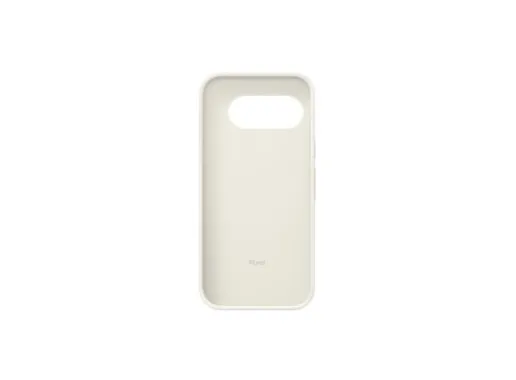
The images of official Pixel 9a cases shared by Android Authority in its recent report reveal a major design shift. The case features the same shape and style as the Pixel 9 series complete with a “G” logo at the center and a soft microfiber lining inside.
Google Pixel 9a official case images. (Image credit – Android Authority)
However, the most noticeable change is the camera cutout, which is positioned on the left rather than spread on the entire width as we have seen in the Pixel 9, 9 Pro and 9 Pro XL. This confirms what earlier leaks suggested that the Pixel 9a will not have a camera bar.
The leaked images show Pixel 9a cases in four colour options including pink, black, purple and white. These most likely match Google’s previously leaked names – “Peony,” “Obsidian,” “Iris” and “Porcelain.”
Pixel 9a’s Front Design Leaked
Meanwhile, another leak from popular tipster Evan Blass on X (formerly Twitter) recently revealed the first look at the front of the Pixel 9a.
Google Pixel 9a front design leaked. (Image credit – Evan Blass on X)
The image shows a design similar to the Pixel 9 and 9 Pro with rounded corners and a larger front-facing camera. The antenna lines along the edges can also be seen in the images. The wallpaper comes from Google’s Swirling Petals collection, though it doesn’t match any existing options in the Pixel 9 series.
Moreover, the Pixel Launcher appears unchanged, which isn’t surprising since major UI updates usually come with big Android releases.
Despite the low resolution of the render, the side and bottom bezels seem uniform, while the top bezel is slightly thicker. This suggests the Pixel 9a could follow the design language of Google’s 2024 lineup.
FAQs
Q1. Will the Google Pixel 9a have Google’s signature camera bar design?
Answer. No, the Google Pixel 9a will not feature Google’s signature camera bar design. The camera cutout is positioned on the left side rather than spanning the entire width.
Q2. What are the colour options for the Google Pixel 9a cases?
Answer. The leaked images show Pixel 9a cases in four colour options: pink, black, purple, and white. These likely correspond to Google’s previously leaked names – “Peony,” “Obsidian,” “Iris,” and “Porcelain.”
Q3. How does the front design of the Pixel 9a compare to the Pixel 9 series?
Answer. The front design of the Pixel 9a resembles the Pixel 9 series with rounded corners, a larger front-facing camera, and uniform side and bottom bezels. The wallpaper is from Google’s Swirling Petals collection, though it doesn’t match any existing options in the Pixel 9 series.
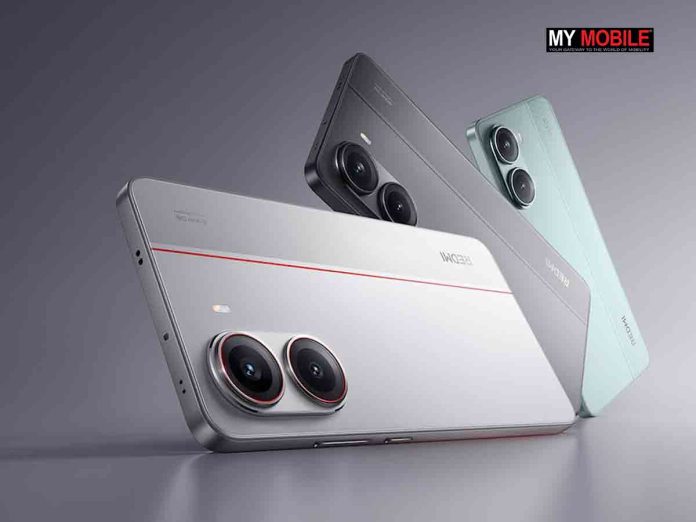
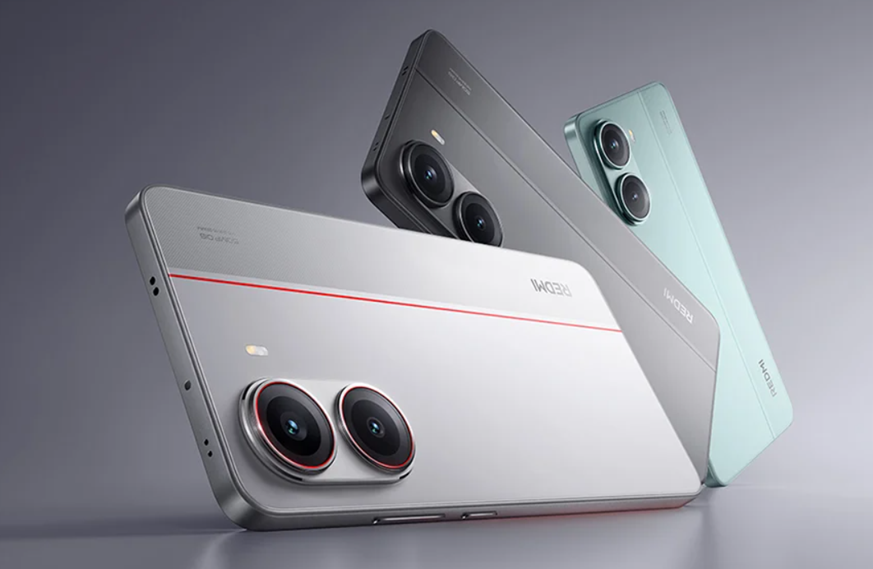
Xiaomi’s Redmi Turbo 4 Pro is expected to feature a 6.8-inch 1.5K LTPS display with ultra-thin bezels and a Snapdragon 8s Elite chipset.
The device is likely to retain a dual-camera setup with a 50MP main sensor and an 8MP secondary lens. It may have a metal middle frame and a glass back panel.
The phone is anticipated to launch with HyperOS 2.0 in April 2025.
Xiaomi Redmi Turbo 4 for reference. (Image credit – Redmi)
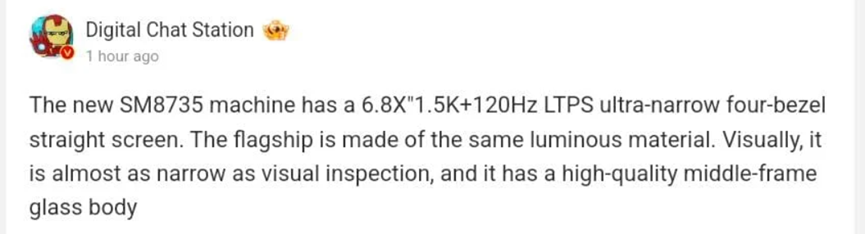
Xiaomi is reportedly working on a mid-range smartphone powered by the Snapdragon 8s Elite chipset, and it could be the Redmi Turbo 4 Pro. According to a new leak from Digital Chat Station (DCS) on Weibo, the device will feature a large 6.8-inch 1.5K LTPS display.
The tipster claims the phone will have a flat display with ultra-thin, symmetrical bezels. Unlike LTPO panels, which allow a fully variable refresh rate, LTPS screens switch between 60Hz and 120Hz helping to balance smoothness and battery life depending on the content being played.
Tipster DCS’s post on Weibo. (Translated Via Google Translate)
The phone’s middle frame could be metal, while the back panel may be glass, according to DCS.
Based on previous reports, the Turbo 4 Pro is expected to retain a dual-camera setup similar to its predecessor. It may feature a 50MP main sensor + 8MP secondary lens with the Sony Lytia LYT-600 likely being the primary sensor, which is also found in the Snapdragon 8s Elite-powered iQOO Neo 10R.
The phone is expected to launch with HyperOS 2.0 out of the box and it could have a launch as early as April 2025 after the Turbo 3’s launch timeline.
While details about the Turbo 4 Pro are still limited, we can take cues from the Turbo 4 to get an idea of its possible features. The Turbo 4 came with the following key specs –
IP68 dust and water resistance
1,400 nits brightness in direct sunlight, 3,200 nits peak brightness
UFS 4.0 storage for faster app loading
90W fast charging
If the Turbo 4 Pro follows a similar path, we can expect these features along with some possible upgrades in performance and design.
FAQs
Q1. What chipset is expected to power the Redmi Turbo 4 Pro?
Answer. The Redmi Turbo 4 Pro is reportedly powered by the Snapdragon 8s Elite chipset.
Q2. What type of display will the Redmi Turbo 4 Pro feature?
Answer. The device will feature a large 6.8-inch 1.5K LTPS display with ultra-thin, symmetrical bezels.
Q3. When is the Redmi Turbo 4 Pro expected to launch?
Answer. The phone is anticipated to launch with HyperOS 2.0 in April 2025, following the launch timeline of the Turbo 3.
The Realme GT 7 Pro Racing Edition is set to launch on February 13.
It is expected to be more affordable than the Realme GT 7 Pro and could be the cheapest phone powered by the Snapdragon 8 Elite chip.
A special “Neptune Exploration” colour variant with a unique back panel texture has been revealed.
Key Specs – 6.78-inch Samsung 8T LTPO OLED display, Snapdragon 8 Elite chip, up to 24GB LPDDR5x RAM, 1TB UFS 4.1 storage and a 6,500mAh battery with 120W fast charging.
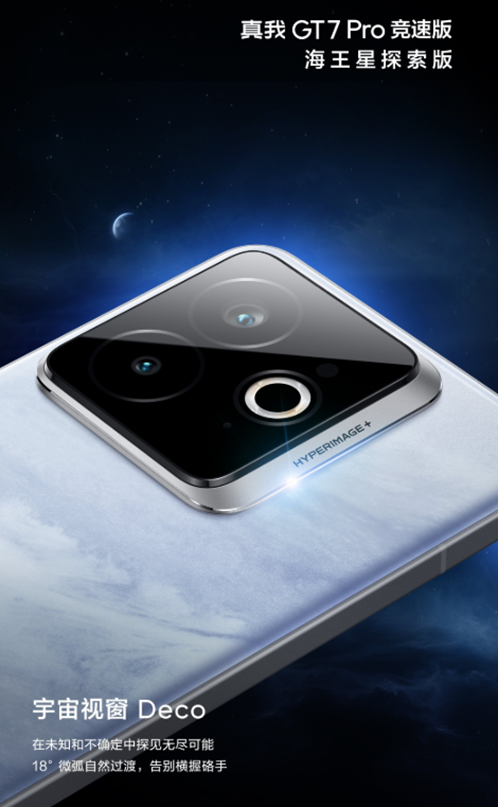
Realme GT 7 Pro Racing Edition marketing image. (Image credit – Realme)
Realme has officially announced that the Realme GT 7 Pro Racing Edition is set to launch on February 13 as the brand’s first flagship release after the 2025 Lunar New Year. The phone is expected to be a toned-down version of the Realme GT 7 Pro and will be introduced as the Snapdragon 8 Elite Phone at a more affordable price.
Some leaks suggest it will priced less than the OnePlus Ace 5 Pro, making it the cheapest phone powered by the Snapdragon 8 Elite.
Realme GT 7 Pro Racing Edition – Neptune Exploration Colour Variant Unveiled
Realme GT 7 Pro Racing Edition’s Neptune Exploration colour variant revealed. (Image credit – Realme)
Realme has also revealed a special “Neptune Exploration” colour variant for the Racing Edition. Inspired by Neptune’s deep blue storms, the phone’s back panel has a unique texture, thanks to Realme’s “Zero-degree Storm AG” process.
Visually, the GT 7 Pro Racing Edition looks similar to the GT 7 Pro but with one key difference is that it features a dual-camera setup instead of a triple-camera system.
Realme GT 7 Pro Racing Edition – Expected Specs
Realme GT 7 Pro Racing Edition.
China launch: February 13, 2025
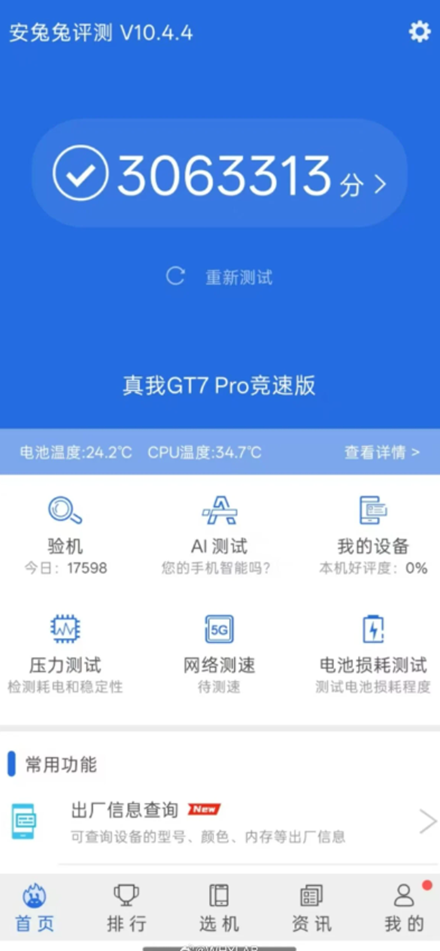
The GT 7 Pro Racing Edition will be powered by the Snapdragon 8 Elite chip, making it a gaming powerhouse. According to an AnTuTu listing, the device has scored over 3 million points reinforcing its high-performance capabilities.
Caption – Realme GT 7 Pro Racing Edition in AnTuTu listing. (Image credit – Gizmochina)
RAM & Storage: Up to 24GB LPDDR5x RAM and 1TB UFS 4.1 storage
Battery & Charging: 6,500mAh battery with 120W fast charging
Compared to the GT 7 Pro, the Racing Edition is expected to skip the periscope telephoto camera. Another possible change is the switch from an ultrasonic in-display fingerprint sensor to an optical in-screen sensor.
FAQs
Q1. When is the Realme GT 7 Pro Racing Edition set to launch?
Answer. The Realme GT 7 Pro Racing Edition is set to launch on February 13.
Q2. What is unique about the “Neptune Exploration” colour variant?
Answer. The “Neptune Exploration” colour variant features a unique back panel texture inspired by Neptune’s deep blue storms, thanks to Realme’s “Zero-degree Storm AG” process.
Q3. What key specs can we expect from the Realme GT 7 Pro Racing Edition?
Answer. The GT 7 Pro Racing Edition will have a 6.78-inch Samsung 8T LTPO OLED display, Snapdragon 8 Elite chip, up to 24GB LPDDR5x RAM, 1TB UFS 4.1 storage, and a 6,500mAh battery with 120W fast charging.
Q4. How does the camera setup of the Racing Edition differ from the GT 7 Pro?
Answer. The Racing Edition features a dual-camera setup instead of the triple-camera system found on the GT 7 Pro. It also has an optical in-screen fingerprint sensor instead of an ultrasonic one.
The Vivo X Fold 4 is rumoured to switch from an in-screen fingerprint sensor to a side-mounted one.
Expected Specs – Snapdragon 8 Elite processor, a 6,000mAh battery, wireless charging, IPX8 water resistance and a rear camera setup with three 50MP lenses.
Vivo and other brands like Oppo, Honor and Huawei are all moving to side-mounted fingerprint sensors.
It is reportedly to make foldable devices thinner and target an 8mm thickness range.
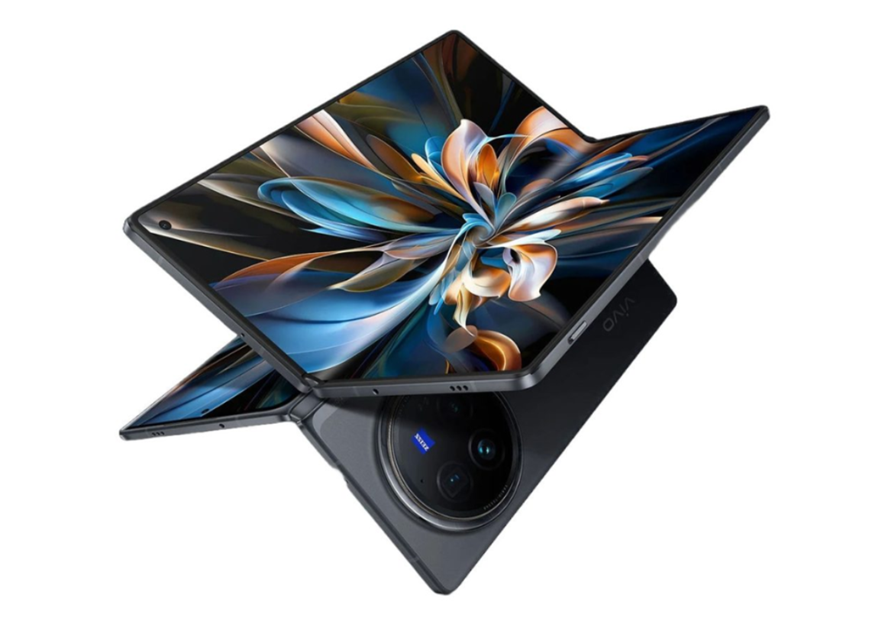
Vivo X Fold 3 Pro for reference. (Image credit – Vivo)
Vivo is reportedly working on the Vivo X Fold 4 featuring the flagship Snapdragon 8 Elite processor. While other details are mostly speculation at the moment, a new leak suggests the phone might see one significant design change. Here’s what we know so far.
Vivo X Fold 4 To Switch to a Side-Mounted Fingerprint Sensor
According to tipster Digital Chat Station (DCS), the X Fold 4 will no longer feature an in-screen fingerprint sensor, which will be a first for Vivo’s foldable lineup.
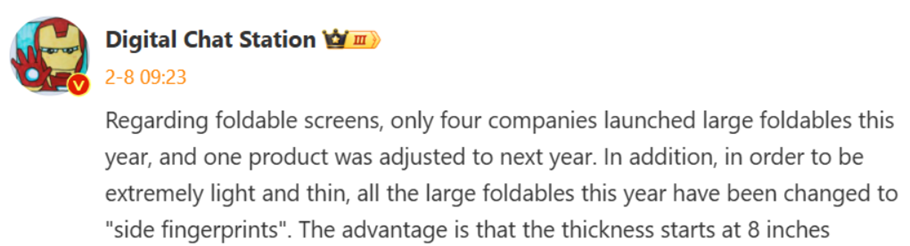
Tipster DCS’s post on Weibo. (Translated via Google Translate)
Tipster DCS’s Weibo post also revealed that four Chinese smartphone brands will launch foldable phones this year. While he didn’t name them directly, reports suggest they are the Oppo Find N5, Honor Magic V4, Vivo X Fold 4 and Huawei Mate X7.
Interestingly, Xiaomi may skip the Mix Fold 5 this year, though the brand is reportedly still committed to book-style foldable.
The biggest takeaway from the leak is that all four upcoming foldable will feature side-mounted fingerprint sensors instead of in-screen ones. This marks a big shift for Vivo as all its previous foldables from the X Fold and X Fold+ with optical sensors to the X Fold 2 with ultrasonic sensors have used in-screen fingerprint readers for both internal and external displays.
DCS claims that brands are moving to side-mounted fingerprint sensors to make foldable devices thinner, targeting an 8mm thickness range. For comparison, the upcoming Oppo Find N5 is rumoured to measure 9.2mm when folded.
Vivo X Fold 4 – Expected Specs
The Vivo X Fold 4 is shaping up to be a slim and lightweight foldable despite packing a huge 6,000mAh battery. Here’s what the leaks suggest:
Chipset: Snapdragon 8 Elite
Charging: Wireless charging support
Water Resistance: IPX8-rated
Rear Cameras:
50MP main sensor
50MP ultra-wide lens
50MP periscope telephoto lens (3x optical zoom)
Unlike last year, Vivo is reportedly not planning a Pro model, which means we will only see the standard X Fold 4 this time.
Meanwhile, with all foldable phones reportedly getting thinner and more refined, it will be interesting to see how this design shift plays out.
FAQs
Q1. What processor will the Vivo X Fold 4 feature?
Answer. The Vivo X Fold 4 will feature the Snapdragon 8 Elite processor.
Q2. What significant design change is rumoured for the Vivo X Fold 4?
Answer. The Vivo X Fold 4 is rumoured to switch from an in-screen fingerprint sensor to a side-mounted one.
Q3. What is the expected battery capacity and water resistance rating of the Vivo X Fold 4?
Answer. The Vivo X Fold 4 is expected to have a 6,000mAh battery and an IPX8 water resistance rating.
Q4. Why are brands moving to side-mounted fingerprint sensors for foldable devices?
Answer. Brands are moving to side-mounted fingerprint sensors to make foldable devices thinner, targeting an 8mm thickness range.
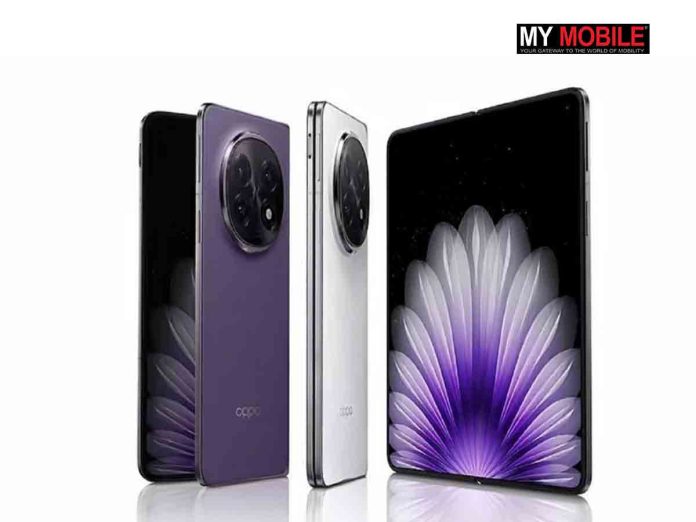
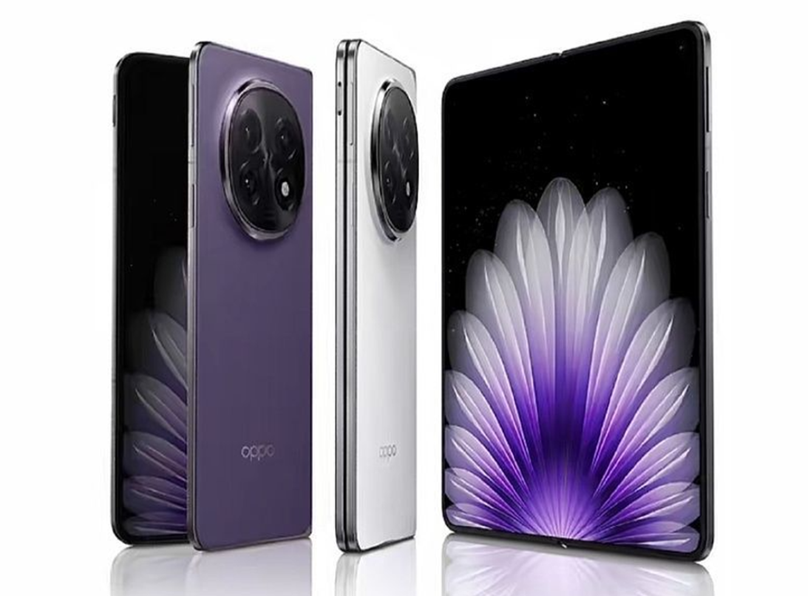
Oppo Find N5 is confirmed to launch on February 20 in China.
Will be available in three colour options – Dusk Purple, Jade White and Satin Black.
It features a circular camera module, alert slider and side-mounted fingerprint sensor.
Key Specs – large 8.12-inch foldable display, Snapdragon 8 Elite chip, 16GB RAM + 12GB virtual RAM, 512GB storage, a 5,600mAh battery with 80W wired/50W wireless charging and ColorOS 15 (based on Android 15).
Oppo Find N5 images. (Image credit – Oppo)
Oppo has finally confirmed that its next foldable the Find N5will launch on February 20 in China. Along with the announcement, the company shared official images showing off the phone’s sleek design and colour options. While there have been plenty of rumours about its specs, key details like display size and battery capacity were still a mystery until now.
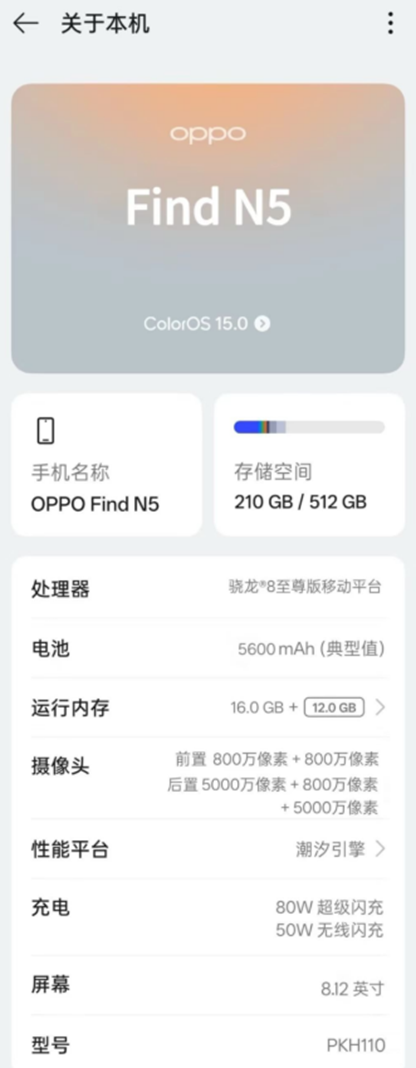
A leaked “About Phone” screenshot on Weibo has spilt the beans on some major specs giving us a clearer picture of what to expect from the Find N5.
The Find N5 (model PKH110) will feature a large 8.12-inch foldable display, though details about the outer screen are still under wraps. It will be powered by Qualcomm’s Snapdragon 8 Elite making it the first foldable phone to use this chip.
Other highlights include:
16GB RAM + 12GB virtual RAM
512GB storage
5,600mAh battery with 80W wired and 50W wireless charging
ColorOS 15 (based on Android 15)
This is a significant battery upgrade from the Find N3, which had a 4,805mAh battery.
Oppo Find N5 – Other Key Specs
The Find N5’s triple-camera setup has a 50MP main sensor, an 8MP secondary lens and another 50MP sensor (likely a 3x periscope telephoto lens). There are two 8MP cameras for selfies, one on the outer screen and another inside.
However, this setup is a downgrade from the Find N3, which had:
So, while the battery and processor are getting an upgrade, the camera setup is taking a step back.
Oppo Find N5 Official Launch and Design Details
Oppo’s launch event is set for 7 PM (China time) on February 20. Alongside the Find N5, the company will also unveil the Watch X2 smartwatch.
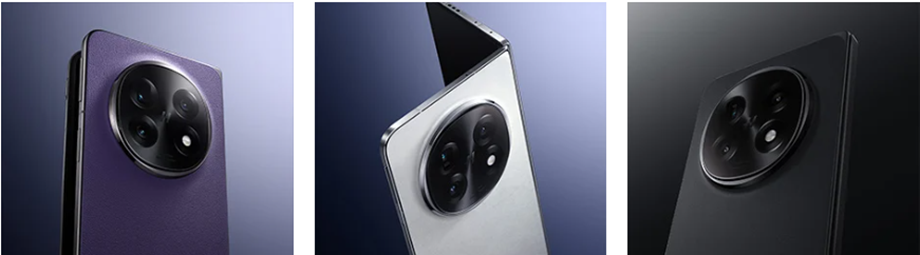
Official images confirm the Find N5 will come in three colours –
Dusk Purple
Jade White
Satin Black
The redesigned camera module has a circular layout with three lenses, an LED flash and a Hasselblad logo at the centre. Other confirmed design details include an alert slider and a side-mounted fingerprint sensor.
Leaked Oppo Find N5 live images.
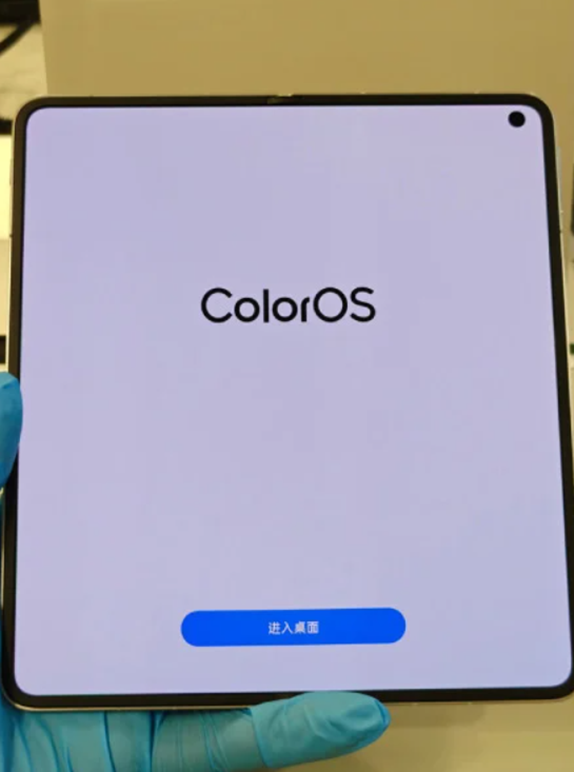
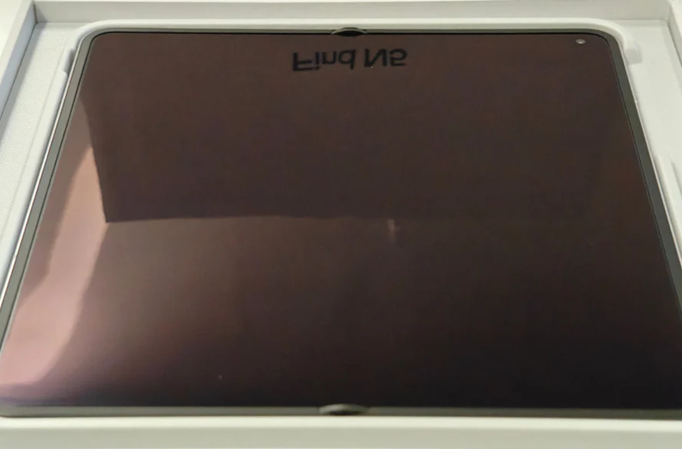
Leaked real-life images on Weibo show the inner display with no visible crease, even in a shot taken inside the retail box. Unlike previous foldables, where the crease is hard to ignore, this one looks completely smooth.
If true, this would be a huge achievement for Oppo as it is still relatively new in the foldable space.
The Find N5 is shaping up to be a standout in the foldable market. It’s confirmed to be:
The first foldable with IPX6, IPX8 and IPX9 water resistance.
The slimmest foldable in its category while still having a large battery.
The first foldable is powered by the Snapdragon 8 Elite.
While Oppo has confirmed the Snapdragon 8 Elite chip, the rest of the leaked specs are still unofficial.
FAQs
Q1. When and where will the Oppo Find N5 be launched?
Answer. The Oppo Find N5 will launch on February 20 in China.
Q2. What are the colour options for the Oppo Find N5?
Answer. The Oppo Find N5 will come in three colours – Dusk Purple, Jade White, and Satin Black.
Q3. What are the key specifications of the Oppo Find N5?
Answer. The Find N5 will feature an 8.12-inch foldable display, Snapdragon 8 Elite chip, 16GB RAM + 12GB virtual RAM, 512GB storage, and a 5,600mAh battery with 80W wired and 50W wireless charging. It will run on ColorOS 15 (based on Android 15).
Q4. How does the camera setup of the Oppo Find N5 compare to the Find N3?
Answer. The Find N5 has a triple-camera setup with a 50MP main sensor, an 8MP secondary lens, and another 50MP sensor. It also has two 8MP selfie cameras. This is a downgrade from the Find N3, which had 48MP main + 48MP ultra-wide + 64MP (3x periscope) rear cameras and 32MP front camera + 20MP internal camera.
Q5. What makes the Oppo Find N5 stand out in the foldable market?
Answer. The Oppo Find N5 is confirmed to be the first foldable with IPX6, IPX8, and IPX9 water resistance. It is also the slimmest foldable in its category while still having a large battery and is the first foldable powered by the Snapdragon 8 Elite.