Highlights
- Windows 10 support ends with no more free updates or security patches.
- Users must upgrade to Windows 11 or enrol in the paid ESU program for extended protection.
- ESU pricing and eligibility – Individual plans start at $30/year; business plans at $61/device/year. Free ESU available for Windows 365 Cloud PCs and virtual machines.
- Office 2016 & 2019 will also no longer receive updates or assistance.
Caption – Windows 10 support ends. (Image credit – Microsoft)
Microsoft has officially ended free support for Windows 10, marking a major step toward the operating system’s final phase. Despite Windows 11’s release in 2021, Windows 10 continues to power millions of PCs globally, making this transition one of the most significant in recent years.
End of Free Support for Windows 10
Microsoft confirmed that after October 14, 2025, Windows 10 will no longer receive free software updates, security patches, or technical assistance. While existing devices will continue to function, they will become more vulnerable to malware and other security threats over time.
The company rolled out the final mainstream update for Windows 10 in October 2025, officially marking the end of servicing for all supported editions.
Affected Editions and Final Update Details
The October 2025 security update will be the last for these versions –
- Windows 10 version 22H2 (Home, Pro, Enterprise, Education, IoT Enterprise)
- Windows 10 Enterprise 2015 LTSB
- Windows 10 IoT Enterprise LTSB 2015
After this final update, none of these editions will receive monthly security or preview updates. Users seeking support after this date will be encouraged to upgrade to Windows 11 (if compatible) or migrate to a new Windows 11 PC.
Extended Security Updates (ESU) Program for Windows 10
To help users who cannot immediately upgrade, Microsoft has introduced the Extended Security Updates (ESU) program. This paid option extends security patch support from October 15, 2025 to October 13, 2026, offering critical security updates but no new features or design changes.
Enrollment Options and Pricing –
For Individual Users –
- Free enrollment available via Windows Backup sync or by redeeming 1,000 Microsoft Rewards points
- Paid option: $30 per year
- Access through a new Settings enrollment wizard, available for Windows Insiders in July 2025
For Business Users –
- $61 per device per year, renewable for up to three years with incremental price increases
- Available through Volume Licensing and Cloud Service Providers starting September 1, 2025
For Cloud and Virtual Environments –
- Free ESU for devices accessed through Windows 365 Cloud PCs
- Also applies to virtual machines running Windows 11
ESU System Requirements
To qualify for ESU enrollment, users must –
- Sign in with a Microsoft account
- Run Windows 10 Version 22H2 with update KB5046613 (Build 19045.5131 or later)
Outlook – Transition Toward Windows 11 and AI PCs
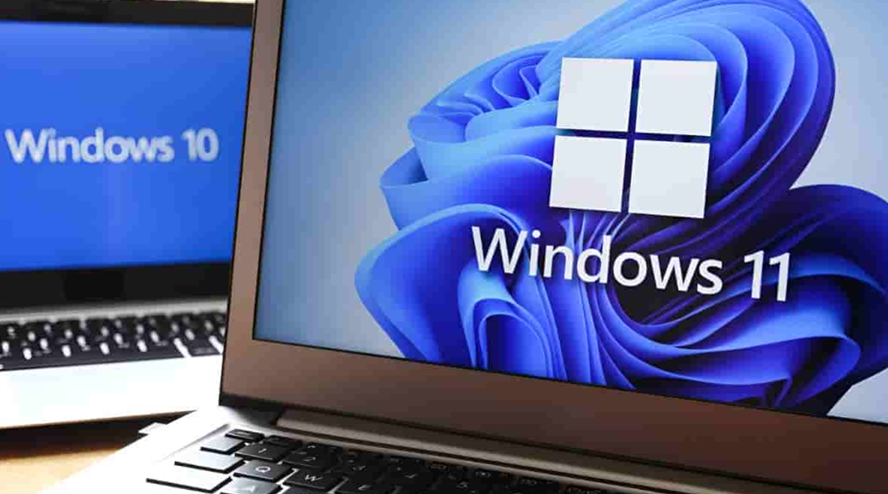
Caption – 2025 is the “year of the Windows 11 PC refresh.” (Image credit – Unknown)
The end of free Windows 10 support marks a major shift in Microsoft’s strategy, as the company focuses on Windows 11 and AI-powered next-generation PCs.
Earlier this year, Microsoft’s Executive Vice President Yusuf Mehdi described 2025 as the “year of the Windows 11 PC refresh”, emphasising AI-driven innovation and upgraded hardware performance.
Windows 11 Hardware Requirements
To install Windows 11, systems must meet the following minimum specifications –
- 64-bit processor (Intel 8th Gen or AMD Ryzen 2000 series and newer)
- 4GB RAM, 64GB storage
- UEFI firmware with Secure Boot
- TPM 2.0 module
- DirectX 12-compatible GPU with WDDM 2.0 driver
- 9-inch or larger display (720p, 8-bit per color channel)
- Internet connection and Microsoft account required during setup
Microsoft recommends using the PC Health Check app to confirm upgrade eligibility. To verify TPM 2.0, users can press Windows + R, type tpm.msc, and check for specification version 2.0.
Windows 11 Upgrade Options
- Direct In-Place Upgrade – Available via Windows Update for devices running Windows 10 version 2004 or later.
- Clean Installation – Use the Media Creation Tool or ISO for a fresh installation.
- Hardware Upgrade – Older PCs may need hardware upgrades like TPM installation, BIOS updates, or new processors to meet requirements.
Businesses can use existing deployment tools like Intune, Autopilot, and Configuration Manager to transition to Windows 11.
Office 2016 and 2019 Reach End of Support
Windows 10, Office 2016 and
Office 2019 have reached end of support as of today.Not sure what’s next?
Read through ➡️ https://t.co/Ep7vpB052Uhttps://t.co/oMSqOBcFNU pic.twitter.com/kHpAhk9uoY— Microsoft Support (@MicrosoftHelps) October 14, 2025
Alongside Windows 10, Microsoft Office 2016 and Office 2019 have also reached the end of support. These versions will no longer receive security updates, bug fixes, or technical assistance.
While both Office suites will continue functioning, they are now exposed to potential security vulnerabilities. Microsoft will stop providing software updates, online help content, and technical guidance for these products.
Users are encouraged to upgrade to newer versions of Microsoft Office to continue receiving updates, new features, and security protections.
FAQs
Q1. When does free support for Windows 10 officially end?
Answer. Microsoft will stop providing free updates, security patches, and technical assistance for Windows 10 after October 14, 2025. Devices will still function but become more vulnerable over time.
Q2. What is the Extended Security Updates (ESU) program for Windows 10?
Answer. ESU is a paid support option offering critical security updates from October 15, 2025 to October 13, 2026. Individual users can enroll for $30/year or redeem 1,000 Microsoft Rewards points, while businesses pay $61/device/year with renewal options.
Q3. What are the minimum requirements to upgrade to Windows 11?
Answer. To install Windows 11, PCs must have 64-bit processor (Intel 8th Gen or AMD Ryzen 2000+), 4GB RAM, 64GB storage, TPM 2.0, Secure Boot, DirectX 12 GPU and 9″ 720p display and internet connection.
Q4. Is Microsoft Office 2016 and 2019 still supported?
Answer. No. Both Office 2016 and Office 2019 have reached end of support and will no longer receive updates or technical help. Users are advised to upgrade to newer Office versions for continued security and features.