Highlights
- YouTube introduces a refreshed interface with translucent buttons, colour-matched descriptions, and improved double-tap seek gestures for Shorts and Connected TV.
- Threaded comments, custom like icons, and voice replies (30-second audio clips) are now available to more creators.
- Ad-supported Courses are open to creators with Advanced features, while the fixable violations system now includes content with official warnings for easier compliance.
Caption – (Photo by Zulfugar Karimov on Unsplash)
YouTube has announced a wide range of new updates aimed at improving user experience, creator engagement, and content management. The latest changes include a refreshed UI design, expanded access to voice replies and courses, a new system for fixable violations, updated artist cards, and more.
Refreshed UI and Playback Enhancements
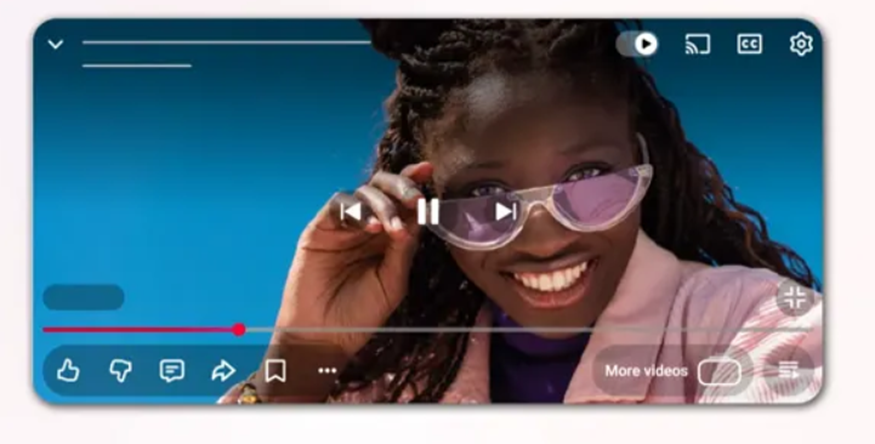
YouTube is introducing a visual overhaul to enhance navigation and viewing, especially for Shorts and Connected TV users. The updated playback interface now features translucent on-screen buttons for a “more immersive and unified viewing experience.”
The platform has also redesigned video descriptions to match colours found in the video content, creating a cohesive aesthetic.
Additionally, YouTube has improved the double-tap to seek function. The company explains, “This update includes visual improvements to the intuitive gesture that lets you move forward or backward in videos by double-tapping the screen. When you double-tap, text will display momentarily on the screen, indicating the exact number of seconds the video is moving, for example, 10 seconds forward. And the duration of the skip will align with your individual settings, which can be configured in increments such as 5, 10, and 15 seconds.”
Threaded Comments and Custom Likes
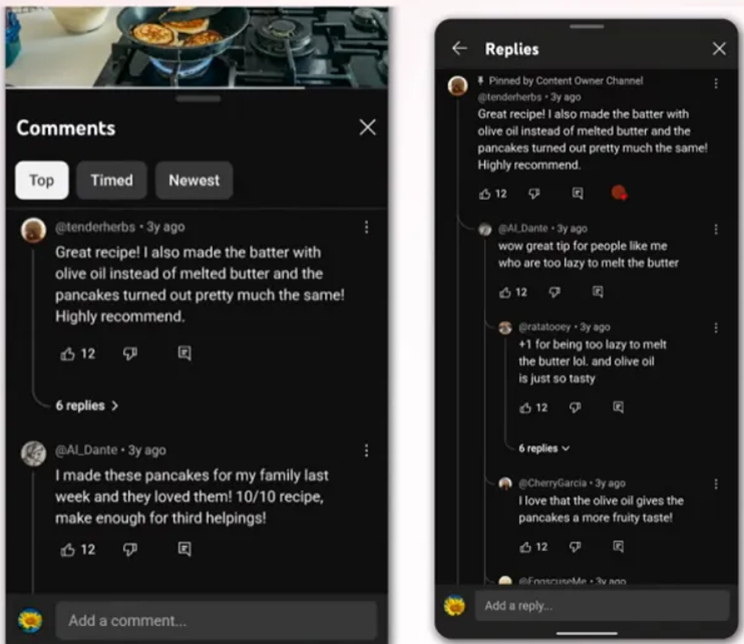
YouTube is also rolling out threaded comments, allowing up to three levels of replies within the comments section. Viewers can now tap on a comment to view the full conversation in an expanded thread. Once the third level is reached, additional replies will appear as flattened responses. After testing this feature in July, YouTube is now launching it globally.
Another new addition is custom likes, which will display different like icons depending on the content category a user is viewing.
Updated Artist Cards and Music Integration
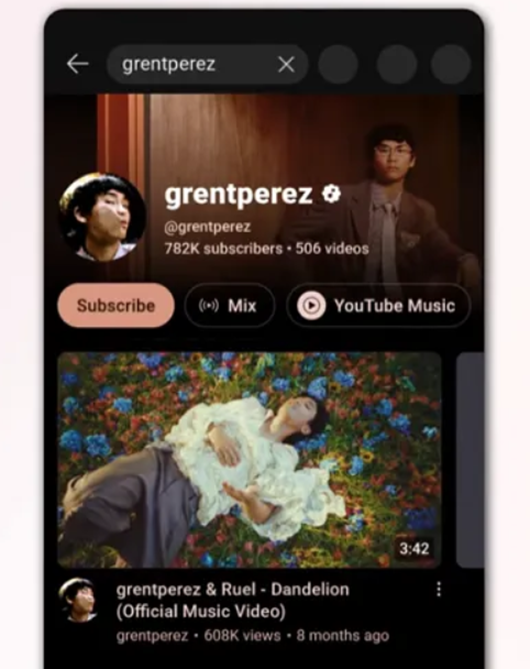
Artists are also getting a visibility boost. YouTube has introduced updated artist cards in search results for top-searched musicians. These redesigned cards will make it easier for users to discover and engage with music-related content.
To qualify, artists must have at least one official music release and a minimum of 100,000 subscribers.
Expanded Voice Replies
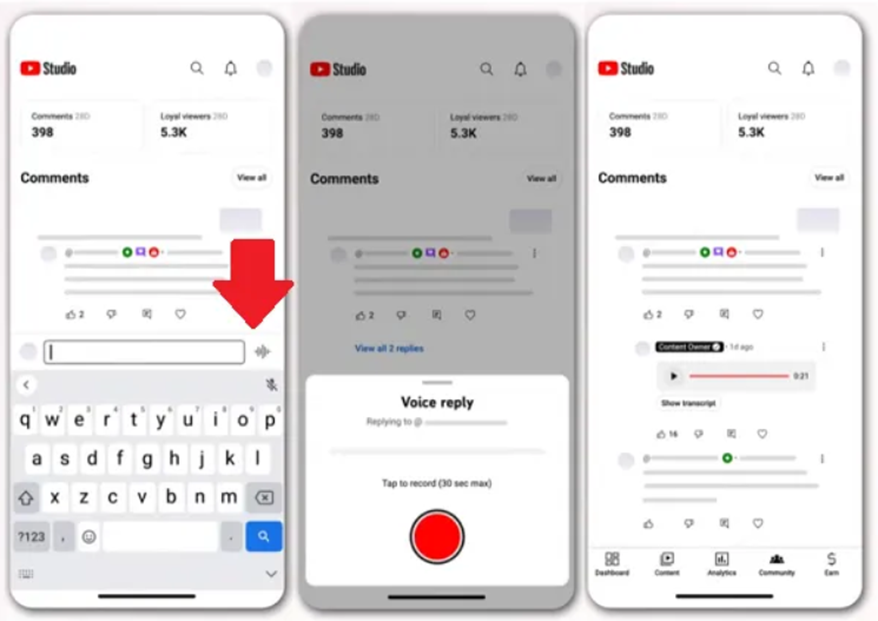
YouTube is expanding its voice replies feature, which lets creators respond to comments using short 30-second audio clips. First launched in December and expanded in February, the feature will now be available to hundreds of thousands of creators.
Eligible creators can now record voice replies directly through both the YouTube main app and YouTube Studio Mobile.
Voice replies give creators a more personal way to engage with their audience and add variety to community interactions.
Courses Expansion for Creators
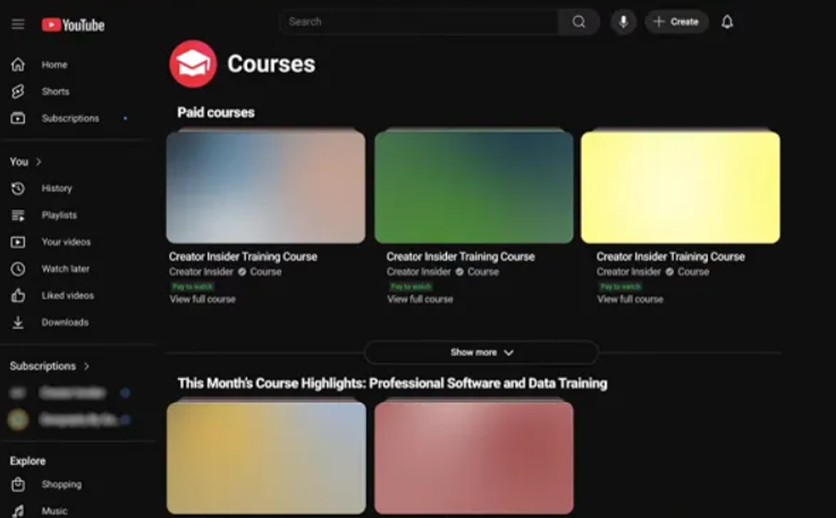
YouTube is also widening access to its Courses feature, a learning and monetisation tool originally introduced in beta in 2022. The feature allows creators to host free or paid learning programs directly on their channels.
The company stated, “Up till now, courses have only been available to a small subset of creators on YouTube. Now, we’re excited to share that we’re expanding ad-supported courses to creators with access to Advanced features this week.”
Creators who meet YouTube’s Advanced features criteria, which require either sufficient channel history or verified ID, will now be able to create and monetise courses. Completed courses will display a course badge on the Watch page, and viewers who finish all the videos in a course will receive a completion badge in their library.
Within YouTube Studio, course owners can access detailed analytics including views, watch time, audience insights, and revenue metrics. YouTube also plans to expand access to this feature even further in the coming months.
Fixable Violations and Content Warnings
Lastly, YouTube is extending its fixable violations system. Introduced last year, this feature allows creators to remove or edit portions of content that violate Community Guidelines, helping them avoid video removals or account strikes.
The platform is now extending this option to content that has received official warnings, giving creators a chance to make corrections before facing more severe penalties. The feature will be available only to creators with Advanced feature access, and each video will be limited to one fix attempt. However, it won’t apply to more serious policy violations.
Eligible creators can access the fixable violations tool within YouTube Studio to make necessary changes and resubmit their videos for review.
FAQs
Q1. What are the major UI and playback changes on YouTube?
Answer. YouTube has refreshed its interface with translucent playback buttons and colour-matched video descriptions. It also improved the double-tap seek gesture, now showing skip duration text and allowing users to customise skip intervals.
Q2. How is YouTube enhancing creator engagement?
Answer. YouTube is expanding threaded comments (up to 3 levels), rolling out custom like icons based on content category, and making voice replies, 30-second audio clips, available to hundreds of thousands of creators via the main app and Studio Mobile.
Q3. What is YouTube’s Courses feature and who can use it?
Answer. Courses let creators host free or paid learning programs directly on their channels. Now available to those with Advanced features access, completed courses show badges for both creators and viewers, with detailed analytics in YouTube Studio.