Highlights
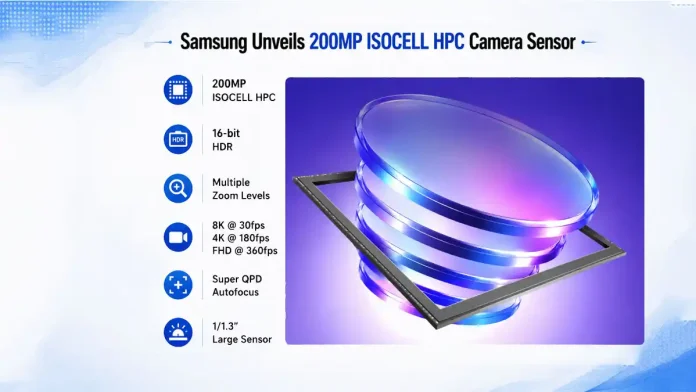
- Samsung’s new 200MP ISOCELL HPC debuts DeepPix pixel design for brighter HDR, reduced noise, and better low‑light shots.
- It supports single‑frame 16‑bit HDR across multiple zoom levels, plus 8K@30fps, 4K@180fps and FHD@360fps video recording.
- Other specs include 1/1.3″ format, 0.6μm pixels, Tetra²pixel filter, Super QPD autofocus, Smart‑ISO Pro HDR and microlens + ARL tech for improved clarity.
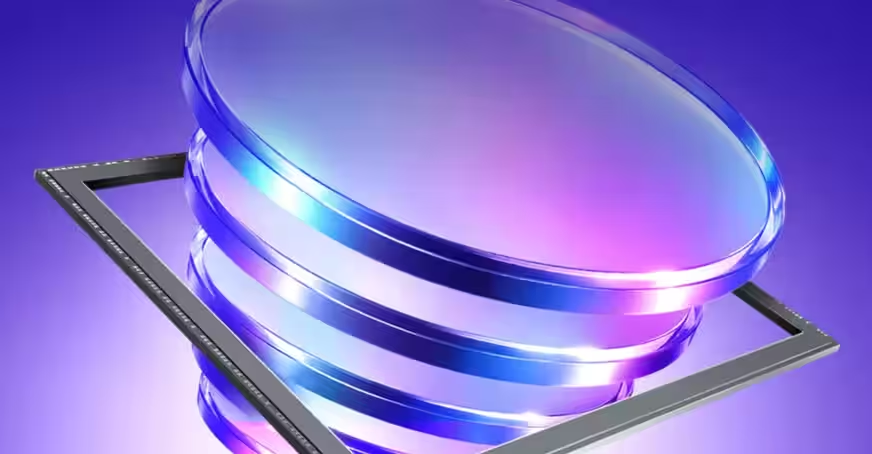
Samsung has introduced its latest 200MP ISOCELL HPC smartphone camera sensor with several improvements focused on HDR photography, zoom performance, low-light imaging, and video recording. The new sensor features Samsung’s first DeepPix pixel architecture, which is designed to capture more light and deliver better overall image quality.
Samsung ISOCELL HPC Gets DeepPix Technology
The new ISOCELL HPC is based on Samsung’s ISOCELL technology but debuts the company’s new DeepPix architecture. According to Samsung, the new pixel design increases the Full Well Capacity (FWC) by 60 percent over the previous generation. This is achieved through Front Deep Trench Isolation (FDTI) technology, which expands both the photodiode capacity and the shared floating diffusion.
As a result, the sensor is able to collect more light while reducing image noise, producing brighter highlights, deeper shadows, and a wider dynamic range in HDR images.
Samsung says the ISOCELL HPC also supports single-frame 16-bit HDR, enabling up to four times richer color expression compared to conventional HDR imaging. Instead of combining multiple exposures, the sensor captures HDR information in a single frame, helping preserve natural colours and fine details even in difficult lighting conditions such as bright sunlight or strong backlighting.
For video recording, the new sensor supports 8K video recording at 30fps and 4K video recording at up to 180fps. It can also record Full HD videos at up to 360fps without autofocus.
HDR Support Across Multiple Xoom Levels
One of the key highlights of the ISOCELL HPC is its HDR support across multiple in-sensor zoom levels. While many existing smartphone camera sensors limit HDR to certain zoom ranges, Samsung’s new sensor extends single-frame HDR support across 1x, 1.5x, 2x, 3x, and 4x zoom levels.
The sensor also uses intelligent in-sensor downscaling to maintain image quality and dynamic range throughout the zoom range, offering more consistent results at different focal lengths.
Samsung ISOCELL HPC Specifications
The Samsung ISOCELL HPC features a 1/1.3-inch optical format with 0.6μm pixels and an effective resolution of 16,384 × 12,288 pixels. It comes equipped with Samsung’s Tetra²pixel colour filter, Super QPD autofocus, and Smart-ISO Pro HDR technology. The sensor supports RAW10, RAW12, RAW14, and RAW16 output formats.
Samsung has also added High Precision Microlens and High Transmittance ARL technologies, which help direct more light to each photodiode while reducing reflections. These technologies are expected to improve image clarity and colour accuracy across different lighting conditions.
As of now, it is unclear which device will be the first to feature the new 200MP ISOCELL HPC sensor.