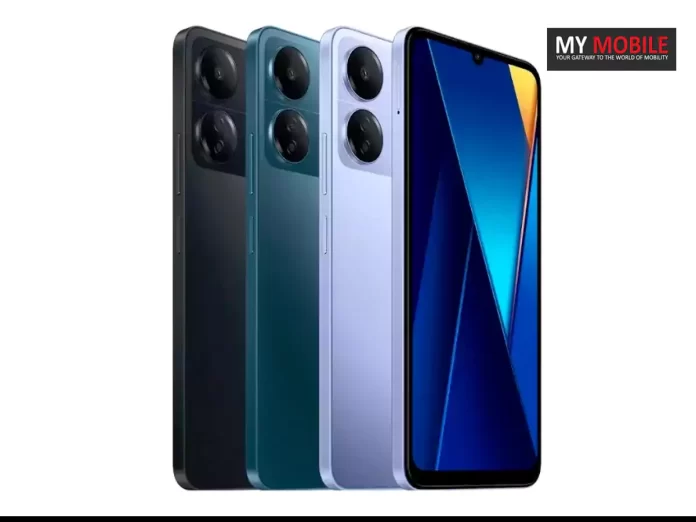
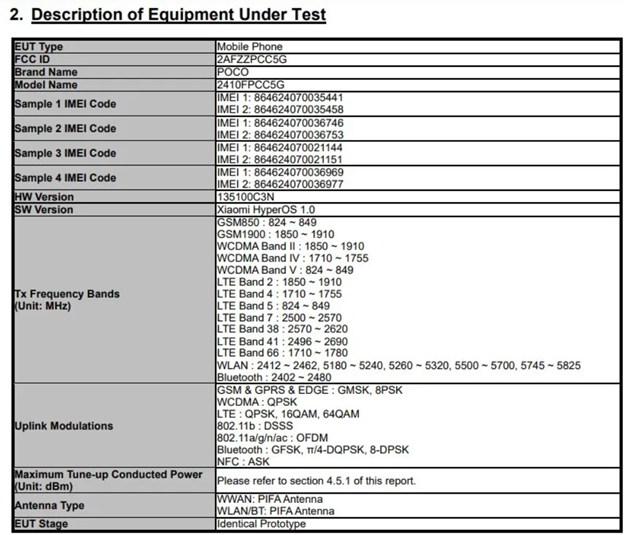
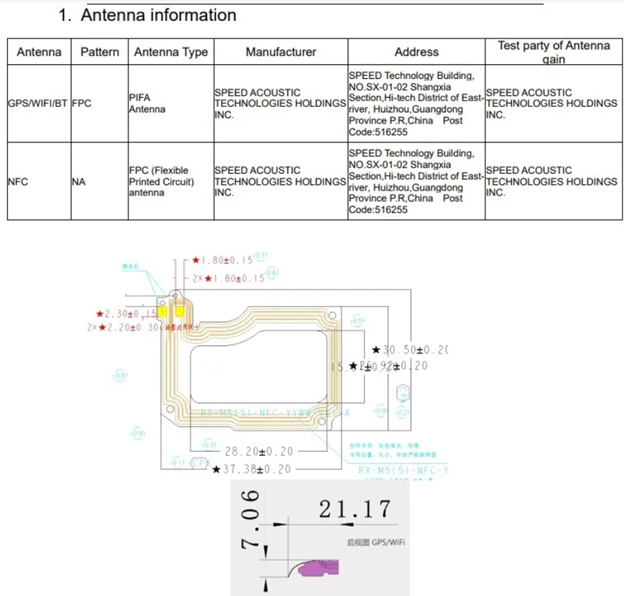
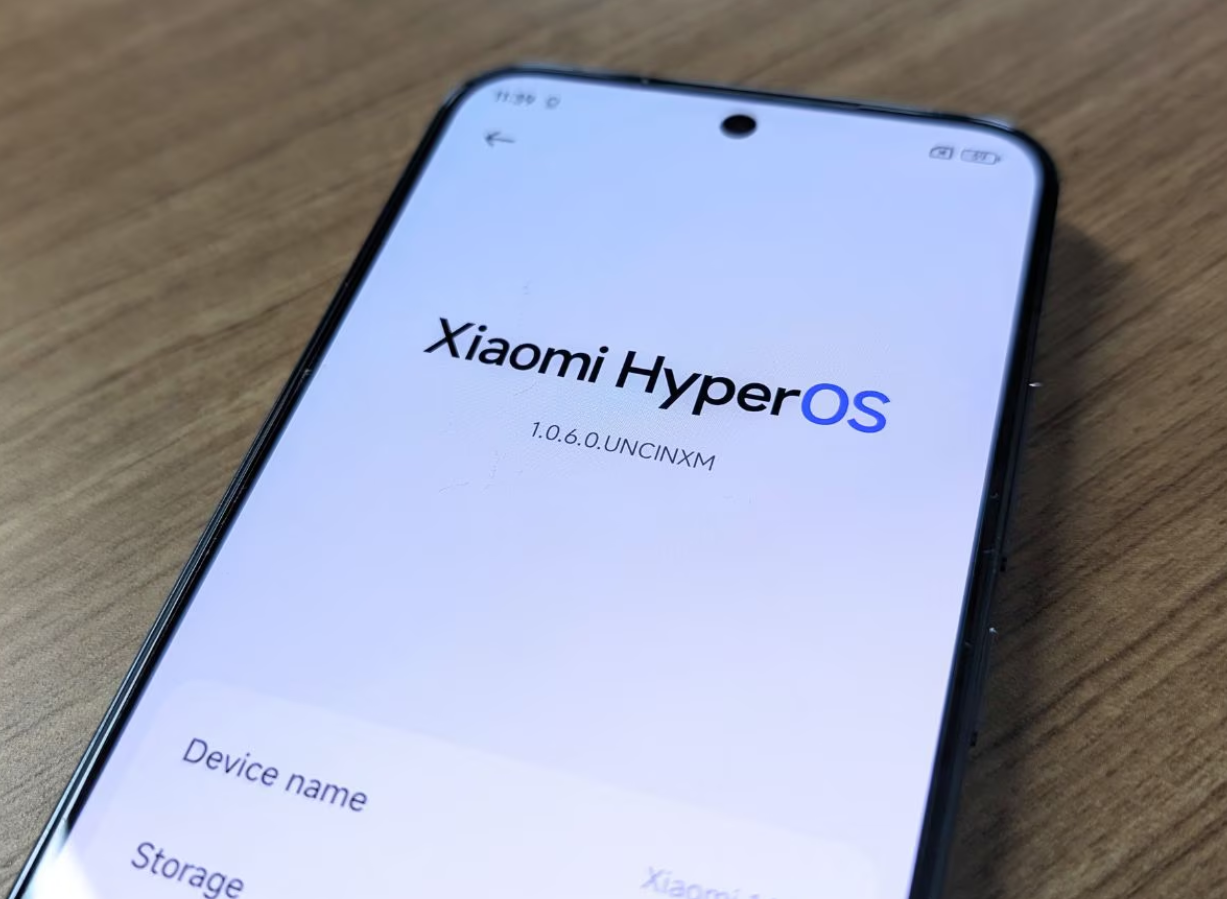
However, this might be a mistake, as the G81 is a less powerful chipset compared to the G85 found in the POCO C65.
To give you all a little recall of where we stand in terms of the POCO C series, let’s talk about C65.
G81 is a less powerful chipset compared to the G85 found in the POCO C65.
G81 is a less powerful chipset compared to the G85 found in the POCO C65.
The POCO C65 features a 6.7-inch display with a 90Hz refresh rate and HD+ resolution.
It has a 50MP main camera, a 2MP secondary camera, and an 8MP front camera.
Powered by the Helio G85 processor, the C65 offers up to 8GB of RAM and 256GB of internal storage.
It’s equipped with a 5,000mAh battery that supports 18W fast charging through a USB-C port.
FAQs
Q1. What is FCC certification and why is it needed?
Answer. FCC stands for Federal Communications Commission.
The FCC certification or FCC mark is a certification mark employed on all electronic products manufactured and sold in the United States.
The FCC enforces this requirement, per Title 47 of the Code of Federal Regulation (CFR).
All electronic products emit radiation, and hence FCC testing and certification marks ensure that the electromagnetic interference from a device is under the approved limit by the Federal Communications Commission.
Q2. What screen does POCO C65 use?
Answer. The POCO C65 features a 6.67-inch display with an aspect ratio of 20:9, Resolution: 1600*720 and 260 PPI.
Q3. What POCO C65 variants are available in the market?
Answer. Here are the prices of the POCO C65 models available on Flipkart:
POCO C65 (4GB RAM + 128GB storage): Rs 8,499
POCO C65 (6GB RAM + 128GB storage): Rs 9,499
POCO C65 (8GB RAM + 256GB storage): Rs 10,999
Q4. Who gives FCC certification to smartphones?
Answer. The Federal Communications Commission (FCC) oversees and enforces this requirement, per Title 47 of CFR.
Q5. What is an EEC certificate?
Answer. EEC certificate enables the manufacturer to demonstrate that the device conforms with EU standards, so has EU type approval.
The UK Certificate of Conformity (COC) usually states “EEC Certificate of Conformity”.
In other countries, the document is written in the respective official language.
Samsung’s latest releases, the Galaxy Watch Ultra, Galaxy Buds3, and Galaxy Buds3 Pro, have sparked controversy due to their resemblance to Apple’s products.
Samsung Electronics Executive Chairman Jay Y. Lee is reportedly very unhappy with the mobile division.
Chairman Lee has demanded changes in the mobile division.
It’s been almost a month since Samsung introduced the Galaxy Watch Ultra, Galaxy Buds3, and Galaxy Buds3 Pro at the Samsung Unpacked 2024.
And ever since these new releases have stirred up a lot of controversy.
The main reason is their striking resemblance to Apple’s products – the Apple Watch Ultra, AirPods 3, and AirPods Pro 2.
And if recent Korean media reports are to be believed, the new releases have stirred an equal amount of controversy inside Samsung as it has outside Samsung.
A recent media report from Korea reveals that Samsung Electronics Executive Chairman Jay Y. Lee is very displeased with the situation.
He has voiced his concerns about the mobile division’s copying behaviour openly causing a storm in the innermost corners of the consumer electronics company.
The report also reveals that Lee is so unhappy that he has taken unspecified actions against TM Roh, the head of the mobile division.
An unapproved insider claims that the chairman intervened directly after the outcry over the design similarities to Apple’s products and the quality issues with the Buds3 seriesand Galaxy Watch Ultra.
The internal atmosphere at Samsung has been described as “very bad” in the media report.
In response to this controversy, Lee has reportedly demanded changes in the mobile division’s future plans to ensure that such incidents do not happen again.
Is Samsung Copying Apple?
Products launched at Samsung Galaxy Unpacked 2024
Although this is a fairly subjective question, it appears most users and experts believe it to be the case.
However, the newly launched Galaxy Watch Ultra has adopted a rounded square design, which is similar to that of what we can call Apple’s style.
This can be said even though Apple’s Watch Ultra is more rectangular.
The Galaxy Buds3 have also raised eyebrows.
These are Samsung’s first earbuds with stems, a design that Apple introduced with the original AirPods years ago.
While many companies have since adopted this Apple design philosophy in recent times, the Buds3 stand out because they are so different from all previous Galaxy Buds designs.
Adding to the problem, the Galaxy Buds3 Pro has been reported to have quality control issues.
Many users have been experiencing ripping silicone ear tips when removed.
What Do Korean Media Reports Mean for Samsung?
Samsung Galaxy Buds3 (left) Apple AirPods Pro 2 (right)
If the reports circulating in the Korean media have any truth in them, this should be seen as good news for Samsung as a brand.
Chairman Jay Y. Lee’s response indicates that the senior management of the company recognizes the gravity of the situation and the potential damage to its reputation.
By taking steps against TM Roh, Lee signals a clear message that such copycat behaviour will not be tolerated.
Lee’s demand for changes in the mobile division’s strategy suggests that Samsung will likely steer away from designs that could be seen as copying Apple in the future.
Samsung Galaxy Watch Ultra (left) Apple Watch Ultra (right)
This move aims to restore Samsung’s image as an innovator rather than a follower.
Samsung is known for groundbreaking technology and design.
All it needs is to tap into that legacy to cross past this controversy.
Samsung’s Galaxy Unpacked 2024 event in Paris last month unveiled the latest tech innovations, including the Galaxy Z Fold 6 and Z Flip 6 foldable phones, Galaxy Watch 7, Galaxy Watch Ultra, and the highly anticipated Galaxy Ring.
The new foldables feature advanced displays and powerful specs, while the Galaxy Watch series introduces new colours and enhanced performance.
The Galaxy Ring promises advanced health tracking, and the Galaxy Buds 3 Pro offer a stylish, semi-transparent design.
FAQs
Q1. What are the features of Galaxy Z Fold 6?
Answer. Samsung introduced the Galaxy Z Fold 6 last month.
The Galaxy Z Fold 6 features a 7.6-inch inner Dynamic AMOLED 2X display and a 6.3-inch cover display, both supporting a 120Hz refresh rate.
It boasts 12GB of RAM with storage options ranging from 256GB to 1TB and a 50MP main camera.
Designed to enhance multitasking and productivity, the camera system features a 50MP main sensor, providing impressive photographic capabilities.
Q2. What products were launched in Samsung Unpacked 2024?
Answer. Samsung has announced the launch of the Galaxy Z Fold6, Galaxy Z Flip6, Galaxy Ring, Galaxy Watch Ultra, Galaxy Watch7, Galaxy Buds3 Pro and Galaxy Buds3.
Q3. How much will the Galaxy Ring cost?
Answer. The Galaxy Ring costs $400. However, keep in mind that though the Galaxy Ring is somewhat pricey upfront, it is important to note that unlike its biggest competitor, Oura, there is no subscription fee to use the Galaxy Ring.
Q4. Does Galaxy Buds3 Pro have AI?
Answer. Yes, Galaxy AI is present in the all-new Galaxy Buds3 Pro.
In fact, the Galaxy Buds3 Pro and Galaxy Buds3 are the first earbuds from Samsung that feature Galaxy AI technology.
Galaxy AI analyses your listening habits and how you wear earbuds to bring your music-listening experience to the next level.
Q5. Can I use the latest Galaxy Watch Ultra without cellular?
Answer. Yes, you can use your Galaxy Watch Active without connecting to a mobile device, making it easier to use for outdoor activities like running, hiking and mountain climbing.
You can setup the Galaxy Watch Active without a mobile device when it is turned on for the first time or after it has been reset.
• Panasonic Life Solutions India has launched a new range of front-load washing machines with 7-9 kg capacities
• The machines feature Gentle Kizukai Wash technology for delicate fabrics, Drynamic Spin for faster drying, and IoT-enabled Miraie connectivity.
• The price of washing machine is starting at ₹28,990.
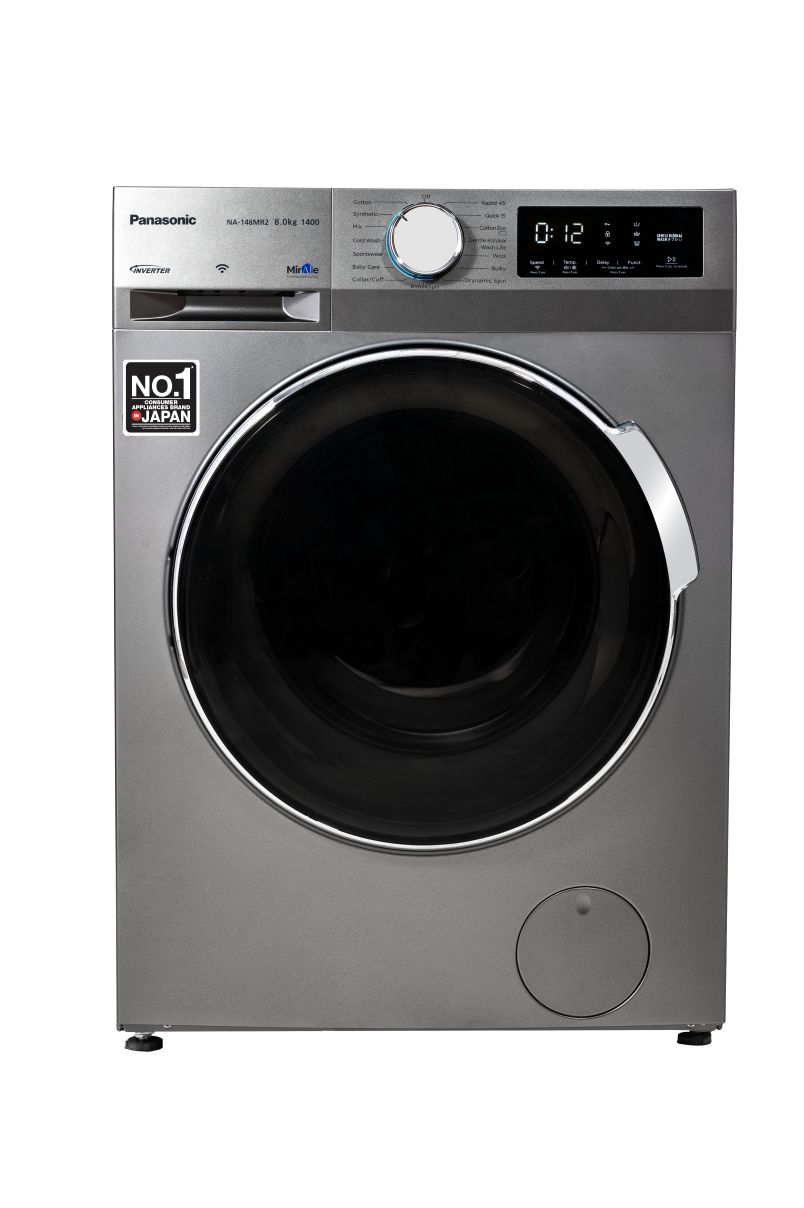
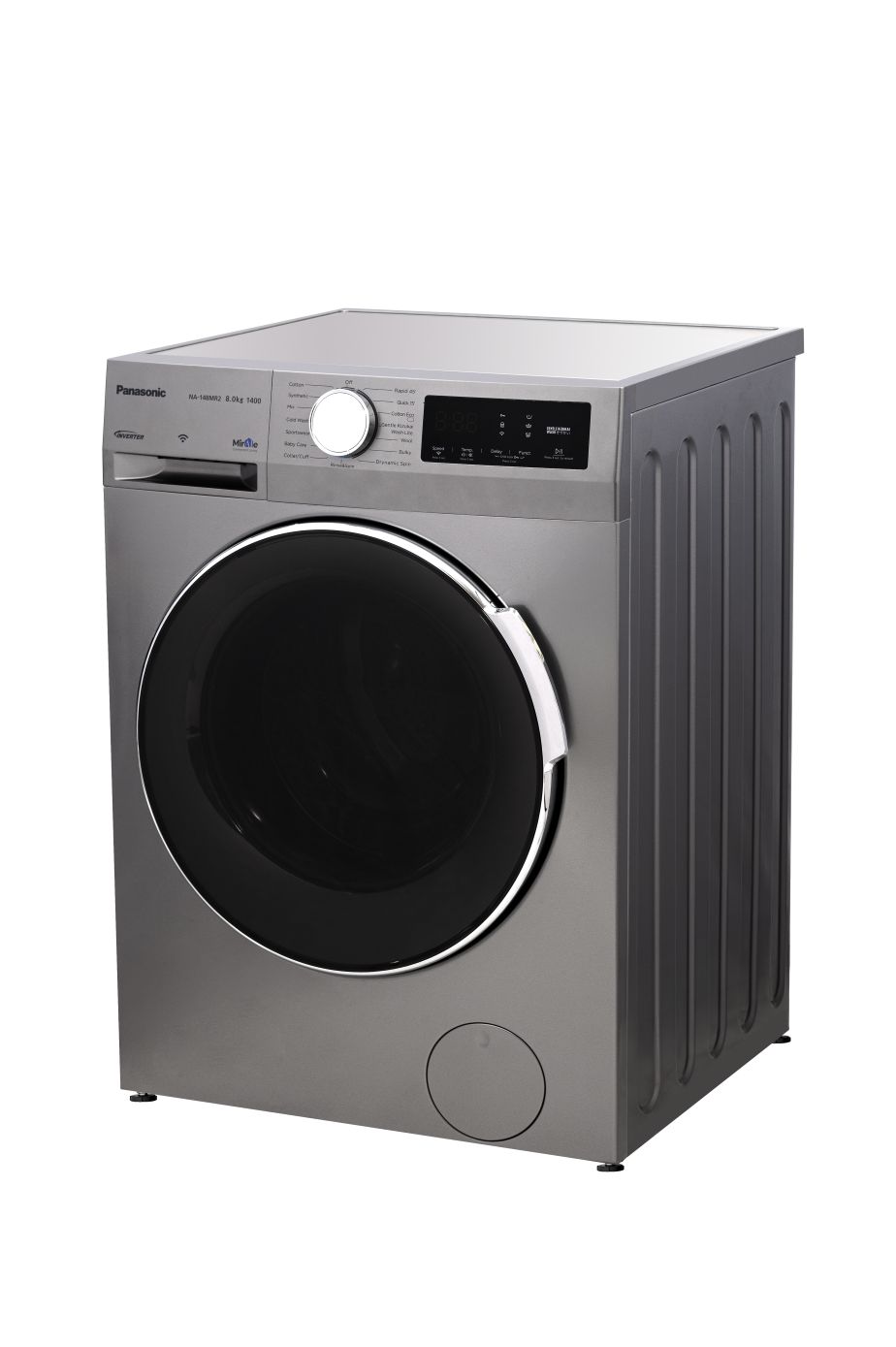
Panasonic Life Solutions India (PLSIND), a leading diversified technology company, has introduced its all-new range of Front-load washing machines with 7 – 9 kg capacity.
It features Gentle Kizukai Wash technology (the Japanese word for gentle care and kindness) designed in India specifically for embroidered clothes to offer a gentle hand-like wash for delicate and ethnic wear.
Powered by Panasonic’s IoT-enabled connected living platform – Miraie, the new range of front-load smart washing machinescome with unique features such as Drynamic Spin, Stain Master+, Active Foam System, and built-in heater in premium designs.
Panasonic in India Brings New Front-Load Washing Machines with Drynamic Spin for Easy Drying during Monsoons and Gentle Kizukai Wash
Starting at INR 28,990, the new Front-load models will be available across all major retail outlets, e-commerce platforms and the Panasonic Brand Store.
Commenting on the launch, Mr. Fumiyasu Fujimori, Managing Director, Panasonic Marketing India, PLSIND said, “At Panasonic, our relentless commitment to innovation drives us to build synergies between consumer needs and technology. Every product we develop is driven by in-depth research and insights ensuring solutions that seamlessly enhance everyday life. Our front-load and top-load washing machines exemplify this commitment.
Indian clothes are unique, with a lot of embroidery, zari work, and a great variety of fabrics, which are all very delicate. Our Gentle Kizukai Wash gives 50 times more fabric care for delicate clothes as compared to a normal wash course. Additionally, the Drynamic Spin helps in faster drying, up to 20% faster than normal courses—a common issue among Indian consumers during the rainy and winter seasons. Resultantly, these advancements are designed to empower our customers to live with greater convenience, comfort, and connectivity.”
Highlighting on key features of the new washing machine, Mr. Samaksh Ahuja, Product Category Chief – Consumer Electronics & Home Appliances, Panasonic Life Solutions India, said, “Our washing machines cater to today’s hygiene-conscious consumers offering 99.99% bacteria protection with the built-in heater and steam function. Moreover, features such as StainMaster+ remove stubborn stains, and Active Foam System offers superb washing with fine foam.
The integration with our proprietary Miraie platform enables users to operate and control the washing machine remotely and receive smart notifications related to wash suggestions and maintenance cycles. We are also seeing a trend where consumers are increasingly thinking ahead and investing in premium models that not only meet their needs today but will also be relevant in the years to come. With these advanced features and increased capacity, we are confident in our goal to double our sales compared to last year, driven by sustained demand for premium models that fit today’s consumers’ needs.”
Panasonic Life Solutions India has launched a new range of front-load washing machines with 7-9 kg capacities
The new washing machine is equipped with smart features and a premium design.
The key highlights of the newly introduced front-load models are:
* Gentle Kizukai Wash feature, offering 50 times more fabric care as compared to normal wash course
* Drynamic Spin which gives up to 20% faster drying versus normal course, particularly useful features, especially during rainy weather.
* Miraie Connectivity
The machines feature Gentle Kizukai Wash technology for delicate fabrics, Drynamic Spin for faster drying
– Control your machine anytime, anywhere through your smartphone
– Track your water and energy consumption for each cycle using the Miraie app
– Get customised pre-treatment options for 50+ stains with Stain Genius
– The Smart Wash Wizard feature in the Miraie app offers customized wash programs
* Built-in Heater with StainMaster+ technology to remove bacteria and stubborn stains
* Active Foam System offers superb washing with fine foam
Faqs
What is the Price and Availability of the new Panasonic front -load washing machines ?
The new front-load washing machines are available in capacities ranging from 7 to 9 kg. Prices start at Rs 28,990.
Consumers can purchase these models from major retail outlets, e-commerce platforms, and Panasonic Brand Stores across India.
What is the best feature of the Panasonic new front load washing machine ?
The best feature is the integration of Miraie, Panasonic’s IoT-enabled platform.
This allows users to operate and monitor their washing machines remotely via a smartphone.
The Miraie app provides various functionalities, such as tracking water and energy consumption and offering customised wash programs through the Smart Wash Wizard feature.
The app also includes Stain Genius, a feature that offers pre-treatment options for over 50 types of stains.
Does the Panasonic front load washing machine include a built in heater ?
The machines also include a built-in heater and StainMaster+ technology, which work together to remove bacteria and stubborn stains.
The Active Foam System generates fine foam to ensure thorough cleaning.
Can I wash expensive & delicate fabrics in the New Panasonic front load washing machine ?
The washing machines incorporate several key features, notably the Gentle Kizukai Wash.
This feature offers enhanced care for delicate fabrics, making it suitable for garments with embroidery and delicate materials.
The Drynamic Spin function is designed to expedite drying, achieving up to 20% faster drying times compared to standard washing courses.
This feature is particularly beneficial during the monsoon season when drying clothes can be challenging.
Top OTT releases of August 2024: Modern Masters to Kill, check the full list
Complete details of movies or series are released on different OTT platforms like Netflix, Amazon Prime, Jio Cinema, Disney+ Hotstar, etc.
As we approach August 2024, the OTT industry is abuzz with excitement, preparing to unveil a host of new content.
Following the exciting releases of July, all eyes are now on the upcoming month, promising a captivating array of movies and web series.
Major streaming platforms like Netflix, Prime Video, Hotstar, Jio Cinema, Zee5, and more are ramping up their offerings with fresh titles, sparking anticipation among viewers.
In this post, we are rounding up everything that will suit every Hindi viewer’s taste.
Whether you’re craving a heartwarming family drama, a charming romantic comedy, a thrilling action-packed adventure, or something entirely different, the upcoming releases are set to cater to a wide range of preferences.
So, without further ado, let’s check out every Hindi Web Series & movie streaming on OTT platforms in India (August 2024).
Web Series & Movies Streaming on OTT Platforms in India (August 2024)
Movie/Show
Platform
Release Date
Language
Genre
Satyabhama
Amazon Prime Video
01-Aug-24
Telugu
Action/Drama/Suspense
Unstable
Netflix
1-Aug-24
English
Comedy
A Good Girl’s Guide to Murder
Netflix
1-Aug-24
English
Drama
Borderless Fog
Netflix
1-Aug-24
Indonesian
Horror/Thrillers/Crime
Love is Blind: Mexico
Netflix
1-Aug-24
Spanish
Reality TV/Romance
Rebel Moon — Part One: Director’s Cut
Netflix
2-Aug-24
English
Action/Adventure
Rebel Moon — Part Two: Director’s Cut
Netflix
2-Aug-24
English
Action/Adventure
Kingdom of the Planet of the Apes
Disney+ Hotstar
2-Aug-24
English/Hindi/
Telugu/Tamil
Action/Drama/Adventure
Saving Bikini Bottom: The Sandy Cheeks Movie
Netflix
2-Aug-24
English
Adventure/Comedy
Brinda
SonyLIV
2-Aug-24
Telugu/Tamil/
Malayalam/Hindi
Crime
Modern Masters: SS Rajamouli
Netflix
2-Aug-24
English
Documentary
Weapon
Amazon Prime Video
2-Aug-24
Tamil
Action/Thriller
Ullozhukku
Amazon Prime Video
2-Aug-24
Malayalam
Drama/International
Batman: Caped Crusader
Amazon Prime Video
02-Aug-24
English
Animation/Action/Adventure
Gabby’s Dollhouse
Netflix
05-Aug-24
English
Adventure/Anime
Pehla Pyaar – Less Than 1% Chance
SonyLIV
05-Aug-24
Hindi
Romance
Rising Impact
Netflix
06-Aug-24
Japanese
Anime/Drama
Secret World of Sound with David Attenborough
Netflix
07-Aug-24
English
Documentary
Lolo and the Kid
Netflix
07-Aug-24
English
Drama
The Zone: Survival Mission S3
Disney+ Hotstar
07-Aug-24
Korean
Reality TV/Game Show
Love Is Blind: UK
Netflix
7-Aug-24
English
Reality TV/Romance
The Umbrella Academy S4
Netflix
8-Aug-24
English
Action/Adventure/Comedy
Are You Sure?!
Disney+ Hotstar
8-Aug-24
Korean
Adventure/Documentary
Shahmaran S2
Netflix
8-Aug-24
Turkish
Fantasy/Adventure/Drama
Turbo
SonyLIV
9-Aug-24
Malayalam
Action/Comedy
Indian 2
Netflix
9-Aug-24
Telugu/Malayalam/Tamil
Action/Thriller
Mission: Cross
Netflix
9-Aug-24
Korean
Comedy/Action
Life Hill Gayi
Disney+ Hotstar
9-Aug-24
Hindi
Comedy/romance
Phir Aayi Hasseen Dillruba
Netflix
9-Aug-24
Hindi
Crime/Drama/Thriller
Inside the Mind of a Dog
Netflix
9-Aug-24
English
Documentary
Gyaarah Gyaarah
Zee5
9-Aug-24
Hindi
Drama/Thriller
Kaun Banega Crorepati
SonyLIV
12-Aug-24
Hindi
Reality TV
The Tyrant
Disney+ Hotstar
14-Aug-24
Korean
Action
Star Wars: Young Jedi Adventures
Disney+ Hotstar
14-Aug-24
English
Sci-Fic/Action/Adventure
Manorathangal
Zee5
15-Aug-24
Malayalam/Tamil/Telugu
/Kannada/Hindi
Comedy/Drama/Romance
Kengan Ashura S2 Part 2
Netflix
15-Aug-24
Japanese
Anime
Macross 7: The Galaxy Is Calling Me!
Disney+ Hotstar
16-Aug-24
Japanese
Sci-fi/Animation
Macross Dynamite 7
Disney+ Hotstar
16-Aug-24
Japanese
Sci-Fic/Anime
Love Next Door
Netflix
17-Aug-24
Hindi
Romance
The Supremes at Earl’s All-You-Can-Eat
Disney+ Hotstar
23-Aug-24
English
Comedy/Drama
No Gain No Love
Amazon Prime Video
26-Aug-24
Korean
Comedy/Romance
The Lord of the Rings: The Rings of Power
Amazon Prime Video
29-Aug-24
English
Action/Drama/Fantasy
Terminator Zero
Netflix
29-Aug-24
Japanese
Anime/Adventure/Action/Sci-Fic
The Deliverance
Netflix
30-Aug-24
English
Horror/Thriller
Raayan
SunNxt
Coming Soon
Tamil/Hindi/Telugu
Action/Drama
Kill
Disney+ Hotstar
Coming Soon
Hindi
Action/Thriller
Uppu Puli Kaaram
Disney+ Hotstar
Coming Soon
Tamil
Comedy
Nadanna Sambhavam
ManoramaMax
Coming Soon
Malayalam
Comedy/Family/Thriller
Swakaryam Sambhavabahulam
ManoramaMax
Coming Soon
Malayalam
Crime/Thriller
Freedom at Midnight
SonyLIV
Coming Soon
Hindi
Drama
Marivillin Gopurangal
SonyLIV
Coming Soon
Malayalam
Drama
Paradise
ManoramaMax
Coming Soon
Malayalam/Tamil/English
Drama
Only Murders in the Building S4
Disney+ Hotstar
Coming Soon
English
Drama/Crime/Comedy
Anandapuram Diaries
ManoramaMax
Coming Soon
Malayalam
Family
Manamey
Amazon Prime Video
Coming Soon
Telugu
Romance/Comedy
Kalki 2898 AD
Amazon Prime Video
Coming Soon
Malayalam/Tamil/
Telugu
Sci-Fic/Action
Thalavan
SonyLIV
Coming Soon
Malayalam
Thriller
Hindi Web Series & Movies Streaming on OTT Platforms in India (August 2024)
Ghudchadi
Ghudchadi is an upcoming Indian Hindi-language romantic comedy film.
Producer – Sikhya Entertainment, Dharmatic Entertainment
Pehla Pyaar: Less Than 1% Chance
They say the feeling of Pehla Pyaar is magical.
All this is due to Dopamine and Oxytocin named chemicals.
But less than one per cent chance of Success, hai ye baat statistical.
But will Murali Sharma’s first love be successful?
Streaming On – SonyLiv
Date of Streaming – August 5, 2024
Genre – Drama
The series depicts the beauty and delight of young love
Storyline – Pehla Pyaar: Less than 1% Chance is an upcoming web series on Sony LIV that delves into the theme of first love.
The series depicts the beauty and delight of young love, driven by chemicals like dopamine and oxytocin.
However, it highlights that only 1% of people can achieve their magical first love, while the remaining 99% fail to do so.
In the series, Murli Sharma navigates the emotions and struggles of his first love.
Watch the series to find out if Murli Sharma will be among the lucky 1% who achieve their first love’s magic or if he will belong to the 99% who do not.
Cast – Arista Mehta, Krish Rao, James Ghadge
Director – Swapnaneel Jayakar
Writer – Dilip Jha
Producer – Ritesh Modi
Aapka Apna Zakir
Comedian Zakir Khan will soon make his television debut with a new program called Aapka Apna Zakir.
The show which will air on Sony TV is sure to leave everyone in splits.
Streaming On – Sony TV
Date of Streaming – August 10, 2024
Genre – Comedy
Storyline – Popular comedian Zakir Khan is all set to entertain audiences with his brand-new show ‘Aapka Apna Zakir’.
Set to air soon.
The show which will air on Sony TV is sure to leave everyone in splits
The show promises to be a delightful blend of humour and heartfelt life lessons.
Known for his relatable comedy, Zakir Khan brings his unique perspective on life’s ups and downs, making even the mundane seem hilariously significant.
Cast – Zakir Khan
Director – NA
Writer – NA
Producer – Sony Entertainment
Freedom At Midnight
Freedom at Midnight is an upcoming Indian Hindi-language historical drama web series on Sony LIV, adapted from the book of the same name, authored by Dominique Lapierre and Larry Collins.
With Nikkhil Advani as showrunner, the series delves into the partition of India and Pakistan.
Its first teaser was released on 30 July 2024.
Streaming On – SonyLiv
Date of Streaming –
Genre – Historical Drama
Runtime: 2h 18m
Storyline – Freedom at Midnight is the electrifying story of India’s struggle for independence.
Based on the bestselling book of the same name, it recounts the partition of India and Pakistan and the religious and socio-political dynamics of the era.
Freedom at Midnight is the electrifying story of India’s struggle for independence
“Freedom at Midnight,” by Larry Collins and Dominique Lapierre, details India’s struggle for independence from British rule in 1947.
The book captures the intense political and social upheavals, the partition’s violence, and key figures like Gandhi and Mountbatten, offering a vivid account of the dramatic end of the British Raj.
Writer – Dominique Lapierre and Larry Collins (Based on the book)
Producer – Monisha Advani and Madhu Bhojwani
Life Hill Gayi
Life Hill Gayi, a light-hearted narrative, will be released on the OTT platform Disney+ Hotstar soon.
It has masterfully recreated the stunning backdrop of Uttarakhand.
Streaming On – DisneyPlus Hotstar
Date of Streaming – August 9, 2024
Genre – Comedy/Drama
Storyline – The story revolves around a grandfather, played by the legendary Kabir Bedi, who tasks his two grandchildren, portrayed by Divyenndu and Kusha Kapila, with the monumental job of revamping his villa.
The story revolves around a grandfather, played by the legendary Kabir Bedi,
The villa, charmingly named Good Morning Woods Villa, is located in the quaint town of Panchmoli.
The grandchildren’s attempts to renovate the villa are anything but smooth, leading to a comedy of errors that keeps the laughs coming.
Phir Aayi Hasseen Dillruba is an upcoming Indian Hindi-language romantic thriller film.
It is the sequel to the 2021 film Haseen Dillruba.
Streaming On – Netflix
Date of Streaming – August 9, 2024
Genre – Thriller
Runtime – 2h 12m
Storyline – The story revolves around Rani and Rishu’s attempt to move beyond their troubled past, only to find themselves entangled in a fresh web of challenges.
Amidst their pursuit of a peaceful life, the arrival of a mysterious man Abhimanyu (Sunny Kaushal), shatters their tranquillity.
Complicating matters further is Officer Mritunjay, aka Montu Chacha (Jimmy Shergill), a relentless cop with a personal vendetta, determined to uncover their web of lies, betrayal and deceit.
The story revolves around Rani and Rishu’s attempt to move beyond their troubled past
With law enforcement closing in, the couple resorts to their old, twisted ways to stay together, questioning whom they can truly trust in a perilous world.
As the mystery unfolds, the burning question remains: How far will they go for love?
Cast – Taapsee Pannu, Vikrant Massey and Sunny Kaushal
Director – Jayprad Desai
Writer – Kanika Dhillon
Producer – Colour Yellow Productions and T-Series Films AKA Aanand L. Rai, Himanshu Sharma, Bhushan Kumar, Krishan Kumar
Expected Hindi OTT Releases in August 2024 (Not Official)
Munjya
Munjya was theatrically released on 7 June 2024, to positive reviews from critics.
The film emerged as a sleeper hit grossing over ₹132 crore (US$16 million) worldwide against a production cost of ₹30 crore.
Streaming On – Disney+ Hotstar
Streaming Date – Not Announced, August 2024 Tentatively
Genre – Horror-Comedy
Runtime- 2h 20m
Storyline – A young man’s visit to his native village unveils a family secret and a vengeful spirit, the Munjya, who wants to get married.
Munjya was theatrically released on 7 June 2024, to positive reviews from critics
Now the young man must fight to protect himself and his love from Munjya’s clutches.
Cast – Sharvari, Abhay Verma, Mona Singh and Sathyaraj.
Director – Aditya Sarpotdar
Writer – Yogesh Chandekar
Producer – Dinesh Vijan and Amar Kaushik
Kill
Kill is a 2023 Indian Hindi-language action thriller film.
It is inspired by true events.
Kill premiered at the Toronto International Film Festival on 7 September 2023, where it was first runner-up for the People’s Choice Award: Midnight Madness.
It was also screened at the Tribeca Film Festival in June 2024.
Kill was theatrically released on 5 July 2024 and received positive reviews from critics.
Streaming On – Disney+ Hotstar
Streaming Date – Not Announced, August 2024 Tentatively
Genre – Action
Runtime- 1h 45m
Storyline – Amrit Rathod, an army commando, discovers that his girlfriend Tulika is being forced into an engagement.
Kill was theatrically released on 5 July 2024
Determined to stop the wedding, he boards a train bound for New Delhi.
During the journey, a gang of knife-wielding bandits led by Fani begins to terrorize the passengers.
Amrit, along with his friend Viresh, must confront the bandits and protect the passengers from their menace.
Answer. A woman suspected of killing her husband narrates an interesting story about her marriage while investigating police officers look for clues to arrest her.
Q2. Why is Zakir Khan famous?
Answer. Zakir Khan is famous for his work as a stand-up comedian, writer, and actor in India.
He gained widespread recognition for his unique style of storytelling, which blends humour with relatable observations about everyday life.
His breakthrough came with winning Comedy Central India’s “Best Stand-Up Comedian” competition in 2012.
Zakir is particularly known for his catchphrases like “Sakht Launda” and his comedic take on relationships and life experiences, which resonate with a wide audience.
Q3. What is the movie Freedom At Midnight about?
Answer. Freedom at Midnight is based on a book of the same name written by Larry Collins and Dominique Lapierre about the events around the Indian independence movement and partition.
It details the last year of the British Raj, from 1947 to 1948, beginning with the appointment of Lord Mountbatten of Burma as the last viceroy of British India, and ending with the death and funeral of Mahatma Gandhi.
Q4. How long is Modern Masters: SS Rajamouli?
Answer. Modern Masters is labelling one of India’s top directors today – SS Rajamouli – as a ‘modern master’ sets the tone of this 74-minute documentary.
Q5. What is the curse of Rajamouli?
Answer. The “Curse of Rajamouli” is an informal term referring to an unusual pattern observed in the Telugu film industry.
It is noted that several actors who worked with the renowned director S.S. Rajamouli experienced a series of professional setbacks or delivered unsuccessful films after collaborating with him.
Despite achieving significant success and acclaim under his direction, many of these actors struggled to replicate the same level of success in their subsequent projects.
This phenomenon gained traction as a topic of discussion among fans and industry insiders, leading to the creation of the term “Curse of Rajamouli.”
However, it is important to note that this “curse” is more of a coincidence than an actual curse, as the film industry is inherently unpredictable, and various factors contribute to the success or failure of a movie.
Examples often cited include actors like Prabhas, N.T. Rama Rao Jr. (Jr. NTR), and Ram Charan, who faced challenges with some of their movies post their massive hits with Rajamouli.
Despite this, these actors continue to have successful careers and maintain their popularity.
Q6. Where was Kill movie screen internationally?
Answer. Kill premiered at the Toronto International Film Festival on 7 September 2023, where it was first runner-up for the People’s Choice Award: Midnight Madness.
It was also screened at the Tribeca Film Festival in June 2024. Kill was theatrically released on 5 July 2024 and received positive reviews from critics.
Q7. Is Munjya hit or flop?
Answer. Munjya was theatrically released on 7 June 2024, to positive reviews from critics.
The film emerged as sleeper hit grossing over ₹131 crore (US$16 million) worldwide against a production cost of ₹30 crore (US$3.6 million) to rank as the fifth highest-grossing Hindi film of 2024.
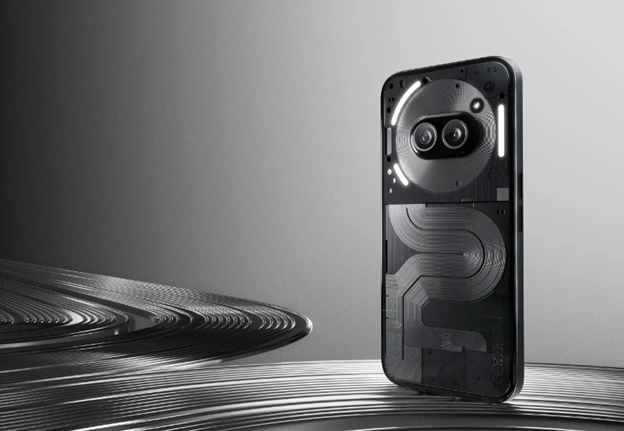
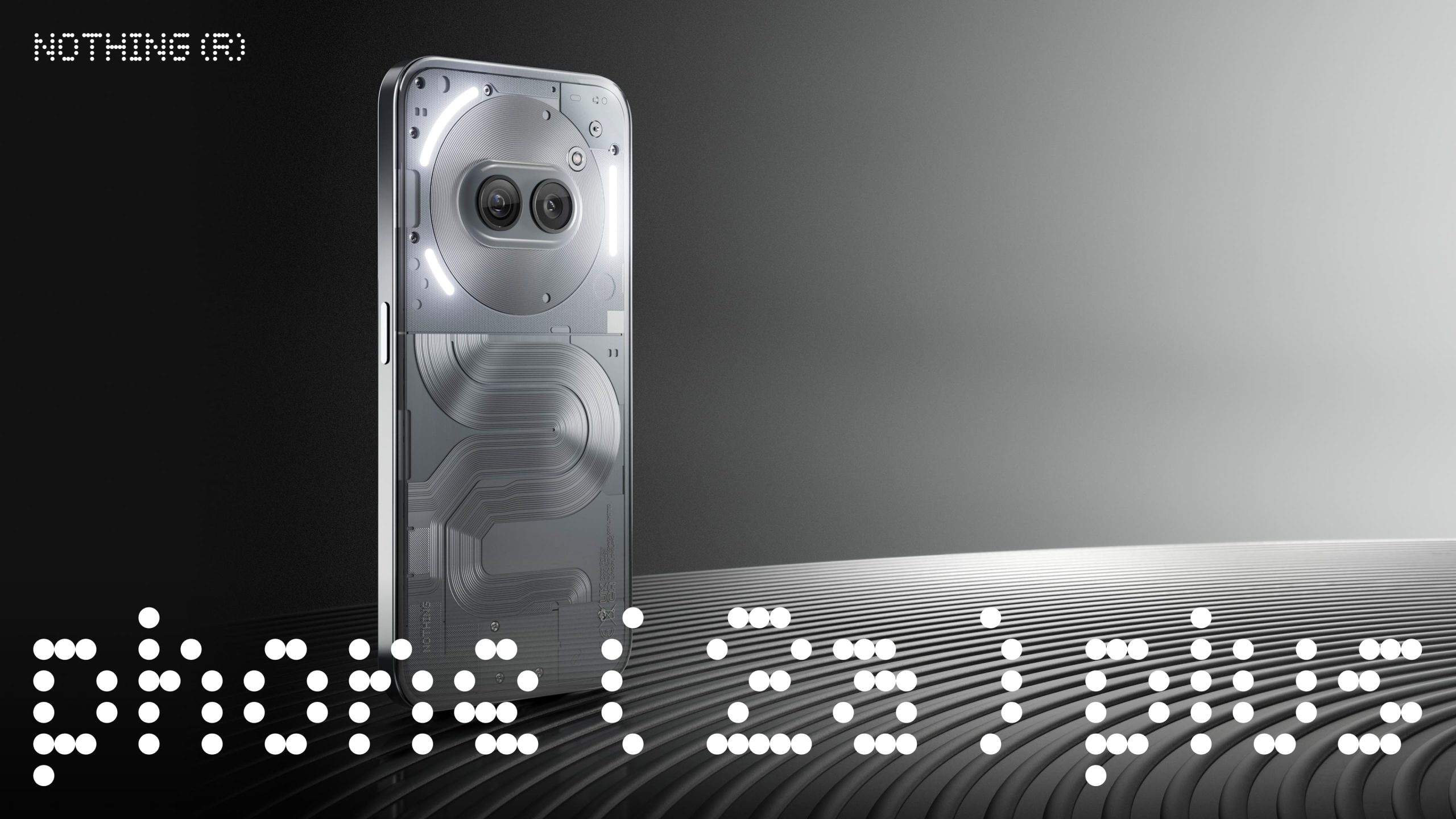
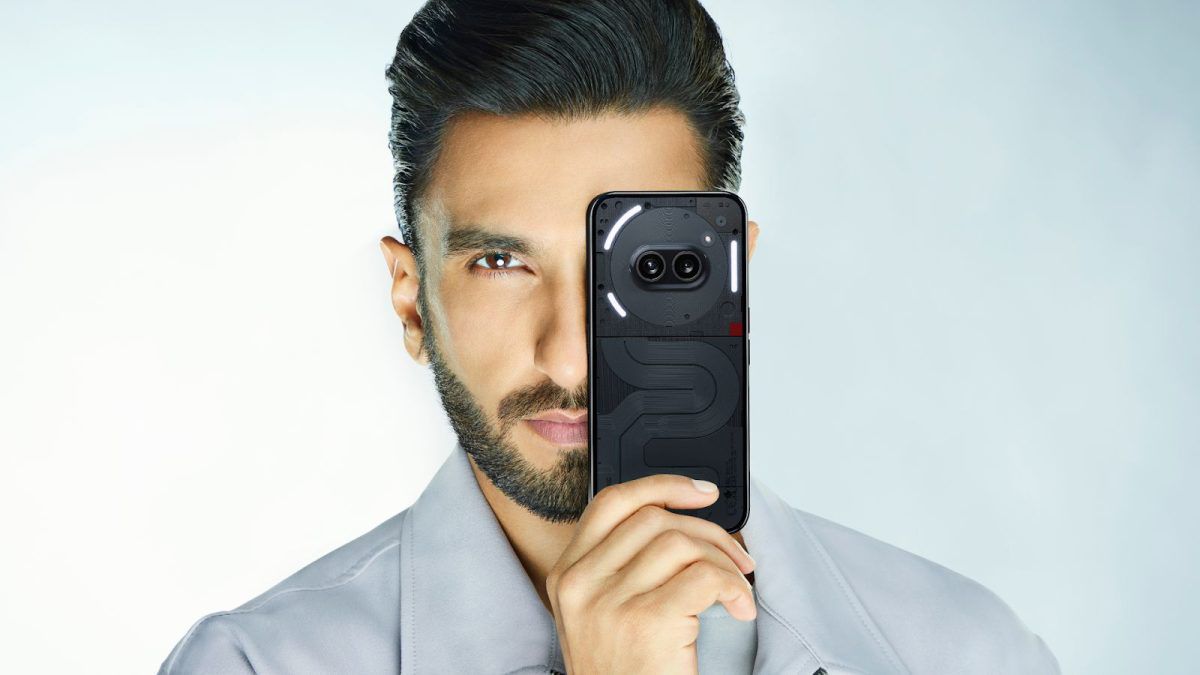
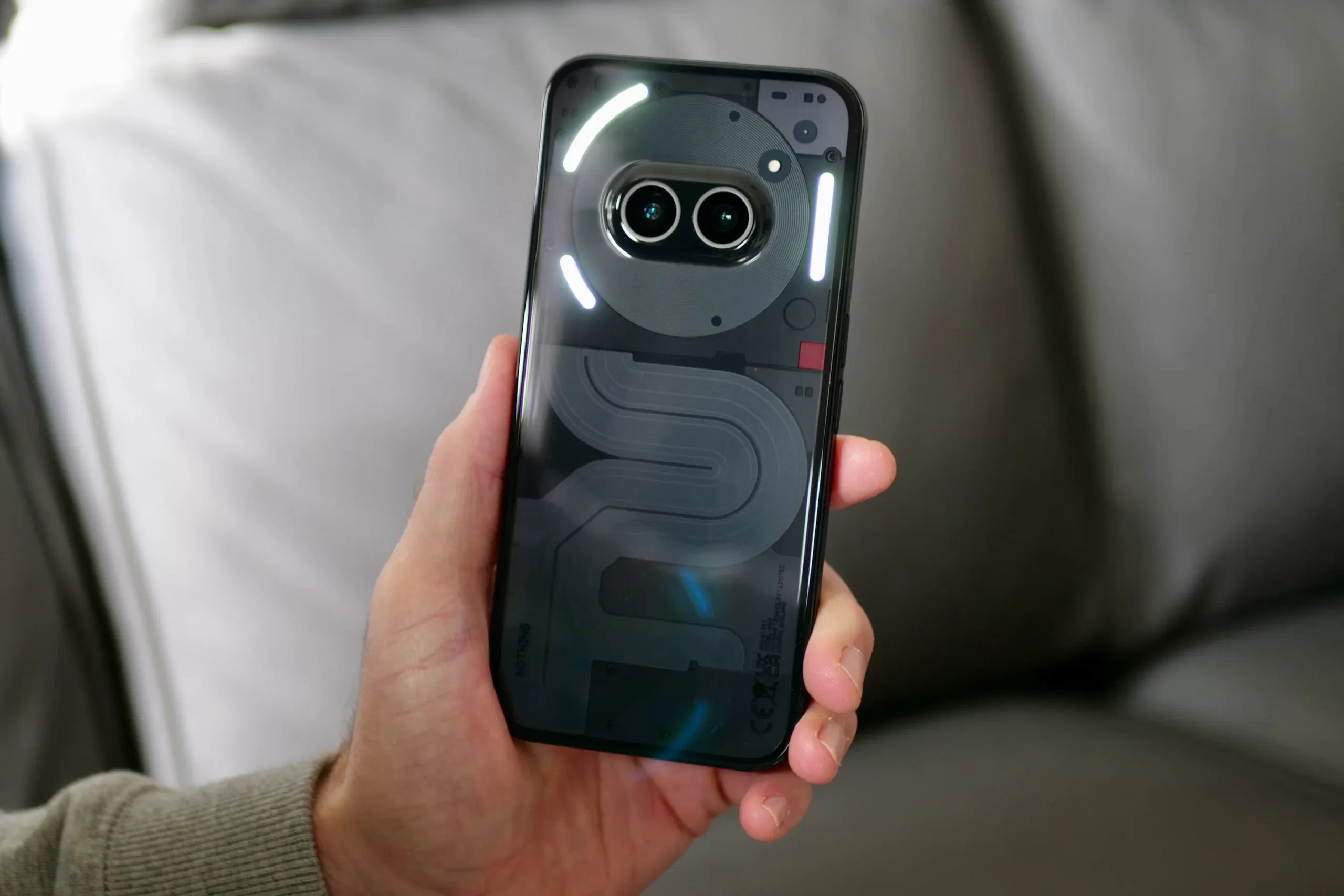
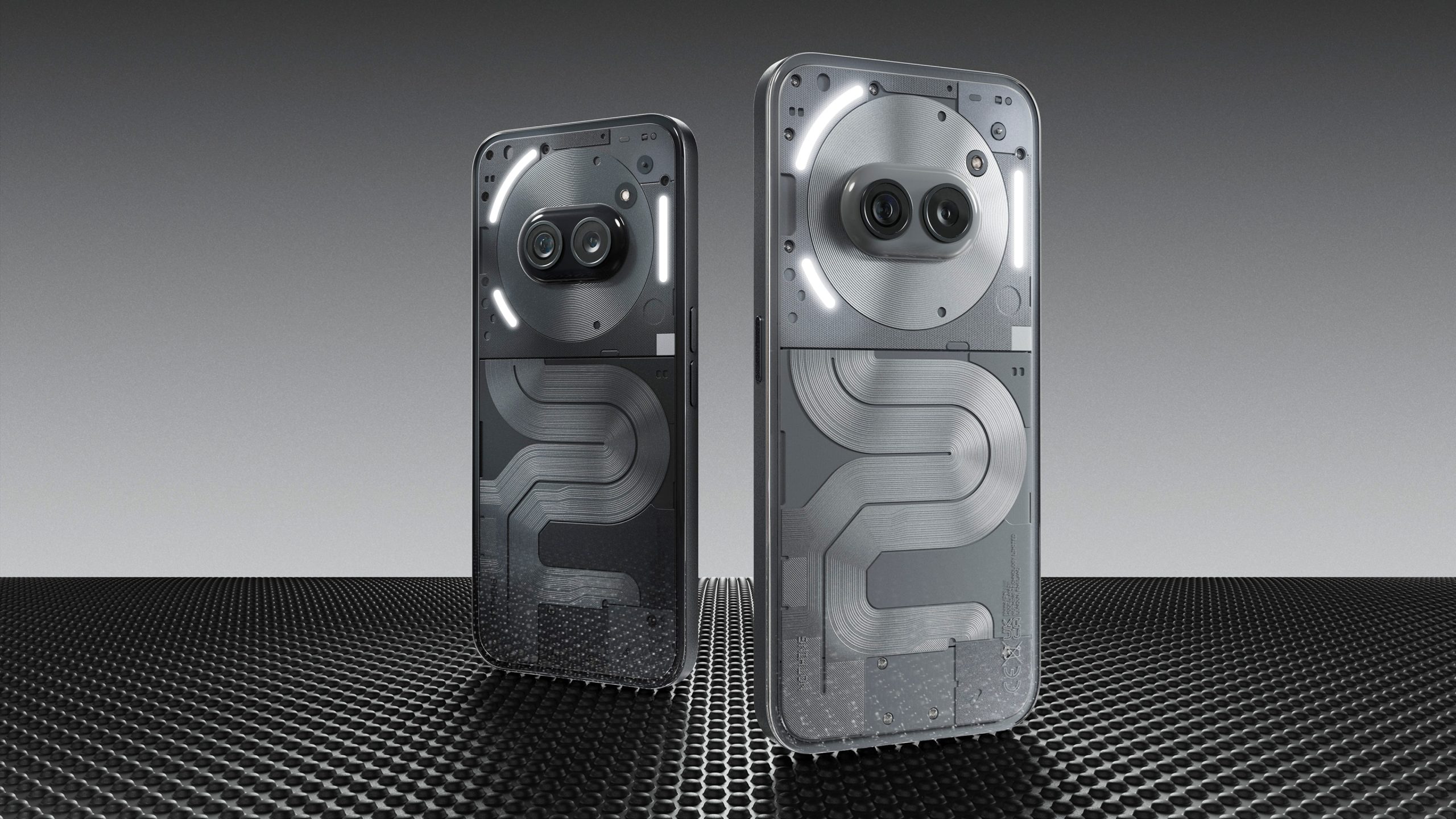
Nothing has launched its new smartphone – the Nothing Phone (2a) Plus in India.
It is a modified version of the Nothing Phone (2a) with a dual-tone finish.
Among many similarities, both have similar designs and sport a 6.7-inch AMOLED display.
Phone (2a) Plus’s starting price is Rs 27,999, which is Rs 4,000 more than the Phone (2a).
In July, Nothing surprised everyone with multiple product launches, including the sudden introduction of the Nothing Phone (2a) Plus.
This new model follows the highly popular Nothing Phone (2a), which was released just five months ago.
Although both phones share a similar design, the Phone 2a Plus comes with a handful of upgrades that enhance its overall performance.
Here’s a brief comparison of their camera capabilities, pricing, and other features to help you decide if the “Plus” version is worth going for.
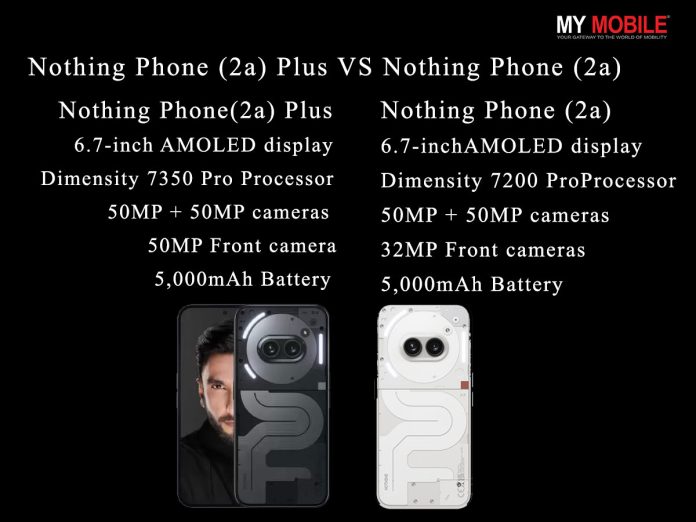
Nothing Phone (2a) Plus VS Nothing Phone (2a) – Key Features
Nothing Phone (2a) Plus
Nothing Phone (2a
6.7-inch 120 Hz Flexible AMOLED
MediaTek Dimensity 7350 Pro 5G
Nothing OS 2.6
Dual Camera – 50 MP Main + 50 MP Ultra Wide
50 MP Front Camera
5,000 mAh Battery
50 W Charging Speed
IP54 Rating
6.7-inch 120 Hz Flexible AMOLED
MediaTek Dimensity 7200 Pro 5G
Nothing OS 2.6
Dual Camera – 50 MP Main + 50 MP Ultra Wide
32 MP Front Camera
5,000 mAh Battery
45 W Charging Speed
IP54 Rating
Nothing Phone (2a) Plus VS Nothing Phone (2a) – Price in India
Nothing Phone (2a) Price in India
Nothing Phone 2a Plus price in India starts at Rs 27,999 for the 8/256GB model and Rs 29,999 for the 12/256GB one.
This launch price tag is around Rs 2,000 more than the previously launched Nothing Phone 2a.
Nothing Phone 2a Plus price in India starts at Rs 27,999
Here’s a variant-wise price comparison –
Variant
Nothing Phone (2a) Plus
Nothing Phone (2a)
8 RAM + 128GB Storage
–
Rs 23,999
8 RAM + 256GB Storage
Rs 27,999
Rs 25,999
12 RAM + 256GB Storage
Rs 29,999
Rs 27,999
Nothing Phone (2a) Plus
Image Credit – Nothing.Tech
Reasons to Buy
Reasons to Skip
Bright and smooth display
Design Novelty
No Bloatware or Ads
Softer Version of Nothing’s signature Glyph Light interface
Decent Battery and Charging Speed
Back prone to smudges and scratches
Subpar Peak Brightness
Limited water resistance
No charger in the box
Nothing Phone (2a)
Image Credit – Nothing.Tech
Reasons to Buy
Reasons to Skip
Bright and smooth display
Design Novelty
Elegant Software Interface
Nothing’s Signature Glyph lights
Good Battery
Three OS Upgrades and 4 years of security updates
Reliable In-Display Fingerprint Sensor
Back prone to smudges and scratches
Limited water resistance
Subpar Peak Brightness
No charger in the box
Nothing Phone (2a) Plus VS Nothing Phone (2a) – Design & Display
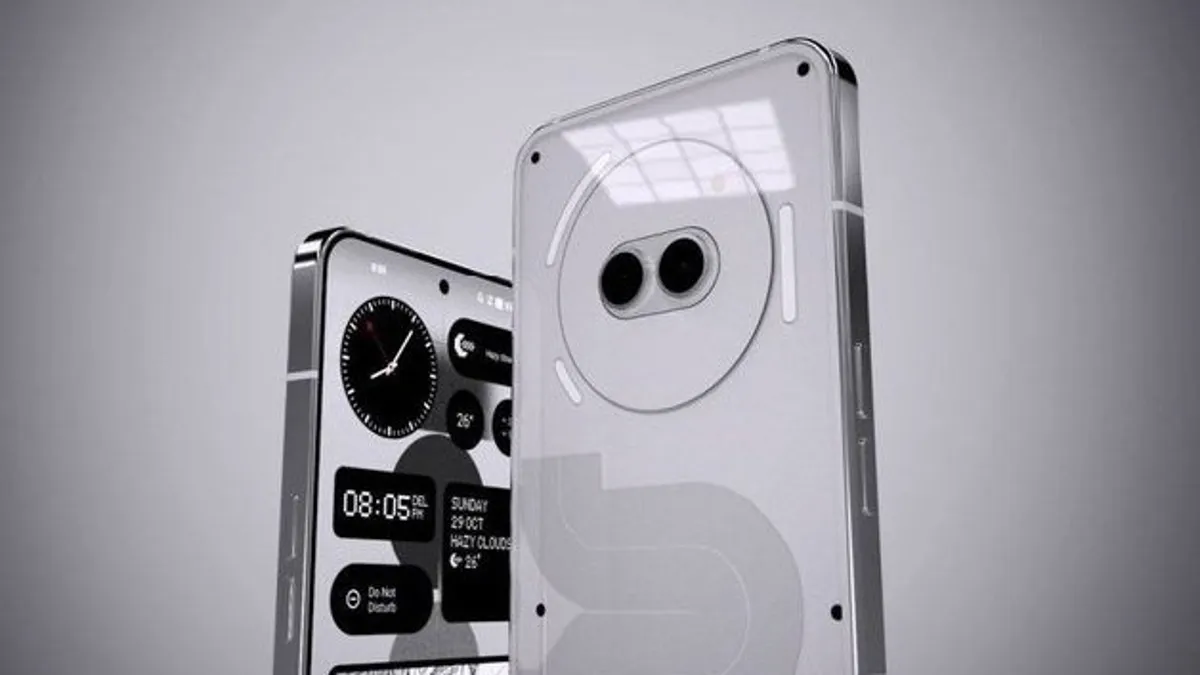
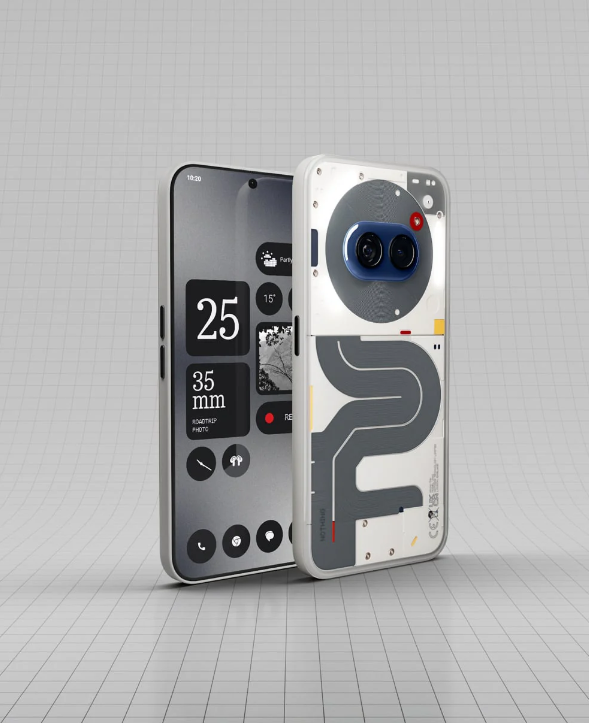
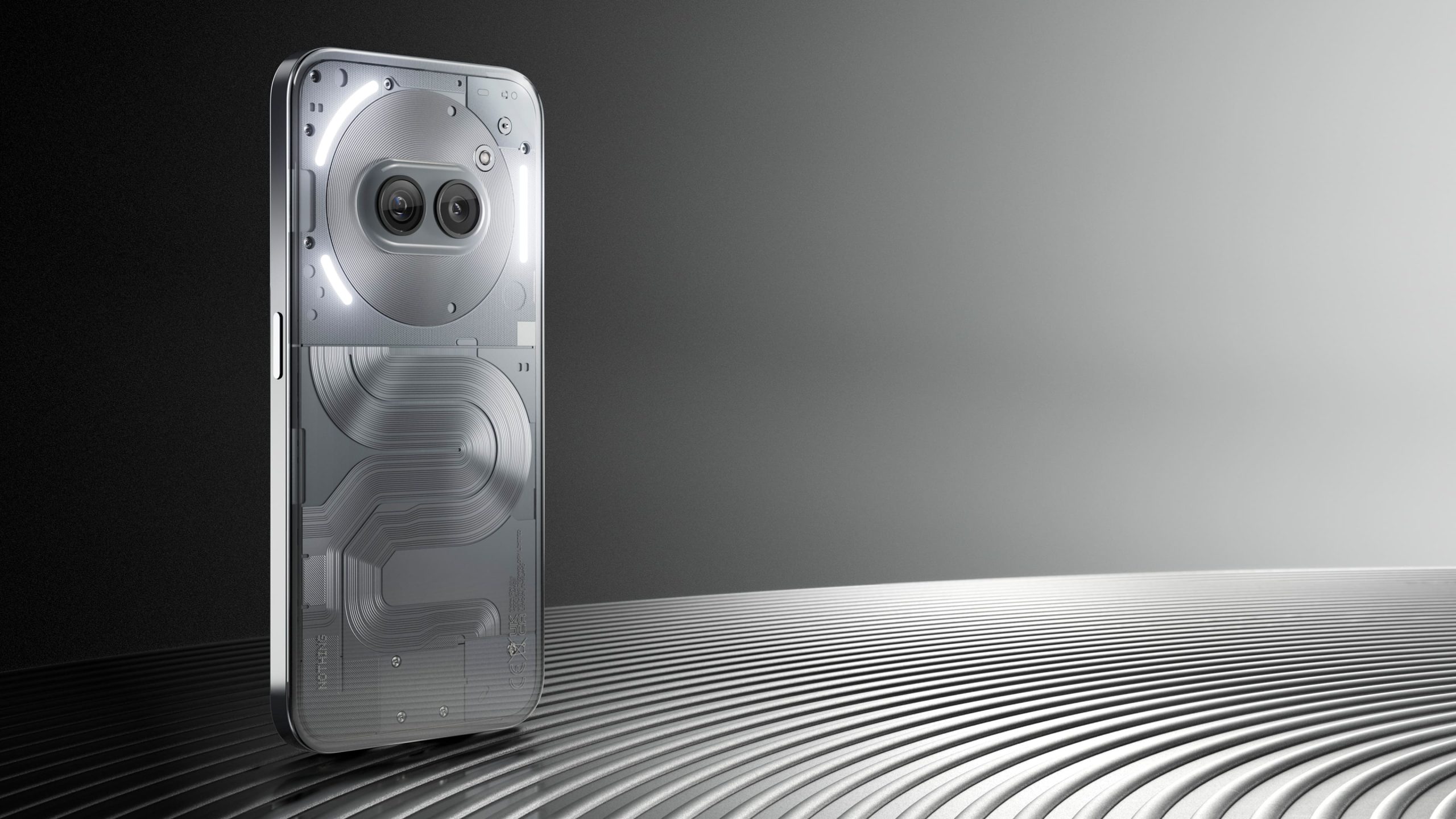
Phone (2a) Plus – Identical in design, different in colours
The Nothing Phone (2a) and the Nothing Phone (2a) Plus share an identical design, making them visually indistinguishable.
However, they differ in available colours.
The Nothing Phone (2a) comes in black, blue, and white, while the Nothing Phone (2a) Plus is offered in black and grey.
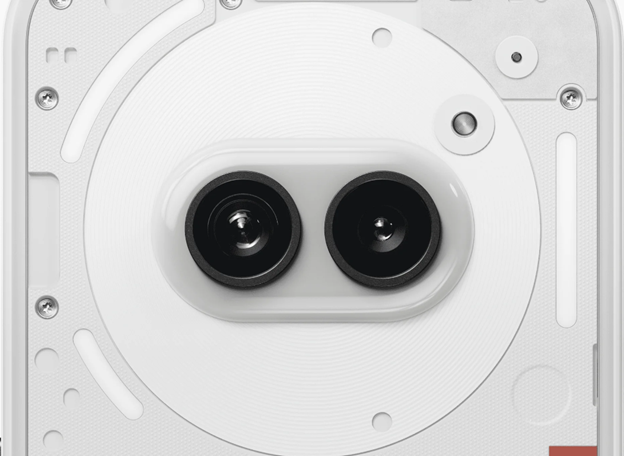
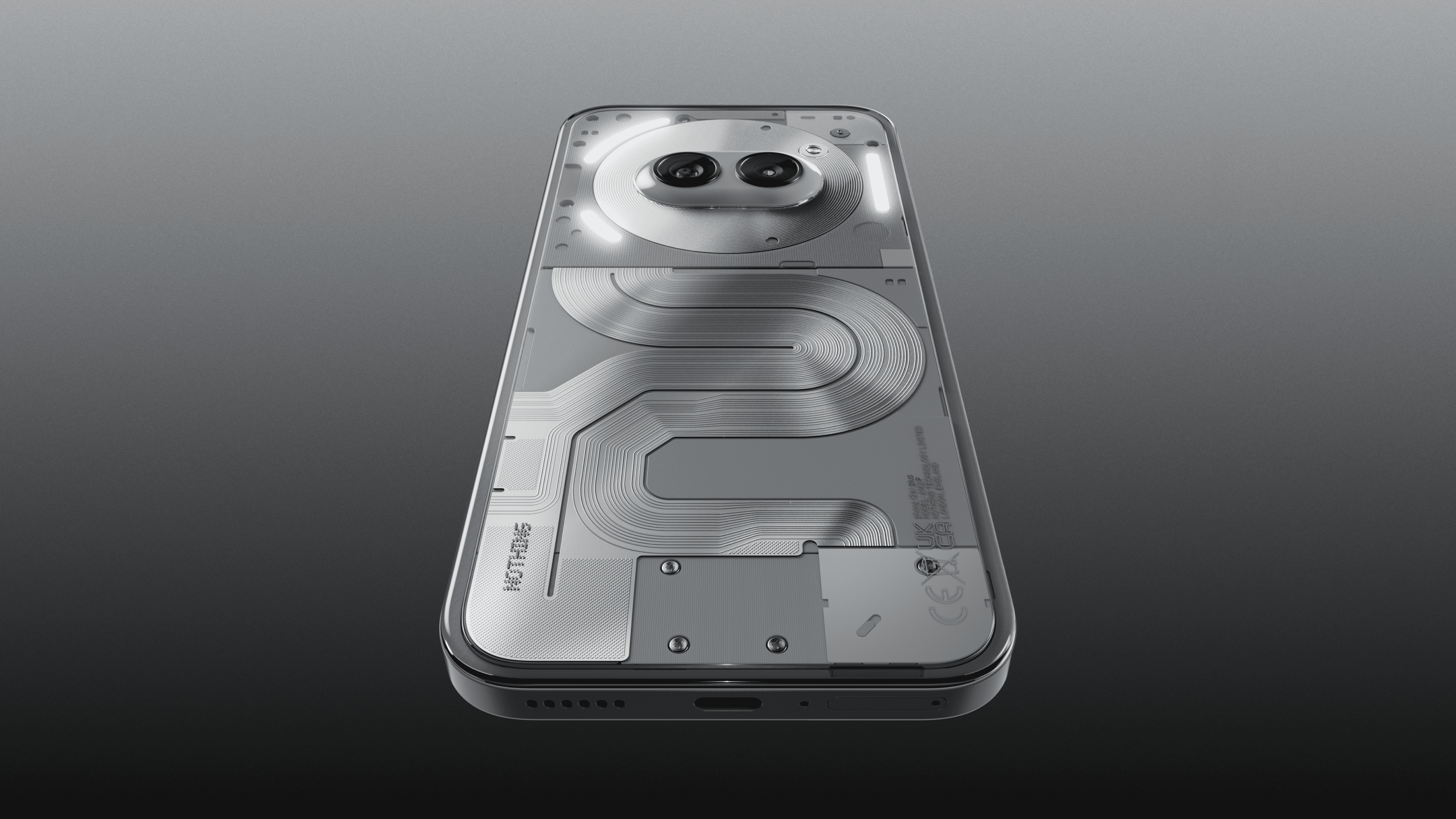
Both models feature a simplified version of the company’s iconicGlyph interface, with LEDs limited to the upper half of the device.
Phone (2a) Special Edition Edition Design
Given the identical screen specifications, there is not much of an upgrade to mention in Nothing Phone (2a) Plus.
Each phone boasts a 6.7-inch 120Hz “Flexible AMOLED” display, with a typical brightness of 700 nits.
This can be increased to 1,100 nits in high brightness mode for better visibility in direct sunlight.
Similar to Nothing Phone (2a), the always-on display is quite bright, even when colours are used for certain elements.
Nothing Phone (2a) Plus VS Nothing Phone (2a) – Processor
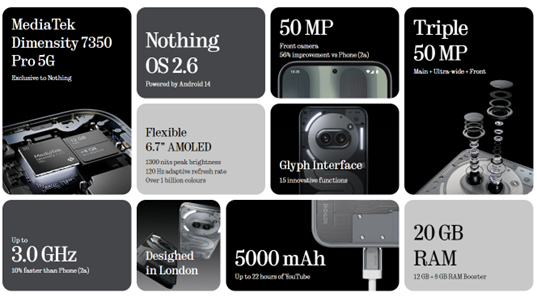
8 cores clocking speeds up to 3.0 GHz, Phone (2a) Plus is 10% faster than Phone (2a)
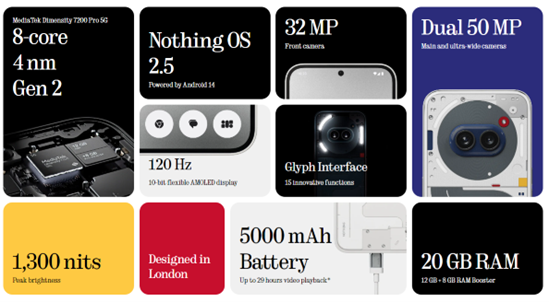
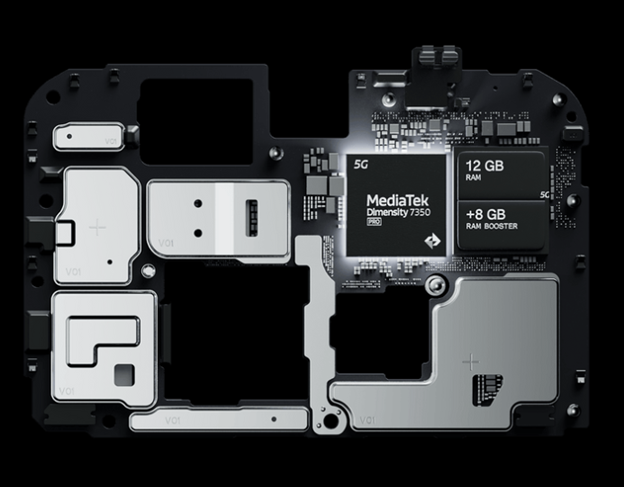
The Nothing Phone (2a) is equipped with theMediaTek Dimensity 7200 Pro chipset, while the newer Nothing Phone (2a) Plus features the upgraded Dimensity 7350 Pro chipset.
According to the brand’s official communication, the Nothing Phone (2a) Plus delivers 30% better graphical performance and 10% improved overall performance compared to its predecessor, thanks to the exclusive Dimensity 7350 Pro chipset.
Both chipsets are built on TSMC’s 4nm Gen 2 process and share the same core count and GPU.
Nothing Phone (2a) Plus delivers 30% better graphical performance
However, the Dimensity 7350 Pro in the Nothing Phone (2a) Plus operates at a higher clock speed.
Both phones come with 8GB of RAM in their base variants.
The newly launched Nothing Phone (2a) Plus also offers 256GB of storage, which is double the storage capacity of the base variant of the Nothing Phone (2a).
Nothing Phone (2a) Plus VS Nothing Phone (2a) – Performance and Benchmarks
Nothing has committed to delivering three major Android updates
Both phones are equipped with Android 14, complemented by Nothing OS 2.6.
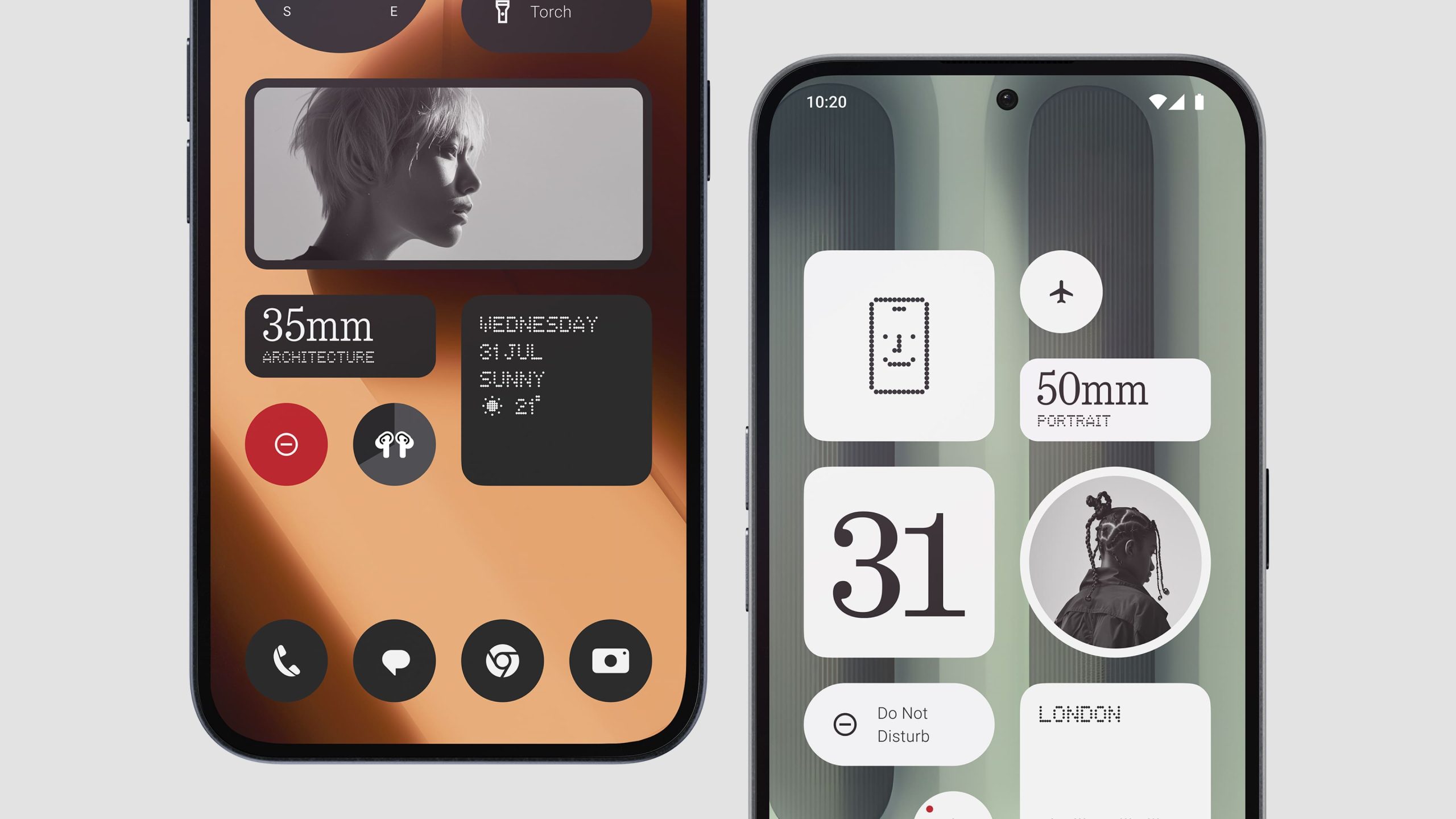
This operating system provides a clean and minimalist interface, enhanced with unique features like the Glyph Composer and custom ringtones.
Nothing has committed to delivering three major Android updates for both devices, ensuring long-term software support.
The Phone (2a) Plus supports Extreme graphics settings for games like BGMI
The performance of the Nothing Phone (2a) Plus shows a significant improvement, achieving an impressive AnTuTu score of 771,491 compared to the 707,480 score of the Nothing Phone (2a).
Similar enhancements are evident in Geekbench scores.
The Phone (2a) Plus supports Extreme graphics settings for games like BGMI and also offers improved battery life despite the enhanced graphics.
Additionally, the Phone (2a) Plus comes preloaded with features like ChatGPTand an AI News Reporter.
Nothing Phone (2a) Plus VS Nothing Phone (2a) – Cameras
Phone (2a) Plus – upgraded 50 MP front camera for true-to-life photos
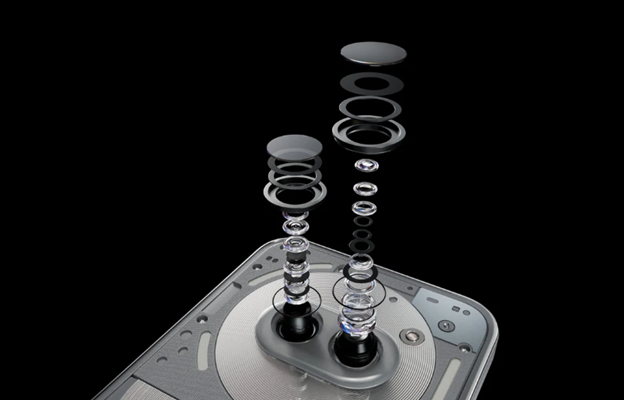
Both the Nothing Phone (2a) and the Nothing Phone (2a) Plus feature the same rear camera setup.
However, the newly launched Phone (2a) Plus includes a significant upgrade with a 50MP selfie camera, compared to the 32MP front camera on the Nothing Phone (2a).
The rear camera setup consists of a 50MP primary camera with OIS and auto-focus, alongside a 50MP ultrawide shooter with a 114-degree field of view.
A common concern with the Nothing Phone (2a) was that the images tended to be over-exposed.
Phone (2a) – 50 MP + 50 MP
Despite this, reviewers noted that the phone “handled sharp reds and pinks quite well” and produced decent bokeh.
It’s likely that Nothingaddressed these issues with a software update, and the Nothing Phone (2a) Plus appears to have these fixes already implemented, eliminating the need for users to wait for a software update.
Nothing Phone (2a) Plus VS Nothing Phone (2a) – Battery and Charging
Nothing Phone (2a) Plus has an edge when it comes to charging speed
Both the Nothing Phone (2a) and the Nothing Phone (2a) Plus come with a robust 5,000mAh battery, ensuring long-lasting usage on a single charge.
However, the Nothing Phone (2a) Plus has an edge when it comes to charging speed, supporting 50W fast charging.
Nothing Phone (2a) Plus come with a robust 5,000mAh battery,
This allows for quicker recharge times compared to the Nothing Phone (2a), which supports 45W fast charging.
With the enhanced charging capability of the Nothing Phone (2a) Plus, users can expect to spend less time tethered to a charger.
Nothing Phone (2a) Plus VS Nothing Phone (2a) – Specs Comparison
Parameters
Nothing Phone (2a) Plus
Nothing Phone (2a)
Display
6.7-inch FHD+ AMOLED display with a 120Hz refresh rate, 1300 nits peak brightness, and Gorilla Glass 5 protection
6.7-inch FHD+ AMOLED display with a 120Hz refresh rate, 1300 nits peak brightness, and Gorilla Glass 5 protection
Processor
MediaTek Dimensity 7350 Pro chipset
MediaTek Dimensity 7200 Pro chipset
Clock Speed
Up to 3.0 GHz
Up to 2.8 GHz
Processor Tech
TSMC 4 nm Gen 2
TSMC 4 nm Gen 2
Core
8
8
GPU
Arm Mali-G610 MC4 at 1.3 GHz
Arm Mali-G610 MC4 at 1.0 GHz
Rear Cameras
50MP primary camera with OIS + EIS and a 50MP ultra-wide camera
50MP primary camera with OIS + EIS and a 50MP ultra-wide camera
Autofocus
Yes
Yes
Ultra XDR
Yes
Yes
Front Camera
50MP front camera with 4K recording
32MP front camera with 1080p recording
Battery
5,000mAh
5,000mAh
Charging Speed
50W USB PD
45W USB PD
Software
Android 14 with Nothing OS, 3+4 update policy
Android 14 with Nothing OS, 3+4 update policy
IP Rating
IP54 rating
IP54 rating
Other Features
NFC, Stereo speakers
NFC, Stereo speakers
Nothing Phone (2a) Plus VS Nothing Phone (2a) – Which One Should You Buy?
Nothing Phone (2a) Plus will cost you Rs 27,999
While the upgrades aren’t quite noteworthy, Nothing Phone(2a) Plus has gone with enhancements in the front camera, processing power and charging speed.
In the end, the verdict in Nothing Phone (2a) Plus vs Nothing Phone (2a) can’t be conclusive unless we consider the current price of both models.
Almost 5 months since its launch, Nothing Phone (2a) is currently priced at Rs 23,999 for the 128GB version without any bank offers on Flipkart.
On the other hand, the Nothing Phone (2a) Plus starts at the launch price of Rs 25,999 with offers.
Nothing Phone (2a) is currently priced at Rs 23,999
The additional Rs 2,000 could be justified by the extra performance, improved selfie camera, and slightly faster charging speed.
So, when you compare the 256GB versions of both models, the Nothing Phone (2a) Plus emerges as a better option.
However, it is important to keep in mind that the cost-effectiveness is bound by offers.
If you can’t take advantage of any discounts then Nothing Phone (2a) Plus will cost you Rs 27,999 for the base variant with 8GB RAM and 256GB storage.
In this case, the Nothing Phone (2a) might be the more reasonable choice between the two.
FAQs
Q1. Which one of Nothing Phone (2a) or Nothing Phone (2a) Plus support eSIM?
Answer. The Nothing Phone 2a Plus has two physical SIM slots that support nano-SIM. Unfortunately, none of the two support eSIM.
Q2. Can I use additional storage in Nothing Phone (2a)?
Answer: Besides the internal storage of the phone, you can also use Cloud Storage. Examples of Cloud storage are iCloud, Dropbox, Google Drive, and Microsoft OneDrive.
Q3. What is the difference between Nothing Phone (2a) and Nothing Phone (2a) Plus?
Answer. The key points of difference between Nothing Phone (2a) and Nothing Phone (2a) Plus include the following –
Faster MediaTek 7350 Pro chip (10% faster CPU, up to 30% faster GPU)
50MP front-facing camera
50W charging (up from 45W)
02mm shorter in height
Updated design with metal accents (under the plastic)
Q4. Does Nothing Phone (2a) Plus have wireless charging?
Answer. While the Phone (2a) Plus has the same capacity battery of 5000 mAh as the previous Nothing Phone (2a), the smartphone supports a tad faster wired charging at 50W.
However, like the non-Plus model, there is no support for wireless charging.
Q5. What colour variants are available for Nothing Phone (2a) Plus and Nothing Phone (2a)?
Answer. While the Nothing Phone (2a) is available in Black, Blue, Special Edition and White, Nothing has added two new colour variants for the Phone (2a) Plus model – Metallic Grey and an updated Black.
Q6. What chip does the Nothing Phone 2a Plus use?
Answer. The Nothing Phone 2a Plus will be powered by the MediaTek Dimensity 7350 chip.
Q7. What are the available color and storage options for the Phone 2a Plus?
Answer. The Phone 2a Plus will be available in Black and Grey, with options for 8GB of RAM with 256GB of storage or 12GB of RAM with 256GB of storage.
Q8. How does the Nothing Phone (2a) camera setup stand out?
Answer. The Nothing Phone (2a) features a high-spec camera setup with dual 50MP sensors for main and ultra-wide shots, alongside a 32MP selfie shooter, positioning it as a leading option for photography within its price range.
Q9. What unique design features does the Nothing Phone (2a) offer?
Answer. The device continues Nothing’s tradition of a transparent back design, showcasing the phone’s internals. It also introduces a simplified Glyph lighting system for distinctive visual alerts and design appeal.
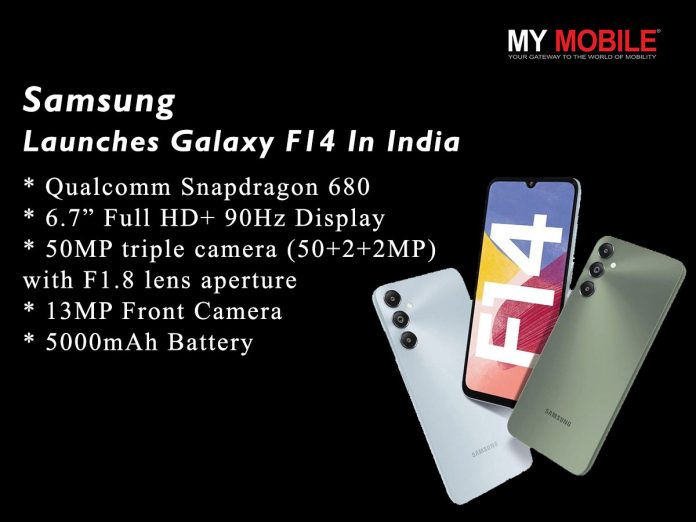
* After the launch of Galaxy F14 5G, Samsung has launched the Galaxy F14 4G model in India.
* The Samsung Galaxy F14 features triple rear cameras with a 50MP primary sensor.
* The device will get 2 major Android updates and four years of security patches.
* The phone packs a 6.7″ FHD+ 90Hz screen with a 13MP front inside the notch, and replaces the Exynos 1330 SoC with Qualcomm Snapdragon 680 chipset.
Samsung, today announced the launch of Galaxy F14 with segment-leading features including a powerful Qualcomm Snapdragon 680 processor, 50MP triple camera setup, 5000mAh battery and a host of exciting features that will enhance the user’s smartphone experience.
Galaxy F14 comes with the powerful Qualcomm Snapdragon 680 chipset that provides a superior performance allowing users to multi-task seamlessly .
Galaxy F14 comes with up to 8GB of RAM with RAM Plus feature.
The Samsung Galaxy F14 features triple rear cameras with a 50MP primary sensor
Galaxy F14 features a 6.7” Full HD+ 90Hz display that provides immersive viewing experience.
The big screen makes scrolling through social media feed easy for tech-savvy Gen-Z and millennial customers.
Binge-watchers may effortlessly enjoy their favourite entertainment while on the go.
Additionally, Galaxy F14 boasts a 50 MP triple camera (50+2+2MP).
The 50MP rear camera comes with F1.8 lens apertureproviding sharp pictures even in low light.
The device sports a 13 MP front camera for stunning selfies.
The smartphone also supports 25W fast charging
So, whether you’re an amateur or a professional photographer, the stunning camera of Galaxy F14 will provide you with brilliant pictures.
With its massive 5000 mAh battery, Galaxy F14 users can browse and binge non-stop for hours without worrying about the battery life.
The smartphone also supports 25W fast charging that can recharge the phone in quick time.
Additionally, Samsungwill provide up to 2 generations of OS upgrades and up to 4 years of security updates for Galaxy F14.
Galaxy F14 also comes with a side fingerprint sensor for enhanced security.
The device is available in two stunning colours- Moonlight Silver and Peppermint Green.
Samsung Galaxy F14 4G Pricing and Availability
Samsung Galaxy F14 4G
The Samsung Galaxy F14 4G is priced at Rs. 8999 for the single 4GB + 64GB modeland will be available at select retail stores.
Consumers can avail attractive No-Cost EMI offers while purchasing the smartphone, said the company.
What are the specs of the newly launched Samsung galaxy F14 4G?
Samsung Galaxy F14 4G specifications
* 6.7-inch (1080 x 2400 pixels) FHD+ Infinity-U LCD screen with 90Hz refresh rate, 391 PPI * Qualcomm Snapdragon 680 Mobile Platform with Adreno 610 GPU * 4GB RAM, 64GB storage, expandable memory up to 1TB with microSD * Android 14 with One UI 6.1 * Dual SIM (nano + nano + microSD) * 50MP rear camera with f/1.8 aperture, 2MP depth and 2MP macro sensor with f/2.4 aperture, LED flash * 13MP front camera with f/2.0 aperture * Side-mounted fingerprint sensor * 3.5mm audio jack, bottom-ported speaker * Dimensions: 168 x 78 x 9mm, Weight: 194g * Dual 4G VoLTE, Wi-Fi 802.11 ac (2.4GHz + 5GHz), Bluetooth 5.2, GPS/GLONASS/Beidou, USB Type-C * 5000mAh (typical) battery with support for 25W fast charging
What are the Color’s available in Samsung galaxy F14 4G?
The Samsung Galaxy F14 4G comes in Moonlight Silver and Peppermint Green colors .
Where can we purchase the Samsung Galaxy F14 4G from ?
The phone will be available at select retail stores. Consumers can avail attractive No-Cost EMI offers while purchasing the smartphone.
Is there a charger in the box of Samsung Galaxy F14 4G?
It doesn’t come with a charger in the box.
Also Read: Samsung Galaxy F14 5G Launched with India with huge 6,000mAh battery, 6.6″ inch FHD+ 90Hz display, 50MP camera: Check Price, Specifications, Features
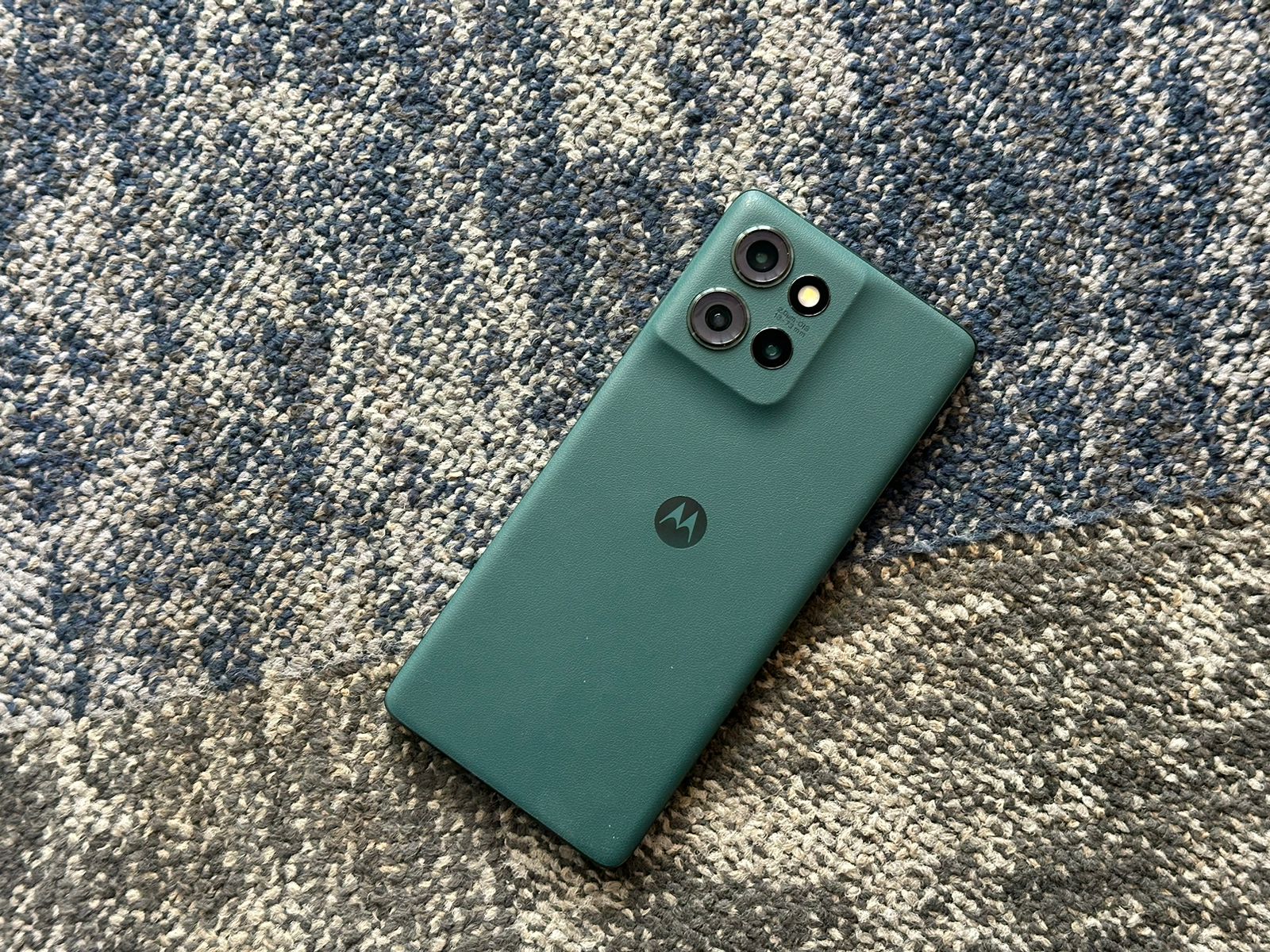
The Motorola Edge 50 is Moto’s latest offering, aiming to redefine what users can expect from a mid-range smartphone.
With its military-grade durability, advanced camera system, and sleek design, the Edge 50 promises to be a compelling option for those seeking premium features without the flagship price tag.
In this comprehensive review, we’ll dive deep into every aspect of the device to help you determine if it’s the right choice for your needs.
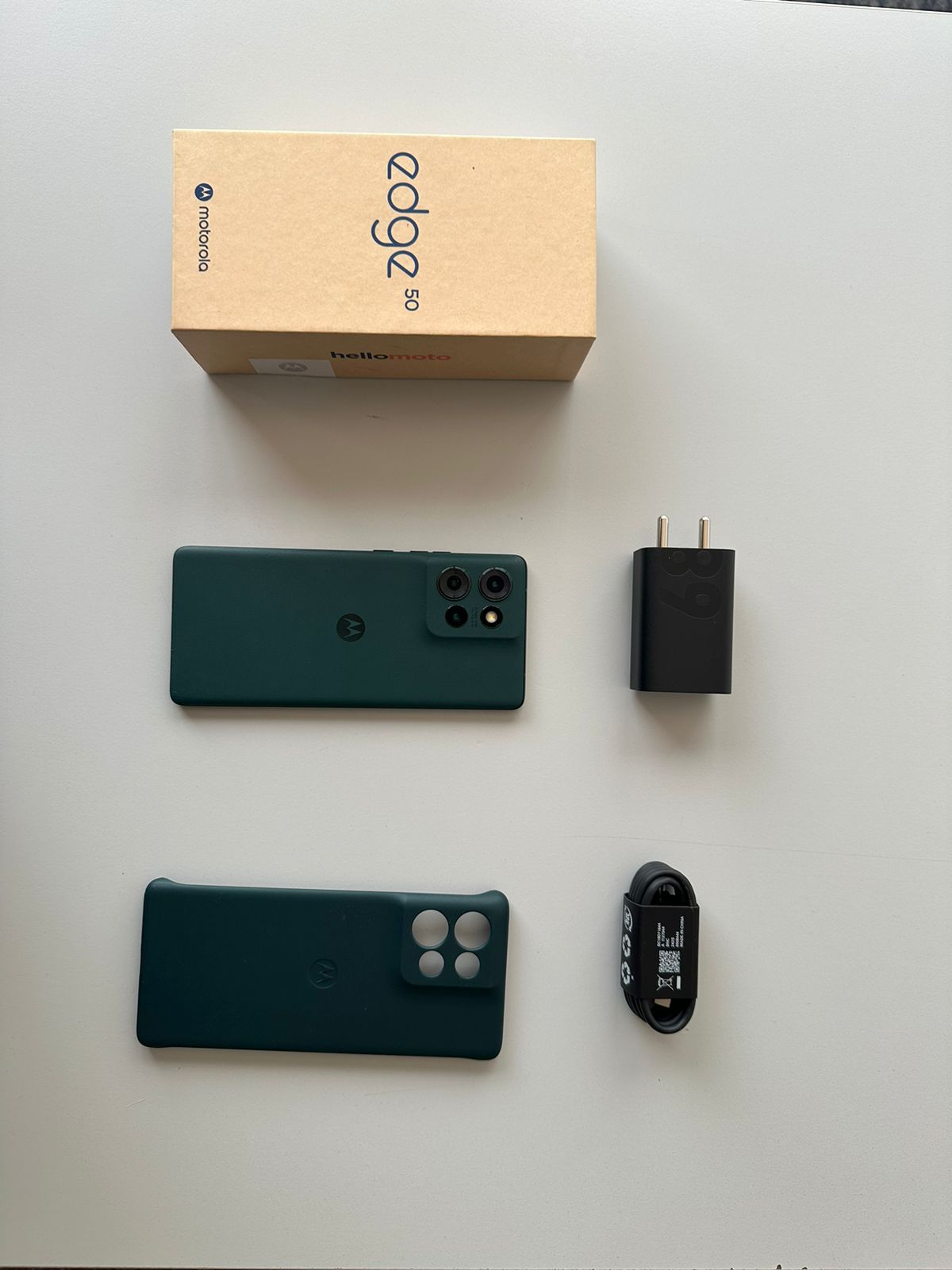
Motorola Edge 50: Unboxing
Motorola Edge 50: Unboxing Experience
The Motorola Edge 50 comes in an eco-friendly box, reflecting the company’s commitment to sustainability. Upon opening, you’ll find:
Motorola Edge 50 smartphone
68W TurboPower charger
USB-C cable
SIM ejector tool
Quick start guide
Clear TPU case
Screen protector (pre-applied)
Motorola Edge 50: Unboxing Video
Motorola Edge 50: Key Specs
Key Specs
6.67″ pOLED 120Hz display, 2712 x 1220 resolution
Snapdragon 7 Gen 1 Accelerated Edition chipset
50MP main + 13MP ultra-wide + 10MP telephoto rear cameras
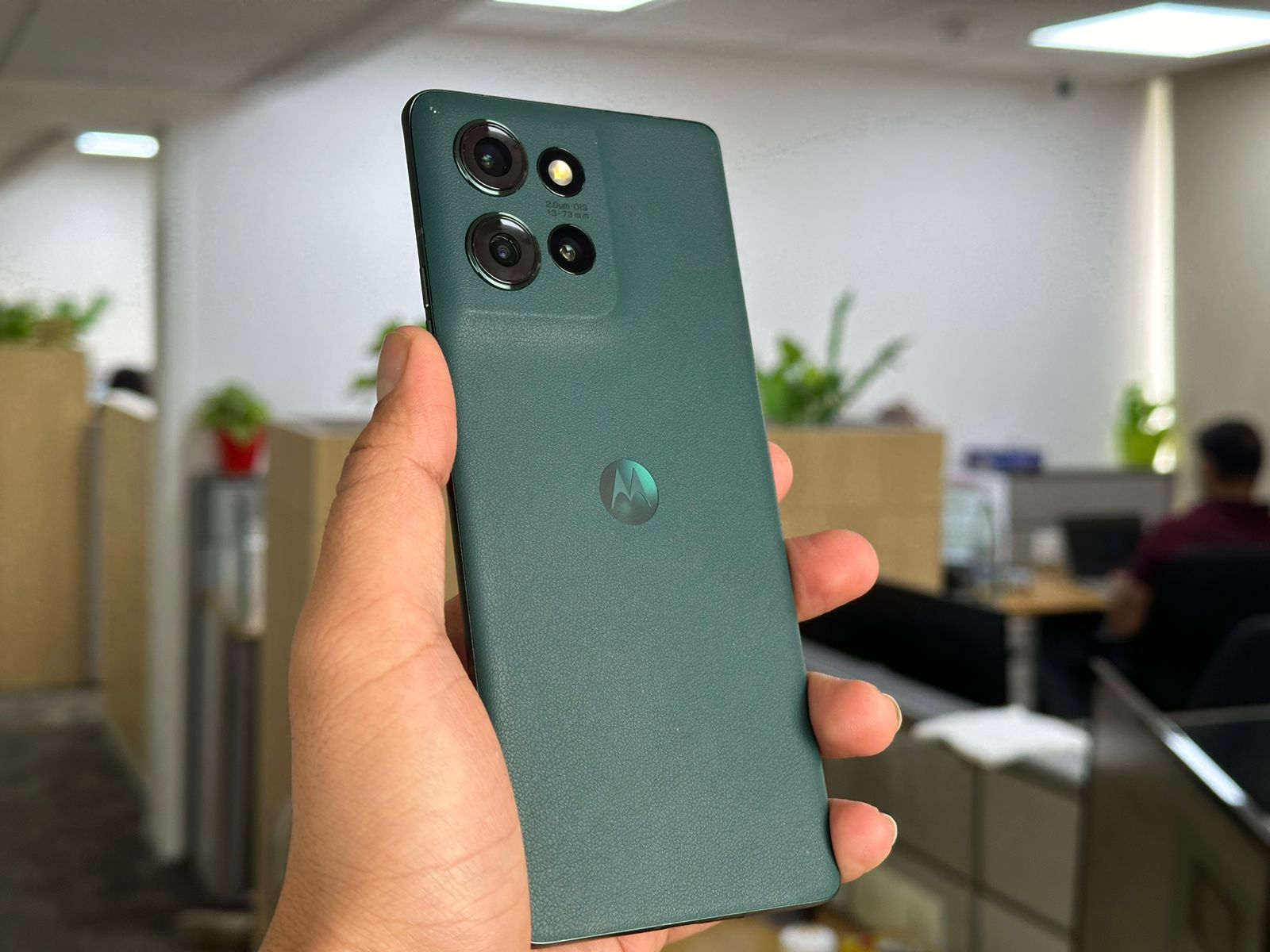
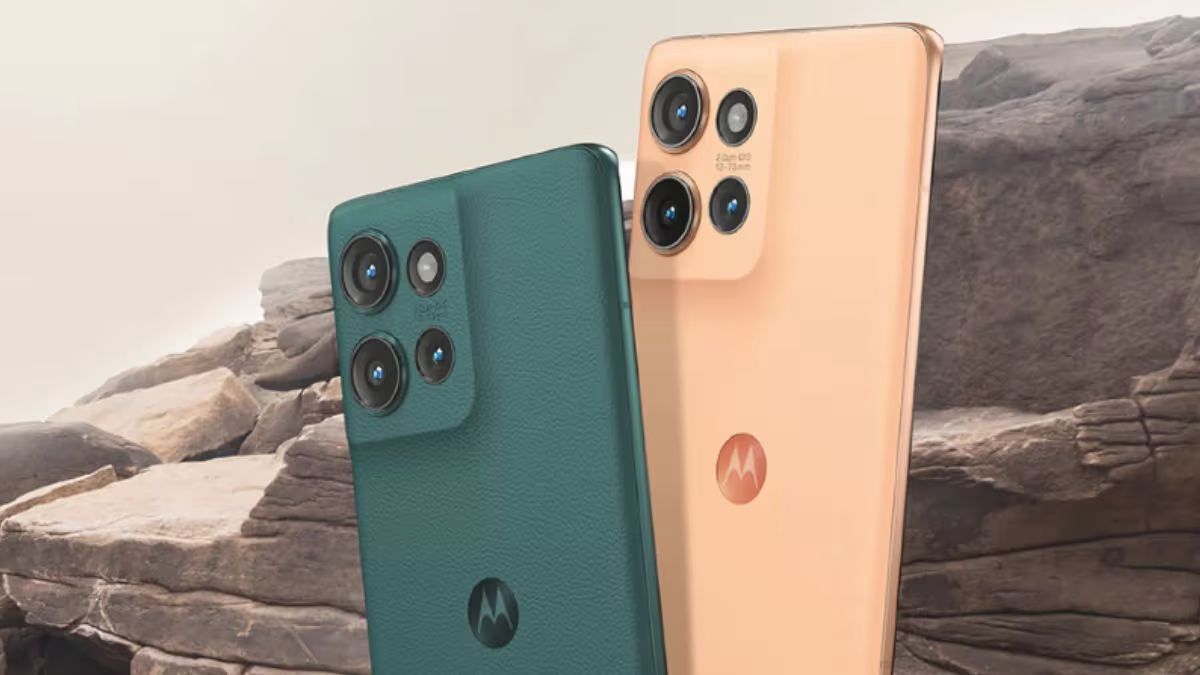
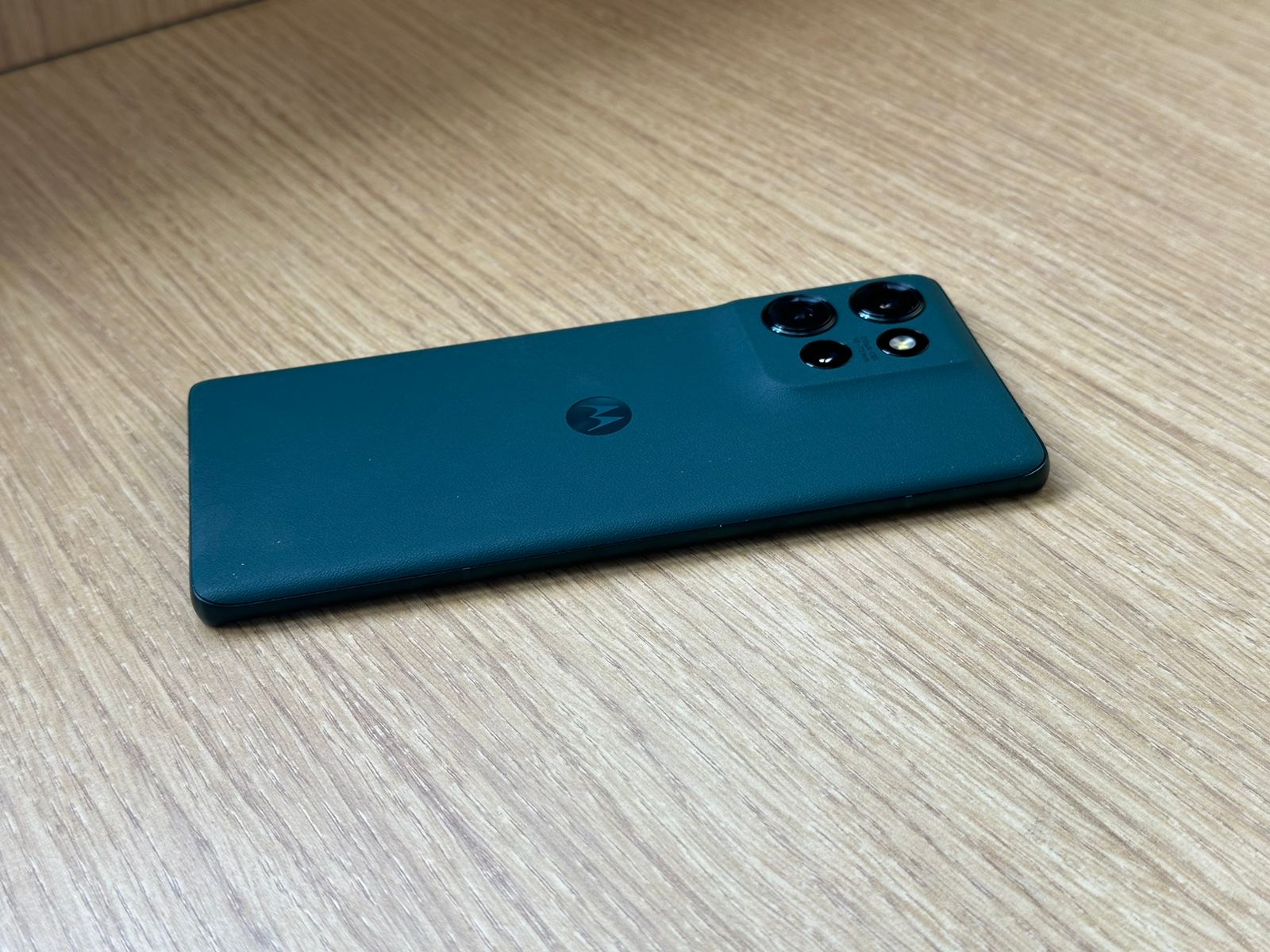
Motorola has truly outdone itself with the design of the Edge 50.
Available in three stunning colors – Jungle Green and Pantone Peach Fuzz with a vegan leather finish, and Koala Grey with a vegan suede finish – the device exudes premium quality.
The vegan leather options provide a warm, tactile feel that’s both comfortable to hold and resistant to fingerprints.
At just 7.79mm thick and weighing 180g, the Edge 50 strikes an impressive balance between sleekness and durability.
The device boasts MIL-810H certification, meaning it can withstand extreme temperatures, pressure, shock, and vibration.
Coupled with an IP68 rating for dust and water resistance, this is a phone built to withstand the rigors of daily life.
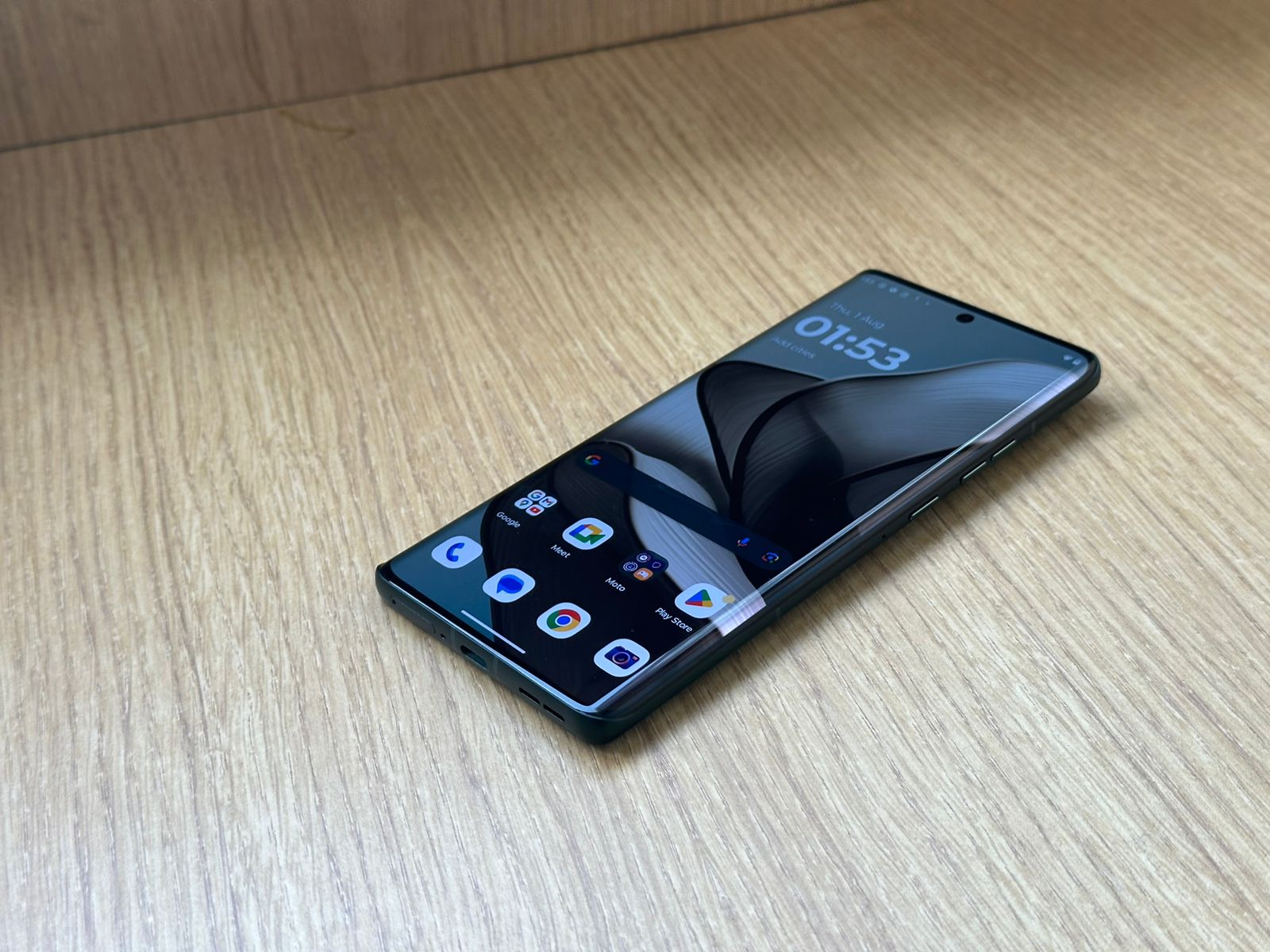
The curved edges of the display blend seamlessly into the frame, creating a cohesive look that’s both modern and ergonomic.
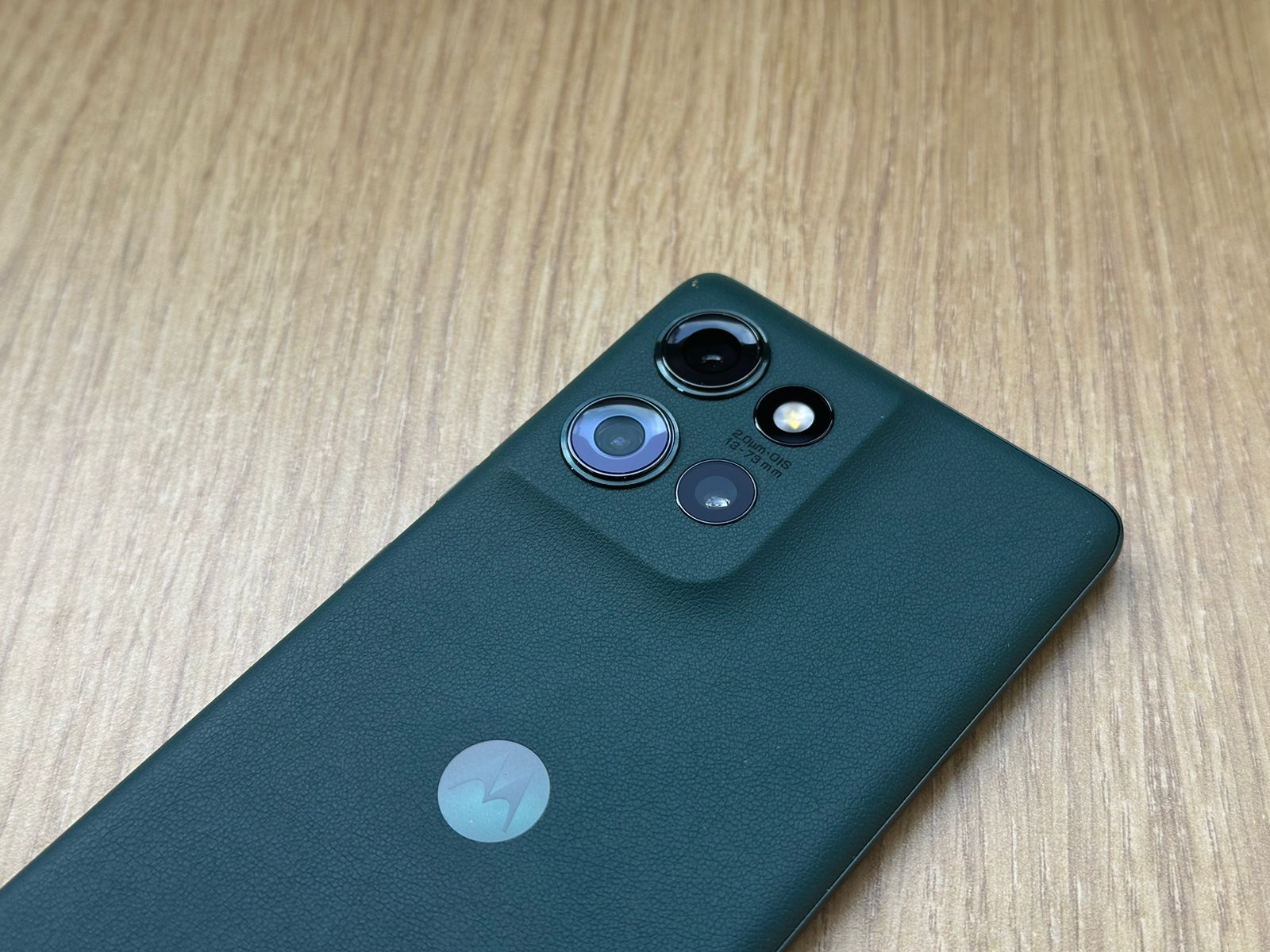
The camera module, while protruding slightly, is elegantly designed and doesn’t detract from the overall aesthetic.
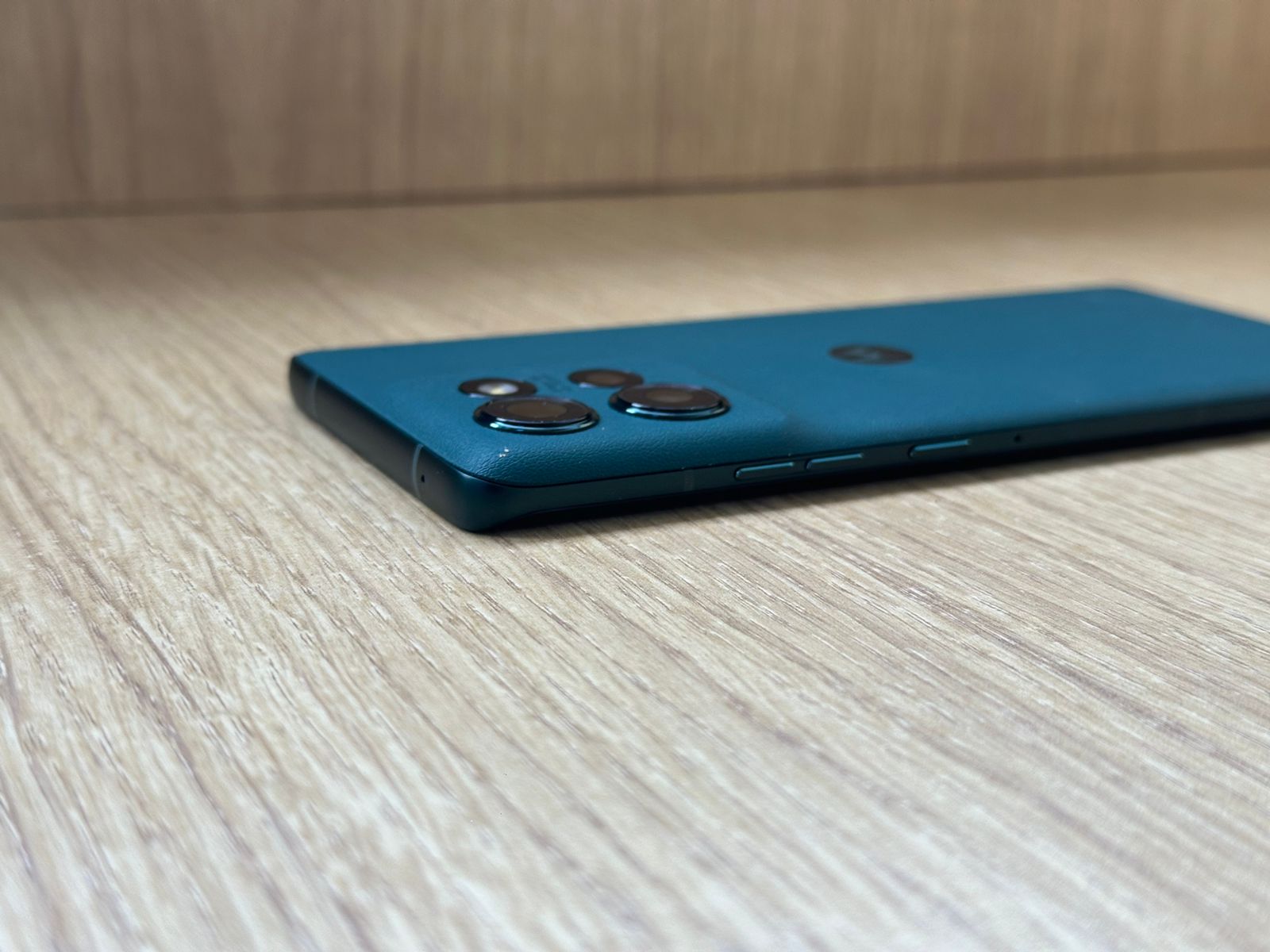
Physical buttons are well-placed and offer satisfying tactile feedback.
The power button doubles as a fingerprint sensor, providing a convenient alternative to the in-display sensor.
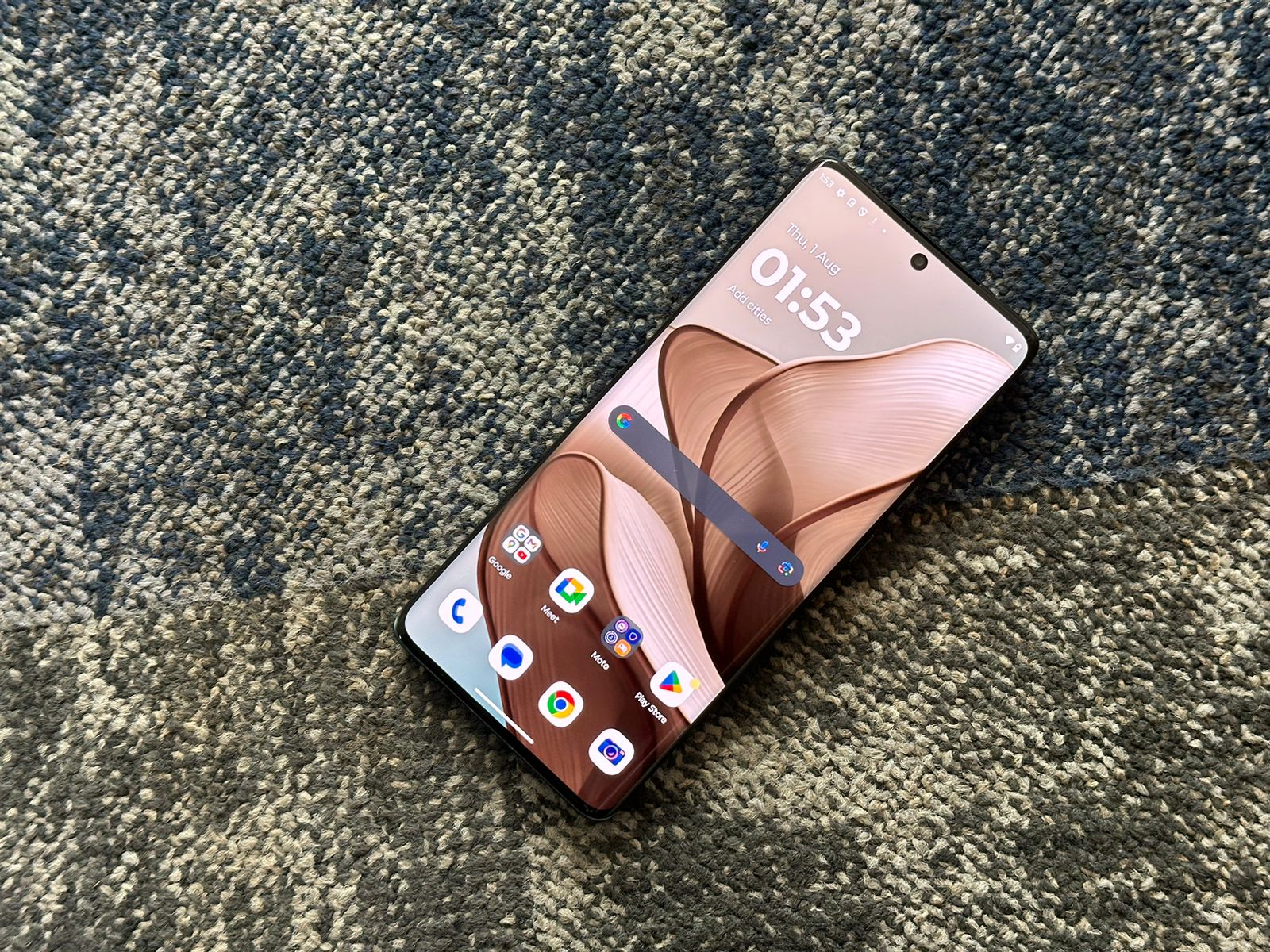
Motorola Edge 50: Display
Motorola Edge 50: Display
The Edge 50 features a 6.67-inch curved pOLED display that’s nothing short of spectacular.
With a resolution of 2712 x 1220 pixels and support for over 1 billion colors, this screen brings content to life with vivid detail and rich contrast.
The 120Hz refresh rate ensures buttery-smooth scrolling and animations, while the 360Hz touch sampling rate provides ultra-responsive touch input, particularly beneficial for gaming. HDR10+ support and a peak brightness of 1900 nits ensure excellent visibility even under direct sunlight.
Color accuracy is impressive, with the display covering 100% of the DCI-P3 color gamut.
Users can choose between vibrant and natural color modes, with the option to fine-tune color temperature to their liking.
The curved edges of the display add to the premium feelbut may take some getting used to for those accustomed to flat screens.
Motorola has implemented good palm rejection technology to minimize accidental touches.
Protected by Corning Gorilla Glass 5, the display should withstand minor scratches and bumps.
The pre-applied screen protector adds an extra layer of protection out of the box.
Motorola Edge 50: Cameras
Motorola Edge 50: Camera Capabilities
The camera system on the Motorola Edge 50 is moderately comphrehensive, offering versatility and quality that punches above its price point.
Main Camera (50MP Sony LYT-700C, f/1.8, OIS)
The primary sensor captures strikingly detailed images with excellent dynamic range.
In good lighting conditions, photos exhibit natural colors, sharp details, and well-controlled noise levels.
The large sensor size allows for pleasing natural bokeh in close-up shots.
Low-light performance is impressive, thanks to the combination of OIS and Motorola’s Night Vision mode.
The camera captures well-exposed images with good detail retention and minimal noise, even in challenging lighting conditions.
Portrait mode benefits from accurate edge detection, creating a natural-looking bokeh effect. The ability to adjust blur intensity post-capture is a welcome addition.
Ultra-wide Camera (13MP, f/2.2, 120° FoV)
The ultra-wide lens captures expansive landscapes and group shots with good detail and minimal distortion at the edges.
Colors are consistent with the main camera, ensuring a seamless transition when switching lenses.
The macro mode, utilizing this lens, produces impressively detailed close-up shots. It’s capable of focusing as close as 3cm, revealing intricate details in subjects like flowers or insects.
Telephoto Camera (10MP, f/2.0, 3x optical zoom)
The addition of a telephoto lens sets the Edge 50 apart from many competitors in its price range. It offers 3x optical zoom, extendable up to 30x digital zoom. At 3x zoom, images retain excellent detail and sharpness.
Even at higher zoom levels, the results are usable, though some detail loss and noise become noticeable beyond 10x.
Front Camera (32MP, f/2.45)
The selfie camera captures detailed self-portraits with natural skin tones and good dynamic range. Portrait mode works well, offering convincing background blur. The wide-angle option is perfect for group selfies.
Video Capabilities
The Edge 50 supports 4K video recording at 30fps on all rear cameras, with the main camera also offering 4K at 60fps.
Video quality is excellent, with good stabilization thanks to OIS on the main camera and electronic stabilization on the others.
HDR video recording ensures good dynamic range in challenging lighting conditions.
Motorola Edge 50: Day Camera Samples
Motorola Edge 50: Night Camera Samples
Motorola Edge 50: Day Video
Motorola Edge 50: Night Video
Motorola Edge 50: AI and Software Features
AI and Software Features
Motorola has integrated several AI-powered features to enhance the camera experience:
Magic Eraser: Effectively removes unwanted objects or people from photos with impressive accuracy.
Photo Unblur: Sharpens slightly blurry images, particularly useful for action shots or low-light photos.
Magic Editor: Offers advanced editing capabilities, including AI-powered object removal and replacement.
Smart Color Optimization: Automatically adjusts colors and contrast for more appealing images.
AI Scene Detection: Recognizes various scenes and adjusts camera settings accordingly for optimal results.
Overall, the camera system on the Edge 50 is versatile and capable, offering excellent performance across various shooting scenarios.
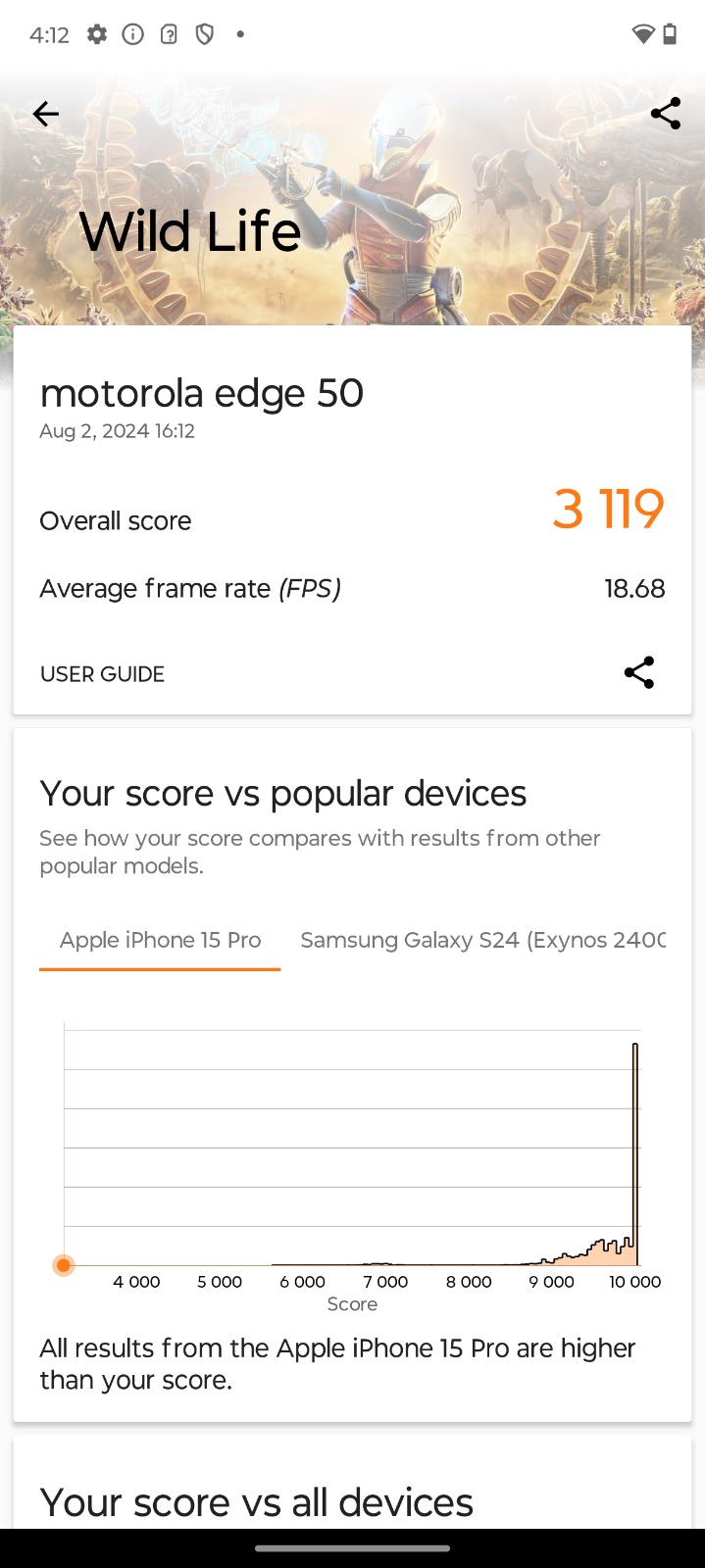
Motorola Edge 50: Performance and Benchmarks
Powered by the Qualcomm Snapdragon 7 Gen 1 Accelerated Edition, the Motorola Edge 50 delivers smooth and responsive performance for everyday tasks and moderate gaming.
This chipset, built on a 4nm process, offers a good balance of performance and energy efficiency.
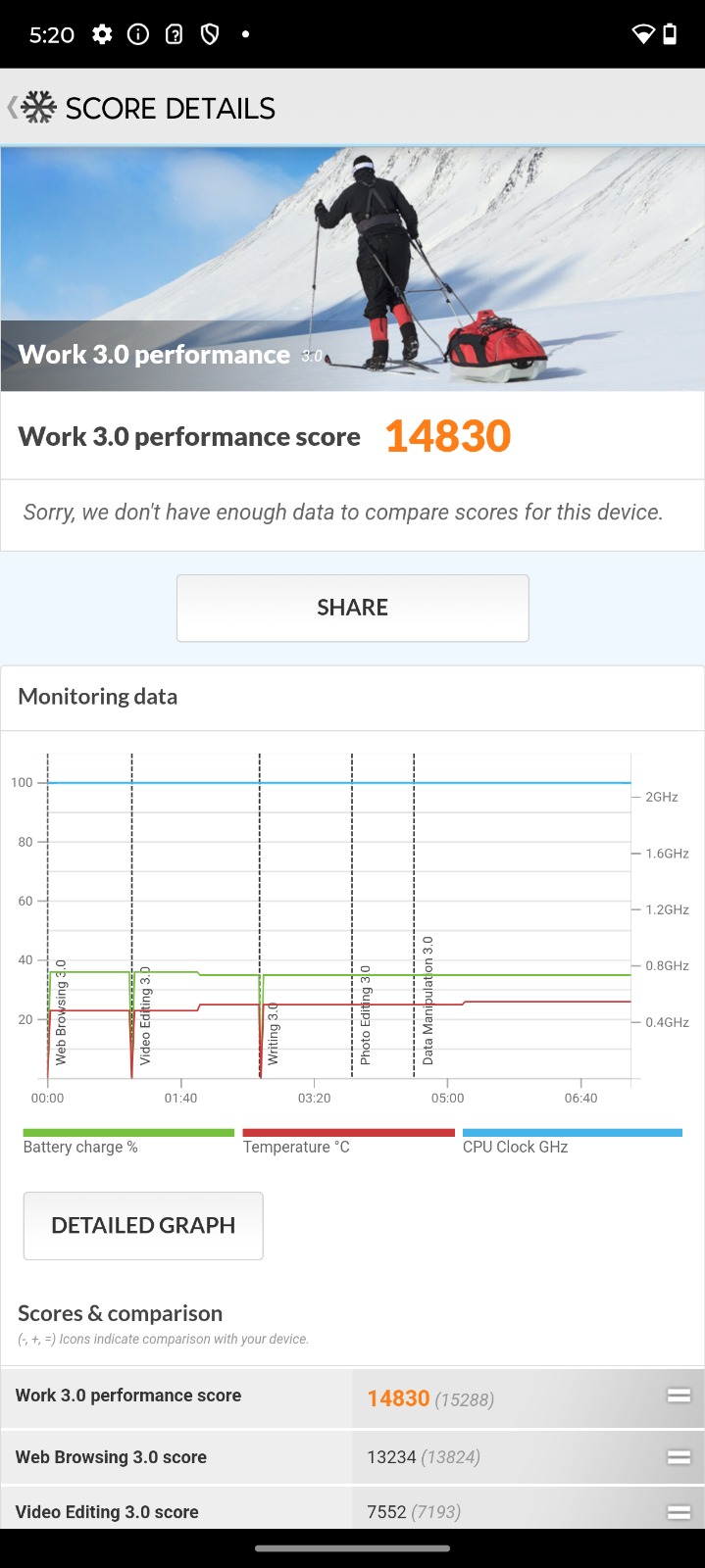
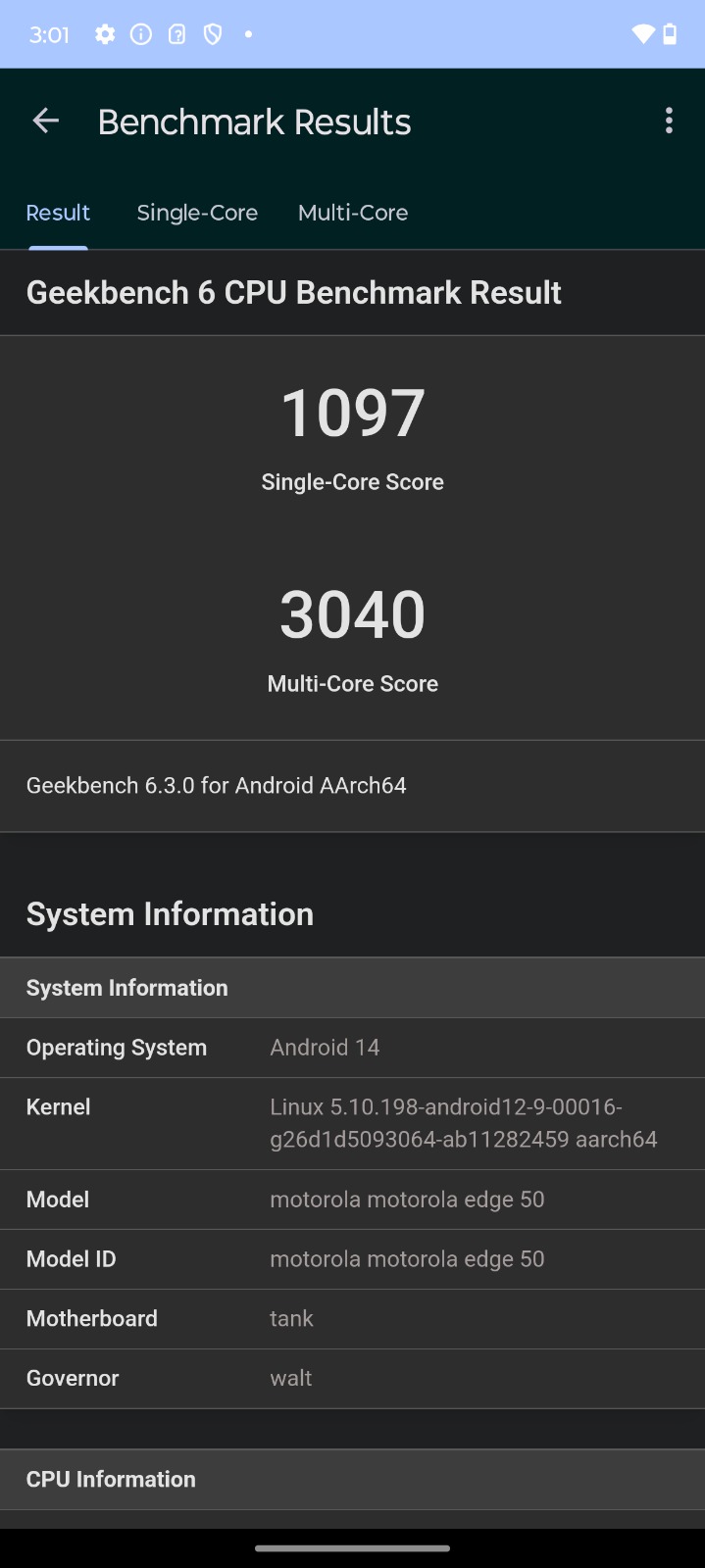
In our benchmark tests, the Edge 50 performed admirably:
These scores position the Edge 50 competitively in its price range, outperforming many similarly priced devices.
Real-world performance is smooth and lag-free.
App launches are quick, and multitasking is handled with ease thanks to the efficient RAM management.
The 8GB of LPDDR4X RAM ensures that multiple apps can remain in memory without frequent reloads.
The 256GB of UFS 2.2 storage provides ample space for apps, photos, and media.
While not the fastest storage standard available, it offers good read and write speeds for its class.
Motorola Edge 50: Gaming
Gaming
The Motorola Edge 50 handles most popular mobile games with aplomb.
Titles like PUBG Mobile, Call of Duty Mobile, and Asphalt 9 run smoothly at high settings, maintaining 60fps in most scenarios.
More demanding games like Genshin Impact are playable at medium settings with acceptable frame rates.
The vapor chamber cooling system does an excellent job of managing heat during extended gaming sessions.
We observed only mild warming of the device even after an hour of intensive gaming.
The 120Hz display and 360Hz touch sampling rate contribute to a responsive gaming experience, particularly beneficial in fast-paced titles.
Motorola Edge 50: Features
stereo speakers with Dolby Atmos support deliver rich
Audio
The stereo speakers with Dolby Atmos support deliver rich, immersive sound.
The audio output is clear and balanced, with good separation and minimal distortion at high volumes.
While bass response is somewhat limited due to the slim profile of the device, it’s impressive for a phone in this category.
The lack of a 3.5mm headphone jack may disappoint some users, but the Edge 50 supports high-quality Bluetooth audio codecs including aptX HD and LDAC, ensuring excellent wireless audio quality.
Authentication
The in-display fingerprint sensor is fast and reliable, unlocking the device in under 0.3 seconds.
Its position is natural and easy to reach. Face unlock is also available as a convenient alternative, though it’s not as secure as the fingerprint sensor.
Connectivity
The Edge 50 is future-proofed with 5G support, ensuring compatibility with next-generation networks.
Wi-Fi 6 provides fast and stable connections on supported networks.
Bluetooth 5.2 offers improved range and stability for wireless accessories.
NFC support enables contactless payments and quick pairing with compatible devices.
The inclusion of an IR blaster adds versatility, allowing the phone to control various home appliances.
Software Experience
Running on Android 14 with Motorola’s minimalist My UX overlay, the Edge 50 offers a clean, near-stock Android experience.
This approach results in a bloatware-free interface that’s both intuitive and customizable.
Motorola’s promise of two years of OS updates and three years of security patches ensures the device will stay current for a reasonable period, though some competitors offer longer support windows.
Moto Actions add convenient gesture controls, such as chopping twice to turn on the flashlight or twisting the wrist to launch the camera. Moto Display provides an always-on display option with customizable notifications and quick actions.
The Edge 50 also introduces some AI-powered features, including:
Adaptive Performance: Optimizes system resources based on usage patterns for improved efficiency.
AI-powered battery management: Learns from user habits to extend battery life.
Contextual awareness: Suggests relevant actions based on time, location, and usage patterns.
Overall, the software experience is clean, intuitive, and feature-rich without feeling overwhelming.
Motorola Edge 50: Battery
Motorola Edge 50: Battery Life and Charging
The 5000mAh battery in the Motorola Edge 50 provides excellent longevity.
In our testing, the device consistently achieved 6-7 hours of screen-on time with moderate to heavy use, easily lasting a full day for most users.
The included 68W TurboPower charger is a standout feature, replenishing the battery from 0 to 50% in about 20 minutes, with a full charge taking around 45 minutes.
This rapid charging capability ensures minimal downtime even with heavy use.
The addition of 15W wireless charging adds convenience for cord-free top-ups, though it’s significantly slower than wired charging.
Motorola Edge 50: Final Verdict
Motorola Edge 50: Software and Updates
The Motorola Edge 50 stands out as a well-rounded mid-range offering that punches above its weight in several areas.
Its durable yet premium design, versatile camera system, and clean software experience make it a compelling choice for users seeking flagship-like features at a more accessible price point.
While it faces stiff competition in a crowded market segment, the Edge 50’s combination of performance, camera capabilities, and battery life position it as a strong contender.
The addition of features like military-grade durability and fast charging further enhance its appeal.
However, the limited long-term software support compared to some competitors and the lack of a headphone jack may be drawbacks for some users.
Additionally, while performance is strong for its class, it may not satisfy the most demanding power users or hardcore mobile gamers.
Overall, the Motorola Edge 50 offers excellent value for money and should be on the shortlist for anyone looking for a capable, well-designed mid-range smartphone.
5 Reasons to Buy
Reasons to Buy
Durable, premium design with military-grade certification and IP68 rating
Versatile camera system with useful AI enhancements and good low-light performance
Clean, bloatware-free software experience with useful Motorola additions
Long battery life with extremely fast 68W charging
Competitive pricing for the comprehensive feature set offered
3 Reasons Not to Buy
3 Reasons Not to Buy
Limited long-term software support compared to some competitors (only 2 years of OS updates)
No 3.5mm headphone jack
Performance, while good for its class, may not satisfy the most demanding users or hardcore gamers
Top Alternatives to the Moto Edge 50
The Motorola Edge 50 faces stiff competition in its price range:
Nothing Phone (2a) Plus
Nothing Phone (2a) Plus
OS: Android 14 with Nothing OS 2.5
Chipset: MediaTek Dimensity 7200 Pro
RAM: 8GB or 12GB
Storage: 128GB or 256GB
Display: 6.7-inch FHD+ AMOLED, 120Hz
Rear Camera: Dual 50MP (main and ultra-wide)
Front Camera: 32MP
Battery: 5000mAh, 45W fast charging
Price: Starts at Rs 27,999 for 8GB RAM, Rs 29,999 for 12GB RAM
5G Supported in India, 4G Supported in India, 3G, 2G
FAQs
What are the key features of the Motorola Edge 50?
The Motorola Edge 50 offers military-grade durability, a 50MP versatile camera system, a 120Hz display, and 68W fast charging.
How does the Motorola Edge 50 perform in terms of battery life?
The Edge 50 features a 5000mAh battery that provides 6-7 hours of screen-on time with moderate to heavy use, and charges rapidly with the 68W TurboPower charger.
Is the Motorola Edge 50 good for gaming?
Yes, the Snapdragon 7 Gen 1 Accelerated Edition chipset and 120Hz display make it capable of handling most popular mobile games smoothly.
What camera features does the Motorola Edge 50 have?
It includes a 50MP main camera with OIS, a 13MP ultra-wide camera, and a 10MP telephoto camera, along with AI enhancements like Night Vision and Magic Eraser.
What are the design highlights of the Motorola Edge 50?
The Edge 50 boasts a sleek design with vegan leather or suede finishes, MIL-810H certification, and IP68 rating for durability, and a 6.67-inch curved pOLED display.
The Bassheads 122 ANC Type-C aims to deliver a premium feature at an accessible price point of Rs. 1,000.
Let’s dive into how these earphones perform and whether they’re worth your consideration.
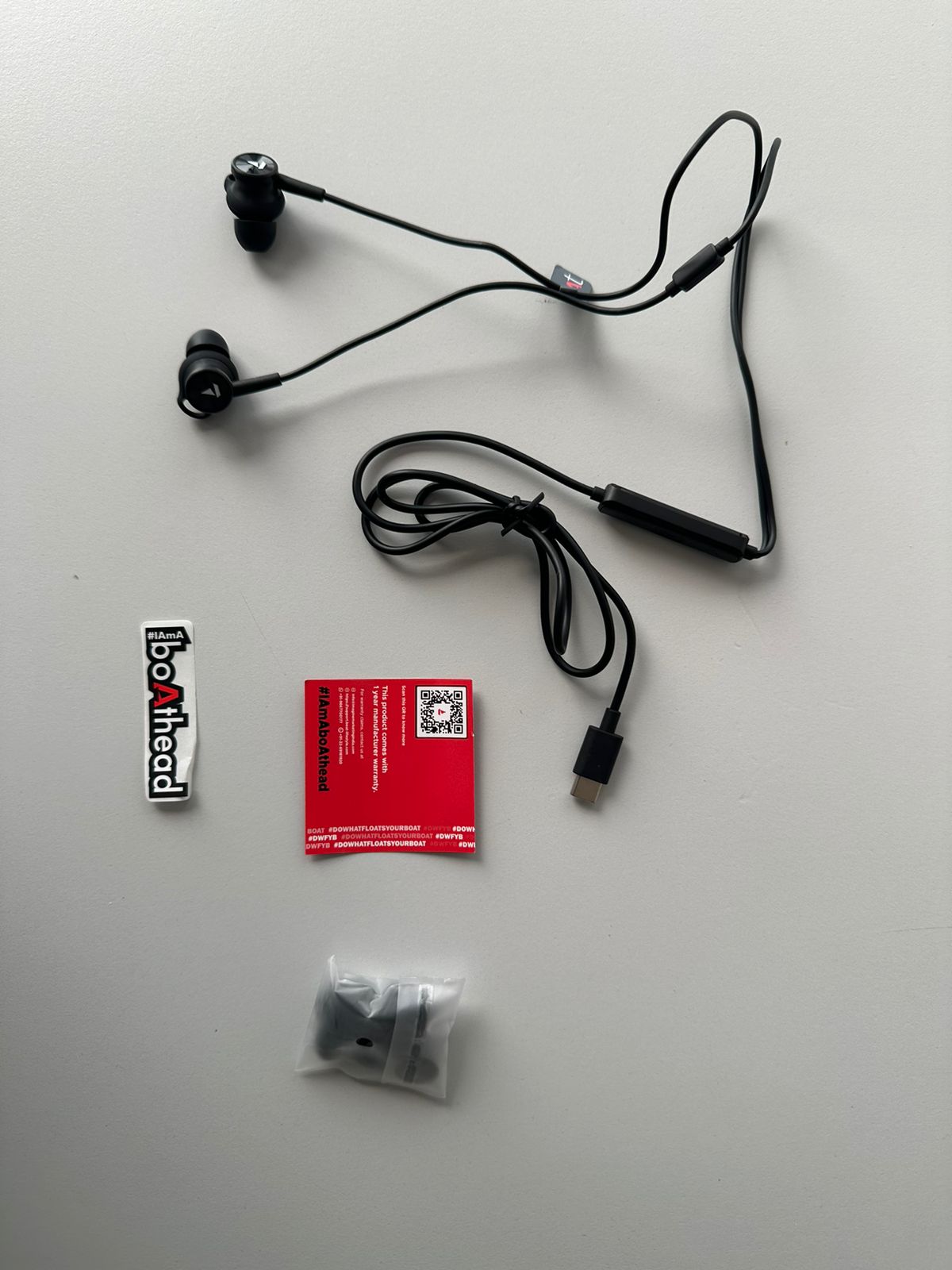
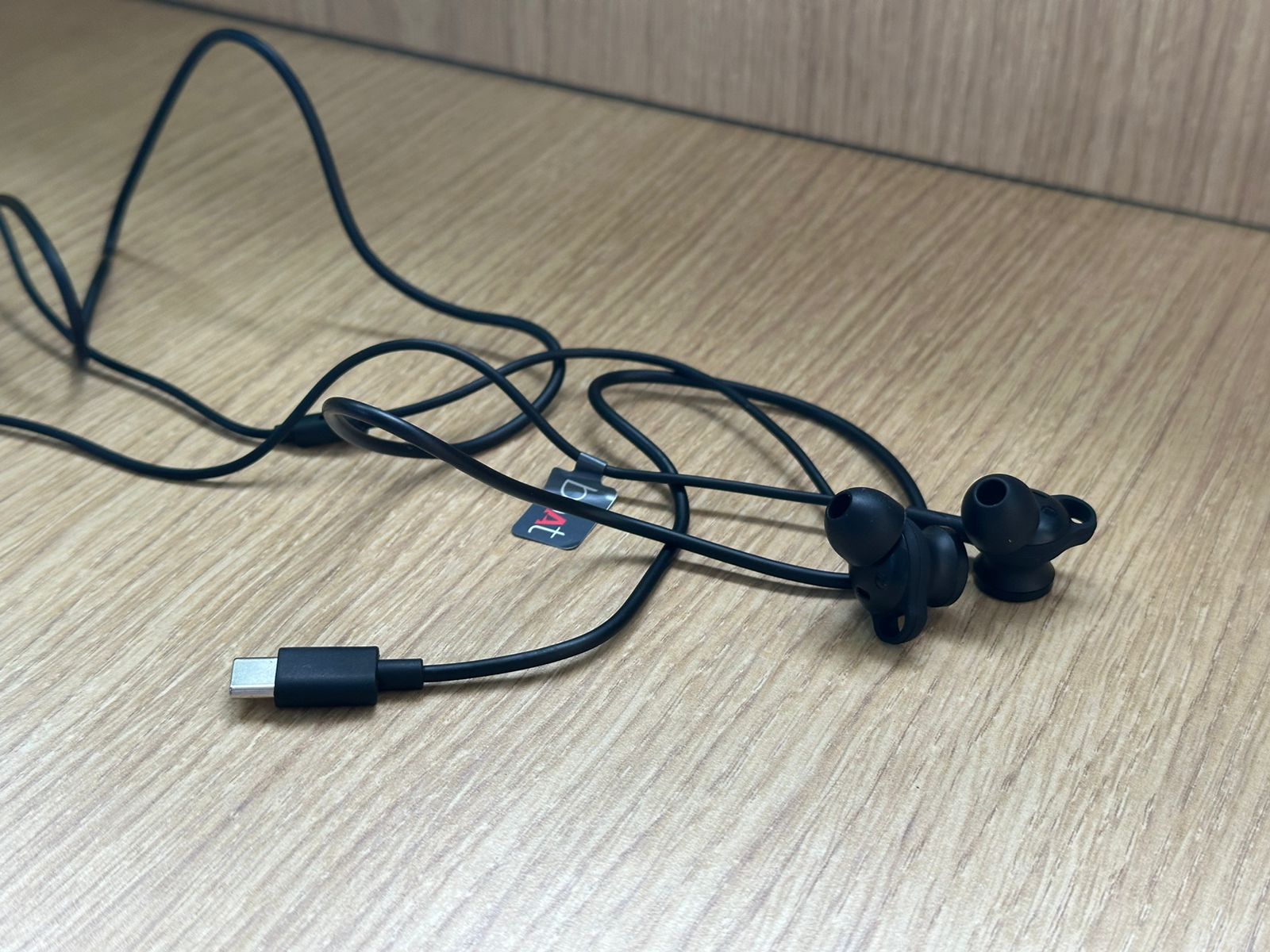
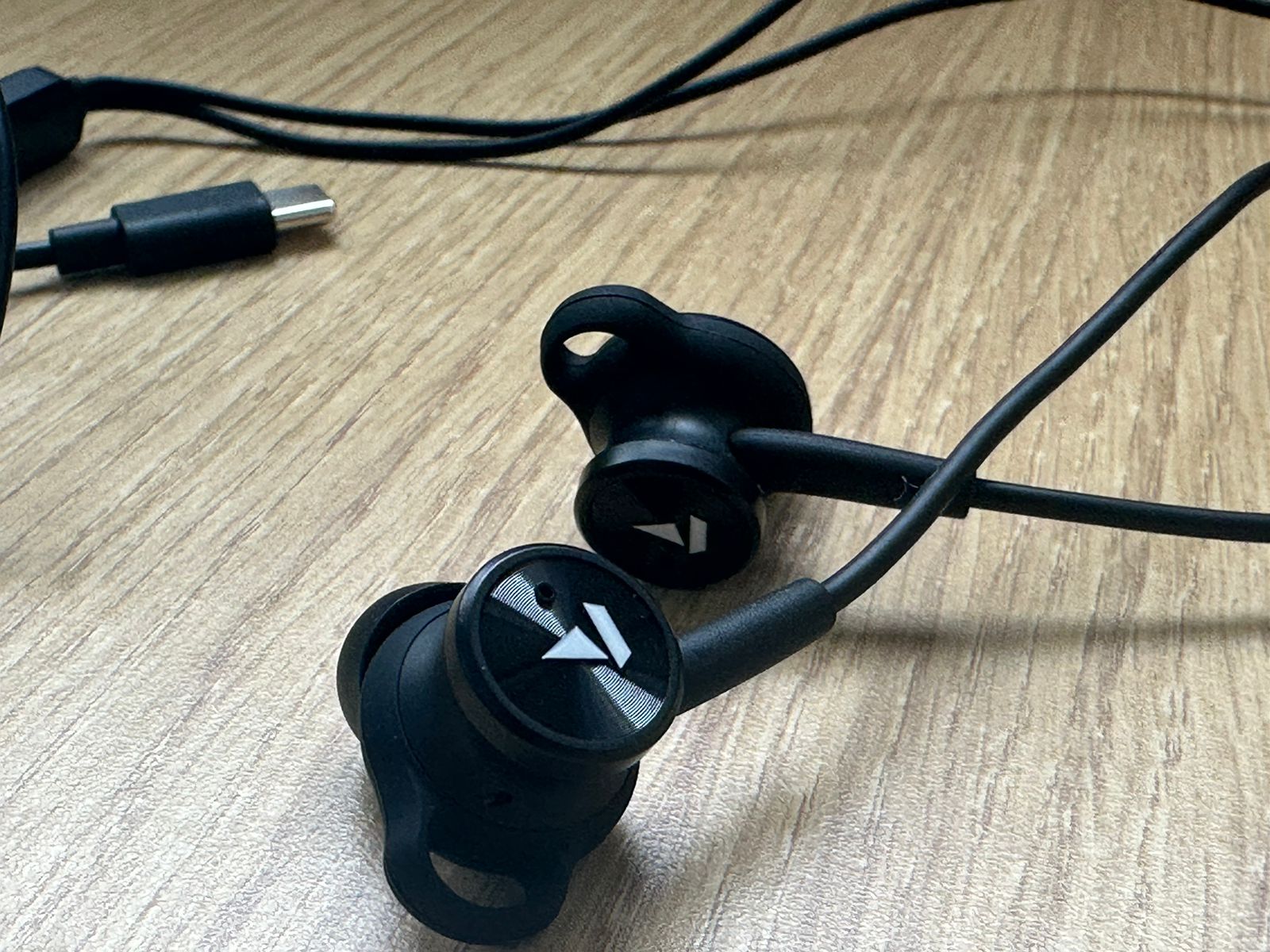
boAt Bassheads 122 ANC Type-C: Unboxing Image
boAt Bassheads 122 ANC Type-C: Unboxing Image
boAt Bassheads 122 ANC Type-C: Unboxing Video
Pros and Cons
Pros
Cons
Affordable ANC feature
Cable quality concern
Punchy bass sound
Button layout issues
Comfortable design
boAt Bassheads 122 ANC Type-C: Key specs
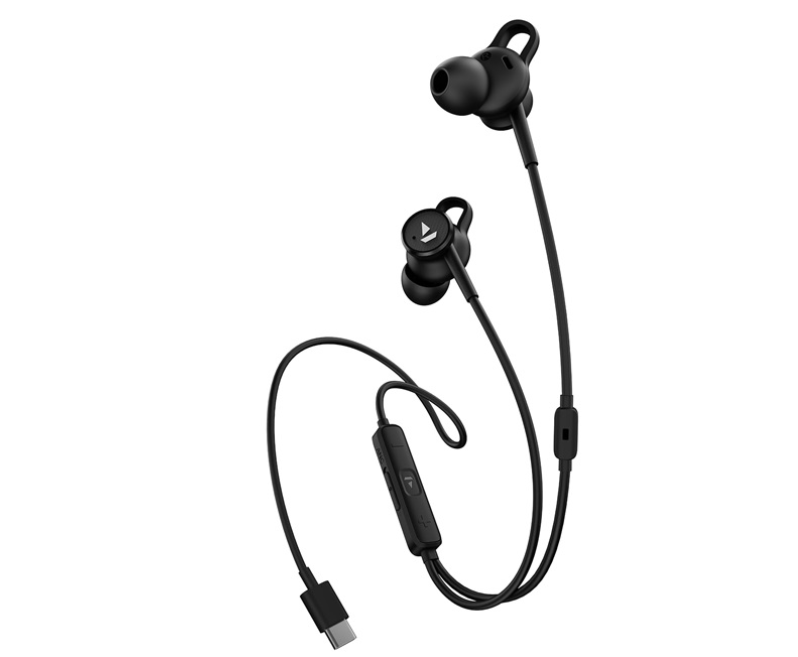
boAt has launched its first Wired ANC earphones with USB Type-C connectivity
Type-C connector
Active noise cancellation (ANC)
Transparency mode
Ergonomic in-ear design
Inline controller with ANC switch
Punchy bass sound
Compatible with modern Type-C devices
Affordable price point at Rs. 1,000
boAt Bassheads 122 ANC Type-C: Design and Build Quality
These earphones are designed for a snug fit during workouts, commutes, and long listening sessions
The Bassheads 122 sports a familiar in-ear design with a modern twist – a Type-C connector replacing the traditional 3.5mm jack.
The earbudsare ergonomically shaped for comfort during extended listening sessions.
However, the cable quality feels somewhat lacking, raising concerns about long-term durability.
The inline controller houses the ANC switch and volume controls.
While functional, the button layout can lead to accidental presses, which may frustrate some users.
boAt Bassheads 122 ANC Type-C: Sound Quality
The boAt Bassheads 122 ANC provides up to 25dB of Active Noise Cancellation (ANC)
True to the “Bassheads” moniker, these earphones deliver a bass-forward sound signature.
The low-end is punchy and prominent, which will please bass enthusiasts.
Mids and highs are present but can occasionally be overshadowed by the dominant bass.
The sound is enjoyable for casual listening and bass-heavy genres, especially considering the price point.
boAt Bassheads 122 ANC Type-C: Active Noise Cancellation
They feature 13mm drivers tuned for immersive audio with deep bass, clear mids, and crisp highs.
The standout feature is undoubtedly the ANC.
In indoor environments, it performs admirably, reducing low-frequency ambient noise from air conditioners, fans, and general household hum.
This makes the Bassheads 122 an excellent choice for home or office use.
However, the ANC’s effectiveness diminishes in more chaotic outdoor settings.
While it still reduces noise, don’t expect the isolation level you’d get from premium ANC headphones.
The inclusion of a transparency mode is a welcome addition, allowing users to quickly tune into their surroundings without removing the earphones.
boAt Bassheads 122 ANC Type-C: Battery Life and Connectivity
The USB Type-C connector allows hassle-free connectivity
As wired earphones, there are no battery life concerns for audio playback.
However, the ANC feature does require power, which is drawn from the connected device.
This may lead to slightly increased battery drain on your smartphone or tablet.
The Type-C connection ensures compatibility with most modern devices, though users with older 3.5mm jack phones will need an adapter.
boAt Bassheads 122 ANC Type-C: Value and Verdict
You can manage music, calls, and ANC settings with in-line controls and a touch button
At Rs. 1,000, the boAt Bassheads 122 ANC Type-C offers an impressive feature set.
The inclusion of ANC at this price point is noteworthy, even if its performance is not on par with high-end models.
These earphones provide excellent value for users primarily seeking enhanced indoor listening experiences.
However, potential buyers should weigh the trade-offs.
The bass-heavy sound signature may not appeal to all listeners, and the build quality leaves room for improvement.
Additionally, those frequently using earphones in noisy outdoor environments might find the ANC less effective than hoped.
The boAt Bassheads 122 ANC Type-C represents an interesting proposition in the budget earphone market.
They’re best suited for bass lovers who primarily use earphones indoors and appreciate the added comfort of noise cancellation.
While not perfect, they offer a taste of premium features at an accessible price point, making them a worthy consideration for budget-conscious audio enthusiasts.
Reasons to buy
The in-line microphone ensures clear voice transmission, making calls convenient
Affordable price with ANC feature.
Punchy bass sound for bass lovers.
Comfortable ergonomic design.
Includes transparency mode.
Compatible with modern Type-C devices.
Reasons not to buy
Reasons not to buy
Limited ANC effectiveness outdoors.
Build quality concerns.
Bass-heavy sound may not suit all.
boAt Bassheads 122 ANC Type-C Specs
Brand
boAt
Model
Bassheads 122 ANC
Design
Earphone
Type
In the Ear
Connectivity
Wired
Cord Type
Type-C Jack
Foldable
Yes
Microphone
Yes
Controls
Volume Control
Music Controls
Pause/Play
Call Controls
Accept/Reject calls
Switch between Call and Music
Yes
Additional Features
Ambient Mode
Deep Bass
Yes
Impedance
32 ohm
Frequency Response
20 Hz (Min) – 20 kHz (Max)
Driver Unit
13 mm
Driver Type
Dynamic Driver
Active Noise Cancellation
Yes, 25dB
Sales Package
1 U Earphone, User Manual
Inline Remote
Yes
Warranty
1 year
Warranty Type
Manufacturer
Covered in Warranty
Manufacturing Defect
Not Covered in Warranty
Physical Damage
FAQs
What are the key features of boAt Bassheads 122 ANC Type-C earphones?
These earphones feature active noise cancellation (ANC), a Type-C connector, and a bass-forward sound signature, all for an affordable price.
How does the ANC perform in different environments?
The ANC works well indoors, reducing low-frequency ambient noise, but its effectiveness diminishes in noisy outdoor settings.
Are boAt Bassheads 122 ANC Type-C earphones comfortable for long use?
Yes, the ergonomically shaped earbuds are designed for comfort during extended listening sessions, though some users might find the cable quality lacking.
Do these earphones support transparency mode?
Yes, the Bassheads 122 include a transparency mode, allowing users to tune into their surroundings without removing the earphones.
What devices are compatible with boAt Bassheads 122 ANC Type-C earphones?
These earphones are compatible with most modern devices that have a Type-C port. Older devices with a 3.5mm jack will require an adapter.
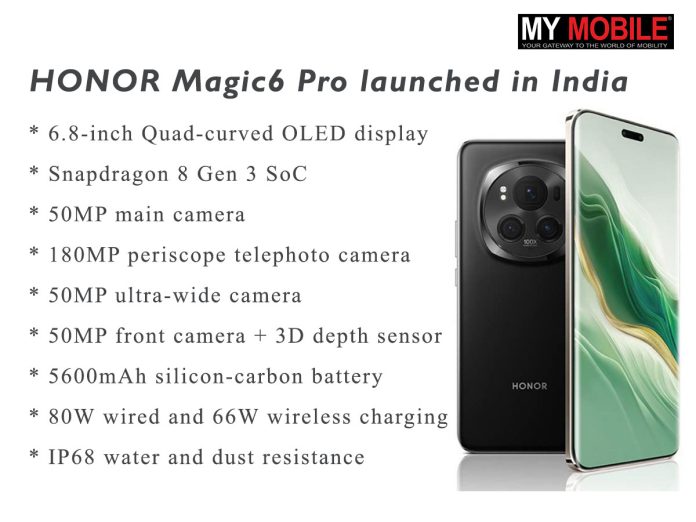
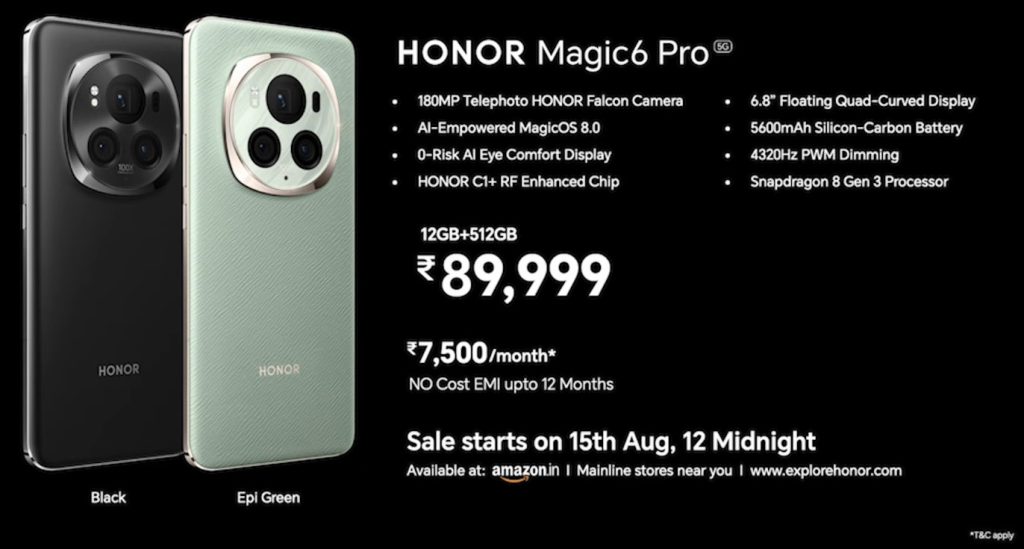
Features a 6.8-inch Quad-curved OLED display with 120Hz refresh rate
Powered by Snapdragon 8 Gen 3 SoC with 12GB RAM and 512GB storage
50MP main camera, 180MP periscope telephoto camera, and 50MP ultra-wide camera
Priced at Rs. 89,999, available from August 15th with no-cost EMI options
HONOR has made a grand entry into the Indian premium smartphone market with the launch of its highly anticipated HONOR Magic6 Pro.
This flagship device brings cutting-edge technology and innovative features, setting new benchmarks in the high-end segment.
Pricing and Availability
HONOR Magic6 Pro priced at Rs. 89,999 for the single 12GB + 512GB model
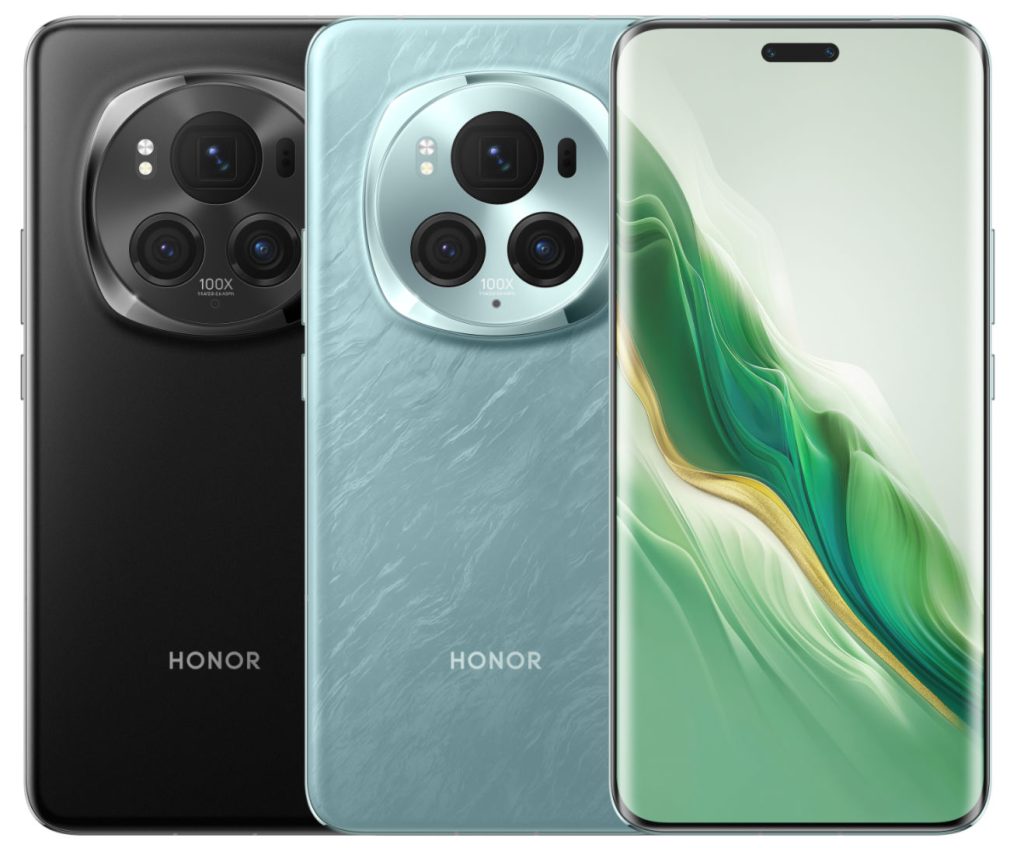
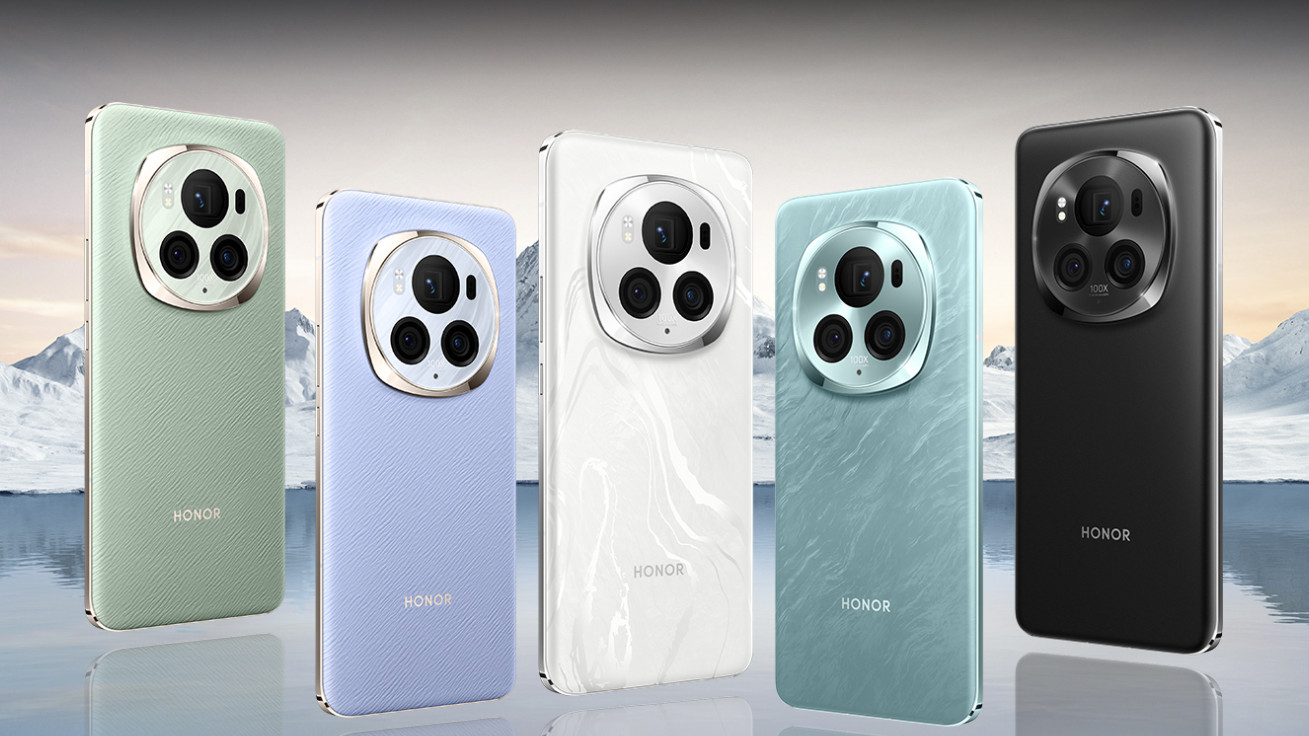
The single 12GB + 512GB variant of the HONOR Magic6 Pro costs Rs. 89,999 and is available in black and epi green.
It will be accessible starting at midnight on August 15th via explorehonor.com, Amazon.in, and physical locations.
Customers may purchase the smartphone for Rs. 7,500 per month with a 12-month zero-interest payment plan.
In addition, Honor declared that the smartphone’s price will not decrease over the following 180 days.
Commenting on the launch, Madhav Sheth, CEO, HTech, said: “The launch of the HONOR Magic6 Pro 5G in India marks a significant milestone in our journey of technological innovation. Building on the success of our Number and X series, we are now introducing the Magic series to set new standards in the premium segment. The Magic6 Pro 5G embodies our vision for the future of smartphones, featuring class-defining technologies that push the boundaries of what’s possible. With its cutting-edge AI-powered camera system and the groundbreaking MagicOS 8.0, the HONOR Magic6 Pro 5G delivers the best technology available in this price range. We believe this device will redefine user expectations and highlight the innovations that are driving the future of mobile technology.”
Ranjit Babu, Director, Wireless and Home Entertainment, Amazon India, said: “Strengthening our engagement with HONOR, we are excited to introduce the all-new and highly anticipated HONOR Magic6 Pro 5G on Amazon.in. This new addition to our extensive expanding product portfolio offers the latest AI capabilities, crystal clear photography and flagship performance. The perfect companion for customers seeking a seamless amalgamation of style and technology. Additionally, today’s launch adds another feather to our extensive premium selection, ensuring customers are future-ready. Pan India customers can get their hands on the newly launched Honor Magic6 starting from Aug 15th. Customers can also avail a host of affordability options such as no-cost EMI up to 12 months when they shop on India’s most trusted destination* for buying smartphones – Amazon.in.”
Key Specifications
HONOR Magic6 Pro, the company’s latest flagship smartphone in India
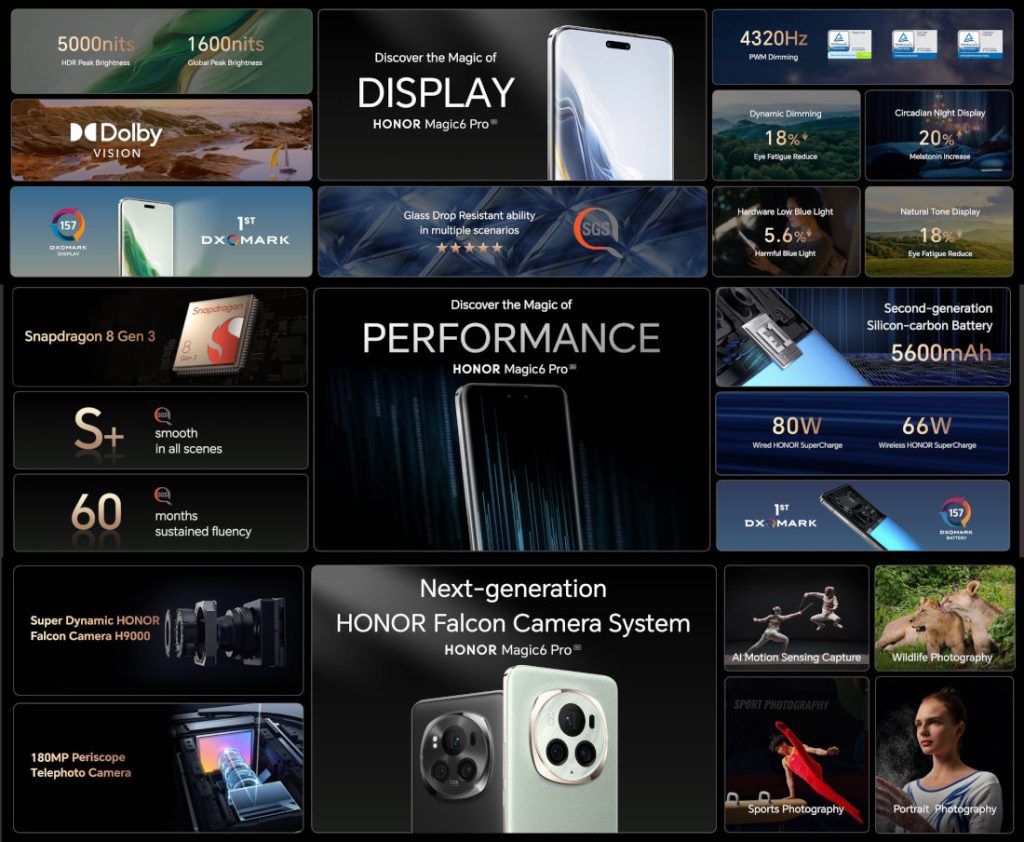
6.8-inch Quad-curved OLED display (120Hz LTPO, up to 5000 nits brightness)
Snapdragon 8 Gen 3 SoC
12GB LPDDR5X RAM, 512GB UFS 4.0 storage
50MP main camera with variable aperture (f/1.4-f/2.0)
180MP periscope telephoto camera (2.5x optical zoom)
50MP ultra-wide camera
50MP front camera + 3D depth sensor
5600mAh silicon-carbon battery
80W wired and 66W wireless charging
IP68 water and dust resistance
What’s New
It features a Quad-curved floating screen, 6.8-inch 120Hz OLED LTPO
The HONOR Magic6 Pro introduces several groundbreaking features to the Indian market.
Its display achieves an impressive 5000 nits peak brightness and utilizes nanocrystal glass for enhanced durability.
The device debuts a 1/1.49-inch 180MP periscope telephoto lens, a first in the smartphone industry.
HONOR’s proprietary C1+ chip for Universal Connection promises superior connectivity for global travelers.
The second-generation 5600mAh silicon-carbon battery, coupled with the HONOR E1 Power Enhanced Chip, offers exceptional battery life even in extreme conditions.
Features
HONOR Magic6 Pro is also equipped with the HONOR C1+ chip for Universal Connection
The Magic6 Pro’s Quad-curved floating screen provides an immersive viewing experience with its 120Hz refresh rate and Dolby Vision support.
The display’s 4320Hz high-frequency PWM dimming ensures comfortable viewing in all lighting conditions.
Photography capabilities are a major highlight, with the 50MP main camera featuring an intelligent variable aperture.
The 180MP periscope telephoto lens offers impressive zoom capabilities, complemented by a versatile ultra-wide camera.
Running on Magic UI 8.0 based on Android 14, the device promises a smooth and feature-rich user experience.
The inclusion of Wi-Fi 7 and Bluetooth 5.3 ensures future-proof connectivity options.
HONOR has also focused on audio quality, equipping the Magic6 Pro with dual stereo speakers enhanced by DTS:X Ultra sound effects.
5 Reasons to Buy
It is powered by Snapdragon 8 Gen 3 SoC with 12GB of RAM and runs Magic UI 8.0
Cutting-edge display technology with extreme brightness and durability
Revolutionary 180MP periscope telephoto camera
Advanced silicon-carbon battery with exceptional performance
Powerful Snapdragon 8 Gen 3 processor for top-tier performance
Versatile charging options with both fast wired and wireless capabilities
The HONOR Magic6 Pro represents a significant leap in smartphone technology, bringing several industry-first features to the Indian market.
As HONOR re-establishes its presence in India, this flagship devicecould potentially disrupt the premium smartphone segment with its impressive spec sheet and innovative technologies.
When will the HONOR Magic6 Pro be available in India?
The HONOR Magic6 Pro will be available starting from midnight on August 15th.
What is the price of the HONOR Magic6 Pro in India?
The HONOR Magic6 Pro is priced at Rs. 89,999 for the 12GB + 512GB variant.
Where can I purchase the HONOR Magic6 Pro?
The HONOR Magic6 Pro can be purchased from explorehonor.com, Amazon.in, and various physical retail locations.
What are the key features of the HONOR Magic6 Pro?
Key features include a 6.8-inch Quad-curved OLED display, Snapdragon 8 Gen 3 SoC, 50MP main camera, 180MP periscope telephoto camera, and a 5600mAh silicon-carbon battery with 80W wired and 66W wireless charging.
Does the HONOR Magic6 Pro support fast charging?
Yes, the HONOR Magic6 Pro supports 80W wired fast charging and 66W wireless charging.
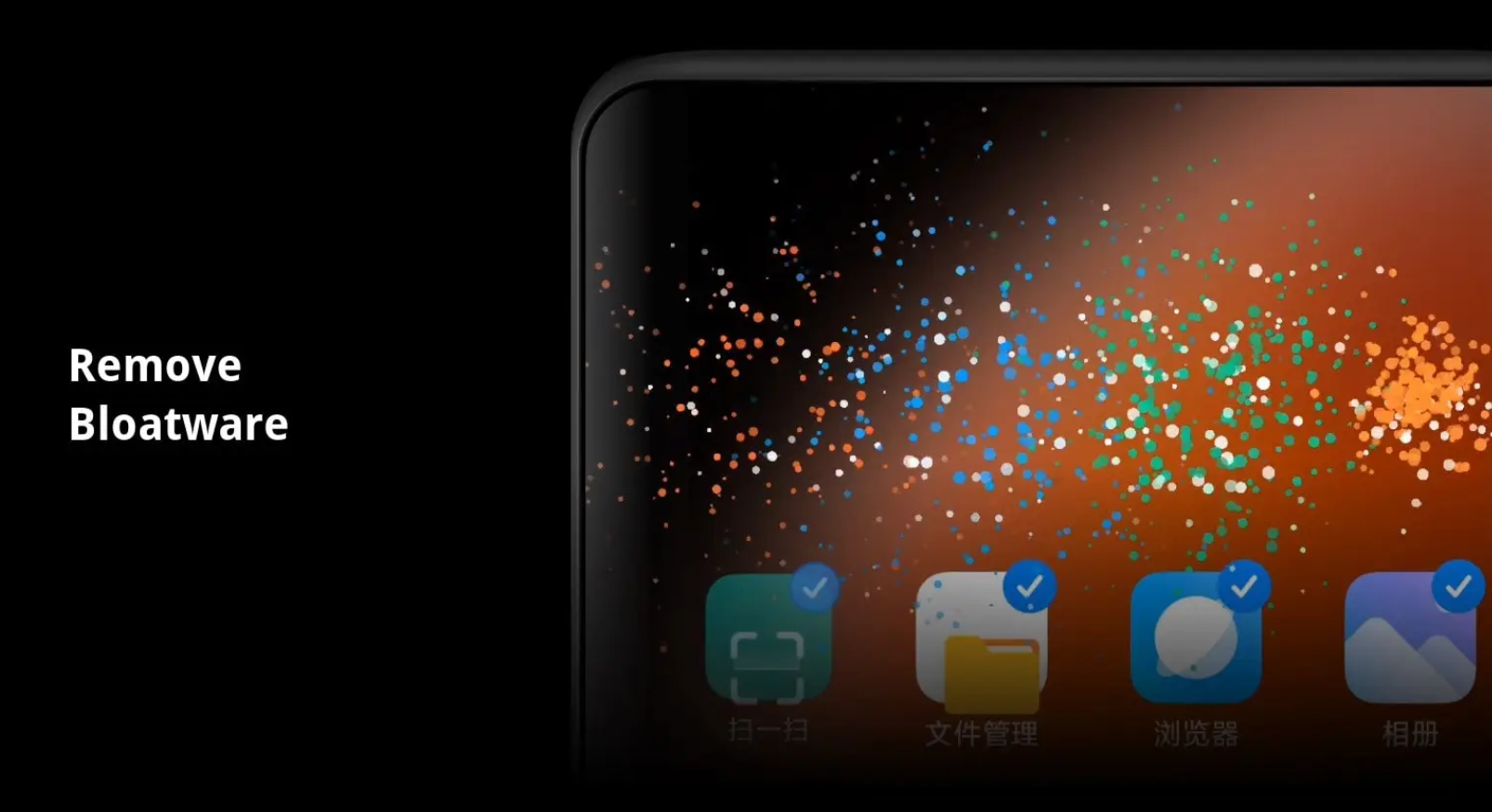
Xiaomi, a popular smartphone maker, has announced plans to improve user experience by cutting down on pre-installed apps and ads on their devices.
However, the company has denied rumors about adding a feature to turn off all ads completely.
Less Bloatware, Fewer Ads
Xiaomi to Reduce Bloatware and Ads on Phones l Image Creit: BeeBom
Many phones, especially those bought from carriers, come with extra apps and advertisements built into the operating system.
This is called bloatware.
Companies do this to make phones cheaper, as the ads help pay for part of the phone’s cost.
Xiaomi has been known for including such bloatware and ads on their phones.
Xiaomi phones that would allow users to toggle ads off
Recently, there were rumors that the company would add an option for users to turn off all ads with a single switch.
However, Xiaomi has now clarified that this rumored “ad toggle” feature is not coming.
Instead, the company plans to reduce the number of pre-installed apps and cut down on ads throughout the phone’s system.
Xiaomi’s Explanation and Future Plans
Improvements expected on new high-end phones
In a statement to Android Authority, a tech news website, Xiaomi explained their decision: “We are improving our business approach to make things better for users. We’ll do this by reducing pre-installed apps and places where ads appear. Users should see these changes soon on our newest high-end phones. We want to make changes that help all our users, not just add a switch that only a few people might find and use.”
Xiaomi believes that lowering the overall amount of bloatware is a better solution than offering a toggle to turn off ads.
They think such a toggle wouldn’t be used by many people, as not everyone would know about it or how to use it.
The company hasn’t said exactly when these changes will happen or how much they plan to reduce bloatware and ads.
It might take some time before users notice a big difference, as such changes can be complex to implement across all their devices.
FAQs
What changes is Xiaomi making to their smartphones?
Xiaomi is reducing the number of pre-installed apps and ads on their devices to improve the user experience.
Will there be an option to turn off all ads on Xiaomi phones?
No, Xiaomi has confirmed that there will not be a toggle to completely turn off all ads on their phones.
Why is Xiaomi not adding an ad toggle feature?
Xiaomi believes that reducing bloatware and ads is a more effective solution than adding a toggle, which might not be widely used or known by all users.
When will Xiaomi users start seeing these changes?
Xiaomi stated that users should see these improvements soon on their newest high-end phones, although no specific timeline was provided.
How will these changes benefit Xiaomi users?
By cutting down on pre-installed apps and ads, Xiaomi aims to enhance the overall user experience, making their phones more streamlined and less cluttered.