


Highlights
- X Chat introduces end-to-end encryption for one-on-one and group chats, file sharing, voice/video calls, disappearing messages, and screenshot alerts.
- It is now live on iOS and Web, while it is expected to come on Android soon.
- Chats use device-linked public-private key pairs and local encryption.
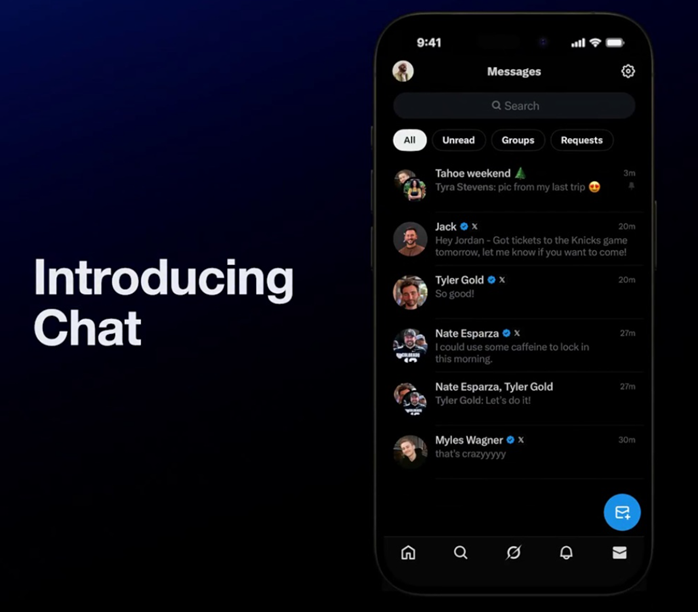
Elon Musk’s X (previously known as Twitter) has now officially rolled out its new messaging experience called X Chat. As we previously reported, it is a privacy-focused upgrade to its previous direct messaging system. The new Chat interface merges traditional DMs with end-to-end encrypted chats and supports both one-on-one and group conversations.
As announced by Musk earlier, X Chat users can now share files, make voice and video calls, and soon send voice memos (a feature returning in an upcoming update). The platform also brings tools to edit or delete messages, set disappearing messages, get alerts when someone takes a screenshot, block screenshots entirely, and ensure all chats remain free from ads and tracking.
X Chat – Availability
Chat is now available on iOS and the Web with Android support set to roll out soon.
How Chat Handles Encryption and Device Security?
When a user opens Chat for the first time, X generates a public-private key pair linked to their account. The private key is secured by a PIN stored only on the device and can be restored on other devices using the same PIN. Every conversation is encrypted with a unique key and these keys are exchanged securely through users’ public-private key pairs.
Encrypted messages sync across multiple devices, but logging out removes encrypted chats and keys from that specific device. However, the private key can still be restored on another device through the PIN.
All content such as messages, reactions, files, and links is encrypted locally before sending and stays encrypted on X’s servers until the recipient decrypts it. X has confirmed that a detailed technical whitepaper explaining the encryption architecture will be published later in 2025.

Who Can Use X Chat?
To send or receive encrypted chats on X, users must
- Use the latest version of X on iOS, Android, or the Web
- Follow or subscribe to each other, have previously exchanged messages, or have accepted an encrypted DM before
Additionally, users can send encrypted message requests to:
- People who have enabled the option to receive encrypted DMs from anyone
- Verified users who allow encrypted messages from other Verified users
Security Constraints and Known Limitations
While group conversations and shared media are encrypted, certain metadata including timestamps and recipient details are not encrypted.
Other limitations include –
- Forward secrecy is not yet supported; compromised device keys may reveal past messages
- No protection against man-in-the-middle attacks yet, though future updates will add signature verification and “safety numbers”
- Encrypted messages currently cannot be reported directly; users must report issues through the account instead
Message Controls and Grok Integration
Chat includes several message management features –
- Delete / Unsend – Removes messages from recipients’ inboxes and syncs deletion across all devices
- Disappearing Messages – Allows automatic deletion after a selected time interval
- Grok Support – Users can analyse messages or images via Grok. However, any content sent to Grok is not encrypted, though the original chat remains encrypted.
FAQs
Q1. What is X Chat and what features does it offer?
Answer. X Chat is Elon Musk’s revamped messaging system on X (formerly Twitter), offering end-to-end encrypted one-on-one and group chats, file sharing, voice/video calls, disappearing messages, screenshot alerts, and ad-free communication.
Q2. How does encryption work in X Chat?
Answer. Each user gets a public-private key pair secured by a device PIN. Messages, files, and reactions are encrypted locally and stored encrypted on X’s servers. Encryption keys are exchanged securely and sync across devices, but logging out deletes them from that device.
Q3. Who can send or receive encrypted messages on X?
Answer. Users must follow or subscribe to each other, have exchanged messages before, or accept an encrypted DM. Verified users can also enable encrypted messages from other verified users or anyone, depending on their settings.