The leaked case for the iPhone 17 Air showcases a unique camera bar at the top, highlighting its single rear camera and flash.
The case reveals cutouts for standard buttons alongside a new dedicated Camera Control button, confirming added functionality.
The exact design choice remains unclear until Apple’s official reveal this fall.
Apple’s upcoming iPhone 17 Air is shaping up to be an interesting device. While it will only have a single rear camera, a newly leaked case suggests Apple is making a bold design choice to highlight it.
Popular leaker Sonny Dickson, who recently shared dummy models of the entire iPhone 17 lineup, has now provided our first look at a case for the iPhone 17 Air.
A leaked image of a case for the iPhone 17 Air. (Image credit – @SonnyDickson on X)
In a new post on X (formerly Twitter), Dickson shared an image of the case, which clearly features a large camera bar cutout at the top. This design is quite different from previous single-camera iPhones, which typically have a simple corner placement.
Posting the image, Dickson wrote, “Here’s your first look at a case for the iPhone 17 Air. If you didn’t know an Air was coming, you’d swear it was a Google Pixel case.”
Here’s your first look at a case for the iPhone 17 Air. If you didn’t know an Air was coming, you’d swear it was a Google Pixel case. pic.twitter.com/Qx4Smzh5Zo
— Sonny Dickson (@SonnyDickson) March 19, 2025
Looking closely at the case, we can see cutouts for the standard volume buttons, the Action Button, the Side Button and a new Camera Control button. This confirms that Apple is adding a dedicated camera control button to the iPhone 17 Air.
It’s still unclear why Apple is using this camera bar design for a phone with just one rear camera. For comparison, the iPhone 16e also has a single camera but keeps it in the upper corner, similar to most iPhones.
Based on dummy models, the iPhone 17 Air’s flash is expected to be on the right side of the camera bar, while the camera sensor sits on the left. However, we’ll have to wait until Apple officially unveils the device this fall to see if there are any functional benefits to this new design.
FAQs
Q1. What is unique about the iPhone 17 Air’s camera design?
Answer. The iPhone 17 Air features a bold camera bar design at the top, highlighting its single rear camera and flash, unlike the corner placement in previous models.
Q2. What new button is introduced on the iPhone 17 Air?
Answer. The leaked case reveals a new dedicated Camera Control button, in addition to standard volume, Action, and Side buttons.
Q3. When will the iPhone 17 Air be officially revealed?
Answer. The iPhone 17 Air is expected to be officially unveiled by Apple this fall.
Samsung’s One UI 7 update starts on April 7 beginning in South Korea with other regions receiving it gradually.
The rollout timeline varies by country and device.
New AI Features – Now Bar, AI Select, Writing Assist, Drawing Assist, Audio Eraser, Google Gemini integration and Natural Language Search.
Most features except Audio Eraser and Natural Language Search are available for the Galaxy S24 series, Galaxy Z Fold/Flip 6 and Tab S10 series.
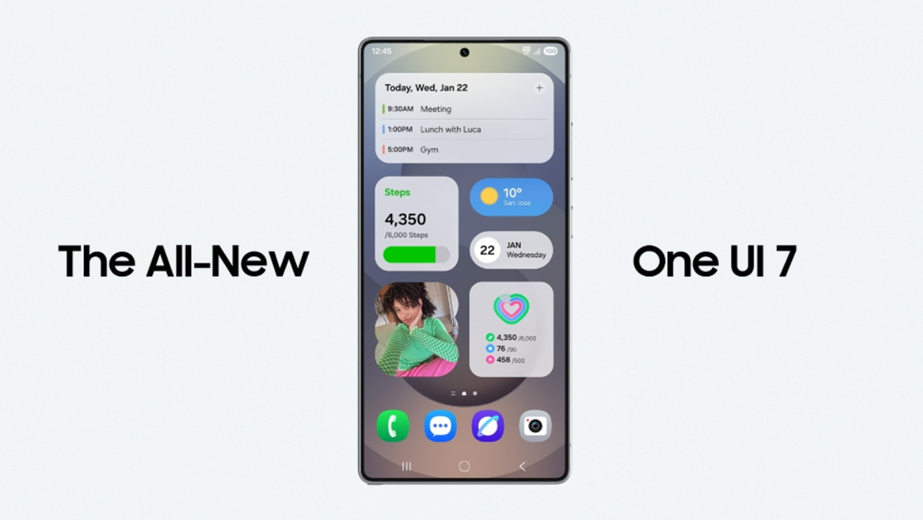
One UI 7 rollout details confirmed. (Image credit – Samsung)
Samsunghas finally confirmed the rollout date for its long-awaited One UI 7 update. The update will start rolling out on April 7, but not all regions will get it at the same time. Samsung recently shared more details about its release schedule and some countries will have to wait a little longer.
Here’s what we know so far.
One UI 7 – Roll Out Timeline?
Samsung recently announced that One UI 7 would officially start rolling out on April 7 without a beta program. However, while the initial announcement came from Samsung Korea, the global press release clarified that “availability may vary by market.”
Further regional press releases confirmed that One UI 7 will roll out gradually rather than all at once. In South Korea, the update will start on April 7, but other countries will see delays. Here’s the official schedule so far:
April 7 – South Korea
April 10 – United States, Norway, Sweden
April 14 – Malaysia
Early April – Belgium, Netherlands
Samsung hasn’t shared a full global schedule yet, and in some countries, its Newsroom hasn’t even posted about One UI 7’s rollout.
The update will also vary by device, but according to Samsung’s US press release, the Galaxy S24 series, Galaxy Z Fold 6, and Galaxy Z Flip 6 will all get One UI 7 at the same time.
One UI 7 – New AI Features
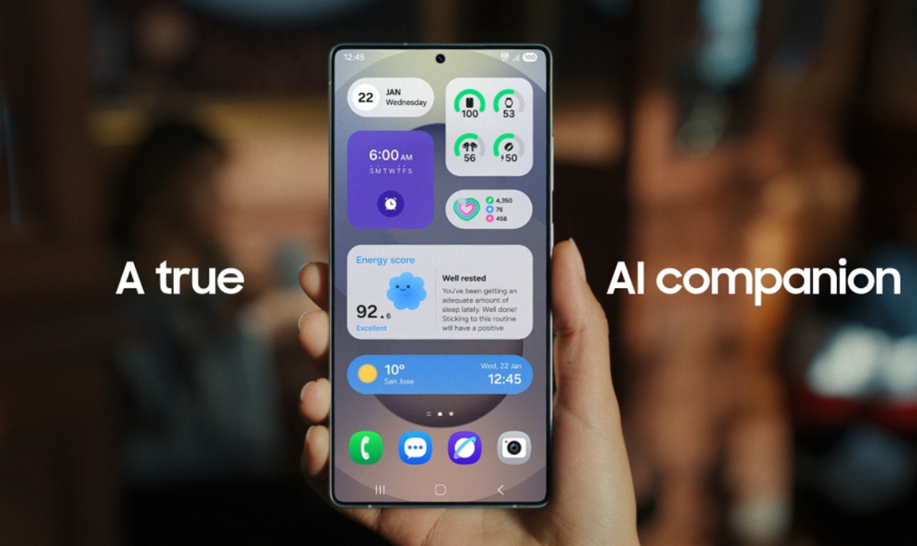
One UI 7 comes with a host of new AI features. (Image credit – Samsung)
One UI 7 is mostly a visual update, but Samsung is also introducing new AI-powered features. However, not all devices will get every feature. Here’s what’s coming:
Seven New AI Features in One UI 7 –
Now Bar – Real-time updates on the lock screen for select apps (like Google Maps and Google Sports Scores).
AI Select – Adaptive AI when selecting on-screen content.
Writing Assist – Summarizes or generates text when selecting a text box.
Drawing Assist – Uses text and sketch/image prompts to generate images.
Audio Eraser – Removes unwanted sounds in videos.
Google Gemini Integration – Press the side button to access Google Gemini AI.
Natural Language Search in Settings – Users can type prompts like “my eyes are tired” to find relevant settings.
One feature that hasn’t expanded beyond the Galaxy S25 series yet is “Now Brief,” an AI-powered daily summary tool.
Which Galaxy Devices Will Get These AI Features?
Most One UI 7 AI features will be available across multiple Galaxy devices, but Audio Eraser and natural language search in Settings are limited to fewer models. Here’s a breakdown:
Feature
Devices Getting It
Now Bar
Galaxy S24 series, S24 FE, S23 series, S23 FE, Z Fold 6, Z Flip 6, Z Fold 5, Z Flip 5, Tab S10 series
AI Select
Galaxy S24 series, S24 FE, S23 series, S23 FE, Z Fold 6, Z Flip 6, Z Fold 5, Z Flip 5, Tab S10 series
Writing Assist
Galaxy S24 series, S24 FE, S23 series, S23 FE, Z Fold 6, Z Flip 6, Z Fold 5, Z Flip 5, Tab S10 series
Drawing Assist
Galaxy S24 series, S24 FE, S23 series, S23 FE, Z Fold 6, Z Flip 6, Z Fold 5, Z Flip 5, Tab S10 series
Audio Eraser
Galaxy S24 series, S24 FE, Z Fold 6, Z Flip 6, Tab S10 series
Google Gemini Side Button
Galaxy S24 series, S24 FE, S23 series, S23 FE, Z Fold 6, Z Flip 6, Z Fold 5, Z Flip 5, Tab S10 series
Natural Language Search in Settings
Galaxy S24 series, S24 FE, Z Fold 6, Z Flip 6, Tab S10 series
While One UI 7 rolling out from April 7, rollout times and feature availability will depend on your country and device.
FAQS
Q1. When will Samsung’s One UI 7 update start rolling out?
Answer. The rollout begins on April 7, 2025, starting in South Korea, with gradual availability in other regions, including the U.S. on April 10 and Malaysia on April 14.
Q2. What new AI features are introduced in One UI 7?
Answer. One UI 7 brings features like Now Bar, AI Select, Writing Assist, Drawing Assist, Audio Eraser, Google Gemini integration, and Natural Language Search in Settings.
Q3. Which devices are compatible with One UI 7’s new AI features?
Answer. Most features are available for Galaxy S24 series, Galaxy Z Fold/Flip 6, and Tab S10 series, but features like Audio Eraser and Natural Language Search are limited to select models.
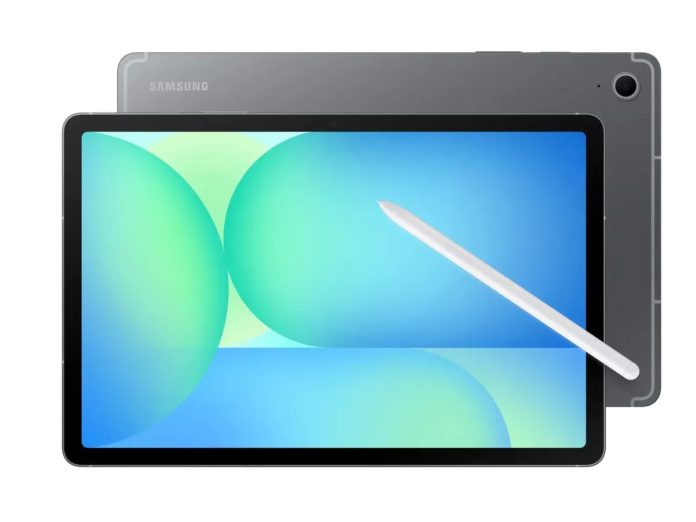
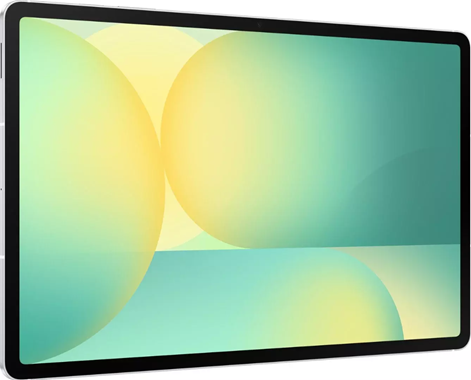
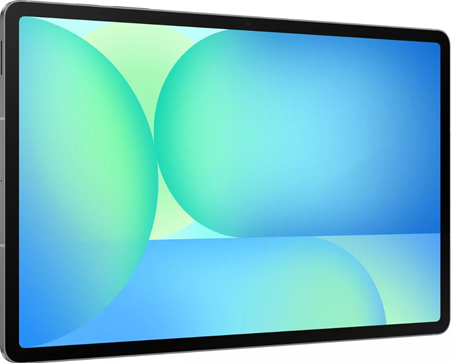
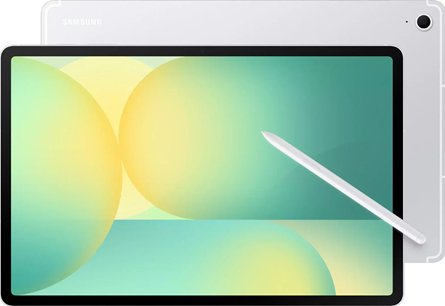
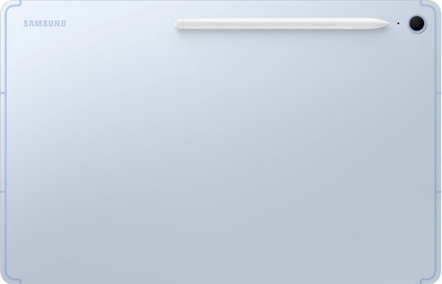
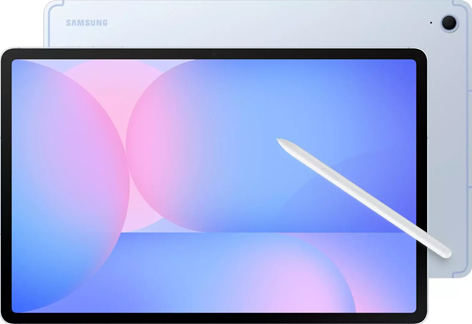
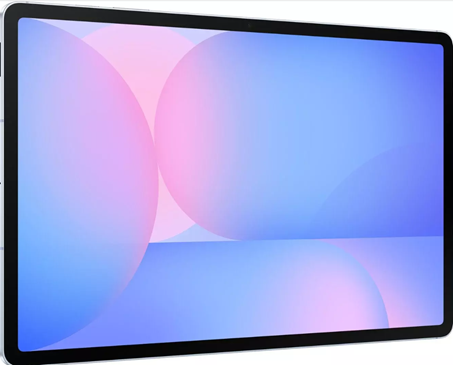
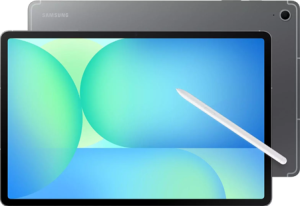
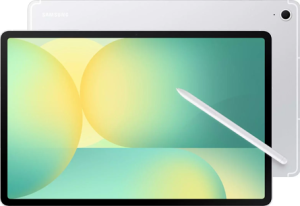
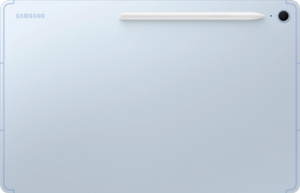
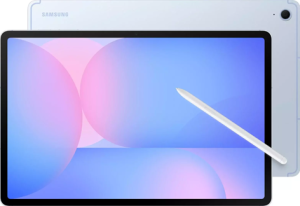
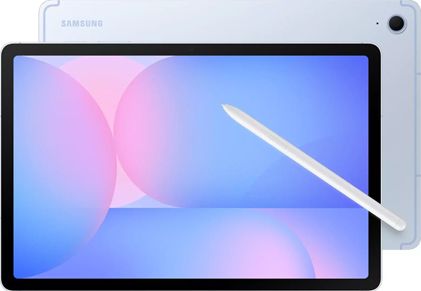
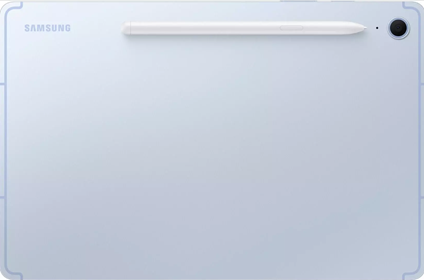
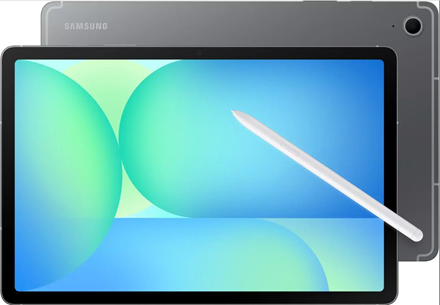
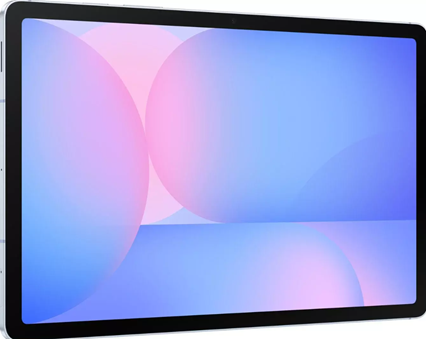
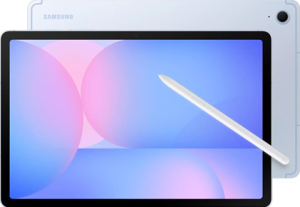
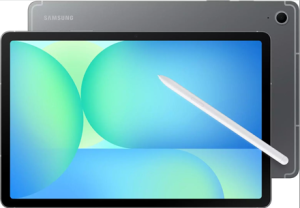
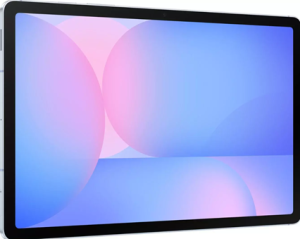
The Galaxy Tab S10 FE and S10 FE+ almost official-looking images leaked.
Galaxy Tab S10 FE 10.9″ and S10 FE+ 13.1″ come with Exynos 1580 chipsets, up to 12GB RAM, S Pen support, IP68 durability and 8,000mAh/10,090mAh large batteries.
Prices are expected to range from €579 to €949 in Europe, depending on model, storage 128GB/256GB and Wi-Fi/5G connectivity.
Launch Timeline – Expected to launch globally before July 2025, filling a size gap in Samsung’s tablet lineup with new mid-range options.
Samsungis getting ready to expand its Galaxy Tab S10 lineup with new Fan Edition (FE) tablets. A new leak has now revealed all the key details about the Galaxy Tab S10 FE and Galaxy Tab S10 FE+, including specs, pricing and official images. Here’s what we know so far.
Galaxy Tab S10 FE and S10 FE+ – Leaked Images
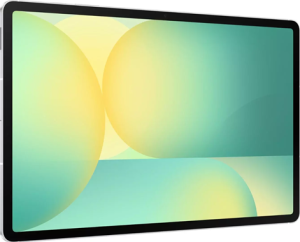
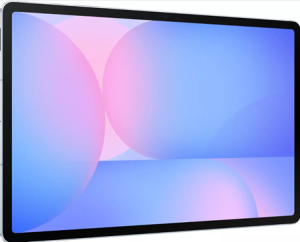
German blogger WinFuture recently shared almost officially looking renders of the Tab S10 FE and Tab S10 FE+. Here’s a look at the leaked renders.
The Galaxy Tab S10 FE is the smaller of the two featuring a 10.9-inch display with a 2304×1440 resolution. Samsung skipped this size last year when it launched the 12.4-inch Galaxy Tab S10+ and the 14.6-inch Galaxy Tab S10 Ultra, so this new model fills an important gap.
The latest leak doesn’t confirm the display type, but given Samsung’s past “Fan Edition” devices, it’s unlikely to be an AMOLED panel.
The Galaxy Tab S10 FE+ comes with a 13.1-inch display, placing it right between the existing models. It has a higher 2880×1800 resolution, and both tablets support S Pen input.
Galaxy Tab S10 FE and S10 FE+ – Performance and Features
Unlike the high-end MediaTek chips used in the regular Galaxy Tab S10 series, the FE models will be powered by Samsung’s Exynos 1580 chipset. There will be 8GB or 12GB of RAM and 128GB or 256GB of storage, with the option to expand via microSD card.
For cameras, both tablets will feature a 12MP front camera and a 13MP rear camera. Battery capacities are set at 8,000mAh for the S10 FE and 10,090mAh for the S10 FE+, with 45W fast charging. They also come with IP68 water resistance and a metal build for durability.
The Galaxy Tab S10 FE series is expected to launch with One UI 7. Interestingly, the standard Galaxy Tab S10 lineup isn’t expected to receive this update until at least April 2025.
Galaxy Tab S10 FE and S10 FE+ – Pricing
Pricing details for the European market have also surfaced:
Galaxy Tab S10 FE (10.9-inch)
Wi-Fi Models:
8GB/128GB: €579
12GB/256GB: €679
5G Models:
8GB/128GB: €679
12GB/256GB: €779
Galaxy Tab S10 FE+ (13.1-inch)
Wi-Fi Models:
8GB/128GB: €749
12GB/256GB: €849
5G Models:
8GB/128GB: €849
12GB/256GB: €949
Galaxy Tab S10 FE and S10 FE+ – Launch Timeline
Samsung has not confirmed a release date yet, but a previous note on its website suggests the Galaxy Tab S10 FE series should launch before July 2025.
As of now, we’ll have to wait for an official announcement from Samsung to see when these new Fan Edition tablets hit the market.
FAQs
Q1. What are the key specifications of the Galaxy Tab S10 FE and S10 FE+?
Answer. The Galaxy Tab S10 FE features a 10.9-inch display (2304×1440 resolution), while the S10 FE+ has a larger 13.1-inch display (2880×1800 resolution). Both are powered by the Exynos 1580 chipset, come with up to 12GB RAM, S Pen support, 8,000mAh and 10,090mAh batteries respectively, IP68 water resistance, and a metal build.
Q2. What is the pricing for the Galaxy Tab S10 FE series?
Answer. The Galaxy Tab S10 FE starts at €579 for the Wi-Fi 8GB/128GB model, while the S10 FE+ starts at €749 for the Wi-Fi 8GB/128GB version. Prices go up to €949 for the S10 FE+ 5G 12GB/256GB model.
Q3. When will the Galaxy Tab S10 FE series be launched?
Answer. Samsung has not confirmed a release date yet, but the Galaxy Tab S10 FE series is expected to launch globally before July 2025.
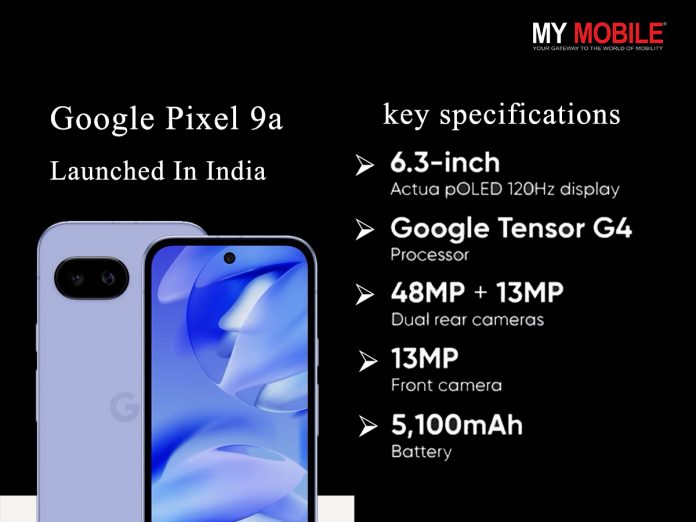
The Google Pixel 9a launched with the Tensor G4 chipset, a 6.3-inch FHD+ OLED display (120Hz, 2,700 nits brightness), a 5,100mAh battery, IP68 dust/water resistance and a revamped 48MP + 13MP camera system.
It runs on Android 15 with a promise of seven years of updates.
Priced at $499 (₹43,080) for 128GB and ₹49,999 in India for the 256GB variant.
The phone will be available globally in April with Flipkart as the exclusive retailer in India.
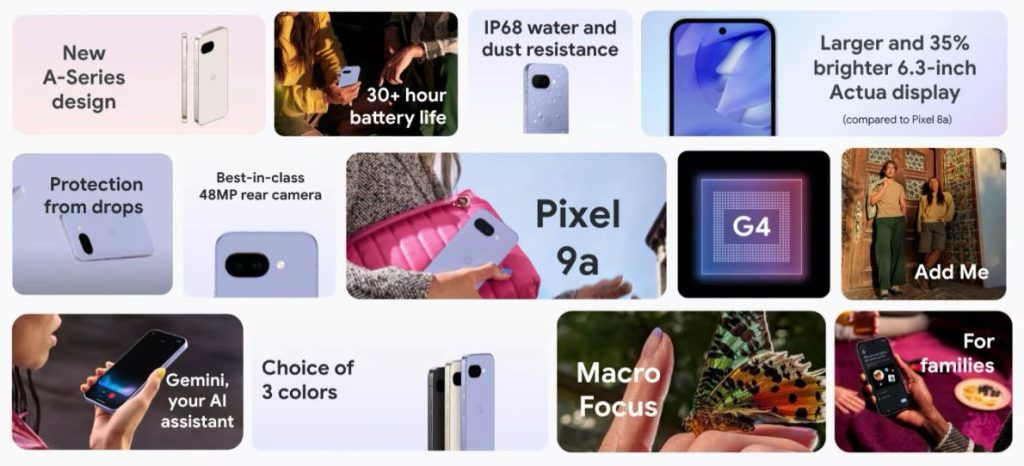
Google Pixel 9a officially launched in more the 32 countries around the world. (Image credit – Google)
Google has officially launched its latest mid-range smartphone the Google Pixel 9a. As expected, it’s the more affordable alternative to the flagship Pixel 9 Series. The tech giant has almost surprised everyone by launching the phone earlier than usual since history tells that the Pixel ‘a’ series phones typically arrive in May.
The Pixel 9a brings a refreshed design, particularly in the camera module, while keeping the familiar Pixel aesthetic. It features a 6.3-inch FHD+ OLED display with a 120Hz refresh rate and a peak brightness of 2,700 nits, which is 35% brighter than the Pixel 8a.
The phone runs on the Google Tensor G4 chipset, which is the same chip powering the flagship Pixel 9 models. It also includes the Titan M2 security chip for enhanced protection. The phone runs on Android 15 and promises seven years of software support, including OS upgrades and security updates.
Software: Android 15 with seven years of OS, security, and Pixel Drop updates.
Other Features: IP68 dust and water resistance, stereo speakers, Car Crash Detection, Wi-Fi 6E, NFC and eSIM support.
Google Pixel 9a comes with IP68 rating. (Image credit – Google)
Google Pixel 9a – What’s New?
The Pixel 9a measures 8.9mm thick, weighs 185.9g, and features a matte back, polished aluminum frame, and flat edges.
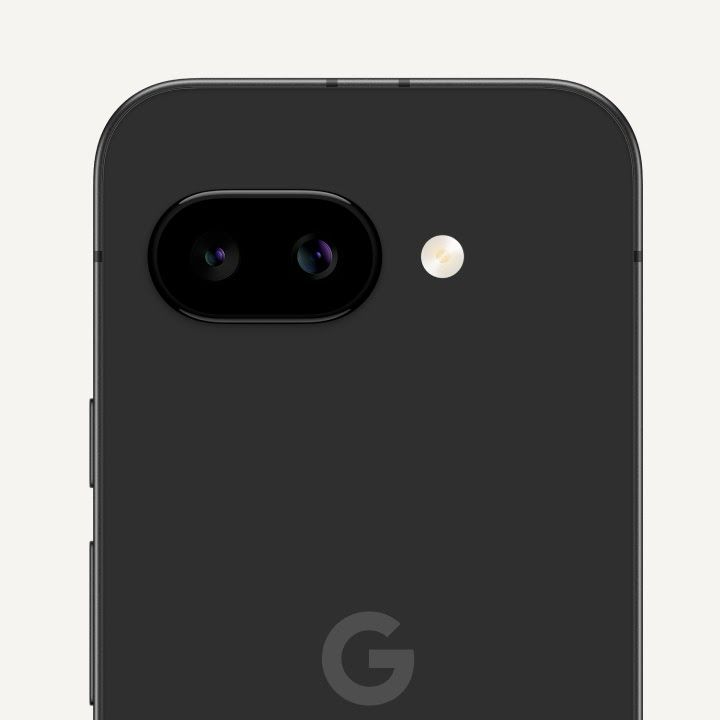
One of the biggest design changes that is easily noticeable in the newly launched Google Pixel 9a is the camera module. While it retains the familiar pill-shaped design, it now sits flush with the back panel instead of protruding.
As for other upgrades, the Pixel 9a gets a bigger 6.3-inch display, better water and dust resistance, and a new chipset. Another major highlight is the massive 5,100mAh battery, not just bigger than the Pixel 8a but also larger than any model in the entire Pixel 9 lineup.
Moreover, the camera setup has also changed. Instead of the 64MP sensor on the Pixel 8a, Google has opted for a 48MP primary camera.
Google Pixel 9a – Price and Availability
The Pixel 9a is priced at $499 (approx. ₹43,080) for the 128GB version and $599 (approx. ₹51,715) for the 256GB variant. It will go on sale in April, but an exact date hasn’t been confirmed yet.
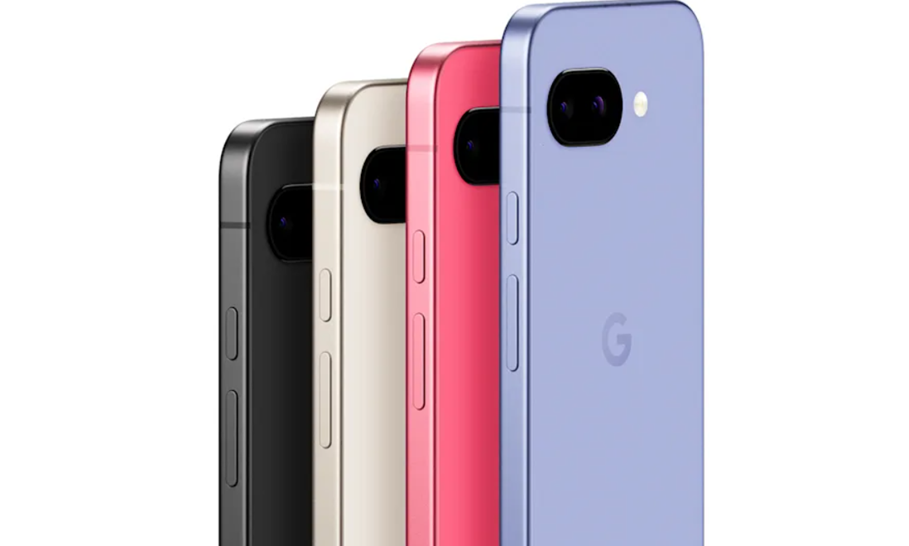
Google Pixel 9a colour variants. (Image credit – Google)
The phone will be available in Obsidian, Porcelain and Iris colour options.
India Pricing:
₹49,999 for the 256GB variant (India does not get the Peony colour).
Flipkart will be the exclusive online retailer for the phone.
As a launch offer, buyers in India can avail:
₹3,000 cashback
24 months of no-cost EMI with select banking and financing partners, including HDFC Bank, IDFC Bank, and Bajaj Finserv.
Google Pixel 9a – Most Widely Available Google A-Series Phone Yet
It will be available from Flipkart in April.
The Pixel 9a is launching in 32 countries, which makes it the most widely available A-series phone to date. Last year’s Pixel 8a was officially sold in 23 regions, but Google has expanded its reach this time.
Here’s the full list of countries where the Pixel 9a will be available:
North America: United States, Canada
Europe: Austria, Belgium, Czech Republic, Denmark, Estonia, Finland, France, Germany, Hungary, Italy, Latvia, Lithuania, Netherlands, Norway, Poland, Portugal, Republic of Ireland, Romania, Slovakia, Slovenia, Spain, Sweden, Switzerland, United Kingdom
Asia-Pacific: Australia, India, Japan, Malaysia, Singapore, Taiwan
Unfortunately, Puerto Rico is not included despite being part of the U.S.
Pixel 9a includes the same security features as the Pixel 9 and 9 Pro, such as Theft Protection, Car Crash Detection, and a built-in VPN by Google.
Google has not confirmed if more countries will get access later. In regions where the Google Store isn’t available, buyers may have to rely on local retailers or carriers. Keep in mind that importing the device from unofficial channels could mean limited or no warranty support.
Pre-orders are not open yet and sales are expected to begin in April.
Pixel 9a VS Pixel 8a VS iPhone 16e Vs Nothing 3a Pro – A Quick Comparison
Pixel 9a
Pixel 8a
iPhone 16e
Nothing 3a Pro
Screen size
6.3 inches
6.1 inches
6.1 inches
6.77 inches
Screen resolution
1080 x 2,424 pixels (421ppi)
1,080 x 2,400 pixels (430ppi)
1,170 x 2,532 pixels (460 ppi)
1,080 x 2,392 pixels (387ppi)
Screen type
pOLED
pOLED
OLED
AMOLED
SoC
Tensor G4
Tensor G3
Apple A18
Snapdragon 7s Gen 3
RAM
8GB
8GB
8GB
12GB
Battery
5,100mAh
4,492mAh
4005mAh
5000mAh
Storage
128 / 256 GB
128 / 256 GB
128 / 256 / 512 GB
256 GB
Rear cameras
Wide: 48MP, f/1.7
Ultrawide: 13MP, f/2.2
Wide: 64MP, f/1.89
Ultrawide: 13MP, f/2.2
Wide: 48MP, f/1.6
Wide: 50MP, f1/1.9
Ultrawide: 8MP, f/2.2
Periscope telephoto: 50MP, f/2.6
Front Camera
13MP, f/2.2
13MP, f/2.2
12MP, f/1.9
50MP, f/2.2
Water/dust rating
IP68
IP67
IP68
IP64
OS
Android 15
Android 15
iOS 18
Android 15 / Nothing OS 3.1
Colours
Obsidian / Porcelain / Iris / Peony
Obsidian / Porcelain / Aloe / Bay
Black / White
Black / Gray
key specifications of the Google Pixel 9a:
Specification
Details
Display
6.3-inch FHD+ OLED, 120Hz, 2,700 nits brightness
Processor
Google Tensor G4 with Titan M2 security chip
Rear Cameras
48MP (OIS) + 13MP ultra-wide
Front Camera
13MP
Battery
5,100mAh, 33W wired, 7.5W wireless charging
Software
Android 15, 7 years of updates
Water/Dust Resistance
IP68
Storage
128GB / 256GB
Price
$499 (₹43,080) for 128GB, ₹49,999 for 256GB in India
Availability
April launch, Flipkart exclusive in India
FAQs
Q1. What are the key specifications of the Google Pixel 9a?
Answer. The Pixel 9a features a 6.3-inch FHD+ OLED display (120Hz, peak brightness of 2,700 nits), Google Tensor G4 chipset with Titan M2 security chip, a 48MP + 13MP rear camera setup, a 13MP selfie camera, a 5,100mAh battery with 33W wired and 7.5W wireless charging, and IP68 dust and water resistance.
Q2. How much does the Google Pixel 9a cost, and when will it be available?
Answer. The phone is priced at $499 (approx. ₹43,080) for the 128GB version and ₹49,999 for the 256GB variant in India. It will go on sale in April, with exact dates yet to be confirmed.
Q3. What are the design changes in the Pixel 9a?
Answer. The camera module now sits flush with the back panel instead of protruding. Moreover, the Pixel 9a gets a larger 6.3-inch display and better water and dust resistance compared to previous models.
Q4. What special software and updates does the Pixel 9a offer?
Answer. The phone runs on Android 15 and promises seven years of software support, including OS upgrades and security updates. It also comes with AI tools like Add Me, Face Unblur, Magic Editor, and Eraser.
Q5. In which countries will the Google Pixel 9a be available?
Answer. The Pixel 9a will launch in 32 countries, including the United States, Canada, multiple European nations, India, Japan, and Australia, making it the most widely available A-series phone yet.
Google Pixel 9a is set to debut with a Tensor G4 chip, a 48MP dual-camera setup, a 5,100mAh battery and a starting price of approximately ₹50,000.
Oppo F29 series will launch featuring the Oppo F29 5G with Snapdragon 6 Gen 1 and Oppo F29 Pro 5G with MediaTek Dimensity 7300 Energy SoC.
Infinix Note 50 Pro Plus launching with advanced AI-powered tools, a 50MP periscope camera with 100x zoom and a premium ArmorAlloy build under ₹43,400.
March is turning out to be an exciting month for smartphone fans with some major smartphone launches from brands like Oppo, Google and Realme lined up. We just had the Realme P3 Series debut today and now even more smartphones are gearing up for their debut this week.
If you’re wondering, here’s a quick list of anticipated smartphone launches you need to look forward to in the rest of the week.
Smartphones Launching This Week
Google Pixel 9a
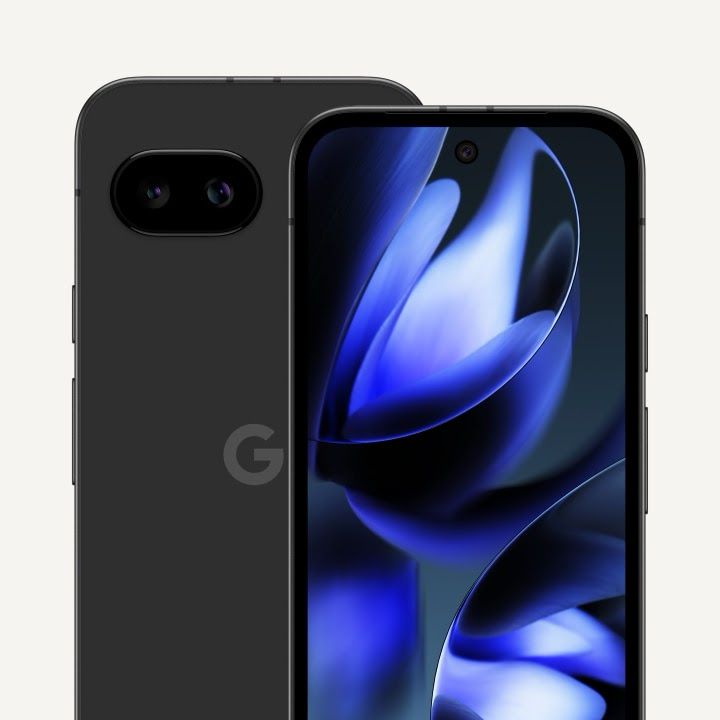
Google Pixel 9a display and rear panel (Image credit – Sudhanshu Ambhore on X)
Google’s affordable flagship the Pixel 9a is expected to debut this week with some major design changes, including a smaller camera bump. Under the hood, it will likely be powered by the Tensor G4 chip, paired with 8GB RAM and up to 256GB storage.
The Pixel 9a could get a 5,100mAh battery that supports 33W wired and 7.5W wireless charging.
The smartphone is expected to feature a dual-camera setup, but this time with a 48MP main sensor, a 13MP ultrawide and a selfie punch-hole that may house a 13MP front camera. The Pixel 9a is rumoured to cost around ₹50,000.
The phone will likely come in Black, White, Pink and Violet colours.
Oppo F29 and Oppo F29 Pro
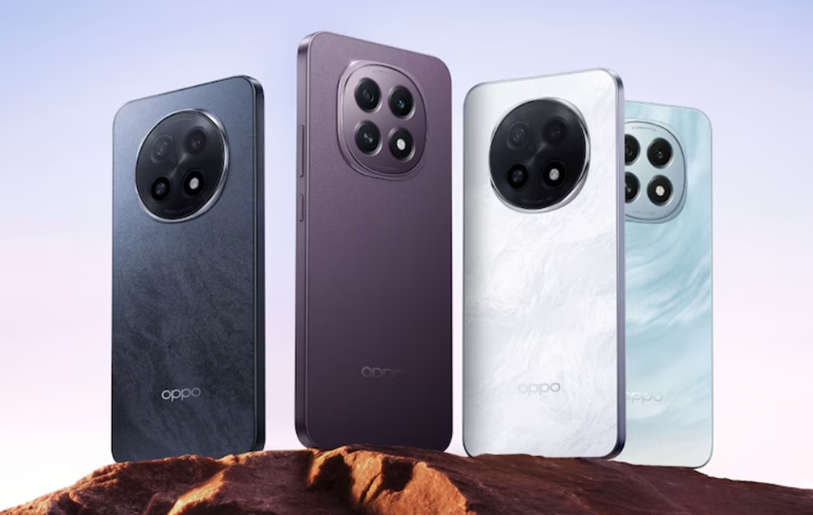
Oppo F29 5G series handsets. (Image credit – Oppo)
Oppo is launching its new F29 series on March 20, and it’s shaping up to be one of the most durable smartphones in the segment, featuring three IP ratings and a 360° armour body for extra protection.
The standard Oppo F29 5G with most likely come with a Snapdragon 6 Gen 1 chipset. As per reports, it has an AnTuTu score of over 7,40,000. According to the official microsite, the phone will be offered in 8GB + 128GB and 8GB + 256GB RAM and storage configurations.
As for the Oppo F29 Pro 5G, it will be powered by a MediaTek Dimensity 7300 Energy SoC, which is said to have an AnTuTu score of 6,50,000. The Pro model will be available in 8GB + 128GB, 8GB + 256GB, and 12GB + 256GB RAM and memory combination.
The Oppo F29 Pro 5G will be available in Marble White and Granite Black, while the Oppo F29 5G will launch in Solid Purple and Glacier Blue colours.
Both models could pack a massive 6,500mAh battery for long-lasting performance.
Infinix Note 50 Pro Plus
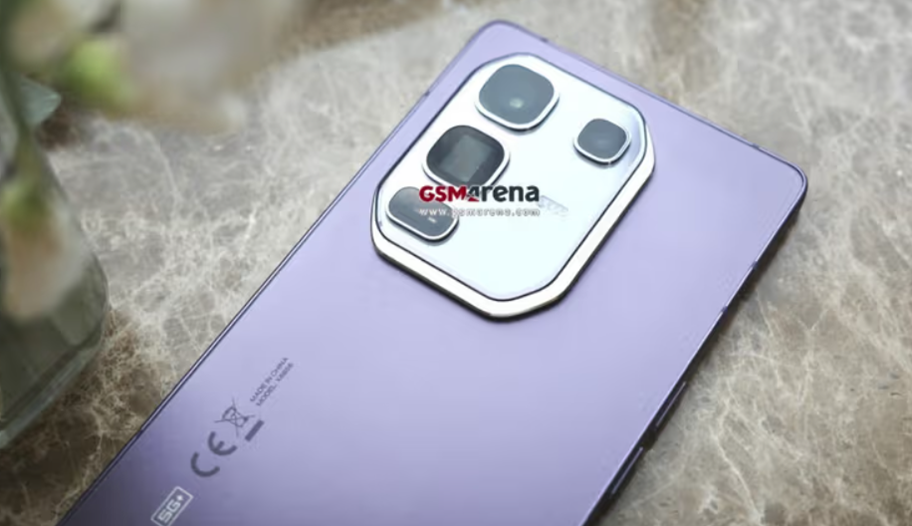
Infinix Note 50 Pro Plus leaked image. (Image credit – GSMArena)
The Infinix Note 50 Pro Plus is confirmed to launch on March 20 and is expected to introduce a premium ArmorAlloy build with a unique HyperCasting manufacturing process. Moreover, the smartphone is rumoured to come with advanced AI-powered features, making it a standout in the Infinix lineup.
Other expected features include a 50-megapixel periscope camera with 100x zoom,audio tuning by JBL, and One Tap Infinix AI. According to a recent 91Mobiles report, the Infinix Note 50 Pro+ will enter the sub $500 (around Rs 43,400) price segment.
With these exciting launches, smartphone buyers have plenty of options to look forward to this week. Which one are you most excited about?
FAQs
Q1. What are the expected key features of the Google Pixel 9a?
Answer. The Google Pixel 9a features a Tensor G4 chip, 48MP main and 13MP ultrawide cameras, a 5,100mAh battery with 33W wired and 7.5W wireless charging, and a rumoured price of ₹50,000.
Q2. What will be the highlights of the Oppo F29 series?
Answer. The Oppo F29 5G comes with a Snapdragon 6 Gen 1 chipset, while the Oppo F29 Pro 5G uses a MediaTek Dimensity 7300 Energy SoC, both featuring 6,500mAh batteries and IP ratings for durability.
Q3. What will reportedly make the Infinix Note 50 Pro Plus unique?
Answer. The Infinix Note 50 Pro Plus offers a 50MP periscope camera with 100x zoom, a premium ArmorAlloy build, advanced AI-powered features, and a price under ₹43,400.
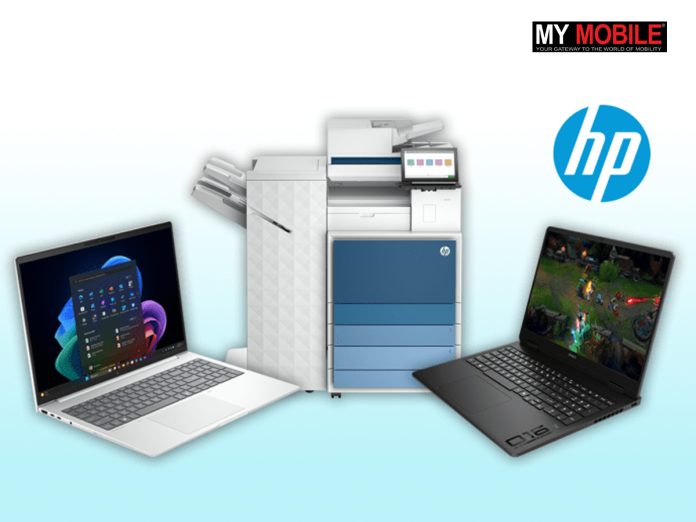
HP unveiled over 80 AI-powered innovations at its recent HP Amplify event.
The range includes AI PCs, advanced print tools, productivity software and new gaming hardware.
Key product highlights – HP EliteBook 8 Series, OmniBook X Series, AI Companion, and AI-enhanced printing solutions.
New gaming laptops and accessories under OMEN and HyperX brands offer improved performance, personalised AI features and durable designs for gamers and creators.
HPhas just launched over 80 new AI-powered PCs, print tools, and software enhancements at its annual HP Amplify event in Nashville, Tennessee. These innovations are designed to redefine work, gaming, and productivity through AI-driven experiences.
“HP is translating AI into meaningful experiences that drive growth and fulfilment,” said HP CEO Enrique Lores.“We are shaping the future of work with game-changing AI innovations that seamlessly adapt to how people want to work,” Enrique further added.
Alex Cho, President of Personal Systems, at HP Amplify 2025, Nashville, Tennessee. (Image credit – ChannelFutures)
A recent survey by AMDand Intel found that 82% of IT decision-makers plan to buy AI PCs before the end of the year. In response, HP has introduced the“world’s largest portfolio of AI PCs”, according to Alex Cho, President of Personal Systems.
“We’re enabling the future of work in all its forms,” said Cho. “We have completely refreshed our commercial lineup. If you are advanced compute customers, data scientists, high-performance users, we have you covered too. Our workstation lineup is now stronger than ever before.”
“For those who work independently, at home, for our students, our consumer lineup is also getting a massive upgrade. I have heard you all about our consumer lineup. I’m here to tell you we are here. We are stronger than ever before, and we’re going to go drive some superior experiences in the market and gaming,” he continued.
HP’s AI-Powered Future
HP’s latest AI-driven innovations reflect its commitment to enhancing productivity, security, and gaming experiences. Whether it’s the new range of AI PCs, advanced print solutions, or powerful gaming hardware, HP is pushing boundaries with AI technology.
“Our portfolio is now meaningful, making AI tangible,” said Alex Cho. “I hope you see that we are not just bringing great innovation, but we are also your best partner. We have the massive portfolio, but we also have the tools, the partnerships, the trainings and the playbooks to help you make it real for your customers and in your environments.”
HP’s Expanding AI PC Lineup
HP expanding its EliteBook series. (Image credit – HP)
Some of the key AI-powered PCs launched include:
HP EliteBook 8 Series – Designed for enterprise users, offering up to 224% better power efficiency and 43x faster AI image generation compared to previous models.
HP EliteDesk 8 Series – The world’s first business desktop PC portfolio built to protect against quantum computing hacks, reducing power consumption while maintaining high performance.
HP EliteStudio 8 AiO G1i – The first all-in-one PC with built-in KVM functionality, allowing users to connect their notebook and access all peripherals seamlessly.
OmniBook X Series – Available as a 14-inch flip or a 17.3-inch clamshell, designed for power users and productivity.
OmniBook 7 & 5 Series – Offering a mix of powerful computing, streaming, and gaming capabilities with Intel Ultra and AMD Ryzen processors.
With Windows 11 upgrades on the horizon, HP is ensuring that select AI PCs qualify as Copilot+ PCs for next-gen computing.
AI Software Innovations
HP is not just launching new hardware; it’s also rolling out AI-powered software solutions to enhance the PC experience:
HP AI Companion – An on-device AI research assistant that provides instant answers and secure file analysis even without an internet connection. New features coming this spring include voice/text commands and built-in keylogger protections.
HP Go10 – A zero-touch multi-carrier 5G solution debuting on the HP EliteBook 6 G1q, enabling automatic network switching for mobile professionals.
Poly Camera Pro – Enhancing video conferencing with AI-powered features like Magic Background, presenter overlays, seamless streaming integrations, and auto-framing.
AI-Powered Print Upgrades
HP is also bringing AI-driven enhancements to printing and document management:
AI-powered document summarisation – Automatically creates email drafts with scanned documents for quick sharing.
AI-based redaction – Ensures sensitive information stays secure on HP devices without requiring a cloud connection.
HP LaserJet Enterprise 8000 Series – The first printers to protect against quantum computer hacks, offering enhanced security for regulated industries.
HP Latex R530 Printer – A compact all-in-one printer capable of handling both rigid and flexible media.
HP Workforce Experience Platform (WXP) Enhancements
HP is enhancing its Workforce Experience Platform (WXP) to provide IT professionals with AI-driven insights:
AI Sentiment Analysis – Analyse feedback to improve employee experience.
Fleet Explorer – A natural language processing (NLP) tool that allows IT teams to query fleet data instantly.
Vyopta Integration – Helps monitor collaboration environments and optimise performance.
Pre-built scripts, alerts and dashboards
New Gaming Hardware
HP also introduced new gaming laptops and accessories under its OMEN and HyperX brands:
OMEN 16 Slim Gaming Laptop – A sleek yet powerful machine featuring Intel Core Ultra 9 285H processors and NVIDIA GeForce RTX 5070 GPU for top-tier performance.
OMEN Transcend 14 Gaming Laptop – A portable gaming powerhouse delivering 25% more power for gaming and content creation.
OMEN AI – A personalised AI tool that recommends the best system settings based on the user’s device and game, accessible via OMEN Gaming Hub.
HyperX Cloud III S Wireless Gaming Headset – Features up to 120 hours of battery life on 2.4GHz and 200 hours on Bluetooth, along with crystal-clear acoustics and customisable earcup plates.
FAQs
Q1. What key innovations did HP unveil at the HP Amplify event?
Answers. HP introduced over 80 AI-powered innovations, including AI-driven PCs, advanced print tools, productivity software and new gaming hardware.
Q2. What are some notable features of HP’s AI-powered PCs?
Answer. The HP EliteBook 8 Series offers 224% better power efficiency, while the EliteDesk 8 Series provides protection against quantum computing hacks.
Q3. What gaming products were announced under the OMEN and HyperX brands?
Answer. HP launched the OMEN 16 Slim Gaming Laptop, OMEN Transcend 14 Gaming Laptop, and HyperX Cloud III S Wireless Gaming Headset with advanced features like AI settings and long battery life.
Q4. What AI software solutions did HP introduce?
Answer. HP revealed the HP AI Companion, an on-device research assistant, and HP Go10, a zero-touch 5G solution for seamless network switching.
Q5. What AI-powered enhancements are being added to HP printers?
Answer. HP introduced features like AI-powered document summarisation, AI-based redaction for sensitive data, and quantum-safe security on LaserJet Enterprise 8000 Series printers.
Google Tensor G5 will be the first Tensor chip fully designed by Google and manufactured by TSMC using a 3nm-class process node.
Key upgrades expected include a new IMG DXT GPU, a fully custom ISP for enhanced camera performance, a custom memory controller and a new Chips&Media video codec.
The Tensor G5 is expected to be Google’s most advanced chip to date and will debut in the Pixel 10 series.
Google Tensor G5 to succeed the previous generation Tensor G4. (Image credit – Google)
The Google Tensor G5 is set to power the upcoming Pixel 10 series and is reportedly shaping up to be a major upgrade. Unlike previous Tensor chips, which were developed in collaboration with Samsung, the G5 will be entirely designed by Google and manufactured by TSMC using its 3nm-class process node.
A new report from Android Authority confirms this shift and provides deeper insight into the G5’s internal components.
Tensor G5 – What’s Changing?
New GPU – Google is reportedly switching from the Arm Mali-G715 MP7 (used in the Tensor G4) to Imagination Technologies’ IMG DXT GPU for better graphics performance.
Fully Custom ISP – Google will introduce a fully custom Image Signal Processor (ISP), moving away from the partially modified Samsung ISPs used in previous Tensor chips. This could significantly enhance Pixel 10’s camera performance.
Explaining this, the Android Authority report reads, “The previous chips only had a few custom Google-designed blocks to complement the regular Samsung ISPs, but that changes now. The Tensor G5 will have a fully custom ISP from the front-end to the back-end parts of the pipeline.”
Custom Memory and Power Modules – The chip will feature a custom memory controller, system-level cache, and power modules likely optimising efficiency and speed.
New Video Codec – Instead of using its BigWave AV1 video codec and Samsung’s Multi Format Codec (MFC), Google will now rely on Chips&Media’s WAVE677DV, which supports AV1, VP9, HEVC, and H.264 for video encoding and decoding.
The report notes, “This is where things start deviating from past generations — previous Tensor chips used a combination of two video codecs: Google’s “BigWave” AV1 codec core and Samsung’s MFC (Multi Format Codec) for the other formats. It would seem logical for Google to use something built in-house, perhaps even for all the formats, but that’s not the case. Instead, Google uses third party IP to handle all the formats. Specifically, the core used is Chips&Media’s WAVE677DV, spec’d to handle up to 4K120 encoding and decoding in AV1, VP9, HEVC and H.264.”
Third-Party Components – Tensor G5 will integrate third-party USB, PCIe, and I3C components, along with interfaces for DSI (display), DisplayPort, flash storage, and LPDDR5x memory.
The Tensor G5 is set to be the most advanced Tensor chip yet with these upgrades and is bringing big improvements in performance, graphics, camera processing and efficiency to the Pixel 10 series.
FAQs
Q1. What makes the Tensor G5 different from previous Tensor chips?
Answer. The Tensor G5 is the first Tensor chip fully designed by Google and manufactured by TSMC using a 3nm-class process node, unlike earlier chips co-developed with Samsung.
Q2. What are the key upgrades in the Tensor G5?
Answer. Key upgrades include a new IMG DXT GPU for better graphics, a fully custom ISP for improved camera performance, and a new Chips&Media video codec supporting multiple formats.
Q3. What improvements can we expect from the Tensor G5 in the Pixel 10 series?
Answer. The Tensor G5 will bring significant advancements in performance, graphics, camera processing, and efficiency, making it Google’s most advanced chip yet.
Google has acquired Wiz for $32 billion marking its largest acquisition to date.
The deal aims to strengthen Google’s cloud security capabilities amid growing AI and cybersecurity demands.
Speculation suggests Donald Trump’s influence may have facilitated the deal after it initially fell apart.
Google has agreed to pay $28 million to settle a class-action lawsuit alleging that it favoured white and Asian employees.
Caption – Google acquired New York-based cloud security startup Wiz. (Photo by Nathana Rebouças on Unsplash)
Googlehas officially signed a $32 billion all-cash deal to acquire Wiz, a New York-based cloud security startup. This is Google’s largest acquisition to date and a significant move to enhance its cloud security capabilities amid the rapid growth of AI and cybersecurity threats.
Wiz will be integrated into Google Cloud, and the deal is expected to close in 2026.
Highlighting its expertise in security and AI, Google’s statement read,“Google Cloud is a leader in cloud infrastructure, with deep AI expertise and a track record of industry-leading security innovation. Bringing all this to Wiz will help make their solutions even better and more scalable, benefiting customers and partners across all major clouds.”
This acquisition almost happened last year but fell apart. In July 2023, Wiz rejected Google’s $23 billion offer, stating that it wanted to pursue an IPO instead. However, the IPO market remained weak, and major tech companies now expect Donald Trump’s administration to be more favourable toward large acquisitions than President Joe Biden’s stricter policies.
A source familiar with the matter told CNBC that antitrust concerns and investor hesitations played a role in Wiz walking away from the deal last year.
At the time, Wiz co-founder Assaf Rappaport told employees, “Saying no to such humbling offers is tough.”
Just a month after Wiz rejected the deal, a federal judge ruled that Google holds a monopoly in the search market, a case that had been filed four years earlier.
Alphabet CEO Sundar Pichai was among the tech executives who attended Donald Trump’s presidential inauguration in January, and Google donated $1 million to the event’s fund. This has fueled speculation that tech giants anticipate a more business-friendly environment under Trump, compared to Biden’s stricter approach to regulating mergers and acquisitions.
What This Means for Google and Wiz
Wiz was founded in 2020 and has quickly become a major player in cloud security. The company achieved $100 million in annual recurring revenue within just 18 months. Its cybersecurity solutions, which include prevention, active detection, and response, are widely used by large enterprises.
Caption – Wiz Co-Founder Assaf Rappaport at the Web Summit 2021 at the Altice Arena in Lisbon, Portugal. (Image credit – Harry Murphy /Sportsfile /Getty Images)
Rappaport shared his excitement about the acquisition in a blog post, saying, “Becoming part of Google Cloud is effectively strapping a rocket to our backs: it will accelerate our rate of innovation faster than what we could achieve as a standalone company.”
The move is expected to help Google compete more aggressively with Microsoft, which has also been expanding its cloud security offerings.
Google’s Track Record in Acquisitions
Despite its tech dominance, Google has historically been cautious about massive acquisitions. Before Wiz, its biggest deal was the $12.5 billion purchase of Motorola in 2012, which it later sold to Lenovo for $2.9 billion. Google also made a notable cybersecurity acquisition in 2022, purchasing Mandiant for $5.4 billion.
Alphabet currently has $96 billion in cash and marketable securities, giving it the financial strength for such a high-value deal.
Importantly, Wiz’s security solutions will continue to function across competing cloud platforms like Amazon Web Services (AWS), Microsoft Azure, and Oracle Cloud, ensuring that customers outside of Google’s ecosystem can still benefit from its services.
Meanwhile, Alphabet’s stock fell about 2% despite the big announcement, bringing its total decline for the year to 15%. The Wall Street Journal was the first to report that Google and Wiz were in advanced talks.
Google Settles Discrimination Lawsuit for $28 Million
In a separate legal matter, Google has agreed to pay $28 million to settle a class-action lawsuit alleging that it favoured white and Asian employees over others by paying them more and placing them on higher career tracks.
The settlement, which won preliminary approval last week from Judge Charles Adams of the Santa Clara County Superior Court in California, covers at least 6,632 Google employees in California who worked at the company between February 15, 2018, and December 31, 2024.
Judge Adams described the settlement as, “A good result for the class.”
A Google spokesperson, Courtenay Mencini, confirmed the settlement but denied any wrongdoing. Mencini said, “We continue to disagree with the allegations that we treated anyone differently, and remain committed to paying, hiring and leveling all employees fairly.”
The lawsuit was led by Ana Cantu, a former Google employee who identifies as Mexican and racially Indigenous. She represented Hispanic, Latinx, Indigenous, Native American, American Indian, Native Hawaiian, Pacific Islander, and Alaska Native employees. The case is officially listed as Cantu v. Google LLC et al, California Superior Court, Santa Clara County, No. 21CV392049.
Cantu claimed that despite seven years of excellent performance in Google’s People Operations and Cloud departments, she was stuck at the same job level while white and Asian employees were promoted and paid more.
She also alleged that Google placed white and Asian employees in higher job levels, even when they did the same work, and that those who complained were denied raises and promotions.
Cantu’s claims were based on California’s Equal Pay Act, and she eventually left Google in September 2021.
The case took an unexpected turn when Cantu’s lawyers agreed to exclude Black employees from the proposed class, a move that Google had requested. After legal fees and penalties, net settlement proceeds total $20.4 million. Judge Adams has scheduled a final approval hearing for September 11, 2025.
FAQs
Q1. What is the significance of Google’s acquisition of Wiz?
Answer. Google’s $32 billion acquisition of Wiz is its largest to date, aimed at enhancing its cloud security capabilities amid the rapid growth of AI and cybersecurity threats.
Q2. Why did the initial deal between Google and Wiz fall apart?
Answer. The 2023 deal fell apart due to antitrust concerns and investor hesitations, with Wiz opting to pursue an IPO instead. However, the IPO market remained weak.
Q3. Will Wiz’s solutions remain available on other platforms?
Answer. Yes, Wiz’s security solutions will continue to function across competing cloud platforms such as AWS, Microsoft Azure, and Oracle Cloud.
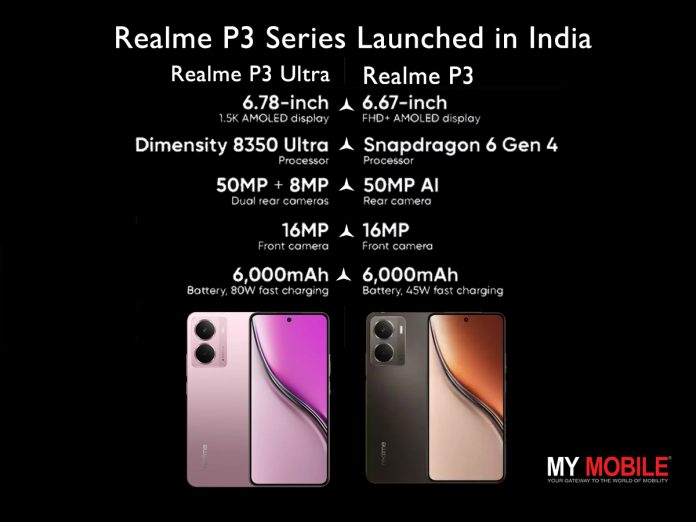
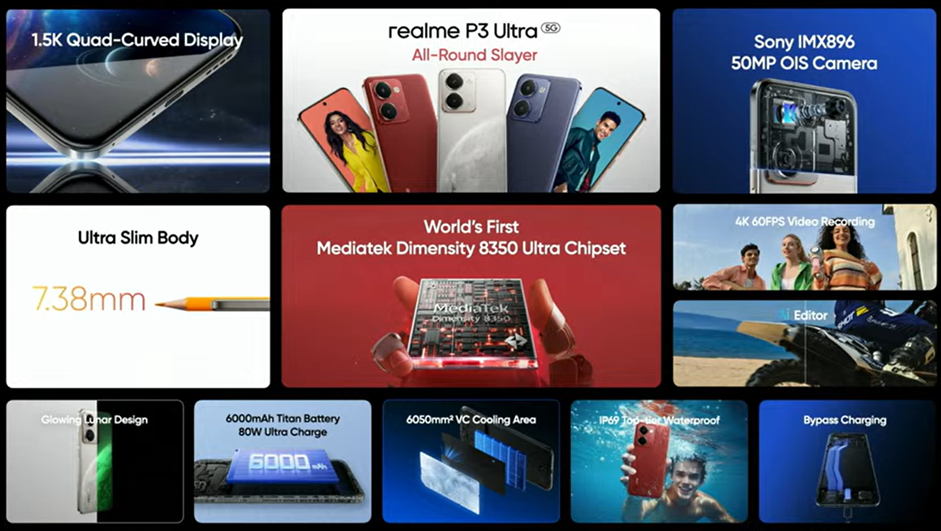
Realme launched the P3 Series in India with two models – Realme P3 Ultra 5G starting at ₹26,999 and Realme P3 5G starting at ₹16,999.
Key highlights include the MediaTek Dimensity 8350 Ultra chipset in the P3 Ultra, Snapdragon 6 Gen 4 in the P3 5G, 6,000mAh Titan Battery, IP69 certification and 50MP AI cameras.
Innovative designs like the glow-in-the-dark Lunar Design for P3 Ultra and interstellar-inspired themes P3 5G.
Realme P3 Series officially launched. (Image credit – Realme)
Realmehas officially launched the Realme P3 Series in India, featuring the Realme P3 Ultra 5G and Realme P3 5G. These smartphones bring cutting-edge performance, innovative designs and impressive durability. Here’s a closer look at what they offer.
Commenting on the launch, realme spokesperson said, “We are excited to introduce the realme P3 Ultra 5G and realme P3 5G, two smartphones that redefine AI-powered performance, seamless multitasking, and unstoppable gaming. The realme P3 Ultra 5G stands out with its luminous color-changing fiber with the World’s First MediaTek Dimensity 8350 Ultra Chipset delivering cutting-edge speed and innovation. Meanwhile, the realme P3 5G, featuring India’s first Snapdragon 6 Gen 4 chipset with its massive battery and top-tier waterproofing, is built for durability and endurance. Both devices are designed to bring next-level AI, powerful gaming, and unmatched user experience to our consumers”.
Realme P3 Ultra, Realme P3 – Price and Availability in India
The Realme P3 Ultra 5G starts at Rs 26,999 for the base variant and comes in multiple memory configurations. Meanwhile, the Realme P3 5G has a starting price of Rs 16,999 and also offers three storage options.
Caption – Realme P3 Ultra 5G price and sale details. (Image credit – Realme)
Realme P3 5G price and sale details. (Image credit – Realme)
For those eager to get their hands on these devices early, the Realme P3 5G will be available through an early access sale today between 6 PM and 10 PM via realme.com, Flipkart, and retail stores.
The first official sale for the Realme P3 Ultra 5G is set for March 25th at 12 PM, available through realme.com, the Realme Store app, Flipkart, and retail outlets. Pre-booking starts today at 2 PM, and buyers can avail discounts of up to Rs 4,000 with select bank offers.
In terms of colours, the Realme P3 5G comes in Space Silver, Comet Grey, and Nebula Pink, while the Realme P3 Ultra 5G is available in Neptune Blue and Orion Red.
Model
Storage Variant
Price
Realme P3 Ultra
8GB + 128GB
Rs 26,999
Realme P3 Ultra
8GB + 256GB
Rs 27,999
Realme P3 Ultra
12GB + 256GB
Rs 29,999
Realme P3 5G
6GB + 128GB
Rs 16,999
Realme P3 5G
8GB + 128GB
Rs 17,999
Realme P3 5G
8GB + 256GB
Rs 19,999
Realme P3 Ultra 5G – A Multitasking Beast
The Realme P3 Ultra 5G is powered by the world’s first MediaTek Dimensity 8350 Ultra chipset, designed for seamless multitasking and high-performance gaming. It delivers ultra-stable 90FPS gaming in BGMI for up to three hours straight and boasts an AnTuTu score of over 1.45 million, making it the most powerful device in its segment.
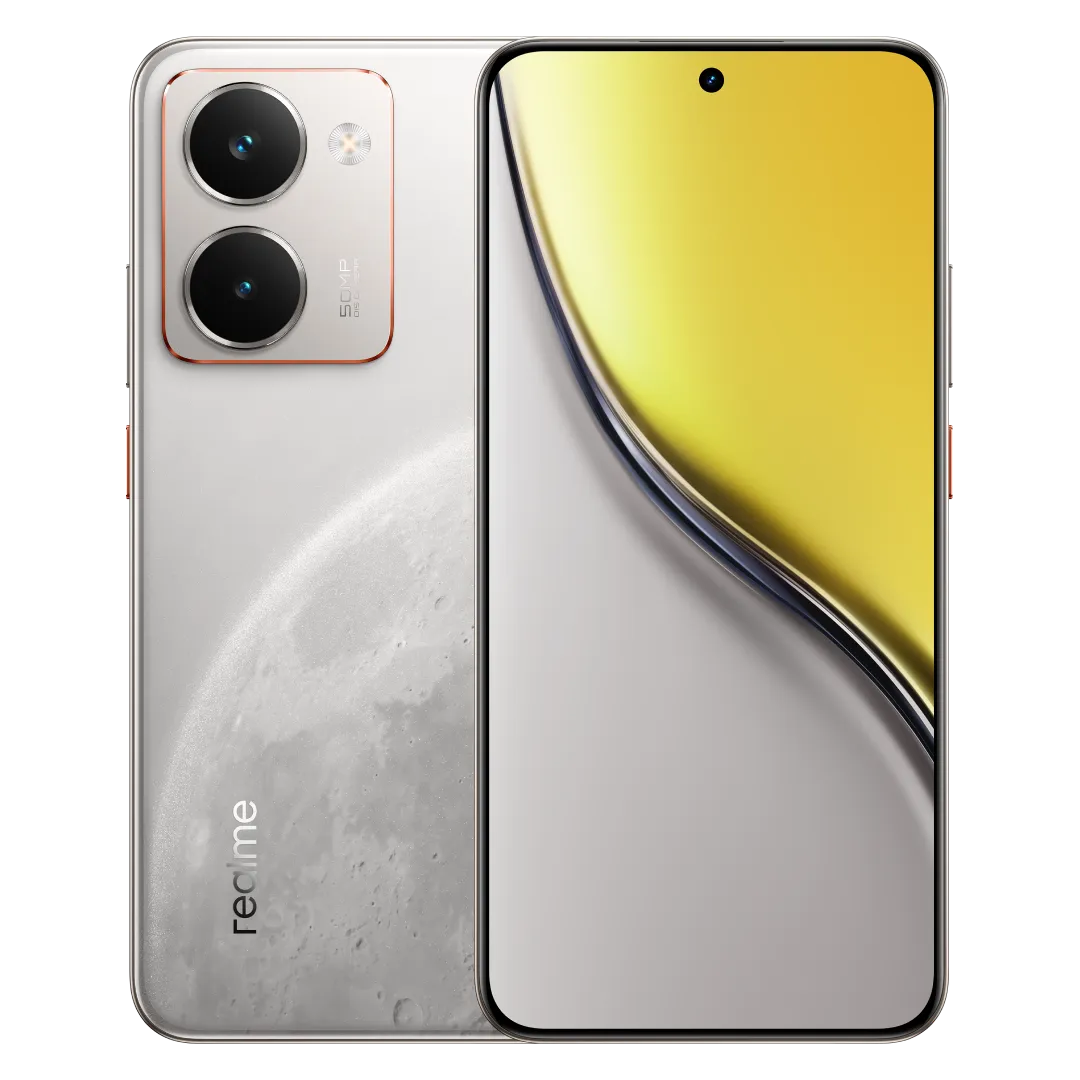
Realme has introduced a world-first Glow-in-the-Dark Lunar Design, which adapts to ambient light to create a mesmerizing blend of textures and colours. The Realme P3 Ultra 5G is also India’s slimmest 1.5K quad-curved AMOLED display smartphone and is available in Neptune Blue, Orion Red, and Glowing Lunar White.
Realme P3 Ultra 5G – Photography and Durability
For photography enthusiasts, the 50MP AI camera features Sony’s IMX896 sensor alongside an 8MP Ultra-Wide camera, delivering cinema-quality imaging, superior light intake and enhanced portrait clarity.
Content creators will love its 4K 60FPS video recording for 30 minutes without lag and smooth 4K video editing, even for 2GB files.
The device is built to last, boasting IP66, IP68, and IP69 ratings, making it resistant to dust, water, and extreme temperatures.
Realme P3 5G – Durability Meets Innovation
Realme P3 5G features. (Image credit – Realme)
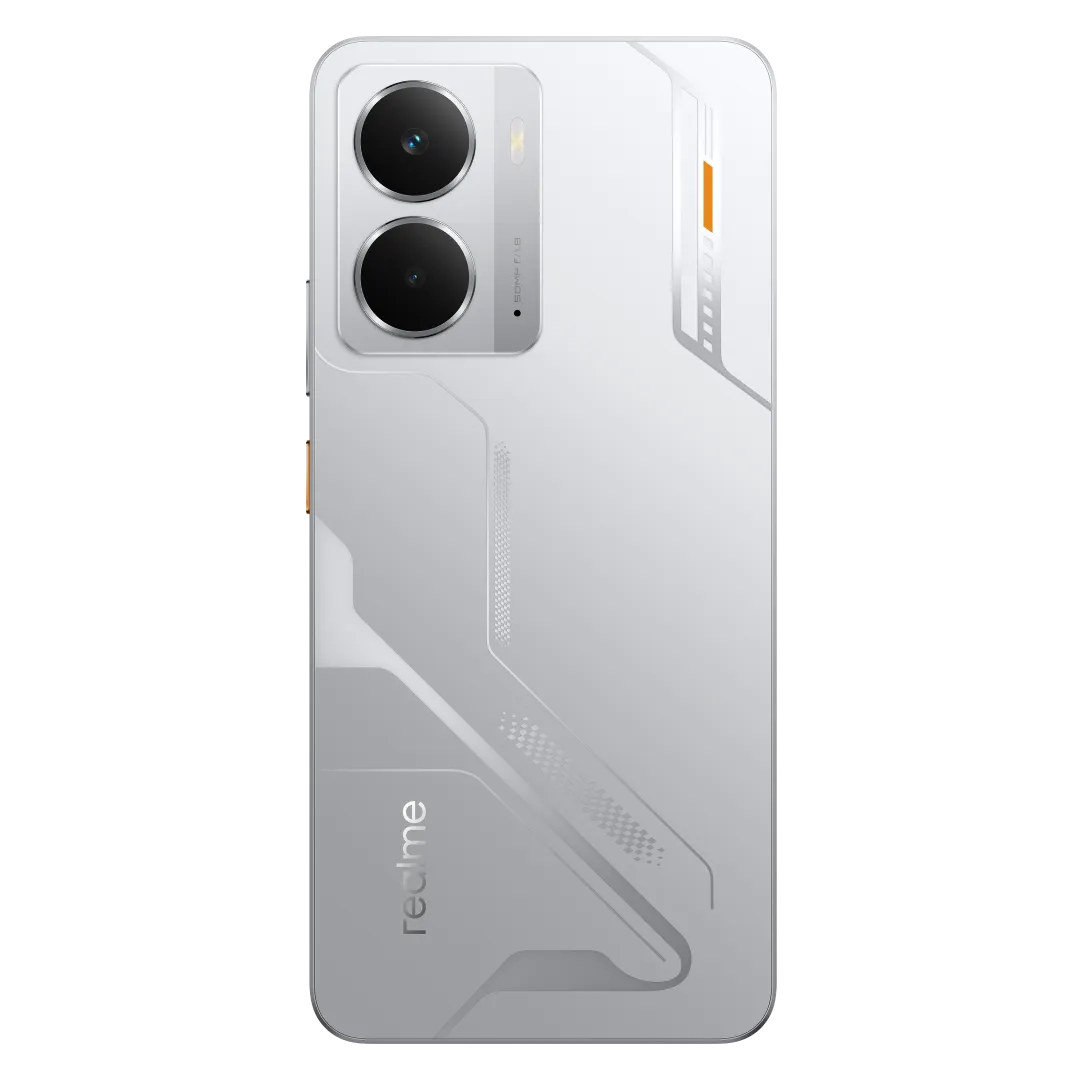
The Realme P3 5G is the first smartphone in India to feature the Snapdragon 6 Gen 4 chipset, delivering an impressive AnTuTu score of 750K.
Designed for ultimate durability, it holds IP66, IP68, and IP69 certifications, offering exceptional resistance against dust, water, and extreme conditions.
Like its Ultra counterpart, the Realme P3 5G also features a massive 6000mAh Titan Battery, with the highest energy density graphite battery in its segment, ensuring long-lasting performance.
The 50MP AI camera comes with advanced photography features, delivering stunning captures.
It also stands out with its interstellar-inspired design, available in three eye-catching colours, including Nebula Pink, Space Silver, and Comet Grey.
Realme P3 Ultra and Realme P3 5G – What’s New?
Both the Realme P3 Ultra 5G and Realme P3 5G are fresh additions to the lineup, each bringing unique features to the table.
The Realme P3 Ultra 5G introduces a ‘Glowing Lunar’ design, which glows in the dark, similar to the Realme P3 Pro. It also features a Cosmic Star Ring design around its camera sensors, adding a futuristic touch.
Under the hood, it is the first smartphone to be powered by the MediaTek Dimensity 8350 Ultra chipset, designed to enhance gaming and camera performance with advanced AI-powered features.
Meanwhile, the Realme P3 5G is positioned just above the Realme P3x in the lineup. It stands out with a massive 6,000mAh battery, ensuring long-lasting usage.
It is also one of the few smartphones in this price range to offer IP69 water and dust resistance, making it highly durable. Moreover, the device comes with AI-powered enhancements and dedicated gaming features for an optimised user experience.
Realme P3 Ultra Alternatives
Motorola Edge 50 Pro – Rs 27,999
Nothing (3a) Pro – Rs 29,999
POCO X7 Pro – Rs 27,999
iQOO Neo 10R – Rs 26,999
Realme P3 5G Alternatives
Redmi Note 14 – Rs 18,999
iQOO Z9s – Rs 19,999
Key Highlights: realme Buds Air7
Ultra-Lightweight and Crystal Alloy Compact Design
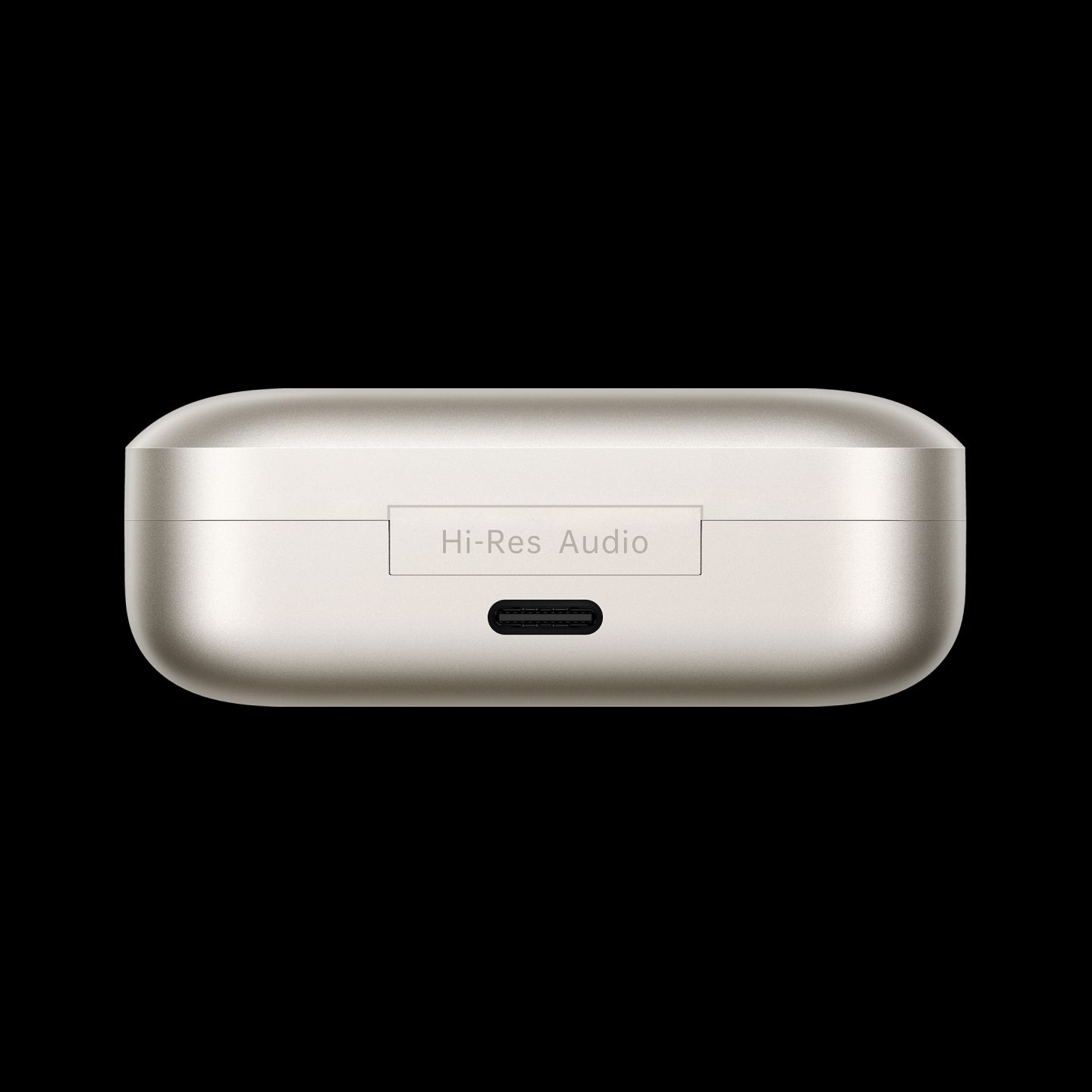
The Air 7 features an ultra-lightweight build with a premium crystal alloy design, offering durability and elegance. Its compact, pocket-friendly charging case measures 61.53mm x 48.53mm x 24.3mm (golden variant) and 61.53mm x 48.53mm x 23.77mm (transparent version), ensuring effortless portability and comfort.
High-Fidelity Sound with Deep Bass and Smart ANC
Equipped with a 12.4mm Deep Bass Driver and N52 Magnet, the Air 7 delivers powerful bass and crystal-clear treble. An SHTW Copper Wire Coil ensures precise audio delivery, while Smart ANC reduces noise by up to 52 dB for an immersive experience. It also features 360° Spatial Audio for a surround sound feel, enhancing the overall listening experience.
Extended Battery Life with 52-Hour Playback and Fast Charging
The Air 7 offers an impressive 52 hours of total playback, making it a reliable choice for users with active lifestyles.
Hi-Res Audio Certification for Superior Quality
The Air 7 is Hi-Res Audio Certified, ensuring superior sound quality and performance, making it a top choice for both casual listeners and audiophiles.
Intuitive Touch Controls with Voice Assistant Support
The Air 7 features responsive touch controls that make it easy to manage music, calls, and voice assistants effortlessly. A double-tap allows users to play/pause music or answer/hang up calls, while a triple-tap skips to the next song. A long press of 2 seconds rejects incoming calls, offering a seamless and intuitive user experience. This functionality enhances convenience, making the Air 7 a top choice for both casual listeners and tech enthusiasts.
key Highlights: realme Buds T200 Lite
Powerful Dynamic Bass Driver for Deep Audio
Equipped with a 12.4mm Dynamic Bass Driver that is 24% larger than its predecessor, the Buds T200 Lite delivers rich and powerful bass, enhancing the overall audio experience. The enhanced driver ensures deeper bass and clear treble, setting a new benchmark in its category. Whether you’re streaming music, watching movies, or taking calls, these buds offer a dynamic and immersive sound experience.
Extended 48-Hour Battery Life with Fast Charging
With an impressive 48 hours of total playback—26% longer than the previous generation—the Buds T200 Lite ensures uninterrupted entertainment and long-lasting performance. Its fast-charging capability reduces downtime, making it perfect for users with active lifestyles.
AI Deep Call Noise Cancellation for Clear Conversations
Featuring dual-mic AI deep call noise cancellation, the Buds T200 Lite intelligently filters ambient noise, ensuring crystal-clear voice clarity during calls. This technology makes it ideal for conversations in noisy environments, providing a seamless communication experience.
Seamless Connectivity with Dual-Device Pairing and Bluetooth 5.4
The Buds T200 Lite supports Bluetooth 5.4 for a stable and reliable connection, along with dual-device pairing that allows users to switch effortlessly between two devices. Additionally, with IPX4 water resistance, the Buds T200 Lite is built to withstand sweat and splashes, ensuring durability for everyday use.
realme P3 Ultra 5G
Product
Variant
Price
Bank Offers
Offer Price
Sale Dates
realme P3 Ultra 5G
8 + 128
26,999
INR 3,000 bank offer
+
INR 1,000 exchange offer
+
6 months No Cost EMI
+
1 Year Extended warranty (only on pre-booking)
22,999
Pre-Book Start from Today 2PM
First Sale: March 26, 12 PM – March 28, 12 AM
8 + 256
27,999
23,999
12 +256
29,999
25,999
Available onrealme.com, Flipkart and stores near you.
realme P3 5G
Product
Variant
Price
Bank Offers
Offer Price
Sale Dates
realme P3 5G
6 + 128
16,999
2000 Bank offer
14,999
Early Bird sale Start from Today 6 PM to 10 PM
First Sale: March 26, 12 PM – March 28, 12 AM
8 + 128
17,999
15,999
8 + 256
19,999
17,999
Available onrealme.com, Flipkart & stores near you
realme Buds Air7
Product
Price
Bank Offers
Offer Price
Sale Dates
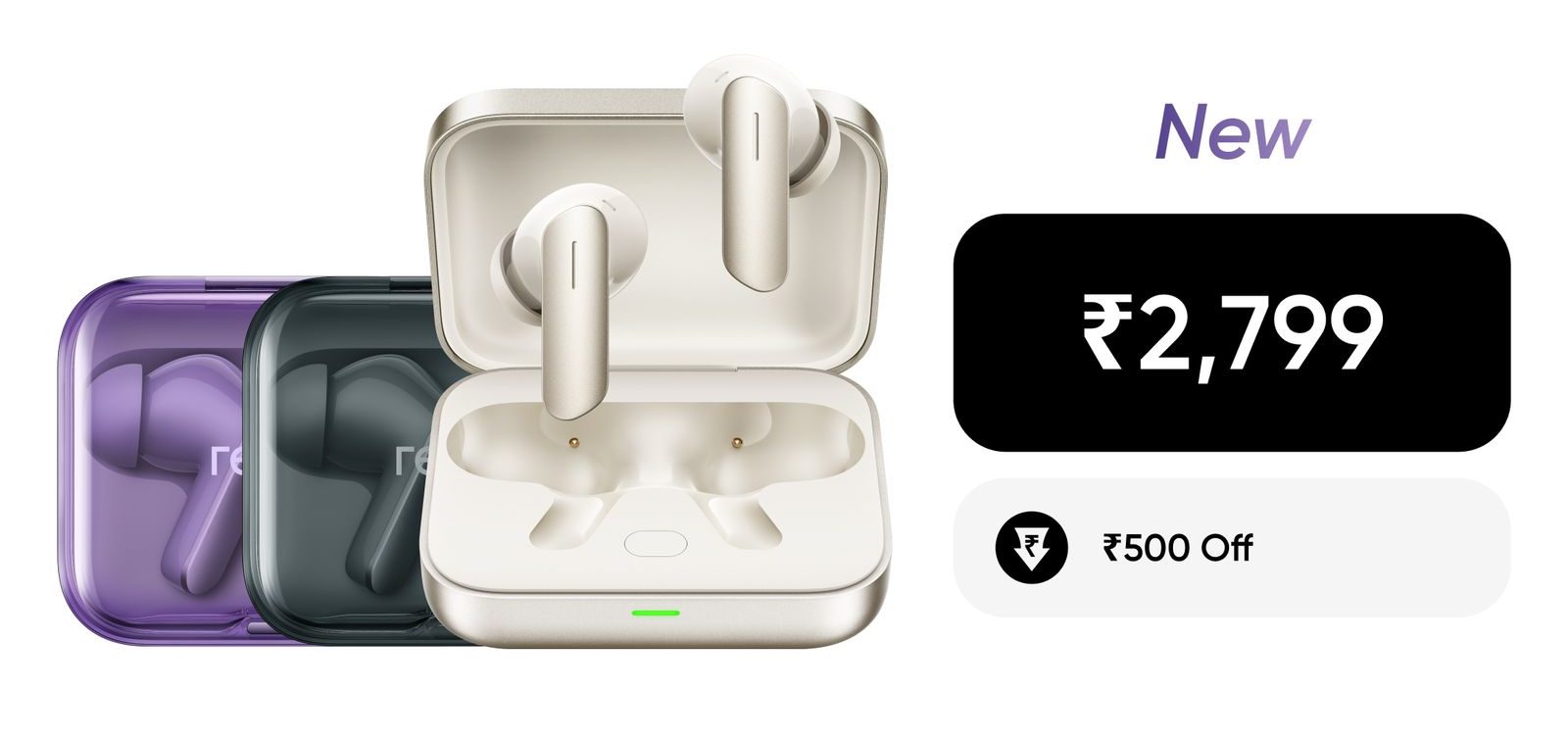
realme Buds Air 7
3,299
500 Bank offer
2,799
First Sale: March 24, 12 PM Onwards
Available onrealme.com, Flipkart & stores near you
realme Buds T200 Lite
Product
Price
Bank Offers
Offer Price
Sale Dates
realme Buds T200 Lite
1,399
200 Bank Offer
1,199
First Sale: Today, 2 PM Onwards
Available onrealme.com, Flipkart, Amazon and stores near you.
The Redmi Book 14 (2025) Refreshed Edition launched as a more budget-friendly variant aimed at the Chinese market.
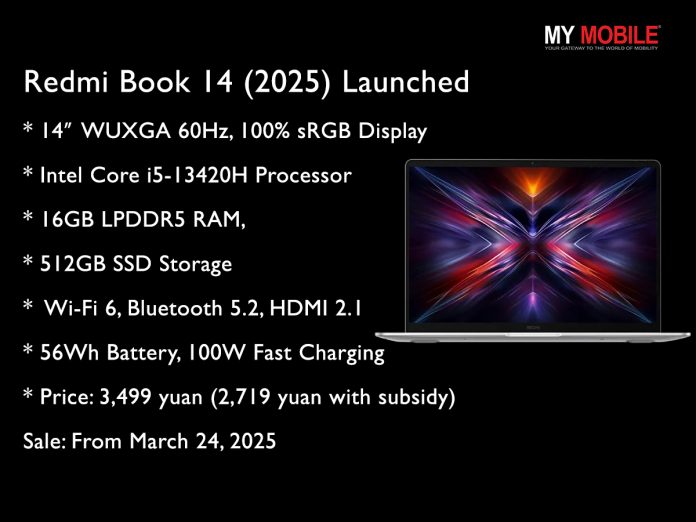
Other features – a 14-inch WUXGA 60Hz display, Intel Core i5-13420H processor, 16GB LPDDR5 RAM, 512GB SSD, dual-band Wi-Fi 6 and 100W fast charging.
The laptop is priced at 3,499 yuan with potential discounts due to a 20% government subsidy.
It will be available for purchase starting March 24, 2025.
Redmihas quietly introduced the Redmi Book 14 (2025) Refreshed Edition, a more budget-friendly version of its earlier Redmi Book 14 (2025). This refreshed model is aimed at the Chinese market and comes with a few changes to make it more affordable. Here’s what we know about the newly launched Redmi Book so far.
Redmi Book 14 (2025) Refreshed Edition – What’s New?
Redmi Book 14 (2025) Refreshed Edition. (Image credit – Redmi)
The biggest change is the processor. Instead of the Intel Core 5-210H, this version comes with an Intel Core i5-13420H featuring eight cores (four performance and four efficiency), twelve threads, and a maximum turbo frequency of 4.6GHz.
It also has 12MB of Intel Smart Cache and Intel UHD Graphics with 48 execution units clocked at 1.4GHz for basic graphics performance.
Redmi Book 14 (2025) Refreshed Edition – Key Features
While the standard Redmi Book 14 (2025) features a 2.5K 120Hz display, the Refreshed Edition comes with a 14-inch WUXGA (1920 × 1200) screen with a 60Hz refresh rate. It still supports 100% sRGB colour gamut and has an anti-glare panel, but users looking for a higher refresh rate and sharper resolution might see this as a trade-off.
The Refreshed Edition retains 16GB LPDDR5 RAM and 512GB PCIe SSD storage, ensuring smooth multitasking. In terms of ports, it includes –
1x HDMI 2.1
2x USB-A 3.2 Gen 1
1x USB-C (supports charging and data transfer)
5mm headphone jack
For wireless connectivity, it supports dual-band Wi-Fi 6 and Bluetooth 5.2.
The laptop packs a 56Wh battery with 100W USB-C fast charging, allowing it to charge up to 50% in just 35 minutes. It retains its lightweight 1.37kg metal body, a backlit keyboard and dual DTS-tuned speakers. It comes pre-installed with Windows 11.
Redmi Book 14 (2025) Refreshed Edition – Price and Availability
The Redmi Book 14 (2025) Refreshed Edition is priced at 3,499 yuan. However, with a 20% government subsidy, the price could drop to around 2,719 yuan.
The laptop will be available for purchase starting March 24.
FAQs
Q1. What is the Redmi Book 14 (2025) Refreshed Edition?
Answer. It is a more budget-friendly version of the Redmi Book 14 (2025), aimed at the Chinese market with some changes to reduce cost.
Q2. What processor does the Redmi Book 14 (2025) Refreshed Edition use?
Answer. The laptop features an Intel Core i5-13420H processor with 8 cores (4 performance and 4 efficiency), 12 threads, and a maximum turbo frequency of 4.6GHz.
Q3. What display does the Redmi Book 14 (2025) Refreshed Edition have?
Answer. It comes with a 14-inch WUXGA (1920 × 1200) screen with a 60Hz refresh rate, supporting 100% sRGB colour gamut and anti-glare technology.
Q4. What are the key features of the Redmi Book 14 (2025) Refreshed Edition?
Answer. It includes 16GB LPDDR5 RAM, 512GB PCIe SSD, dual-band Wi-Fi 6, Bluetooth 5.2, a 56Wh battery with 100W USB-C fast charging, a backlit keyboard, and dual DTS-tuned speakers.
Q5. What is the price of the Redmi Book 14 (2025) Refreshed Edition?
Answer. The laptop is priced at 3,499 yuan and may drop to around 2,719 yuan with a 20% government subsidy. It will be available for purchase starting March 24, 2025.