Highlights
- Advanced Apple Intelligence tools like smart reminders, visual intelligence and AI-generated content are exclusive to iPhone 15 Pro, iPhone 16 series, and newer.
- Wallet, Reminders, Messages, and Shortcuts now include AI-powered upgrades such as automatic order tracking, task suggestions, smart polls and real-time translation.
- Genmoji and Image Playground now support emoji blending and stylised image generation.
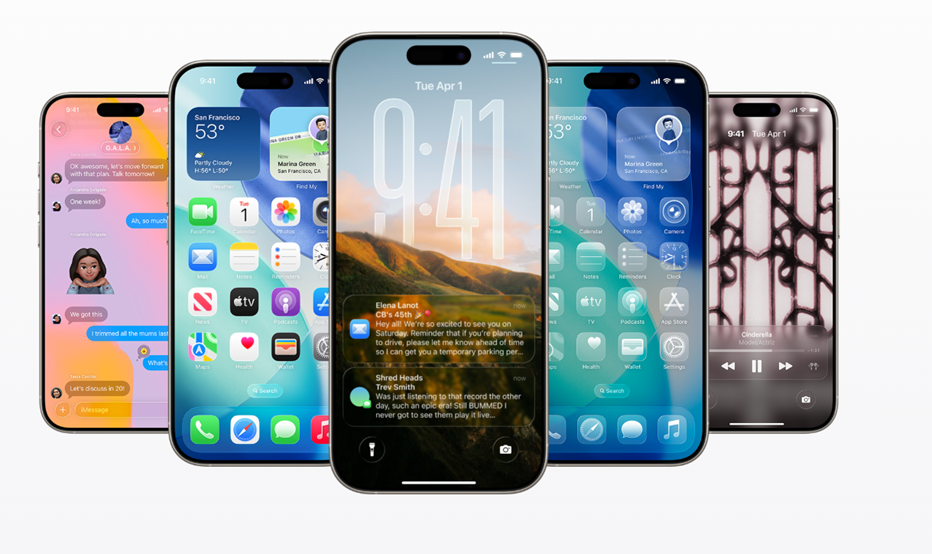
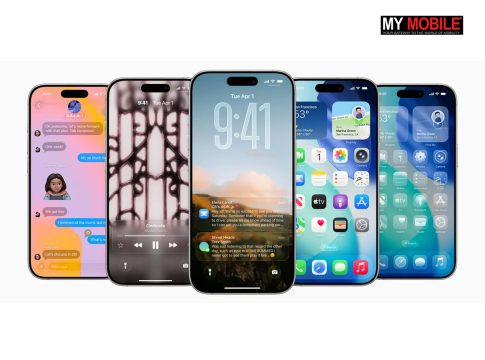
Caption – AI Features introduced only for iPhone 15 and iPhone 16 Series in iOS 26 update. (Image credit – Apple)
Apple has released iOS 26 with a bunch of exciting updates, but many of the coolest features are only available on the latest iPhones. While all supported iPhones get the new Liquid Glass interface, the Apple Intelligence-powered tools need newer hardware to work. So, according to Apple, some of the top AI features are specifically for the iPhone 15 Pro, iPhone 15 Pro Max, the iPhone 16 series and the upcoming iPhone 17 models.
In case you are wondering, here’s a list of top AI features in iOS 26 that are only available if you have a newer iPhone.
AI-Powered Order Tracking in Wallet
The Wallet app now uses AI to track your orders. Instead of waiting for merchants to add tracking info, your phone can scan your emails and pull order details into Wallet automatically. It’s more useful than before, but works only on supported newer iPhones.
Smarter Reminders App
With Apple Intelligence, the Reminders app can now suggest tasks by scanning your emails and messages. It can also auto-organise your lists into sections, saving you the trouble of doing it manually. These AI-powered upgrades aren’t available on older devices.
Genmoji & Image Playground Get Upgrades
You can now mix two emojis to create a brand-new one, or describe what your Genmoji should look like, right down to clothes and hairstyle.
The Image Playground also supports new creative styles like anime, vector art, and oil painting, but these features rely on built-in AI and need newer hardware.
AI Features in the Messages App
The Messages app now lets you create Polls and custom Backgrounds. Polls work for everyone, but smart poll suggestions use AI and are limited to newer iPhones. Same goes for AI-generated backgrounds, basic ones are universal, but custom ones need Apple Intelligence.
Visual Intelligence in Screenshots
Previously exclusive to the camera, Visual Intelligence now works with screenshots too. For example, if you take a screenshot of a product or event, your phone can suggest actions like buying the item or adding it to your calendar.
This kind of smart detection only works on the latest models.
AI Actions in Shortcuts App
The Shortcuts app now includes new AI-powered actions like image creation, text summaries, and AI-generated responses. These advanced tools require Apple Intelligence and won’t be available on older iPhones.
Live Translation During Calls and Chats
You can now get real-time translation while you’re texting, on a voice call, or even during video chats. Translations appear as captions or can be spoken aloud. This full-featured version of Live Translation is exclusive to newer devices that support Apple Intelligence.
FAQs
Q1. Which iPhones support the new AI features in iOS 26?
Answer. According to Apple, some of the top AI features are specifically for the iPhone 15 Pro, iPhone 15 Pro Max, the iPhone 16 series and the upcoming iPhone 17 models.
Q2. What does the AI-powered order tracking in Wallet do?
Answer. The Wallet app now uses AI to track your order, your phone can scan your emails and pull order details into Wallet automatically.
Q3. Can older iPhones use the new Genmoji and Image Playground features?
Answer. These features rely on built-in AI and need newer hardware, so they’re only available on supported newer iPhones.