


Highlights
- Instagram users can now repost public Reels and feed posts, which appear in a dedicated tab on their profile.
- Instagram introduces an opt-in map feature that lets users share their real-time location with selected friends.
- A new tab shows Reels your friends have liked or interacted with, including Blends.
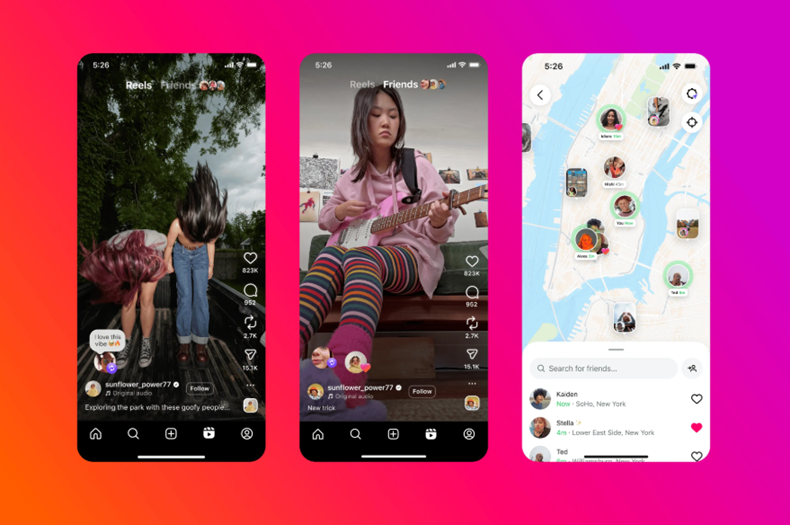
Instagram has introduced several new features aimed at making content sharing and friend discovery more personalised. The latest updates include the ability to repost content, share real-time locations with selected friends and a new “Friends” tab in Reels to keep track of what your friends are enjoying.
Announcing the new features in a detailed post, Instagram wrote, “Today, we’re launching several new ways to help you better connect with your friends on Instagram. People have always come to Instagram to share what they’re up to and where they are. Now, with reposts, the map, and the “Friends” tab in Reels, it’s easier for you and your friends to stay in touch through the content you’re enjoying on Instagram.” Here’s more on everything that you find new on Instagram.
Repost Feature Now Live
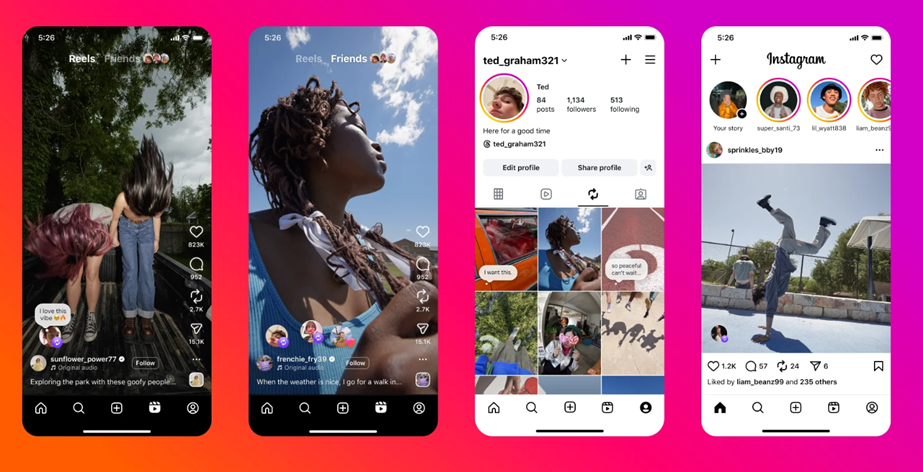
Instagram is rolling out a repost feature. You can now repost public Reels and feed posts, which will then be recommended to your friends and followers in their feeds. These reposts will also appear in a separate tab on your profile, allowing you or others to revisit them at any time.
Reposts credit the original creator. This means that if someone reposts your content, it may get recommended to their followers, even if those users don’t follow you. This gives creators a new way to reach a broader audience.
To repost, simply tap the repost icon on a Reel or post. A thought bubble will appear where you can add a note before pressing save.
Location Sharing via Instagram Map
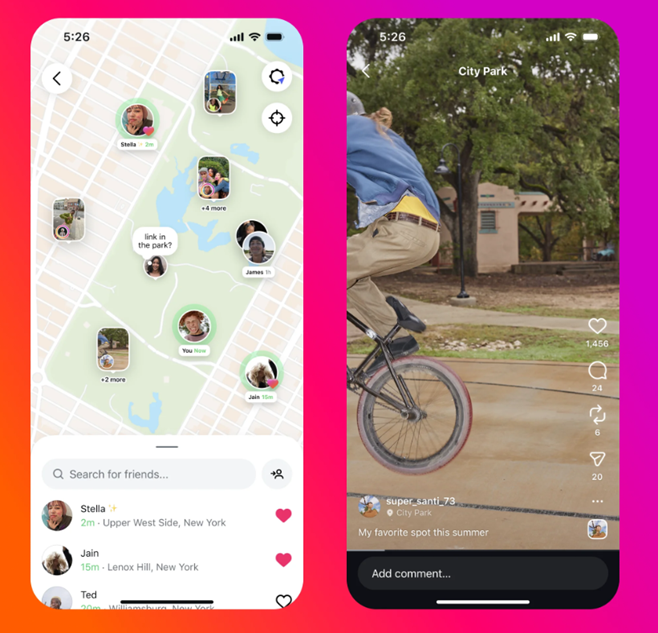
Instagram is also enhancing its map feature with the option to share your real-time location with friends. This feature is opt-in and gives you full control over who sees your location. You can choose from different sharing settings such as all friends (mutual followers), Close Friends, selected friends, or no one at all. You can also opt out of sharing at specific locations or with specific people.
Your location is updated whenever you open the app or return to it after it’s been running in the background. You can disable location sharing at any time.
For parents using Instagram’s supervision tools, there are added controls. Parents will be notified when their teen activates location sharing, enabling important conversations about online safety. They can also view who their teen is sharing their location with and manage whether the feature is available to them.
Even if you don’t enable location sharing, you can still explore the Instagram map to see content tagged with locations such as stories from concerts, Reels from local creators, or posts from friends at interesting spots.
Types of content visible on the map include –
- Reels, posts, and stories from people you follow (visible for 24 hours after posting)
- Notes from mutual followers (also available for 24 hours)
The Instagram map can be accessed from the top of your DM inbox. The feature is now rolling out in the U.S. with plans for global expansion soon.
New ‘Friends’ Tab in Reels
Caption – Instagram adds New ‘Friends’ Tab. (Image credit – Instagram)
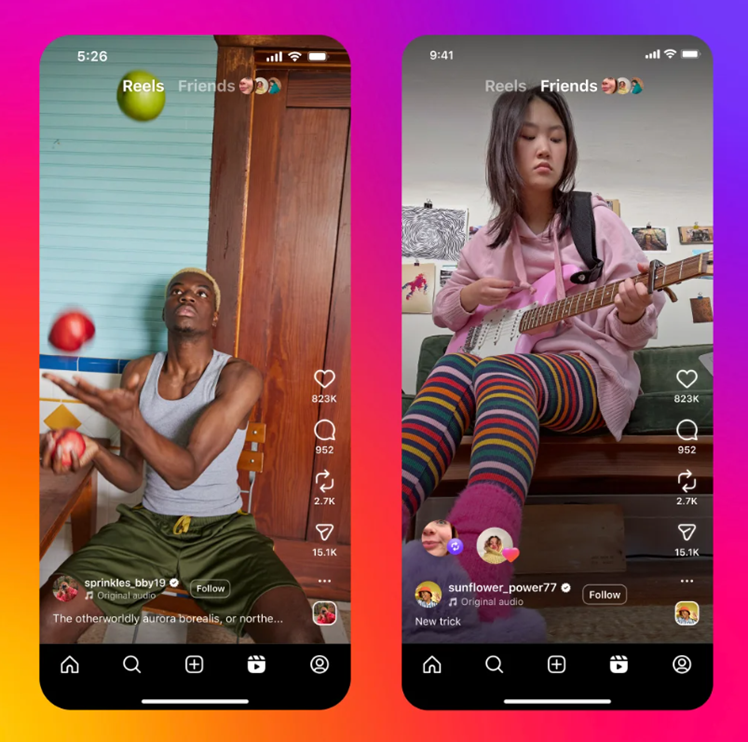
Instagram is also launching a new “Friends” tab in Reels. This section lets you see public content your friends have liked or interacted with, including recommendations from Blends you’ve created together. It’s designed to help you discover the Reels your close friends are enjoying or creating, making it easier to start conversations around shared interests.
To view the “Friends” tab, tap on “Friends” at the top of the Reels section. You can return to your usual Reels feed by selecting the “Reels” tab again.
Instagram is also adding controls to this section, allowing you to –
- Hide your own likes and comments on Reels
- Mute activity bubbles from specific users you follow
Instagram is now launching the “Friends” tab globally after beginning a limited rollout earlier this year.
FAQs
Q1. How does Instagram’s new repost feature work?
Answer. Instagram’s repost feature allows users to share public Reels and feed posts with their followers. Reposted content appears in a separate tab on your profile. To repost, tap the repost icon, add a note in the thought bubble, and press save. The original creator is always credited.
Q2. Can I control who sees my real-time location on Instagram?
Answer.Yes. Instagram’s location sharing via the map is opt-in and gives users full control. You can choose to share with all friends (mutual followers), Close Friends, selected friends, or no one. You can also disable sharing at specific locations or with specific people. Location updates occur when you open or return to the app, and you can turn off sharing anytime.
Q3. What is the new “Friends” tab in Reels and how do I use it?
Answer. The “Friends” tab in Reels shows public content your friends have liked or interacted with, including recommendations from Blends. It helps you discover what your close friends are enjoying or creating.
Related Links –