Highlights
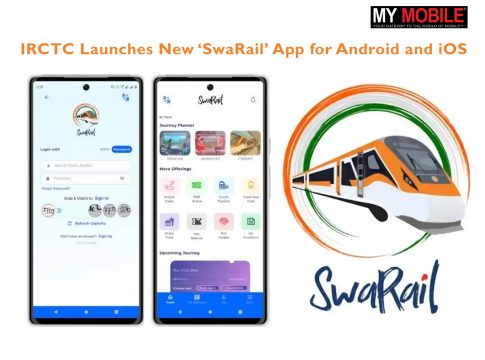
- IRCTC Launches SwaRail App for Android and iOS.
- The app offers an all-in-one platform for booking tickets, tracking trains, checking PNR status and ordering food.
- The app includes live train tracking, coach position finder, Rail Madad integration, multilingual support and R-Wallet for secure payments.
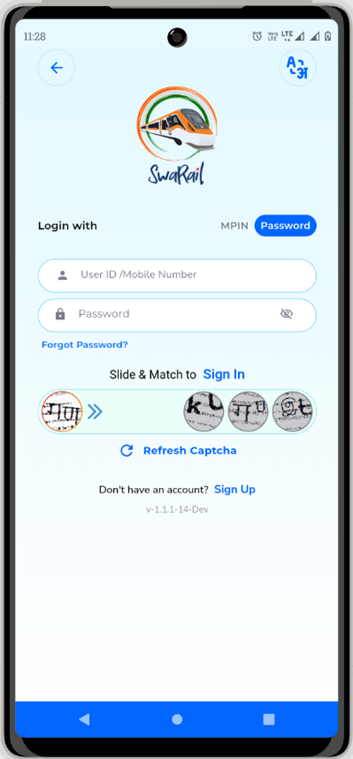
Caption – SwaRail App is now available for Android and iOS. (Image Credit – IRCTC)
IRCTC has rolled out a brand-new mobile app called ‘SwaRail’ for Android and iOS users. Currently available in early access, this app brings together multiple Indian Railways services in one place. SwaRail can help you in planning your journey to booking tickets, tracking trains in real time, checking PNR status and even ordering food.
Developed in India by the Centre for Railway Information Systems (CRIS), the app is designed to make train travel easier and more convenient. Even though SwaRail is still in early access, users can continue to use the existing IRCTC app for ticket bookings.
SwaRail App – Key Features
- Live Train Tracking – Track your train’s exact location in real-time.
- Coach Position Finder – Know exactly where your coach will be on the platform.
- Order Food on the Go – Easily order meals during your train journey.
- Rail Madad Integration – File complaints or request help directly from the app.
- Refund Support – Submit refund requests within the app.
- Multilingual Interface – Supports multiple Indian languages for broader accessibility.
- R-Wallet Integration – Make fast and secure payments using IRCTC’s own wallet.
How to Book Train Tickets Using the SwaRail App?
- Step 1 – Download the SwaRail app and sign in using your IRCTC login. You can also create a new account if needed.
- Step 2 – On the home screen, tap on ‘Journey Planner’ and choose the ‘Reserved’ option for confirmed ticket booking.
- Step 3 – Enter your departure and destination stations, travel date, class and quota. Tap ‘Search’.
- Step 4 – Browse through the available trains and pick your preferred one. Then, choose your desired coach class.
- Step 5 – Select the boarding station, add passenger details and contact info, then click on ‘Review Journey Details’.
- Step 6 – Check your train info, journey time and fare. Use ‘Fare Breakup’ to see a detailed cost breakdown if needed.
- Step 7 – After reviewing everything, solve the captcha and tap ‘Book Now’. Choose to pay via UPI, card, net banking or R-Wallet.
SwaRail aims to offer a smoother and smarter travel experience for Indian Railways passengers, all from your smartphone.
FAQS
Q1. What is the IRCTC SwaRail app, and what services does it offer?
Answer. The SwaRail app, available for Android and iOS, offers an all-in-one platform for booking train tickets, tracking trains, checking PNR status, and ordering food.
Q2. How can users book train tickets using the SwaRail app?
Answer. Users must sign in, enter departure & destination details, select a train & coach, review journey details, solve a captcha, and pay via UPI, cards, net banking or R-Wallet.
Q3. What additional features does the SwaRail app provide for travellers?
Answer. The app includes live train tracking, coach position finder, Rail Madad integration, multilingual support, and R-Wallet for secure payments, ensuring a smoother travel experience.
Also Read: Shashi Tharoor Summons Twitter, IRCTC Over Data Security