


Highlights
- Users can now post short text or emoji updates in the About section, visible for 24 hours.
- Visibility can be controlled via privacy settings, and contacts can reply directly to About updates.
- Users can manage the new feature via Settings > Set About.
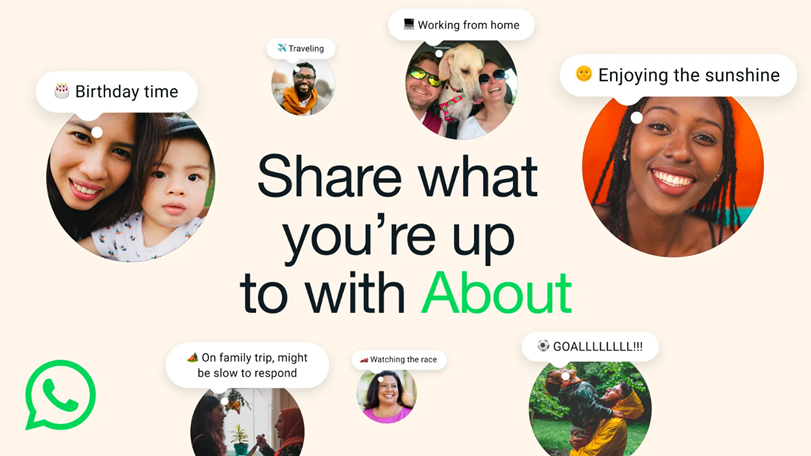
WhatsApp has rolled out a major redesign for one of its oldest features, the ‘About’ section. In an official blog post, WhatsApp announced that it is “reintroducing and improving” the About feature with a refreshed design and added functionality. Here’s what is changing.
WhatsApp Redesigns About Feature
According to the company, the updated About feature version lets users post short text-based updates that remain visible for 24 hours, closely mirroring the style of Instagram Notes. But users can adjust the timer to expire sooner or stay visible for longer. These updates now appear more prominently across the app, offering users a quick way to share thoughts, moods or brief updates with their contacts.
Visibility can be controlled through privacy settings, allowing users to choose who can see their About status.
Users can now share casual updates such as whether they are working, travelling or celebrating an occasion using text or emoji.
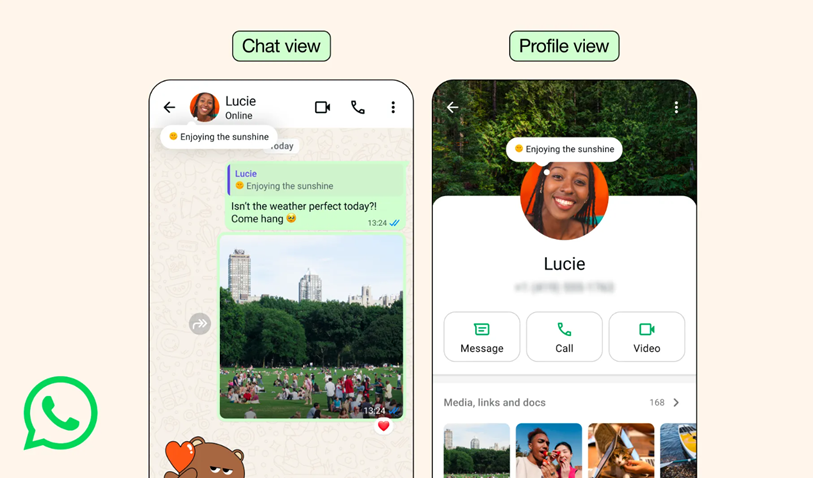
The updated About status is displayed at the top of individual chat windows as well as on a user’s profile page. Contacts can tap on it to send a direct reply, similar to how Instagram Notes works.
This can be managed via Settings > Set About, where the disappearance duration can be customised.
WhatsApp also allows users to decide who can see their About status. Visibility can be limited to selected contacts or expanded to a broader audience through the app’s privacy controls. The redesigned feature is rolling out to all mobile users starting this week.
Recent Spree of New Features on WhatsApp
The revamped About section is the latest in a series of recent upgrades. Earlier this month, WhatsApp launched its official Apple Watch app, now available for Apple Watch Series 4 and newer models. The platform also introduced a Media Hub on WhatsApp Web and WhatsApp for Mac, making it easier to organise and manage shared files across chats.
Additionally, the messaging service is reportedly testing multi-account support on iOS. WhatsApp is also developing stricter account security settings to protect users from cyberattacks. Another upcoming feature in testing is username-based search and calling, which may arrive in a future update.
FAQs
Q1. What changes has WhatsApp made to the About feature?
Answer. WhatsApp redesigned the About section to allow short text or emoji updates, similar to Instagram Notes, visible for 24 hours or a custom duration.
Q2. How can users control the visibility of their WhatsApp About updates?
Answer. Visibility can be managed through privacy settings, letting users choose which contacts can see their About status.
Q3. Where do WhatsApp About updates appear in the app?
Answer. The new About updates are displayed at the top of individual chat windows and on a user’s profile page, with contacts able to reply directly.