


Highlights
- WhatsApp has officially launched on iPad with full feature support.
- It is available for download on the App Store for iPads running iPadOS 15.1 or later.
- Users can access all WhatsApp features including chats, photos, status updates and audio/video calls along with screen-sharing options.
- The iPad version supports iPadOS-specific tools such as Stage Manager, Split View and Slide Over.
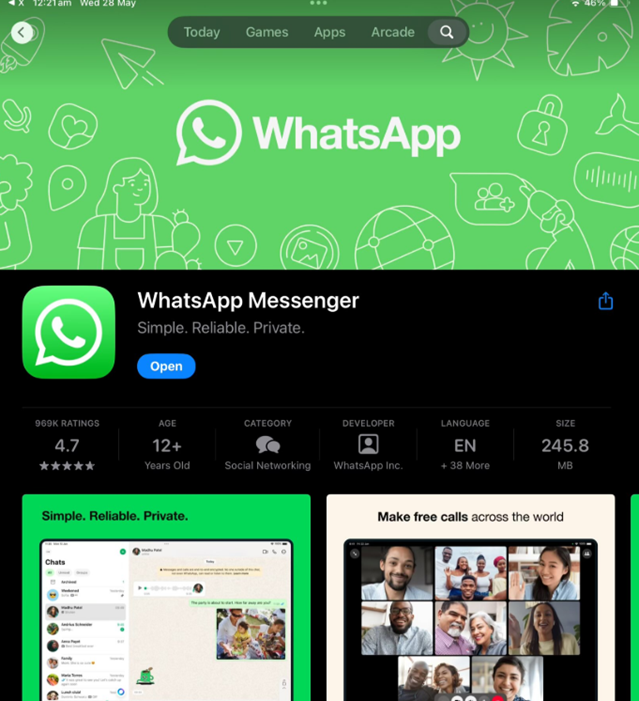
Caption – WhatsApp Official App for iPad is now live. (Image credit – WhatsApp)
WhatsApp is now officially available for iPad after years of waiting. Meta has released a dedicated iPadOS version of its popular messaging app and it’s live on the App Store. To use it, your iPad needs to be running iPadOS 15.1 or later.
Regarding the release, WhatsApp said, “As one of our biggest requests, we’re excited to announce that WhatsApp is now available on iPad. Bringing all your favorite features to a larger screen, WhatsApp for iPad makes keeping in touch with friends and family even easier. Make video and audio calls with up to 32 people, share your screen, and use both front and back cameras.”
The news was confirmed by WhatsApp on its official X (formerly Twitter) account, where the company also shared the App Store link for download.
This release has been highly anticipated, as many users have long wanted the option to use WhatsApp on iPads. With the new app, users can enjoy chats, photos, and status updates on a bigger screen, making the experience more immersive.
The iPad version comes with all the features you’d expect from the iPhone app. You can make audio and video calls with up to 32 people, switch between front and rear cameras, and even share your screen during calls.
WhatsApp for iPad also takes advantage of iPadOS-specific features. It supports Stage Manager, so you can resize and rearrange tabs or group different apps together. It also works with Split View and Slide Over, so you can use WhatsApp side-by-side with other apps.
To get started, iPad users can download the app from the App Store and link it to their iPhone using the “Linked Device” option. This syncs messages and data instantly between both devices.
FAQs
Q1. What are the requirements to use WhatsApp on iPad?
Answer. WhatsApp is now available on the App Store for iPads running iPadOS 15.1 or later.
Q2. What features does WhatsApp for iPad offer?
Answer. Users can access chats, photos, status updates, audio/video calls with up to 32 people, and screen-sharing options.
Q3. How does WhatsApp for iPad enhance multitasking?
Answer. The app supports iPadOS-specific tools like Stage Manager, Split View, and Slide Over for better multitasking.
Also Read: