


Highlights
- WhatsApp now supports passkey-based encryption for chat backups on Google Drive and iCloud, using biometric authentication.
- This ensures only the account owner can access backup data and neither WhatsApp nor cloud providers can read messages, media, or voice notes.
- The feature is rolling out gradually and can be enabled via Settings > Chats > Chat Backup > End-to-End Encrypted Backup.

Caption – (Photo by Alexander Shatov on Unsplash)
WhatsApp has rolled out passkey-based encryption for chat backups, adding an extra layer of security for users who store their data on Google Drive or iCloud. This update enhances WhatsApp’s existing end-to-end encryption, which currently protects messages, media, and calls from unauthorised access. Here are all the details you need to know.
WhatsApp – Passkey Encryption for Chat Backups
WhatsApp users can now safeguard their backups using biometric authentication methods such as fingerprint, Face ID, or their phone’s screen lock. The Passkey Encryption for Chat Backups basically eliminates the need to remember or manage a lengthy 64-digit encryption key, making it easier and safer to protect chat history.
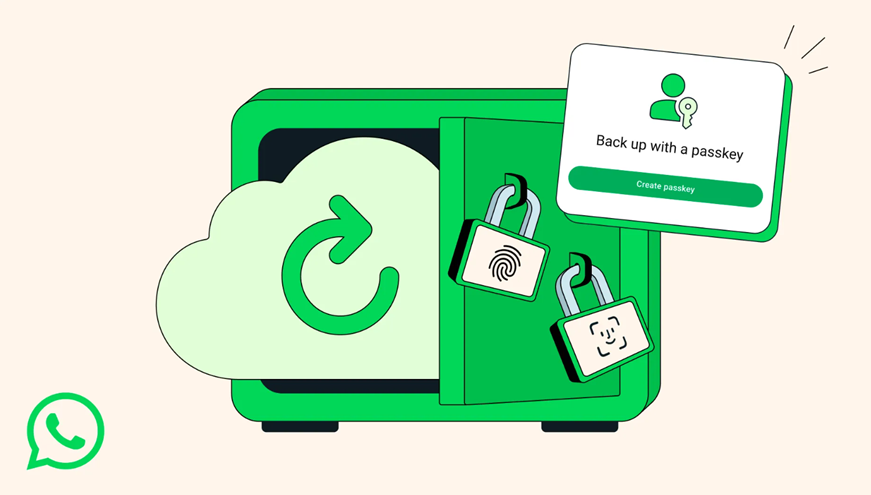
Caption – Now Passkey Encryption for WhatsApp Chat Backups. (Image credit – Meta)
The encryption ensures that only the account owner can access backup data, neither WhatsApp nor the cloud storage provider can read it. The protection covers everything from messages and photos to voice notes and media files.
WhatsApp revealed that its end-to-end encryption now secures over 100 billion messages exchanged daily by more than 2 billion users. While most messages remain stored locally on users’ devices, many choose to back them up online. The addition of passkey-encrypted backups guarantees that even cloud-stored data remains private and inaccessible to third parties.
How End-to-End Encryption For Chat Backups Works?
According to WhatsApp, its end-to-end encryption ensures that only the sender and recipient can view their messages or calls. Each message is protected by a unique digital key that cannot be accessed by WhatsApp or any intermediary.
This system operates automatically and requires no manual configuration from the user.
Messages sent to business accounts are also secured using the same Signal encryption protocol. It is used to encrypt messages before they leave the sender’s device. Although WhatsApp has clarified that once a business receives a message, the way it is managed completely depends on the company’s privacy policies. There is a chance some businesses allow staff or third-party vendors to view or respond to messages. Some may also use the information for marketing or advertising on Meta’s platforms.
How to Enable WhatsApp Chat BackUp Passkeys?
The rollout of passkey-encrypted backups will happen gradually over the next few weeks and months. To activate the feature, users can navigate to Settings > Chats > Chat Backup > End-to-End Encrypted Backup.
The feature will be available globally soon and users must ensure they are running the latest version of WhatsApp on either Android or iOS to access it.
FAQs
Q1. What is WhatsApp’s new Passkey Encryption for chat backups?
Answer. WhatsApp has introduced passkey-based encryption for chat backups stored on Google Drive and iCloud. This feature uses biometric authentication (like fingerprint, Face ID, or screen lock) to secure backups, eliminating the need to manage a 64-digit encryption key.
Q2. Can WhatsApp or cloud providers access my encrypted backups?
Answer. No. With passkey encryption enabled, only the account owner can access the backup data. Neither WhatsApp nor the cloud storage provider (Google or Apple) can read the messages, media, or voice notes stored in the backup.
Q3. How can I enable passkey encryption for my WhatsApp chat backups?
Answer. To activate the feature, go to Settings > Chats > Chat Backup > End-to-End Encrypted Backup. Ensure you’re using the latest version of WhatsApp on Android or iOS. The rollout is happening gradually and will be available globally in the coming weeks.