Highlights
- The new software package is 1.11GB in size and has a build number PD2547C_A_17.1.14.3.W10.V000L1.
- Users get batch watermark removal to edit multiple images at once and a photo straightening tool to fix tilted buildings.
- The latest update carries November 2026 Google security patch along with general system stability and battery optimisations.
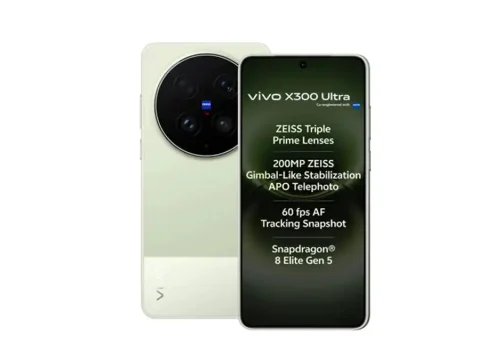
Vivo has started rolling out a new 1.11GB software update for the Vivo X300 Ultra. This is the 10th OriginOS 7 update to be rolled out for the flagship smartphone, carrying the build number PD2547C_A_17.1.14.3.W10.V000L1. The update brings seamless photo editing, enhanced gaming performance and the latest Google security patch to keep the phone secure.
The rollout is currently reaching users of the Chinese variant while global users might have to wait a bit more to see it arrive on their devices. Users can download and install the update over the air right through their phone’s system settings to enjoy smoother daily performance, better battery life, and new tools inside the gallery app.
Vivo X300 Ultra Receives New 1.11GB Software Update
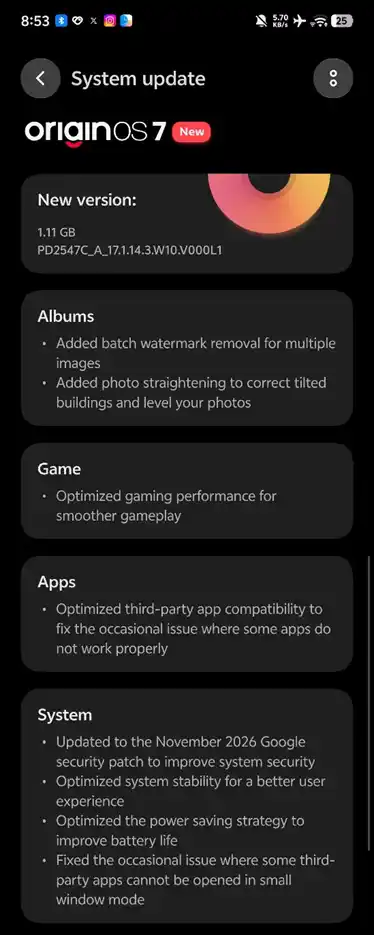
New ColorOS 7 update on Vivo X300 Ultra
Vivo continues to roll out regular software updates to its flagship phone. This 1.11GB OriginOS 7 update is proof of the company’s consistent commitment to bring useful tools and refining user experience even after multiple prior releases.
Vivo X300 Ultra Update Adds Batch Watermark Removal for Photos
Editing multiple photos on the Vivo X300 Ultra is much faster. With the new batch watermark removal feature, users no longer need to clean up photos one by one. You can choose multiple images at once and remove watermarks in one go. The gallery app also gains a smart photo straightening tool, along with the watermark removal. This feature corrects skewed angles, so you can easily level horizons and straighten tilted buildings in architectural or travel shots with very little effort.
Vivo X300 Ultra Gets Gaming Performance and App Compatibility Improvements
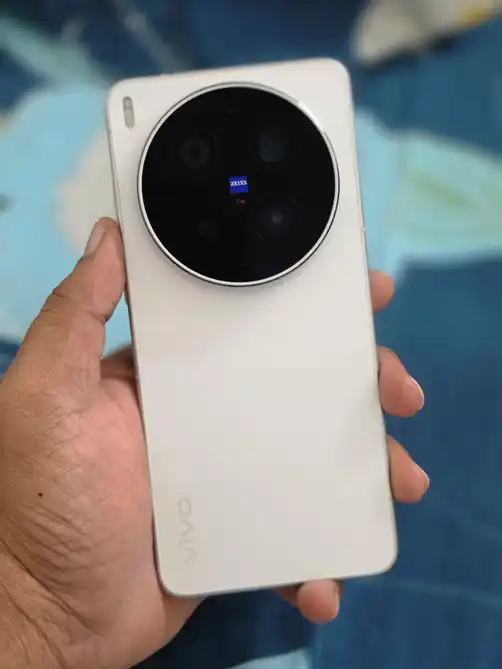
Vivo X300 Ultra
This update also brings some noticeable upgrades to the mobile gamer and the average multitasker. The update tweaks gaming performance for smoother gameplay and improves the way third-party apps run on the device. It also fixes minor window size compatibility issues, keeping floating apps working well as you multitask.
November 2026 Security Patch and Battery Optimisations
In addition to new features, the update also adds device protection by including the November 2026 Google security patch to help protect against recent vulnerabilities. Under the hood, Vivo has also introduced general system stability tweaks and battery optimisations to help the phone run cooler and last longer on a single charge.
Vivo X300 Ultra Latest Update: Full Changelog
Here’s a look at all the new features and improvements included in the PD2547C_A_17.1.14.3.W10.V000L1 update:
| Specifications | Details |
| Photo editing – Batch watermark removal | Instead of deleting camera watermarks from photos one by one, you can select multiple photos in the gallery and remove all their watermarks with just one tap. |
| Photo editing – Photo straightening | It adds a built-in tool that fixes crooked or tilted photos, especially useful for straightening slanted buildings and uneven horizons in travel and street photos. |
| Gaming | The update increases the performance of heavy games on your phone. Fewer frame drops and lag while playing games. |
| App compatibility | It fixes glitches and makes apps downloaded from outside Vivo’s default suite (like social media, banking or utility apps) open and run more reliably. |
| Multitasking & Window compatibility fixes | It fixes display and touch bugs when running apps in floating mini-windows over other screens. |
| November 2026 security patch | It installs the latest monthly security patches from Google to help protect the phone against newly discovered software vulnerabilities and malware. |
| System Stability and battery optimisations | It fixes background bugs to prevent random freezes or crashes, it also makes the phone consume less power in daily use. |
How to Check for the Latest Vivo X300 Ultra Update
Because the rollout is phased, you can check manually to see if the update is available for your device. On your Vivo X300 Ultra, go to Settings, scroll down and tap System update to let your phone search for the new 1.11GB firmware. Before you download, ensure your battery is charged above 30% and you are connected to a stable Wi-Fi network.