


Highlights
- Spotify expands lyric translations worldwide, letting users view lyrics in their device’s language alongside the original text.
- Premium subscribers can now access lyrics offline for downloaded songs, ensuring usability during travel or without internet connectivity.
- Lyric previews appear beneath album art on the Now Playing screen, enhancing visibility and enabling social sharing.
(Photo by Alexander Shatov on Unsplash)
Spotify has rolled out three new updates to its lyrics feature, aimed at making it easier for users to read, understand, and follow song lyrics. Lyrics remain one of the most popular features on the platform, generating hundreds of millions of views every day. The latest enhancements focus on lyric translations, offline access, and improved on-screen visibility. Here’s more on that.
Lyric Translations Expanded Globally
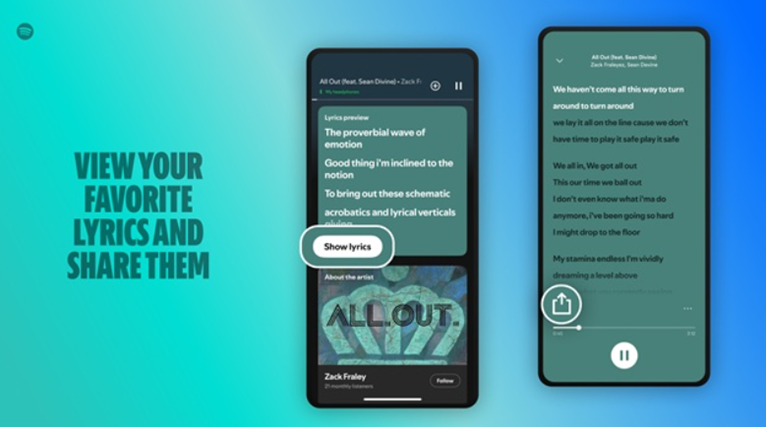
Spotify is now expanding lyric translations to users worldwide. Earlier limited to select markets, this feature allows listeners to view song lyrics in a different language from the original. For tracks that support translations, users can tap the translate icon on the lyrics card to display the translated text below the original lyrics.
The translated language is shown based on the device’s language settings, and users can switch back to the original lyrics at any time.
Offline Lyrics Support
Spotify has also added offline lyrics support for downloaded songs. With this update, lyrics are automatically available even without an internet connection.
This makes it easier for users to follow along while travelling, commuting, or in situations such as flights where online access may be unavailable.
Lyric Previews on Now Playing Screen
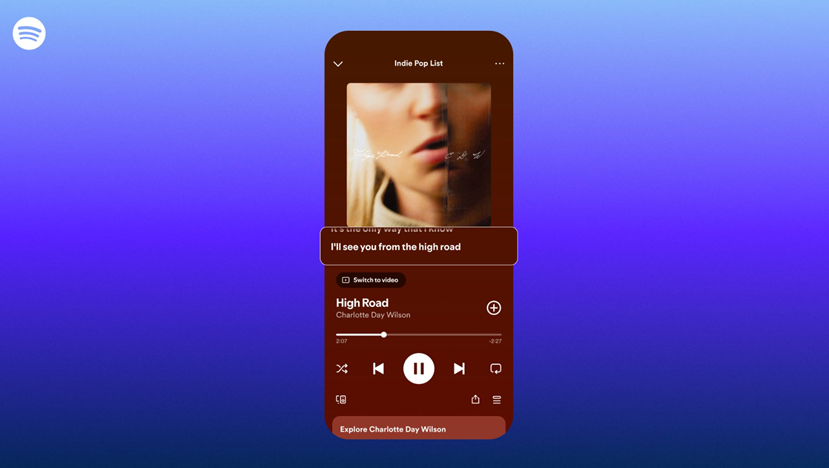
Another addition is lyric previews, which display lines of lyrics directly beneath the album artwork or Canvas clip while a track is playing. This layout is designed to make lyrics more visible and simpler to follow in real time. Users can share specific lyric lines to social media platforms from the Now Playing screen.
Those who prefer a cleaner interface can disable lyric previews by opening the three-dot menu and selecting “Lyrics Off.”
Availability Details
Lyric translations are available globally for both Free and Premium users. Offline lyrics are rolling out worldwide but are limited to Premium subscribers.
Lyric previews are being released globally for Free and Premium users on mobile devices, including iOS and Android smartphones, as well as tablets.
FAQs
Q1. What new lyric features has Spotify introduced globally?
Answer. Spotify has rolled out lyric translations, offline lyrics access, and on-screen lyric previews to enhance the listening experience.
Q2. Who can access offline lyrics on Spotify?
Answer. Offline lyrics are available only to Premium subscribers, allowing them to view lyrics for downloaded songs without an internet connection.
Q3. How do lyric previews work on the Now Playing screen?
Answer. Lyric previews show lines of lyrics beneath album art or Canvas clips while a track plays, with options to share lines or disable previews for a cleaner interface.