Highlights
- OnePlus 15R in India is getting ColorOS 17.0.1.200, version CPH2767_17.0.1.200(EX01), with a 1.93GB download.
- The update includes the November 2026 Android security patch and auto-return to home screen when hidden applications are exited.
- The update brings resizable widgets for One-tap boost, Storage cleaner, Battery consumption, and Contacts.
OnePlus has begun rolling out the fresh ColorOS 17.0.1.200 software update for its OnePlus 15R in India. The update was announced on the OnePlus Community on November 17, 2026, and comes soon after the device received its stable ColorOS 17 release. The firmware version is CPH2767_17.0.1.200(EX01), with a download size of 1.93GB. The rollout is mostly aimed at improving the day-to-day user experience with refreshed visuals and the latest November 2026 Android security patch.
The rollout is happening in phases, meaning a few of OnePlus 15R users will get it first before it expands to everyone over the next few days. The ColorOS 17.0.1.200 update can be installed directly from a phone’s system settings and gives users in India new home screen widgets, better translation tools and easier ways to manage storage space.
OnePlus 15R ColorOS 17.0.1.200 Update Rolls Out in India
OnePlus 15R gets ColorOS 17.0.1.200 update in India
OnePlus is rolling out a new software update for OnePlus 15R users in India to improve its ColorOS 17 experience. The incremental build with version CPH2767_17.0.1.200(EX01) comes after the major rollout of the stable ColorOS 17 and is focused on improving system performance and adding useful tools for daily use. The company has not yet shared any timeline for the international markets, but Indian users can now get their hands on these latest enhancements on their phones.
OnePlus 15R Gets November 2026 Security Patch
In addition to visual and functional changes, the new ColorOS 17.0.1.200 update also brings additional device protection by adding the November 2026 Android security patch. By receiving monthly security updates on a smartphone, you can protect your device against vulnerabilities in the system and protect your personal data. In addition to the patch, OnePlus has added a new privacy switch under Hide Apps settings, which will automatically return users to the Home screen when they exit a hidden application.
New Features and Changes in the ColorOS 17.0.1.200 Update
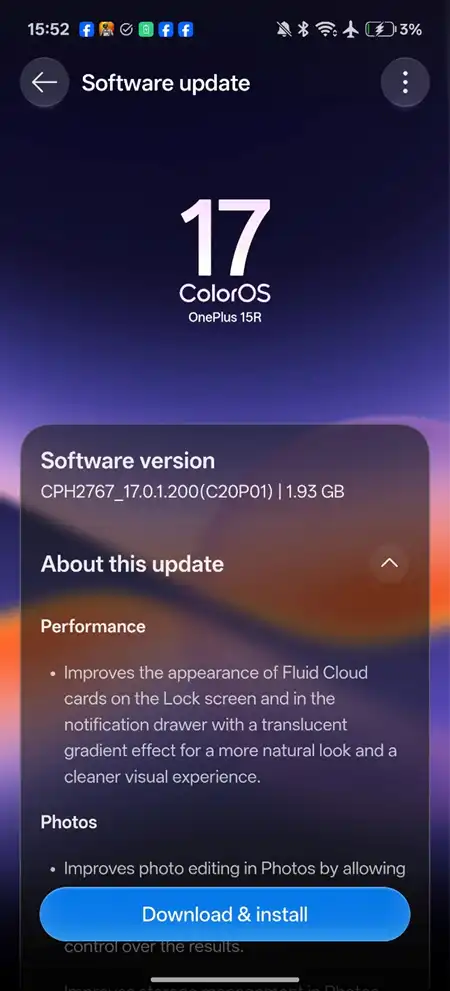
ColorOS 17.0.1.200 update on OnePlus 15R
The ColorOS 17.0.1.200 update includes several day-to-day improvements, including translucent Fluid Cloud cards on the lock screen and the ability to customise the image resolution while saving edited photos. It has added new home screen widgets for battery usage, storage cleaning and contacts, improved translation lookup, and multi-device PC connections through O+ Connect and an option for announcing incoming calls.
OnePlus 15R Update Size and Software Version
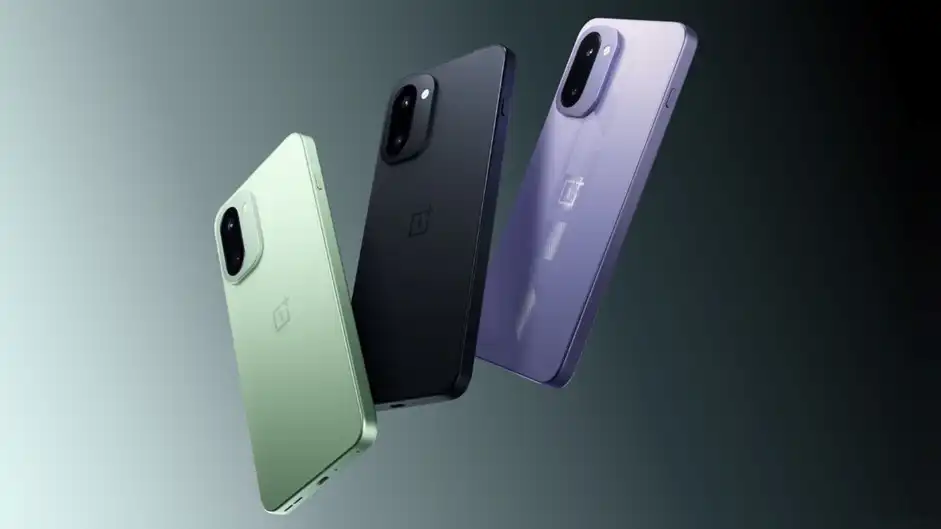
ColorOS 17.0.1.200 update includes 1.93GB download size
As per user reports shared on the announcement thread, the ColorOS 17.0.1.200 update for the OnePlus 15R has a download size of approximately 1.93GB. The firmware carries the official build number CPH2767_17.0.1.200(EX01). Because of the nearly 2GB package size, users are advised to connect to a stable Wi-Fi network and ensure their phone has sufficient battery charge before starting the installation.
How to Download and Install the Latest OnePlus 15R Update
When the update is ready for your OnePlus 15R, it will take you just a few minutes to download and install. Make sure your phone is backed up and charged to at least 30 percent before you begin, then tap the update notification or open the software update menu in your device settings. Tap Download and install, wait for the 1.93GB package to download, then select Restart now to finish the setup and boot into the updated software.
How to Check for the ColorOS 17 Update on OnePlus 15R
Since the software updates rolls out in phases, the OnePlus 15R users in India can receive the notification earlier than the others. You need to check manually if the CPH2767_17.0.1.200(EX01) update is available for your device. Open the Settings application on your phone, scroll down to About device, and tap on the ColorOS banner at the top. Your phone will automatically search for available firmware and will prompt you to download it if your unit is part of the current rollout batch.