Highlights
- Windows 11 25H2 update adds passkey support, Rust-based kernel improvements, Wi-Fi 7, Braille viewer, and smarter Narrator and Voice Access features.
- Users get AI-powered tools like Recall, Click to Do, and Bing Visual Search in File Explorer, plus smarter workflows and voice commands across the OS.
- Gaming Copilot offers voice-based tips, while UI refinements include a larger clock, repositionable indicators, and modernised system dialogues.
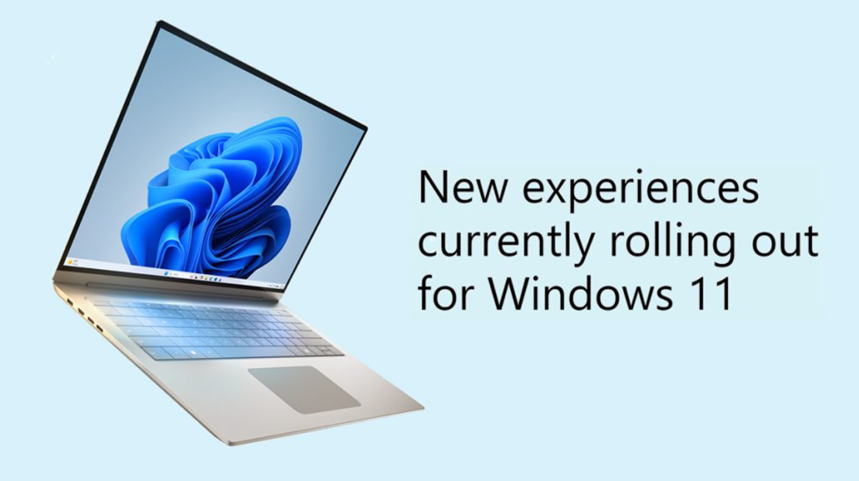
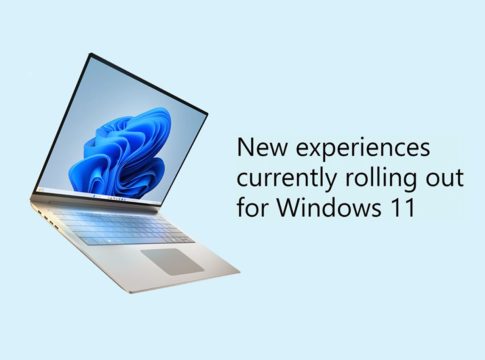
Caption – Microsoft Releases Windows 11 25H2 Update. (Image credit – Microsoft)
Microsoft has officially begun rolling out the Windows 11 25H2 update, introducing a broad range of enhancements focused on security, accessibility, and productivity. The update brings Copilot+, smarter AI-driven workflows, better gaming experiences, and several system refinements aimed at making Windows more intuitive and reliable.
AI and File Explorer Enhancements
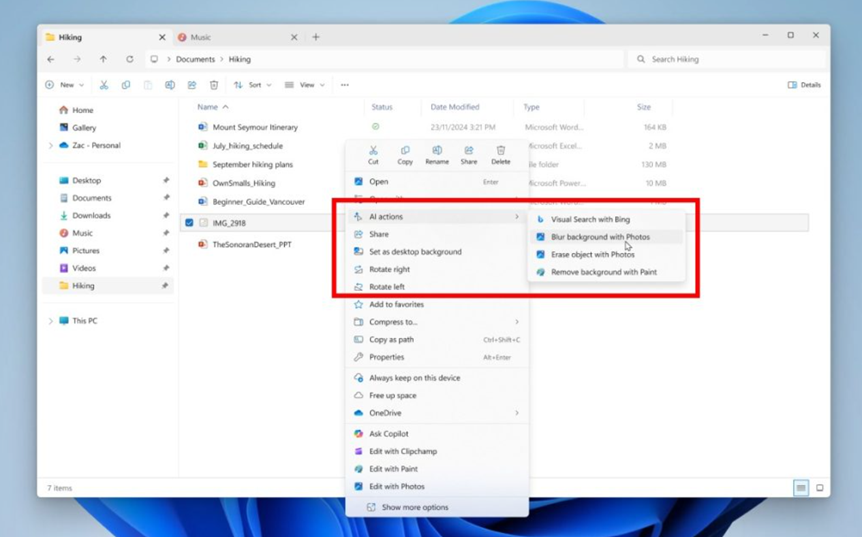
With Windows 11 25H2, File Explorer gains new AI-powered actions that let users perform quick tasks like editing images or summarising documents directly within the file manager. By right-clicking or pressing Shift + F10, users can –
- Search with Bing Visual Search to find similar images, products, or landmarks.
- Blur Backgrounds in Photos to emphasise subjects.
- Erase Objects using Generative Erase.
- Remove Backgrounds instantly in Paint.
Microsoft 365 users can also take advantage of Copilot AI to summarise files stored in OneDrive and SharePoint without opening them. Business users can view Microsoft 365 People cards, displaying collaboration insights directly within File Explorer.
Widgets and Lock Screen Improvements
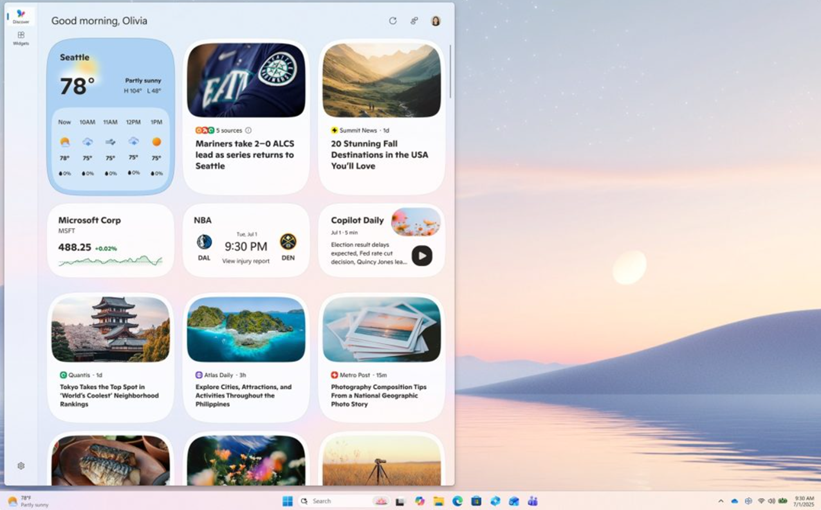
The Widgets panel has been redesigned with multiple dashboards and a refreshed Discover feed. Users will now see personalised Copilot-curated stories, summaries, and videos from reliable sources.
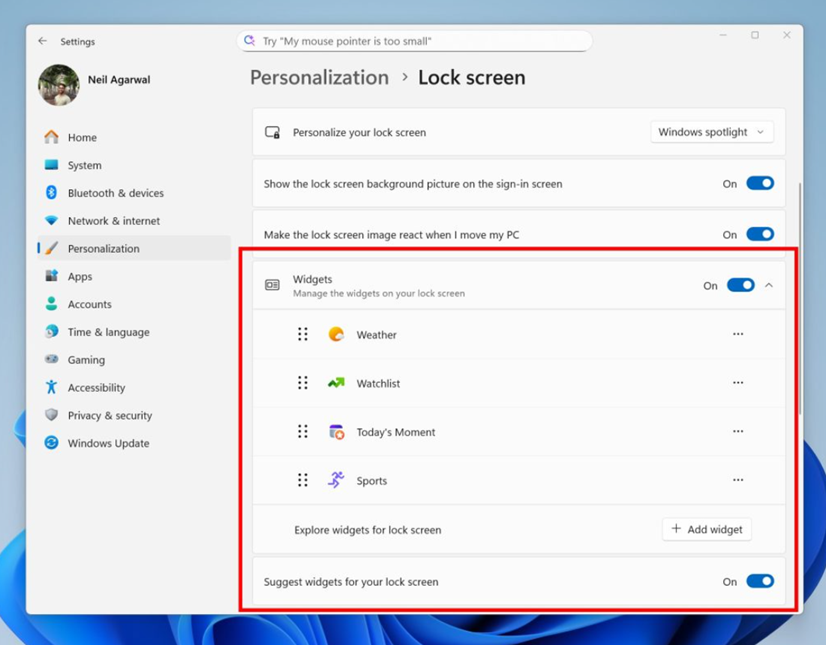
The Lock Screen Widgets also receive an update, letting users add, remove, or rearrange items like Weather, Sports, and Watchlist.
Accessibility and Narrator Upgrades
Windows 11 25H2 continues Microsoft’s accessibility push with several new features –
- A Braille viewer helps users visualise text and Braille simultaneously.
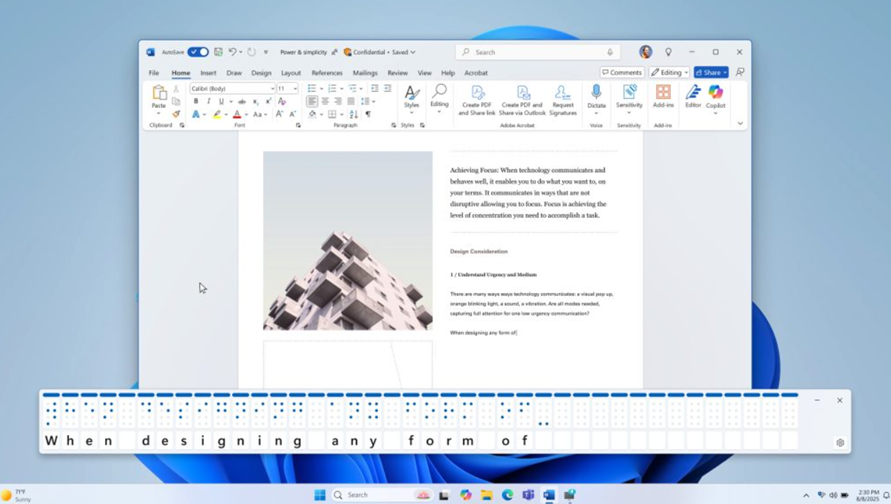
- Narrator now reads documents in Word more smoothly, improving navigation for lists, tables, footnotes, and comments.
- Voice Access gains natural language understanding, allowing mobility-impaired users to give flexible, conversational commands.
Better Gaming Experience
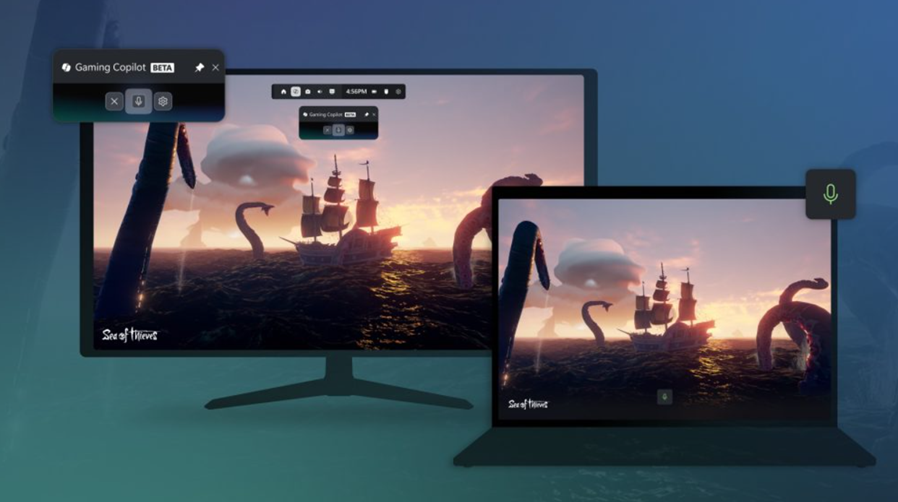
Gamers can expect smoother performance and smarter AI assistance with Gaming Copilot (Beta) in the Game Bar. It offers voice-based help, personalised recommendations, and gameplay tips. The Xbox PC app now consolidates apps, libraries, and history, while the Network Quality Indicator helps troubleshoot cloud gaming performance. Developers also get improved shader delivery for faster load times.
Strengthened Security and Authentication
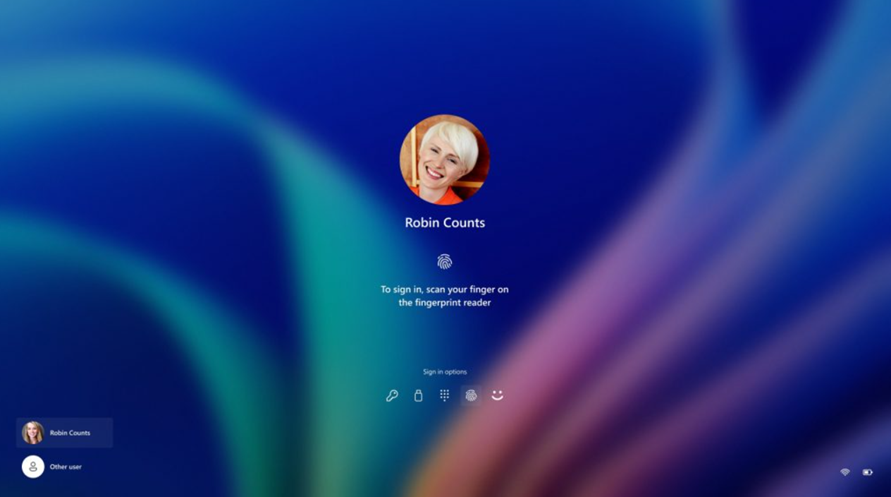
Microsoft has made multiple security improvements in this release –
- Windows Hello refresh adds support for passkeys and automatically selects the safest credential for sign-in.
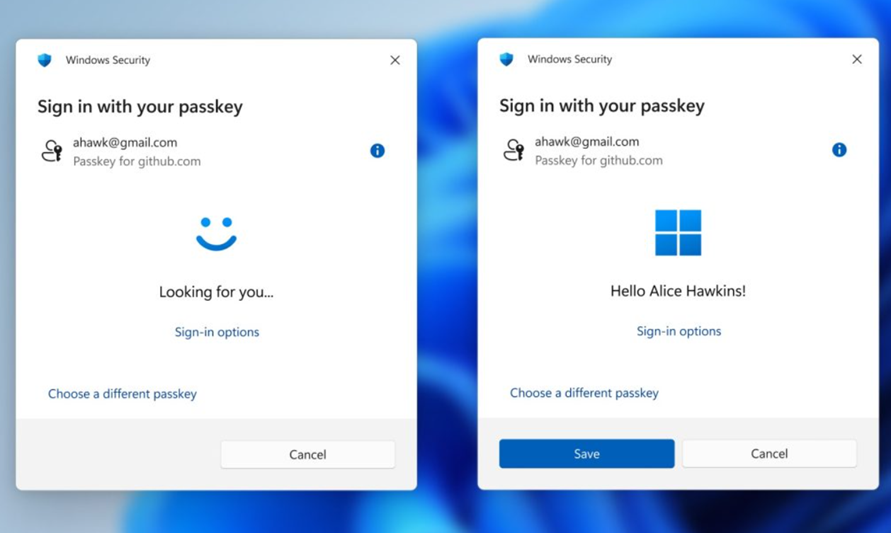
- Passkey manager integration allows use of tools like 1Password for Windows Hello authentication.
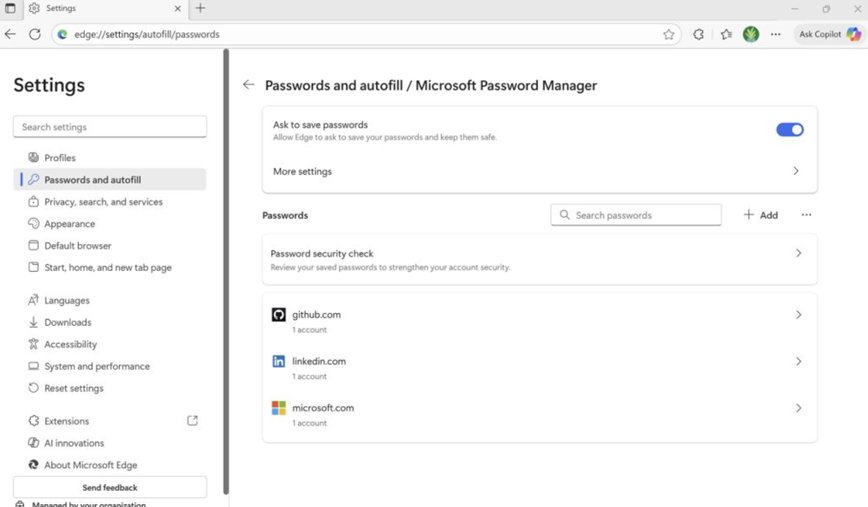
- Edge password management now merges with Microsoft Password Manager for safer syncing.
- Kernel improvements in Rust enhance system security and reduce memory vulnerabilities.
- Wi-Fi 7 support delivers faster, more reliable connectivity.
Developer Tools and Productivity Boost
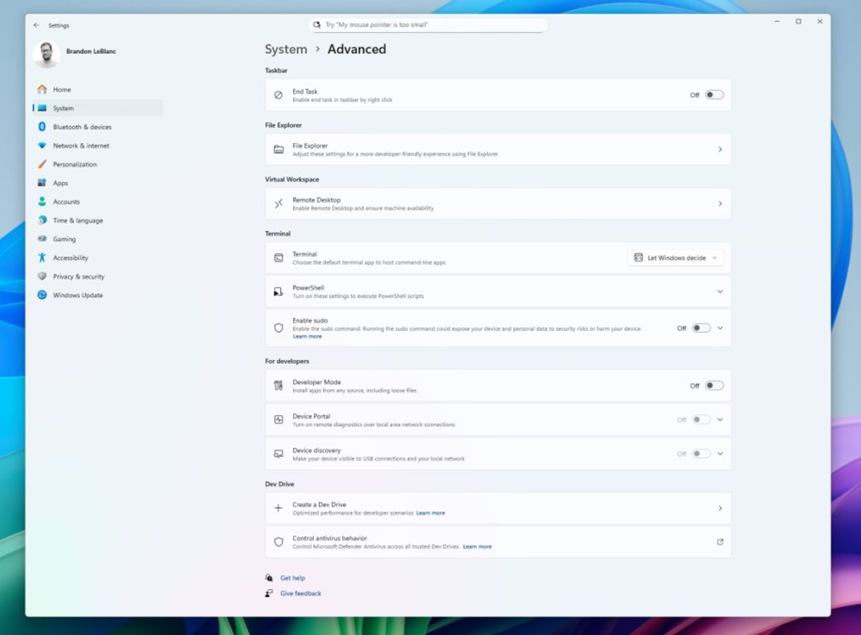
Developers gain a redesigned Advanced Settings page, Git integration in File Explorer, and a new Microsoft Edit command-line text editor. Windows ML is now generally available for AI inference, while Task Manager metrics are standardised for clearer insights.
Refined User Interface
Windows 11 25H2 focuses on usability and polish across the interface. Key improvements include –
- A larger clock with seconds now visible in the Notification Centre and on secondary monitors.
- Dividers in File Explorer’s context menus for cleaner navigation.
- Repositionable hardware indicators for brightness, volume, and other system toggles.
- New keyboard shortcuts for en dash (–) and em dash (—).
- Modernised dialogue boxes across the OS for consistency.
- Time, language, and keyboard settings moved fully from Control Panel to Settings.
Copilot+ and AI-Powered Experiences
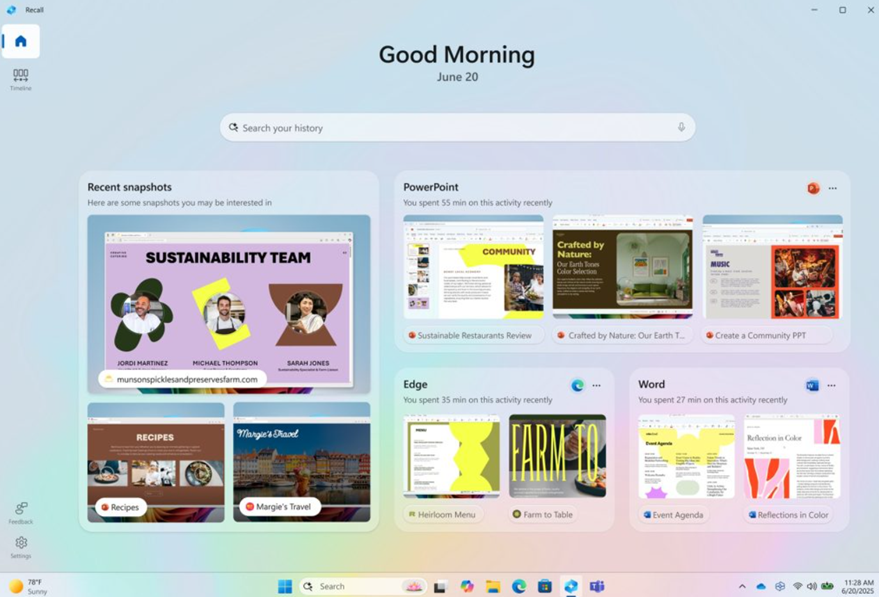
Windows 11 25H2 introduces smarter AI workflows on Copilot+ PCs –
- Recall (Preview) offers a personalised homepage showing snapshots, recent apps, and websites with a sidebar for quick task resumption.
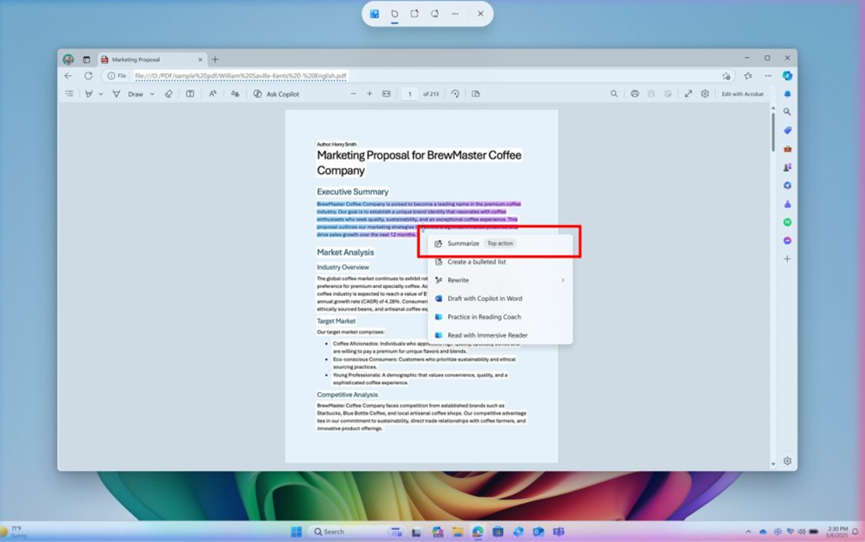
- Click to Do highlights popular AI tasks and provides quick summaries powered by the Phi Silica model.
- A new Agent in Settings provides context-aware links powered by the Mu model.
- Voice Access supports conversational voice commands like “Open Edge” or “Switch to Microsoft Edge.”
Inbox Apps Get Smarter
Core Windows apps also receive notable improvements –
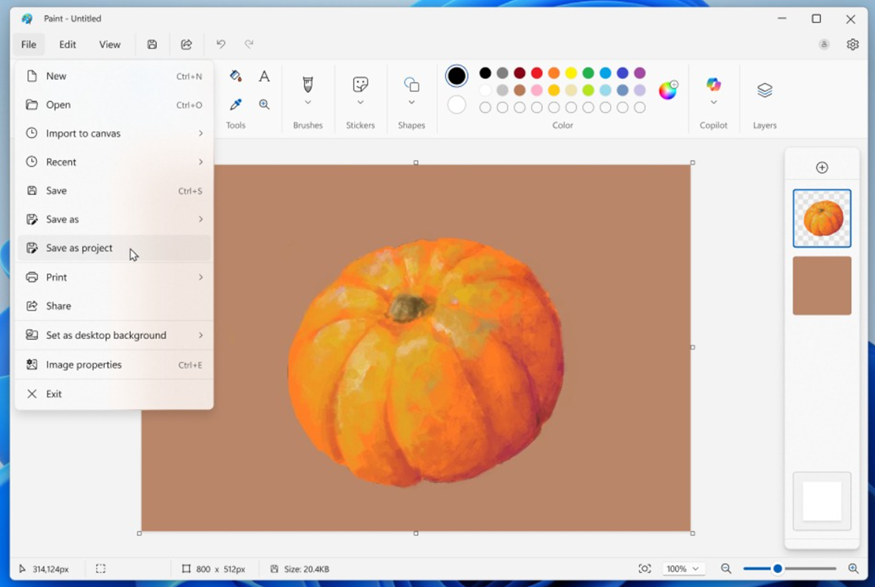
- Paint now supports saving editable .paint files and adds an opacity slider for the Pencil and Brush tools.
- Snipping Tool introduces Quick Markup, enabling annotations directly on captures.
- Notepad AI allows summarising, writing, and rewriting without a subscription, currently supporting English.
Availability
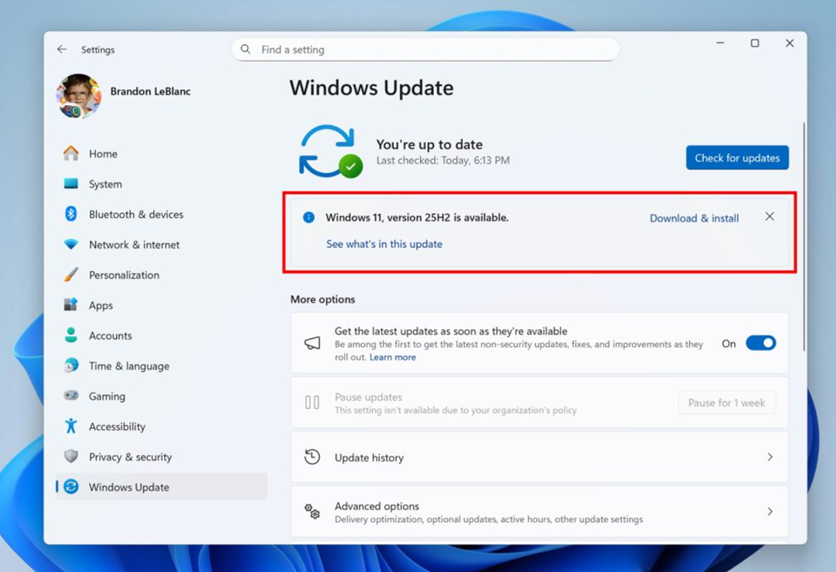
Windows 11 version 25H2 is now available through the Windows Update “seeker” experience for eligible PCs that meet Windows 11’s hardware requirements. Microsoft recommends users install the October 2025 security update to unlock all new features and optimisations.
FAQs
Q1. What AI features are introduced in Windows 11 25H2?
Answer. Windows 11 25H2 adds Copilot+ experiences like Recall, Click to Do, and AI-powered actions in File Explorer, enabling tasks like image editing and document summarisation.
Q2. How has accessibility improved in the 25H2 update?
Answer. The update introduces a Braille viewer, smoother Narrator reading in Word, and enhanced Voice Access with natural language understanding for more flexible voice commands.
Q3. What gaming enhancements are included in Windows 11 25H2?
Answer. Gamers get access to Gaming Copilot (Beta) for voice-based tips and recommendations, plus improved shader delivery and a Network Quality Indicator for cloud gaming.
Q4. What are the key security upgrades in this release?
Answer. Windows 11 25H2 adds passkey support, integrates password managers like 1Password, enhances Edge sync security, and uses Rust-based kernel improvements to reduce vulnerabilities.
Also Read –
https://www.mymobileindia.com/microsoft-starts-testing-windows-11-25h2-what-to-expect/