

Highlights
- “LinkedIn TLDR” extension uses AI to summarize verbose LinkedIn updates.
- Offers both a sarcastic default mode and a straightforward serious mode.
- Developed by Soren Iverson and programmer Kingston, initially as a joke.
- Free to download on the Chrome Web Store with privacy-focused permissions.
For those tired of slogging through verbose LinkedIn updates, a new browser add-on offers a refreshing solution.
A LinkedIn Summarizer?
LinkedIn is Testing a New TikTok-Style Feature for Professional Learning
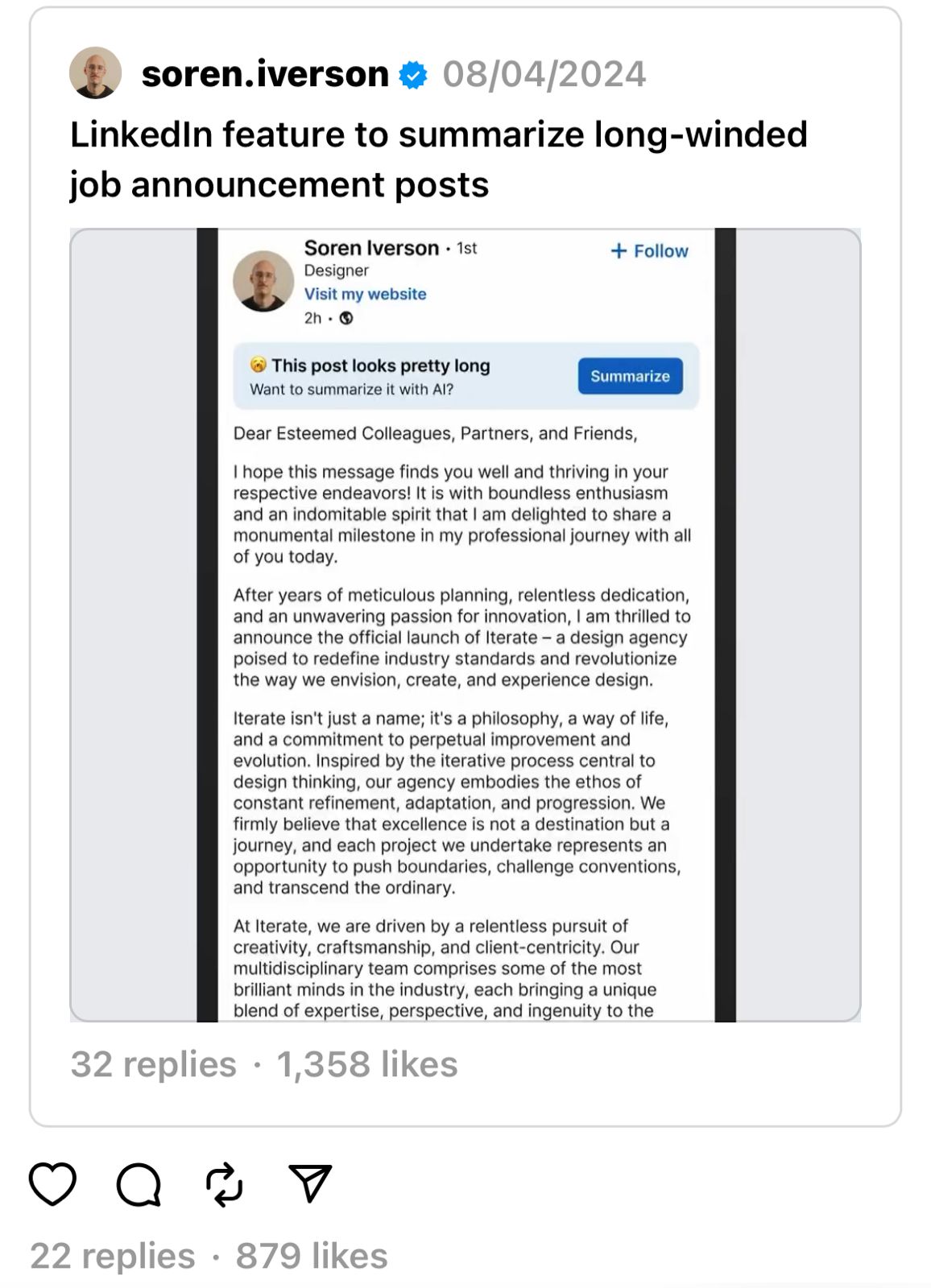
Created by developer Soren Iversen and programmer Kingston, the “LinkedIn TLDR” extension uses AI to summarize long-standing information on the business networking platform. With one click, long compressions are loaded into concise, easy-to-digest chunks.
What started as a joke idea in Iverson’s Threads profile turned into a fully functional Chrome extension.
The tool’s default mode injects a touch of sarcasm into its summaries, and often mocks the self-important tone that dominates LinkedIn.
One show proved the genius of the extension, taking someone’s infamous story of proposing to their spouse and drawing out dubious deals in B2B marketing, then reducing it to a funny, tongue-in-cheek. a-throat theme
Different Modes
But for those who prefer a more straightforward approach, “LinkedIn TLDR” also offers a “serious” mode.
This format provides a realistic summary, removing the ironic quality but retaining the basic function of summarizing multi-word content. A welcome relief for users overwhelmed by the platform’s penchant for vulgarity.
While the expansion’s performance doesn’t match the snappy demo, its newness and usability have already attracted attention.
Available for free on the Chrome Web Store, “LinkedIn TLDR” asks for the permission necessary to view and edit content only on the LinkedIn site, ensuring user privacy.
FAQs
What is the LinkedIn TLDR extension and who created it?
The LinkedIn TLDR extension is a browser add-on developed by Soren Iverson and programmer Kingston. It uses artificial intelligence to condense long LinkedIn posts into brief, easy-to-understand summaries.
How does the LinkedIn TLDR extension work?
Once installed from the Chrome Web Store, the LinkedIn TLDR extension automatically detects long posts on LinkedIn and provides a summarized version with a single click. It aims to make reading updates quicker and more enjoyable by filtering out unnecessary details and focusing on the core message.
What are the different modes available in the LinkedIn TLDR extension?
The extension features two modes: a default mode that infuses summaries with sarcasm and humor, reflecting a critical take on the sometimes pompous nature of LinkedIn updates, and a serious mode that offers straightforward summaries without the sarcasm, ideal for users seeking just the facts.
Is the LinkedIn TLDR extension safe to use in terms of privacy?
Yes, the LinkedIn TLDR extension prioritizes user privacy. It requests permission to view and edit content solely on LinkedIn pages, ensuring that it does not access or modify information on other websites. This focus on privacy makes it a secure option for users looking to enhance their LinkedIn browsing experience.
Also Read: LinkedIn introduces a new audio feature
Also Read: LinkedIn now the latest victim to threat actors, faces massive data leak