


Highlights
- iPhones running iOS 26 now show a “Slow Charger” message when connected to low-powered adapters or outdated cables.
- The alert typically appears with older USB-A chargers or first-gen Qi wireless chargers that deliver under 10 watts.
- iPhone users can go for an Apple-certified 30W+ USB-C charger or upgrade to MagSafe/Qi2-certified wireless accessories to enable faster charging and remove the alert.
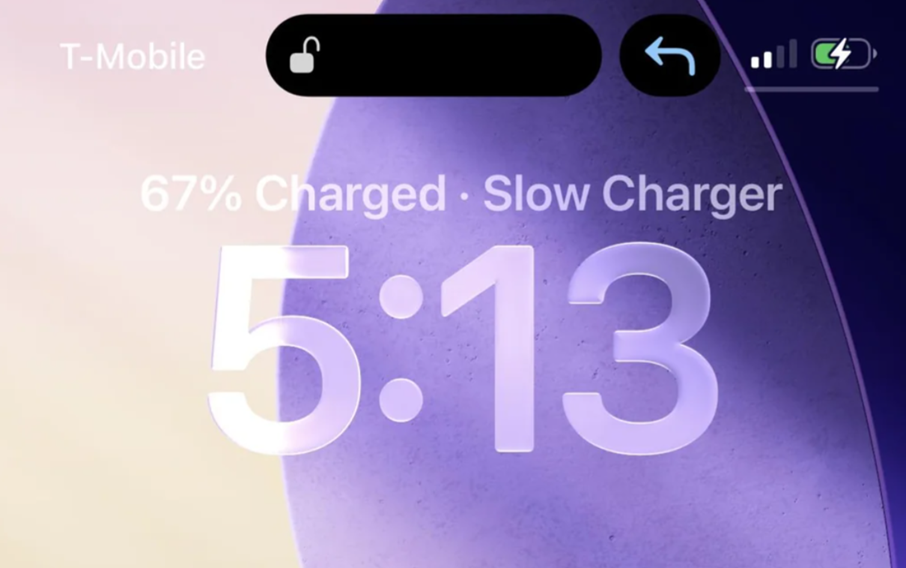
If your iPhone running iOS 26 has started showing a “Slow Charger” alert on the lock screen, you’re not alone. The latest iOS update adds a new feature that informs users when their phone isn’t charging at optimal speed. Here’s everything you need to know about this feature.
What the ‘Slow Charger’ Alert Mean in iOS 26?
Modern iPhones come with larger batteries than models from a few years ago, meaning they require more power to charge quickly. If you recently upgraded to a new iPhone and are still using your older charger or cable, it may not support fast charging speeds.
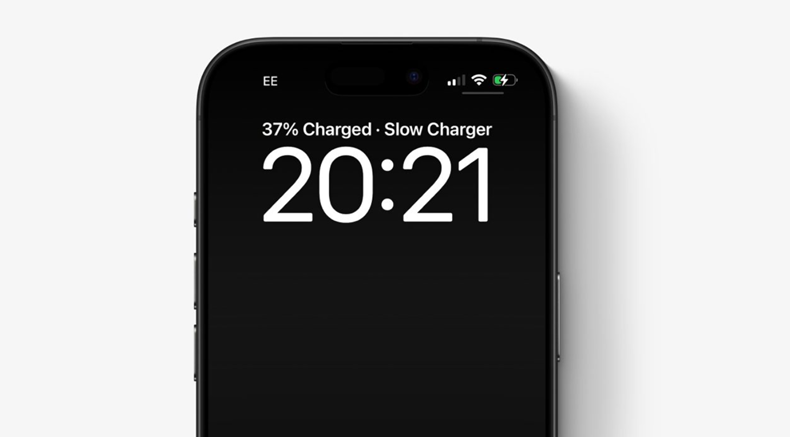
For example, older USB-A chargers can typically deliver only 5 to 7.5 watts of power. At that rate, charging an iPhone 17 could take three hours or more to reach full battery.
Now, if you are using an old charger, your iPhone with iOS 26 will display a “Slow Charger” message when it detects a low-powered adapter or an older cable. This new alert comes in place of showing the estimated time to reach 80% charge.
How to Fix the ‘Slow Charger’ Alert?
To get rid of the ‘Slow Charger’ warning, you can try any of the following steps.
Use an Apple-certified fast charger
For the best results, use an Apple 30W (or higher) power adapter along with a USB-C cable. This setup allows your iPhone to charge at 20–30 watts, letting it reach 50% charge in under 30 minutes. Apple’s latest power adapters are designed to deliver both efficiency and speed for the newest iPhone models.
Upgrade to certified wireless charging accessories
You can go for MagSafe or Qi2-certified accessories if you prefer wireless charging. The latest iPhones support wireless charging speeds up to 25 watts.
This new alert is part of Apple’s effort to help users understand their charging speeds and identify why their device may be taking longer than usual to recharge. You might also see the Slow Charger message when using Qi wireless chargers, especially first-generation ones that deliver less than 10 watts.
It is important to note that using a slower charger won’t harm your iPhone or its battery, it simply means charging will take longer. Moreover, if you charge your device overnight, this slower speed won’t make much difference.
FAQs
Q1. What does the ‘Slow Charger’ alert mean on iPhones running iOS 26?
Answer. It indicates that your iPhone is connected to a low-powered charger or cable that doesn’t support fast charging, resulting in slower battery refill times.
Q2. Will using a slow charger harm my iPhone or battery?
Answer. No, it won’t damage your device or battery. It simply means charging will take longer, especially noticeable if you need quick top-ups during the day.
Q3. How can I fix or avoid the ‘Slow Charger’ alert?
Answer. Use an Apple-certified 30W+ USB-C charger or upgrade to MagSafe or Qi2-certified wireless accessories to enable faster charging and remove the alert.