


Highlights
- Google Search AI Mode now rolls out in India.
- It delivers detailed, context-rich answers directly in Search, powered by the Gemini 2.5 model and “query fan-out” technique.
- It is now rolling out widely in India without sign-up, though it currently supports only English.
- It is accessible via the “AI Mode” tab in Search or the Google app.
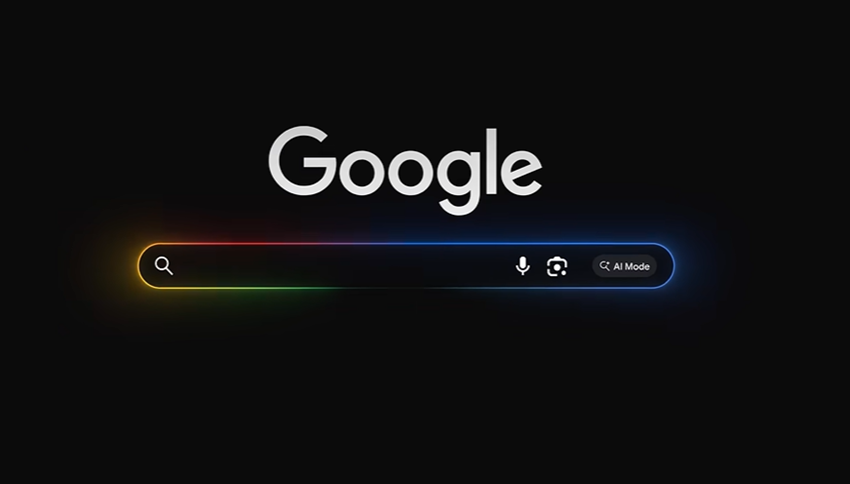
Caption – Google Search AI Mode now available in India. (Image credit – Google)
Google is now rolling out its AI Mode in Search to users across India. This new feature is built right into the regular Google Search and brings detailed, AI-generated answers instead of just a list of links. You can ask anything, any way and get complete, context-rich responses directly in your search results.
Google first launched AI Mode in the U.S. earlier this year. It was introduced to Indian users via Search Labs in June, but now it’s being rolled out more widely and you don’t need to sign up anymore. For now, though, it’s only available in English.
Google CEO Sundar Pichai announced the rollout for Indian users on X (formerly Twitter).
After an incredible response in Labs, we’re starting to roll out AI Mode in Search to everyone in India (English to start). It’s a total reimagining of Search, and we’re excited for even more people to use it.
— Sundar Pichai (@sundarpichai) July 8, 2025
What Is Google AI Mode in Search?
AI Mode gives you a fully written-out response that pulls together information from all over the internet, instead of showing just websites. It’s especially helpful for layered or complex questions that would normally require multiple searches.
The system is powered by Google’s Gemini 2.5 model, which breaks your query into smaller parts, finds relevant content, and combines it into a neat, easy-to-read summary. You’ll also get links for more info and the option to ask follow-up questions.
Google says AI Mode shines when you’re exploring topics like comparing products, planning a trip, or understanding something technical. According to the company, users ask questions that are 2–3 times longer than usual, often looking for in-depth advice or guidance.
Behind the scenes, AI Mode uses a technique called “query fan-out” as it splits your question into smaller parts, does multiple searches, and pieces together the results into one helpful answer. This helps it go deeper and even uncover content that standard searches might miss.
How to Use Google Search AI Mode?
You can access AI Mode through a new “AI Mode” tab in your Google Search results or right from the Google app’s search bar. You can type your question, use voice input, or even upload a photo using Google Lens.
For example, take a picture of a plant and ask how to care for it. You’ll get step-by-step instructions and links to trusted sources.
Availability
Currently, AI Mode only supports English, though Google says more languages will come later. It’s also still experimental, so if the AI isn’t confident in its answer, you’ll still see regular search results.
The feature is rolling out gradually, so it may take a few days to appear for everyone on both desktop and mobile.
FAQs
Q1. What is Google AI Mode in Search and how does it work?
Answer. AI Mode gives you a fully written-out response that pulls together information from all over the internet, instead of showing just websites.
Q2. How can users access AI Mode in Google Search?
Answer. You can access AI Mode through a new ‘AI Mode’ tab in your Google Search results or right from the Google app’s search bar.
Q3. Is Google AI Mode available in multiple languages?
Answer. Currently, AI Mode only supports English, though Google says more languages will come later.
Also Read: Now use Google’s AI mode to ask questions using images
Also Read: Google unveils Gemini 2.5, a smarter AI model that thinks before answering