


Highlights
- OpenAI launched “Your Year with ChatGPT”, a personalised year-end summary.
- Users must manually request the recap by typing prompts like “Show me my year with ChatGPT” on Android, iOS, or web; participation is optional.
- It is currently rolling out in regions including India, US, UK, Canada, Australia, and New Zealand for Go, Plus and Pro subscribers and some Free users.
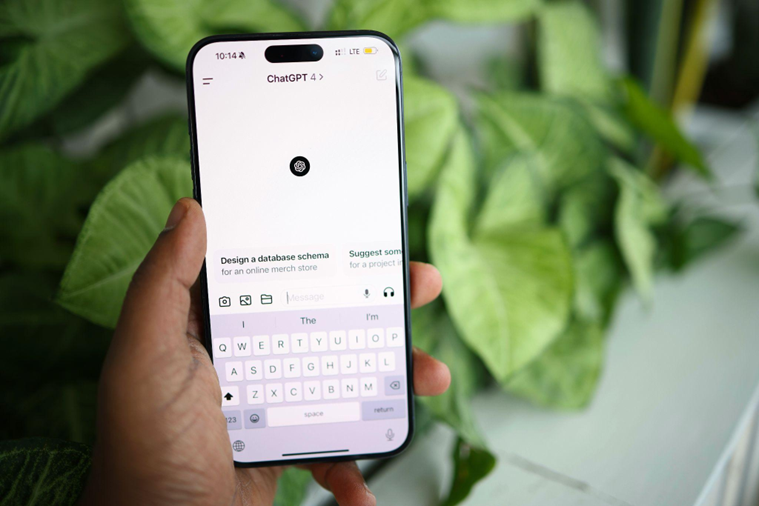
Caption – (Photo by Solen Feyissa on Unsplash)
OpenAI has introduced a new personalised recap feature for ChatGPT users called “Your Year with ChatGPT.” Designed as an end-of-year experience, the feature works in a similar way to Spotify Wrapped by offering users a customised overview of how they interacted with the AI throughout the year.
What Is “Your Year with ChatGPT”?
Inspired by popular year-end summaries, “Your Year with ChatGPT” presents a visual and interactive breakdown of individual usage patterns using engaging graphics and playful storytelling. As part of the recap, users are given personalised “awards” based on how they used the AI chatbot.

Caption – OpenAI introduces ChatGPT recap feature. (Screenshot by OpenAI)
For example, users who frequently relied on ChatGPT for problem-solving or understanding complex ideas may receive titles such as “Creative Debugger.”
In addition to usage statistics, each recap includes a poem and a pixel-art image generated around the user’s most frequently discussed topics. This adds a more expressive and personalised touch beyond basic analytics. Users also get insights such as their most active chat day, total number of chats and messages, and a defined “chat style” based on their communication habits.
How to Access “Your Year with ChatGPT”?
The year-end summary does not appear automatically. Users need to manually request it by entering prompts like “Show me my year with ChatGPT.” The feature is accessible on Android, iOS, and the web version of ChatGPT.
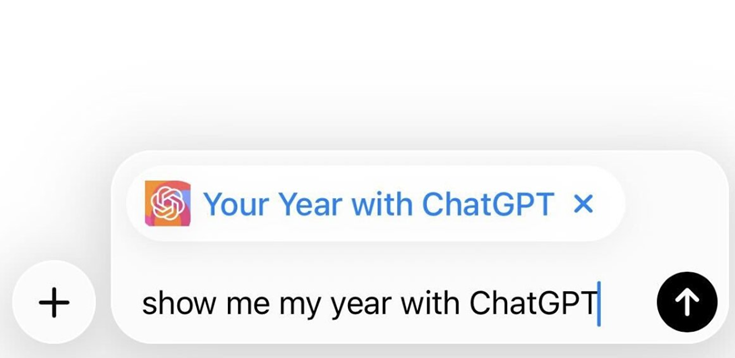
Caption – Prompt to get ChatGPT recap. (Screenshot by OpenAI)
OpenAI has made participation optional. Users who prefer not to view a summary of their interactions can simply choose not to request it.
If you’re in one of the countries above, check back throughout the day to see if “Your Year with ChatGPT” has rolled out to you.
You can also try adding the “Your Year with ChatGPT” app by tapping the + sign and asking Chat, “show me my year with ChatGPT.” pic.twitter.com/oRUNQiCDzn
— OpenAI (@OpenAI) December 22, 2025
Availability and Eligibility
“Your Year with ChatGPT” is currently rolling out in select regions including India, the United States, Canada, the United Kingdom, Australia, and New Zealand. According to OpenAI, availability depends on user activity over the year as well as specific account settings.
The feature is available in India for ChatGPT Go, Plus, and Pro subscribers. In some other regions, it can also be accessed by users on Free, Plus, and Pro plans. The feature is not available for Team, Enterprise, or Education accounts.
However, users must have both the “reference saved memories” and “reference chat history” settings enabled. Also, users must meet a minimum level of chat activity to qualify for a summary.
FAQs
Q1. What is “Your Year with ChatGPT”?
Answer. It’s a personalised year‑end recap that shows users their ChatGPT usage patterns with awards, stats, poems, and pixel‑art visuals.
Q2. How can users access their ChatGPT recap?
Answer. The recap doesn’t appear automatically. Users must type prompts like “Show me my year with ChatGPT” on Android, iOS, or web.
Q3. Who is eligible for the ChatGPT recap feature?
Answer. It’s rolling out in regions like India, US, UK, Canada, Australia, and New Zealand. Available for Go, Plus, and Pro subscribers (some Free users too) with chat history and memory enabled, but not for Team, Enterprise, or Education accounts.
Meta –
Slug – ChatGPT Launches “Your Year with ChatGPT” Recap
Tags –