


Highlights
- iOS 26 update rollout introduces the Liquid Glass UI, real-time translation, smarter screenshots, FaceTime safety and redesigned core apps.
- iOS 26 supports iPhones from 2019 onward; older models like XR and XS get iOS 18.7, which is a lighter update with security fixes.
- Users can install via Settings > General > Software Update. Common download issues can be resolved by freeing space, restarting, or using Finder.
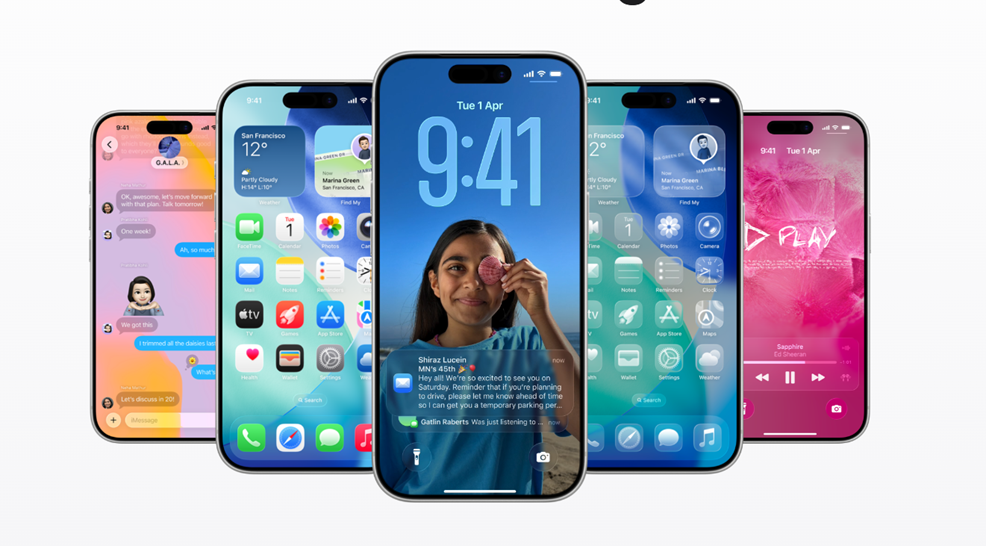
Apple has officially released iOS 26, marking one of the biggest visual overhauls of the iPhone operating system. The update introduces the Liquid Glass design alongside several new features and it is now available globally.
As usual, the rollout began at 10AM PT / 1PM ET / 5PM UTC, hitting millions of users at the same time. In addition to the flagship update, Apple has also launched iOS 18.7 for users who are not ready or eligible for iOS 26. This dual release gives iPhone owners more flexibility, though history shows Apple rarely maintains parallel iOS versions for long, usually just a couple of months before encouraging users to transition to the latest platform. (You can find more on the iOS 18.7 update at the end of the article)
Here’s everything you need to know about the new update.
What Is iOS 26?
Instead of releasing iOS 19, Apple skipped ahead to iOS 26. The company has shifted to a year-based versioning system, similar to the auto industry’s model-year naming. While iOS 26 and its companion operating systems were released in 2025, the “26” branding reflects the upcoming year.
Apple’s senior vice president of Software Engineering Craig Federighi said, “iOS 26 shines with the gorgeous new design and meaningful improvements to the features users rely on every day, making iPhone even more helpful. Experiences are more expressive and personal, from the Lock Screen and Home Screen, to new capabilities across Phone and Messages that help users focus on the connections that matter most. And with powerful new Apple Intelligence capabilities integrated across the system, users can get things done easier than ever.”
Alongside this, Apple pushed out iOS 18.7, a lighter update that addresses security vulnerabilities. This version is especially important for users whose devices are not eligible for iOS 26.
The New Liquid Glass Design
The most talked-about feature from WWDC 2025 was the Liquid Glass design. iOS has looked largely unchanged for years, aside from home screen customisation. Now, Apple is refreshing both the home and lock screens with a translucent aesthetic that adapts to light and dark modes.
Buttons in core apps like Phone and Maps also get a floating effect that aims to be less distracting but still visible. While some critics say the look recalls Microsoft’s Aero design from Windows Vista nearly two decades ago, others see it as a bold and modern shift.
Key Features in iOS 26
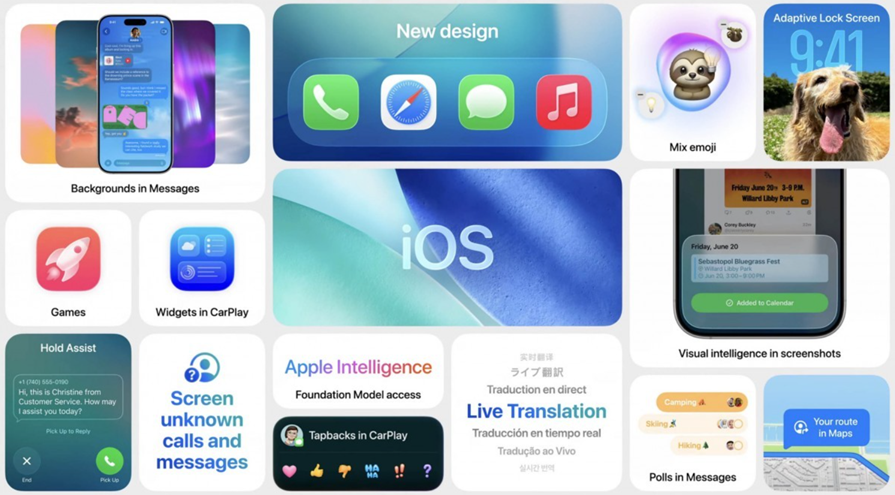
Apple has packed iOS 26 with a long list of upgrades. Some of the most notable include –
- Phone app redesign – Contacts, call history, and voicemails now appear on a single screen. A new Hold Assist feature alerts you when a support agent picks up your call so you don’t waste time listening to hold music.
- Live Translation in Phone, FaceTime, and Messages – Powered by Apple Intelligence, this feature translates conversations in real time, whether by call, video, or text.
- Polls in group chats – Users can now create polls in group messages to easily make decisions such as where to meet or travel plans.
- Filtering unknown senders in Messages – Spam texts like unpaid toll alerts will now be filtered into a separate folder.
- Visual Intelligence – Similar to reverse Google image search, this lets you search anything visible on your screen, such as shoes in an Instagram post, by screenshotting it.
- Photos app tabs return – Library and Collections are once again separated for easier navigation.
- Camera app improvements – Buttons and menus are reorganised for simpler use, and the app now alerts you when your lens needs cleaning.
- FaceTime Communication Safety – On-device nudity detection will pause communications if explicit content is detected, boosting child safety while preserving privacy.
- New lock screen options – Features include 3D wallpapers, more widgets, updated clocks, and improved focus mode tools.
- Alarm flexibility – Users can now adjust snooze settings from 1 to 15 minutes, instead of being stuck with the default 9 minutes.
- Screenshot updates – Screenshots now include “highlight to search,” Google search options, and the ability to query ChatGPT directly.
iPadOS 26 Upgrades
Apple’s iPad lineup also benefits from the iOS 26 design and feature updates –
- Multitasking and real windowing – Multiple apps can run on-screen simultaneously, with resizable and movable windows. This feature can be toggled off if not preferred.
- Liquid Glass design – Brings the same translucent look to lock and home screens, plus menus.
- New menu bar – Swiping down now reveals options like File, Edit, and Windows, along with a search function.
AirPods Get New Features Too
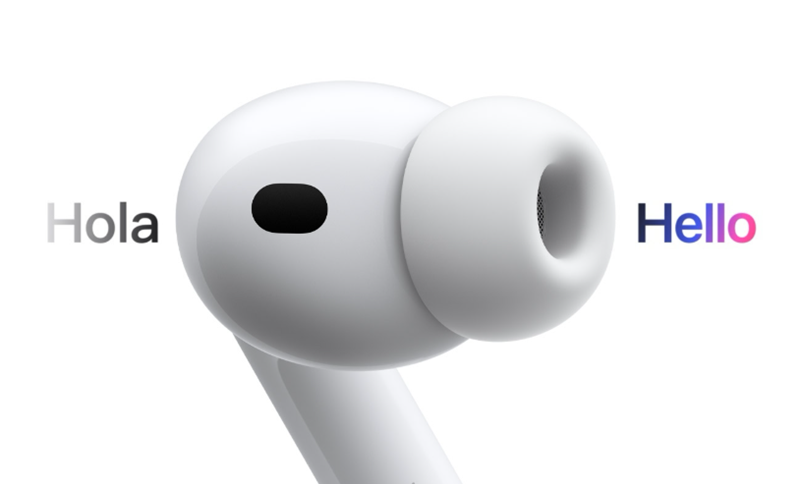
With iOS 26, AirPods gain multiple upgrades –
- Studio-quality recording – Delivers clearer audio in noisy environments.
- Camera remote control – Lets users capture photos or videos with a press, including a 3-second countdown for photos.
- Live translation – Available on AirPods Pro 3, AirPods Pro 2, and AirPods 4 with ANC when paired with iPhones running iOS 26.
- Heart rate monitoring – Exclusive to the new AirPods Pro 3, syncing data with Apple Health and other fitness apps.
Siri Update Status
Apple confirmed that the much-anticipated AI-powered Siri upgrade, first teased at WWDC 2024, is delayed until sometime “in the coming year.”
Reports suggest Apple is preparing to base Siri on third-party AI models like ChatGPT or Anthropic’s Claude, and may also launch a lightweight AI chatbot to compete with ChatGPT. A major Siri upgrade is expected in 2026.
iOS 26 Supported Devices
iOS 26 supports iPhones released since 2019, starting with the iPhone 11 series. However, the iPhone XR, XS, and XS Max will not get the new OS and will instead remain on iOS 18.7.

Captain – Devices compatible with iOS 26.
List of supported iPhones for iOS 26 –
- iPhone SE (second generation or later)
- iPhone 11
- iPhone 11 Pro
- iPhone 11 Pro Max
- iPhone 12
- iPhone 12 mini
- iPhone 12 Pro
- iPhone 12 Pro Max
- iPhone 13
- iPhone 13 mini
- iPhone 13 Pro
- iPhone 13 Pro Max
- iPhone 14
- iPhone 14 Plus
- iPhone 14 Pro
- iPhone 14 Pro Max
- iPhone 15
- iPhone 15 Plus
- iPhone 15 Pro
- iPhone 15 Pro Max
- iPhone 16
- iPhone 16 Plus
- iPhone 16 Pro
- iPhone 16 Pro Max
- iPhone 16e
- iPhone 17
- iPhone Air
- iPhone 17 Pro
- iPhone 17 Pro Max
The iPhone 17 lineup ships with iOS 26 pre-installed. For advanced Apple AI features, users need an iPhone 15 Pro or newer.
How to Install iOS 26 in India?
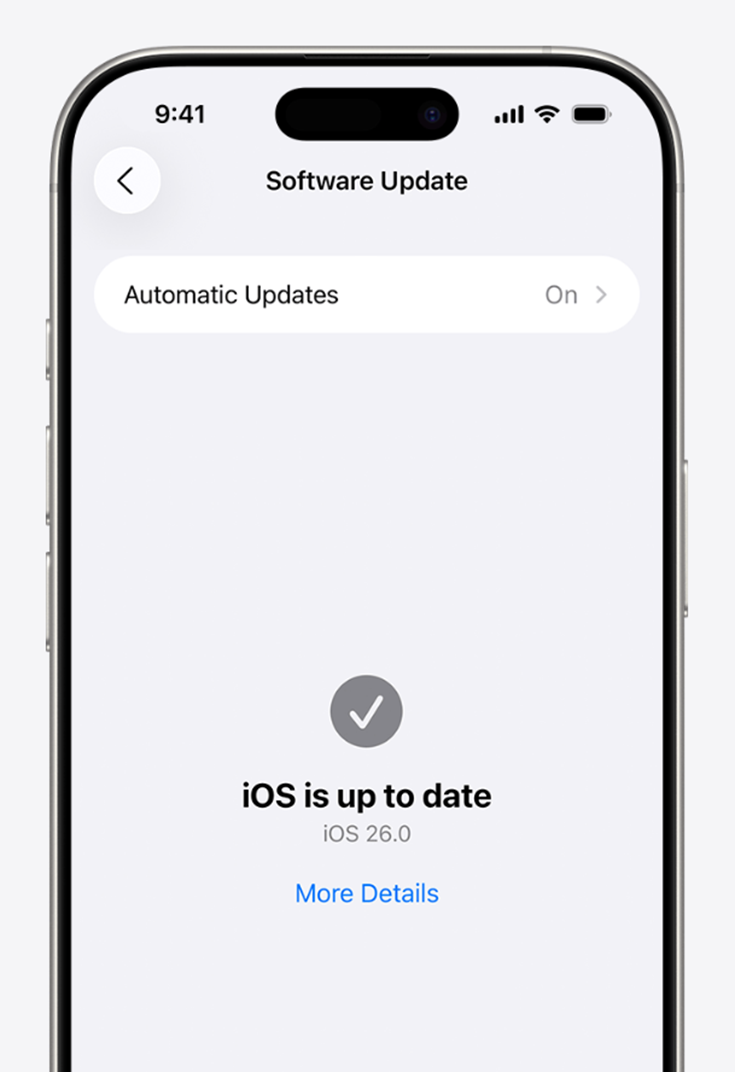
Here is how to install the update on your devices.
Turn on automatic updates
- Open Settings.
- Tap General.
- Tap Software Update.
- Tap Automatic Updates.
Choose one of the following options:
- Automatically Install – When an update is available, iPhone downloads and installs the update overnight while charging and connected to Wi-Fi. You’re notified before an update is installed.
- Automatically Download – Downloads updates automatically when your iPhone connects to Wi-Fi, charging, and locked so you can install them later. To see this option, first turn off Automatically Install.
Install software updates
- Open Settings.
- Tap General.
- Tap Software Update. The screen shows the installed version of iOS and whether an update is available.
- If an update is available, tap Download and Install, then follow the onscreen instructions.
Fixing iOS 26 Download Issues
If you face installation errors, here are five solutions –
- Check your internet – Use a stable Wi-Fi connection; avoid public networks. Restart your router if needed.
- Free up storage – Ensure 8–10GB of free space by deleting unused apps, videos, or messages.
- Restart your iPhone – Power cycle to clear update errors.
- Delete the corrupt update file – Go to Settings → General → iPhone Storage, remove iOS 26, and redownload.
- Use Finder on Mac – Connect your iPhone, check for updates, and install via Finder to bypass stuck downloads.
iOS 18.7 Update- A Smaller, Safer Alternative
For those hesitant to update, iOS 18.7 provides a lighter option. The file size is about one-fifteenth that of iOS 26, making it quicker to install. It delivers bug fixes and security patches, though Apple has not disclosed the exact vulnerabilities addressed. It is a detail it typically shares once enough devices are updated.
Device compatibility – iOS 18.7 is available for every iPhone since 2018, including iPhone XR, XS, XS Max, and the entire iPhone 16 lineup including the budget-friendly 16e.
iOS 26 supports all of these devices except the three oldest in that group.
FAQs
Q1. What is iOS 26 and how is it different from previous versions?
Answer. iOS 26 introduces a major visual overhaul with the new Liquid Glass design, revamped core apps, and advanced features like real-time translation and Visual Intelligence.
Q2. Which iPhones support iOS 26?
Answer. iOS 26 is compatible with iPhones released since 2019, starting from iPhone 11 and SE (2nd gen). Older models like iPhone XR, XS, and XS Max will remain on iOS 18.7.
Q3. What are the standout features of iOS 26?
Answer. Key upgrades include redesigned Phone and Camera apps, FaceTime safety tools, smarter screenshot options, polls in group chats, and enhanced spam filtering in Messages.
Q4. What is iOS 18.7 and who should install it?
Answer. iOS 18.7 is a lighter update for older devices, offering security patches and bug fixes. It’s ideal for users whose iPhones aren’t eligible for iOS 26 or prefer a smaller install.
Q5. How can I fix issues while downloading iOS 26?
Answer. Solutions include using stable Wi-Fi, freeing up 8–10GB of space, restarting your iPhone, deleting corrupt update files, or installing via Finder on a Mac.
Also Read –
https://www.mymobileindia.com/ios-26s-adaptive-power-feature-helps-iphone-batteries-last-longer/