


Highlights
- Apple released public betas for iOS 26 and other platforms with a unified “26” naming.
- iOS 26 brings design refinements, Apple Intelligence features and drops support for older iPhones like XR and XS.
- watchOS 26 introduces Workout Buddy (AI-powered coach), Smart Stack hints and wrist gestures.
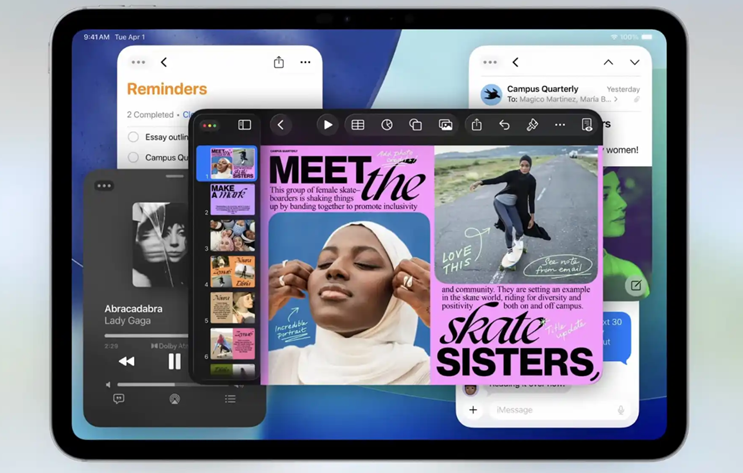
- iPadOS 26 adds Mac-like windowing, a redesigned dock, Liquid Glass visuals, new apps (Journal, Apple Games) and enhanced multitasking.
- macOS Tahoe 26 public beta is live for Apple silicon Macs and some Intel models.
- All updates can be accessed via Apple’s Beta Software Program with official rollout set for fall 2025.
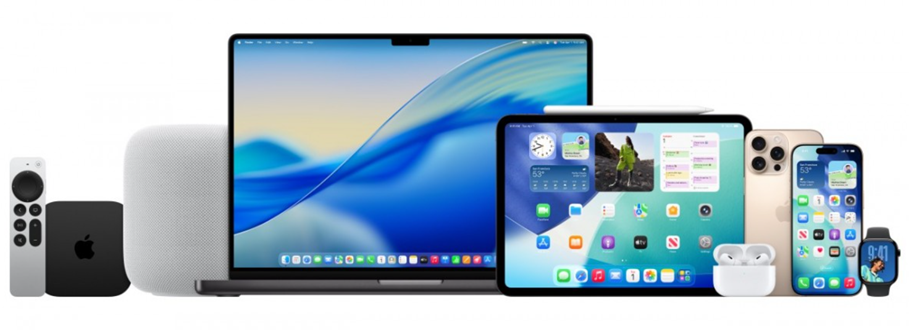
Apple has officially released the public betas for all of its upcoming software updates. Users can try them out by enrolling their supported devices via Apple’s Beta Software Program website. Once enrolled, eligible devices will prompt users to download and install the latest beta versions.
The newly available public betas include iOS 26, iPadOS 26, watchOS 26, tvOS 26, macOS Tahoe 26, and HomePod Software 26. The version number “26” aligns with the calendar year 2026, when these updates are set to be publicly released in September 2025. While the numbering may seem unusual, it does bring consistency across Apple’s operating systems.
Apple also adds a public beta FAQ, “Please note that since the beta software has not yet been commercially released by Apple, it may contain errors or inaccuracies and may not function as well as commercially released software. Make sure you back up your iPhone or iPad and your Mac using Time Machine before installing beta software. (…) Install the beta software only on non-production devices that are not business critical. We strongly recommend installing on a secondary system or device, or on a secondary partition on your Mac.”
Apple Issues Revised iOS 26 and iPadOS 26 Beta 4 for Developers
Alongside the public beta rollout, Apple has also released a revised version of iOS 26 and iPadOS 26 beta 4 for developers. This marks the second revision of a developer beta for iOS 26, following an earlier tweak to iOS 26 beta 1 for specific iPhone models.
The updated iOS 26 developer beta 4 changes the build number from 23A5297i to 23A5297m. This update coincides with the first public beta availability of iOS 26 and iPadOS 26.
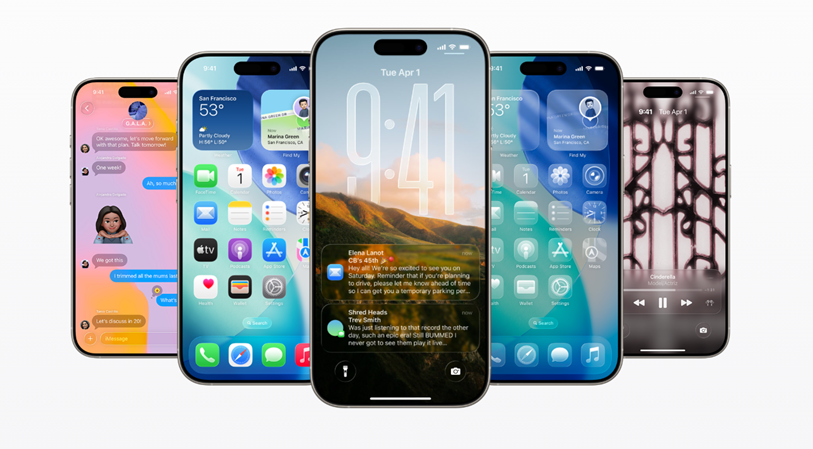
According to Apple, iOS 26 “delivers a stunning new design, powerful Apple Intelligence capabilities, new ways to stay connected in the Phone and Messages apps, and exciting updates to CarPlay, Apple Music, Maps, and Wallet.”
iOS 26 beta 2 introduced several UI enhancements, including better Control Centre legibility, improved Safari menu structure, and new accessibility features like borders in High Contrast Mode. In beta 3, Apple added opaqueness to some previously transparent tab bars and introduced new wallpaper colour options, changes that were later reversed in the beta 4 version 1.
iOS 26 Compatibility – Which iPhones Will Get It?
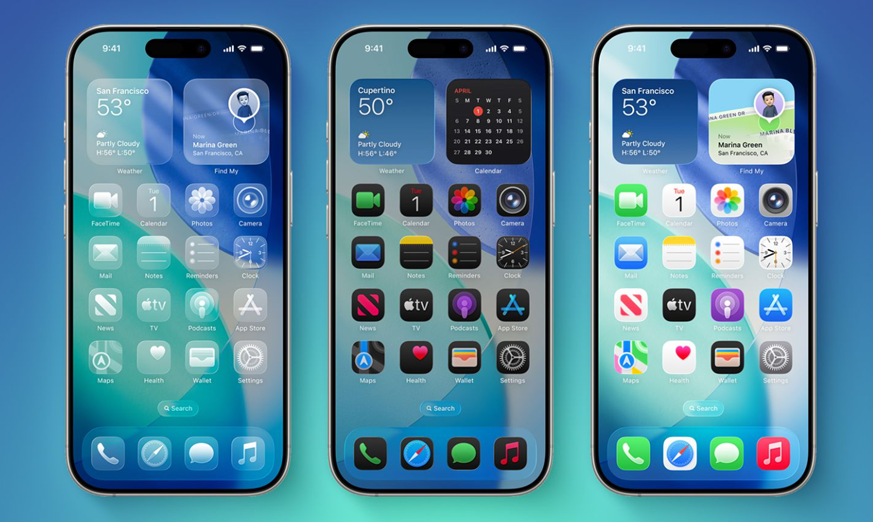
Not all iPhones will be able to run iOS 26. Unlike iOS 18, which supported the same devices as iOS 17, this year brings some notable drops in compatibility.
iPhones that will not support iOS 26:
- iPhone XS
- iPhone XS Max
- iPhone XR
These models were supported by iOS 18 but have now been excluded from iOS 26.
Here is the complete list of iPhones that will support iOS 26:
- iPhone 16e
- iPhone 16 and 16 Plus
- iPhone 16 Pro and 16 Pro Max
- iPhone 15 and 15 Plus
- iPhone 15 Pro and 15 Pro Max
- iPhone 14 and 14 Plus
- iPhone 14 Pro and 14 Pro Max
- iPhone 13 and 13 mini
- iPhone 13 Pro and 13 Pro Max
- iPhone 12 and 12 mini
- iPhone 12 Pro and 12 Pro Max
- iPhone 11
- iPhone 11 Pro and 11 Pro Max
- iPhone SE (2nd gen and newer)
Even if your device is supported, it might not get the full feature set. Just as Apple Intelligence features in iOS 18 were limited to newer hardware, the same applies to iOS 26. AI-based features will be exclusive to iPhone 15 Pro and Pro Max models, as well as the entire iPhone 16 series. Other limitations may apply to non-AI features too.
How to Install the iOS 26 Public Beta?
The iOS 26 public beta brings early access to new features like Liquid Glass, updates to Messages, and more. Installing it is simple and free –
- Go to Apple’s Beta Software Program website and sign in using your Apple ID.
- On your iPhone, open the Settings app, tap General, and then tap Software Update.
- Tap Beta Updates and choose iOS 26 Public Beta.
After a few minutes, the download and install option for iOS 26 should appear. The official rollout for iOS 26 and the rest of the software lineup is expected in fall 2025.
Apple Releases Public Betas for watchOS 26
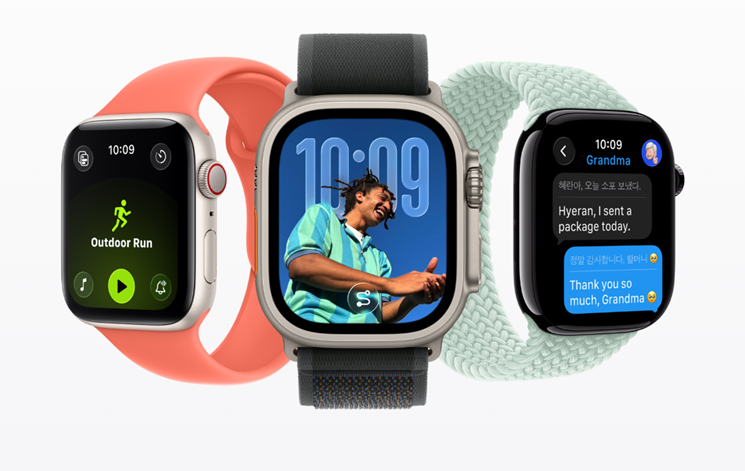
Apple has officially released the first public beta of watchOS 26, giving Apple Watch users early access to the next major update ahead of its official fall launch. While the most noticeable design change may be the limited use of Liquid Glass elements, the real innovation lies in deeper integration with Apple Intelligence for smarter workouts and more intuitive communication.
watchOS 26 – What’s New?
The Liquid Glass visual style appears in select areas such as Smart Stack widgets, Control Center tiles, and system components like the passcode screen, navigation UI, and notification banners. Apple has also added a Liquid Glass digital clock option for the Photos watch face, similar to the iPhone’s Lock Screen.
A standout feature in watchOS 26 is Workout Buddy, a voice-based coaching assistant powered by Apple’s generative AI. It uses your personal workout data to provide real-time, contextual motivation.
Smart Stack also becomes more intelligent with the introduction of Smart Stack hints. For instance, if your watch detects you’re near your iPhone’s camera or in a dark space, it can surface relevant widgets such as the camera remote or flashlight.
In the Messages app, Live Translation, powered by Apple Intelligence, can now automatically translate messages and replies in real time. Smart Replies also benefit from improved on-device processing and better context awareness.
watchOS 26 expands the double-tap gesture by introducing wrist flick, a quick flip of the wrist away from you can now dismiss notifications, silence calls, or close the Smart Stack.
iPadOS 26 Public Beta Now Available
Caption – iPadOS 26 Public Beta Now Available. (Image credit – Apple)
Apple has also rolled out the public beta of iPadOS 26, allowing iPad users to preview its extensive software updates.
How to Install iPadOS 26 Public Beta?
To get started, users need to sign up at Apple’s Beta Software Program via beta.apple.com. After enrollment, the update becomes available through the iPad’s Settings app.
It’s important to note that the public beta may still contain bugs and performance issues, as the final release is not due until September.
Key Features in iPadOS 26
- Mac-like windowing system and a new menu bar
- Upgrades to the dock – Add Folders from Files app and Option to keep the dock always visible
- Liquid Glass design touches
- Enhanced Files app with Custom folder icons/colours, Resizable columns and collapsible folders, File association settings, including default app selection
- New system cursor replaces the round blob with a pointer-style cursor
- Support for Background Tasks with Live Activities
- New audio recording tools
- Four new apps: Journal, Apple Games, Preview, and Phone
- Updates to core apps like Messages, Music, Photos, Notes, Reminders, Maps, Passwords, Shortcuts, and Clock
iPadOS 26 Device Compatibility
Most iPads supported by iPadOS 18 will also get iPadOS 26, with the 7th-generation iPad being the only model dropped.
Compatible iPads include –
- iPad Pro (M4)
- iPad Pro 12.9-inch (3rd gen and newer)
- iPad Pro 11-inch (1st gen and newer)
- iPad Air (M3, M2, and 3rd gen or newer)
- iPad (A16 and 8th gen or newer)
- iPad mini (A17 Pro and 5th gen or newer)
macOS Tahoe 26 Public Beta Released
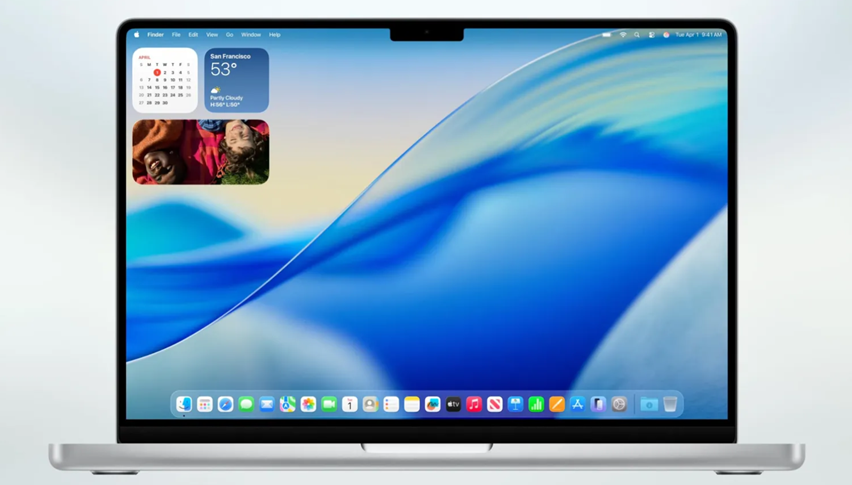
Caption – macOS Tahoe 26 Public Beta Released. (Image credit – Apple)
The first public beta of macOS Tahoe 26 is also available, offering users early access to Apple’s latest desktop operating system.
How to Install macOS Tahoe 26 Public Beta?
To install the update –
- Enroll at beta.apple.com
- Open System Settings
- Go to General ⇾ Software Update
- Click the ‘i’ next to Beta Updates
- Choose macOS Tahoe 26 Public Beta from the dropdown
- Click ‘Done’
macOS Tahoe 26 Compatibility
The update is compatible with the following Mac models –
- All Macs with Apple silicon
- MacBook Pro (16-inch, 2019)
- MacBook Pro (13-inch, 2020, Four Thunderbolt 3 ports)
- iMac (27-inch, 2020)
- Mac Pro (2019)
All three public betas, watchOS 26, iPadOS 26, and macOS Tahoe 26, are expected to be officially released this fall.
FAQs
Q1. What is iOS 26 and how can I try it early?
Answer. iOS 26 is Apple’s upcoming software update available via public beta; enroll at Apple’s Beta Software Program to install it.
Q2. Which iPhones are compatible with iOS 26?
Answer. iPhones from the iPhone 12 series onward, plus iPhone SE (2nd gen and newer) support it. iPhone XR, XS, and XS Max are no longer eligible.
Q3. What key features does iOS 26 introduce?
Answer. Expect Apple Intelligence, Liquid Glass UI, upgrades to Messages, CarPlay, Safari, and more.
Q4. What’s new in watchOS 26?
Answer. Smart Stack hints, wrist flick gesture, Workout Buddy (AI coach), and Live Translation in Messages.
Q5. Is iPadOS 26 compatible with older iPads?
Answer. Yes, most iPads from iPadOS 18 are supported, except for the 7th-gen iPad which is dropped.
Also Read: iOS 26 New FaceTime Feature Will Freeze Calls If Sensitive Content Is Detected—Even for Adults
Also Read: iOS 26 Brings AI Battery Saving Feature, But Only for Select iPhones