
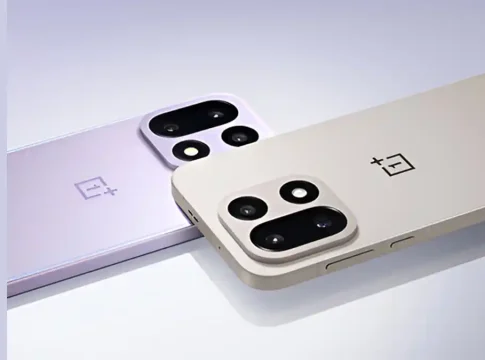
Highlights
- OnePlus 15 ColorOS 17 update rolls out globally in Europe with CPH2747_17.0.1.203(EX01) and CPH2747_17.0.1.201(EX01) for global users.
- The update also includes the November 2026 Android security patch and a setting to return directly to the Home screen when exiting hidden apps.
- ColorOS 17 update also features O+ Connect that supports phone-and-tablet PC pairing and automatic PC unlock while connecting remotely.
OnePlus has started rolling out new ColorOS 17 software updates for the OnePlus 15 in global and European (EU) markets, about a one-and-a-half week after the ColorOS 17.0.1.201 update for the OnePlus 15 in India. The rollout brings build number CPH2747_17.0.1.201(EX01) to global users and CPH2747_17.0.1.203(EX01) to European users, introducing feature refinements across Fluid Cloud, Photos, built-in tools and cross-device connectivity along with the November 2026 Android security patch.
The update is rolling out over the air (OTA) in stages, first to release candidate users, then to a broader audience over the next week, so users can enjoy smoother daily tools, better privacy controls, and stronger protection without any hassle.
OnePlus Expands the ColorOS 17 Update Rollout for the OnePlus 15
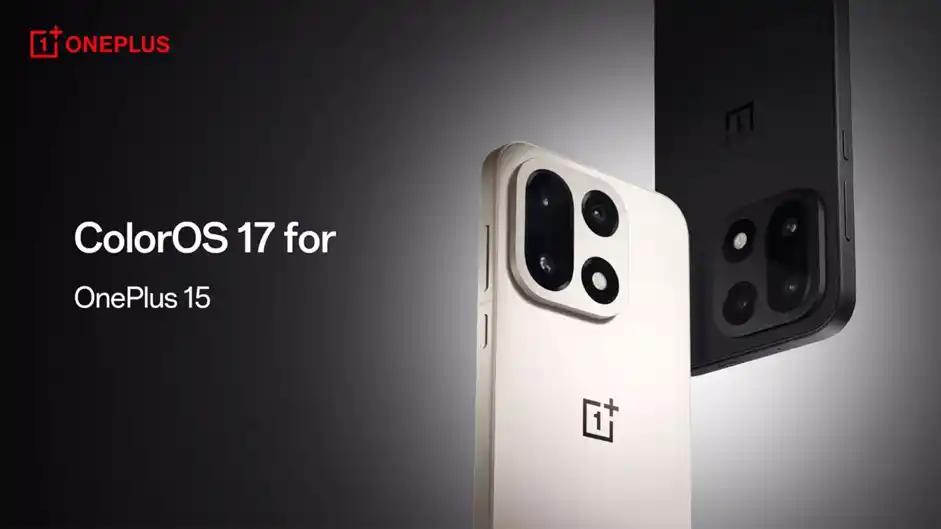
ColorOS17 update for OnePlus 15 users in EU and Globally
OnePlus 15 users in Europe and globally have started receiving the ColorOS 17 update. The update follows the earlier ColorOS 17 rollout, and the new builds bring a cleaner look and feel to the interface, helpful extras and up-to-date security.
European OnePlus 15 phones are getting updates with build number CPH2747_17.0.1.203(EX01). It brings the latest visual refinement, security fixes and everyday improvements tailored for users in the EU region. The update is also rolling out to global OnePlus 15 users with the build number CPH2747_17.0.1.201(EX01). It includes the core new features and the November 2026 security update for international devices outside the EU.
Like other major software drops, OnePlus is rolling out the ColorOS 17 update in stages. It starts small with a few users, and then rolls out to more devices over the next few days to keep a steady rollout.
| Region | Build Version | Key Highlights |
| Europe (EU) | CPH2747_17.0.1.203(EX01) | Latest visual polish, security fixes, and everyday improvements tailored for EU users |
| Global (Outside EU) | CPH2747_17.0.1.201(EX01) | Core features and the November 2026 security update for global phone users |
What’s New in the Latest OnePlus 15 ColorOS 17 Update?
The OnePlus 15 ColorOS 17 update refines the screen’s look and makes daily tasks such as managing photos, translating text, and connecting to a PC a bit easier. Many of the tweaks are small, practical quality-of-life improvements.
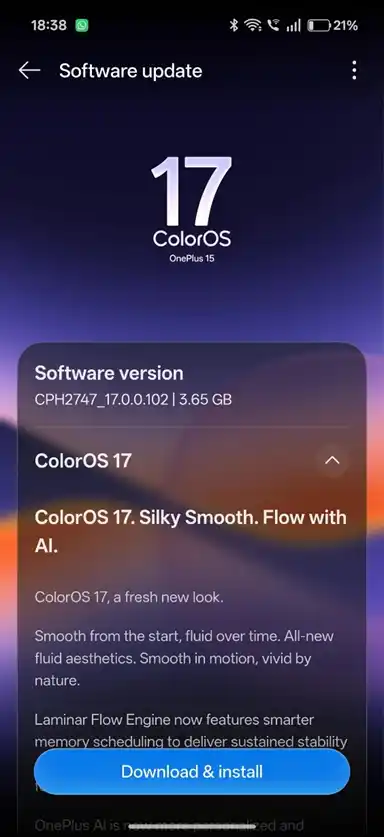
ColorOS 17 for OnePlus 15 in Europe
Fluid Cloud Cards Get a Translucent Gradient Effect
Fluid Cloud cards on the lock screen and in the notifications drawer now have a translucent gradient look. The soft transparency allows cards to blend naturally while still keeping alerts easy to read at a glance.
Enhancements to the Lock Screen and Notification Shade
The lock screen and notification shade look cleaner and more cohesive with the new Fluid Cloud style. Information is clearer on screen without looking messy or harsh.
Other Changes and System Optimisations
The ColorOS 17 update also brings key changes and system optimisations to the OnePlus 15:
- Photos storage cleanup: Back up your photos to the cloud, then delete the local copies on your phone to free up space, but still have safe full backups in the cloud.
- Text Translation: The Translate app gets additional useful details on words, such as parts of speech, pronunciation guides, grammar notes, and examples, and it automatically adjusts the tone of sentences.
- Auto-unlock connected PC: You can configure a remotely connected PC to automatically unlock with a saved password from the floating ball menu during a remote session.
- Incoming call announcements: The Phone app now has a new feature that allows the smartphone to announce who is calling on incoming calls.
- Exit hidden apps to Home screen: A privacy switch can automatically take you back to the Home screen when you leave a hidden app.
OnePlus 15 November 2026 Security Patch: What’s Included?
ColorOS 17 update also combines the November 2026 Android security patch. It brings the security patch to improve the overall system security and guard against known vulnerabilities. For hidden apps, there is also a Return to Home screen when exiting the app that sends you straight back to the Home screen when you leave a hidden app.
Rollout time and details may vary by region, with India receiving builds like CPH2745_17.0.1.102(EX01) alongside regional feedback options. Some features and rollout dates differ slightly by market.
OnePlus 15 ColorOS 17 Update: How to Download and Install
Once the update shows on your phone, it takes just a few minutes to install. To be safe, back up important files and make sure your phone battery is well charged.
- Go to Settings and look for update
- Open Settings on your OnePlus 15
- Tap System and updates (or About device, depending on your menu layout) and then Software update.
- If the update appears, tap Download and install, connect to Wi-Fi and restart your phone when asked.
Why the OTA Update May Not Appear Immediately
OnePlus sends out updates in batches, so your device might not be among the first batch. If your local batch expands, check again in a few days to get the update.
OnePlus 15 Software Update Rollout: What’s Next?
As the EU and global builds begin rolling out, more OnePlus 15 users will receive the updated visuals, cloud photo cleanup and November security patch. Further updates are expected to continue to optimise performance, stability and regional availability.