Highlights
- iOS 26.1 introduces a Liquid Glass toggle for translucent UI control and a Lock Screen swipe toggle to disable accidental camera launches.
- Apple Intelligence adds support for 8 new languages; AirPods Live Translation expands to 4 more languages; Apple TV+ is rebranded to Apple TV with a new icon.
- A Background Security toggle enables automatic patching; new settings include Local Capture controls, alarm swipe-to-unlock, and haptic toggle for calls.
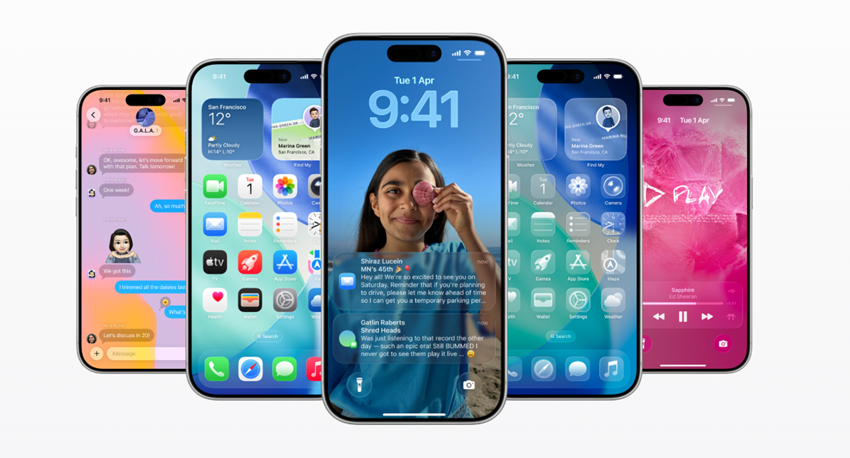
Caption – iOS 26.1 has now rolled out. (Image credit – Apple)
Apple has officially released iOS 26.1, a new update that brings a series of refinements, visual upgrades, and feature enhancements to iPhones. While the changes are subtle, they collectively improve usability, security, and customisation. Among the most notable additions are the Liquid Glass toggle, lock screen swipe control, and several Apple Intelligence and AirPods upgrades. Here’s all about the update.
iOS 26.1 – Key Features and Changes
Liquid Glass Toggle
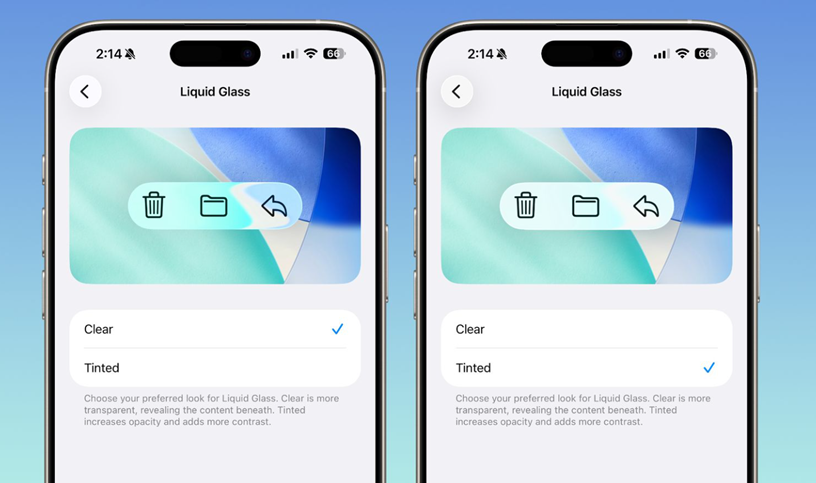
The highlight of iOS 26.1 is the Liquid Glass toggle, which gives users greater control over the translucent visual design introduced in iOS 26. Users can now choose between clear (the default design) and tinted options, which adjust the opacity behind elements like notifications and tab bars.
This setting can be found under Settings > Display & Brightness > Liquid Glass on iPhone and iPad. The option is also available on macOS under Settings > Appearance > Liquid Glass, though the effect is more subtle on Mac.
The new toggle complements existing accessibility options such as Increase Contrast and Reduce Transparency, giving users even more visual control over their device interface.
Lock Screen Swipe Control
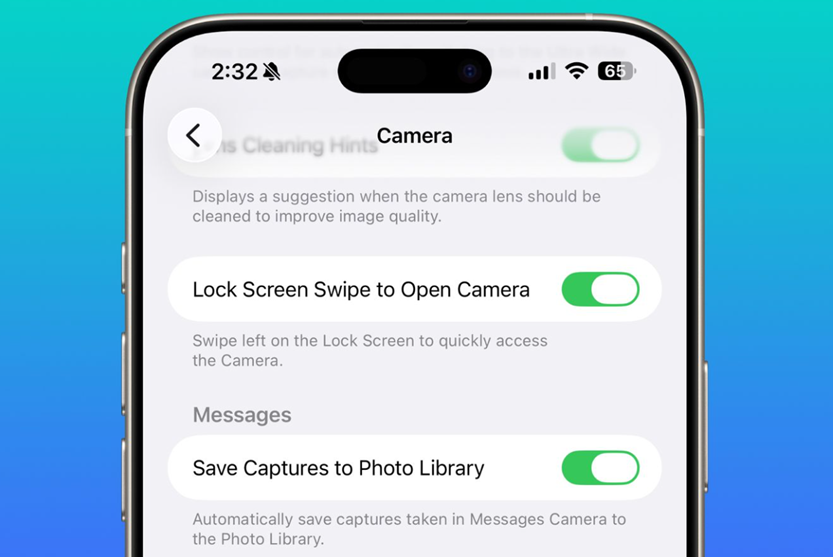
Apple has also introduced a Lock Screen swipe toggle, allowing users to disable the gesture that launches the Camera app directly from the lock screen. This option is available under Settings > Camera > Lock Screen Swipe to Open Camera.
The swipe gesture has long been part of iOS, evolving from a swipe-up action to a swipe-from-the-right shortcut since iOS 10. With iOS 26.1, users who frequently accidentally launch the camera can now turn this feature off entirely.
Even with this change, users can still open the Camera using other options like the Camera Control button or the Action button, available on newer iPhone models.
More Enhancements
Apple Intelligence
Apple has expanded Apple Intelligence language support to include Chinese (Traditional), Danish, Dutch, Norwegian, Portuguese (Portugal), Swedish, Turkish, and Vietnamese.
AirPods Live Translation
The AirPods Live Translation feature now supports Chinese (Simplified and Traditional), Italian, Japanese, and Korean. Initially introduced in iOS 26, this feature is compatible with AirPods Pro 2, AirPods Pro 3, and AirPods 4, alongside previously supported languages such as English, French, German, Portuguese (Brazil), and Spanish (Spain).
Apple TV Rebrand
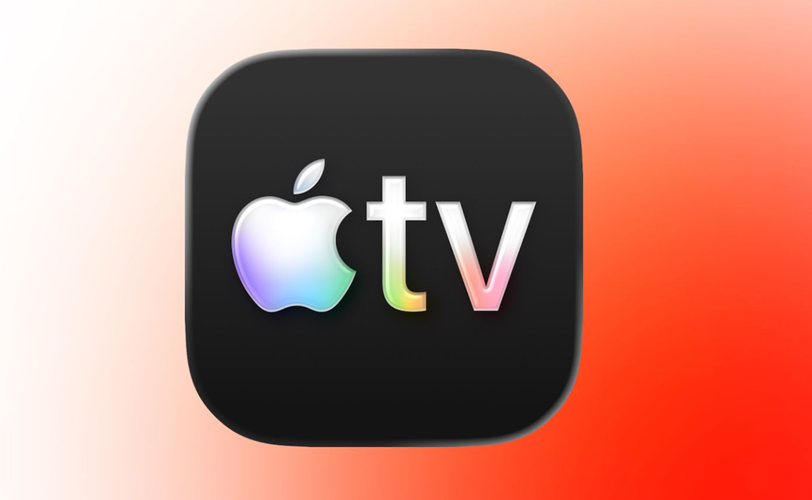
Apple has also rebranded its streaming service from Apple TV+ to simply Apple TV, introducing a new, vibrant identity along with an updated app icon.
Local Capture Settings
A new Local Capture section has been added under Settings > General, allowing users to select where local capture files are stored and toggle the feature to audio-only capture.
Other Notable Changes
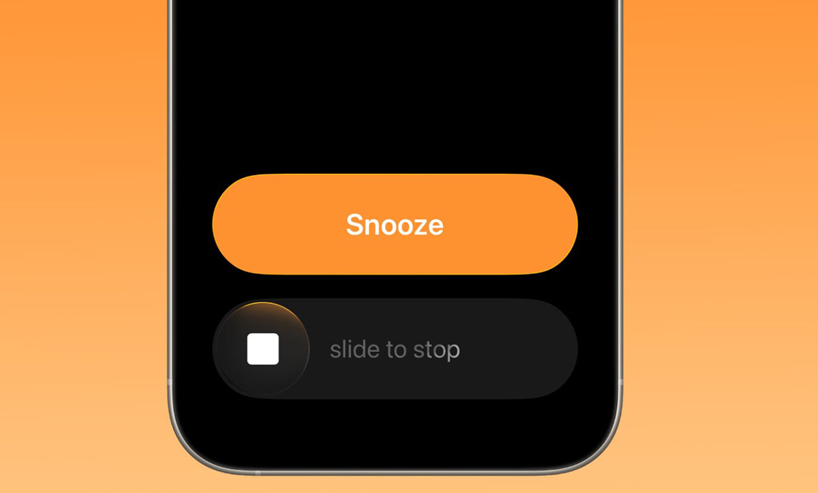
- Alarms now use a Slide to Unlock interface for dismissing.
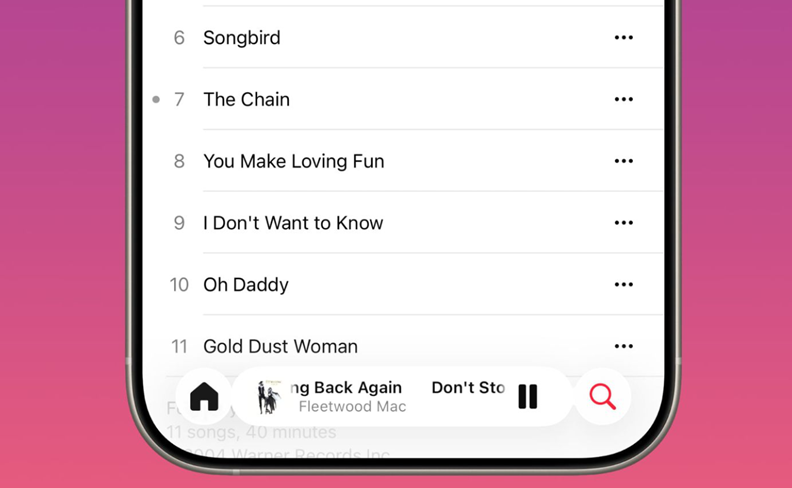
- The Music app gets a swipe gesture for changing songs.
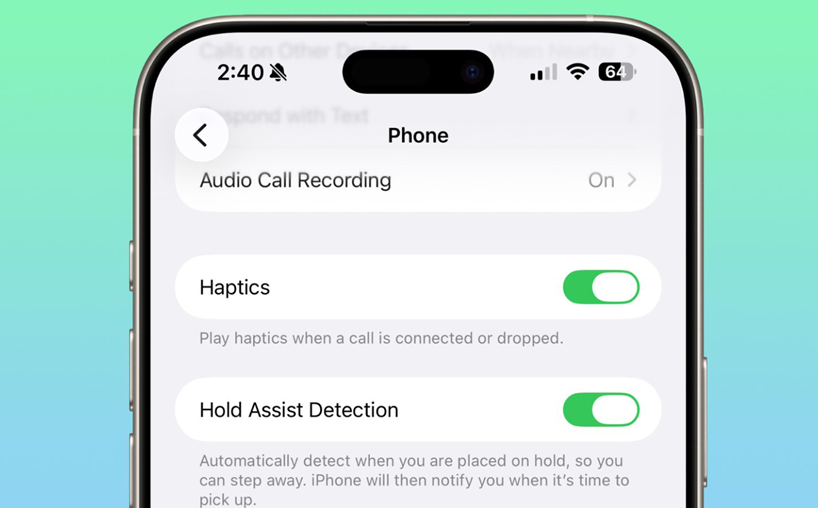
- Phone call haptics can now be turned off, preventing vibrations when a call connects or disconnects.
Security Improvements
A major behind-the-scenes addition in iOS 26.1 is Background Security Improvement. This new toggle, available under Settings > Privacy & Security, allows the system to automatically download and install small security fixes between major updates, no manual action required.
Apple’s security notes for iOS 26.1 confirm patches for several vulnerabilities, including –
- A bug that could disable Stolen Device Protection.
- A WebKit flaw that could allow unauthorised keystroke tracking.
- Other system-level stability and privacy issues.
iOS 26.1 Availability
The update is available for iPhone 11 and later, iPhone SE (2nd generation and above), and iPhone Air.
How to Download and Install iOS 26.1?
- Step 1: Open the Settings app on your iPhone.
- Step 2: Tap on General > Software Update.
- Step 3: Check if iOS 26.1 is available for your device.
- Step 4: Tap Update Now, then follow the on-screen instructions.
- Step 5: Once downloaded, tap Install to begin the process.
- Step 6: Your iPhone will restart automatically to complete installation.
- Step 7: Enter your passcode and complete any setup prompts if required.
For best results, ensure your iPhone is connected to Wi-Fi, has at least 50% battery (or is charging), and is backed up before installing the update.
FAQs
Q1. What is the Liquid Glass toggle introduced in iOS 26.1?
Answer. The Liquid Glass toggle lets users adjust the translucency of UI elements like notifications and tab bars. It offers clear and tinted options under Settings > Display & Brightness > Liquid Glass.
Q2. Can I disable the lock screen camera swipe in iOS 26.1?
Answer. Yes, iOS 26.1 adds a toggle to disable the swipe-to-open Camera gesture from the lock screen. You’ll find it under Settings > Camera > Lock Screen Swipe to Open Camera.
Q3. What security improvements are included in iOS 26.1?
Answer. iOS 26.1 introduces Background Security Improvement, which auto-installs minor security patches. It also fixes issues like Stolen Device Protection bypass and WebKit keystroke tracking.
Also Read –
https://www.mymobileindia.com/apple-may-roll-out-ios-26-2-beta-as-soon-as-tuesday-confirms-gurman/