Highlights
- OPPO and Blackmagic Design enable users to optimise the Blackmagic Camera app on the OPPO Find X10 Pro Max.
- Creators can capture native 4K Dolby Vision HDR up to 60fps natively inside the app.
- Users will need firmware 17.0.1.203 or later and the latest version of the Blackmagic Camera app from Google Play to unlock the features.
OPPO and Blackmagic Design have released an optimised update to the Blackmagic Camera app for the OPPO Find X10 Pro Max. The partnership unlocks advanced video tools, including 4K Dolby Vision recording, O-Log2 shooting and Open Gate capture, for mobile filmmakers and video creators, following promises made around the phone’s September launch in China and its global and Indian rollouts in October.
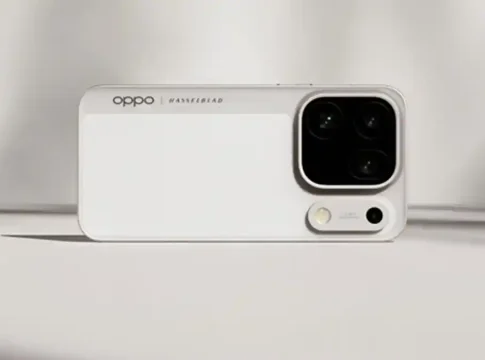
Creators can get these features on their phones by updating the Find X10 Pro Max software to version 17.0.1.203 or higher and downloading the latest Blackmagic Camera app from the Google Play Store. This upgrade is important because it pairs the phone’s triple 200MP camera setup with cinematic controls, giving content creators more control over lighting, colour and framing without a bulky camera rig.
OPPO Find X10 Pro Max Gets Optimised Blackmagic Camera App Support
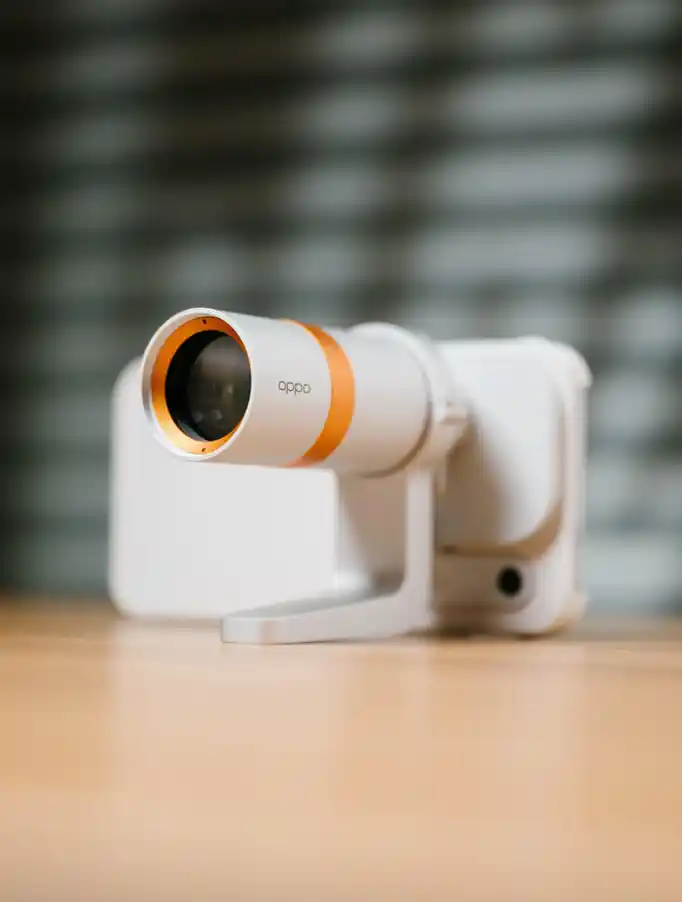
OPPO Find X10 Pro Max supports Blackmagic camera for 4K Dolby Vision HDR
When the OPPO Find X10 Pro Max launched, OPPO and Blackmagic Design promised deeper video integration. Now they have delivered an app experience specifically designed for the flagship phone. The updated Blackmagic Camera app takes a more complex approach to the phone, using its camera system rather than treating it as a generic Android phone, so creators can shoot with more precision.
What the OPPO and Blackmagic Design Collaboration Brings
The OPPO and Blackmagic Design partnership brings hardware-tuned video capture. To make shooting smoother, users can connect the Blackmagic Camera interface directly with the triple 200MP rear camera setup on the Find X10 Pro Max. It also adds support for 4K Dolby Vision HDR, OPPO’s O-Log2 colour profile and Open Gate shooting, while maintaining shooting controls and on-screen checks in one place for smoother filming and editing.
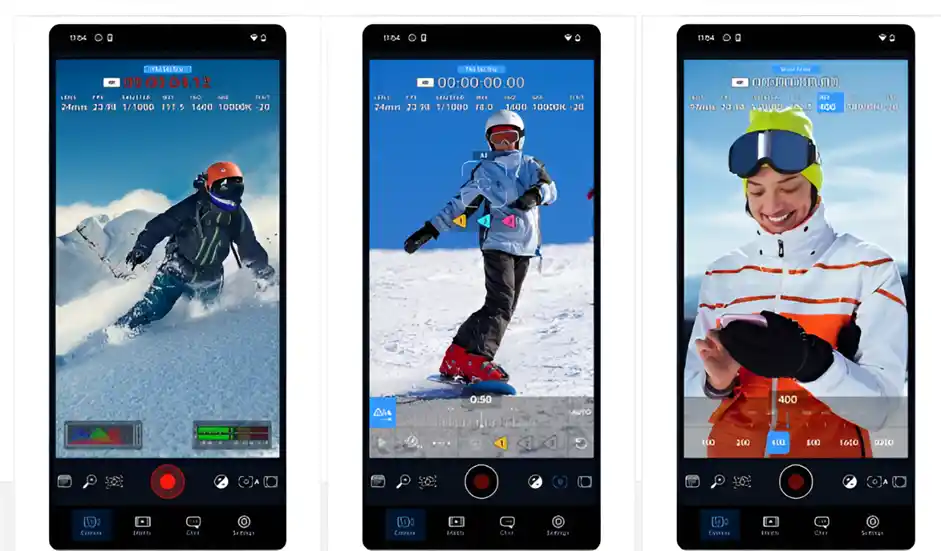
Blackmagic Camera app
Furthermore, it adds a clean, cinema-like screen layout like you get on Blackmagic cinema cameras, so you can do hands-on manual adjustments rather than just auto mode, plus real-time visual feedback on screen so you can spot exposure, focus or audio problems as you film.
How to Access the Optimised Blackmagic Camera Experience
- Install the latest software version 17.0.1.203 or above on your OPPO Find X10 Pro Max
- Open the Google Play Store and download or update to the latest version of the Blackmagic Camera app.
- Launch the app and allow camera, microphone and storage permissions to start shooting.
4K Dolby Vision Recording Comes to Blackmagic Camera on Android
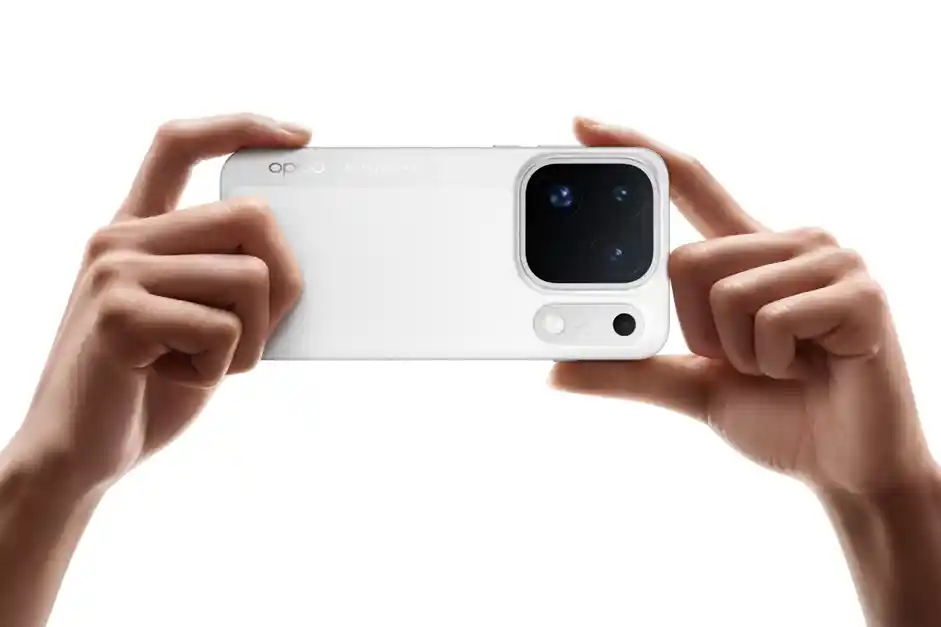
OPPO Find X10 Pro Max users can shoot high-resolution HDR footage
The Blackmagic Camera app on the OPPO Find X10 Pro Max enables creators to shoot high-resolution HDR footage within a purposeful filmmaking tool, preserving detail across bright highlights and deep shadows with a wider brightness range, vivid lifelike contrast on HDR screens and less time spent fixing colour in post-production. Users can shoot 4K Dolby Vision at up to 60 fps on all three rear cameras, but 4K Dolby Vision at 120 fps and 8K at 30 fps are only available on the main and telephoto cameras.
The native camera app is best for quick point-and-shoot clips and fast social posts without much setup, while Blackmagic Camera is better for creators who want cinema-style controls, the ability to keep settings consistent across clips, and deeper monitoring tools alongside HDR recording.
O-Log2 and Open Gate Capture Expand Video Editing Flexibility
With the OPPO Find X10 Pro Max’s O-Log2 and Open Gate recording in the Blackmagic Camera app, creators have more flexibility in post-production, both for colour grading and framing changes.
O-Log2 is OPPO’s second generation log format, tuned to its colour system and camera hardware, working with a softer, flatter colour profile that preserves highlight and shadow detail for later grading. It also supports conversion LUTs, for example, for Rec.709 delivery and real-time LUT preview while shooting flat log or LUT burn-in to bake a chosen look directly into the file from the start.
Meanwhile, Open Gate recording preserves the sensor’s native 4:3 shape over a default 16:9 widescreen crop, giving editors more room to crop or reframe shots in post for horizontal and vertical formats without having to shoot the same scene twice.
Blackmagic Camera Brings Professional Shooting Controls to OPPO Find X10 Pro Max
When it comes to serious filming, the Blackmagic Camera app on the OPPO Find X10 Pro Max gives creators hands-on manual controls instead of relying solely on automatic settings that can lead to sudden changes in brightness or colour between shots. This includes ISO to manage brightness and grain in changing light, shutter angle to keep motion blur natural rather than choppy or smeared, and white balance to keep skin tones and colours steady across long interviews or multi-angle shoots.
It is paired with on-screen monitoring tools such as a histogram for precise exposure checks beyond screen brightness alone, focus assist to highlight where the focus plane lands on sharp subjects, audio meters to catch quiet speech or loud peaks before recording, and timecode for frame-accurate markers that keep clips organised across multi-camera shoots and editing.
Why these tools matter for mobile filmmakers
These tools are crucial for mobile filmmakers, as fixing exposure and white balance means you get consistent results across multiple clips, keeping different angles and scenes matching, while live meters, focus aids and exposure graphs catch problems as they happen, leading to fewer ruined takes, faster post-production with less fixing and quicker cutting later.
OPPO Find X10 Pro Max Video Recording Features at a Glance
| Specifications | Details |
| 4K Dolby Vision | Captures high-dynamic-range 4K video (up to 60 fps across all three rear cameras) |
| O-Log2 | Records a flat log profile tuned for OPPO’s hardware and post-production grading |
| Open Gate | Uses the sensor’s native 4:3 aspect ratio for extra reframing and cropping room |
| Manual Controls | Offers hands-on control over frame rate, shutter angle, white balance, and ISO |
| Monitoring Tools | Includes timecode, histogram, audio level meters, focus assist, and framing guides |
Who Should Use Blackmagic Camera on the OPPO Find X10 Pro Max?
The OPPO Find X10 Pro Max’s Blackmagic Camera app is designed for creators who want more control over the look and editing of their videos, so it is perfect for indie filmmakers and mobile videographers looking for manual exposure and shutter angle control, focus aids, and log footage in a pocketable setup.
YouTubers and multi-platform creators who shoot horizontal video and want to benefit from Open Gate framing and consistent colour across scenes and formats, and colourists and editors who want O-Log2 footage with LUT support to shape colour and tone in post-production, while casual smartphone users who only film quick family moments or instant social clips in automatic modes can easily skip it and stick to simpler shooting options.