Highlights
- A new ChatGPT caricature trend is getting popular on social media.
- Users are uploading photos to ChatGPT to generate personalised cartoon-style caricatures.
- With a clear photo and detailed prompt, users can quickly generate tailored amd personalised caricatures with styles like cartoon, comic, or 3D.
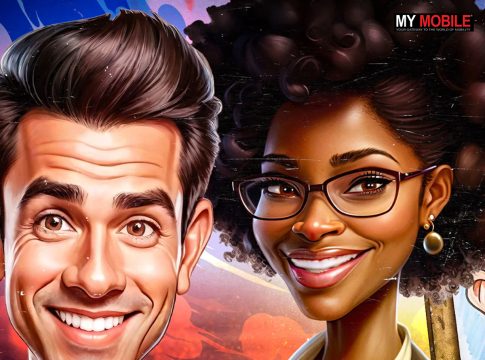
A new AI-driven trend is rapidly gaining traction across social media platforms with users transforming their real photos into quirky caricatures using ChatGPT. These are not generic cartoon images. Instead, many caricatures are highly personalised and highlight a person’s profession, habits, and personality traits. This mix of creativity and individuality has helped the trend appeal to professionals and casual users alike. Here’s everything you need to know about this.
🇪🇨 ¿Quieren una linda sorpresa? Pongan una foto suya en Chat GPT y escriba lo siguiente: “Create a caricature of me and my job based off what you know about me.”✨ Te gustará el resultado. Lo mío👇 pic.twitter.com/uYCifuYsGE
— Sébastien Mélières (@SbastienMlires1) February 3, 2026
What the ChatGPT Caricature Trend Is About?
The trend revolves around uploading a personal photo to ChatGPT and asking the AI to generate a caricature-style image. The output typically exaggerates facial features while keeping the person easily recognisable.
In several cases, the AI also adds backgrounds, tools, or objects linked to the user’s job or daily routine. It gives the final image a playful yet familiar look that people enjoy sharing online.
Users do not need any artistic skills or third-party editing apps. With just a photo and a short prompt, the result is generated in seconds and feels tailor-made. People are also sharing and comparing their caricatures with friends and colleagues and many are adopting them as profile pictures, further fuelling the trend’s reach.
How ChatGPT Generates Caricatures?
Once a photo is uploaded, the AI analyses facial structure, expressions, and proportions. The accompanying text prompt guides the artistic direction including the cartoon style, setting, and how exaggerated the features should be.
Clear and detailed prompts usually produce better results, and even small changes in wording can significantly affect the final image.
Step-by-Step Guide to Creating a Caricature Using ChatGPT –
- First, open ChatGPT and ensure you are using a version that supports image uploads.
- Next, upload a clear, well-lit photo where your face is easily visible.
- Then, write a detailed prompt explaining the caricature style you want.
- After that, ask ChatGPT to generate the caricature based on your photo and prompt.
- Finally, review the result and regenerate the image if you want changes in style or details.
Tips to Get Better Caricature Results
Using a front-facing photo with neutral lighting helps improve accuracy. Adding details such as profession, mood, and preferred art style in the prompt can refine the output.
Experimenting with different styles like cartoon, comic, or 3D and generating multiple versions also makes it easier to pick the best result.
Prompts to Try for AI Caricatures –
- Create a colourful caricature of me with exaggerated facial features in a cartoon style.
- Turn this photo into a professional caricature based on my job and personality.
- Make a 3D-style caricature of me at work with tools related to my profession.
- Create a clean profile-picture caricature with a simple background.
- Design a playful caricature showing my daily work environment.
When the ChatGPT Caricature Trend Goes Wrong
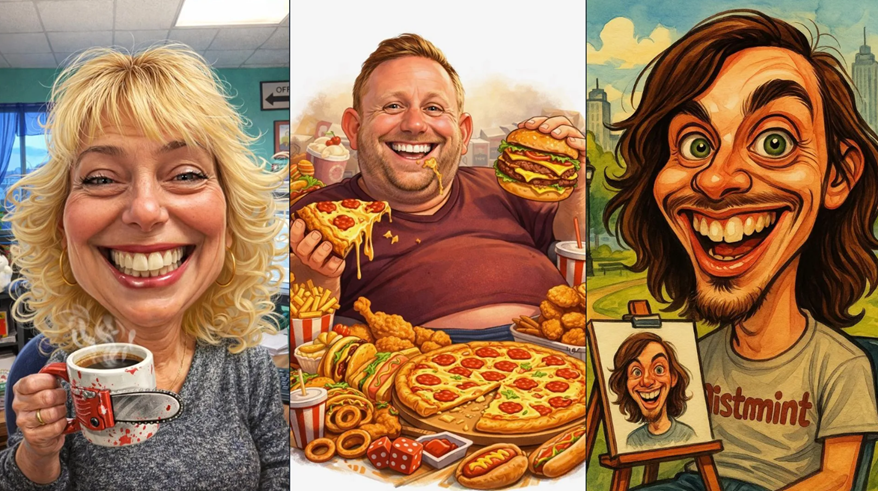
Not every ChatGPT caricature turns out as expected. On platforms like Reddit and X, users have shared some surprisingly odd results generated from simple prompts. In a few cases, it appears as if ChatGPT is subtly calling out the user.
When you ask for a caricature based on what it knows about you 🤣wtf ChatGPT ahahahhaha pic.twitter.com/iZV7iU5KPV
— ✨Sparkles and JOY💖 (@krissyhaynie) February 2, 2026
I used this prompt on Grok @grok
“Create a caricature of me and my job based on everything you know about me.”Look at what it generated….I weak 😂💔 👇🏼 pic.twitter.com/dnyjvzzBbN
— Da Vinçe🌾 (@DaVine95234565) February 6, 2026
Let’s do something fun
Give Grok this promot:
Create a caricature image of me and my job based on everything you know about meThen quote this post with the image it gave you$ION pic.twitter.com/D2xT2FFA8b
— Be Ned Ict 📊🥶❄️ (@dc_benedict) February 6, 2026
Some images include questionable or unexpected details. One caricature shared by Reddit user crunchy-wraps looks normal at first glance, but unusual elements become noticeable when you zoom in. While many users receive cute and friendly cartoon-style results, others end up with more exaggerated and even insulting caricatures, similar to what you might expect from a rude and underpaid boardwalk caricature artist.
Meanwhile, social media users are having fun comparing the ChatGPT results with similar prompt results from other AI chatbots. Some users on X are turning to Grok Imagine to generate similar images, but the results there are reportedly even worse. At least Grok isn’t undressing people without their consent, for once.
Let’s do something fun
Give Grok this promot:
Create a caricature image of me and my job based on everything you know about meThen quote this post with the image it gave you$ION pic.twitter.com/D2xT2FFA8b
— Be Ned Ict 📊🥶❄️ (@dc_benedict) February 6, 2026
FAQs
Q1. What is the ChatGPT caricature trend on social media?
Answer. It’s a viral AI-driven trend where users upload their photos to ChatGPT to generate personalised cartoon-style caricatures. These images exaggerate facial features while adding elements tied to a person’s profession, habits, or personality, making them fun and shareable.
Q2. How can someone create their own caricature using ChatGPT?
Answer. Users need to upload a clear, front-facing photo into a version of ChatGPT that supports image uploads, then provide a detailed prompt describing the desired caricature style. The AI analyses facial features and generates a cartoon image in seconds, which can be refined by adjusting prompts or regenerating results.
Q3. Do all ChatGPT caricatures turn out well?
Answer. Not always. While many results are playful and appealing, some caricatures look odd, exaggerated, or even unintentionally insulting. Users have shared humorous or strange outcomes showing that the trend can produce both delightful and unexpected results.